1
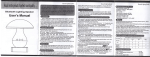
2) Notc
lf you do not use the video glasses for long tim6, please turn it
'OFF" to savethe €nergy.
Please avoid itfall down orbeing strong collision,or the display
will show abnormalor no signal.
Please do not put it in the environment of high temperature
(35C above) or cold (-5 below).
Battery charging: please note that it need turn on the power
button before charging
Please charge thebattery in thefollowing cases,
a. Afterturn on the unit, the displayscroen do notwork, or the
System shutdown automatically. .
b, During theworking, the displayscreen k6ep alwaysflicker.
During charging process, th6 charger and the playor will be
heated, this isnormal phenomenon.
Please do not put the product in the direct light or heating
t
Buttons Definition:
1. Camera button
2, USB port
3. AV.IN
4. Function buttons
5. AV-OUT port
6. Earphone jack
7. Confirmation button
8. Return button
9. ON/OFF
10. Game Playingcontrol buttons
11. SDcard socket
sou rce,
Please do not use the products when you are cycling, driving
cars or motorcycles, it is dangerous
Please classify and deal with the packaging waste, batteries,
used electronic products ln proper way.
Please do notput the productin the w6tenvironment
The information in this manual is subject to change without
notice, and we do not responsible for any results which arised
by mistake operation
3) Appearanceand multlmedla player
\s$
{""ffi\.
*4
ri6--m
\t*#*#
'' ^*..-,,-_-*.*,"
,rll