1
Users Guide
www.senabluetooth.com
CONTENTS
INTRODUCTION
4
PACKAGE CONTENTS
7
INSTALLING THE SR10
POWERING ON/OFF AND CHARGING
9
10
• Powering On
10
• Powering Off
10
• Charging
11
• Low Battery Warning
11
PAIRING THE SR10 WITH BLUETOOTH DEVICES
12
• Bluetooth Headset Pairing
12
• Bluetooth Mobile Phone Pairing
12
USING THE SR10
13
• Using Two-way Radios
13
• Installing Wired PTT Button
13
• Ports and Cables
14
• Using Mobile Phone
15
• Audio Channel Open and Close
15
• Reset to Factory Default Settings
17
English
• Fault Reset
17
QUICK REFERENCE
18
BATTERY INFORMATION
19
MAINTENANCE AND CARE
20
DISPOSAL
21
CERTIFICATION AND SAFETY APPROVALS
22
• FCC Compliance Statement
22
• FCC RF Exposure Statement
23
• FCC Caution
23
• CE Declaration of Conformity
24
• Industry Canada Statement
24
• Bluetooth License
25
WAIVER AND GENERAL RELEASE
26
• Two-Year Limited Warranty
30
• Limitation of Liability
31
• Return for Full Refund
32
WARNING
33
INTRODUCTION
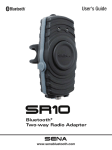
Thank you for choosing the SENA SR10. The SR10 is a Class 1
Bluetooth two-way radio adapter and mobile phone hands-free
gateway based on Bluetooth 2.1+EDR technology. Users can
connect various two-way radios in the market with the SR10 and
connect wirelessly to a variety of Bluetooth communication headsets.
At the same time, as a Bluetooth mobile phone hands-free gateway, the
SR10 lets users connect Bluetooth headsets to mobile phones
as well. With the SR10, users can use a hand held two-way radio
and a Bluetooth mobile phone simultaneously with a single Bluetooth
headset.
The SR10 has two AUX input ports for wired connection of
non-Bluetooth devices such as GPS, radar detector, laser
detector, or non-Bluetooth mobile phone. Along with the SR10,
users can talk by phone or by two-way radio at the same time,
listen to the radar detector alarm or GPS voice guidance.
4
The SR10 can cover such a variety of applications including motorcycle
motorsports pit crew and other forms of intercom communications.
Please read this user’s guide carefully before using the SR10. Also
refer to www.senabluetooth.com for the latest version of the user’s
guide and additional information related to SENA Bluetooth
products.
Features:
• Bluetooth hands-free adapter for two-way radios
• Bluetooth hands-free gateway for Bluetooth mobile phones
• Connect 1 two-way radio and 1 mobile phone simultaneously
• Compatible with standard stereo or mono Bluetooth headsets
• Two AUX inputs for wired connection of non-Bluetooth devices;
GPS, radar detector, laser detector or non-Bluetooth mobile phone
• Motorcycle handlebar mount and belt clip
• Optional 12V bike-powered kit with on/off control by ignition switch
• Water resistant for use in inclement weather
• Firmware upgradeable
• Two-year limited warranty
5
English
CB communications, outdoor sports activities, event security, hunting,
Technical Specifications:
• Bluetooth v2.1+EDR, Class1
• Supporting profiles: Headset Profile, Hand-Free Profile (HFP)
• Operation time: 12 hours
• Standby time: 10 days
• Batter charging time: 3.5 hours
• Lithium polymer battery
• Dimensions: 108 mm x 52 mm x 29 mm (4.3 in x 2.0 in x 1.1 in)
• Weight: 81g (2.86 oz)
• CE, FCC, TELEC, IC
6
English
PACKAGE CONTENTS
• Main Unit
Pairing Button
• Bluetooth Headset Pairing Mode
• Mobile Phone Pairing Mode
PTT Button
• Two-way Radio Activation
• Audio channel forced open
DC Power Charging &
Firmware Upgrade Port
AUX2
• Mobile Phone, GPS Navigation,
Radar/Laser Detector
Mini-DIN port
for two-way radio devices
AUX1
• GPS Navigation or Radar/Laser Detector
2.5mm jack for wired PTT Button
7
• DC Power Charger
• USB Power Cable
• 3.5mm Audio Jack Cable
• Wired PTT Button Extension
• Belt Clip Kit
• Handlebar Mounting Kit
8
English
INSTALLING THE SR10
• Installing on the Handle Bar
1. Place the rubber on the back of the main unit.
2. Put the joint pad on top of the rubber, and tighten the screw.
3. Place the main unit on the handle bar, wind the rubber band,
and hang it on the hook.
• Placing on the Belt / Pocket
1. Place the belt-clip on the back of the main unit, and tighten the screw.
2. Place the main unit on the belt with belt-clip.
9
POWERING ON/OFF AND CHARGING
To power on and off the adapter, you don’t need to press and
hold any button for several seconds. Just short press the Pairing
Button and the PTT Button simultaneously, and you will get quick
on-and-off convenience.
• Powering On
Press and hold the pairing and the PTT button at the same time
for about 1 second to turn the power on. When the power is on,
the blue LED light turns on.
• Powering Off
Press pairing button and PTT button at the same time for about 1
second to turn the power off. The Red LED light turns on for about
3 seconds. The SR10 is now powered off.
10
• Charging
hours to be completely charged. When it is completely charged,
the LED turns to blue.
• Low Battery Warning
When the battery is running low, the red LED light will flash.
11
English
The red LED light is visible while charging. It takes about 3.5
PAIRING THE SR10 WITH BLUETOOTH DEVICES
• Bluetooth Headset Pairing
1. Turn on the Bluetooth Headset and enter pairing mode, following
your Bluetooth Headset manual.
2. Turn on the SR10 and press and hold the pairing button for 5
seconds until the LED flashes red and blue alternatively.
3. When the pairing is successful, the blue LED flashes slowly.
• Bluetooth Mobile Phone Pairing
1. Turn on the SR10 and press and hold the pairing button for 8
seconds until the red LED is rapidly flashing. Search for Bluetooth
devices on your mobile phone. The SR10 will be listed on your
mobile phone.
2. Enter 0000 for the PIN. (Some mobile phone may not ask for
the PIN.)
3. The SR10 will be paired as Headset. This profile is normally
recommended for most mobile phones.
4. When pairing is done, the red LED flashes slowly.
12
English
USING THE SR10
• Using Two-way Radios
1. When SR10 is turned on and connected with a hand held two-way
radio, the audio from the two-way radio will be directly sent to your
Bluetooth Headset. You can use the Bluetooth headset as a hands-free
device for the two-way radio.
2. To talk using the two-way radio through SR10, press and hold the
PTT button or wired PTT button extension until you finish talking.
• Installing Wired PTT Button
1. Place the PTT button on the motorcycle handlebar grip or any
other place where you can easily reach it.
2. Wind up the rubber band on the handlebar grip and hang it
on the hook.
13
• Ports and Cables
The SR10 has one main port and two AUX ports for wired
connection with other devices.
Below is a list of compatible cables and devices:
• Main: Mini-DIN two-way radio cable *
• AUX1: 3.5mm 3-pole audio jack cable for GPS,
radar detectors or laser detector **
• AUX2: 3.5mm 3-pole audio jack cable for GPS,
radar detectors or laser detector, or
3.5mm 4-pole mobile phone cables for mobile phones *
For information on two-way radio cables, please visit
www.senabluetooth.com.
-------------------------------* Not included in the package. Must be purchased separately.
** Included in the package.
14
• Using Mobile Phone
When the SR10 is paired with a Bluetooth headset and a
Bluetooth mobile phone, the Bluetooth headset will provide
Hands-Free-Profile for your mobile phone. The SR10 redirects
mobile phone calls and two-way radio communications to the
Bluetooth headset simultaneously so that a Bluetooth headset
could be used for both the mobile phone and hand held
two-way radio.
2. For Wired Connection
Users can connect a mobile phone to the AUX2 port by wire in
order to use Bluetooth handsfree. In this case, the SR10 combines
audio from the main port and the AUX2 port together and redirects to
the Bluetooth headset. For information on mobile phones and cable
compatibility, please visit www.senabluetooth.com.
• Audio Channel Open and Close
The SR10 has to have an audio channel to the Bluetooth headset
to redirect audio from the connected devices; two-way radio, mobile
phone, GPS or radar detector. As soon as an incoming audio
signal from the connected devices is detected by the SR10, it
15
English
1. For Bluetooth Wireless Connection
immediately opens an audio channel to the Bluetooth headset
and consequently users hear a certain sound. The triggering
signal to open an audio channel is, for example, a sound of the
two-way radio incoming signal; GPS voice instruction, radar
detector alarm or mobile phone ringtone. The audio channel is
established by Bluetooth Hands-Free Profile (HFP). When incoming
audio no longer exists, the SR10 closes the audio channel and
releases the HFP connection in just a few seconds.
Users can open and close the audio channel manually. To open
or close an audio channel manually, double tap the PTT button
on the SR10 or the wired PTT button extension. It works in toggle
mode.
When the incoming audio input level from the connected devices
is not high enough to trigger the SR10 to open an audio channel
or to maintain existing audio channel, users can open an audio
channel manually. In this case, users have to close the audio
channel and release the HFP connection manually.
16
• Reset to Factory Default Settings
the pairing button for 12 seconds until the LED shows solid red.
2. Within 5 seconds, press the pairing button again to confirm
reset. The SR10 will be restored to factory settings and switched
off automatically after the blue LED flashes several times.
3. If you don't press the pairing button within 5 seconds, the reset
attempt is canceled and the SR10 returns to standby mode.
• Fault Reset
If the SR10 is not working properly or is in a faulty status for any
reason, you may reset by pushing the small reset button at the
top of the SR10 main unit. By using a paper clip or a pencil tip,
lightly press and hold the reset button for 1 second. The SR10
will be switched off. Turn the SR10 back on to use it. However,
this will not restore the SR10 to factory default settings.
17
English
1. To restore the SR10 to factory default settings, press and hold
QUICK REFERENCE
• Buttons
Button
Description
Duration
LED
Pairing button +
PTT button
Power-on
On
Solid blue
Power-off
1 sec
Solid red
Pairing
button
Bluetooth headset
pairing
5 sec
Blue & red
alternatively flashing
Mobile phone
pairing
8 sec
Red flashing
Factory reset
12 sec
Solid red
Factory reset
confirm
Tapping
Blue flashing
Two-way radio
transmitting audio
-
Solid blue
PTT Button
• LED Status
LED
Description
Solid Blue
No headset connected
Slow Blue Flashing
Headset connected and standby
Slow Red Flashing
Mobile phone connected and standby
Blue Double Flashing
Headset audio channel is opened
Red Double Flashing
Bluetooth phone call is in progress
Rapid Blue Flashing
Probing paired headset
Rapid Red Flashing
Low battery
• LED Status While Charging
LED
Description
Solid Red
Charging
Solid Blue
Fully charged
18
English
BATTERY INFORMATION
The SR10 has an internal, non-removable, rechargeable battery. Do not
attempt to remove the battery from the device as you may damage the
device. The battery can be charged and discharged hundreds of times,
but it will eventually wear out. Recharge the battery only with SENA
approved chargers designated for this device. Use of an unapproved
charger may present a risk of fire, explosion, leakage, or other hazard.
Always try to keep the battery between 15°C and 25°C (59°F and 77°F).
Extreme temperatures reduce the capacity and lifetime of the battery. A
device with a hot or cold battery may not work temporarily. Battery
performance is particularly limited in temperatures well below freezing.
Do not dispose of batteries in a fire as they may explode. Batteries may
also explode if damaged. Never use any charger that is damaged.
Operating times are estimates only and depend on the devices used
together, features used, battery age and condition, temperatures to
which battery is exposed, and many other factors.
19
MAINTENANCE AND CARE
The SR10 should be treated with care and the following suggestions
will help you protect your warranty coverage.
1. Do not use or store the device in dusty, dirty areas. Its moving
parts and electronic components can be damaged.
2. Do not store the device in hot areas. High temperatures can
shorten the life of electronic devices, damage batteries, and
wrap or melt certain plastics.
3. Do not store the device in cold areas. When the device returns
to its normal temperature, moisture can form inside the device
and damage electronic circuit boards.
4. Do not attempt to open the SR10.
5. Do not drop or knock the device. Rough handling can break
internal circuit boards and fine mechanics.
6. Do not use harsh chemicals, cleaning solvents, or strong
detergents to clean the device.
7. Do not paint the device. Paint can clog the moving parts and
prevent proper operation.
20
English
DISPOSAL
The crossed-out wheel bin symbol on the product,
literature, or packaging reminds you that all electrical
and electronic products, batteries, and accumulators
must be taken to separate collection at the end of
their working life. This requirement applies to the
European Union and other locations where separate collection
systems are available. To prevent possible harm to the environment
or human health from uncontrolled waste disposal, please do
not dispose of these products as unsorted municipal waste, but
hand it in at an official collection point for recycling.
21
CERTIFICATION AND SAFETY APPROVALS
• FCC Compliance Statement
This device complies with part 15 of the FCC Rules. Operation is
subject to the following two conditions:
- This device may not cause harmful interference, and
- This device must accept any interference received, including
interference that may cause undesired operation.
This equipment has been tested and found to comply with the
limits for a Class B digital device, pursuant to part 15 of the FCC
Rules. These limits are designed to provide reasonable protection
against harmful interference in a residential installation.
This equipment generates, uses and can radiate radio frequency
energy and, if not installed and used in accordance with the
instructions, may cause harmful interference to radio communications.
However, there is no guarantee that interference will not occur
in a particular installation. If this equipment does cause harmful
interference to radio or television reception, which can be determined by
turning the equipment off and on, the user is encouraged to
22
try to correct the interference by one or more of the following
English
measures:
- Reorient or relocate the receiving antenna.
- Increase the separation between the equipment and receiver.
- Connect the equipment into an outlet on a circuit different from
that to which the receiver is connected.
- Consult the dealer or an experienced radio/TV technician for
help.
• FCC RF Exposure Statement
The antenna(s) used for this device must be installed to provide
a separation distance of at least 20 cm from all persons and must
not be co-located or operating in conjunction with any other antenna
or transmitter.
• FCC Caution
Any changes or modifications to the equipment not expressly approved
by the party responsible for compliance could void user’s authority
to operate the equipment.
23
• CE Declaration of Conformity
This product is CE marked according to the provisions of the
R&TTE Directive (99/5/EC). Hereby, SENA declares that this product
is in compliance with the essential requirements and other relevant
provisions of Directive 1999/5/EC. For further information please
consult http://www.senabluetooth.com. Please note that this
product uses radio frequency bands not harmonized within EU.
Within the EU this product is intended to be used in Austria,
Belgium, Denmark, Finland, France, Germany, Greece, Ireland,
Italy, Luxembourg, The Netherlands, Portugal, Spain, Sweden,
United Kingdom and within EFTA in Iceland, Norway and Switzerland.
• Industry Canada Statement
This device complies with Industry Canada license-exempt RSS
standard(s).
Operation is subject to the following two conditions:
(1) this device may not cause interference, and
(2) this device must accept any interference, including interference that
may cause undesired operation of the device.
24
• Bluetooth License
Inc. and any use of such marks by SENA is under license. Other
trademarks and trade names are those of their respective owners
The SR10 is compliant with and adopts the Bluetooth® Specification
2.1+EDR and has successfully passed all interoperability tests that are
specified in the Bluetooth® specification. However, interoperability
between the device and other Bluetooth®-enabled products is not
guaranteed.
25
English
The Bluetooth® word mark and logos are owned by the Bluetooth SIG,
WAIVER AND GENERAL RELEASE
By using the SR10, you waive any legal rights including the
right to sue. Please read the following carefully before using
the device. If you do not accept all terms of this agreement,
you should immediately return the product for a full refund.
By using the SR10, you agree to be bound to this agreement
and forfeit the right to sue. Using a communication device
while riding a motorcycle, scooter, moped, ATV, quad-bike
or any other vehicle or equipment, whether on land, water or
air (jointly referred to as “Vehicle”) requires your complete
and undivided attention. SENA Technologies, Inc., including
its Officers, Directors, Affiliates, Parent Company, Representatives,
Agents, Contractors, Sponsors, Employees, Suppliers and
Resellers (jointly referred to as the “Company” or “SENA”)
strongly advises you to take all necessary precautions and
remain alert to the traffic, weather and road conditions if you
choose to use the SR10, including all derivative models irrespective
of its commercial name or branding (the “Device”), and stop your
Vehicle on the roadside prior to initiating or receiving calls. Any
26
publications, advertisements, announcements or similar notes
intended to address its technical capabilities and should not
be misconstrued as if encouraging users to operate the Device
while actively involved in traffic.
By way of purchasing this Device and not returning it for a full
refund (see below), you are irrevocably releasing, indemnifying
from any liability, loss, claim and expense (including attorneys
fees) and holding SENA harmless for any bodily injuries, harm
or death as well as losses or damages in goods, to any Vehicles
including your own, or to any property or asset that belong to you
or to third parties, any of which may result from using the Device
under any circumstances or conditions and irrespective of jurisdiction.
SENA will not be responsible for any physical damages, irrespective of
reasons, conditions or circumstances, including malfunctioning
of the Device, and all risks associated with operating it rest solely
and entirely with the user of this Device, irrespective of whether
the Device is used by the original purchaser or any third party.
27
English
that refer to using the Device while riding a Vehicle are solely
SENA hereby notifies you that using this Device may also be in
contravention to local, federal, state or national laws or regulations,
and that any use of the Device is entirely at your sole risk and
responsibility.
1. You, your heirs, legal representatives, successors or assigns,
hereb y voluntarily and forever release, discharge, indemnify and
hold har mless SENA from any and all litigation, claims, debts,
demands, actions and liability which may arise, directly or
indirectly, from using the Device for any distress, pain, suffering,
discomfort, loss, injury, death, damages to or in respect to any
person or property however caused, WHETHER ARISING FROM
THE NEGLIGENCE OR OTHERWISE, and which may hereafter
accrue to you on some future date as a result of said use, to the
fullest extent permitted by law.
2. You fully understand and assume the risks in using the Device,
including risk of negligent acts or omissions by others.
3. You confirm that you are physically capable to use the Device
and that you have no medical conditions or needs that may infringe
upon your abilities to do so in a safe manner. You confirm that you
are at least eighteen (18) years of age and that you have been
advised of the risks associated with the use of the Device. You
28
further confirm that you will not consume any alcohol that may
carry, use or consume these substances before or during the use
of the Device.
4. You fully acknowledge our warnings and understand that: (a)
risks and dangers exist in using the Device while in traffic, including
but not limited to injury or illness, strains, fractures, partial and/or
total paralysis, death or other ailments that could cause serious
disability; (b) these risks and dangers may be caused by the
negligence of the manufacturers or its agents or any third party
involved in designing or manufacturing the Device; (c) these
risks and dangers may arise from foreseeable or unforeseeable
causes. You hereby assume all risks and dangers and all responsibility
for any losses and/or damages, whether caused in whole or in
part by the negligence or other conduct of others, including the
Company.
5. You confirm that you have read this release of liability and
fully understand its terms and that you have given up substantial
rights by not returning the Device for a full refund (see refund
option below).
29
English
affect your alertness or any mind-altering substance, and will not
• Two-Year Limited Warranty
Sena Technologies, Inc. (“SENA”) warrants that this product (“Product”)
shall conform to and perform in accordance with published technical
specifications and the accompanying written materials, and shall be free
of defects in materials and workmanship, for a period of two (2) year from
the date of purchase by the first consumer purchaser of the Product. The
limited warranty extends only to the original consumer purchaser of the
Product and is not assignable or transferable to any subsequent
purchaser/end-user.
This warranty is limited to the repair and/or replacement, at SENA’s
discretion, of defective or non-conforming Product, and SENA shall not
be responsible for the failure of the Product to perform specified
functions, or any other non- conformance caused by or attributable to:
(a) any misapplication or misuse of the Product; (b) failure of Customer
to adhere to any of SENA’s specifications or instructions; (c) neglect of,
abuse of, or accident to, the Product; or (d) any associated or
complementary equipment or software not furnished by SENA.
Limited warranty service may be obtained by delivering the Product to
SENA or to the international distributor it was purchased through and
providing proof of purchase or receipt date. Customer agrees to insure
the Product or assume the risk of loss or damage in transit, to prepay
30
shipping charges to SENA, and to use the original shipping container
English
or equivalent.
• Limitation of Liability
EXCEPT AS EXPRESSLY PROVIDED HEREIN, SENA MAKES NO
WARRANTY OF ANY KIND, EXPRESSED OR IMPLIED, WITH RESPECT
TO ANY EQUIPMENT, PARTS OR SERVICES PROVIDED PURSUANT
TO THIS AGREEMENT, INCLUDING BUT NOT LIMITED TO THE
IMPLIED WARRANTIES OF MERCHANTABILITY AND FITNESS
FOR A PARTICULAR PURPOSE. NEITHER SENA NOR ITS DEALER
SHALL BE LIABLE FOR ANY OTHER DAMAGES, INCLUDING
BUT NOT LIMITED TO DIRECT, INDIRECT, INCIDENTAL, SPECIAL
OR CONSEQUENTIAL DAMAGES,WHETHER IN AN ACTION IN
CONTRACT OR TORT (INCLUDING NEGLIGENCE AND STRICT
LIABILITY), SUCH AS, BUT NOT LIMITED TO, LOSS OF ANTICIPATED
PROFITS OR BENEFITS RESULTING FROM, OR ARISING OUT
OF, OR IN CONNECTION WITH THE USE OF FURNISHING OF
EQUIPMENT, PARTS OR SERVICES HEREUNDER OR THE
PERFORMANCE, USE OR INABILITY TO USE THE SAME, EVEN
IF SENA OR ITS DEALER HAS BEEN ADVISED OF THE POSSIBILITY
OF SUCH DAMAGES. IN NO EVENT WILL SENA OR ITS DEALERS
31
TOTAL LIABILITY EXCEED THE PRICE PAID FOR THE PRODUCT.
• Return for Full Refund
IF YOU ARE UNWILLING TO ACCEPT AND AGREE TO THE ABOVE
CONDITIONS, YOU MAY RETURN THIS DEVICE TO SENA FOR A
FULL REFUND, PROVIDED THAT YOU DO SO NO LATER THAN 14
BUSINESS DAYS FOLLOWING THE PURCHASE OF THE DEVICE AND
SUBJECT TO THE WRAPPING BEING INTACT. WHEN DOING SO,
PLEASE REFER TO THIS SECTION. BY NOT RETURNING THE DEVICE
FOR REFUND WITHIN THE PERIOD PROVIDED, YOU ARE
EXPLICITLY IN AGREEMENTWITH THE ABOVE AND RENOUNCE ALL
RIGHTS TO FUTURE CLAIMS AND DEMANDS AGAINST SENA AS
DEFINED ABOVE.
32
English
WARNING
SENA informs that using this device in public traffic may not be
authorized by the law. Please check your local law and use this
device only out of public traffic such as private properties or
closed circuits. SENA denies any liability should you choose not
to respect this warning.
33
V1.0.0
www.senabluetooth.com