1
MODE
RECEI VE
CHASE
MENU
TOTAL DMX CHANNEL
DI SPLAY
CH: 01/ CH: 02/ CH: 04
DMX CHANNEL
R001
R512
CHASE PROGRAM
P: 01
P: 16
CHASE SPEED
SP: 01
CHASE DI MMER
D000
1CH
SP: 16
8
D100
2CH
3CH
DMX Si gnal
4CH
Recei ve
Chase
7
DMX I N
3
1
2
DMX OUT
1=Gr ound
2=Dat a" - "
3=Dat a" +"
3
2
1
MODE MENU
1
POWER
POWER I NPUT:
10
2
3
4
AC 120V- 60Hz, 20A Max
5
9
6
FUSES: F6. 3A 250V 5* 20mm
1
2
3
4
11
l
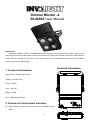
Mode butoon: exchange of each mode.
l
Up button:Choose up.
l
Down button: Choose down.
l
DMX input:DMX signal input.
l
DMX output:DMX signal output.
l
Green LEDs:Indicate the output of the Channel
l
LED display:display all kinds of mode.
l
Power cable:suitable for all the area.
l
Power Switch:control the main power.
l
Output Fuse:Fuse 250V/8A in each channel, exchange the same fuse when you need to replace.
3. Operation:
There are 3 modes for this product, Auto, DMX and Master/Slave Linking Modes.
A. Auto Mode:
l
Press “Menu button”to the Auto mode.
l
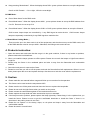
Press “Mode button”. When the display shows P:01,press up/down button to choose the program from the
4 internal programs.
l
Keep pressing “Mode button”. When the display shows SP:01,press up/down button to set up the speed
from 0 to 99. Remark: 01 is 30S/step,99 is 10steps/second.
2/2