1
Safety Instructions
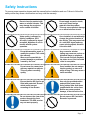
To ensure proper operation please read the manual before installation and use. Failure to follow this
safety notice may cause a malfunction and may void the warranty.
Do not clean the product with
water or volatile solvents. This
may damage the product or
cause a short-circuit/fire.
Do not apply excessive shock,
and never insert foreign
materials into the product.
This may cause product damage
or an electrical short-circuit.
Video quality is affected by
lighting conditions, GPS
accuracy is affected by signal
reception. Nighttime or use in
tunnels affects system
operation.
Once installed, do not arbitrarily
change the product location in
the vehicle. This may cause lack
of a valid GPS signal and may
cause missing speed, direction
& location data.
Do not disassemble, repair or
modify the product. This voids
the warranty.
We are not responsible for
product damage or problems
caused by the user.
Any excessive window
tinting may cause an unclear or
distorted image on playback.
First record and then playback
the video to see if the recorded
video is acceptable.
Do not cover the camera lens
with any materials or objects.
This may affect recording
quality.
Once installed, do not manipulate the product or stare at it
while driving! This may cause a
traffic accident.
Ensure that the SD Card is not
filled with protected “Events”,
which would prevent
recording of new Events.
Use only the provided cables
and specified power input.
Using cables other than those
supplied with the unit or from
Rosco may cause product
damage, a short-circuit or fire.
Do not obstruct the view of the
product through the front
windshield. The GPS receiver
may not work properly.
Do not remove SD Card while
Recorder is powered.
Page 1