1
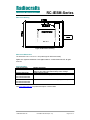
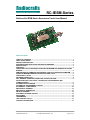
Radiocrafts Embedded Wireless Solutions RC-IESM-Series Quick Start Guide How do I set up a simple link between an IESM board and a matching Radiocrafts RF module? A basic communication test can be done by sending and receiving serial data via the external RS232 (UART1) on the Wavecom modem to and from a Radiocrafts Demonstration Board, after downloading the RTG-demonstration software into the modem and enabling serial-toserial mode: • • • • • • • Attach the antennas to the SMA connectors Download the latest version of RCTools from www.radiocrafts.com Install RCTools (this will also install the USB VCP (Virtual COM Port) driver) Connect the modem RS232 port, and the USB port on the Demo Board, to a PC Start a terminal program on the PC (like RC_CCT or Microsoft HyperTerminal). Make sure to select the correct serial port. Set Baud rate 19200, 1 start bit, no parity, 1 stop bit, no flow control for the Demo Board. Set Baud rate 115200,1 start bit, no parity, 1 stop bit, hardware flow control for the Wavecom modem Wavecom modem: Connect the battery eliminator plug to the DC jack. Put the battery eliminator in the wall outlet socket. Download the RTG-demonstration software into the modem and enable serial-to-serial mode For using RC2300-ZNM-IESM, change the UART2 setting to 115200 Baud and enable Hardware flow control, see the RTG User Manual. Other settings as above will meet the default settings of the RTG Software. The modules will now be in idle mode listening for a valid data packet to arrive. You can now enter data in one terminal window and after approximately 2 seconds timeout, the ASCII string is transmitted to the other module and shown in the other terminal window if the transmission was successful. For Wireless M-Bus and ZigBee (ZNM) the communication should be done via the RCTools named MBUS-DEMO and ZNM-CCT respectively. For a detailed description on how to find the right COM Port to use, and how to connect to, and use, the Demonstration Board, please see the RCxxxxDK-USB_User_Manual or RC2300DK-ZNM_Quick_Start available at www.radiocrafts.com. How do I go on and change the RF channel or any other parameter? To change configurable parameters on the Demonstration Board or IESM board, assert the CONFIG pin (pulling low), and send the command string using the same serial interface as for transmitting data. Parameters can be changed permanently and stored in non-volatile memory in the module. See following sections on how to enter configuration mode for the various IESM boards. NOTE! Always extract the IESM board from the modem by using an angled tool/hook inserted into the 3.2 mm hole in front of the IESM board. The GPC connector require a significant force to release its mating connector, thus never use other tools for extracting the IESM board as this may permanently damage the board. 2009 Radiocrafts AS RC-IESM User Manual (rev. 1.0) Page 2 of 13