1
3.4
Named Colours
Using the named colour model has certain advantages over using other colour
models.
Firstly as the dvi file contains a request for a colour by name, the actual mix
of primary colours used to obtain the requested colour can be tuned to the
characteristics of a particular printer. In the dvips driver the meanings of the
colour names are defined in the header file color.pro. Users are encouraged to
produce different versions of this file for any printers they use. By this means
the same dvi file should produce colours of similar appearance when printed on
printers with different colour characteristics.
Secondly, apart from the so called ‘process colours’ that are produced by mixing
primary colours during the print process, one may want to use ‘spot’ or ‘custom’
colours. Here a particular colour name does not refer to a mix of primaries, but
to a particular ink. The parts of the document using this colour will be printed
separately using this named ink colour.
3.5
Page Colour
\pagecolor{!name"}
\pagecolor[!model "]{!specification"}
The background colour of the whole page can be set using \pagecolor. This
takes the same argument forms as \color but sets the background colour for
the current and all subsequent pages. It is a global declaration, so you need to
use \pagecolor{white} to ‘get back to normal’.
3.6
Box Backgrounds
Two commands similar to \fbox produce boxes with the backgrounds shaded
an appropriate colour.
\colorbox{!name"}{!text"}
\colorbox[!model "]{!specification"}{!text"}
\fcolorbox{!name1 "}{!name2 "}{!text"}
\fcolorbox[!model "]{!specification1 "}{!specification2 "}{!text"}
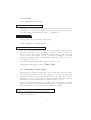
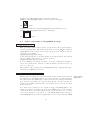
The former produces a box coloured with name like this . The latter is similar
but puts a frame of colour name1 around the box coloured name2.
These commands use the \fbox parameters \fboxrule and \fboxsep to determine the thickness of the rule, and the size of the shaded area.
6