1
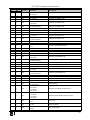
Contents
Figures
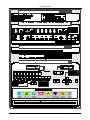
Figure 1: VP-725N Presentation Switcher / Scaler Front Panel
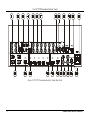
Figure 2: VP-725N Presentation Switcher / Scaler Rear Panel
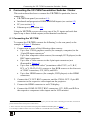
Figure 3: Connecting the VP-725N Presentation Switcher / Scaler
Figure 4: Crossed Cable RS-232 Connection
Figure 5: Straight Cable RS-232 Connection with a Null Modem Adapter
Figure 6: Local Area Connection Properties Window
Figure 7: Internet Protocol (TCP/IP) Properties Window
Figure 8: MENU Items
Figure 9: Input Screen
Figure 10: Picture Screen
Figure 11: Output Screen
Figure 12: PIP Screen
Figure 13: Geometry Screen
Figure 14: Setup Screen
Figure 15: Advanced Setup Screen
Figure 16: Misc Setup Screen
Figure 17: Input Setup Screen
Figure 18: Output Setup Screen
Figure 19: Information Screen
Figure 20: Example of how to use the LCD Display
Figure 21: Infrared Remote Control Transmitter
Figure 22: TextOverlay Application Screen
6
8
12
13
14
15
15
19
20
21
22
24
25
26
28
29
30
31
32
33
34
35
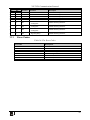
Tables
Table 1: Front Panel VP-725N Presentation Switcher / Scaler Features
Table 2: Rear Panel VP-725N Presentation Switcher / Scaler Features
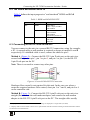
Table 3: RGBS and RGsB PINOUTS
Table 4: PIP Source Appearance Availability
Table 5: Input Screen Functions
Table 6: Picture Screen Functions
Table 7: Output Screen Functions
Table 8: PIP Screen Functions
Table 9: Geometry Screen Functions
Table 10: Available Settings for Each Application
Table 11: Setup Screen Functions
Table 12: Mode Set Functions
Table 13: OSD Functions
Table 14: Misc Functions
Table 15: Input Functions
Table 16: Output Functions
Table 17: Infrared Remote Control Transmitter Functions
Table 18: Features and Functions of the TextOverlay Application
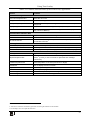
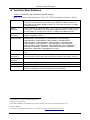
Table 19: Technical Specifications of the VP-725N Presentation Switcher / Scaler
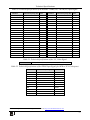
Table 20: Technical Specifications of the RGBHV / RGBS (PC) / RGsB (PC) Input Signal
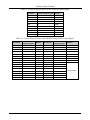
Table 21: Technical Specifications of the Y/C, Video Signal
ii
7
9
13
17
20
21
22
24
25
25
26
28
28
29
30
31
33
35
36
37
38
KRAMER: SIMPLE CREATIVE TECHNOLOGY