1
TURNING ON THE MUSIC BOX
1. Press the bottom switch to power the speaker system.
Turning the switch on will make it sit lower than if it was in the
off position. The switch will not illuminate.
2. Press the top switch to power the rest of the electronics.
When the switch is pressed and turned on, the top switch will
illuminate. If both switches are depressed with the top switch
being illuminated, the entire box is on and ready to be used.
USING THE MUSIC BOX
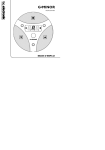
1. Place activation ball in the activation hole.
To play music from the music box, place the ball in the
hole as depicted in the drawing. Music should begin
playing and LEDs will flash
2. The ball will fall out of the bottom of the music box.
The ball that was inserted in the step above will be released
from the hole shown in the drawing.
ADJUSTING THE VOLUME
1. Locate the volume control knob on the side of
the speaker box. Turn it to adjust the volume.
Turning the volume control knob
counterclockwise will increase the volume.
Turning the knob clockwise will decrease the
volume. Turn off the bottom switch on the
electronics box to mute sound completely.
INTERLACING MULTIPLE MUSIC BOXES
By having multiple music boxes, it is possible to mate them all
together in order to play an symphony of music. The activation ball
130 | P a g e