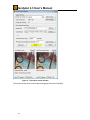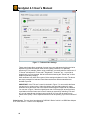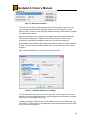
1
HandyAvi 4.3 User’s Manual
HandyAvi 4.3 User’s Manual
19 December 2008
Copyright © 2005-2008 Anderson’s AZcendant Software. All Rights Reserved.
1
HandyAvi 4.3 User’s Manual
Table of Contents
HandyAvi Overview
5
Overview.......................................................................................................... 5
How to open the time-lapse video control window .......................................... 7
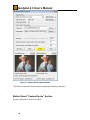
Time-Lapse "Capture Device" Section ............................................................ 9
Light Control .................................................................................................. 19
Time-Lapse Display Area .............................................................................. 21
About Video Codecs...................................................................................... 23
About Compression Quality........................................................................... 25
Lossless Compression............................................................................ 25
Lossy compression ................................................................................. 25
Configure Window Examples ........................................................................ 29
Create a Motion-Detect Video
36
Motion-Detect Video Overview ...................................................................... 36
How to open the motion-detect video control window................................... 37
Motion Detect "Capture Device" Section....................................................... 38
Motion-Detect Movie Setup Section .............................................................. 39
Advanced: ............................................................................................... 41
Email ....................................................................................................... 44
The Motion-Detect Display Area.................................................................... 48
Create an Astrophotography Video
50
Astronomy Video Overview ........................................................................... 50
How to Open the Astronomy Video Control Window .................................... 54
The "Capture Device" Section ....................................................................... 54
The “Telescope Controls” Section................................................................. 55
The Astronomy Movie Setup Section ............................................................ 58
The Create Astronomy Movie Section........................................................... 61
Telescope Controls
63
Opening the Telescope Controls ................................................................... 63
Telescope COM Port ..................................................................................... 63
Telescope Control Panels (Tabs).................................................................. 64
First Telescope Tab - LX-200 Controls ................................................... 64
Second Telescope Tab - Location and Time .......................................... 67
Third Telescope Tab - Objects................................................................ 68
Fourth Telescope Tab - Sky Flats........................................................... 70
Create a Meteor Trail Video
72
Meteor Trail Video Overview ......................................................................... 72
How to Open the Meteor Trail Video Control ................................................ 74
The "Capture Device" Section ....................................................................... 75
Meteor Trail Movie Setup Section ................................................................. 75
Advanced ................................................................................................ 78
Meteor Trail Create Movie Area .................................................................... 81
Create an Animation Video
83
Animation Video Overview ............................................................................ 83
How to Open the Animation Control Window ................................................ 84
Animation Setup and Create Movie Area ...................................................... 86
Animation Display Area ................................................................................. 88
2
HandyAvi 4.3 User’s Manual
Displaying AVI Movies
89
Controls................................................................................................... 89
Crop and Save
91
Cropping Tool ................................................................................................ 91
Tutorial: Make an AVI Clip of the Best Frames ............................................ 95
The Frame Selector
102
The Frame Selector..................................................................................... 102
The Frame Selection Tutorial ...................................................................... 105
Create Time-Lapse Movies from Regular Movies
110
Batch Processing......................................................................................... 110
Scan an AVI File for Meteors
114
Overview...................................................................................................... 114
Select an Input File...................................................................................... 116
Setup Movie Section.................................................................................... 117
Advanced .............................................................................................. 119
Scan AVI File for Meteors and Create New Movie...................................... 122
Join AVI Files
124
Select Files to Join ...................................................................................... 125
Select Compression Scheme ...................................................................... 125
Join Files...................................................................................................... 126
Stack Images
127
Make Movie from Still Images
129
The Directory Selector Section.................................................................... 131
The Select Compression Scheme Section.................................................. 132
The Make Movie Section ............................................................................. 133
Preferences
134
Image Deinterlacing..................................................................................... 134
Date and/or time stamp each captured image ............................................ 136
Set Allowable Image Capture Times... ........................................................ 136
Set up Automatic FTP Upload to a Web Site: ............................................. 137
Set up FTP communication parameters...................................................... 138
Recycle files in order to limit disk space usage........................................... 140
Autoplay newly created videos .................................................................... 141
Maximum AVI File Size ............................................................................... 141
AVI File Frame Time Log
142
Command Line Parameters
143
HandyAvi Registration
146
Purchase...................................................................................................... 146
Install Key .................................................................................................... 146
Registered To .............................................................................................. 148
3
HandyAvi 4.3 User’s Manual
Check for New Versions
149
Troubleshooting
151
DEP or "Data Execution Prevention"........................................................... 151
SelectNthFilter Installation........................................................................... 152
Crash Handler.............................................................................................. 153
Recover an incomplete or aborted AVI file.................................................. 153
Send us Email if you encounter a problem.................................................. 153
Recovery of an Incomplete AVI File
154
Recovery of an incomplete AVI file ....................................................... 154
Tips - Miscellaneous
155
Can I upload new AVI files to an internet site automatically. ...................... 155
Can I use a Digital Video camera with HandyAvi? ...................................... 155
Camera Tips
156
Definitions .................................................................................................... 156
Webcams..................................................................................................... 156
USB Video Adapters.................................................................................... 156
"USB 2.0 Video Adapter with Audio"..................................................... 157
"EasyCap Video Adapter with Audio"............................................. 157
Diamond Multimedia "One Touch Video Capture" ......................... 158
NTSC Cameras ........................................................................................... 159
Video Boards ............................................................................................... 159
Things that didn't work................................................................................. 160
HandyAvi Menus
162
File menu commands .................................................................................. 162
Capture menu .............................................................................................. 162
Tools Menu .................................................................................................. 163
View Menu Commands ............................................................................... 164
Window menu commands ........................................................................... 165
Help menu commands................................................................................. 165
HandyAvi Toolbar
4
166
HandyAvi 4.3 User’s Manual
HandyAvi Overview
Overview
HandyAvi:
•
•
•
•
•
is a multi-purpose Webcam program for creating and editing AVI movie
files.
will work with nearly all types of webcams.
works with NTSC and PAL cameras if you use a USB Video Adapter.
supports video boards such as the Hauppauge WinTV 885 Capture Board.
will control Meade telescopes.
HandyAvi will let you make:
•
•
•
•
•
Time-Lapse videos,
Motion-Detect videos,
Astronomy videos,
Meteor and Lightning videos,
Animation videos.
HandyAvi will let you:
•
•
•
•
•
•
•
•
•
•
•
•
open, play, edit and join AVI movie files,
edit an AVI file and make a new video from selected frames,
create AVI files using any compression scheme (codec) found on your
machine,
create a new AVI file using a compression scheme OTHER than the one
used to encode your original AVI file,
set the play-back speed of new movies that you create,
make Time-Lapse movies from any AVI movie file that you already have on
hand,
scan an existing AVI file for meteors and create a new movie containing
only the meteor trails that were found,
control any telescope that uses the standard Meade telescope control
codes (The LX-200 telescope for example),
display information about any AVI file including the codec that the file was
created with,
write selected images or all of the images within your AVI file as either .JPG
files or .BMP files,
create a new movie from a directory containing .JPG files or .BMP files,
align and stack images contained within an AVI file for planetary astronomy
imaging...
5
HandyAvi 4.3 User’s Manual
Create a Time-Lapse Video
HandyAvi allows you to easily make time-lapse videos using a webcam.
Regular webcam videos consist of frames taken as quickly as possible, usually on the order of 30
frames per second.
Time-lapse videos consist of frames taken at a slower rate. For example, to photograph clouds
moving in the sky, you could take one frame every 20 seconds. The time-lapse is then 20
seconds. When you play back such a video at 30 frames per second, the motion of the clouds
appears to be greatly speeded up.
•
•
•
•
•
•
•
•
•
•
•
•
•
•
•
Time-lapse photography can be used to film
clouds moving
flowers opening
traffic on freeways
boats moving on a lake or the ocean
ants moving about their nest
construction of buildings
bridges and freeways
birds growing up in a nest
shadows caused by the sun's motion
plants growing
cell-division using a microscope
ice melting
snow melting
etc.
The only limitations are your imagination regarding what to photograph using a time-lapse video
process.
Anything that occurs slowly can be speeded up using time-lapse photography. The results are
often amazing.
Speeding up the action of the tendrils of vines as they seem to intelligently seek something to
wrap around can be fascinating.
HandyAvi will allow you to set any time-lapse time that you desire - from as fast as your webcam
can produce images up to years of elapsed time between frames!
6
HandyAvi 4.3 User’s Manual
How to open the time-lapse video control window
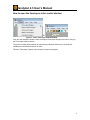
Or
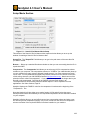
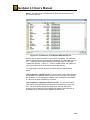
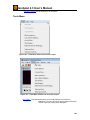
Figure 1 - Open Time-Lapse Control Window
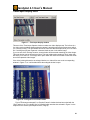
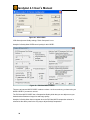
From the main HandyAvi window, select the Capture/Time-Lapse Images menu item to bring up
the Time-Lapse Capture window.
There will be a delay after selecting the menu item as HandyAvi searches for cameras and
establishes communication with one of them.
The main Time-Lapse Capture control window will then be displayed:
7
HandyAvi 4.3 User’s Manual
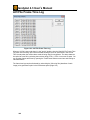
Figure 2 – Time-lapse control window
This window controls all of the time-lapse photography functions of HandyAvi.
8
HandyAvi 4.3 User’s Manual
Time-Lapse "Capture Device" Section
Figure 3 Time-lapse Capture Device Section
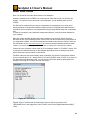
This section of the Capture window allows you to choose a webcam (i.e., a capture device). If
you have several webcams plugged in, they will all be listed here if you click on the pull-down
arrow. In addition, some other types of video capture devices may be listed here such as the
Hauppauge WinTV PVR PCI II Capture device or the Hauppauge WinTV Video 885 Capture
device. Other buttons (see below) may also appear in this section depending upon the
capabilities of the selected device.
We see in the Capture Device section that the webcam currently selected is the Logitech
QuickCam Pro 4000.
Its "Video Frame Size" is currently set to 640x480.
Its frame rate is set to 30 frames per second. Note that this value will sometimes be overridden
by the camera drivers when the camera is in a mode where brightness and contrast are set
"automatically".
The video frame size and the video frame rate can be changed by left-clicking the "Video Format"
button. This will bring up the camera manufacturer's Video Format or Properties window which
will allow you to make changes to basic camera functionality.
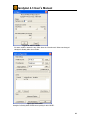
Video Format: This button causes display of a window provided by the manufacturer of your
webcam. For a Logitech QuickCam Pro 4000, the window that comes up looks like this:
Figure 4 – Webcam Properties Window
9
HandyAvi 4.3 User’s Manual
This window may be used to change the video format settings of your camera. In particular, the
"Frame Rate" tells how many frames per second your camera will capture although your camera
driver will sometimes override this if it is set to an "automatic" setting.
The Output Size selection allows you to select the frame size in pixels of the images that the
camera will be taking. Both the ToUcam and the Logitech QuickCam Pro 4000 for example,
allow the image sizes shown here:
Figure 5 – Webcam Image Size
HandyAvi will automatically save and restore your Video Format settings if possible.
Video Settings: There is also a button called Video Settings. This will bring up the webcam
manufacturer's video settings window and will allow you to change other types of camera settings
such as contrast, color, brightness, sensitivity, etc., depending on how many items the camera
manufacturer allows you to modify. The Video Settings window for the Logitech QuickCam Pro
4000 webcam looks like this:
10
HandyAvi 4.3 User’s Manual
Figure 6 – QuickCam Camera Video Settings
The image in Figure 6 shows that the camera is in "Full Auto Mode" which means that
the camera will automatically adjust for changes in light levels. It will sometimes change
the frame rate automatically when in this mode.
The Video Settings window for the Philips ToUcam webcam looks like this:
11
HandyAvi 4.3 User’s Manual
Figure 7 – ToUcam Video Settings
These controls provide a great deal of control over your webcam and might need to be
adjusted to get the best results under various lighting conditions. For planetary
astronomy of, for example, Saturn using a telescope, we usually take the camera out of
"Full auto" and adjust the "Frame rate", "Brightness", "Contrast", etc., to provide an
image that is not over-exposed. We have found that lowering the "Frame rate" is often
helpful for planetary imaging.
Other webcams may have other types of video settings windows of course. The above
are simply examples of webcam control features that two different manufacturers
decided to provide.
IMPORTANT: if the "Full auto" control is checked in Figure 7, it can override the frame
rate and set it to a lower value. Under dim lighting, the automatic settings for many
webcams cause the frame rate to be reduced so that brighter images can be obtained.
You can see in Figure 7 that the original frame rate of 30 frames per second has been
overridden so that the frame rate is now 5 frames per second. By switching "Full auto"
off, you can manually set the frame rate override to 30 if you wish to capture more
frames more quickly. This is important because it can be puzzling if you are not aware of
it.
Video Source: The user here has selected a "USB 2821 Device" which is a USB/Video Adapter
so a "Video Source..." button is now displayed:
12
HandyAvi 4.3 User’s Manual
Figure 8 –Video Source Button
The" Video Source" button will be displayed ONLY when the capture device you are
using supports Video Source options. (Most webcams do NOT support the "Video
Source" option. However, many USB video adapters and many video boards do support
the "Video Source" option.)
We have successfully used a USB 2.0 Video Adapter with Audio adapter (Model GAVD204) which shows up as a "USB 2821 Device" with HandyAvi. We have also
successfully used USB video adapters produced by five other manufacturers.
Some adapters allow EITHER Video Composite signals to be input or S-Video signals to
be input. The Video Source window will allow you to choose which one will be seen by
HandyAvi.
Here is what the USB 2821's "Video Source" window looks like:
Figure 9 – USB 2821 Video Source Settings
You can see that we have opened the "Input" pull-down. "Video Composite In" means
HandyAvi will see the video stream from a camera plugged into the adapter's Composite
Video input port (a standard Phono Plug).
If instead you plug an S-Video source into the adapter (from a VCR or DVD player, etc.)
and choose "2: Video SVideo In" then HandyAvi will see the video stream of the S-Video
device that you have plugged in.
13
HandyAvi 4.3 User’s Manual
Note that most surveillance cameras output Video Composite signals, i.e., NTSC signals
in many countries, PAL in many others. We have a Watec 902H2 ULTIMATE camera
that we are using for Meteor Detection. We plug its Video Composite output into the GAVD204 adapter (or other USB-Video adapter) and then plug the adapter into the USB
port. HandyAvi sees the video and everything works well.
Note that some adapters check to see if you are using a USB 1 port or a USB 2 port.
Some of them will NOT allow you to set higher resolutions (like 640 x 480) if you are
using a USB 1 port. This is usually undocumented and can be puzzling which is why we
are mentioning it here...
It should be noted that the Watec 902H2 ULTIMATE is an EXTREMELY sensitive lowlight camera (.0001 Lux supposedly) and is more expensive than most cameras used for
surveillance work. We needed the sensitivity for meteor detection. There are of course
MANY cheaper cameras that output NTSC Video Composite signals that can be used
with HandyAvi via a USB-Video adapter.
The user here has now selected a "Hauppauge WinTV 885 Video Capture" board:
Figure 10 – WinTV Video Capture Device Display
The "Video Source..." button now exposes this manufacturer's window:
Figure 11 – WinTV Video Source Properties
"Video Tuner In" means that the board is going to receive input from the TV tuner. SVideo and Composite inputs can also be selected as input sources. We don't know why
this board has two "Video SVideo In" selections...
14
HandyAvi 4.3 User’s Manual
TV Tuner: The Capture Device section also now includes a "TV Tuner" button which provides
access to the board manufacturer's TV Tuner settings window:
Figure 12 – WinTV TV Tuner Controls
This window allows you to select the input television channel among other things. On
this particular board, we have found that to input Channel 12, you have to enter 12 then
click on "Enter" or the channel input is ignored! Usually, we would select "Antenna"
unless we are connected to a cable. There is a selection for "Video Standards" which
includes NTSC_M, NTSC_JM, PAL_M, PAL_N, and PAL_COMBO. The "Tuning Mode"
includes "TV" and "FM".
15
HandyAvi 4.3 User’s Manual
Time-Lapse Movie Setup Section
Figure 13 – Time-lapse movie setup
This section of the time-lapse video capture window allows you to set up the webcam for making
a time-lapse video.
Output File: Enter the path name of the new video file you want to create.
Browse: Brings up a standard file selector window so that you can more easily place the file in a
particular folder.
Compression: Select any AVI file compression scheme resident on your computer. File
compression schemes or codecs (short for coder/decoder) show up on your machine from many
sources. Microsoft installs several. Your video camera may install one or more. You may
download and install compression schemes from the internet. At the time of this writing, there are
over 280 codecs listed at http://www.fourcc.org. Note that one of the selection items is called
Uncompressed. If you select "Uncompressed", the image data in your files will not be
compressed. Your files will be LARGE. However, each image in an uncompressed file will
contain images that are exactly what the camera captured. Compressed images are usually
slightly different from the original images because information is lost during compression. In most
cases, the difference is not noticeable. Use of uncompressed images is important for some
applications but not necessary or advisable for most. See Video Codecs, Page 23.
HandyAvi displays the FOURCC value for the compressor in brackets at the beginning of the
"Compression:" line.
Note that HandyAvi will also allow you to read, work with, and display AVI files produced by other
software or cameras and will select the proper decompression scheme automatically IF the
required decompression scheme has been installed on your computer.
HandyAvi will also allow you to read a file that was written using one compression scheme and
write a new AVI file using a new compression scheme. So you can convert AVI files from one
compression scheme to another if the required codecs have been installed on your machine.
Configure: Brings up the compression CODEC's configuration window. This button only
appears if the selected compression scheme HAS a configuration window.
Note that the "Quality:" slider and the quality settings in some CODECs do not "cooperate". In
the case of the mjpg CODEC, the "Forced quality" slider determines the degree of JPEG
16
HandyAvi 4.3 User’s Manual
compression and the "Quality" slider in the "Time-Lapse Movie Setup" window has absolutely no
effect. Other CODECs we have tested do not override our "Quality:" slider.
When in doubt, you should test by setting the quality and capturing (for example) three frames of
the same scene (use Time-Lapse and take one frame every 3 seconds or so). Then change the
quality factor and make another movie. The size of the two resultant AVI movie files should be
different.
See Configure Windows Examples, Page 29, for information on the Configure options of various
CODECs. See Video Codecs, Page 23.
Quality: Adjust the quality of the compression scheme. Most compression schemes create
smaller files because they are actually discarding tiny image details. By discarding more and
larger image details, you can produce a smaller AVI file. If the Quality is set to 100, then little or
no image data is discarded and the resultant AVI file will be large. If the Quality is set to 0 then,
theoretically, all image data is discarded and the resultant AVI file will contain blank images! Of
course each codec is created by software people who may have thought about this and limited it
so they do not throw away all of the image data even if the Quality is zero.
Note that each codec is different and some may even ignore the Quality setting or not allow it to
be set. Also note that lossy compression schemes are used in many applications. JPEG is an
example of a lossy compression scheme that is used in MANY applications and the fact that
some of the image data has been discarded is practically unnoticeable. So compression with
slightly reduced quality is a very good thing in most cases. See Compression Quality, Page 25.
Take one frame every -- seconds: Set up the time-lapse image capture time delay between
frames. For example "Take one frame every 10 seconds" will capture and add one frame to your
new AVI file every 10 seconds. The captured frame will be the current Live Video Preview frame.
See the Time-Lapse Display Area, Page 21.
The delay time entered can be any time desired. 30 frames-per-second corresponds to a timedelay of approximately .03 seconds. If .03 seconds were to be used and if the camera were
running at 30 frames per second, all frames would be captured (assuming your hardware can
keep up.)
Figure 14 – Fractional Second Delays
Play-back rate (images per second): Determines how fast your frames will be displayed when
you play the AVI movie that you have recorded. If you want the frames to be played in "real-time"
then you should set the rate to the same rate as the camera was set to when it was recording. If
you want each frame to be presented at a very slow rate, then you could set the play-back rate to
1 second. In this case each frame of the movie would be displayed for one second when the
movie is played.
Light Controls: Brings up a control panel that will allow control over a PowerLinc USB 1132U or
1132CU X-10 control device. One end of this device plugs into a wall-socket and the other end
plugs into a USB port. You can turn other X-10 devices on and off from this panel and also allow
the time-lapse systems to turn a light on, pause, take the next time-lapse image, then turn the
light off awaiting the time for the next time-lapse image. See Light Control, Page 19.
Advanced: Brings up the following window:
17
HandyAvi 4.3 User’s Manual
Figure 15 – Time-Lapse Advanced Controls
This will allow you to create a .bmp file and/or a .jpg file for every image that is being
captured to the AVI file. The .bmp and .jpg images will be sent to the directory chosen
for storage. The images are placed in the directory at approximately the same time
they are captured and placed in the AVI file. There appears to be very little CPU time
penalty for using this feature.
START: Starts the time-lapse image capture session. The system starts saving image frames to
the Output File in accordance with the values you entered in the Time-Lapse Movie Setup
window.
Note that the Start button here is yellow. This indicates that a Set Allowable Image Capture
Times... Preferences item has been set. Yellow means that video recording is currently allowed
but at some point in time, video recording will cease until it is again allowable. Red would mean
that video recording is not allowed at the current time.
NOTE: Output files will automatically be limited to less than 2 Gigabytes, the AVI file size limit. A
new file with a unique new name will be generated and used automatically whenever the limit is
about to be exceeded. See Preferences, Page 134 for more information about Maximum AVI File
Size.
STOP: Terminates the time-lapse image capture session. The AVI file(s) can now be viewed with
the movie viewer (Page 89.)
18
HandyAvi 4.3 User’s Manual
Light Control
We wanted to make a time-lapse video of a Night-Blooming Cereus cactus. The Night-Blooming
Cereus flowers open up at dusk and stay open all night. In the morning, the flowers react to
sunlight and close up and wilt - usually by 10:00 AM. We illuminated the cactus with a 100 Watt
light and made a time-lapse movie. The result was tremendously disappointing. The NightBlooming Cereus flowers were much more sensitive to light than we had expected. The 100 Watt
light was enough to trigger the wilt response even before the flowers opened! We then had to wait
a year to try it again!
When the cactus was again ready to bloom, we made our next attempt by taking one frame every
60 seconds and turning on the light for 2 seconds and taking each frame just before turning the
light off. This allowed the camera to adjust to the light and the cactus did not respond adversely to
the brief 2-second light flashes.
To accomplish the above, we added a feature which allows use of either a PowerLinc USB
1132U X-10 control device or a PowerLinc USB 1132CU X-10 control device which plugs in to
your computer via a USB port.
(NOTE: The PowerLinc USB 1132U has been discontinued by the manufacturer. Its replacement
is the PowerLinc USB 1132CU. HandyAvi version 3.2 has been modified to handle both the
1132U and the new 1132CU device.)
The 1132U (and CU) device also plugs into your house wiring. This device is sold by SmartHome
(do a Google search). They also sell a line of X-10 "Appliance Modules". X-10 is a method for
sending control signals through your house wiring, extension cords, etc. The control signals can
turn a relay on and off within an Appliance Module. If a lamp is plugged into an Appliance Module,
the lamp will turn on and off when the appropriate control signals are sent through the house
wiring.
There is a "Light Controls" button on the "Time-Lapse Capture" window that will bring up the
Light Controls panel:
19
HandyAvi 4.3 User’s Manual
Figure 16 – X-10 Light Controls
Use Light Control is a check box. When checked, HandyAvi will attempt to use the PowerLinc
device plugged in to your computer to turn a light on and off during your Time-Lapse photography
session.
House Code is a letter from "A" through "P" that is set to match the setting you selected on your
Appliance Module. (The appliance modules have small circular switches that can be set to a
House Code and a Unit Code of your choosing.)
Unit Code is a number from 1 through 16 that is set to match the setting you selected on your
Appliance Module.
Duration is the length of time the light will stay on each time it is turned on. The value must be
set to at least one second. (This is due to the sluggishness of the X-10 devices. They do not
seem to respond well if they are switched at faster rates.)
Turn Light On allows you to test your settings by attempting to turn the light on. (This does not
test the Duration setting.)
Turn Light Off allows you to test your settings by attempting to turn the light off. (This does not
test the Duration setting.)
20
HandyAvi 4.3 User’s Manual
Time-Lapse Display Area
Figure 17 – Time-lapse display window
This area of the Time-Lapse Capture window contains two video display areas. The left one is a
live video preview window showing what the camera is actually seeing at the frame rate at which
it is currently running. The right window shows the last frame that was captured to your new video
file. If nothing has yet been captured, it shows a blank as seen in the above image.
If you use one of the "Enlarge" buttons, a new window will be created containing the video image.
This new window can be resized to any size. This new window also contains a "Size" option that
will allow you to select a "True Image Size" option which will resize the window to show the actual
size of the captured video images.
If the video is being directed to an enlarged window, no video will be sent to the corresponding
window in Figure 17 so it will be blank while the enlarged window is open.
Figure 18 – Enlarged Live Preview Frames
Figure 18 shows an enlarged "Live Preview Frames" window that has been sized with the
"Size" option to the "True Image Size" of 320x240 which was the size selected in Figure 3 in the
Capture Device section (See Capture Device, Page 9).
21
HandyAvi 4.3 User’s Manual
If you close an enlarged window, the images will again appear in the "Live Video Preview"
window or the other window if it was the one that had been enlarged.
22
HandyAvi 4.3 User’s Manual
About Video Codecs
Note: You do not have to learn about codecs to use HandyAvi.
However, the purpose of a CODEC is to compress your video data so that your AVI files are
smaller. So if space on your hard drive is a consideration, you will probably want to use a
CODEC.
AVI files can be created either by using no compression (uncompressed) or by using one of
literally hundreds of compression schemes (codecs is short for Coder/decoder) that have been
created by various companies. Uncompressed files are generally MUCH larger than compressed
files.
In order for HandyAvi to use a particular compression schemes, it must have been installed on
your computer.
Many AVI codecs probably already have been installed on your machine. Some come from
Microsoft as part of your operating system. Some come from the manufacturers of webcams that
you might have installed. You can even download and install codecs from the Internet. Some are
free and others are not. http://www.fourcc.org is a site that lists and describes almost all known
codecs. If you surf to that site, you will want to click on "codec list" to see all of the codecs.
Codecs have four character names known as "Four-Character Codes" or "FOURCC" names. This
is how they are identified internally so that software applications such as HandyAvi can know
which codec was used to produce a particular file.
FOURCC codes are also used internally when a HandyAvi user selects a compression scheme
such as "Indeo® video 5.10". "Indeo® video 5.10" has a FOURCC name of "IV50". If you have an
AVI file that was encoded using IV50, you can see the IV50 codec name by opening the file in
HandyAvi and using the "View/AVI File Info" menu item.
Figure 19 – AVI File Info
Figure 1Figure 19 shows that the compression scheme used to compress the file
"MarsSmallTest.avi" was mjpg which is the FOURCC code for the "Morgan Multimedia MJPG"
codec.
23
HandyAvi 4.3 User’s Manual
HandyAvi will also attempt to open files compressed with codecs that are NOT installed on your
machine. If the required codec is not installed, HandyAvi will, of course, be unable to PLAY the
file but it will try to produce an AVI File Info report as shown in Figure 19 so that you will be able
to identify the missing codec. If you know which codec was used, you might be able to locate an
installable version of the codec via the Internet and install it. Then you would be able to play the
file using HandyAvi. If you can play the file using HandyAvi then you can also use HandyAvi's
editing features (Page 102) to create a new file using the same or a different codec and include or
exclude selected frames from the new AVI file.
Many CODECs allow you to have control over the "Quality" factor or "Compression" factor that
will let you make your files smaller.
See Compression Quality, Page 25.
See Configure Windows Examples, Page 29.
24
HandyAvi 4.3 User’s Manual
About Compression Quality
There are many video compression schemes. The purpose of a video compression scheme is to
make a smaller file without sacrificing too much detail in the images.
An uncompressed AVI file is comprised of a series of bmp image files. There are actually many
different bmp file formats. Each of the formats is designed to reconstruct an image pixel by pixel.
Typically, AVI files are made up of bmp files which have 3 Bytes for each pixel. The three bytes
contain the Red, Green, and Blue values for a pixel. Thus, a 640x480 uncompressed image
requires approximately 3 x 640 x 480 bytes ("approximately" because there may be some "pad"
bytes at the end of each line. There is also a small amount of header data describing the size,
color content, length and width of the images, etc.) 3 x 640 x 480 Bytes is 921600 bytes or almost
1 Megabyte! If your AVI video camera is running at 30 frames (images) per second, then you will
be storing 30 x 921600 Bytes per second or 27.6 Megabytes per second. 10 minutes of video
would require 16,588,800,000 bytes or 16.5 Gigabytes! That is why video compression is usually
a good idea! You would like to make the file smaller without messing up the images too much.
Lossless Compression
Lossless compression refers to a compression scheme that compresses the data without losing
any of the "information" in the picture. If you compress an image using a lossless compression
scheme, the restored image when decompressed is IDENTICAL to the original image. An
example of lossless compression is "Run-Length Encoding" used in FAX machines. Run-length
encoding for a black and white image consists of looking at each row of pixels in the original
image and creating a file that tells how many white pixels are followed by how many black pixels,
are followed by how many white pixels, etc, across the row. If you are sending a printed text
document, there are usually a LOT of white pixels then a few black pixels, then a LOT of white
pixels, etc., in a row. You can actually get very good compression for most faxed documents
using this strategy AND it is lossless, i.e., the document that shows up at the other end is
essentially identical to the original document.
Unfortunately, lossless compression cannot be done for most images. That is why lossy
compression is used.
Lossy compression
Lossy compression refers to a compression scheme that compresses the data but loses some of
the data. If you compress an image using a lossy compression scheme, the restored image when
decompressed is NOT identical to the original image. However, if the scheme is a good one, the
images will look almost identical. There are MANY lossy compression schemes some of which
are very well known such as JPEG. We can use JPEG to illustrate Lossy compression.
25
HandyAvi 4.3 User’s Manual
Figure 20 - JPEG Quality Factor 99 (Very high quality) 358 Kilobytes
Figure 21 – JPEG - Quality Factor 75 (high quality) 70.4 Kilobytes
26
HandyAvi 4.3 User’s Manual
Figure 22- JPEG - Quality Factor 50 (reduced quality) 23.4 Kilobytes
Figure 23 - JPEG - Quality Factor 10 (noticeably reduced quality) 9.9 Kilobytes
27
HandyAvi 4.3 User’s Manual
Each of the above images, when stored as a bmp file, requires 672.8 Kilobytes of storage space.
Note that bmp is lossless because it does not use compression, i.e., the image is stored with no
loss of resolution or information but the file is BIG.
However when the lossy JPEG algorithms are applied and the file is stored as a JPEG file instead
of a bmp file, you can see that as the quality factor decreases, the quality goes down and the
storage space required goes down. (Note that some compression CODECs refer to "compression
factor" instead "quality factor". A quality factor of 75 generally would mean a compression factor
of 25, i.e., quality factor is 100 minus the compression factor.)
Typically, JPEG is run with a quality factor of 75. In Figure 21 above, we see that storing an
image as a JPEG image with a quality factor of 75 instead of as a bmp file reduces the size of the
file from 672.8 Kilobytes to 70.4 Kilobytes.
We see that it is very difficult if not impossible to see any difference between Figure 21 and
Figure 22 so compression did not seem to degrade the image very much and it did reduce the file
size from 672.8 Kilobytes to 70.4 Kilobytes.
We see in Figure 22 that the image has degraded slightly due to the lower quality factor of 50.
The degradation is barely noticeable if you look carefully at the side of the horse's face where the
white and brown hair join you can see that the boundary is no longer smooth.
We see in Figure 23 that the image has degraded very noticeably due to the very low quality
factor. The file is very small however, 9.9 Kilobytes instead of the original 672.8 Kilobytes.
The above merely illustrates the concept of lossy compression. Again, there are MANY
compression schemes that have been invented. They all behave a little differently. They are all
designed to reduce the size of the image file without noticeably degrading the image when it is
displayed.
Why do you care? You care because the AVI files that you will be generating consist of a
collection of images stored in a file. Movies are made up of many images that are displayed
rapidly in succession. If you do not use compression, your AVI files will be HUGE.
See also: Video Codecs, Page 23.
See Configure Windows Examples, Page 29.
28
HandyAvi 4.3 User’s Manual
Configure Window Examples
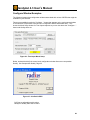
The following images show configuration windows associated with various CODECs that might be
available on your machine.
These are accessible through the "Configure..." button that appears on the movie setup windows
IF the selected "Compression" scheme has a configuration window associated with it. This
shows the Movie Setup window for Time-Lapse captures so you can see where the "Configure..."
button and Quality slider are.
Figure 24 - Time-lapse Movie Setup
Below, we describe briefly the control each configuration window allows over compression
Quality. See Compression Quality, Page 25.
Figure 25 – CinePak CODEC
CVID has no adjustable quality option.
HandyAvi's Quality slider has no effect.
29
HandyAvi 4.3 User’s Manual
Figure 26 - DivX CODEC
DivX allows you to select various "Encoding Modes" which essentially cause the quality to be
higher or lower.
HandyAvi's Quality slider has no effect.
30
HandyAvi 4.3 User’s Manual
Figure 27 - DVSD Codec
DVSD allow you just two Quality options, Either "Fastest" or not.
HandyAvi's Quality slider has no effect.
Figure 28 - IV41 CODEC
IV41 allows just two Quality settings, "Quick Compress" or not.
HandyAvi's Quality slider DOES control quality for this CODEC.
31
HandyAvi 4.3 User’s Manual
Figure 29 - IV50 CODEC
IV50 allows just two Quality settings, "Quick Compress" or not.
HandyAvi's Quality slider DOES control quality for this CODEC.
Figure 30 - PICVideo MJPG CODEC
There are at least two MJPG CODEC vendors out there. As far as we know, you have to buy an
MJPG CODEC if you want to use one.
The PICVideo MJPG CODEC has a Compression-Quality slider that you can adjust to set your
desired trade-off between image size and image quality.
HandyAvi's Quality slider does not appear when the PICVideo MJPG compression scheme is
selected so the above panel is the only way to adjust Quality/Compression.
32
HandyAvi 4.3 User’s Manual
Figure 31 Morgan Multimedia MJPG Codec
Morgan MJPG allows quality to be set if the "Forced quality" check box is checked. The value in
the display box (here seen as 75) ALWAYS overrides the value set by the HandyAvi Quality
sliders!
HandyAvi's Quality slider appears but has no effect.
(We ran into a problem with the above version of the Morgan CODEC in Vista when we used
image sizes other than 160x120, 320x240 or 640x480. Caused a HandyAvi crash that we could
not find a work-around for... We sent Email to the vendor describing the problem. We received
no answer after several days. This CODEC seems to work just fine in Windows XP though...
In the past, we have always used the Morgan Multimedia MJPG Codec but we have now
installed the PICVideo MJPG CODEC and are using it instead on Vista.)
33
HandyAvi 4.3 User’s Manual
Figure 32 - mp42 CODEC
We were unable to determine any effect when the "Smoothness" slider was changed.
HandyAvi's Quality slider is not visible.
Figure 33 - MP43 CODEC
We were unable to determine any effect when the "Smoothness" slider was changed.
HandyAvi's Quality slider is not visible.
34
HandyAvi 4.3 User’s Manual
Figure 34 - MP41 CODEC
We were unable to determine any effect when the "Smoothness" slider was changed.
HandyAvi's Quality slider is not visible.
Figure 35- XviD Codec
HandyAvi's Quality slider DOES control quality for this CODEC.
35
HandyAvi 4.3 User’s Manual
Create a Motion-Detect Video
Motion-Detect Video Overview
HandyAvi allows you to easily make motion-detect videos using a webcam.
What we mean by a "motion-detect" video is that the only image frames that are transferred to
your new AVI output file are frames that are "different" from the previous frame by some amount
determined by a "sensitivity" setting.
For example, if your webcam is operating at 30 frames per second and you are doing motiondetect video capture with your webcam pointed at some scene then the first frame will be
captured to your new AVI video file. No further frames are sent to your new AVI video file until
something has moved, flashed, appeared or disappeared from the first frame. Each newly
captured frame becomes the frame against which subsequent frames are compared. As long as
things keep changing (subject to the sensitivity setting) in the scene that the webcam is pointed
at, then new frames will be sent to your new AVI video file. If nothing is changing, no frames will
be sent to your new AVI video file.
This means that you can monitor some scene for activity and capture all activity to your AVI video
file without capturing video when there is no activity. This greatly reduces the storage needed for
monitoring activity in a scene.
Motion-detect video could be used to
• monitor an entryway
• monitor a driveway
• monitor a parking area
• monitor a warehouse
• capture lightning during a thunderstorm
• monitor a place where wild animals might appear
• etc.
Applications are limited only by your imagination.
HandyAvi will allow you to set the sensitivity of the motion-detect feature while you are capturing
frames so that you can see the effect of the sensitivity setting in real-time.
If you set the sensitivity to 0.0 then NO frames (except the first) will be captured.
If you set the sensitivity to 100.0 then ALL frames will be captured.
If you set the sensitivity somewhere between 0.0 and 100.0 then frames will be captured
depending on how much the last stored motion-detect image frame differs from the next frame
taken by the webcam.
36
HandyAvi 4.3 User’s Manual
How to open the motion-detect video control window
or
Figure 36 – Open Motion Detect Control Window
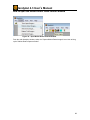
From the main HandyAvi window, select the "Capture/Motion-Detect Images" menu item to bring
up the "Motion-Detect Capture window".
37
HandyAvi 4.3 User’s Manual
Figure 37 – Motion Detect Capture Window
This window controls all of the motion-detect photography functions of HandyAvi.
Motion Detect "Capture Device" Section
See the Capture Device Section on Page 9.
38
HandyAvi 4.3 User’s Manual
Motion-Detect Movie Setup Section
Figure 38 – Motion Detect Setup
This section of the motion-detect video capture window allows you to set up the webcam for
making a motion-detect video.
Output File: Allows you to type in the path name of the new video file you want to create.
Browse: brings up a standard file selector window so that you can more easily place the file in a
particular folder.
Compression: Select any AVI file compression scheme resident on your computer. File
compression schemes or codecs (short for coder/decoder) show up on your machine from many
sources. Microsoft installs several. Your video camera may install one or more. You may
download and install compression schemes from the internet. At the time of this writing, there are
over 280 codecs listed at http://www.fourcc.org. Note that one of the selection items is called
Uncompressed. If you select Uncompressed, the image data in your files will not be compressed.
Your files will be LARGE. However, each image in an uncompressed file will contain images that
are exactly what the camera captured. Compressed images are usually slightly different from the
original images because information is lost during compression. In most cases, the difference is
not noticeable. Use of uncompressed images is important for some applications but not
necessary or advisable for most. See Video Codecs, Page 23.
.
HandyAvi displays the FOURCC value for the compressor in brackets at the beginning of the
"Compression:" line.
Note that HandyAvi will also allow you to read, work with, and display AVI files produced by other
software or cameras and will select the proper decompression scheme automatically IF the
required decompression scheme has been installed on your computer.
So you can convert AVI files from one compression scheme to another if the required codecs
have been installed on your machine.
Configure: Brings up the compression CODEC's configuration window. This button only
appears if the selected compression scheme HAS a configuration window.
39
HandyAvi 4.3 User’s Manual
Note that the "Quality:" slider and the quality settings in some CODECs do not "cooperate". In
the case of the mjpg CODEC, the "Forced quality" slider determines the degree of JPEG
compression and the "Quality" slider in the "motion-detect Movie Setup" window has absolutely
no effect. Other CODECs we have tested do not override our "Quality:" slider.
When in doubt, you should test by setting the quality and capturing (for example) three frames of
the same scene (use Time-Lapse and take one frame every 3 seconds or so). Then change the
quality factor and make another movie. The size of the two resultant AVI movie files should be
different.
See Configure Window Examples for information on the Configure options of various CODECs.
See Video Codecs, Page 23.
Quality: Adjust the quality of the compression scheme. Most compression schemes create
smaller files because they are actually discarding tiny image details. By discarding more and
larger image details, you can produce a smaller AVI file. If the Quality is set to 100, then little or
no image data is discarded and the resultant AVI file will be large. If the Quality is set to 0 then,
theoretically, all image data is discarded and the resultant AVI file will contain blank images! Of
course each codec is created by software people who may have thought about this and limited it
so they do not throw away all of the image data even if the Quality is zero.
Note that each codec is different and some may even ignore the Quality setting or not allow it to
be set. Also note that lossy compression schemes are used in many applications. JPEG is an
example of a lossy compression scheme that is used in MANY applications and the fact that
some of the image data has been discarded is practically unnoticeable. So compression with
slightly reduced quality is a very good thing in most cases. Learn more about video codecs here.
Sensitivity: This slider lets you set up the motion-detect sensitivity. Each frame taken by the
camera will be compared with the previously captured frame to see if it is different enough to be
stored in your video output file.
If the sensitivity is set to 0.0, then only the first frame will be captured when you "START" making
a video. Other frames cannot be different enough to be captured if the sensitivity is set to 0.0.
If the sensitivity is set to 100.0, then ALL frames will be captured after you "START" making a
video. Each frame will seem to be different from the previous frame so all frames will be captured.
If the sensitivity is set somewhere between 0.0 and 100.0, then not all frames will be captured.
Only frames "different enough", based on the sensitivity setting will be sent to the video output
file. (The first frame of course is always sent to the video output file when the capture session is
"START"ed.)
The sensitivity can be set during capture as well as before or after. This allows you to adjust the
sensitivity and test it while a video is being made. You will be able to see which frames are
captured by looking at the "Last Motion Detect" frame window in the Motion-Detect Display Area.
Each frame taken by the camera will appear the current "Live Video Preview"
frame visible in the Motion-Detect Display Area.
Each frame captured and sent to your video output file will appear in the "Last Motion Detect"
frame area visible in the Motion-Detect Display Area.
Additional frames to capture after motion has stopped: Enter the number of frames to add
(continue recording) after motion detection is no longer being triggered.
40
HandyAvi 4.3 User’s Manual
This was added for wildlife photography where, for example, a cougar triggers motion detection
as he approaches a lake for a drink. While he is drinking, not much motion occurs so the motion
detection triggering ceases but the cougar is still there drinking so you want to continue recording.
If your camera is operating at 30 frames-per-second and you want to continue recording for 1
minute, you would want to enter the number 1800 (30 times 60 seconds).
Play-back frame rate (images per second): Determines how fast your frames will be displayed
when you play the AVI movie that you have recorded. If you want the frames to be played in
"real-time" then you should set the rate to the same rate as the camera was set to when it was
recording. If you want each frame to be presented at a very slow rate, then you could set the
play-back rate to 1 second. In this case each frame of the movie would be displayed for one
second when the movie is played.
Start: Starts the motion detect movie making process.
Note that the Start button here is yellow. This indicates that a Set Allowable Image Capture
Times... preference item has been set. (See Preferences, Page 134.) Yellow means that video
recording is currently allowed but at some point in time, video recording will cease until it is again
allowable. Red would mean that video recording is not allowed at the current time.
NOTE: Output files will automatically be limited to less than 2 Gigabytes, the AVI file size limit. A
new file with a unique new name will be generated and used automatically whenever the limit is
about to be exceeded. See Preferences for more information about Maximum AVI File Size.
Stop: Stops the motion detect movie making process.
Advanced:
This button brings up the "Advanced Motion Detect Settings" window:
41
HandyAvi 4.3 User’s Manual
Figure 39 – Motion Detect Advanced Settings
Normally, the whole image is sensitive to motion.
The "Advanced Motion Detect Settings" window allows you to create rectangular
sensitive regions.
Note that the image area will contain the current image. It is refreshed about once per
second so you can see current image. You will thus be able to see how the rectangles
you create relate to the image.
The rectangular regions are created by placing the cursor on the image display area,
depressing the left mouse button and dragging it while holding it down. When it is
released, the new rectangle is added to a list of rectangles maintained internally by the
software.
On startup: Restore and use the regions shown above: If the displayed regions
have been saved then they will be remembered and used whenever a Motion Detect
Capture session is started. (Unless the saved file has been deleted or moved. In that
case, the entire video area again becomes sensitive...)
Delete all: Will cause all rectangles to be deleted. The entire image will then be
sensitive to motion.
42
HandyAvi 4.3 User’s Manual
Undo: Will erase the last rectangle. Pressing it repeatedly will erase previous
rectangles in the opposite order in which they were created.
Note that the Advanced Motion Detect Settings window rectangles are active
immediately, i.e., as soon as they are created, they will begin operating. This will allow
you to tune the sensitivity if necessary.
During capture of an AVI file, when one or more of these sensitive regions have been
created, image frames will be captured to the output file ONLY when motion occurs
within one or more of the rectangles. This will allow you to ignore trees blowing in the
wind for example but capture frames when motion occurs in the areas of interest.
Three sensitive rectangles are shown above. One would show any movement around
the table at the other end of the pool, one would show any movement on a small
portion of the path to the left of the pool and the third smaller window covers a small
region of the pool deck. Any movement in any or all of these areas (subject to the
sensitivity setting of course) would cause frames to be captured. Motion in all other
areas of the image is ignored.
Save: Saves the rectangles in a file for future use.
Restore: Restores the rectangles stored in a file so that they will be used.
43
HandyAvi 4.3 User’s Manual
Email
This button brings up the Email setup window:
Figure 40 – Email Setup Window
This feature of HandyAvi allows you to send an Email message whenever motion is
detected.
SMTP: This field must contain the address or TCP/IP address of a valid SMTP server.
If you are successfully sending Email using Outlook or Netscape, then you have an
SMTP server. Your Internet Service Provider (ISP) supplied you with one when you
signed up with them. If you know what it is, use it. If not, you could call your ISP or
look on-line to find the name of your SMTP server. Or you could display it via your
Email program.
In Netscape,
1. On the Edit menu, click Mail and Newsgroup Account Settings
2. In the window that comes up, click Server Settings.
3. In the window that then comes up, click Advanced.
44
HandyAvi 4.3 User’s Manual
4. The name of your SMTP server shows up in the "Server" field. Write it
down.
5. Close the Netscape windows without changing anything.
6. Enter the SMTP address you wrote down into the HandyAvi SMTP field
in Figure 40.
In Outlook,
1.
2.
3.
4.
On the Tools menu, click E-mail Accounts.
Select View or change existing e-mail accounts, and then click Next.
Select your ISP account, and then click Change.
A panel will come up. One of the fields says "Outgoing mail server
(SMTP):" Your SMTP server will show up in that field. Write it down.
5. Close the Outlook panels without making any changes.
6. Enter the SMTP address you wrote down into the HandyAvi SMTP field
in Figure 40.
Email Particulars: This area lets you type in the specifics of your Email messages.
From: Enter your Email address.
To: Enter the Email address of the person you want the message sent to. (Normally
this would be the same as your From Email address.)
Subject: Type in whatever you want your subject line to say.
Text: Type in any text you want included in the message. (Normally this would be left
blank.)
Email Still Image Transmission Settings: These are options defining the images to
be sent in the Email messages and whether any Email messages should be sent.
Full Size Image: When motion is detected, the first image usually contains
very little information. For example if a person walks into the motion-detection
area, you might only see his foot in the first frame. So HandyAvi lets you
choose the first, or second, or third, or whichever image frame you want to
send when a new motion detection sequence is triggered. If the check box is
not checked, this image will not be transmitted.
If, for example, you choose the 30th frame and the motion does not last that
long and only 10 images are captured, there is a 2 second timer that will
cause the 10 image to be sent.
Thumbnail Images: When motion is detected, this option allows you to Email
an image containing as many thumbnail (small, 100 pixel max) images as
desired. Each frame of the movie being captured is reduced in size and
pasted into an array. A single JPEG image containing the requested number
of thumbnail images is transmitted. If the check box is not checked, no
thumbnail images will be composed and sent.
Enable Email Transmission: If this check box is checked, then Email will be
sent. If the check box is not checked, no Email messages will be sent by
HandyAvi.
Send Test Message: Press this button to send a test message to test
whether you have correctly entered the SMTP server address and the Email
45
HandyAvi 4.3 User’s Manual
"From" and "To" addresses. The test message will contain one full size test
image. No thumbnail images will be included.
Here is a representative Email message composed and sent by HandyAvi where the
user requested that the fourth image be a full size image and that the first 13
thumbnail images be captured and sent:
46
HandyAvi 4.3 User’s Manual
Figure 41 – Example Email Message
The above is just a test illustrating what HandyAvi will do. The test images are of a
highlighter being moved through the camera view field.
47
HandyAvi 4.3 User’s Manual
The Motion-Detect Display Area
Figure 42 – Motion Detect Display Area
This area of the Motion Detect Capture window contains two video display areas. The left one is
a live video preview window showing what the camera is actually seeing at the frame rate at
which it is currently running. The right window shows the last frame that was captured to your
new video file. If nothing has yet been captured, it shows a blank as seen in the above image.
If you use one of the "Enlarge" buttons, a new window will be created containing the video image.
This new window can be resized to any size. This new window also contains a "Size" option that
will allow you to select a "True Image Size option" which will resize the window to show the actual
size of the captured video images.
If the video is being directed to an enlarged window, no video will be sent to the corresponding
window in
Figure 42 so it will be blank while the enlarged window is open.
If you close an enlarged window, the images will again appear in the "Live Video Preview"
window or the other window if it was the one that had been enlarged.
Figure 43 – Enlarged Live Video Preview Window
48
HandyAvi 4.3 User’s Manual
Figure 43 shows an enlarged "Live Preview Frames" window that has been sized with the "Size"
option set to the "True Image Size" of 320x240 which was the size selected. See Capture
Device, Page 9
49
HandyAvi 4.3 User’s Manual
Create an Astrophotography Video
Astronomy Video Overview
HandyAvi allows you to easily make astronomy videos using a webcam.
Webcams have become increasingly popular for making telescopic webcam videos of the Moon
and planets such as Venus, Mars, Jupiter, and Saturn.
A webcam can be used to take MANY frames of a bright astronomical object (the Moon and
planets such as Venus, Mars, Jupiter, and Saturn) and capture them into an AVI movie file.
Each original frame typically looks blurry, distorted, and fuzzy, due to effects of the Earth’s
atmosphere. However, if you take a great many such frames, align them and average them
together, the result is typically amazing! The blurriness, distortion, and fuzziness diminish
greatly and fine details emerge.
HandyAvi can be used to take groups of frames (as fast as your webcam can capture images)
spaced by any time interval desired. For example, if you specify 20 frames every 45 seconds
then every 45 seconds, 20 frames will be captured at the camera’s frame rate. Most cameras
allow their frame rate to be set to some desired value. (The frame rate of a Philips ToUcam for
example can be set to 5, 10, 15, 20, 25, or 30 frames per second.)
The "group of frames" feature is very useful for capturing planetary rotation.
HandyAvi also has a "centering" feature that will send Meade LX-200 type commands to a
telescope to automatically keep the planetary image centered in the webcam’s view field. This
allows unattended capture of planetary images. (See Telescope Controls, Page 63.)
After capturing images, HandyAvi’s AVI file editing features can be used to select the "best" 200
frames from, for example, a file containing 1000 frames, and make a new 200 frame AVI video
file. Then by using HandyAvi's "Stack Images" tool or a freeware program like RegiStax to
process the 200 frame AVI file, the result would be one relatively excellent still frame image.
See Stack Images, Page 127.
The processed result will typically be FAR better than any of the original video frames. Here is
an example:
50
HandyAvi 4.3 User’s Manual
Figure 44 - "Best" frame out of 1000 frames in an AVI file.
Figure 45 - 200 "best" frames stacked in HandyAvi
51
HandyAvi 4.3 User’s Manual
Figure 46 - 200 "best frames stacked in RegiStax V4
HandyAvi uses Phase Correlation for image registration. That is presumably the algorithm also
used in RegiStax. But RegiStax, in addition, has an optimization subsystem which makes
additional registration adjustments. RegiStax also contains some image processing subsystems
such as wavelet processing that allow you to sharpen image details and additional features to
adjust brightness and contrast to further improve the image.
Additional image processing was then done on one of the above images (which were stored as
JPG files.) We used various programs such as RegiStax, Paint Shop Pro, and MaximDL...
(We used Lucy-Richardson deconvolution in MaximDL in addition to other operations...)
Figure 47 - The image after additional image processing operations
52
HandyAvi 4.3 User’s Manual
HandyAvi allows you to capture all of the frames to one AVI file or you can capture each group
to a different file where HandyAvi automatically generates new sequentially numbered files.
Jupiter makes one rotation every 9 hours and 55 minutes. You could set up HandyAvi to take
1000 frames every 10 minutes. Then, after one night (if Jupiter was visible for most of the night),
you might have data showing nearly one complete rotation of Jupiter. 10 hours worth of data, if
each 1000 frame group were stored in a separate file, would result in 60 files. If each file were
post-processed using RegiStax and stored as JPG files, then you would have 60 JPG files. If
you gave those files sequential names then you could use HandyAvi's new "Make Movie from
Still Images" tool to make a movie of Jupiter that would show it rotating. (See Movie from Still
Images, Page 129.) You would probably want to set the "Play-back frame rate" low like 1 or 2
images per second so someone viewing the movie could see the rotation at a reasonable
speed... (See our Mars movie at http://www.astroshow.com/mars/ccdmars.html.)
HandyAvi also features a telescope control system that will allow you to control nearly all
features of most Meade telescopes. See Telescope Controls, Page 63.
One of the HandyAvi features in the Astronomy Video Control Window is the ability to issue
commands to a Meade telescope to keep a planetary image centered automatically! When this
option is selected, centering calibration will occur when the video capture is "START"ed and
commands will be sent to the telescope as necessary to keep the planetary image centered in
the webcam image field. This means that you can take 1000 images of Jupiter (or Mars, or
Saturn, or …) every 10 minutes and sleep during the entire process if you so wish. (You might
need to stay awake and continue to adjust telescope focus however because most telescopes
shrink as it gets colder through the night!)
53
HandyAvi 4.3 User’s Manual
How to Open the Astronomy Video Control Window
Or
Figure 48 – Open Astronomy Video Control Window
From the main HandyAvi window, select the "Capture/Astronomy Images…" menu item to bring
up the "Astronomy Capture window."
HandyAvi’s Astronomy Image Capture window will come up:
Figure 49 – Astronomy Image Capture Window
This window controls all of the astrophotography functions of HandyAvi.
The "Capture Device" Section
See the Capture Device Section on Page 54.
54
HandyAvi 4.3 User’s Manual
The “Telescope Controls” Section
This section of the Astronomy Image Capture window allows interaction with a Meade telescope.
HandyAvi currently handles Meade LX- series “classic” telescopes as well as newer Meade
telescopes using Meade’s Autostar hand controller.
The Autostar hand controller has two ports; one which is connects to your telescope and the
other which connects to your computer via a cable that plugs into an adapter that plugs into your
computer’s serial port. (If your computer does not have a serial port, there are USB/Serial
adapter cables available through Amazon.com and other on-line vendors.)
Display telescope controls: If you check this box, HandyAvi will display the telescope controls
assuming that you have set up the COM port. If the box is checked and you close the astronomy
session then reopen the Capture/Astronomy Images... window then the telescope controls will be
displayed before the “Astronomy Image Capture” window comes up. (There might be a delay.) If
you have closed the telescope control window, un-checking and re-checking this box will bring up
the telescope control window. (It can also of course be opened from the main menu item
Tools/Telescope controls...)
The check-box is provided here for convenience...
Use auto-centering: When this item is checked, HandyAvi will keep a star or planet centered in
the frame of the camera you are using with your telescope. This will prevent it from drifting
outside of the frame. The auto-centering activities will only take place while image capture is
underway. (Image capture is started with the “Start” button and stopped with the “Stop” button.)
Note: Auto-centering is designed for use primarily with planetary or star images where there is a
bright area that needs to be centered. We are using what amounts to a "center of mass"
calculation so it can be affected by objects of varying brightness around the periphery, i.e.,
extended objects such as the moon where only part of the surface is visible in the camera view
field. We have tried auto-centering with the Moon and find that it will keep certain fields centered
but it may choose to center on an area other than the exact area where you would like it to
center. (Advanced methods such as phase correlation are available to us but they are rather
slow because they require Fourier transforms to be taken. For now, we opted not to use them for
auto-centering. They are being used however in our image stacking subsystem.)
We had to create two different methods of centering because of differences that exist between
Meade LX- “classic” (older) telescopes and newer Meade telescopes that are being controlled by
an Autostar hand controller. The telescope communication protocol is the same but the behavior
of the Right Ascension and Declination motors is very different.
LX-200 - We used a 10” Meade LX-200 “classic” telescope for testing here. You should
set the Dec Backlash for minimum delay of movement when the direction is reversed, i.e.
without “jumping” when Dec direction (N/S) is reversed. Pressing N, E, S or W on the
Meade hand controller should cause the telescope to move slowly in the selected
direction. If you look through the telescope, you can see the motion caused by pressing
one of the keys. The motion is slow but occurs almost immediately. HandyAvi is able to
55
HandyAvi 4.3 User’s Manual
use this fact to “calibrate” by moving the telescope in the N/S direction and then in the
E/W direction to determine how much the scope moves in a given amount of time. When
the “Start” button is pressed and if auto-centering is checked, HandyAvi will force the
slew rate to Guide mode then attempt calibration by moving the telescope a tiny bit in
both the Dec and RA directions. If successful, HandyAvi will then know how long and in
which direction to move the telescope so that the planet or star will stay centered during
the image capture operation. HandyAvi always forces LX- classic series scopes to use
Guide mode for the slew rate when auto-centering is active. Our calibration algorithm will
calibrate successfully IF reasonable motion actually occurs within 20 seconds in the Dec
direction and within 20 seconds in the RA direction. Calibration is usually achieved within
2 seconds...
ETX-90 and ETX-120 - We purchased these scopes primarily for testing when we
received a report from a user that the LX-200 algorithms didn’t seem to work properly for
these types of telescopes. We did intensive testing and rewrote HandyAvi’s Serial I/O
routines to accommodate differences we discovered. We also wrote a different algorithm
for doing auto-centering with these types of telescopes.
HandyAvi is able to identify the Autostar device so it knows whether you are using an LXclassic or a newer telescope with the Autostar hand-controller. When the “Start” button is
pressed and if auto-centering is checked, HandyAvi will force the slew rate to Guide
mode then attempt calibration by moving the telescope a tiny bit in both the Dec and RA
directions. If successful, HandyAvi will then know how long and in which direction to
move the telescope so that the planet or star will stay centered during the image capture
operations.
Our experience has been that you should try to center the planet or star before you select
“Start”. This will minimize the “wandering” that occurs initially as HandyAvi attempts to
center the object.
HandyAvi always forces the telescope to use Guide mode for the slew rate when autocentering is active. Our calibration algorithm will calibrate successfully IF reasonable
motion actually occurs within 20 seconds in the Dec direction and within 20 seconds in
the RA direction. Calibration is usually achieved within 2 seconds...
You should use the telescope controls N, S, E, W buttons with Guide mode set to see
what your telescope is doing. If everything is working perfectly, pressing one of these
buttons should result in slow motion in the selected direction within a second or so of
pressing the button. Our experience with the ETX-120 has been that Dec motion
reversal often takes 10 or 20 seconds. RA motion reversal has occurred generally within
3 to 5 seconds. Supposedly, setting Az/RA Percent and Alt/Dec Percent should make
the responses faster. We currently have Az/RA set to 10% and Alt/Dec set to 75%. This
will vary greatly depending on the behavior of a particular telescope. Make sure that no
“jumps” or fast motion followed by slower motion occurs when you set these. What is
needed for auto-centering is uniform motion in each direction hopefully with very little
delay when a direction is reversed.
We have used many types of webcams and astronomy cams such as ones made by Meade and
Orion and have used Barlow lenses and have achieved auto-centering functionality for the ETX
scopes. Auto-centering should work for other types of Meade scopes but we have not tested
them.
56
HandyAvi 4.3 User’s Manual
If auto-centering is active, the Create Movie section will display either “Centering” or “Tracking”
followed by the pixel coordinates of the position of the planet or star on the screen. The
“Centering” or “Tracking” words might have a direction appended to them so you will know which
way the scope is attempting to move.
Centering Help: Brings up this page of the help file.
Allowable Drift: This slider determines how far away from the center the target image will be
allowed to drift before HandyAvi attempts to drive it back to the center of the image frame.
For LX- series scopes, all drift values seem to work well.
For Autostar controlled telescopes, we recommend that you choose a value of 5% or greater.
Our test telescopes both do some weird “L” shaped maneuvering when direction reverses and
this can lead to “jinking” where the planet or star appears to bounce around within the image.
(We don’t understand why the “L” shaped motion occurs but it is present on both of our test
telescopes. Both are brand new as of November 2008.) 5% is not bad. The planet will always
be pretty close to centered in the image frame.
Rerun Auto-centering Calibration: You can rerun the calibration while Handy is capturing
57
HandyAvi 4.3 User’s Manual
The Astronomy Movie Setup Section
Figure 50 – Astronomy Movie Setup
This section of the Astronomy video capture window allows you to set up the webcam for
making an astronomy video.
Output File: Enter the path name of the new video file you want to create.
Browse: Brings up a standard file selector window so that you can more easily place the file in
a particular folder.
Compression: Select any AVI file compression scheme resident on your computer. File
compression schemes or codecs (short for coder/decoder) show up on your machine from
many sources. Microsoft installs several. Your video camera may install one or more. You may
download and install compression schemes from the internet. At the time of this writing, there
are over 280 codecs listed at http://www.fourcc.org. Note that one of the selection items is
called Uncompressed. If you select Uncompressed, the image data in your files will not be
compressed. Your files will be LARGE. However, each image in an uncompressed file will
contain images that are exactly what the camera captured. Compressed images are usually
slightly different from the original images because information is lost during compression. In
most cases, the difference is not noticeable. Use of uncompressed images is important for
some applications but not necessary or advisable for most. See Video Codecs, Page 23.
HandyAvi displays the FOURCC value for the compressor in brackets at the beginning of the
"Compression:" line.
Note that HandyAvi will also allow you to read, work with, and display AVI files produced by
other software or cameras and will select the proper decompression scheme automatically IF
the required decompression scheme has been installed on your computer.
HandyAvi will also allow you to read a file that was written using one compression scheme and
write a new AVI file using a new compression scheme. So you can convert AVI files from one
compression scheme to another if the required codecs have been installed on your machine.
Configure: Brings up the compression CODEC's configuration window. This button only
appears if the selected compression scheme HAS a configuration window.
Note that the "Quality:" slider and the quality settings in some CODECs do not "cooperate". In
the case of the mjpg CODEC, the "Forced quality" slider determines the degree of JPEG
58
HandyAvi 4.3 User’s Manual
compression and the "Quality" slider in the "Astronomy Movie Setup" window has absolutely no
effect. Other CODECs we have tested do not override our "Quality:" slider.
When in doubt, you should test by setting the quality and capturing (for example) three frames
of the same scene (use Time-Lapse and take one frame every 3 seconds or so). Then change
the quality factor and make another movie. The size of the two resultant AVI movie files should
be different.
See Configure Windows Examples, Page 29, for information on the Configure options of various
CODECs. See Video Codecs, Page 23.
Quality: Adjust the quality of the compression scheme. Most compression schemes create
smaller files because they are actually discarding tiny image details. By discarding more and
larger image details, you can produce a smaller AVI file. If the Quality is set to 100, then little or
no image data is discarded and the resultant AVI file will be large. If the Quality is set to 0 then,
theoretically, all image data is discarded and the resultant AVI file will contain blank images! Of
course each codec is created by software people who may have thought about this and limited
it so they do not throw away all of the image data even if the Quality is zero.
Note that each codec is different and some may even ignore the Quality setting or not allow it to
be set. Also note that lossy compression schemes are used in many applications. JPEG is an
example of a lossy compression scheme that is used in MANY applications and the fact that
some of the image data has been discarded is practically unnoticeable. So compression with
slightly reduced quality is a very good thing in most cases. See Video Codecs, Page 23.
Play-back rate (images per second): Determines how fast your frames will be displayed
when you play the AVI movie that you have recorded. If you want the frames to be played in
"real-time" then you should set the rate to the same rate as the camera was set to when it was
recording. If you want each frame to be presented at a very slow rate, then you could set the
play-back rate to 1 second. In this case each frame of the movie would be displayed for one
second when the movie is played.
Take group of: lets you set up the astronomy image capture parameters. For example "Take 2
frames every 10 seconds" will capture and add two frames to your new AVI file every 10
seconds. Frames that could be captured will be displayed in the current "Live Video Preview"
frame visible in the Display Area. (See Create Astronomy Movie, Page 61.) Each frame that
is selected for inclusion in the AVI output file is displayed in the "Last Captured Frame" area
when it is sent to the AVI output file.
HandyAvi can be used to take groups of frames (as fast as your webcam can capture images)
spaced by any time interval desired. For example, if you specify 20 frames every 45 seconds
then every 45 seconds, 20 frames will be captured at the camera’s frame rate. Most cameras
allow their frame rate to be set to some desired value. (The fame rate of a Philips ToUcam for
example can be set to 5, 10, 15, 20, 25, or 30 frames per second.) This "group of frames"
feature is very useful for capturing planetary rotation.
Important: Please note that the "Seconds" field will accept floating point values if you wish to
use them:
Figure 51 - Group of Images Settings
A setting of "Take group of 1 frames every .01 seconds" would allow frames to be captured
continuously at a rate of 100 frames per second IF the camera could deliver frames that fast. If
59
HandyAvi 4.3 User’s Manual
the camera only delivers frames at a rate of 30 frames per second, then "Take group of 1
frames every .01 seconds" would cause frames to be captured continuously at the rate of 30
frames per second (assuming your machine is fast enough to support frame storage and any
compression operations if you chose to compress your images.)
Create a new output file for each group (sequentially numbered): This check box tells
HandyAvi to use the "Output file" field as a base name for generating sequentially numbered
files. For example, if the file name you entered in the "Output file" field was "C:\Astronomy.avi",
then HandyAvi will first generate a file named "C:\Astronomy-0001.avi" and place the first
"group" of frames into that file. It will then generate the name "C:\Astronomy-0002.avi" and
place the second "group" of frames into that file. The third group of frames will be written to
"C:\Astronomy-0003.avi" and so on.
Why is this useful? Say you plan to make AVI files of Jupiter and you decide to create groups of
1000 frames every 10 minutes (600 seconds) for the purpose of making a movie of Jupiter
rotating. If all of the frames go into one file then you would have to edit the file by hand to create
an AVI file for each group of 1000 frames for subsequent submission to a stacking program
such as RegiStax.
If you use the "Create a new output file for each group (sequentially numbered)" feature,
then each of the groups of 1000 images goes into a separate file thus eliminating a LOT of hand
editing. Each individual file can then be sorted for "best" images (using HandyAvi’s "Crop and
Save" and "Frame Selector" tools) and the best images for each group can then be submitted to
a stacking program (HandyAvi's Stack Images system or an external program such as
RegiStax) in order to produce one final frame for each 10 minute interval. These frames can
then be used to make a movie of the rotation of Jupiter. Note that when file names are
generated, a test is done to see if a file of the generated name already exists. If it does, that
name is not used and the next sequential name is generated and tested until an unused name
is found. This protects you from accidentally overwriting files.
60
HandyAvi 4.3 User’s Manual
The Create Astronomy Movie Section
Figure 52 – Create Astronomy Movie
START: Starts video capture. The Live Video Preview area will display all frames seen by the
webcam in real-time. Captured frames (frames sent to the AVI output file) will appear in the
"Last Captured Frame" area.
Note that the Start button here is yellow. This indicates that a Set Allowable Image Capture
Times... preference item has been set. Yellow means that video recording is currently allowed
but at some point in time, video recording will cease until it is again allowable. Red would mean
that video recording is not allowed at the current time.
NOTE: Output files will automatically be limited to less than 2 Gigabytes, the AVI file size limit. A
new file with a unique new name will be generated and used automatically whenever the limit is
about to be exceeded. See Preferences, Page 134, for more information about Maximum AVI
File Size.
STOP: Terminate video capture and close the AVI output file. The file can then be viewed as a
movie inside HandyAvi by "Open"ing it using the File menu. See the Astronomy Display Area,
Page 61.
Live Video Preview: This window shows what the camera is actually seeing at the frame rate
at which it is currently running. The Last Captured Frame window shows the last frame that was
captured to your new video file. If nothing has yet been captured, it shows a blank as seen in the
above image.
61
HandyAvi 4.3 User’s Manual
If you use one of the "Enlarge" buttons, a new window will be created containing the video
image. This new window can be resized to any size. This new window also contains a "Size"
option that will allow you to select "True Image Size" which will resize the window to show the
actual size of the captured video images.
If the video is being directed to an enlarged window, no video will be sent to the corresponding
window in Figure 52 so it will be blank while the enlarged window is open.
Figure 53 – Enlarged Live Video Preview - Astronomy
Figure 53 shows an enlarged "Live Preview Frames" window that has been sized with the "Size"
option to the "True Image Size" of 320x240 which was the size selected in Figure 4 in the
Capture Device section, Page 9.
If you close an enlarged window, the images will again appear in the "Live Video Preview"
window or the other window if it was the one that had been enlarged.
Last Captured Frame: This window shows the last frame that was sent to the AVI file. There
is also an Enlarge button that works the same as the Enlarge button for the Live Video Preview
window.
62
HandyAvi 4.3 User’s Manual
Telescope Controls
Opening the Telescope Controls
To open the telescope control panel, select the Menu item Tools/Telescope Controls. If the
telescope is powered up, has a serial cable connected to your computer and if you have chosen
the correct COM port, the "Telescope Controls" panel will come up.
Figure 54 – Open Telescope Controls
Telescope COM Port
In order to communicate with the telescope, the telescope must be powered up, have its RS232
port connected by a serial cable to your PC and HandyAvi must be talking to the correct COM
port. The COM port can be selected by using the menu item "Tools/Telescope Port..." The
following port selection window will come up.
(USB/Serial cables may be used but it should be noted that not all types of USB/Serial cables are
guaranteed to work. Testing has shown that some of them do not meet the specifications of the
Serial UART chips that they are supposed to substitute for. )
Figure 55 – Select Telescope COM Port
Note that we have been using IOGEAR's GUC232A USB/Serial cables successfully for several
years with the LX-200 out in the field and have had excellent results.
Also note that for USB webcams we often need longer cables than the standard length of a
webcam cable. We have very successfully used USB "repeater" or "extension" cables such as
63
HandyAvi 4.3 User’s Manual
the Model G2LUB16, "IOGEAR's Premium USB Active Extension Booster Cable". These cables
come in 16 foot lengths and require no separate power supplies. We have used 3 of them in
series with no difficulty and their sales literature says they will work at distances of up to 75 feet.
They do seem to fail if they get wet during a rainstorm however. They seem to recover when they
dry out but we have never been able to dry one out in the field after it gets wet... Bring spares...
Telescope Control Panels (Tabs)
First Telescope Tab - LX-200 Controls
Figure 56 – LX-200 Controls, First Tab
The above image shows what you will see if the telescope port is working and the
telescope is communicating properly with HandyAvi. If everything is "well" the RA and
DEC fields will contain numbers. If the telescope is not responding for any reason, the
RA and DEC fields will be blank.
Note that the telescope control window is a "modeless dialog window" so it can be left
up and operated in concert with the camera controls.
Also Note that we currently have the telescope in "park" mode as described below.
COORDINATES SECTION
"GET" gets the current RA and DEC from the telescope and displays them.
"GO" goes to the RA and DEC that are shown in the RA and DEC edit boxes.
NOTE that the formats must be exactly as shown. You can enter any valid
RA and DEC and then press "GO" and the telescope will slew to that position.
"HALT" stops the telescope motion immediately in case you notice that your
camera is going to be crunched by the fork arms or your cables are stretching
too much, or you simply change your mind about slewing to the selected
coordinates.
MOTION SECTION
The speed can be set to any of the four indicated Meade telescope-slewing
speeds.
The NORTH, SOUTH, EAST and WEST push buttons are operated by using
the left mouse button. These buttons work just like the buttons on the Meade
keypad, i.e., the telescope will move in the direction indicated while the button
is held down. Motion will stop when the button is released.
64
HandyAvi 4.3 User’s Manual
After motion has been completed, the coordinates are updated and displayed.
PARK SECTION
The "Park" feature allows you to park the telescope i.e., holds it motionless. It
does this by turning on guide mode then automatically holding the "East" button
down. This stops the guide motor completely so that the telescope stops
tracking the sky. Why use park? If you want to leave the telescope set up for
days on end so that you do not have to realign it every night, the Park mode
prevents the cords from wrapping around the telescope as they would if the
telescope continued tracking.
There is a time field so that you can "Park the telescope in 7200 seconds" for
example.
When you click the Park box so that it is checked, HandyAvi will look at the
time field and count down to zero before parking the telescope. If the time field
is 0 or reaches 0 after counting down, the telescope will park immediately.
Normally, you would enter the time first then cause the Park check box to be
checked.
When you uncheck the Park box, the telescope is placed in guide mode, the
East button is released and the telescope again starts tracking the sky.
During "Park" the speed change buttons are "grayed out" (disabled) and the
"Go" button is disabled but all other controls function normally so you can, for
example, change focus or get a read-out of the telescope's RA and Dec.
The "Park" setting is remembered by HandyAvi. If you had it set when you
exited HandyAvi, it will be set when you reenter HandyAvi.
If the telescope was parked, it will continue to be parked even if you exit
HandyAvi.
FOCUS SECTION
Figure 57 – Focus control
This section allows you to operate the Meade focusing motor.
There are two basic focusing speeds, "slow" and ‘fast". You can choose
which speed you are using by checking or un-checking the check box.
(Experience has shown that during slow speed runs, the motor often bogs
down and stops so use of the fast speed might be necessary.)
65
HandyAvi 4.3 User’s Manual
There are two "Stepped" modes (Slow - Stepped and Fast – Stepped) that
allow you to use the Meade focuser in a much more controlled manner. When
"stepping", HandyAvi transmits a motor-on, motor-off command of fixed
duration.
If you hold the "IN" or "OUT" button down, the telescope will execute a series of
stepped motions.
Step mode is highly recommended if you are using a standard Meade
focuser with the LX-200.
Again, the counter attempts to indicate position. Each "step" provides a count
of 2. This was to try to get a correlation between stepped and un-stepped focus
position. Not entirely successful.
Note that the Meade focusing motor is not a stepper motor so it is almost
impossible to tell accurately what the focus position is.
The two buttons, "IN" and "OUT" determine which direction the focusing motor
is moving the eyepiece. They operate in the same manner that the NORTH,
SOUTH, EAST, and WEST buttons do, i.e., the motor will run as long as the
button is held down. The motor will stop when the button is released. Note that
the button that was last pushed stays a little grayer than the other button. This
will help you remember which direction you were going as you attempt to focus
at 2:00 AM when your brain has shut down and the image download time (of
certain CCD cameras) puts you to sleep while attempting to focus.
The counter attempts to show the position of the focusing control. The motor
seems to take about one second to reach full speed in the "fast" mode. The
motor seems to coast to a stop over a period of about three seconds if it was
going at full speed. The algorithm HandyAvi is using does a simple linear
interpolation using those numbers as an approximation. When a button is
pressed, the PC time clock is accessed and the value is stored. When the
button is released, the time clock is again accessed and the difference is taken
yielding an elapsed time value accurate to 1 millisecond. The counter is based
upon these elapsed times and the motor acceleration/deceleration values.
More work on measuring acceleration/deceleration rates might make this more
accurate but, at the moment, you should consider this number only a rough
guide. It is very unlikely to provide accurate positioning information.
Once focus is achieved, the counter can be set to zero to provide at least some
sense of where the focus position is/was.
There are two other focus types, "Slow Stepper Motor" and "Fast Stepper
Motor". These are designed to accommodate a do-it-yourself stepper motor
that is being used by the author of this section of the HandyAvi system. The
Meade focus motor port on the LX-200, labeled "Focuser", puts out +19 Volts
or -19 Volts depending upon which direction the Meade standard DC focusing
motor should run. These voltages can be used instead as signals to control a
stepper motor designed to replace the Meade DC motor. With a stepper motor,
the focusing is precise and the counter will be completely accurate. (Newer
Meade telescopes might have different focusing systems.)
DYNAMIC FOCUS SECTION
As the temperature drops, the telescope will shrink and the focus position will
change… The Dynamic Focus control allows you to automatically compensate
66
HandyAvi 4.3 User’s Manual
for the shrinkage by stepping the telescope focus any desired number of steps
per hour.
Second Telescope Tab - Location and Time
Figure 58 – LX-200 Controls, Second Tab
The above image shows the" Location and Time, Backlash, Tracking Rate" controls.
When one switches from "LX200 Controls" or "Objects" or "Sky Flats to "Location and
Time, Backlash, Tracking Rate", the "Get" operation of the first tab is automatically
performed.
Telescope Location: Enter the coordinates of the current location of the telescope into
the telescope. Type in the Latitude and Longitude then press "Set" to set the telescope's
location into the telescope's internal memory.
Date: Enter the current date. Pressing "Set" then enters the data into the telescope.
NOTE: Whenever "Set" is pressed, the telescope updates the planet positions.
Mercury's position changes significantly from day to day so if the telescope is left set up
for more than one day, pressing the "Set" button in the "Date" area will cause the planet
positions to be updated and will allow Mercury and Venus in particular to be accurately
found.
Time: Displays the current time and is updated every second by querying the telescope
and displaying the results.
A new Local time can be entered in the edit box and then when "Set" is pressed, it will
be entered into the telescope. HandyAvi also computes the corresponding sidereal time
and enters that into the telescope also.
There is about a 1 second delay for the time setting operation so press "Set" one second
early if you want to be within a second. Part of the delay is simply transmitting the data
to the telescope.
The LX-200 has a Dec Backlash setting that can be from 0 to 100. The LX-200 software
will not respond to this being set by HandyAvi but the new GPS scopes will.
The LX-200 also has a Tracking Rate setting that can be set at a rate to track the Moon
among other things. (The Moon moves slowly but noticeably against the background
stars. If you are making images of the Moon, you might want to track it at the proper
rate.) Again, the LX-200 software will not respond to this being set by HandyAvi but the
new GPS scopes will.
67
HandyAvi 4.3 User’s Manual
Third Telescope Tab - Objects
Figure 59 – LX-200 Controls, Third Tab
The above image shows the "Objects" tab.
Objects: Choose a catalog.
Figure 60 – Object Catalog
You can then enter an object number and either "Get" the coordinates of the
object and display them or "Go To" the object which will cause the telescope to
display the coordinates of the object and begin slewing to the object. Note that
if you type in a number for an object that does not exist, the only indication will
be that the RA and DEC will not change.
Note that the coordinates provided by a "Get" command are retrieved from the
Telescope's data base.
Halt: Immediately stop the telescope's motion.
Sync: Causes the telescope's internal coordinate system to synchronize with
the selected objects. (If your telescope is aligned and you somehow lost sync
due to a power-off for example, you can locate and object in the sky, point the
telescope at it, use the Object controls to select the object, "Get" its coordinates
and then press "Sync". The telescope will now be able to use its internal
coordinate system to go to other objects.)
These catalogs are the ones stored in the Meade LX-200 telescope. They are:
1. STAR
68
HandyAvi 4.3 User’s Manual
2.
3.
4.
5.
6.
7.
8.
a. The STAR catalog contains the 250 brightest stars (1 through
250), 100 "interesting" double stars (251 through 350), and
Sigma Octantis, the southern pole star (351).
b. STAR 901 through 909 are the planets in order from the sun with
the moon being 903 instead of the earth.
i.
901 - Mercury
ii.
902 - Venus
iii.
903 - Moon
iv.
904 - Mars
v.
905 - Jupiter
vi.
906 - Saturn
vii.
907 - Uranus
viii.
908 - Neptune
ix.
909 - Pluto
SAO
a. SAO catalog of stars. Meade appears to have placed as many
"important" objects as possible in the other databases then filled
up the rest of the space (to a total of 64,000 objects in the LX200 - More or fewer in other Meade telescopes) with the
brightest SAO objects. There are 15,928 SAO objects in the
Meade database. It includes all SAO objects brighter than 7th
magnitude. SAO object numbers are 6 digit numbers and they
are not ordered by brightness so there are a lot of "holes", i.e., if
you type in a random 6 digit number, you are unlikely to hit
anything and the display will not show a new RA or DEC. If you
want to try something that works, try SAO 151881, which is
Sirius, or SAO 67174, which is Vega. (You could obtain the SAO
catalog from an on-line source, sort by magnitude and get some
idea of which numbers would work.)
GCVS
a. The GCVS catalog is a catalog of variable stars. 21,815 of them.
Meade has them numbered by constellation, which consists of
the first two digits followed by a 4 digit number assigned
"according to the standard sequence of variable-star
designations". Again, there are lots of "holes". A number such as
99999999 is sure to be unknown or unassigned. For testing
purposes, you could use GCVS 860001, which is in Virgo.
(Unfortunately we were unable to correlate that with anything in
Megastar. Caution is advised.)
Messier
a. This is the Messier catalog of things that Charles Messier found
irritatingly bothersome in his quest for new comets. These are
great objects whose numbers run from 1 to 110. M 1 is the Crab
nebula for example.
NGC
a. The NGC or New General Catalog is a catalog of 7840 objects,
which include Galaxies, Planetary Nebulae, etc.
CNGC
a. The CNGC catalog or Computerized New General Catalog
appears to be another designation for the NGC catalog within the
Meade database?
IC
a. The IC or "Index Catalog" contains 5386 objects. One of them,
IC 434, contains the Horse head Nebula.
UGC
69
HandyAvi 4.3 User’s Manual
a. The Uppsala General Catalog contains 12,921 Galaxies
numbered, apparently, from 1 to 12921.
List: Bring sup an object list consisting of the Meade LX-200 guide stars followed by
the NGC object catalog.
Figure 61 – Object List
This list is merely for convenience. Selection of an item does not currently drive
the telescope.
Fourth Telescope Tab - Sky Flats
Figure 62 – LX-200 Controls, Fourth Tab
Astronomers using CCD cameras designed for deep-space work often require frames
called "Flats" which can be used to counteract tiny imperfections and dust particles
within the optics train. There are several methods of making flats including constructing
a light box, covering the scope with a tee shirt, etc. One method is to take a "sky flat".
This is done typically during twilight. Frames are taken of empty sky and the background
sky brightness is captured and the dust particles become visible in the captured frame.
The captured frame can be used later to subtract out the dust particle contribution to
images of deep-space objects.
The difficult part of taking sky flats is that the sky is not empty of stars and twilight may
not last long enough. HandyAvi contains an algorithm for making sky flats.
70
HandyAvi 4.3 User’s Manual
First, use the first tab (LX-200 Controls) to point the telescope at a region of the sky
containing as few bright stars as possible. Set the Milliseconds field to the length of time
that the telescope should move in "Center" mode.
Start: Sends a command to the telescope to set its speed to "Center" (as opposed to
"Guide", "Find", or "Slew" speed).
The telescope will then move North, then East, then South, then West, then North, etc.
Each move will be for the number of milliseconds that were entered in the "Milliseconds"
field. This will trace a square in the sky. The purpose is to cause the star background to
move quickly so that the stars, if they are dim enough, will not leave visible trails. This
will allow a sky-flat to be taken either during twilight - or anytime from light-polluted skies
:-).
Stop: Stops the telescope's motion and returns its speed to "Guide" mode.
71
HandyAvi 4.3 User’s Manual
Create a Meteor Trail Video
Meteor Trail Video Overview
HandyAvi allows you to easily create meteor trail videos using a webcam.
HandyAvi employs a sophisticated motion detection algorithm which allows capture of ENTIRE
meteor trails.
Your AVI file, after a night of recording, will be relatively small and contain only those frames
associated with meteor trails (or other objects moving across the sky such as airplane trails of
course.)
The system will also capture multiple lightning bolts and any other phenomena that trigger the
motion detection system.
Note: The system will continue to record as long as motion continues even if the pre-frames and
post-frames values are set very low!
How it works
A simple-minded way to capture meteor trails would be to simply record everything all night long.
For a small frame size of 320x240 pixels containing color, 8 hours of video at 30 frames per
second uncompressed would require 8 x 3600 x 30 x 320 x 240 x 3 = 194.4 Gigabytes! Using
compression could bring that down some (it would still be Gigabytes though) but you would still
have to sit at your computer and look through 8 hours worth of data to see if you captured any
meteor trails.
It would be much better to use motion detection to record data only when a meteor flashed by.
However, meteors generally start out very dim then flash to very bright then quickly dim again.
Typical motion-detection algorithms would probably see the bright flash, record that frame and a
few more bright-trail frames then stop recording before completion of the dim trail. They would
completely miss capture of the beginning of the trail.
What you'd really like to do is employ motion-detection AND somehow capture a selected number
of frames BEFORE the bright flash and then continue recording frames AFTER the bright flash
while any additional motion is detected so that the entire meteor trail (or aircraft trail) is captured.
HandyAvi employs a sophisticated algorithm which allows you to do exactly that.
HandyAvi automatically captures a specified number of frames (pre-frames) immediately
preceding the "trigger event" so that the (possibly) dim beginning of the meteor trail is captured.
HandyAvi continues recording data while additional motion is detected.
HandyAvi continues recording an additional number of "post-frames" after the last motion is
detected.
The AVI file will contain COMPLETE meteor trails, airplane trails or lightning events.
The sophisticated motion detection algorithm employed by HandyAvi completely eliminates false
detections caused by camera noise, cosmic ray events, star scintillation, etc.
72
HandyAvi 4.3 User’s Manual
The AVI file will then contain only meteor trails (and airplane trails or lightning flashes) and will not
occupy gigabytes of space.
You will not have to waste time looking through thousands of empty frames generated by other
less sophisticated software systems.
RAM Requirements
HandyAvi allows you to specify up to 250 pre-frames and up to 250 post-frames. If you used the
maximum settings for both, the internal memory requirement would be 500 times the size of one
of your camera images. For frame sizes of 640 x 480, that would be 500 x 640 x 480 x 3 or about
460 Megabytes, relatively small in relation to typical memory sizes of current computers.
Typical (and recommended) values for pre-frames and post-frames are 5 and 5 though so the
buffers would occupy only 10 x 640 x 480 x 3 or about 10 Megabytes. 10 Megabytes is very
insignificant in modern computers.
73
HandyAvi 4.3 User’s Manual
How to Open the Meteor Trail Video Control
Or
Figure 63 – Open Meteor Trail Control Window
From the main HandyAvi window, select the "Capture/Meteor Trail Images" menu item to bring up
the "Meteor trail Capture window".
Figure 64 – Meteor Trail Control Window
This window controls all of the meteor trail photography functions of HandyAvi.
74
HandyAvi 4.3 User’s Manual
The "Capture Device" Section
See the Capture Device Section on Page 9.
Meteor Trail Movie Setup Section
Figure 65 – Meteor Trail Setup
This section of the Meteor Trail video Capture window allows you to set up the webcam for
making a Meteor Trail video.
Output File: Enter the path name of the new video file you want to create.
Browse: Brings up a standard file selector window so that you can more easily place the file in a
particular folder.
Compression: Select any AVI file compression scheme resident on your computer. File
compression schemes or codecs (short for coder/decoder) show up on your machine from many
sources. Microsoft installs several. Your video camera may install one or more. You may
download and install compression schemes from the internet. At the time of this writing, there are
over 280 codecs listed at http://www.fourcc.org. Note that one of the selection items is called
Uncompressed. If you select Uncompressed, the image data in your files will not be compressed.
Your files will be LARGE. However, each image in an uncompressed file will contain images that
are exactly what the camera captured. Compressed images are usually slightly different from the
original images because information is lost during compression. In most cases, the difference is
not noticeable. Use of uncompressed images is important for some applications but not
necessary or advisable for most. Learn more about video codecs here.
HandyAvi displays the FOURCC value for the compressor in brackets at the beginning of the
"Compression:" line.
75
HandyAvi 4.3 User’s Manual
Note that HandyAvi will also allow you to read, work with, and display AVI files produced by other
software or cameras and will select the proper decompression scheme automatically IF the
required decompression scheme has been installed on your computer.
HandyAvi will also allow you to read a file that was written using one compression scheme and
write a new AVI file using a new compression scheme. So you can convert AVI files from one
compression scheme to another if the required codecs have been installed on your machine.
Configure: Brings up the compression CODEC's configuration window. This button only
appears if the selected compression scheme HAS a configuration window.
Note that the "Quality:" slider and the quality settings in some CODECs do not "cooperate". In
the case of the mjpg CODEC, the "Forced quality" slider determines the degree of JPEG
compression and the "Quality" slider in the "Meteor Detect Movie Setup" window (Page 75) has
absolutely no effect. Other CODECs we have tested do not override our "Quality:" slider.
When in doubt, you should test by setting the quality and capturing (for example) three frames of
the same scene (use Time-Lapse and take one frame every 3 seconds or so). Then change the
quality factor and make another movie. The size of the two resultant AVI movie files should be
different.
See Configure Windows Examples, Page 29, for information on the Configure options of various
CODECs. See Video Codecs, Page 23.
Quality: Adjust the quality of the compression scheme. Most compression schemes create
smaller files because they are actually discarding tiny image details. By discarding more and
larger image details, you can produce a smaller AVI file. If the Quality is set to 100, then little or
no image data is discarded and the resultant AVI file will be large. If the Quality is set to 0 then,
theoretically, all image data is discarded and the resultant AVI file will contain blank images! Of
course each codec is created by software people who may have thought about this and limited it
so they do not throw away all of the image data even if the Quality is zero.
Note that each codec is different and some may even ignore the Quality setting or not allow it to
be set. Also note that lossy compression schemes are used in many applications. JPEG is an
example of a lossy compression scheme that is used in MANY applications and the fact that
some of the image data has been discarded is practically unnoticeable. So compression with
slightly reduced quality is a very good thing in most cases. See Video Codecs, Page 23..
Sensitivity: This slider lets you set the Meteor Trail Detection sensitivity. When you have not yet
pressed "Start" to take a movie, the right-hand image (Adjust sensitivity) of the "Create Movie"
section registers a frame and increases the counter by one for each frame that "triggered" the
motion detection algorithm.
If the sensitivity is set high, to 100 for example, then simple camera noise will trigger the motion
detection algorithm and the counter will count up rapidly indicating that nearly all frames seen by
the camera are seen as motion frames. If you press Start with this setting, every frame would be
a "trigger" frame and cause nearly everything to be sent to the output AVI video file. You typically
do not want to set sensitivity this high unless you are testing the camera.
Before pressing start, you should play with the sensitivity setting and set it just below the point
where the counter stops counting. Basically you are setting the camera noise threshold. After this
is set properly, then the only things that should trigger the motion detection would be true motion
events such as meteors, airplanes, lightning flashes, etc.
Setting a sensitivity value essentially sets a noise threshold above which, trigger events are
recognized.
76
HandyAvi 4.3 User’s Manual
HandyAvi employs a sophisticated implicit dark-frame algorithm to suppress camera noise and
cosmic ray noise. This method operates on-the-fly, without interfering with normal frame-capture,
i.e., no "dead time" is captured.
The algorithm allows stars to move slowly across the frame (if the camera is unguided) without
triggering an event. It also suppresses triggering on star scintillation (twinkling) caused by the
Earth's atmosphere or triggering on cosmic ray events or on camera noise.
The sensitivity can be set during capture as well as before or after. This allows you to adjust the
sensitivity and test it while a video is being made. You will be able to see which frames are
captured by looking at the "Last Captured - Composite" frame window. See the Meteor Trail
Create Area on Page 81.
Changing the sensitivity while meteor trail capture is underway is not recommended because
each trigger event will cause the writing of a whole sequence of frames making it difficult to
determine the true sensitivity. That is why we allow the sensitivity to be set BEFORE starting the
Create Movie function.
Pre-Frames: This slider allows you to specify how many image frames preceding the trigger
frame will be written to your AVI output file. Allowable values are 0 to 250. When a meteor or
other motion is detected, the system will write out as many frames, preceding the trigger frame,
as specified. Then the trigger frame will be written out and then additional frames will be written
out if motion continues to be detected. After no motion has been detected, the number of postframes specified are captured and written out.
Note: If you click on a slider you can then use the left and right arrow keys on the keyboard to
make fine adjustments.
Post-Frames: This slider allows you to specify how many image frames following the last
detected motion will be written to your AVI output file. Allowable values are from 1 to 250.
We recommend that you set this to 5 or more since this value also establishes a time-window for
further motion detection.
For example, lets say that 6 "Pre-frames" and 5 "Post-frames" are specified. When a meteor or
other motion is detected (the "trigger" event), the system will write out the 6 frames that
immediately preceded the motion event frame. Then the trigger frame will be written out. Then
motion detection will continue (interleaved) as the 5 "Post-frames" are written out. If motion is
detected during the writing of the "Post-frames", image capture to the AVI file will continue and 5
new "Post-frames" will be scheduled. Motion detection and frame writing will continue in this
manner as long as motion persists. Eventually, no more motion will be detected and HandyAvi
will then record the final 5 "Post-frames", then stop recording frames and begin waiting for a new
motion event.
Note: If you click on a slider you can then use the left and right arrow keys on the keyboard to
make fine adjustments.
Play-back rate (images per second): Determines how fast your frames will be displayed when
you play the AVI movie that you have recorded. If you want the frames to be played in "real-time"
then you should set the rate to the same rate as the camera was set to when it was recording. If
you want each frame to be presented at a very slow rate, then you could set the play-back rate to
1 second. In this case each frame of the movie would be displayed for one second when the
movie is played.
77
HandyAvi 4.3 User’s Manual
Create a new output file for each trail: This was requested by a user who was trying to
separate each meteor track from other meteor tracks so that he could determine the time of the
track among other things.
If you check the box, then each recorded trail will automatically be put into a new AVI file. (Up to
9999 files.)
The new file names are generated automatically. Checks are made to ensure that the new file
name does not match an existing file name. In case of a match, the file name suffix counts up
until it finds a name that is not being used. New file names are the same as the original file name
except that they contain a suffix such as "-0001". For example, if the original file is named
"myAviFile.avi" then when its track has completed, it will be closed and a new file with the name
"myAviFile-0001.avi" will be generated. If that name is not already the name of an existing file in
the current folder then it will be used as the name of a new recording file. Recording will continue
with no intervention required on the part of you, the user.
Note that there is a log file (See Log File, Page 142) for every AVI file created that contains frame
times. These log files can be suppressed in Preferences (Page 134) if desired. (Log files are
generated by default.)
Note also that each frame can be labeled automatically with a date/time stamp if you set the
"Date stamp each captured image" and/or "Time stamp each captured image" in Preferences
(Page 134).
Create a JPG file for each composite image: During recording, and immediately after a new
meteor trail has been recorded, the "Last Captured - Composite" window of the Meteor Trail
"Create Movie" area (Page 81) will display a composite image of the entire meteor trail. A JPG
file can be created and stored for each of these images. The JPG file names will be automatically
assigned. If your original file name was "metFile.avi", the file name of a composite image will look
like "metFile_n1_n2.jpg" where n1 is the number of the first frame in the AVI file of the captured
trail and n2 is the number of the last frame in the AVI file of the captured trail, e.g.,
"metFile_117_126.jpg."
Advanced
This button will bring up the Advanced Meteor Detect Settings window:
78
HandyAvi 4.3 User’s Manual
Figure 66 - Advanced Meteor Detect Settings window
By left-mouse-clicking and dragging, motion-detect sensitive areas can be placed on
the window. In the case shown, we were considering a setup for lightning capture.
(The circle is probably not what we want in this case but serves to illustrate the use of
circular regions.) When the wind blows, the palm fronds blow and could trigger the
motion detection algorithm. By setting up rectangular and circular motion sensitive
areas that do NOT include the palm fronds or trees but include much of the sky, we
avoid the problem. The only areas that will trigger motion detection are the areas
within the rectangles and circles.
Note that overlaps are not a problem. The overlapped regions get examined more than
once for motion however which can degrade performance slightly. If you created 100
large overlapped regions, you might cause enough performance degradation to be
significant. There is no need to do that, so don't do that!
Also note that placing circles and/or rectangles can be done ahead of time or on the fly
AFTER recording has been started. The effect of each rectangle is IMMEDIATE.
A "Total CPU Usage" box has been added so that you can see immediately the effect
your choices are having on performance. If you place one tiny rectangle on the screen,
you will see the CPU usage go down. No rectangles or circles means that the entire
image is being examined for motion. The performance registered is a reasonably
accurate reflection of the load being placed on the system by the motion detection
79
HandyAvi 4.3 User’s Manual
routines and will be about the same whether you have "START"ed video capture or
are still setting up for video capture. If the CPU usage reaches 100, frames might be
skipped occasionally.
Note that circles require more CPU time than rectangles. Circles were added to
support meteor detection users who have full-sky panoramic cameras and who want to
avoid automobile lights and other disturbances (like trees blowing in the wind)
occurring at the horizon(s).
On startup: Restore and use the regions shown above: If the displayed regions
have been saved then they will be remembered and used whenever a Motion Detect
Capture session is started. (Unless the saved file has been deleted or moved. In that
case, the entire video area again becomes sensitive...)
Delete all: Will cause all rectangles to be deleted. The entire image will then be
sensitive to motion.
Undo: Will erase the last rectangle. Pressing it repeatedly will erase previous
rectangles in the opposite order in which they were created.
Note that the Advanced Motion Detect Settings window rectangles are active
immediately, i.e., as soon as they are created, they will begin operating. This will allow
you to tune the sensitivity if necessary.
During capture of an AVI file, when one or more of these sensitive regions have been
created, image frames will be captured to the output file ONLY when motion occurs
within one or more of the rectangles. This will allow you to ignore trees blowing in the
wind for example but capture frames when motion occurs in the areas of interest.
Three sensitive rectangles are shown above. One would show any movement around
the table at the other end of the pool , one would show any movement on a small
portion of the path to the left of the pool and the third smaller window covers a small
region of the pool deck. Any movement in any or all of these areas (subject to the
sensitivity setting of course) would cause frames to be captured. Motion in all other
areas of the image is ignored.
Save: Saves the rectangles in a file for future use.
Restore: Restores the rectangles stored in a file so that they will be used.
Notes:
Frames taken by the camera will appear in the current "Live Video Preview" frame
visible in the Meteor Trail Create Movie Area (Page 81.)
Frames being written out in response to a trigger event and being sent to your video
output file will appear briefly/rapidly in the "Last Motion Detect" frame area visible in the
Meteor Trail Create Movie Area( Page 81.)
After completion of a trail, a "composite" image will appear in the "Last Motion Detect"
frame area. If you were capturing a meteor for example, the entire meteor track would
be shown in this one frame.
80
HandyAvi 4.3 User’s Manual
Meteor Trail Create Movie Area
Figure 67 – Meteor Trail Create Movie
START: Starts the meteor trail movie recording process.
NOTE: Output files will automatically be limited to less than 2 Gigabytes, the AVI file size limit. A
new file with a unique new name will be generated and used automatically whenever the limit is
about to be exceeded. See Preferences for more information about Maximum AVI File Size.
STOP: Stops the meteor trail movie making process.
Enlarge: Creates a new window containing the video image. This new window can be resized to
any size. This new window also contains a "Size" option that will allow you to select "True Image
Size" which will resize the window to show the actual size of the captured video images.
If the video is being directed to an enlarged window, no video will be sent to the corresponding
window in Figure 67 so it will be blank while the enlarged window is open.
81
HandyAvi 4.3 User’s Manual
Figure 68 - Meteor Trail Enlarged Preview Window
Figure 68 shows an enlarged "Live Preview Frames" window that has been sized with the "Size"
option to the "True Image Size" of 320x240 which was the size selected in Figure 4 in the
Capture Device section (Page 9).
NOTE: There are no "blind" times. All motion is captured for each complete trail no matter
how long it takes for the trail to complete.
82
HandyAvi 4.3 User’s Manual
Create an Animation Video
Animation Video Overview
Animation refers to a sequence of images that, when played in order at sufficient speed, appear
to be a film or video of something that actually happened.
Nearly everyone is familiar with Disney's animated film techniques where artists draw a series of
images each of which is slightly different than the previous image. When these images are
photographed in order, one image at a time, then played back at 16 frames per second, the
figures in the drawings (Mickey Mouse, Snow White, etc.) appear to move realistically.
HandyAvi's animation mode will allow you to create your own animation by, for example
arranging a scene, adding that scene to your new movie by clicking once on the mouse, moving
something in the scene, clicking the mouse again to add the new scene to your movie, etc.
As an example, you could create a movie of a flashlight moving smoothly on a table. You would
do this by putting the flashlight on the table, adding the image of the scene including the flashlight
to your movie, then moving the flashlight slightly, then adding that image to your movie, etc.
When finished you would have a movie that shows a flashlight moving smoothly over the table as
if it were moving under its own power.
A good book on animation techniques is "Creating 3-D Animation" by Peter Lord and Brian Sibley
and is based on Aardman Studios which produced "Chicken run" and "The Curse of the WereRabbit" featuring Wallace and Grommet. These movies were done using modeling clay. Each
frame of one of these movies consists of modeling clay scenes where the clay is changed slightly
for each succeeding image so as to show changing facial expressions, arms moving, etc.
Some animators use modeling clay and various props. Some use puppets. Some use drawings.
You are limited only by your imagination.
83
HandyAvi 4.3 User’s Manual
How to Open the Animation Control Window
Or
Figure 69 – Open Animation Window
From the main HandyAvi window, select the "Animation Images" menu item to bring up the
"Animation Capture window":
84
HandyAvi 4.3 User’s Manual
Figure 70 – Animation Control Window
This window controls all of the Animation photography functions of HandyAvi.
85
HandyAvi 4.3 User’s Manual
Animation Setup and Create Movie Area
Figure 71 – Animation Movie Setup
This section of the Animation video capture window allows you to set up the webcam for making
an Animation video.
Output File: Enter the path name of the new video file you want to create.
Browse: Brings up a standard file selector window so that you can more easily place the file in a
particular folder.
Compression: Select any AVI file compression scheme resident on your computer. File
compression schemes or codecs (short for coder/decoder) show up on your machine from many
sources. Microsoft installs several. Your video camera may install one or more. You may
download and install compression schemes from the internet. At the time of this writing, there are
over 280 codecs listed at http://www.fourcc.org. Note that one of the selection items is called
Uncompressed. If you select Uncompressed, the image data in your files will not be compressed.
Your files will be LARGE. However, each image in an uncompressed file will contain images that
are exactly what the camera captured. Compressed images are usually slightly different from
the original images because information is lost during compression. In most cases, the difference
is not noticeable. Use of uncompressed images is important for some applications but not
necessary or advisable for most. Learn more about video codecs on Page 23.
HandyAvi displays the FOURCC value for the compressor in brackets at the beginning of the
"Compression:" line.
Note that HandyAvi will also allow you to read, work with, and display AVI files produced by other
software or cameras and will select the proper decompression scheme automatically IF the
required decompression scheme has been installed on your computer.
HandyAvi will also allow you to read a file that was written using one compression scheme and
write a new AVI file using a new compression scheme. So you can convert AVI files from one
compression scheme to another if the required codecs have been installed on your machine.
Configure: Brings up the compression CODEC's configuration window. This button only
appears if the selected compression scheme HAS a configuration window.
Note that the "Quality:" slider and the quality settings in some CODECs do not "cooperate". In
the case of the mjpg CODEC, the "Forced quality" slider determines the degree of JPEG
compression and the "Quality" slider in the "Animation Movie Setup" window has absolutely no
effect. Other CODECs we have tested do not override our "Quality:" slider.
86
HandyAvi 4.3 User’s Manual
When in doubt, you should test by setting the quality and capturing (for example) three frames of
the same scene (use Time-Lapse and take one frame every 3 seconds or so). Then change the
quality factor and make another movie. The size of the two resultant AVI movie files should be
different.
See Configure Window Examples (Page 29) for information on the Configure options of various
CODECs.
Learn more about video codecs here.
Quality: Adjust the quality of the compression scheme. Most compression schemes create
smaller files because they are actually discarding tiny image details. By discarding more and
larger image details, you can produce a smaller AVI file. If the Quality is set to 100, then little or
no image data is discarded and the resultant AVI file will be large. If the Quality is set to 0 then,
theoretically, all image data is discarded and the resultant AVI file will contain blank images! Of
course each codec is created by software people who may have thought about this and limited it
so they do not throw away all of the image data even if the Quality is zero.
Note that each codec is different and some may even ignore the Quality setting or not allow it to
be set. Also note that lossy compression schemes are used in many applications. JPEG is an
example of a lossy compression scheme that is used in MANY applications and the fact that
some of the image data has been discarded is practically unnoticeable. So compression with
slightly reduced quality is a very good thing in most cases. See Video Codecs, Page 23.
Play-back rate (images per second): Determines how fast your frames will be displayed when
you play the AVI movie that you have recorded. If you want the frames to be played in "real-time"
then you should set the rate to the same rate as the camera was set to when it was recording. If
you want each frame to be presented at a very slow rate, then you could set the play-back rate to
1 second. In this case each frame of the movie would be displayed for one second when the
movie is played.
Capture Current Frame: Left-mouse-click this button to capture the current frame (the one
being displayed in the "Live Video Preview" window) and add it to the end of your movie file.
87
HandyAvi 4.3 User’s Manual
Animation Display Area
Figure 72 – Animation Display Area
Enlarge: Creates a new window containing the video image. This new window can be resized to
any size. This new window also contains a "Size" option that will allow you to select "True Image
Size" which will resize the window to show the actual size of the captured video images.
If the video is being directed to an enlarged window, no video will be sent to the corresponding
window in Figure 72 so it will be blank while the enlarged window is open.
Figure 73 – Enlarged Live Preview Frames
The above figure shows an enlarged "Live Preview Frames" window that has been sized with the
"Size" option to the "True Image Size" of 320x240 which was the size selected in the Capture
Device section (Page 9).
88
HandyAvi 4.3 User’s Manual
Displaying AVI Movies
HandyAvi can display AVI movies.
Simply use the File/Open menu item to open an AVI file. When it opens, the movie display will
come up:
.
Figure 74 – Movie Display Window
When the movie display window comes up it will look something like the above image. (If you
want the movie to automatically begin playing, see the File/Preferences menu item (Page 162).
The default is to NOT play automatically.)
The above window is now fully resizable by grabbing a corner or an edge and dragging.
Double clicking the left mouse button on the above image will cause the image to be displayed in
full screen mode...
Double clicking while in full screen mode will return you to non-full screen mode.
Controls
Stop: Stop playing and reset to beginning of the movie. Pressing the down arrow
key on the keyboard is the same as selecting the Stop button.
Play: When this button is pressed, the movie begins playing and the Pause button
will be displayed in its place. If the movie has run to the end, pressing this button will
89
HandyAvi 4.3 User’s Manual
start running the movie from the beginning. Pressing the up arrow key on the keyboard
is the same as selecting the Play button. The arrow keys should be used to control the
display when in full screen mode.
Pause: When this button is pressed, the movie will stop and the Play button will be
displayed in its place. Pressing the down arrow key on the keyboard also invokes the
"Pause" function. The arrow keys should be used to control the display when in full
screen mode.
Display the next frame: You can step forward through the movie a frame at a time.
You can also step forward by pressing the right arrow key on the keyboard whenever the
movie is not playing. The arrow keys should be used to control the display when in full
screen mode.
Display the previous frame: You can step backwards through the movie a frame at
a time. You can also step backward by pressing the left arrow key on the keyboard
whenever the movie is not playing. The arrow keys should be used to control the
display when in full screen mode.
Slider: There is also a slider that will let you move quickly to any section of the movie.
There is no keyboard equivalent for this function so it cannot be done in full screen
mode.
There is a time field that shows the time from the beginning of the movie. The total time length of
the movie is also displayed after the /. The number of the frame being displayed is shown in "Fr.
#". In the above image, we see that we have paused the movie, it is displaying frame number 56
and we are 2.28 seconds into a movie whose total time-length is 8.04 seconds.
Note that additional Tools menu items and View menu items become available in HandyAvi
main window when a movie file is open.
The Tools items allow frame selection and editing of the AVI movie.
The View items allow you to view AVI information stored in the AVI file such as the compression
codec used to create the file.
There is also a View item to display the frame time log, the time at which each frame was
captured when you made your video if you have not switched this feature off in Preferences
(Page 134).
You can prevent log files from being generated if you uncheck the “Allow log files ... to be
generated" in Preferences (Page 134).
You can cause a date/time stamp to appear on every image that you capture by setting Date
and/or Time stamp options in Preferences.
90
HandyAvi 4.3 User’s Manual
Crop and Save
Cropping Tool
The Crop and Save feature is designed primarily for planetary photography applications. If you
have an AVI file comprised of pictures of Saturn for example, then you can place a "crop box"
around Saturn and create a new AVI video movie file containing only Saturn and the region
defined by the crop box. This results in a new AVI video file whose frames are smaller than the
original frames. This new AVI file can be used with HandyAvi's image stacking tool (Page 127)
or with post-processing programs such as RegiStax. The advantage is that the post-processing
program will run much faster using the smaller frames. See the Crop and save tutorial (Page
95) for making cropped planetary AVI files for astronomical imaging.
You MUST have an open AVI file (File/Open) in order to access the "Crop and Save"
menu item.
This is an example of an open video file containing rather dim images of Saturn:
Figure 75 – Saturn Video Display
91
HandyAvi 4.3 User’s Manual
We now bring up the cropping tool available through the main menu:
Figure 76 – Crop and Save Menu Item
When you select "Crop and Save" from the "Tools" menu, a default crop box will be created on
your image. A crop box selection window will also come up on top of your image:
Figure 77 – Crop size selection
Move the "Create a Cropped AVI File" crop box selection window out of the way so you can see
your primary subject (Saturn in this case.)
Do not close Figure 77 yet!
Use Figure 77 to select an appropriate sized crop box. (If you use one of the ones listed,
compression schemes are more likely to work should you decide to create a compressed,
cropped AVI file.)
Alternatively, you can grab corners or sides of the crop box to adjust its size.
The crop box can also be dragged.
92
HandyAvi 4.3 User’s Manual
Create a crop box of the appropriate size and drag it into position.
Here is what that should look like:
Figure 78 – Crop box
When you are happy with size and placement of the crop box, close the "Create a Cropped AVI
File" box (Figure 77).
A file selector will appear. It will want the name of an AVI output file from you.
Provide a name for your new cropped AVI file and click OK on the file selector.
A Compression Selection window will appear. Choose your compression codec (You may wish to
use "uncompressed" if you are working with astronomical images and you do not wish to sacrifice
data to a "lossy" compression scheme described on Page 25 .)
Click OK after choosing the compression scheme.
Your new cropped file will now be created.
If you open it you will see this:
93
HandyAvi 4.3 User’s Manual
Figure 79 – Cropped Movie Display
A smaller file that will allow a program like RegiStax to run much faster than it would with the
larger original images.
We could of course crop this more if we wished to do so but it looks pretty good as is and can
be used as input to a program such as RegiStax.
94
HandyAvi 4.3 User’s Manual
Tutorial: Make an AVI Clip of the Best Frames
NOTE: This section is for primarily for astronomers using HandyAvi
First open an AVI file
NOTE: The AVI file used for this tutorial is in: C:\Program Files\HandyAvi\ExampleAVI\satdoc.zip
if you installed HandyAvi to its default installation directory. You can unzip satdoc.zip and use
satdoc.avi to replicate the steps of the tutorial below. The file is an AVI file taken from a back yard
in the Phoenix area with a ToUcam webcam using a 10" Meade LX-200 and a 2X Barlow.
Use the File/Open menu item to open an AVI file. We will open the file named "satdoc.avi". The
first frame of the AVI file will be displayed on the screen like this:
Figure 80 – Saturn Movie Display
95
HandyAvi 4.3 User’s Manual
IMPORTANT: If no AVI movie file has been loaded, the menu items "Tools" and "Window" will be
hidden and unavailable.
The AVI movie shown in
Figure 80 includes a lot of wasted space around the image of
Saturn. This wasted space can be eliminated by "cropping" the AVI movie file. This will speed up
subsequent operations.
Use the cropping tool (Page 91) to create a cropped version of the AVI file in
Figure
80.
The cropped AVI file will look like this when it is opened:
Figure 81 –Cropped Saturn Movie
The above cropped file is a much smaller file that will allow a post-processing program like
RegiStax to run much faster than it would with the larger original images.
We could of course crop this more if we wished to do so but it looks pretty good as it is so we will
continue to the next step.
Find the Best Frames
We now select the menu item Tools/Frame Selector. This brings up the frame selector window:
96
HandyAvi 4.3 User’s Manual
Figure 82 – Frame Selector
This window interacts with the image display to display the most recently selected image. Clicking
on any check box displays the image of the associated frame. Multiple selections may be made
using standard CTRL-left-mouse-click operations or click and drag operations, etc., in accordance
with standard Microsoft Windows conventions.
The sorting area allows the images to be sorted either into "Normal" order which is the order they
appear in the AVI file or by "JPEG size" which sorts them according to the size of their JPEG file
equivalents. Blurry images compress better than non-blurry images so the size of the file can
easily determine a sort order. It is important to note that JPEG allows a "quality" factor that runs
from 1 to 100. Higher factors allow finer image details to be saved. If the factor is set to 100, then
very little compression occurs and noisy images are compressed the least. This means that a
noisy image would be selected as "better" than the same image without the noise. By adjusting
the "sort quality" you can select the amount of detail you wish to sort on and avoid the noise.
The spinner buttons associated with the "Adjust sort quality", when you click on them, will cause
the JPEG-compressed-decompressed image to be displayed (as if you stored the image using
the selected quality factor then displayed the resultant image.) You can then immediately see the
resolution of features that will be sorted on. Here is how that looks for various values of sort
quality:
97
HandyAvi 4.3 User’s Manual
Figure 83 - Quality = 1
Figure 85 - Quality = 10
Figure 87 - Quality = 50
98
Figure 84 - Quality = 6
Figure 86 - Quality = 25
Figure 88 - Quality = 100
HandyAvi 4.3 User’s Manual
Note that the noise in the image shows up very well with quality set to 50 and 100 but is not so
evident with quality set to 25. What is usually done is to start with high quality settings, and then
reduce the setting until the noise no longer predominates. We then invoke the sort algorithm by
clicking on sort. All features bigger than the noise features participate in the sorting process and
we sort on actual planetary features instead of noise. Note that the images are displayed as they
are processed. Various counters display which frame is being worked on as the sorting process is
carried out.
NOTE that the button labeled "View", when depressed, causes the JPEG-compresseddecompressed image to be displayed instead of the original AVI frame. It comes on automatically
when you are adjusting the sort quality. Turn it off when you want to see the actual AVI
images as they are in your AVI file.
Here is the result of sorting on two different "Adjust sort quality" values: 25 and 26:
Figure 89 – Sorting on Quality 25
99
HandyAvi 4.3 User’s Manual
Figure 90 - Sorting on Quality 26
These quality values are somewhere close to the threshold where noise begins to be a factor for
these particular images in this particular AVI file.
Frame 18 was selected as the best frame for both of the above Quality settings:
Figure 91 - Frame 19
Whether frame 19 is "better" than frame 31 is a good question:
Figure 92 - Frame 19
100
Figure 93 - Frame 31
HandyAvi 4.3 User’s Manual
However both values of Quality identified Frame 39 as the worst frame:
Figure 94 - Frame 39
Save the Best Frames
We can now create a new AVI file from the best frames by selecting the first N frames in the
Video Frame Selector window (Page102) then left-clicking the "Create AVI video file from
selected frames" button. This will bring up a standard file selector window and you can choose
the directory and name for the new file. If you click "Save" then a new AVI file will be generated
containing the frames you selected. The frames will appear in the new AVI file in the order they
were in within the Video Frame Selector window. The resultant AVI file can now be used as input
to RegiStax for example. The frames are smaller and consist of the "best" images that were in
your original AVI file. RegiStax will run faster and, hopefully, produce a better image. The new file
is also smaller so can be saved more easily. The author of this section of code saved ALL Mars
images he took during the close approach in 2003. The smaller files archive better and will be
easier to work with in the future as better image processing techniques are developed.
101
HandyAvi 4.3 User’s Manual
The Frame Selector
The Frame Selector
The Frame selector allows new AVI movie files to be created containing only the selected images
from the original AVI movie file. In addition, individual frames can be turned into .bmp files. There
is also a special sorting feature for astronomical images that will put images into a "best" to
"worst" order. This is very handy for creating a new smaller video containing the "best" frames.
The new smaller video can be used as input to an astronomy post-processing program such as
RegiStax to produce "stacked" images whose detail and definition greatly surpasses that of any
individual original frame. See "The Frame Selector", Page 102, for more details on usage. See
the Frame Selection Tutorial, Page 105.
You MUST have an open AVI file (File/Open) in order to access the "Frame Selector" menu
item.
Figure 95 – Open Frame Selector Tool
The Frame Selector menu item brings up the Video Frame Selector window:
102
HandyAvi 4.3 User’s Manual
Figure 96 – Frame Selector Control Window
The top sub-window lists all frames in the AVI file. There is a check box on the left that allows you
to select a frame or any number of frames. Standard Microsoft click and drag conventions are
utilized. See The Frame Selection Tutorial (Page 105) for more information. The most recently
selected item is displayed in the main display window. The numbers on the left are frame index
numbers. The numbers on the right are the numbers of the original frames in the AVI file. (After
sorting, as described below, the numbers on the right still refer to the original frame order in the
AVI file but they appear in order of how good the image is from best to worst.)
The Frame Selection Options box provides additional control over frame selection.
Select: Select every second, or every third, or every fourth..., frame based on the number
entered either by type-in or by using the spinner control. This is useful for making a time-lapse
movie from a normal movie.
Select All: Select all of the frames.
Unselect All: deselect all of the frames.
For astronomers:
Apply size: frame sorting algorithm allows you to sort in
Normal: List the frames in the order that they appear in the AVI file.
Sort: Sort the frames and list them in sorted order with the "best" frames being listed first
and the worst frames listed last.
Adjust sort quality: Select the JPEG compression quality factor. Use this to minimize
the effect of noise when the sorting is done.
103
HandyAvi 4.3 User’s Manual
View: View an image as it would appear if you saved it to a file then redisplayed it. It
shows the effect of the quality factor.
A high quality factors does not compress an image very much and retains all of the noise
effects.
A low quality factor causes the image to appear more "blocky" and eliminates the high
spatial frequency components of the image, i.e., the components that are the tiniest
features in the image such as noise.
To sort the images from "best" to "worst", you should set the compression quality factor
so that the images displayed when the "View" button is down are just a tiny bit blockier
than the noise in the image. This will minimize the effect of the noise when the images
are sorted. The images will sort much better if the noise specks do not dominate the
sorting method.
A quality factor of 26 usually does a good job but this will vary depending upon the
noisiness of the image.
There is a "comment window" that tells which frame is being displayed and whether you
are seeing the original frame or seeing the compressed/decompressed version that is
shown when the "View" button is depressed.
Save displayed frame as a bmp file: A standard Microsoft file selector window will appear
allowing you to choose a directory and file name for the new bmp file. You can save the currently
selected (highlighted) frame (the frame currently being displayed) as a .bmp file.
Save displayed frame as a jpg file" A standard Microsoft file selector window will appear
allowing you to choose a directory and file name for the new jpg file. You can save the currently
selected (highlighted) frame (the frame currently being displayed) as a .jpg file.
Save all checked frames to bmp files: Save each checked frame to its own .bmp file.
Save all checked frames to bmp files: Save each checked frame to its own .jpg file.
Create AVI video file from checked frames: This will bring up a standard Microsoft file selector
window which will allow you to choose a directory and file name for the new AVI file. You can
create a new AVI file from the checked frames.
Close: Closes the Video Frame Selector window.
If the Video Frame Selector Window is closed then reopened, it will display frames in the order
they were in when you closed the window. The Video Frame Selector Window is specific to
whichever AVI file has "focus".
104
HandyAvi 4.3 User’s Manual
The Frame Selection Tutorial
If you try to find instructions for Microsoft's standard item-selection windows you will find that not
much information exists in a form that is readily obtainable and/or understandable.
In HandyAvi, the check box functionality has been purposely separated from the text selection
functionality.
Clicking on a check box is now different from clicking on the text to the right of the check box.
The following images are from the HandyAvi "Video Frame Selector" dialog window. The
accompanying text will show you how to select multiple items in the list.
Figure 97 – Video Frame Selector Window
We have moved the vertical slider so that item 48 through 61 are visible in the list control window.
Figure 98 – Video Frame Selector Slider
105
HandyAvi 4.3 User’s Manual
Now we have placed the cursor over item 50's text that is to the right of the check box and clicked
the left-mouse button. This highlights (selects) item 50 but does NOT cause the item to be
checked.
NOTE that clicking on the text to the right of a check box "selects" the list item and highlights it
but the check box state remains unchanged.
Figure 99 – Frame Selector - Single Select
Now we have placed the cursor over item 50's check box and clicked the left-mouse button. This
highlights (selects) item 50 AND sets the check box. If we click on some other item's check box
OR text, item 50's check box will continue to be set and the other item will be selected and or
checked.
Figure 100 – Frame Selector - Multiple Select 1
We can select multiple items by simply clicking the check box of each item we wish to select.
However, there is a faster way to select multiple frames.
106
HandyAvi 4.3 User’s Manual
Figure 101 – Frame Selector – Multiple Select 2
We can select a block of items if we click on the text instead of on the check boxes. There are
several ways to do this:
1. Click on the first item. Hold the Shift key down and press the "up arrow" or the "down
arrow". The items in the window will scroll and be selected as they scroll. (The first item
can be thought of as an "anchor" where everything from the "anchor" to the "current item
position" is selected.)
2. Click on the first item. Move the slider so the last item of a block you want to select is in
the window. Then press and hold the shift key down and click on the last item of the
block. This will select the entire block.
3. Click on the first item and hold the left mouse button down. While holding the button
down, drag the cursor down until it is outside the window. The items will scroll and be
selected as they become visible. The scrolling speed will increase or decrease depending
on how far outside of the window the cursor is.
At this point, we can release the shift key if we were using it.
Figure 102 – Frame Selector - Multiple Select 3
Now while the block is selected, if we click one of the check boxes, all of the selected items will
become checked. If we again click one of the selected item's check box, all of the items will
become UNchecked. This toggling of check boxes can be repeated indefinitely.
107
HandyAvi 4.3 User’s Manual
Figure 103 – Frame Selector - Multiple Select 4
We previously selected the block of items 50 through 59. We have now moved the scroll bar so
that more items are visible. If we hold the shift key down and place the cursor over item 67 then
press the left mouse button, the additional items are added to the block. (We established an
"anchor" in Figure 101 - Item 50 - and it is still the "anchor").
Now release the shift key.
Figure 104– Frame Selector - Multiple Select 5
NOTE however that the check marks within the new part of the selected area are not
checked. This is easily remedied by clicking the check box of one of the unchecked
items in the selected region.
108
HandyAvi 4.3 User’s Manual
Figure 105 – Frame Selector - Multiple Select 6
Note that the above procedure can be used to select ALL of the items and then either set or clear
all of their check boxes.
So now you should be able to select any block of items for inclusion in a new AVI file produced by
HandyAvi.
Typically, you will sort the images then select the first one or two hundred items and create a new
AVI file from them.
109
HandyAvi 4.3 User’s Manual
Create Time-Lapse Movies from Regular Movies
Batch Processing
HandyAvi has a batch processing mode that can be found under the Tools menu where it is
shown as "Batch Operations":
Figure 106 – Select Batch Processing
Batch Processing allows you to create Time-Lapse AVI movie files from regular AVI movie files.
For example, if you have a regular AVI movie file that was shot at 30 frames per second, you can
convert it to a Time-Lapse movie by selecting (for example) every 30th frame. The new movie
would show the action at 30 times the speed of the original movie.
"Batch" means that you can list a bunch of AVI files and have them all converted without having
to start them one at a time and constantly watch to see when one has completed so that you can
start the next one. HandyAvi will accept a list of AVI files and automatically convert them to TimeLapse files.
Here is the Batch Processing control panel showing a list of files selected by the user and
showing the list of output files created by HandyAvi:
110
HandyAvi 4.3 User’s Manual
Figure 107 – Batch Processing Control Window
Select Files to Convert
Add Files to List ... This brings up a standard Microsoft file selector. You may select as many
files as desired. After selecting files, you may select more files by again using "Add Files to
List...". You may select files from different directories on subsequent invocations of "Add Files to
List...".
Remove Selected Files: The file list is a standard Microsoft Multiple Selection Dialog window
which means you can select (highlight) one or more files. The selected files will be removed from
the list. The actual files themselves will not be deleted; the selected items will merely be removed
from the list.
111
HandyAvi 4.3 User’s Manual
Remove All Files: This will remove all files from the list so that you can start over again if
necessary. Again, the actual files themselves will not be deleted; all items will merely be removed
from the list.
Select Compression Scheme (CODEC)
Codec list: There is a pull-down list of compression CODECs that exist on your machine. You
can select one of them to compress the data so that the Time-Lapse movies that you are building
are smaller than they would be otherwise. The list is numbered for convenience.
Please note that some CODECs are "installed" and some are "uninstalled". We have chosen to
use an asterisk to designate "uninstalled" CODECs. Normally, you would see only the "installed"
CODECs. Normally you would use only one of the "installed" CODECs. We have chosen to list
ALL of the CODECs, both installed and uninstalled, to provide greater flexibility in the batch
processing mode.
IMPORTANT! You should test any CODEC you want to use by using it to create a TimeLapse movie from a regular movie. Then see if the new Time-Lapse movie will play
properly.
There are literally hundreds of CODECS that have been written by all sorts of people. Some of
the CODECs comply with standards and some don. Some work well and some don. HandyAvi
does not make any alterations to your original movies so the danger is only that new movies that
you produce with certain CODECs might not play - or all of the new frames might be blank, green,
images (We've seen that with one of the CODECs on one of our machines!)
Quality: This allows adjustment of the compression factor. Some compression CODECs allow a
"Quality" adjustment which will affect the size of the compressed file. If Quality is set high (85 to
100), the file will be larger (less compressed). If Quality is set low (0 to 20), the file will be smaller
(more compressed). HOWEVER, highly compressed files often have poor image quality.
Compression (Page 25) is typically achieved by discarding image "information" which means that
the resultant image is degraded. If the chosen CODEC does not support Quality adjustments, the
slider will be hidden.
Select Output Frames
Output every 12th frame: The example above shows that the user selected the number "12".
This means that a new Time-Lapse movie generated by "Convert" will contain every 12th frame of
the original movie. The other frames will not be present in the new movie. The action in the new
movie will appear to be speeded up by a factor of 12. You may choose values other than 12 of
course. If you choose 100, the action in a newly generated movie would be speeded up by a
factor of 100. This is the setting that actually does the Time-Lapse operation.
Bells and Whistles
Sound bell after completion of each file: If this box is checked then a bell will sound after
completion of each file conversion.
Sound whistle after completion of all files: If this box is checked then a whistle will sound
after all files have been converted.
Set Output Directory for Converted Files
Set: Check this box if you want to send ALL output files to a directory (folder) that you choose. If
this box is unchecked, then the each output file will be sent to the directory (folder) that the input
file resides in.
112
HandyAvi 4.3 User’s Manual
Browse: The Browse button brings up a directory selector that will allow you to select the output
directory. You can also create a new directory here.
Note: You can also type in a directory name. If the directory path/name that you type in does not
exist, a message box will pop up warning you about this and the directory path will revert to its
previous setting.
Convert: Left-click this button to begin processing. HandyAvi uses "streaming" to do the frame
selection and conversion operations. This is the fastest possible way to do the conversion.
HandyAvi should be as fast or faster than any other similar conversion software.
Cancel: Left-click this button to cancel the "Convert files to Time-Lapse Files" dialog window.
(Exit or clicking the "X" box in the upper right-hand corner of the dialog window will exit the
"Convert files to Time-Lapse Files" dialog window AND save your current settings such as the
compression scheme you chose. Cancel will not save your current settings.) NOTE that if a
"Convert" operation is in progress, "Cancel" will not cause conversion to stop. Use the Esc
(Escape) key to terminate processing if you change your mind about completing the batch job.
Exit: Exits the "Convert files to Time-Lapse Files" dialog window AND saves your current
settings.
Output Files: This window shows the path and name of each new file as it is being created.
When a file is converted, the new file is created in the same directory as the original file unless
you used the "Set output directory for converted files" option by checking the "Set" check box.
The new file has the same name as the original file EXCEPT that a unique suffix is added to the
file name. For example, if "C:\directory1\myFile.avi" were the original file, the new file would be
named "C:\directory1\myFile.avi-0001.avi". If "C:\directory1\myFile.avi-0001.avi" already existed,
then the new file would be named "C:\directory1\myFile.avi-0002.avi". The suffix will count up
until there is no pre-existing file of the same name. This way, no files are ever overwritten and the
conversion process can run unattended.
Esc (Escape) key: If you have started a long conversion process and then decide you wish to
quit the conversion operations, press the Esc key. This will bring up a dialog requester window
asking you "Would you like to terminate batch processing?" "Yes" will terminate. "No" will
continue processing.
113
HandyAvi 4.3 User’s Manual
Scan an AVI File for Meteors
Overview
This HandyAvi feature allows you to scan an existing AVI file for meteors.
Figure 108 - Scan a File for Meteors Menu Item
Instead of getting the input from a webcam, this method gets its input from an AVI file. When the
AVI File has been entered and the file has been opened successfully, the frames are
automatically displayed in the "Live Video Preview" window just as if they had been coming from
a live webcam. All frames are sent. After the last frame is sent, the program starts over with the
first frame and again sends all frames. During this time the system is in the "Monitoring sensitivity
adjustments" mode. This mode is actually running the meteor detection routines. The "Monitoring
sensitivity adjustments" mode allows you to set the "Sensitivity' slider as well as "Advanced"
settings to set up motion sensitive areas. (See the Scan AVI File Movie Setup Section, Page
117.) The system continues to loop through all frames until the "START" button in pressed.
When START is pressed the system immediately sends the first through the last frame while
scanning for meteors. The output file will contain all meteor sequences detected. After the last
frame has been scanned, a message box will come up saying "AVI Output File Finished..." The
system performs a "STOP" and is then again in the "Monitoring sensitivity adjustments" mode
where all frames are repeatedly sent to the "Live Video Preview" window.
114
HandyAvi 4.3 User’s Manual
Figure 109 – Scan AVI File For Meteors Control Window
115
HandyAvi 4.3 User’s Manual
Select an Input File
Figure 110 – Scan AVI for Meteors Input File
Enter the path name for a file you wish to scan for Meteors.
Note: This will also scan files containing lightning strokes. To trigger a scan, a frame has to
contain an image that has some pixels brighter than those in the previous frame. Lightning, as
well as meteors, has this property.
116
HandyAvi 4.3 User’s Manual
Setup Movie Section
Figure 111 – Scan AVI for Meteors Movie Setup
This section of the Scan AVI file for Meteors video capture window allows you to set up the
webcam for making a Scan AVI file for Meteors video.
Output File: The "Output File" field allows you to type in the path name of the new video file
you want to create.
Browse...: Brings up a standard file selector window so that you can more easily place the file in
a particular folder.
Compression: The Compression field allows you to select any AVI file compression scheme
resident on your computer. File compression schemes or "CODECs" (for coder/decoder) show up
on your machine from many sources. Microsoft installs several. Your video camera may install
one or more. You may download and install compression schemes from the internet. At the time
of this writing, there are over 280 CODECs listed at http://www.fourcc.org . Note that one of the
selection items is called "Uncompressed." If you select "Uncompressed", the image data in your
files will not be compressed. Your files will be LARGE. However, each image in an
"Uncompressed" file will be exactly what the camera captured. This is important for some
applications. See Video Codecs, Page 23.
HandyAvi displays the FOURCC value for the compressor in brackets at the beginning of the
"Compression: line.
Note that HandyAvi will also allow you to read a foreign AVI file and will select the proper
decompression scheme automatically IF the required decompression scheme has been installed
on your computer.
HandyAvi will also allow you to read a file that used one compression scheme and write a new
AVI file using a new compression scheme. So you can convert AVI files from one compression
scheme to another if the required CODECs have been installed on your machine.
117
HandyAvi 4.3 User’s Manual
Quality: The "Quality" slider lets you adjust the "quality" of the compression scheme. Most
compression schemes create smaller files because they are actually discarding tiny image
details. By discarding more and larger image details, you can produce a smaller AVI file. If the
"Quality" is set to 100, then little or no image data is discarded and the resultant AVI file will be
large. If the Quality is set to 0 then, theoretically, all image data is discarded and the resultant AVI
file will contain blank images! Of course each codec is created by software people who may have
thought about this and limited it so they do not throw away all of the image data even if the
"Quality" is zero. Note that each codec is different and some may even ignore the "Quality"
setting. Also note that "lossy" compression schemes are used in many applications. JPEG is an
example of a “lossy” compression scheme that is used in MANY applications and the fact that
some of the image data has been discarded is practically unnoticeable. So compression with
slightly reduced quality is a very good thing in most cases. See Video Codecs, Page 23. See
Compression Quality, Page 25.
Sensitivity: The "Sensitivity" slider lets you set up the Meteor Trail Detection sensitivity. When
you have not yet pressed "start" to take a movie, the right-hand image (Adjust sensitivity) of the
"Create Movie" section registers a frame and increases the counter by one for each frame that
"triggered" the motion detection algorithm.
If the sensitivity is set high, to 100 for example, then simple camera noise will trigger the motion
detection algorithm and the counter will count up rapidly indicating that nearly all frames seen by
the camera are seen as motion frames. If you press Start with this setting, every frame would be
a "trigger" frame and cause nearly everything to be sent to the output AVI video file. You typically
do not want to do this.
Before pressing start, you should play with the sensitivity setting and set it just below the point
where the counter stops counting. Basically you are setting the camera noise threshold. After this
is set properly, then the only things that should trigger the motion detection would be true motion
events such as meteors, airplanes, lightning flashes, etc.
Setting a sensitivity value essentially sets a noise threshold above which, trigger events are
recognized.
HandyAvi employs a sophisticated implicit dark-frame algorithm to suppress camera noise and
cosmic ray noise. This method operates on-the-fly, without interfering with normal frame-capture,
i.e., no "dead time" is involved.
The algorithm allows stars to move slowly across the frame (if the camera is unguided) without
triggering an event. It also suppresses triggering on star scintillation (twinkling) caused by the
Earth's atmosphere or on cosmic ray events or on camera noise.
The sensitivity can be set during capture as well as before or after. This allows you to adjust the
sensitivity and test it while a video is being made. You will be able to see which frames are
captured by looking at the "Last Motion Detect" frame window in the Scan AVI File for Meteors
and Create New Movie section, Page 122.
Changing the sensitivity while meteor trail capture is underway is not recommended because
each trigger event will cause the writing of a whole sequence of frames. The next trigger frame
will not be seen until the write is complete making it difficult to determine the true sensitivity. That
is why we allow the sensitivity to be set BEFORE starting the Create Movie function.
Pre-Frames: The "Pre-Frames" slider allows you to specify how many image frames preceding
the trigger frame will be written to your AVI output file. Allowable values are 0 to 250. When a
meteor or other motion is detected, the system will write out as many frames, preceding the
trigger frame, as specified. Then the trigger frame will be written out and additional frames will be
118
HandyAvi 4.3 User’s Manual
written out if motion continues to be detected. After no motion has been detected, "post-frames"
are written out.
Note: If you click on a slider you can then use the left and right arrow keys on the keyboard to
make fine adjustments.
Post-Frames: The "Post-Frames" slider allows you to specify how many image frames following
the last detected motion will be written to your AVI output file. Allowable values are from 1 to 250.
We recommend that you set this to 5 or more since this value also establishes a time-window for
further motion detection.
For example, let's say that 6 "Pre-frames" and 5 "Post-frames" are specified. When a meteor or
other motion is detected (the "trigger" event), the system will write out the 6 frames that
immediately preceded the motion event frame. Then the trigger frame will be written out. Then
motion detection will continue as the 5 "Post-frames" are written out. If motion is detected during
the writing of the "Post-frames", image capture to the AVI file will continue and 5 new frames will
be scheduled. Motion detection and frame writing will continue in this manner as long as motion
persists. Eventually, no more motion will be detected and HandyAvi will then stop recording
frames and wait for a new motion event.
Note: If you click on a slider you can then use the left and right arrow keys on the keyboard to
make fine adjustments.
Advanced
This button will bring up the Advanced Meteor Detect Settings window.
119
HandyAvi 4.3 User’s Manual
Figure 112 – AVI Meteor Scan Advanced Settings
By left-mouse-clicking and dragging, motion-detect sensitive areas can be placed on the
window. In the case shown, we were considering a setup for lightning capture. (The circle
is probably not what we want in this case but serves to illustrate the use of circular
regions.) When the wind blows, the palm fronds blow and could trigger the motion
detection algorithm. By setting up rectangular and circular motion sensitive areas that do
NOT include the palm fronds or trees but include much of the sky, we avoid the problem.
The only areas that will trigger motion detection are the areas within the rectangles and
circles.
Note that overlaps are not a problem. (The overlapped regions get examined more than
once for motion however which can degrade performance slightly. (If you created 100
large overlapped regions, you might cause enough performance degradation to be
significant. There is no need to do that, so don't do that! ☺ )
Also note that placing circles and/or rectangles can be done ahead of time or on the fly
AFTER recording has been started. The effect of each rectangle is IMMEDIATE.
A "Total CPU Usage" box has been added so that you can see immediately the effect
your choices are having on performance. If you place one tiny rectangle on the screen,
you will see the CPU usage go down. No rectangles or circles mean that the entire image
is being examined for motion. The performance registered is a reasonably accurate of the
load being placed on the system by the motion detection routines and will be about the
same whether you have STARTed video capture or are still setting up for video capture.
If the CPU usage reaches 100, frames might be skipped occasionally.
120
HandyAvi 4.3 User’s Manual
Note that circles require more CPU time than rectangles. Circles were added to support
meteor detection users who have full-sky panoramic cameras and who want to avoid
automobile lights and other disturbances occurring at the horizon(s).
Create a new output file for each trail: This was requested by a user who was trying to
separate each meteor track from other meteor tracks so that he could determine the time
of the track among other things. (Note that there is a log file (Page 142) for every AVI file
created that contains frame times.)
If you check the box, then each recorded trail will automatically be put into a new AVI file.
(Up to 9999 files.)
The new file names are generated automatically. Checks are made to ensure that the
new file name does not match an existing file name. In case of a match, the file name
suffix counts up until it finds a name that is not being used. New file names are the same
as the original file name except that they contain a suffix such as "-0001". For example, if
the original file is named "myAviFile.avi" then when its track has completed, it will be
closed and a new file with the name "myAviFile-0001.avi" will be generated. If that name
is not already the name of an existing file in the current folder then it will be used as the
name of a new recording file. Recording will continue with no intervention required on the
part of you, the user.
Notes:
Frames taken by the camera will appear in the current "Live Video Preview" frame visible in the
Scan AVI File for Meteors and Create New Movie area, Page 122.
Frames being written out in response to a trigger event and being sent to your video output file
will appear briefly/rapidly in the "Last Motion Detect" frame area visible in the Scan AVI File for
Meteors and Create New Movie area, Page 122.
After completion of a trail, a "composite" image will appear in the "Last Motion Detect" frame
area. If you were capturing a meteor for example, the entire meteor track would be shown in this
one frame.
121
HandyAvi 4.3 User’s Manual
Scan AVI File for Meteors and Create New Movie
Figure 113 – AVI Meteor Scan Movie Creation
Start: The "Start" button starts the meteor trail movie making process.
NOTE: Output files will automatically be limited to less than 2 Gigabytes, the AVI file size limit. A
new file with a unique new name will be generated and used automatically whenever the limit is
about to be exceeded. See Preferences (Page 134) for more information about Maximum AVI
File Size.
Stop: The "Stop" button stops the meteor trail movie making process.
Enlarge: If you use one of the "Enlarge" buttons, a new window will be created containing the
video image. This new window can be resized to any size. This new window also contains a
"Size" option that will allow you to select "True Image Size" which will resize the window to show
the actual size of the captured video images.
If the video is being directed to an enlarged window, no video will be sent to the corresponding
window in Figure 113 so it will be blank while the enlarged window is open.
122
HandyAvi 4.3 User’s Manual
Figure 114 – AVI Meteor Scan Live Enlarged Preview Frames
The above image shows an enlarged "Live Preview Frames" window that has been sized with the
"Size" option to the "True Image Size" of 320x240 which was the size of the images within the
chosen AVI file.
123
HandyAvi 4.3 User’s Manual
Join AVI Files
This tool creates one AVI file from two or more AVI files by splicing them together.
Figure 115 - Join AVI Files Menu Selection
NOTE: The size of images in the files following the first file will be resized automatically to match
the size of images in the first file. This means that videos with different image sizes can be
joined.
Figure 116 – Select Files to Join
124
HandyAvi 4.3 User’s Manual
Above is the window that controls the AVI file joining process.
Select Files to Join
Add Files to List: This button bring up a file selector allowing you to select AVI files to
include in the list. This may be used multiple times to list as many files as desired.
Remove Selected Files: This button will remove files that are highlighted. Files may be
highlighted by clicking on them. Normal Microsoft conventions apply, i.e., control-leftmouse-click to select files one at a time or shift-left-click and drag to select multiple files.
Remove All Files: This will remove all files from the list so you can start over.
Select Compression Scheme
Pull-down window: Allow you to select the compression scheme that will be used in the
new movie.
Quality: If the compression scheme allows a quality setting, this field will be shown and
you can set the quality. Quality determines the size of the output file. It also determines
the quality of the images in the output file. High quality images are larger than low quality
images. However, images of very low quality typically look awful. Most people use
qualities of at least 65 or better.
Play-back frame rate: This determines how many images are played back per second
when the new movie is viewed. A setting of 1 would look like a slide-show with one
second between each frame.
You might want to set this to the frame-rate the camera was operating at when it made
the movie.
You can determine the frame rate of a movie by opening the movie in HandyAvi (use the
File menu) and then use the View menu item "AVI File Info..." to bring up the "AVI File
Info" window:
Figure 117 – Join Files – Playback Frame Rate
125
HandyAvi 4.3 User’s Manual
Join Files
Join Files: Starts the file joining operation.
126
HandyAvi 4.3 User’s Manual
Stack Images
Image stacking is a technique that is primarily used for improving astronomical images. When
you try to photograph a planet such as Jupiter through a telescope, the Earth's atmosphere
continuously distorts the image so that the images usually look pretty blurry, they dance around a
lot and they contain a lot of noise. However, by taking several hundred images, "registering"
(aligning their centers) then "stacking" them (adding them all together pixel-by-pixel then dividing
each pixel by the number of images) the blurriness diminishes and amazing detail often emerges.
(You might also want to consider using the freeware program RegiStax which is a truly excellent
image stacking program.)
Select the "Stack Images" tool:
Figure 118 – Stack Images Menu Selection
That brings up the Stack Images control window:
Figure 119 – Stack Images Start
Browse: Brings up a file selector window. Select an AVI file containing the images you want to
stack. In the above example, the marsCropped-0009.avi file was captured using the "Create an
astronomy Video" capture mode (See Page 50).
127
HandyAvi 4.3 User’s Manual
Progress: If the image stacking process is underway, the progress bar will proceed from left to
right indicating the progress of the stacking algorithm. You can see in the above example that
image stacking is about 1/10th finished.
Stack Images: Begin the image stacking operation. Stacking can be aborted using the Escape
key or the Cancel button.
Cancel: If image stacking was NOT underway, this causes the "Stack Images" window to close.
If image stacking IS underway, a message box pops up asking "Would you like to abort image
stacking?". If you answer yes, the frames that have already been processed will be averaged
and displayed in a Stacked Image Window.
Stacked Image window: After stacking has completed (either by normal completion or by
Cancel or Escape key) a "Stacked Image Window will be displayed showing the result of the
image stacking operation:
Figure 120 - One original image
Figure 121 - Stacked image
This window has a File menu item that will let you save the stacked image as a JPG file or a BMP
file:
Figure 122 – Save Stacked Image
128
HandyAvi 4.3 User’s Manual
Make Movie from Still Images
HandyAvi will let you make a movie from a collection of JPG or BMP images:
Figure 123 – Make Movie from Still Images Menu Selection
This will bring up the "Create Movie from Still Images" control window:
129
HandyAvi 4.3 User’s Manual
Figure 124 – Movie from Stills Control Window
130
HandyAvi 4.3 User’s Manual
The Directory Selector Section
Figure 125 – Movie from Stills Director Selector
Browse: Select a directory that contains the JPG and/or BMP images that you want to make into
a movie. The movie will be made from the items in the list. The first frame of the movie will be
from the first file in the list. The second frame will be from the second file in the list. To specify
the order of the frames, you have to name them so they will be listed in order. (The system
presents the list in sorted order.)
The first file in the list will determine the image size. All subsequent images in the list will be
stretched to be the same size as the size of the first image. For example, if the first image is a
640x480 pixel image and the next image is a 100x100 pixel image, the 100x100 pixel image will
be stretched before being added to the output AVI file. It will be stored as a 640x480 pixel image.
Refresh List: Reads the file names from the directory restores all file names that you might have
removed.
Remove Selected Items: Select file names to be removed from the list then click on "Remove
Selected Items". The names will be removed from the list. The movie will be generated only from
the files shown in the list.
131
HandyAvi 4.3 User’s Manual
The Select Compression Scheme Section
Figure 126 – Compression (CODEC) Selector
Compression pull-down: Select any AVI file compression scheme resident on your computer.
File compression schemes or codecs (short for coder/decoder) show up on your machine from
many sources. Microsoft installs several. Your video camera may install one or more. You may
download and install compression schemes from the internet. At the time of this writing, there are
over 280 codecs listed at http://www.fourcc.org. Note that one of the selection items is called
Uncompressed. If you select Uncompressed, the image data in your files will not be compressed.
Your files will be LARGE. However, each image in an Uncompressed file will contain images that
are exactly what the camera captured. Compressed images are usually slightly different from the
original images because information is lost during compression. In most cases, the difference is
not noticeable. Use of uncompressed images is important for some applications but not
necessary or advisable for most. See Video Codecs, Page 23.
HandyAvi displays the FOURCC value for the compressor in brackets at the beginning of the
"Compression:" line.
Note that HandyAvi will also allow you to read, work with, and display AVI files produced by other
software or cameras and will select the proper decompression scheme automatically IF the
required decompression scheme has been installed on your computer.
HandyAvi will also allow you to read a file that was written using one compression scheme and
write a new AVI file using a new compression scheme. So you can convert AVI files from one
compression scheme to another if the required codecs have been installed on your machine.
Configure: Brings up the compression CODEC's configuration window. This button only
appears if the selected compression scheme HAS a configuration window.
Note that the "Quality:" slider and the quality settings in some CODECs do not "cooperate". In
the case of the mjpg CODEC, the "Forced quality" slider determines the degree of JPEG
compression and the "Quality" slider in the above window has absolutely no effect. Other
CODECs we have tested do not override our "Quality:" slider.
When in doubt, you should test by setting the quality and capturing (for example) three frames of
the same scene (use Time-Lapse and take one frame every 3 seconds or so). Then change the
quality factor and make another movie. The size of the two resultant AVI movie files should be
different.
See Configure Window Examples (Page 29) for information on the Configure options of various
CODECs. See Video Codecs, Page 23.
Quality: Adjust the quality of the compression scheme. Most compression schemes create
smaller files because they are actually discarding tiny image details. By discarding more and
larger image details, you can produce a smaller AVI file. If the Quality is set to 100, then little or
no image data is discarded and the resultant AVI file will be large. If the Quality is set to 0 then,
theoretically, all image data is discarded and the resultant AVI file will contain blank images! Of
132
HandyAvi 4.3 User’s Manual
course each codec is created by software people who may have thought about this and limited it
so they do not throw away all of the image data even if the Quality is zero.
Note that each codec is different and some may even ignore the Quality setting or not allow it to
be set. Also note that lossy compression schemes are used in many applications. JPEG is an
example of a lossy compression scheme that is used in MANY applications and the fact that
some of the image data has been discarded is practically unnoticeable. So compression with
slightly reduced quality is a very good thing in most cases. See Video Codecs, Page 23.
Play-back frame rate (images per second): Determines how fast your frames will be displayed
when you play the AVI movie that you have recorded. If you want the frames to be played in
"real-time" then you should set the rate to the same rate as the camera was set to when it was
recording. If you want each frame to be presented at a very slow rate, then you could set the
play-back rate to 1 second. In this case each frame of the movie would be displayed for one
second when the movie is played.
The Make Movie Section
Figure 127- Make Movie from Stills - Begin
Make Movie: Brings up a File Selector window where you will enter the name for your output AVI
movie file. After receiving the output file name, the system will begin making a movie from all of
the JPG and/or BMP files contained in the directory selected in the Directory Selector Section.
The progress bar will indicate how far along the process has gotten.
Exit: Exit the "Make a Movie from Still Images" tool.
133
HandyAvi 4.3 User’s Manual
Preferences
The preferences window allows you to set preferences. It is under the File menu.
Preferences are "global", i.e., they apply to all the capture modes.
Figure 128 – Preferences Control Window
Image Deinterlacing
What is interlacing and deinterlacing?
Interlacing originated when early television engineers worked to solve television image
display problems. Each television "frame" or image was "painted" on the screen one
line at a time starting at the top of the picture tube. If you do that, the screen appears
to flicker rapidly. One way to solve that would have been to use "long persistence"
phosphors such as those used in radar scopes where the image fades away slowly.
However that would make television images look blurred. The television engineers
discovered that if they painted every OTHER line of a frame (the odd lines for
example) then painted the lines skipped the first time (the even lines for example) that
the flickering would be minimized, i.e., the viewer wouldn't notice any flickering. So one
full television frame then consisted of all the odd lines of a scene followed by the even
lines of the scene. Basically two images taken at slightly different times, "interlaced"
together.
134
HandyAvi 4.3 User’s Manual
That works great for television. However, for digital images, it doesn't work so well.
The two frames (images) are taken at slightly different times and the scene might
change slightly during the time interval. Also the two frames can be slightly out of
alignment. This leads to noticeable "scan lines" within the images.
Certain cameras produce interlaced video (NTSC cameras for example.) You can see
"scan lines" in the video images produced by such cameras. Deinterlacing will make
the images look better generally.
Deinterlacing options are as follows:
1. Even Fields Only: Replaces each odd numbered line in the image with the
immediately succeeding even numbered line.
2. Odd Fields Only: Replaces each even numbered line in the image with the
immediately preceding odd numbered line.
3. Blending: Replaces each pixel of each line of the image with the average value
of that pixel and the corresponding pixel of the immediately succeeding line
The deinterlacing options were added to HandyAvi to accommodate people who have
cameras that are producing files containing interlaced images. If your files do not
contain interlaced images, then you will probably NOT want to use the deinterlace
option.
Deinterlacing is supported only if you have DirectX installed.
IMPORTANT: You normally would not use deinterlacing on images that were not
interlaced to begin with. When working with non-interlaced files, your
Preferences window should have the "Do not user deinterlacing (Default)"
option checked as shown above.
Note: HandyAvi will output images as they appear when you display them within
HandyAvi. If you choose to deinterlace input images, the HandyAvi output will consist
of deinterlaced images. If you do not check the deinterlacing check box in the
preferences window, then no deinterlacing operations will occur.
Examples:
Figure 129 - Interlaced
Figure 130 - Deinterlaced
Note: The above images are 2x their original size to better show the interlacing
artifacts.
From the Paint Shop Pro manual:
"Video images can contain visible scan lines caused by television signals that
update every second set of scan lines in each frame. In these images, every
second set of lines can be missing or can be out of alignment with other lines.
Use the Deinterlace feature to eliminate missing or misaligned lines from
135
HandyAvi 4.3 User’s Manual
your image and to reconstruct missing information. If the image contains any
noise, it may become more visible after removing the scan lines."
NTSC: (National TV Standards Committee) A color TV standard developed in the U.S.
and Administered by the FCC. NTSC broadcasts 30 interlaced frames per second (60
half frames per second, or 60 "fields" per second in TV jargon) at 525 vertical lines of
resolution.
Deinterlacing improvements were added to HandyAvi 2.09 and later versions.
Previous versions of the software only performed the deinterlacing during "Frame
Selector" or "Crop and Save" movie building. Deinterlacing, if selected, now occurs
immediately whenever an image is received from the camera. The screen display also
shows deinterlacing effects immediately in the image preview panes.
Date and/or time stamp each captured image
This section controls whether capture images are date and/or time stamped. It also
determines whether or not image date/time log files are generated.
Date stamp each captured image: When checked, each image captured to your AVI
file by ANY of the capture modes (time-lapse, motion-detect, astrophotography,
meteor trail or animation) will contain a date stamp in the lower left-hand corner.
Time stamp each captured image: When checked, each image captured to your
AVI file by ANY of the capture modes (time-lapse, motion-detect, astrophotography,
meteor trail or animation) will contain a time stamp in the lower left-hand corner. It will
be immediately to the right of the date stamp if you also checked date stamping.
Allow log files (data/time of each image) to be generated: By default, log files
(Page 142) are generated for each AVI file listing the date and time of each frame.
Unchecking this option prevents these log files from being generated.
Set Allowable Image Capture Times...
The panel that comes up allows you to control the times during which images may be
captured and added to your AVI file. This panel applies to ALL of the capture modes,
Time-Lapse, Motion-Detect, Astrophotography, Meteor Trail, and Animation.
136
HandyAvi 4.3 User’s Manual
Figure 131 – Preference – Allowable Capture Times
Always: Image capture is always allowed. This is the default.
During these times only: Image capture will be allowed ONLY during the times
specified. (You can type in values such as 1:26 if desired.)
Do not capture images on Saturdays or Sundays: This overrides both the "Always"
and "During these times only" settings. This allows you to prevent capture of, for
example, time-lapse activity at a construction site when no work is being done during
the weekends. The "Always" and "During these times only" are still effective on weekdays.
Set up Automatic FTP Upload to a Web Site:
This panel allows you to set up FTP communications and automatically upload your
latest video to your Web Site. (We added this option to satisfy a request from a user
at Loch Ness in Scotland who has a video camera set up on the lake and wants to
automatically upload his latest time-lapse video to his web site. Users can then view
his latest 24 hour Loch Ness surveillance video. Maybe somebody will eventually see
Nessie?)
137
HandyAvi 4.3 User’s Manual
Figure 132 – Preference – FTP Settings
Set up FTP communication parameters
This section allows you to enter information required to open an FTP session
to your Web Site.
Server Name: Your Internet Service Provider (ISP) provides you with a
Server Name, User Name, and User Password for you to access your web
site via FTP. Enter your Server Name in this box.
User Name: Enter your FTP User Name in this box.
User Password: Enter your FTP User Password in this box.
Port Number: IF your ISP told you to use some port OTHER THAN Port 21,
enter it here. Otherwise, enter 21 in this box. 21 is what is normally used by
most sites.
Remote Directory: Enter the remote directory path, i.e., the path to the
directory on your web site where you want your video files to be uploaded to.
138
HandyAvi 4.3 User’s Manual
Select: This will bring up a window that will show files and directories on
your remote web site:
Figure 133 – Preferences – View Remote Web Site File List
Double-click on one of the folder icons to "select" that folder. The folder will
then be "selected" and its contents will be displayed. The first folder in the list
is a ".." folder (not shown above because we've paged down to show the
"upload test" directory.) When a ".." folder is double-clicked, the system will
move up one directory in the hierarchy and list that directory.
You might want to test the directory connection before using the Select
button.
Test Connection - Upload Test File: This will cause a short video test file to
be uploaded to the selected remote directory on your web site. This will test
the connection. Error messages will appear if the connection is unavailable
or if the user ID and/or password is not correct.
Test Connection - Upload then Delete Test File: This will cause a short
video test file to be uploaded to the selected remote directory on your web
site. That short test file will then be deleted from the selected remote
directory on your web site. Error messages will appear if the connection is
unavailable or if the user ID and/or password is not correct.
139
HandyAvi 4.3 User’s Manual
Recycle files in order to limit disk space usage
Click this button to bring up the "Recycle Files" panel:
This panel controls File Recycling.
File Recycling applies ONLY to the Time-Lapse and Motion-Detect capture modes. When file
recycling is active, and you are using either the Motion-Detect or Time-Lapse mode, the system
will create and use one new file every day up to the "Use at most N files" value where N is the
number of files you want to use.
Example of use: Say you enter a file name of "A.avi" into the "Output File" name field of the
"Motion Detect Movie Setup" panel. If "Use file recycling" is checked, then, when you hit the Start
button in the "Motion Detect Movie Setup" (See page 39) panel, the file name will be
automatically changed to "A-0001.avi" and that will be used as the first file. At midnight, that file
will be closed and a new file with the name "A-0002.avi" will be created and used. At midnight
each night, a new file will be generated up to the "Use at most" number you entered. In this case,
we are using 3 files so the third file used will be named "A-0003.avi". When midnight arrives, the
file name will then be changed to "A-0001.avi", i.e., it will be recycled (overwritten.) At midnight
each night, the next file will be used (overwritten.) This way, you should never generate more
than three files and your disk should never fill up.
You might wish to keep 2 weeks of data or 14 files for normal business operations.
Note that the OLDEST file is always selected for reuse. The "Date Modified" date is used to
determine this. If you generate your own files and they are created out of order, they will still be
used in date order not file name order.
Use file recycling - File recycling is active only when this box is checked.
Use at most N files - Enter the number of files you wish to use as your set of recycling files. The
minimum number of files allowed is 2. There is no maximum number but you should limit the
number to something reasonable. (Maximum AVI file size is 2 Gigabytes. Normally your files will
not get this big. If you have 100 Gigabytes of disk space available, then you could set N to 50
and you would not exceed the 100 Gigabytes available.)
Help - Brings up this help window that describes file recycling.
140
HandyAvi 4.3 User’s Manual
Autoplay newly created videos
Select this option if you want movies to automatically begin playing when you open
them.
Maximum AVI File Size
AVI files are limited to 2 Gigabytes. We have provided a default maximum AVI file size
of 1.9 Gigabytes. What this means is that if you are recording data to an AVI file using
one of the Capture menu items, and the size of the file exceeds the limit, then the
current file will be closed and a new file will be created. The system will continue
recording to the new file. A new file will be created and used whenever the current file
exceeds the size limit. The new file names are generated automatically. Checks are
made to ensure that the new file name does not match an existing file name. In case
of a match, the file name suffix counts up until it finds a name that is not being used.
New file names are the same as the original file name except that they contain a suffix
such as "-0001". For example, if the original file is named "myAviFile.avi" then when its
length exceeds 1.9 Gigabytes, it will be closed and a new file with the name
"myAviFile-0001.avi" will be generated. If that name is not already the name of an
existing file in the current folder then it will be used as the name of a new recording
file. Recording will continue with no intervention required on the part of you, the user.
What this means is that you don't have to worry about creating files that are
unreadable because they exceed the AVI file size limit. If you are using HandyAvi for
surveillance, it means that you can record data without worry. (Up until your hard
drive fills up of course.)
Why is there a 2 Gigabyte limit? It is because of the internal structure of AVI files. AVI
files are composed of images but they also contain "pointers" that allow software
systems to rapidly locate various pieces of data. One of the data areas is at the end of
the file and is an index to all of the image frames. Near the beginning of the file there is
a pointer to the beginning of the index. The amount of space provided for that pointer
is just big enough to hold the number that represents 2 Gigabytes. If your file exceeds
the limit, the pointer will not point to the index and the file will be useless. So it is
important that file not be allowed to exceed the size limit. HandyAvi handles this for
you automatically.
141
HandyAvi 4.3 User’s Manual
AVI File Frame Time Log
Figure 134 – AVI File Frame Time Log
When an AVI file is open and when it is the "active" window, then the View/AVI File Frame Time
Log menu item will bring up the above window showing the time of each frame in the AVI file.
This is handy when the motion-detect mode is being used for surveillance. The above data can
be copied to a text file by selecting the text then doing CTRL-c, CTRL-v into a text file pane. You
can correlate frames and times by opening the Tools/Frame Selector menu item and looking at
individual frames.
The frame time logs can be eliminated by unchecking the "Allow log files (date/time of each
image) to be generated" option in the Preferences panel (Page 134.)
142
HandyAvi 4.3 User’s Manual
Command Line Parameters
HandyAvi has several command-line parameters that you might want to use.
NOTE: You cannot use two or more of these at the same time. Only one is allowed at a time.
The first one encountered on a command line will be used and others will be ignored.
-runtimelapsecapture: When HandyAvi starts up with this parameter, it will bring up the Time
Lapse Capture control window and begin making a movie. The new movie will be placed in a file
with a new unique name.
-runmeteorcapture: When HandyAvi starts up with this parameter, it will bring up the Meteor
Capture control window and begin making a movie. The new movie will be placed in a file with a
new unique name.
-runmotiondetectcapture: When HandyAvi starts up with this parameter, it will bring up the
Motion Detect Capture control window and begin making a movie. The new movie will be placed
in a file with a new unique name.
-runastronomycapture: When HandyAvi starts up with this parameter, it will bring up the
Astronomy Capture control window and begin making a movie. The new movie will be placed in
a file with a new unique name.
-runanimationcapture: When HandyAvi starts up with this parameter, it will bring up the
Animation Capture control window and begin making a movie. The new movie will be placed in a
file with a new unique name.
-n: This option can follow any one of the above. If you wish to start more than one instance of
HandyAvi from the command line, this can be used to eliminate camera selection conflicts. You
can set “n” to be a number such as 1, or 2, or 3, … depending on how many cameras you are
using and which one you want this instance of HandyAvi to use.
How do you use a command-line parameter?
In windows XP, bring up the Start/Run window and type in HandyAvi followed by one of the
command-line parameters such as:
Or
HandyAvi –runmotiondetectcapture
HandyAvi – runtimelapsecapture -2
(This will connect to the second camera.)
then hit Enter.
In Windows Vista, there is a "start search" box within the Start area. Type
HandyAvi -runmotiondetectcapture
for example into the "Start Search" box and hit Enter.
143
HandyAvi 4.3 User’s Manual
Figure 135 – Command Line Parameter Usage
You could also modify the Properties of a "Shortcut" to include the command-line parameter so
that it will take effect when you double-click the shortcut:
Figure 136 – Command Line Parameter usage
How can I make sure that motion detection operations (or meteor detection operations,
or time-lapse operations, or ...) will continue automatically after a power failure?
Make HandyAvi run (with one of the command-line parameters) whenever your
machine starts up.
On XP and Vista:
1. Right click the HandyAvi shortcut icon,
, that was placed on the "desktop"
during HandyAvi installation:
2. In the window that comes up, select "Create Shortcut". This will create a copy of
the shortcut and place it on the desktop.
144
HandyAvi 4.3 User’s Manual
3. Right-click the shortcut and select Properties.
4. Add the " -runmotiondetectcapture" string (or one of the other command-line
strings if you are doing one of the other capture operations) to the "Target:' line
after "HandyAvi". Make sure there is a blank before the minus sign.
5. Click the Start button (lower left of the main windows screen, i.e., the "desktop"),
click "All Programs", right-click the Startup folder, and then click Open.
6. Drag the copy of the HandyAvi shortcut into the Startup folder.
7. The next time you start Windows, HandyAvi will run automatically, and when it
runs, it will begin a new motion detect operation and begin capturing data as if
it had never been interrupted. It will be using a new file name however so it
doesn't overwrite your previous file. It will use the usual rules for creating new
file name. See Maximum AVI File Size notes under Preferences (Page 134) for
information on how unique file names are assigned.
If the power failed, how do I recover the file that was interrupted?
Simply use HandyAvi (file/open) to open the file.
See "Recovery of an incomplete file" on Page 154.
145
HandyAvi 4.3 User’s Manual
HandyAvi Registration
Purchase
The "Purchase HandyAvi" menu item will bring up a browser and take you to
http://www.AZcendant.com where you may purchase a license for HandyAvi.
Install Key
When you purchase HandyAvi through the Internet, a key will be E-mailed to you. The
message will look something like this but will contain YOUR personal key instead of the
key shown below:
Dear user,
Thank you very much for registering HandyAvi. You will find your personal
registration key below:
---KEY BEGIN KEY--KngKJOLScZeeeM8rLiNCN0s/hp9DHN
EX3lF3MTshXezxDPXIRgidiohPruvE
u0GKxCVP3ks3TWi5+NJZmhsCPkqMUh
xeOdvsZDNqTCvJq1FPbuZH4AOae0WM
bHewqtz3HI+Fkjn0jVk8nIgEI7Bb3D
mXUG4sA+tZQZ9PtwsEPwA=
---KEY END KEY--To register HandyAvi using this key, right-click this message. This will cause a
popup menu to be displayed. Use the "Select All" command in the popup menu.
The menu will disappear, and this message will change its color (become
selected). Then right-click this message again to display the popup menu again
and select the "Copy" command. Now run HandyAvi and select "Register" in the
"Unregistered Version" dialog window. A "Key entry window" will appear. Click
the "Paste Key" button in the "Key entry" dialog window. Then click OK in the
"Key entry window". HandyAvi will install the registration key and exit. Please
restart HandyAvi. If the key was entered correctly and was valid, the
"Unregistered version" window should NOT appear. If you then select the Help
menu item "Registered to...", a dialog window will be displayed showing your
registration data. If you see your data (i.e., the displayed data is not blank), it
means your key is working and all shareware restrictions have been removed
from your version.
Note that it is OK to copy the entire message into the "Key entry window" since the key
will be located and extracted from the message by internally looking for the start and end
labels.
When you start HandyAvi and have not yet purchased a license, the following window will
come up:
146
HandyAvi 4.3 User’s Manual
Figure 137 - "Unregistered Version" dialog window
OK: Will continue execution of HandyAvi. However, if there are no trial-days left, as
shown above, HandyAvi will exit.
Buy Now!: Will bring up your web browser and display the http://www.AZcendant.com
web page where you may buy a license to run HandyAvi.
Register: Will bring up the "Key entry" window. When you purchase a license to run
HandyAvi, you will receive a key by Email. You will copy the key from the Email into the
Key entry edit box.
Figure 138 - Key Entry Dialog Window
Help: Bring up this help section (Install Key).
Paste: Paste the contents of the Microsoft Paste Buffer into the edit box. (When you do
a "Copy" operation, the copied data goes into a "paste buffer" and is then available for
"paste" operations in various applications.)
147
HandyAvi 4.3 User’s Manual
OK: Will install the key. If the edit box is empty, no change will be made to the installed
key. HandyAvi will exit in any case. When HandyAvi is restarted and if the key was valid,
you should not see the "Unregistered Version" dialog window again.
It is also possible to display your registration data. See Page 148.
Registered To
Under the Help menu item, there is a menu item, "Registered to…" that will display a
dialog window showing your registration data. The data shown below is for "Joe User". If
no data is shown, then the program has not been registered.
Figure 139 - "Registered to" Dialog Window
148
HandyAvi 4.3 User’s Manual
Check for New Versions
This Help item will briefly access the AZcendant web site and get the contents of a file containing
the version number of the latest version of HandyAvi. The version number of your copy of
HandyAvi will be compared with the latest version of HandyAvi available from the
http://www.AZcendant.com web site. A window will appear displaying you your version number
and the latest version number. If you wish to obtain the new version you can visit the
http://www.AZcendant.com web site and download the latest version and install it.
NOTE: The upgrade to a new version is normally FREE. Your current license will work. You do
not have to reinstall your license. Simply download and install the upgrade and you are
immediately in business.
Here is what the "Check for New Versions..." window looks like this:
Figure 140 – Check for New Versions
When HandyAvi closes, it will, if you allow it to do so, automatically run the "new version" check.
You have the following choices:
Figure 141 – Version Check Interval
HandyAvi keeps track of the time when the last version check was done.
149
HandyAvi 4.3 User’s Manual
When HandyAvi closes and IF the interval has elapsed and IF a more recent version is found,
then the "Check for New Versions of HandyAvi" dialog window will be displayed. Otherwise, no
window is displayed and HandyAvi exits promptly.
No window will be displayed during HandyAvi closing unless a new version is found.
No check will ever be done if you choose "Never" as the "Automatically check for new
versions" interval.
150
HandyAvi 4.3 User’s Manual
Troubleshooting
DEP or "Data Execution Prevention"
A HandyAvi customer alerted us to this potential problem. Microsoft introduced
something called "Data Execution Prevention" in Windows XP. Its purpose is to prevent
executable code (programming statements) from running in areas that are "data" areas
rather than "program" areas. Its purpose is to provide extra protection for your
environment.
We didn't think we were doing anything to trigger DEP but the customer was trying to
run HandyAvi on a "Windows 2003 Server" that had "hardware DEP". He said that when
he tried to bring up a file selector to tell where to put his output file, that HandyAvi exited.
We are and have been using the Microsoft standard "CFileDialog class" (which in our
opinion shouldn't trigger a problem.) We have been unable to replicate the problem on
our machines. (If we can't replicate it, then in general, we can't fix it.) We are not the only
ones with this potential problem evidently. Microsoft has a list of major third-party
programs that need to be excluded from DEP.
We believe that Window 2003 Servers probably default to turning on DEP for
EVERYTHING.
DEP can be turned off on a per-application basis, or turned off entirely.
If you experience a problem when you try to browse for a file, you might want to try
going to Control Panel/System/Advanced/Performance Settings/Data Execution
Prevention and set it this way:
151
HandyAvi 4.3 User’s Manual
Figure 142 – Data Execution Prevention
SelectNthFilter Installation
We created a DLL, SelectNthFilter.dll, which allows us to process the video in "stream"
mode which makes the batch processing system fast as possible since the frames are
processed without having to wait for them to be retrieved or displayed at their recorded
frame rate.
We were surprised to learn that the filter we created, SelectNthFilter.dll, requires
"Microsoft .NET Framework Version 2.0" in order to be "registered" so that it will run
properly with the other video filters in the chain that do the work. SelectNthFilter.dll is the
subsystem that selects the output frames according to the number you entered in
"Select Output Frames".
At the time this document was written, you could obtain Microsoft“.NET Framework
Version 2.0 from http://www.microsoft.com/downloads. Or do a Google search on
"Microsoft Framework 2.0".
152
HandyAvi 4.3 User’s Manual
After installing Microsoft .NET Framework Version 2.0, please reinstall HandyAvi so that
SelectNthFilter.dll will become registered.
We were then further surprised (VERY surprised!) to learn that SelectNthFilter.dll was
dependent on a DLL that is installed when you install the compiler but does NOT exist
on other machines! Our testing showed that everything was working but the installation
was apparently failing on other machines. We have located the rogue DLL and it is now
being distributed with our code as of release 3.2 so we hope we’ve seen the last of the
SelectNthFilter installation problems!
Note that if you wish to operate HandyAvi without Microsoft“.NET Framework Version
2.0, all of the other functions of HandyAvi should work. Only the "Batch Processing"
feature of HandyAvi is dependent upon ".NET Framework Version 2.0" being present.
Crash Handler
HandyAvi contains a "Crash Handler" that can be used to send us information if
HandyAvi crashes for some reason. We promise to look carefully at any of these that we
receive and fix the problem if we can figure out what caused it. You can help by sending
us the report AND by providing some additional text indicating what you were doing at the
time of the crash. Every clue helps immensely. Our goal is to provide RELIABLE,
TROUBLE-FREE software and we strive to continuously improve our product.
Recover an incomplete or aborted AVI file
See page 153.
Send us Email if you encounter a problem
http://www/[email protected]
We try to answer all Email as quickly as possible. We will work hard to resolve as quickly
as possible any problem you might encounter.
153
HandyAvi 4.3 User’s Manual
Recovery of an Incomplete AVI File
Recovery of an incomplete AVI file
If a file being captured was not "closed" properly due to a power failure, software failure,
process kill operation, or anything else that interrupts HandyAvi processing so that
HandyAvi does not get a chance to close the AVI file properly, it is possible to recover
the AVI file automatically.
How do I recover a file that was interrupted (not closed properly)?
Simply use HandyAvi (file/open) to open the file.
HandyAvi will see, that in the same directory as your AVI file, there is also a file
with the same name as your AVI file except that it has a ".AVX" suffix. The
AVX file contains information that HandyAvi will use to reconstruct essential
parts of your AVI file when it was not "closed" properly. HandyAvi will
automatically repair your AVI file and open it. After successfully repairing the
file, the .AVX file will be deleted.
Several customers have reported that this automatic recovery feature worked
excellently for them. We did a LOT of testing to be sure that this recovery
feature would work. HandyAvi is probably the only AVI file generation program
that has this recovery feature.
We thought this feature was essential for surveillance operations where you
cannot afford to lose any data.
We wanted HandyAvi to be at least as reliable as a tape recorder and the
addition of this recovery scheme has satisfied that requirement.
If for some reason, the AVI file cannot be opened after automatic recovery is
attempted, the AVI file and the AVX file will be unchanged.
PLEASE NOTE that the AVI file, even if it was not completed (closed properly),
still contains ALL of the images that were captured.
If you have something of critical importance that somehow cannot be
recovered automatically (unlikely), please contact us through our web
site (http://www.AZcendant.com). We understand the AVI file structures
in great detail so we may be able to reconstruct your data. In this case,
we would need both the AVI file and the AVX file. (No guarantees but we
would give it a try...).
154
HandyAvi 4.3 User’s Manual
Tips - Miscellaneous
This section contains some tips you might find useful.
Can I upload new AVI files to an internet site automatically.
HandyAvi now has a “Set up Automatic Upload do a Web Site” option in the
Preferences panel under the File Menu. See Page 134.
Can I use a Digital Video camera with HandyAvi?
At least one of our customers is successfully doing so and wrote this to us:
"The Sony HDR-HC1E has a setting called iLink CONV. This needs to set to
ON to convert HD DV video to DVI, or the computer will not recognise the
format."
We of course have not been able to test all possible video input devices. There are
LOTS of them out there.
We have followed Microsoft standards however so this greatly increases the likelihood
that a particular device will work with HandyAvi.
•
•
•
We have tested many webcams. All of them we have tried work well
with HandyAvi.
We have tested many USB-Video adapter cables. All of them we
have tried work well with HandyAvi.
We have tested some video boards such as the WinTV boards sold
by Hauppauge and have obtained good results.
When in doubt though, we recommend that you try your video device with a trial
version of HandyAvi before purchasing HandyAvi.
155
HandyAvi 4.3 User’s Manual
Camera Tips
Tips regarding various cameras, adapters, and video boards we have actually used and how we
have connected them to our computer. We are currently running Windows Vista on our
development machines. (We also test HandyAvi on Windows 2000 and Windows XP of course.)
Definitions
We define some terms here so that you will know for sure what we are talking about
further down this page.
1. Webcam - small camera that plugs directly into the USB port on a PC computer.
Manufacturers include Philips, Logitech, Labtec, Creative Labs, Microsoft and
others. Webcam chips come in two varieties:
CCD - Preferred by astronomers because of better performance in lowlight conditions, i.e., they tend to be more sensitive.
CMOS - Cheaper
2. NTSC - the output signal produced by most hand-held video cameras, DVD
players, VHS players, security cameras. NTSC is the signal used by broadcast
television (prior to digital television anyway). NTSC is a VERY widely used video
standard in MANY countries. (NTSC is used in the USA.)
3. PAL - Similar to NTSC but it is used in even MORE countries than those using
NTSC! (PAL is used in Europe.)
4. S-Video - a video signal that is delivered by a 4 pin circular plug. Typically a
better quality signal.
5. Phono plug - Plug that was developed for audio applications but often also used
to deliver video signals.
6. BNC connector - specialized coaxial cable connector used on high-quality
equipment. It "locks" with a twist so cannot be jerked loose like a phono plug.
Webcams
The cameras we've tested with and use to make our own movies include the following:
1. Philips PCVC 740K ToUcam. A favorite among amateur astronomers. This is a
CCD camera that works well in low-light conditions. No longer in production.
2. Philips SPC 900 NC/00 PC Camera. Also a favorite among amateur astronomers.
This is also a CCD camera and appears to be the successor to the PCVC 740K.
3. Logitech Quickcam VC. An older CMOS camera that we test with because its
driver is "peculiar". (Unlike most other camera drivers, the Quickcam driver does not
"go away" when the camera is unplugged. We had to do extra work to protect you
from this anomaly.)
4. Logitech Quickcam 4000. A CMOS camera that seems to perform pretty well under
low-light conditions. (We have had good results making movies of Jupiter, etc.) The
driver for this camera does a better job of removing itself when the camera is
unplugged than does the Quickcam VC.
USB Video Adapters
USB Video Adapters allow NTSC and PAL cameras to be connected to the computer's
USB port.
In order to connect a typical surveillance camera to HandyAvi, you need an adapter that
converts NTSC to USB.
156
HandyAvi 4.3 User’s Manual
These adapters are readily available and many companies are selling them.
There is a lot of variation however and each type of adapter has it own features. Some
have "quirks". We wonder why different adapters have different restrictions on image
sizes supported...
"USB 2.0 Video Adapter with Audio"
We have successfully used a "USB 2.0 Video Adapter with Audio" device
with HandyAvi. This adapter seems to work well and we've used it during the
Geminid meteor shower to capture meteor trails with a Watec WAT-902H2
Ultimate camera.
This adapter allows selection of image sizes of 160x120, 176x144, 320x240,
352x240, 640x240, 640x480, 720x240, 720x480, 352x480 or 360x480.
Powers itself from the USB port. No external power supply is required.
"EasyCap Video Adapter with Audio"
We have also successfully used the "EasyCAP Video Adapter with Audio"
(Model Number DC60) device with HandyAvi. It has some peculiarities though
that you should be aware of.
USE CAUTION WHEN USING THIS DEVICE. DO NOT UNPLUG IT FROM
THE USB PORT IF IT IS SELECTED FOR CAPTURE.
Also, it defaults to "TV Tuner" mode so is not initially looking for your camera.
In HandyAvi, you will need to bring up one of the Capture modes such as
"Time-Lapse Images..." You should see an item in the Capture Device list that
says "Syntek STK1150". This is the EasyCap device. Select it then click on
Video Source. That will bring up the manufacturer's "Properties" window seen
below.
The device comes up with "TV Tuner" set. (It doesn't come with a TV Tuner so
that is a pretty strange default...) Change that to "Composite Video". It
defaults also to PAL /B so select NTSC/M if you are in the USA using NTSC
video. (NTSC /M is North American NTSC, NTSC/J is Japanese NTSC.) In
Europe, you probably will want to select one of the PAL types. Close the
window.
157
HandyAvi 4.3 User’s Manual
Figure 143 – Video Adapter Settings
Be prepared to wait for 60 seconds until video shows up in the Live Video
Preview window. This delay also occurs after you change "Video Format...".
We have completed our investigation into this strange delay behavior. The
EasyCap device creates a 60 second delay when its audio is not attached. We
attached the audio (but we don't "use" it in HandyAvi) in our new unreleased
version of HandyAvi and the delay no longer occurs, however unplugging the
device from the computer's USB port when it is selected causes applications
using EasyCap to "hang". This is true for the "Ulead Video Studio SE"
application that ships with EasyCap and it also occurs in all other software
systems we've tested using EasyCap. This appears to be a problem with the
EasyCap driver. We've been unable to locate a driver update.
AGAIN, USE CAUTION WHEN USING THIS DEVICE. DO NOT UNPLUG IT
FROM THE USB PORT IF IT IS SELECTED FOR CAPTURE.
It also initializes with a default image size of 720x576. To change the image
size, select "Video Format..." in HandyAvi. Strangely, you will see that none of
the possible selections are 720x576! However, you can select one of the
following: 160x120, 176x144, 320x240, 352x240, 352x288, 640x480 or
720x480.
This device powers itself from the USB port. No external power supply is
required.
Diamond Multimedia "One Touch Video Capture"
We have successfully used this adapter with HandyAvi. The adapter seems to
work well.
158
HandyAvi 4.3 User’s Manual
This adapter allows selection of image sizes of 352x576, 352x288 or 720x576
only.
Powers itself from the USB port. No external power supply is required.
We obtained three other manufacturer's adapters for testing and had good results with all
of them.
NTSC Cameras
We have a Watec WAT-902H2 Ultimate camera that produces an NTSC signal.
Why this camera? Because it is one of the most sensitive cameras that is currently
being manufactured. It is sensitive to 0.0001 Lux according to the manufacturer. This
is VERY sensitive to very low levels of light and ideal for certain astronomy
applications such as making videos of meteors and, possibly, meteor strike flashes on
the dark side of the moon (although no one has successfully captured a meteor strike
flash yet... You could be the first...)
We bought a RadioShack cable that has a Female BNC connector on one end and a
Male Phono plug on the other end.
We connect the cable's BNC connector to the camera's BNC connector then we plug
the phono plug into a USB Video Adapter.
We bought a "USB 2.0 Video Adapter with Audio". It has a female phono plug that
accepts a male phono plug. The other end has a USB plug.
We plug the USB end into the computer's USB port.
Then we bring up HandyAvi and open Capture/Time-Lapse Images...
We see, in the Capture Device list, an item that says: "USB 2821 Video". If the
camera is powered up, we see its video in the "Live Video Preview" window. Similarly
for the other Capture menu modes.
We upgraded the "Capture Device" panels of our various "Capture" methods to display
the "Video Source" for adapters or other video devices that allow a choice of video
input. The "USB 2.0 Video Adapter with Audio" allows input from either an NTSC or
PAL camera video source. In addition, it can accept data from an S-Video source.
If HandyAvi is connected to a device that offers a choice of video sources, it will now
display a "Video Source..." button in the "Capture Device" panel allowing you to bring
up the manufacturer's source selection window.
Video Boards
We have two video boards:
WinTV PVR-250
159
HandyAvi 4.3 User’s Manual
1.
2.
3.
4.
This board is normally used to watch television on a PC. The PVR-250 board
has:
A TV input Phono jack
An S-Video composite video input jack
An audio input jack (Line-in)
A remote control (IR) receiver socket
The TV input Phono jack can be used to input an NTSC signal from a camera
or a VCR.
The board will also deliver video signals from an S-Video device such as a
VCR or DVD player.
HandyAvi now has a "Video Source" button that accesses this board's
"Crossbar" properties allowing you to select the input and output modes.
WinTV HVR-1800
This board came with our "HP Media Center PC."
This board displays in the "Capture Device" area as a "WinTV 885" board.
HandyAvi now exposes the manufacturer's "TV Tuner" window if their driver
supports this feature. This board's driver does support this feature.
We can change channels and view Television from within HandyAvi using
this board.
We have also successfully fed the NTSC signal from our NTSC cameras into
the Composite Video port of the WinTV device and have successfully
accessed the camera's video using HandyAvi.
There were two different "Composite Video" choices and we had to try each
one to see which one would deliver a signal.
The video produced by this board looks exceptionally clean! Very sharp
images...
This board allows selection of output image sizes of 80x60, 88x72, 128x96,
160x120, 176x144, 240x176, 240x180, 320x240, 352x240, 352x288,
640x240, 640x288, 640x480, 720x240, 720x288 or 720x480.
Things that didn't work
We bought an "InstantDVD+MP3" device from ADS Tech because it looked like it
might work with HandyAvi. We tried to make it work with HandyAvi then finally wrote
the manufacturer.
We received the following reply:
"Unfortunately, because this device is hardware encoded, it requires specific
software for its video capture correctly. So basically, it will only be compatible
with the software that it is bundled with for the video capture aspect of the
device."
160
HandyAvi 4.3 User’s Manual
(We still think that with enough research we might get it to work but we are not
devoting time to that at the moment given that good USB video adapters work well
with HandyAvi. We tried again more recently but the device doesn't even show up in
the USB device list shown by Microsoft's Device Manager. Very puzzling... Very nonstandard?)
161
HandyAvi 4.3 User’s Manual
HandyAvi Menus
File menu commands
Figure 144 – File Menu
The File menu offers the following commands:
Open Opens an AVI file.
Close Closes an opened AVI file.
Preferences Allows preferences to be set such as deinterlacing interlaced
video images.
Exit Exits HandyAvi.
Capture menu
Figure 145 - Capture Menu
The capture menu allows you to choose the type of AVI file you wish to create.
Time-Lapse Images Set up HandyAvi to do time-lapse imaging.
Motion-Detect Images Set up HandyAvi to do motion-detection imaging.
Astronomy Images Set up HandyAvi to do astronomical imaging.
Meteor Trail Images Set up HandyAvi to do meteor trail imaging.
162
HandyAvi 4.3 User’s Manual
Animation Images Set up HandyAvi to do animation
Tools Menu
Figure 146 – Tools Menu when no movie file is open
Figure 147 – Tools Menu at least one movie file is open
Play Video... Reinitializes the active AVI file and plays the movie from the
beginning. This menu item is not active (grayed) unless an
AVI file is open for playing within HandyAvi.
163
HandyAvi 4.3 User’s Manual
Frame Selector... Opens the AVI file Frame Selector feature. This menu item is
not active (grayed) unless an AVI file is open for playing
within HandyAvi.
Crop and Save... Opens the AVI file Crop and Save feature when an AVI file is
open on the screen. This menu item is not active (grayed)
unless an AVI file is open for playing within HandyAvi.
Batch Operations... Creates Time-Lapse movies from non-Time-Lapse movies. If
you already have an AVI movie file and you would like to
create a Time-Lapse movie from it, this will allow you do it.
Scan a File for Meteors... Scans an existing AVI file for meteors and creates a new
AVI file containing only the meteor tracks that were
detected.
Join AVI Files... Creates one AVI file from two or more AVI files by splicing them
together.
Telescope Port... Opens the telescope communications port so that the proper
port may be selected.
Telescope Controls... Opens the telescope controls panel which provides control
over any telescope that responds to Meade LX-200
commands.
View Menu Commands
Figure 148 - View Menu when no movie file is open.
Figure 149 - View menu when a movie file is open.
The View menu offers the following commands:
Toolbar Shows or hides the toolbar.
Status Bar Shows or hides the status bar.
AVI File Info... Displays file information for the selected AVI file.
AVI File Frame Time Log... Displays the time log showing the time of each frame of a
selected AVI file.
164
HandyAvi 4.3 User’s Manual
Window menu commands
Figure 150 – Window Menu
The Window menu offers the following commands, which enable you to arrange multiple
views of multiple documents in the application window:
NOTE: The “Window menu is hidden unless at least one AVI movie file is open.
Cascade Arranges windows in an overlapped fashion.
Tile Arranges windows in non-overlapped tiles.
Arrange Icons Arranges icons of closed windows.
Help menu commands
Figure 151 – Help menu
The Help menu offers the following commands, which provide you assistance with this
application:
Help Topics Offers you an index to topics on which you can get help.
About Displays the version number of HandyAvi.
Purchase HandyAvi… Go to http://www.AZcendant.com to purchase a HandyAvi
license.
Install Registration Key… Install registration key. A key is obtained via Email when you
purchase HandyAvi.
Check for New Versions. . . Check for new versions of HandyAvi via the internet.
Registered To… Displays registration data for current user.
165
HandyAvi 4.3 User’s Manual
HandyAvi Toolbar
Figure 152 – HandyAvi Toolbar
The toolbar window shown above allows rapid selection of the AVI File open, Time-Lapse
capture, Motion-Detect capture, Astronomical Image Capture, Meteor-Detect capture and
Animation Capture features.
166
HandyAvi 4.3 User’s Manual
Index
A
Animation Control Window
Animation Display
Animation Setup and Create Movie
Animation Video
Animation Video Overview
Astronomy Capture Device
Astronomy Movie Creation
Astronomy Movie Setup
Astronomy Video
Astronomy Video Control Window
Astronomy Video Overview
Automatic Upload to a Web Site
Autoplay newly created videos
AVI File Frame Time Log
84
88
86
83
83
54
61
58
50
54
50
155
141
142
B
Batch Processing
110
C
Camera Tips
Check for New Versions
Command Line Parameters
Compression Quality
Configure Window Examples
Crash Handler
156
149
143
25
29
153
D
Date and/or time stamp each captured image
DEP or "Data Execution Prevention
Digital Video Cameras
Display AVI Movie Controls
Displaying AVI Movies
136
151
155
17, 19, 63, 67, 71, 89, 164
89
F
Frame Selection Tutorial
Frame Selector
105
102
H
HandyAvi Toolbar
166
I
Image Deinterlacing
134
J
Join - Select Compression
Join - Select Files
Join AVI Files
Join File - Start
125
125
124
126
167
HandyAvi 4.3 User’s Manual
L
Light Control
Lossless Compression
Lossy compression
19
25
25
M
Make Movie from Still Images
Maximum AVI File Size
Menu - Capture
Menu - Capture
Menu - File
Menu - Help
Menu - Tools
Menu - View
Menu - Window
Menus
Menus - File
Meteor Detect Advanced Settings
Meteor Trail - Capture Device
Meteor Trail Advanced Settings
Meteor Trail Create Movie
Meteor Trail Movie Setup Section
Meteor Trail Video Control
Meteor Trail Video Creation
Meteor Trail Video Overview
Motion Detect "Capture Device"
Motion-Detect – Advanced Settings
Motion-Detect - Email Setup
Motion-Detect Display Area
Motion-Detect Movie Setup
Motion-Detect Video Control – How to Open
Motion-Detect Video Creation
Motion-Detect Video Overview
Movie from Stills - Make Movie
Movie From Stills - Select Compression Scheme
129
141
163
162
162
165
163
164
165
162
162
119
75
78
81
75
74
72
72
38
41
44
48
39
37
36
36
133
132
N
NTSC Cameras
159
P
Preferences
Purchase HandyAvi
134
146
R
Recover an AVI File
Recycle Files to limit disk space usage
Registration
Registration – Install Key
Registration – Registered to
145
140
146
148
148
S
Scan an AVI File for Meteors
Scan AVI File For Meteors – Create New Movie
Scan AVI for Meteors Overview
168
114
122
114
HandyAvi 4.3 User’s Manual
Scan for Meteors Input File
Scan for Meteors Setup Movie
Select the Best Frames
SelectNthFilter Installation
Send us Email if you encounter a problem
Set Allowable Image Capture Times...
Set up Automatic FTP Upload to a Web Site
Set up FTP communication parameters
Stack Images
116
117
95
152
153
136
137
138
127
T
Telescope COM Port
Telescope Control Panels
Telescope Controls
Telescope Controls Section
Telescope Tab - Location and Time
Telescope Tab - LX-200 Controls
Telescope Tab - Objects
Telescope Tab - Sky Flats
The Directory Selector Section
The Frame Selector
Things that didn't work
Time-Lapse "Capture Device"
Time-Lapse Display
Time-Lapse Movie Setup
Time-Lapse Movies from Regular Movies
Time-Lapse Video
Time-Lapse Video Control Window – How to Open
Tips - Miscellaneous
Troubleshooting
63
64
63
55
67
64
68
70
131
102
160
9
21
16
110
6
7
155
151
U
USB Video Adapters
156
V
Video Boards
Video Codecs
159
23
W
Webcams
WinTV HVR-1800
WinTV PVR-250
156
160
159
169
HandyAvi 4.3 User’s Manual
Figure 1 - Open Time-Lapse Control Window
7
Figure 2 – Time-lapse control window
8
Figure 3 Time-lapse Capture Device Section
9
Figure 4 – Webcam Properties Window
9
Figure 5 – Webcam Image Size
10
Figure 6 – QuickCam Camera Video Settings
11
Figure 7 – ToUcam Video Settings
12
Figure 8 –Video Source Button
13
Figure 9 – USB 2821 Video Source Settings
13
Figure 10 – WinTV Video Capture Device Display
14
Figure 11 – WinTV Video Source Properties
14
Figure 12 – WinTV TV Tuner Controls
15
Figure 13 – Time-lapse movie setup
16
Figure 14 – Fractional Second Delays
17
Figure 15 – Time-Lapse Advanced Controls
18
Figure 16 – X-10 Light Controls
20
Figure 17 – Time-lapse display window
21
Figure 18 – Enlarged Live Preview Frames
21
Figure 19 – AVI File Info
23
Figure 20 - JPEG Quality Factor 99 (Very high quality) 358 Kilobytes
26
Figure 21 – JPEG - Quality Factor 75 (high quality) 70.4 Kilobytes
26
Figure 22- JPEG - Quality Factor 50 (reduced quality) 23.4 Kilobytes
27
Figure 23 - JPEG - Quality Factor 10 (noticeably reduced quality) 9.9 Kilobytes
27
Figure 24 - Time-lapse Movie Setup
29
Figure 25 – CinePak CODEC
29
Figure 26 - DivX CODEC
30
Figure 27 - DVSD Codec
31
Figure 28 - IV41 CODEC
31
170
HandyAvi 4.3 User’s Manual
Figure 29 - IV50 CODEC
32
Figure 30 - PICVideo MJPG CODEC
32
Figure 31 Morgan Multimedia MJPG Codec
33
Figure 32 - mp42 CODEC
34
Figure 33 - MP43 CODEC
34
Figure 34 - MP41 CODEC
35
Figure 35- XviD Codec
35
Figure 36 – Open Motion Detect Control Window
37
Figure 37 – Motion Detect Capture Window
38
Figure 38 – Motion Detect Setup
39
Figure 39 – Motion Detect Advanced Settings
42
Figure 40 – Email Setup Window
44
Figure 41 – Example Email Message
47
Figure 42 – Motion Detect Display Area
48
Figure 43 – Enlarged Live Video Preview Window
48
Figure 44 - "Best" frame out of 1000 frames in an AVI file.
51
Figure 45 - 200 "best" frames stacked in HandyAvi
51
Figure 46 - 200 "best frames stacked in RegiStax V4
52
Figure 47 - The image after additional image processing operations
52
Figure 48 – Open Astronomy Video Control Window
54
Figure 49 – Astronomy Image Capture Window
54
Figure 50 – Astronomy Movie Setup
58
Figure 51 - Group of Images Settings
59
Figure 52 – Create Astronomy Movie
61
Figure 53 – Enlarged Live Video Preview - Astronomy
62
Figure 54 – Open Telescope Controls
63
Figure 55 – Select Telescope COM Port
63
Figure 56 – LX-200 Controls, First Tab
64
Figure 57 – Focus control
65
Figure 58 – LX-200 Controls, Second Tab
67
171
HandyAvi 4.3 User’s Manual
Figure 59 – LX-200 Controls, Third Tab
68
Figure 60 – Object Catalog
68
Figure 61 – Object List This list is merely for convenience. Selection of an item does not currently
drive the telescope.
70
Figure 62 – LX-200 Controls, Fourth Tab
70
Figure 63 – Open Meteor Trail Control Window
74
Figure 64 – Meteor Trail Control Window
74
Figure 65 – Meteor Trail Setup
75
Figure 66 - Advanced Meteor Detect Settings window
79
Figure 67 – Meteor Trail Create Movie
81
Figure 68 - Meteor Trail Enlarged Preview Window
82
Figure 69 – Open Animation Window
84
Figure 70 – Animation Control Window
85
Figure 71 – Animation Movie Setup
86
Figure 72 – Animation Display Area
88
Figure 73 – Enlarged Live Preview Frames
88
Figure 74 – Movie Display Window
89
Figure 75 – Saturn Video Display
91
Figure 76 – Crop and Save Menu Item
92
Figure 77 – Crop size selection
92
Figure 78 – Crop box
93
Figure 79 – Cropped Movie Display
94
Figure 80 – Saturn Movie Display
95
Figure 81 –Cropped Saturn Movie
96
Figure 82 – Frame Selector
97
Figure 83 - Quality = 1
Figure 84 - Quality = 6
98
Figure 85 - Quality = 10
Figure 86 - Quality = 25
98
Figure 87 - Quality = 50
Figure 89 – Sorting on Quality 25
Figure 88 - Quality = 100
98
99
Figure 90 - Sorting on Quality 26
100
Figure 91 - Frame 19
100
172
HandyAvi 4.3 User’s Manual
Figure 92 - Frame 19
Figure 93 - Frame 31
100
Figure 94 - Frame 39
101
Figure 95 – Open Frame Selector Tool
102
Figure 96 – Frame Selector Control Window
103
Figure 97 – Video Frame Selector Window
105
Figure 98 – Video Frame Selector Slider
105
Figure 99 – Frame Selector - Single Select
106
Figure 100 – Frame Selector - Multiple Select 1
106
Figure 101 – Frame Selector – Multiple Select 2
107
Figure 102 – Frame Selector - Multiple Select 3
107
Figure 103 – Frame Selector - Multiple Select 4
108
Figure 104– Frame Selector - Multiple Select 5
108
Figure 105 – Frame Selector - Multiple Select 6
109
Figure 106 – Select Batch Processing
110
Figure 107 – Batch Processing Control Window
111
Figure 108 - Scan a File for Meteors Menu Item
114
Figure 109 – Scan AVI File For Meteors Control Window
115
Figure 110 – Scan AVI for Meteors Input File
116
Figure 111 – Scan AVI for Meteors Movie Setup
117
Figure 112 – AVI Meteor Scan Advanced Settings
120
Figure 113 – AVI Meteor Scan Movie Creation
122
Figure 114 – AVI Meteor Scan Live Enlarged Preview Frames
123
Figure 115 - Join AVI Files Menu Selection
124
Figure 116 – Select Files to Join
124
Figure 117 – Join Files – Playback Frame Rate
125
Figure 118 – Stack Images Menu Selection
127
Figure 119 – Stack Images Start
127
Figure 120 - One original image
Figure 121 - Stacked image
128
Figure 122 – Save Stacked Image
128
Figure 123 – Make Movie from Still Images Menu Selection
129
173
HandyAvi 4.3 User’s Manual
Figure 124 – Movie from Stills Control Window
130
Figure 125 – Movie from Stills Director Selector
131
Figure 126 – Compression (CODEC) Selector
132
Figure 127- Make Movie from Stills - Begin
133
Figure 128 – Preferences Control Window
134
Figure 129 - Interlaced
135
Figure 130 - Deinterlaced
Figure 131 – Preference – Allowable Capture Times
137
Figure 132 – Preference – FTP Settings
138
Figure 133 – Preferences – View Remote Web Site File List
139
Figure 134 – AVI File Frame Time Log
142
Figure 135 – Command Line Parameter Usage
144
Figure 136 – Command Line Parameter usage
144
Figure 137 - "Unregistered Version" dialog window
147
Figure 138 - Key Entry Dialog Window
147
Figure 139 - "Registered to" Dialog Window
148
Figure 140 – Check for New Versions
149
Figure 141 – Version Check Interval
149
Figure 142 – Data Execution Prevention
152
Figure 143 – Video Adapter Settings
158
Figure 144 – File Menu
162
Figure 145 - Capture Menu
162
Figure 146 – Tools Menu when no movie file is open
163
Figure 147 – Tools Menu at least one movie file is open
163
Figure 148 - View Menu when no movie file is open.
164
Figure 149 - View menu when a movie file is open.
164
Figure 150 – Window Menu
165
Figure 151 – Help menu
165
Figure 152 – HandyAvi Toolbar
166
174