1
3.
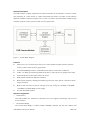
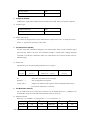
Preview Picture
02h
JPEG Preview Picture
03h
Snapshot (AA05h)
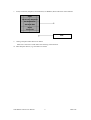
23IR keeps a single frame of JPEG still picture data in the buffer after receiving this command.
3.1 Snapshot Type
Compressed Picture
00h
Uncompressed Picture
01h
3.2 Skip Frame Counter
The number of dropped frames can be defined before compression occurs. “0” keeps the current
frame, “1” captures the next frame, and so forth.
4.
Set Packet Size (AA06h)
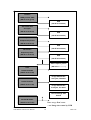
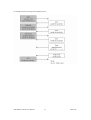
The host issues this command to change the size of data packet which is used to transmit image
data from the 23IR to the host. This command should be issued before sending Snapshot
command or Get Picture command to 23IR. It is noted that the size of the last packet varies for
different image.
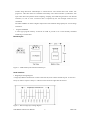
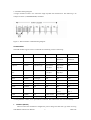
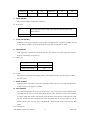
4.1 Packet Size
The default size is 64 bytes and the maximum size is 512 bytes.
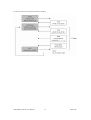
ID
ID
Data Size
Image Data
Verify Code
(2 bytes)
(2 bytes)
(Packet Size – 6 bytes)
(2 bytes)
->
Packet ID, starts from zero for an image
Data Size ->
Size of image data in the packet
Verify Code ->
Simple error detection code, equals to the accumulated number of byte
sent out from 23IR to host via RS-232
5.
Set Baud Rate (AA07h)
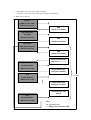
Set the 23IR baud rate by issuing this command. As the default baud rate is 14400bps, host
should make connection with 23IR at this baud rate each time power on.
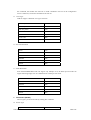
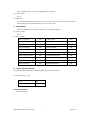
5.1 Baud rate Divider
Baud rate = 14.7456MHz / 2 x (2nd Divider + 1) / 2 x (1st Divider + 1)
Baud rate
1st Divider
2nd Divider
Baud rate
1st Divider
2nd Divider
7200 bps
Ffh
01h
28800 bps
3fh
01h
9600 bps
Bfh
01h
38400 bps
2fh
01h
23IR RS232 Camera User Manual
5
2008.8.28