1
User manual
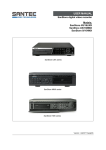
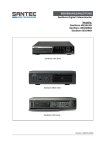
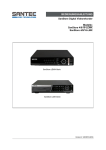
SanStore-4LEMX / SanStore-8LEMX / SanStore-16LEMX
SanStore-4LMX / SanStore-8LMX / SanStore-16LMX
Table of contents
1. PREFACE
1.1 Description of symbols
1.2 Safety instructions and precautions
1.3 Important general note
1.3.1 Assembly and installation
1.3.2 Maintenance and repair
1.3.3 Spare parts and accessories
1.4 Items included in the delivery
1.5 Optionally available accessories
1.5.1 SANTEC accessories
1.5.2 Apps for Apple iPhone and Android smartphones
1.6 General note
5
5
6
7
7
7
8
8
9
9
9
9
2. CONTROLS
2.1 SanStore LEMX series
2.1.1 Front panel
2.1.2 Rear panel connectors
2.1.3 Power-off the LEMX recorder
2.2 SanStore LMX series
2.1.1 Front panel
2.1.2 Rear panel connectors
2.3 Remote control
2.4 Mouse control
2.5 Virtual keypad for mouse control
10
10
10
14
15
16
16
19
21
22
23
3. INSTALLATION AND CONNECTIONS
3.1 Complete system configuration
3.2 Camera connection
3.3 Audio connection
3.4 Monitor connection
3.5 PC requirements for network connection
24
24
25
25
25
26
4. QUICK START
27
5. LIVE VIEWING
5.1 Display overview
5.2 Multi-screen display and sequencing
5.2.1 Screen display
5.2.2 Multi-screen display and switch sequencing display
5.3 Quick buttons for multi-screen display
5.4 Zooming
5.5 Spot monitor
29
29
31
31
31
32
33
34
6. OPERATION
6.1 Login/logout
6.2 Menu navigation
35
35
36
7. SETUP
7.1 Display
7.1.1 General
7.1.2 Switch setup (monitor configuration)
7.1.3 Event
7.2 Camera
7.3 Record
7.3.1 General
7.3.2 Resolution and recording speed setting
7.3.3 Continuous recording
7.3.4 Event recording
7.3.5 Continuous and event (motion/alarm) recording
38
38
38
40
41
42
46
46
48
49
50
52
_____________________________________________________________________________
-3-