1
SEEnergy
User’s Manual
Network Video Recorder
3.2.4 PTZ Preset Sequence
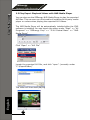
Once you have multiple preset points defined for a camera, it is convenient for monitoring to set up the sequencing viewing among those
preset point and let the recorder automatically switch between them
for you.
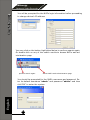
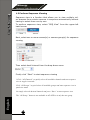
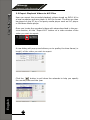
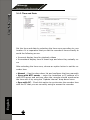
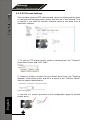
To configure preset sequence for a camera, select a channel from the
“Channel” drop-down menu
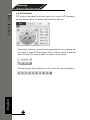
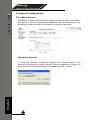
The available preset points should be listed in “Camera Presets” section
Pick the ones you like for sequence viewing and press the “->” button
to move them to the “Preset Sequence” section, then use the up and
down buttons to adjust their sequencing positions.
Finally, select a dwell time from the drop-down menu and click “Apply” to save the configuration
English
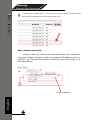
• To start preset sequence viewing, check page 21 for instructions
54