1
2.
2
Hardware Installation
This chapter explains how to install the hardware for the managed switches.
Package Contents
Each switch is packed and shipped separately. The package contains the following items:
•
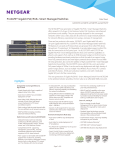
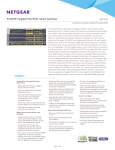
Managed Stackable Switch with preinstalled software
•
Power cord
•
Rubber footpads for tabletop installation
•
Rubber caps for the SFP sockets
•
Rack-mounting kit
•
Wall-mounting kit (M4100-D10-POE and M4100-D12G only)
•
Magnetic mounting kit (M4100-D10-POE and M4100-D12G only)
•
USB console cable with one Mini B connector and one type A connector
•
Resource CD: The CD either includes these documents or links to access them:
•
-
ProSafe Managed Switch Command-Line Interface (CLI) User Manual
-
ProSafe M4100 and M7100 Managed Switches Administration Manual
-
ProSafe M4100 Managed Switch Installation Guide
-
This hardware installation guide
ProSafe NMS200 Network Management System 30-day trial DVD
Protecting Against Electrostatic Discharge
WARNING!
Static electricity can harm delicate components inside your
system. To prevent static damage, discharge static electricity
from your body before you touch any of the electronic
components, such as the microprocessor. You can do so by
periodically touching an unpainted metal surface on the switch.
11