1
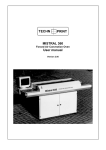
MISTRAL 260 Forced Air Convection Oven USER MANUAL Version 2.02 MISTRAL 260 user manual TABLE OF CONTENTS 1. Preface.................................................................................................................................... 2 2. Setting up................................................................................................................................ 3 3. Working with the QVGA touch screen .................................................................................. 4 3.1 Starting the program......................................................................................................... 4 3.2 Creating a program........................................................................................................... 5 3.3 Creating a recipe............................................................................................................... 6 3.4 Creating and changing the recipe name ........................................................................... 7 3.5 Showing the Dealer information ...................................................................................... 8 3.6 Viewing temperature progress for each zone................................................................... 9 4. Specifications ....................................................................................................................... 10 5. List of spare parts ................................................................................................................. 11 5. Appendix .............................................................................................................................. 12 © Technoprint 2007 Version 2.02 Page 1 MISTRAL 260 user manual 1. Preface Congratulations! You have purchased a machine of high quality made with dedication to meet the highest standards possible. To ensure proper operation we strongly advise you to read this manual first. This manual is designed to help you get the most out of the Forced Air Convection Oven program in the shortest possible time. It is written for both the new and experienced user in mind. How this manual is organized The first section of the manual explains the unpacking and installation of the oven. Included is a description of the principles and specifications of the oven. The main section of the manual is built around questions a user might have concerning the touch screen display. The software is designed to achieve the most user friendly control of the oven simply by using your fingertip. The figures The figures in this manual were captured with the intention of providing the clearest possible tutorial for the program. Default screen positions and sizes were used in most cases. Because the oven program can be configured in many different ways, do not be concerned if you detect minor differences between the figures in this manual and what you see on your own display. © Technoprint 2007 Version 2.02 Page 2 MISTRAL 260 user manual 2. Setting up Unpacking the oven: Carefully unpack the oven and save the original package in case you need to ship the unit. Ensure that1 thermocouple wire is enclosed Before starting the oven: Operate the oven in a well ventilated room only. Keep people, who do not operate the unit, away from the oven. Power source: 208/240 VAC, 1-phase, 16A 50/60Hz. Make sure that the oven is connected to a well earthed outlet CAUTION! Always disconnect the main plug of the unit from the outlet before servicing the machine. Installation and/or servicing should only be done by a qualified electrical engineer. Exhaust: To connect the exhaust: move the exhaust pipe over the stud at the rear end of the oven. From there you can exhaust directly to the outside as long as the distance is less the 3 meter. When the distance is more then 3 meter, an additional exhaust ventilation unit is required. Note that when using an added ventilation unit air flow regulation may be required since excessive air exhaust can cause temperature drop in the oven. © Technoprint 2007 Version 2.02 Page 3 MISTRAL 260 user manual 3. Working with the QVGA touch screen 3.1 Starting the program After the machine is started up with the main switch, the display will start automatically and you will see a screen that similar to the one shown on the left. Controlling the unit throughout the complete tutorial can be done by tapping on the screen or using the F1 to F6 buttons at the right of the screen Tap anywhere on the screen and a new screen will appear. This is called the operating menu. Here you can find all information about the temperatures for each zone and conveyor belt speed. In this menu screen you are allowed to set any temperature between 0 and 300°C for each zone with increments of 0.1°C and any conveyor speed between 15 and 60cm/min with increments of 1cm. In the upper part of the screen you will see the actual temperature for each zone PV (°C) and the set temperature for each zone SV (°C). The default value is 100 °C for each zone. In the lower half of the screen you will see the Product temp. This is the actual temperature measured by the probe of the thermocouple when it is connected to the outlet. If no thermocouple is connected a message Not connected is shown. Following that the current recipe is shown. Up to 8 named recipes can be stored in the program. The default value is 1 <empty>. At the bottom you will find the Conveyor speed showing the actual speed of the conveyor. Conveyor speed can be changed when the program is running at any time by pressing the F5 and F6 buttons for up and down control. The default value of the speed is 15 cm/min. After powering down the machine the control will always save all last settings entered. © Technoprint 2007 Version 2.02 Page 4 MISTRAL 260 user manual 3.2 Creating a program Creating a program can be done in the operating menu. Tap within the square with the temperature setting for the zone you want to change. A soft keypad as shown on the left will appear on the screen. Enter the desired value by tapping on the numbers and finish with the ….key. E N T The DEL key will delete the complete setting and the CLR key will clear the last digit. Use the Cancel key to clear the soft keypad from the screen. All settings entered with the soft keypad will be remembered after powering down the machine. Setting the conveyor speed can be done in two ways, as follows: Tap within the square with the conveyor speed setting. A soft keypad as shown on the left will appear on the screen. Entering a value for the conveyor speed is done in the same way as entering a value for the temperature. The second way is by using the F5 and F6 buttons. The value will change up or down with increments of 1 cm/min. Settings entered both ways will always be saved after powering down the machine. After all settings are entered the screen will show the desired settings as shown for example in the screen on the left. To activate the program press the F2 button once; the status will show “RUN” next to the button. To stop the program press the F2 button once again; the status will show “STOP” next to the button. © Technoprint 2007 Version 2.02 Page 5 MISTRAL 260 user manual 3.3 Creating a recipe Up to 8 recipes can be stored for your convenience. Each recipe can hold a program, as created for example in chapter 3.2 above. After creating your program the screen will look similar the one on the left (with possible other entered values). The first recipe you create is stored under recipe number 1 (default). By calling up another recipe number you can create a new program which will automatically be stored under that number. To change to another recipe number: Press on the F4 button (RECIPE), a screen looking like the one on the left will appear. You are now in the recipe menu. To select the recipe number you want to activate tap within the square next to “SELECT YOUR RECIPE:” A soft keypad as shown in the screen on the right will appear. Here you can tap on number 1 to 8 to enter the desired recipe number. Finish with the E key. N T The DEL key will delete the complete setting and the CLR key will clear the last digit. Use the Cancel key to clear the soft keypad from the screen. All settings entered with the soft keypad will be remembered after powering down the machine. To go back to the operating menu after you have called up a new recipe number press the F2 button. From the operating menu you can create a new program under the set recipe as explained in chapter 3.2 © Technoprint 2007 Version 2.02 Page 6 MISTRAL 260 user manual 3.4 Creating and changing the recipe name To create a new recipe name or to change an existing recipe name, go to the “recipe” menu as explained in chapter 3.3 You should see a screen as shown on the left. Press F2 (NAME SET) to get the input fields for all 8 recipes. A screen as shown on the left will appear. Tap in the desired recipe field box that you wish to name or rename. A soft keypad will appear so that a 16 character name can be entered. Finish with the ENT key. The DEL key will delete the complete name and the CLR key will clear the last digit. All settings entered with the soft keypad will be saved after powering down the machine. © Technoprint 2007 Version 2.02 Page 7 MISTRAL 260 user manual 3.5 Showing the Dealer information Press F1 in the operating menu to see your dealer’s information. Dealer information is factory set and can only be changed by an authorized dealer. Press F1 again to go back to the operating menu. © Technoprint 2007 Version 2.02 Page 8 MISTRAL 260 user manual 3.6 Viewing temperature progress for each zone Press F3 in the operating menu to see a graph of temperature on a time base. A screen like this will appear with graphs steadily changing for each temperature zone. When a thermocouple is connected to the outlet a dotted line will appear indicating the probe’s temperature. Use F1 to clear the screen. Tap anywhere in the screen to go back to the operating menu. © Technoprint 2007 Version 2.02 Page 9 MISTRAL 260 user manual 4. Specifications The reflow oven MISTRAL-260 is developed for boards, hybrid boards or curing adhesives. lead free reflow soldering of SMT Transport system The boards are transported through the oven on a conveyor belt made from high grade stainless steel spring wires with variable speed between 15 and 60 cm/min (6 to 24 inch/min). Heating system Heating is achieved by forced air convection. This reduces the shadow effects and results in no colour sensitivity, no hot spots and no cold solder joints. The heating system is suitable for lead-free soldering. Cooling system Bottom cooling fans at the offload section ensure cooling of your circuits before leaving the transport belt. Control All functions are controlled by a QVGA touch screen display which is easy to program with a user friendly interface. Exhaust The integrated exhaust system transports fumes to an outdoor ventilation or filtration unit. Thermocouple wire The included thermocouple wire can be used to monitor the temperature progress when attached to a PCB or any other object running through the oven on the conveyor belt. © Technoprint 2007 Version 2.02 Page 10 MISTRAL 260 user manual 5. List of spare parts Part number: Description: M-H/800 Preheat element 800 Watt M-H/1200 Preheat element 1200 Watt M-H/1800 Reflow element 1800 Watt M-28201 Forced air heater ventilator M-C9527 Cooling front/rear blower M-C9520 Cool-down blower M-2140/200 Conveyor motor M-1600 Conveyor belt M-SW/1ph Main switch M-MB/20 Main breaker 20A M-MSW Conveyor spring wire M-GA5/6D25 Solid state relay M-PSU PSU/Solid state relay card M-B10/R Bearing roller input/output oven THW/1,2/s Thermocouple wire with plug 1,2m M-ROL/IO Conveyor roller, input/output M-OVEN GLASS Oven glass hardened © Technoprint 2007 Version 2.02 Page 11 MISTRAL 260 user manual 5. Appendix TOP VIEW Fume extraction pipe Ø70mm Conveyor direction 15 – 60 cm/min 6 – 24 incn/min Preheat zone I Max. temp 300°C 1200W Preheat zone II Max. temp 300°C 800W Reflow zone III Max. temp 300°C 1800W Cool-down blowers FRONT VIEW Thermocouple outlet © Technoprint 2007 QVGA Touch screen display Version 2.02 Main breaker Main switch Page 12