1
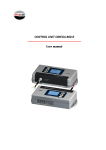
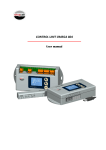
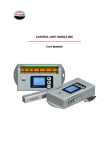
CONTROL UNIT VK-2C User manual User manual VK-2C 2 User manual VK-2C INDEX 1. INSTALLATION AND CONNECTIONS ....................................................... 4 2. DISPLAY................................................................................................. 5 3. CONTROL BUTTONS .............................................................................. 6 4. CONFIGURATION MENU ........................................................................ 6 5. CALIBRATION ........................................................................................ 7 6. ALARMS ................................................................................................ 9 7. ADDITIONAL FUNCTIONS....................................................................... 10 8. LOW POWER MODE .............................................................................. 10 9. ERROR CODES AND TROUBLESHOOTING ............................................... 11 10. SPECIFICATIONS .................................................................................... 12 11. FUSE REPLACEMENT .............................................................................. 12 12. QUICK GUIDE......................................................................................... 12 7 3 User manual VK-2C 1. INSTALLATION AND CONNECTIONS Terminal Load cell connection EXC+ EXCIN+ INSHIELD 4 wire load cell function Excitation positive Excitaion negative Signal positive Signal negative Shield DINACELL colors code Red Black Green White Shield Power supply input Power supply terminals for 230Vac/5060Hz with ground connection. Cabin display output It provides two types of output depending on the CONF parameter (see the ADDITIONAL FUNCTIONS chapter): 1. Under overload: intermittent voltage of 7,5V (max. 75mA) with the polarity shown in the figure. 2. Progressive display MB-D (two wire connection without polarity). 4 User manual RS-485 communication HOLD input VK-2C Two wire communication bus that provides access to all the parameters of the control unit. (See the ADDITIONAL FUNCTIONS chapter). The hold function inhibit load measurement during the elevator travel. It is useful to avoid relay activation between floors due to false values of weight while the elevator car is moving. This function will be activated when an input a voltage in a range of 24 to 230V (DC or AC) is applied. Connections of alarms relays Terminals from the relays of full load and overload. (See the ALARMS chapter). 2. DISPLAY This control unit is equipped with three LEDs and a four digits display. The four digits show the weight and values of the parameters. The AL-C LED lights when the full load relay is activated. The AL-S LED lights when the overload relay is activated. The AUX. LED always remain OFF. This function is not available in this version. A relay activated doesn’t mean that the alarm is activated, it depends on CONF parameter (see the ADDITIONAL FUNCTIONS chapter). 5 User manual VK-2C 3. CONTROL BUTTONS Functions of control buttons: a. Navigation through the configuration parameters. b. Validation and storing of the modified values. a. During menu navigation: Enter to modify a parameter. b. During parameter modification: Chose digit to change. a. During menu navigation: Show the stored value of the selected parameter. b. During parameter modification: Change the blinking digit incrementally from 0 to 9. 4. CONFIGURATION MENU The menu has the cyclic structure as shown in the following figure. Press button repeatedly to move from one parameter to another. Display the value of the measured load ↓ Full load alarm ↓ Overload alarm ↓ Adjust of zero (empty cabin) ↓ Adjust of weight (cabin loaded) ↓ Sets the value of the direct transmission load cell ↓ Sets the weight of the compensation chain ↓ Sets the cabin display type and relay states ↓ Sets the value of address for the communication bus If button is pressed more than two seconds, the unit will show the value of the measured load. 6 User manual VK-2C Types of parameters: Adjustment parameters (see chapter 5 of this manual): CERO: Parameter to adjust the value of measurement with empty cabin. PESO: Parameter to adjust the value of measurement with cabin loaded. CELL: Parameter to adjust the value of measurement with a direct transmission load cell. Alarm parameters (see chapter 6 of this manual): AL-C: From this level, the elevator is at full load. AL-S: From this level, the elevator is overloaded. AL –A: Not available in this version. Additional functions parameters (see chapter 7 of this manual): CADE: Value of weight of the compensation chain. CONF: Setting of the cabin display type and relay states. DIR: Value of address of this unit for the RS-845 communication bus. 5. CALIBRATION This operation must be done in order to get the proper measurements. Zero adjustment is required before load adjustment. There are two ways to calibrate the unit: 1. NORMAL ADJUSTMENT (valid for all types of load cells): 1.1. ZERO ADJUSTMENT a. Check that the cabin is empty. b. Press button repeatedly until the display shows . c. Press button and then, while display is blinking (10 seconds), press button to activate the adjustment. The unit shows a countdown in display. When it is finished, appear in display. will 7 User manual VK-2C 1.2. LOAD ADJUSTMENT a. Introduce inside the cabin a well-known weight (minimum 50% of the elevator full load). b. Press button repeatedly until the display shows . c. Press button. The display will show a numeric value of four digits. d. Enter the value of the real weight inside the cabin using buttons (select digit) (change value). d. Press button and then, while display is blinking (10 seconds), press it again to activate the adjustment. The unit shows a countdown in display. When it is finished, the new value will have been stored and will appear in display. If button is not pressed the second time before the display blink ends, operation is canceled and the display will again show the name of the parameter that was being modified. 2. ADJUSTMENT WITH A DIRECT TRASMISSION LOAD CELL: It is not necessary to introduce a well known weight in the cabin to carry out this operation. 2.1 ZERO ADJUST: Follow the same method shown in normal adjustment. 2.2 LOAD ADJUST a. Press button repeatedly until the display shows . b. Press button. The display will show a numeric value of four digit. c. Enter the value of the calibrated load cell using buttons (select digit) (change value). Find this value in the label of the Dinacell load cell cable. Note: In elevators with roping type 2:1, enter the value multiplied by 2. d. Press button and then, while display is blinking (10 seconds), press it again to save the value. If button is not pressed the second time before the display blink ends, operation is canceled and the display will again show the name of the parameter that was being modified. 8 User manual VK-2C 6. ALARMS Alarms are the programmed load levels that change the state of relays. These values are set and stored through the configuration menu, it is not necessary to introduce weight in the cabin. When the elevator load overcomes this value, the full load relay changes its state. The human symbol of the MB-D cabin display, will light right completely. When elevator load overcomes this value, the overload relay changes its state. ∙ In addition to the human symbol of the MB-D cabin display is completely lit, the symbol of the balance will blink and the buzzer will be activated intermittently. ∙ In case of connecting to a LED instead of MB-D display, it will be blinking. Depending of the CONF parameter setting, the relays contacts will change between open and close when alarms AL-C and AL-S are activated. Modify the alarm parameters 1. Press button repeatedly until the display shows: or . 2. Press button. The current value will appear in display with the first digit blinking. 3. Change to desired value by the wanted one using buttons (select digit) (change value). 4. Press button twice to validate and store the value. If button is not pressed the second time before the display blink ends, operation is canceled and new value is not stored. 9 User manual VK-2C 7. ADDITIONAL FUNCTIONS These parameters can be modified and stored following the same method shown in calibration and alarms chapters with the buttons , y . This function allows to adjust the difference of weight between floors produced by the compensation chain. Modify this value with the approximate weight of the chain. The maximum value allowed is 50 kg. If this function is not needed, set the value to zero. Setting of the cabin display type and relay states as follow: Parameter value 0 1 2 3 Low power display ON ON OFF OFF Cabin display output LED blinking Progressive display (MB-D) LED blinking Progressive display (MB-D) This unit is equipped with a RS-485 communication bus in slave mode that provides access to every parameter in it. This parameter set the address of the unit. Please, contact with Dinacell to get the communications protocol. 8. LOW POWER MODE It’s not needed visualize the display of the unit all the time and it increases the power consumption. The unit enter in a low power mode in the following cases (showing a rolling segment to indicate the unit is still working): After 3 minutes of powering up the unit without pressing any button After 60 minutes of press any button for last time. Pressing button during 2 seconds when unit is showing the weight. To go out of low power mode press any button. 10 User manual VK-2C 9. ERROR CODES AND TROUBLESHOOTING When some anomaly is detected by the unit, the display will show one of the following error codes: Important: When an error appears, all alarms are activated and the elevator remains blocked. Load cell is not properly connected, it or its cable is damaged. ∙ Check all connections. Negative overflow. Load cell is working in the opposite way or it is wrong connected. ∙ Check all connections. Positive overflow. Load cell is holding a load higher than its nominal value. ∙ Replace load cell by another with higher nominal load. Polarity error. This happens when the unit adjusts the weight with the wrong load cell polarity. ∙ Check all connections. ∙ Adjust the zero and weight again. Display output is short-circuited. ∙ Check display connections. ∙ Turn off the unit and power it up again. Notice: When this error appears, the unit remains blocked and stops communication by RS-485 until fix the problem. Loss of data in memory. ∙ The unit must be configured again with the properly values. Notice: When this error appears, every relay will remain in OFF state. 11 User manual VK-2C 10. SPECIFICATIONS POWER SUPPLY RELAY CONTACTS Nominal voltage 230 VAC / 50-60 Hz Maximum voltage 250 V Nominal current Fuse 60 mA 100 mA / 250 V Maximum current 3A 11. FUSE REPLACEMENT 1. 2. 3. 4. Disconnect completely the unit. Open the unit removing screws of the back cover. Take out the electronic circuit of its box. Replace the fuse from the vertical socket near of the transformer. 12. QUICK GUIDE Parameters modification a. To find the parameter to be changed, press repeatedly b. To enter to modify the parameter press button. c. To change the value press and buttons. d. To save the value press button twice. button. Basic configuration 1. Make the necessary connections. 2. Adjust the zero with cabin empty: find parameter in the menu, press button and then press button twice. Wait till the countdown expires. Zero adjustment is required before load adjustment. 3. Adjust of weight with car loaded: find parameter in the menu, press button, change the value according to the load introduced inside the car and then press twice. Wait till the countdown expires. 4. Choose the alarms levels with and parameters and the state of its associated relays in the parameter: ∙ AL-C: From this level, the elevator is considered at full load. ∙ AL-S: From this level, the elevator is considered overloaded. Dinacell Electrónica, S.L. - www.dinacell.com C/ El torno, 8 - 28522 Rivas Vaciamadrid - Madrid (SPAIN) 19-6073-00 14/03/2013 12