1
Issue
10.04.A
XSense – Version 10.04 – Operating Manual
EVS Broadcast Equipment – January 2011
7. Multi PGM Mode
7.1
1/2/3 PGM MODES (PRESS A OR B FROM
MAIN MENU)
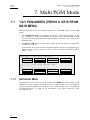
Multicam has two modes for its basic operation, 1 PRV/PGM mode or Multi PGM
mode:
•
The 1PGM+PRV mode, as described previously, is the more powerful of the
two, allowing for interaction between all outputs. Here, synchronized replays
can be rolled and chained between the cameras with either a mix, wipe, or cut
between them.
•
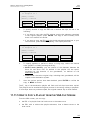
The MULTI PGM mode is more basic, which gives the operator independent
control of all outputs.
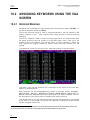
In this mode, all outputs can be controlled together (such as jogging back to a
certain action, with all outputs) or they can be controlled individually (either
PGM 1, 2 or 3).
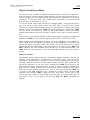
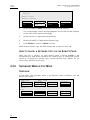
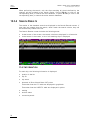
PGM1 CAM A
Aud.Met.
P.1
B.1
PL 11: <
Msg:
Rst Cam
PGM 1
7.1.1
*PGM2* CAM B
PgmSpd
PGM3 CAM C
Sw to IN
Search
Post-Roll
Pref
Clips: LOCAL Records: LOCAL
Local
Sync To
2nd CTRL
PGM 2
PGM 3
TOGGLE
SECONDARY MENU
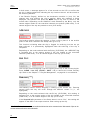
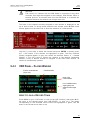
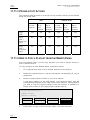
The secondary menu can be called by pressing the MENU key and is similar to the
1PGM+PRV mode, except that the A function is empty since it is not possible to
create a transition between the channels in this mode. Please refer to the Chapter
6 ‘PGM-PRV Mode’, on page 24 for description of the other functions of the
secondary menu.
28