1
26 > 27
4. Rotating Axes
4.2 Methods of using the Axes
Ez3D has a function to rotate axes and adjust the location of axes from each view to examine more accurately
the anatomical structure of the patient.
The Sagittal, Coronal, and Axial are vertically cut in cross-sections regardless of the shape of the dental arch
thus there is limit in clearly understanding the anatomical structure of implants and teeth.
Therefore, accurate measurements of the length of the sections to be treated and detailed anatomical
structure can be obtained through adjustments of the axes.
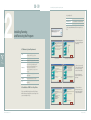
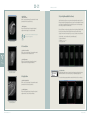
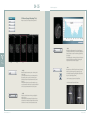
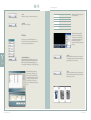
Axes can be moved by clicking the center
circle in the Axial View and dragging over
onto a specific tooth to examine.
Target
�
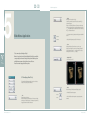
Start the explanation by looking at the following Professional View Screen.
Before moving the center circle
After moving the center circle
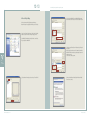
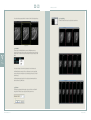
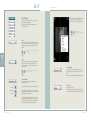
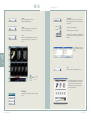
To rotate the Axis in a desired direction click
the Axis outside of the center circle once
and drag.
Value
Added
Technologies
Before rotating the axes
After rotating the axes
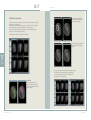
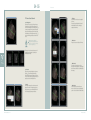
The picture below indicate the other views that have been changed except Axial.
This is because the view directions and angles have been newly adjusted.
The Coronal and Sagittal Views of the teeth can be changed by moving
and adjusting the Coronal and Sagittal Axes.
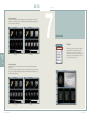
4.2.1 Axial View
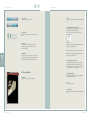
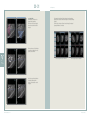
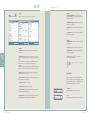
The Coronal and Sagittal Axes can be
adjusted at the Axial View. The direction of
the arrow displayed when the axis is clicked
is the line of the sight.
Before moving, adjusting axes at Axial View
Ez3D User Manual _ Ver.1.4
Aftermoving,adjustingaxesatAxialView
3D Analysis Software