1
Installing the local modem
If you have already installed a modem under Windows, you can also use this modem for
teleservice.
Plug-and-play modems are automatically recognized by the PC and integrated in the
system as soon as they are connected. The driver supplied with the modem is required for
this. You can manually install modems without plug-and-play capability via the control
panel under the "Telephone and modem options" in the "Modems" dialog box. Here
again, you will need the driver supplied with the modem.
It should be possible to address the modem as soon as you have installed it on one of the
COM interfaces of your PC. Select the installed mode in the parameterization of the
programming software.
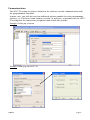
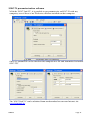
Example: Setting the local modem
i
i
SSW7-TS
For safety reasons, "Forced EC" error detection must always be activated.
In the case of a link without error checking, sporadic broken connections can occur!
To test your teleservice software and the modem on the PC, you can dial our
SSW7-TS test system. The phone number can be obtained from our Support.
Page: 7