1
Getting started
Using the menu bar
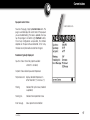
Application controls
The menu bar gives you access to valuable tools and it's
accessible in all views.
The ServSoft includes many features that makes it easy to
use. Among them are the common elements that appear
on the screen in each of the applications. Once you learn
how to use them in one application you can easily use
them in all the others.
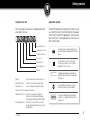
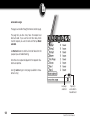
Documentation Icon
Use these arrows to navigate between the
last selected and next page within the same
menu.
Advanced Tools Icon
Troubleshooting Icon
About Icon
Spa Setup Icon
Current States Icon
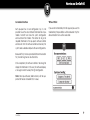
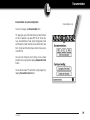
✓
The checkbox is a tool to select items.
Use when you need to choose from the
available choices on screen.
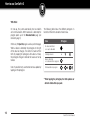
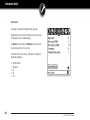
Spa Info
Spa Info
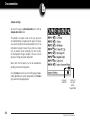
Select to view pack's software version info
Current States Icon
Select to view current spa pack status
Spa Setup Icon
Select to change basic spa pack features
About Icon Select to display Servsoft version
Advanced Tools Icon Select to view and perfom advance
functions such as: Output testing page,
Error log page and General statistics page
Documentation Icon Select to access information on how to
operate spa pack and change its low level
programming.
Pocket-tek
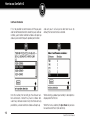
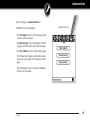
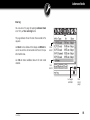
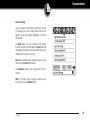
A variable surrounded by a dashed box
indicates that its value can be changed by
clicking on it.
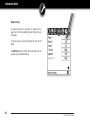
Use the Up/Down arrows to increase or
decrease the value of a given variable.
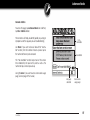
The action indicated by the text within a
solid box icon, will take effect by simply
clicking on it.
7