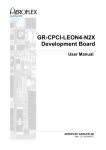
Download GR-CPCI-LEON4-N2X Quick Start Guide
Transcript
. GR-CPCI-LEON4-N2X Quick Start Guide 1 GR-CPCI-LEON4-N2X Quick Start Guide GR-CPCI-LEON4-N2X Quick Start Guide GR-CPCI-LEON4-N2X-QSG Version 0.4 July 2013 Kungsgatan 12 411 19 Gothenburg Sweden tel +46 31 7758650 fax +46 31 421407 www.aeroflex.com/gaisler GR-CPCI-LEON4-N2X Quick Start Guide 2 GR-CPCI-LEON4-N2X Quick Start Guide Copyright © 2013 Aeroflex Gaisler AB GR-CPCI-LEON4-N2X Quick Start Guide iii Table of Contents 1. Introduction ...................................................................................................................... 1 1.1. Overview ............................................................................................................... 1 1.2. References ............................................................................................................. 1 2. Board Configuration .......................................................................................................... 2 2.1. Overview ............................................................................................................... 2 2.2. Clock Sources ........................................................................................................ 2 2.3. UARTs ................................................................................................................. 2 2.4. Bootstrap Signals .................................................................................................... 2 3. Comments on System-on-Chip Design .................................................................................. 4 3.1. Overview ............................................................................................................... 4 3.2. Building Operating Systems for LEON4-N2X .............................................................. 4 3.3. Building Applications for LEON4-N2X ...................................................................... 4 3.4. Running binaries linked to address 0x40000000 ........................................................... 4 3.5. Considerations when enabling the Level-2 cache .......................................................... 5 4. Using GRMON2 To Connect To the Board ........................................................................... 6 4.1. Overview ............................................................................................................... 6 4.2. Connecting via the USB interface .............................................................................. 6 4.3. Connecting via the Ethernet debug interfaces ............................................................... 6 4.4. Connecting via SpaceWire RMAP interface ................................................................. 6 4.5. Connecting via the FTDI USB/JTAG interface ............................................................. 7 4.6. Example session with GRMON2 ............................................................................... 7 5. Board Package ................................................................................................................ 12 5.1. Overview ............................................................................................................. 12 5.2. GRMON2 scripts .................................................................................................. 12 5.3. MKPROM2 bdinit functions ................................................................................... 12 6. Frequently Asked Questions / Common Mistakes / Know Issues ............................................... 15 6.1. Clock gating ......................................................................................................... 15 6.2. Level-2 cache initialization ..................................................................................... 15 6.3. Main memory interface EDAC ................................................................................ 15 6.4. PROM programming at 200 MHz fails ...................................................................... 16 7. Support .......................................................................................................................... 17 A. PLL Reconfiguration ....................................................................................................... 18 GR-CPCI-LEON4-N2X Quick Start Guide 1 1. Introduction 1.1. Overview This document is a quick start guide for the GR-CPCI-LEON4-N2X CompactPCI Development Board. The purpose of this document is to get users quickly started using the board. For a complete description of the board please refer to the GR-CPCI-LEON4-N2X Development Board User's Manual, the LEON4N2X system-on-chip is described in the LEON4-N2X Data sheet and User's Manual. This quick start guide does not contain as much technical details and is instead how-to oriented. However, to make the most of the guide the user should have glanced through the aforementioned documents and should ideally also be familiar with the GRMON2 debug monitor. The GR-CPCI-LEON4-N2X data package and this document (including possibly newer revisions) are available from the GR-CPCI-LEON4-N2X product page at http://www.gaisler.com. 1.2. References Table 1.1. References RD-1 GR-CPCI-LEON4-N2X Development Board User's Manual RD-2 LEON4-N2X Data sheet and User's Manual RD-3 GRMON User's Manual [http://www.gaisler.com/doc/grmon2.pdf] RD-4 RTEMS homepage [http://www.rtems.org] RD-5 RTEMS Cross Compilation System (RCC) [http://www.gaisler.com/index.php/products/operating-systems/rtems] RD-6 RCC User's manual [http://gaisler.com/anonftp/rcc/doc] RD-7 Aeroflex Gaisler RTEMS driver documentation [http://gaisler.com/anonftp/rcc/doc] RD-8 GRTOOLS homepage [http://www.gaisler.com/index.php/downloads/grtools] The referenced documents can be downloaded from http://www.gaisler.com. GR-CPCI-LEON4-N2X Quick Start Guide 2 2. Board Configuration 2.1. Overview The primary source of information is GR-CPCI-LEON4-N2X Development Board User's Manual. The GRCPCI-LEON4-N2X has a number of bootstrap signals that need to be set correctly to select the wanted main memory interface (DDR2 SDRAM or SDR SDRAM) and operating frequencies for the selected main memory interface and on-chip buses. 2.2. Clock Sources The minimum requirement in order to connect to the board is that a 50 MHz oscillator is inserted in the X1 (SYS_CLK) socket. This is the default configuration of the board. If the SpaceWire interfaces will be used then a 50 MHz oscillator must be present in the X4 (SPWCLK) socket. The PCI interface can operate at 33 or 66 MHz and also requires an external clock source. Either from the PCI backplane or from an oscillator in socket X3. Please refer to GR-CPCI-LEON4-N2X Development Board User's Manual for instructions on how to configure the board to function in a PCI system. 2.3. UARTs The UARTs of the LEON4-N2X can either be connected to RS232 transceivers and the DSUB-9 connectors on the front-panel, or, they can be connected to the FTDI USB to serial converter. This configuration is made with jumpers on the board. Please see sections 2.9 and 2.10 of the GR-CPCI-LEON4-N2X Development Board User's Manual. 2.4. Bootstrap Signals All bootstrap signals are listed in section 3.1 of LEON4-N2X Data sheet and User's Manual. On the board the bootstrap signals can be controlled via the DIP switches S1, S2 and S3. The bootstrap signals that are double-mapped to the general purpose I/O lines (DIP switch S1 and S2) control settings such as the reset address for the Ethernet debug communications link (EDCL), routing of EDCL traffic, boot-PROM width and PROM EDAC enable. The bootstrap signals controlled via DIP switch S3 have a larger impact on the full system behaviour: • The DSU enable signal (S3-1) controls if the design's Debug Support Unit is enabled and also if the debug communication links are active. DIP switch S3-1 must be set to OPEN (= OFF = DSU_EN = HIGH) to connect to the board using the GRMON2 debug monitor. • The DSU break signal (S3-2) controls if the first processor will start execution after system reset. • The MEM_IFSEL (S3-3), MEM_IFFREQ (S3-4) and MEM_CLKSEL (S3-6) signals selects type of main memory interface and selects the clocks used for this memory interface and the on-chip buses. See table below for clock and memory interface selection. • The MEM_IFWIDTH (S3-5) signal selects the width of the primary memory interface. The switch should be closed to select the full 64-bit interface data width (up to 96-bits including check bits). • The WDEN signal (S3-7) controls if a watchdog timeout in the LEON4-N2X will trigger a board reset. This switch should be set to OPEN in order to disconnect the watchdog from the reset circuit. The table below reproduces the clock selection table in section 4.1 of LEON4-N2X Data sheet and User's Manual and with added information on how the DIP switches on the board should be set to perform the clock selection. Please refer to the LEON4-N2X Data sheet and User's Manual and to the GR-CPCI-LEON4-N2X Development Board User's Manual for detailed documentation of the effects of bootstrap signal values. Table 2.1. Clock selection Bootstrap signal Description MEM_CLKSEL MEM_IFSEL MEM_IFFREQ Low (S3-6 closed) Low (S3-3 closed) Low (S3-4 closed) Memory interface is DDR2 SDRAM GR-CPCI-LEON4-N2X Quick Start Guide 3 Bootstrap signal MEM_CLKSEL Description MEM_IFSEL MEM_IFFREQ System clock: 200 MHz Memory interface clock: 300 MHz High (S3-3 open) Low (S3-3 closed) High (S3-6 open) High (S3-3 open) High (S3-4 open) Memory interface is DDR2 SDRAM System clock: 150 MHz Memory interface clock: 300 MHz Low (S3-4 closed) Memory interface is (SDR) SDRAM System clock: 200 MHz Memory interface clock: 100 MHz High (S3-4 open) Memory interface is (SDR) SDRAM System clock: 150 MHz Memory interface clock: 75 MHz Low (S3-4 closed) Memory interface is DDR2 SDRAM. System clock: 200 MHz Memory interface clock: 300MHz High (S3-4 open) Memory interface is DDR2 SDRAM System clock: 150 MHz Memory interface clock: 300MHz Low (S3-4 closed) Memory interface is (SDR) SDRAM. System clock: 200 MHz Memory interface clock: MEM_EXTCLK input High (S3-4 open) Memory interface is (SDR) SDRAM. System clock: 150 MHz Memory interface clock: MEM_EXTCLK input The referenced documents can be downloaded from http://www.gaisler.com. GR-CPCI-LEON4-N2X Quick Start Guide 4 3. Comments on System-on-Chip Design 3.1. Overview The goal of this section is to summarize differences with the LEON4-N2X device compared to other contemporary LEON systems and what these differences mean to users. The LEON4-N2X Data sheet and User's Manual has a section named Special considerations that contain additional information on this topic specific for the LEON4-N2X. 3.2. Building Operating Systems for LEON4-N2X Operating systems must take into account that the RAM starts at 0x0 in the LEON4-N2X design. This is typically done by specifying special build options. Operating systems distributed by Aeroflex Gaisler have been extended to support linking to address 0x0 instead of the 0x40000000 address that is traditionally used in LEON systems. Please refer to the operating system documentation for additional information. Software must also take into account that in the LEON4-N2X the peripheral units are connected through an AHB-to-AHB bridge. This has no impact for normal memory accesses but existing software may not support AMBA plug and play scanning over the AHB-to-AHB bridges. All recent versions of operating systems distributed by Aeroflex Gaisler will correctly detect the peripheral devices in LEON4-N2X. Support for recursive plug and play scanning over bridges is present in BCC version 1.0.41 (software compiled by earlier versions of BCC need to have been built using the -qambapp flag), RTEMS version 4.10, VxWorks 6.3/6.5/6.7 release 1.0.3, MKPROM2 version 2.0.56, and later versions of these software releases available from Aeroflex Gaisler. 3.3. Building Applications for LEON4-N2X No special considerations needs to be taken for applications that run on top of an operating system. Special flags must be specified when using the Bare-C Compiler (BCC) toolchain available from Aeroflex Gaisler. In order to link the application to address 0 the flags -Wl,-msparcleon0 must be specified. In order to enable plug and play scanning over AHB-to-AHB bridges, the -qambapp must be specified. The functionality enabled by -qambapp is enabled by default starting with BCC version 1.0.41. With version 1.0.41 the following call would compile a hello world application: sparc-elf-gcc -Wall --Wl,-msparcleon0 hello.c -o hello 3.4. Running binaries linked to address 0x40000000 Note that legacy software linked to address 0x40000000 may still be used on the LEON4-N2X under the right conditions. Either by having 2 GiB of memory installed or by ensuring that the memory will wrap at address 0x40000000. The memory controllers will wrap at the end of RAM so by installing a smaller amount of memory (less than 2 GiB) it is possible to run applications from 0x40000000 as the memory area will wrap and it will access the same external memory positions as an access to address 0x0. For this workaround to properly work the following conditions must be met: • The installed memory detected by GRMON2 must be of a size so that the memory will actually wrap at address 0x40000000. This will happen for memories that have bank sizes less than, or equal to, 500 MiB. For example, a 1 GiB single rank memory will not work as the first 1 GiB will be mapped in the range 0x00000000 - 0x3FFFFFFF, the area 0x40000000 - 0x7FFFFFFF will then cause the second chip select to be asserted. • The stack pointer must be set so that it takes the 0x40000000 offset into account. • The software may not assume that it can access the range 0x00000000 - 0x3FFFFFFF (this area will contain the PROM and memory mapped I/O areas on legacy LEON systems). Accesses to this range will modify the RAM. GR-CPCI-LEON4-N2X Quick Start Guide 5 • The software must support plug and play scanning over bridges, or not depend on finding peripherals through plug and play scanning. 3.5. Considerations when enabling the Level-2 cache The Level-2 cache is disabled after system reset and should be enabled in order to improve system performance. It is important that the Level-2 cache contents is invalidated before the cache is enabled. Otherwise the power-on contents of the cache RAMs may be interpreted as valid data by the cache. GR-CPCI-LEON4-N2X Quick Start Guide 6 4. Using GRMON2 To Connect To the Board 4.1. Overview GRMON2 is a debug monitor used to develop and debug GRLIB/LEON systems. The CPU and its peripherals are accessed on the AMBA bus through a debug-link connected to the PC. GRMON has GDB support which makes C/C++ level debugging possible by connecting GDB to the GRMON's GDB socket. With GRMON one can for example: • Inspect LEON and peripheral registers • Upload application and/or program the Flash • Control execution flow by starting applications (run), continue execution (cont), single-stepping (step), inserting breakpoints/watchpoints (bp) etc. • Inspect the current CPU state listing the back-trace, instruction trace and disassemble machine code. The first step is to set up a debug link in order to connect to the board. The subsequent section outlines which debug interfaces are available and how to use them on the GR-CPCI-LEON4-N2X CompactPCI Development Board. Note the Debug Support Unit and the Debug AHB bus must be enabled if GRMON2 is to be used to connect to the board. The DIP switch S3-1 must be set to OPEN. Note that the LEON4-N2X requires that GRMON2 version 2.0.36 is used. Earlier versions will not initialize the DDR2 SDRAM interface correctly. Several of the design's peripherals may be clock gated off. GRMON2 will enable all clocks if started with the flag -cginit. Within GRMON2, the command grcg enable all will have the same effect. 4.2. Connecting via the USB interface Please see GRMON User's Manual for how to set up the required USB driver software. Connect the PC and the GR-CPCI-LEON4-N2X using a standard USB cable into the USB-DSU connector and issue the following command: grmon2cli -usb 4.3. Connecting via the Ethernet debug interfaces The design has two Ethernet debug communication links (EDCL). These links have default addresses in the range 192.168.0.16 to 192.168.0.47. The GR-CPCI-LEON4-N2X should not be connected to an existing network where these addresses may be already occupied. The selection of address can be controlled via bootstrap signals where the first Ethernet debug link can be bootstrapped to an address in the range 192.168.0.16 - 192.168.0.31 and the second link to an address in the range 192.168.0.32 - 192.168.0.47. If another address is wanted for the Ethernet debug link then one of the other debug links must be used to connect GRMON2 to the board. The EDCL IP address can then be changed using GRMON2's edcl command. Note that the Ethernet debug link traffic can be routed either to the Master I/O AHB bus or to the Debug AHB bus. In order to control the LEON processors the debug link must be routed to the Debug AHB bus, otherwise GRMON2 will not be able to use the debug link to access the Debug Support Unit. For all uses except testing of IOMMU functionality it is recommended that DIP switch S2-1 and S2-2 are set to OPEN to route debug Ethernet traffic via the Debug AHB bus. With the Ethernet Debug Communication Link 0 address set to 192.168.0.16 the GRMON2 command to connect to the board is: grmon2cli -eth -ip 192.168.0.16 4.4. Connecting via SpaceWire RMAP interface GRMON has support for connecting to boards with SpaceWire interfaces as long as the SpaceWire has RMAP and automatic link start. An Ethernet to SpaceWire bridge (GRESB) is required to tunnel SpaceWire packets from the Ethernet network over to SpaceWire. GR-CPCI-LEON4-N2X Quick Start Guide 7 Please see the [RD-3] for information about connecting through a GRESB and optional parameters. Connect the GRESB SpW0 connector and the GR-CPCI-LEON4-N2X's SPW DSU connector, then issue the following command: grmon2cli -gresb 4.5. Connecting via the FTDI USB/JTAG interface Please see GRMON User's Manual for how to set up the required FTDI driver software. Then connect the PC and the board using a standard USB cable into the FTDI USB connector and issue the following command: grmon2cli -ftdi 4.6. Example session with GRMON2 The transcript below shows a example session with GRMON2. GRMON2 is started with the -u flag in order to redirect UART output to the GRMON2 terminal. ag@hwlin0:~$ grmon2cli -usb -u GRMON2 LEON debug monitor v2.0.36 Copyright (C) 2013 Aeroflex Gaisler - All rights reserved. For latest updates, go to http://www.gaisler.com/ Comments or bug-reports to [email protected] Detected system: Detected frequency: NGMP FP 150 MHz Component JTAG Debug Link GRSPW2 SpaceWire Serial Link EDCL master interface EDCL master interface USB Debug Communication Link LEON4 SPARC V8 Processor LEON4 SPARC V8 Processor LEON4 SPARC V8 Processor LEON4 SPARC V8 Processor IO Memory Management Unit AHB-to-AHB Bridge L2-Cache Controller AHB Memory Scrubber IOMMU secondary master i/f AHB-to-AHB Bridge LEON4 Debug Support Unit AHB/APB Bridge AMBA Trace Buffer Single-port DDR2 controller Memory controller with EDAC AHB/APB Bridge AHB/APB Bridge GRPCI2 PCI/AHB bridge GRSPW Router LEON4 Statistics Unit GRPCI2 Trace buffer Generic UART Generic UART General Purpose I/O port Multi-processor Interrupt Ctrl. Modular Timer Unit Modular Timer Unit Modular Timer Unit Modular Timer Unit Modular Timer Unit GRSPW Router DMA interface GRSPW Router DMA interface GRSPW Router DMA interface GRSPW Router DMA interface GR Ethernet MAC GR Ethernet MAC PCI Arbiter MIL-STD-1553B Interface SPI Controller Clock gating unit LEON4 Statistics Unit AHB Status Register AHB Status Register Vendor Aeroflex Aeroflex Aeroflex Aeroflex Aeroflex Aeroflex Aeroflex Aeroflex Aeroflex Aeroflex Aeroflex Aeroflex Aeroflex Aeroflex Aeroflex Aeroflex Aeroflex Aeroflex Aeroflex Aeroflex Aeroflex Aeroflex Aeroflex Aeroflex Aeroflex Aeroflex Aeroflex Aeroflex Aeroflex Aeroflex Aeroflex Aeroflex Aeroflex Aeroflex Aeroflex Aeroflex Aeroflex Aeroflex Aeroflex Aeroflex Aeroflex European Aeroflex Aeroflex Aeroflex Aeroflex Aeroflex Aeroflex Gaisler Gaisler Gaisler Gaisler Gaisler Gaisler Gaisler Gaisler Gaisler Gaisler Gaisler Gaisler Gaisler Gaisler Gaisler Gaisler Gaisler Gaisler Gaisler Gaisler Gaisler Gaisler Gaisler Gaisler Gaisler Gaisler Gaisler Gaisler Gaisler Gaisler Gaisler Gaisler Gaisler Gaisler Gaisler Gaisler Gaisler Gaisler Gaisler Gaisler Gaisler Space Agency Gaisler Gaisler Gaisler Gaisler Gaisler Gaisler GR-CPCI-LEON4-N2X Quick Start Guide N2X PLL N2X PLL N2X PLL N2X PLL General Dynamic Dynamic Dynamic Dynamic Purpose Config. i/f Config. i/f Config. i/f Config. i/f Register Bank 8 Aeroflex Aeroflex Aeroflex Aeroflex Aeroflex Gaisler Gaisler Gaisler Gaisler Gaisler Use command 'info sys' to print a detailed report of attached cores grmon2> info sys ahbjtag0 Aeroflex Gaisler JTAG Debug Link AHB Master 0 grspw0 Aeroflex Gaisler GRSPW2 SpaceWire Serial Link AHB Master 1 APB: E4000000 - E4000100 Number of ports: 1 adev2 Aeroflex Gaisler EDCL master interface AHB Master 2 adev3 Aeroflex Gaisler EDCL master interface AHB Master 3 adev4 Aeroflex Gaisler USB Debug Communication Link AHB Master 4 cpu0 Aeroflex Gaisler LEON4 SPARC V8 Processor AHB Master 0 cpu1 Aeroflex Gaisler LEON4 SPARC V8 Processor AHB Master 1 cpu2 Aeroflex Gaisler LEON4 SPARC V8 Processor AHB Master 2 cpu3 Aeroflex Gaisler LEON4 SPARC V8 Processor AHB Master 3 iommu0 Aeroflex Gaisler IO Memory Management Unit AHB Master 4 AHB: FF840000 - FF848000 IRQ: 31 Device index: 0 Protection modes: APV and IOMMU msts: 9, grps: 8, accsz: 128 bits APV cache lines: 32, line size: 16 bytes cached area: 0x00000000 - 0x80000000 IOMMU TLB entries: 32, entry size: 16 bytes translation mask: 0xff000000 Core has multi-bus support Core has 4 ASMP register blocks ahb2ahb0 Aeroflex Gaisler AHB-to-AHB Bridge AHB Master 5 AHB: 00000000 - 80000000 AHB: 80000000 - C0000000 AHB: C0000000 - E0000000 AHB: F0000000 - 00000000 l2cache0 Aeroflex Gaisler L2-Cache Controller AHB Master 0 AHB: 00000000 - 80000000 AHB: F0000000 - F0400000 AHB: FFE00000 - FFF00000 IRQ: 28 L2C: 4-ways, cachesize: 256 kbytes, mtrr: 16 memscrub0 Aeroflex Gaisler AHB Memory Scrubber AHB Master 1 AHB: FFE01000 - FFE01100 IRQ: 28 burst length: 32 bytes adev13 Aeroflex Gaisler IOMMU secondary master i/f AHB Master 2 ahb2ahb1 Aeroflex Gaisler AHB-to-AHB Bridge AHB Master 0 AHB: 80000000 - C0000000 AHB: C0000000 - D0000000 AHB: D0000000 - E0000000 AHB: FF800000 - FFC00000 dsu0 Aeroflex Gaisler LEON4 Debug Support Unit AHB: E0000000 - E4000000 AHB trace: 256 lines, 128-bit bus CPU0: win 8, hwbp 2, itrace 256, V8 mul/div, srmmu, lddel 1, GRFPU stack pointer 0x3ffffff0 icache 4 * 4 kB, 32 B/line lru dcache 4 * 4 kB, 32 B/line lru CPU1: win 8, hwbp 2, itrace 256, V8 mul/div, srmmu, lddel 1, GRFPU stack pointer 0x3ffffff0 icache 4 * 4 kB, 32 B/line lru dcache 4 * 4 kB, 32 B/line lru CPU2: win 8, hwbp 2, itrace 256, V8 mul/div, srmmu, lddel 1, GRFPU stack pointer 0x3ffffff0 icache 4 * 4 kB, 32 B/line lru dcache 4 * 4 kB, 32 B/line lru GR-CPCI-LEON4-N2X Quick Start Guide CPU3: 9 win 8, hwbp 2, itrace 256, V8 mul/div, srmmu, lddel 1, GRFPU stack pointer 0x3ffffff0 icache 4 * 4 kB, 32 B/line lru dcache 4 * 4 kB, 32 B/line lru apbmst0 Aeroflex Gaisler AHB/APB Bridge AHB: E4000000 - E4100000 ahbtrace0 Aeroflex Gaisler AMBA Trace Buffer AHB: EFF00000 - EFF20000 Trace buffer size: 64 lines ddr2spa0 Aeroflex Gaisler Single-port DDR2 controller AHB: 00000000 - 80000000 AHB: FFE00000 - FFE00100 64-bit FTDDR2 : 1 * 1 GB @ 0x00000000, 8 internal banks col 10, ref 7.8 us, trfc 82 ns mctrl0 Aeroflex Gaisler Memory controller with EDAC AHB: C0000000 - D0000000 AHB: D0000000 - E0000000 APB: FF903000 - FF903100 16-bit prom @ 0xc0000000 apbmst1 Aeroflex Gaisler AHB/APB Bridge AHB: FF900000 - FFA00000 apbmst2 Aeroflex Gaisler AHB/APB Bridge AHB: FFA00000 - FFB00000 pci0 Aeroflex Gaisler GRPCI2 PCI/AHB bridge AHB: 80000000 - C0000000 AHB: FF800000 - FF840000 APB: FFA00000 - FFA00100 IRQ: 11 Trace buffer size: 256 lines spwrtr0 Aeroflex Gaisler GRSPW Router AHB: FF880000 - FF881000 Instance id: 0 SpW ports: 0 AMBA ports: 2 FIFO ports: 0 l4stat0 Aeroflex Gaisler LEON4 Statistics Unit APB: E4000100 - E4000200 cpus: 4, counters: 4, i/f index: 0 pcitrace0 Aeroflex Gaisler GRPCI2 Trace buffer APB: E4040000 - E4080000 Trace buffer size: 256 lines uart0 Aeroflex Gaisler Generic UART APB: FF900000 - FF900100 IRQ: 29 Baudrate 38422 uart1 Aeroflex Gaisler Generic UART APB: FF901000 - FF901100 IRQ: 30 Baudrate 38422 gpio0 Aeroflex Gaisler General Purpose I/O port APB: FF902000 - FF902100 IRQ: 16 irqmp0 Aeroflex Gaisler Multi-processor Interrupt Ctrl. APB: FF904000 - FF908000 EIRQ: 10 gptimer0 Aeroflex Gaisler Modular Timer Unit APB: FF908000 - FF908100 IRQ: 1 16-bit scalar, 5 * 32-bit timers, divisor 150 gptimer1 Aeroflex Gaisler Modular Timer Unit APB: FF909000 - FF909100 IRQ: 6 16-bit scalar, 4 * 32-bit timers, divisor 150 gptimer2 Aeroflex Gaisler Modular Timer Unit APB: FF90A000 - FF90A100 IRQ: 7 16-bit scalar, 4 * 32-bit timers, divisor 150 gptimer3 Aeroflex Gaisler Modular Timer Unit APB: FF90B000 - FF90B100 IRQ: 8 16-bit scalar, 4 * 32-bit timers, divisor 150 gptimer4 Aeroflex Gaisler Modular Timer Unit APB: FF90C000 - FF90C100 IRQ: 9 16-bit scalar, 4 * 32-bit timers, divisor 150 grspw1 Aeroflex Gaisler GRSPW Router DMA interface APB: FF90D000 - FF90E000 IRQ: 20 Number of ports: 1 grspw2 Aeroflex Gaisler GRSPW Router DMA interface APB: FF90E000 - FF90F000 IRQ: 21 Number of ports: 1 grspw3 Aeroflex Gaisler GRSPW Router DMA interface APB: FF90F000 - FF910000 GR-CPCI-LEON4-N2X Quick Start Guide grspw4 greth0 greth1 adev41 gr1553b0 spi0 grcg0 l4stat1 ahbstat0 ahbstat1 n2xpll0 n2xpll1 n2xpll2 n2xpll3 adev52 10 IRQ: 22 Number of ports: 1 Aeroflex Gaisler GRSPW Router DMA interface APB: FF910000 - FF911000 IRQ: 23 Number of ports: 1 Aeroflex Gaisler GR Ethernet MAC APB: FF940000 - FF980000 IRQ: 24 1000 Mbit capable edcl ip 192.168.0.162, buffer 2 kbyte Aeroflex Gaisler GR Ethernet MAC APB: FF980000 - FF9C0000 IRQ: 25 1000 Mbit capable edcl ip 192.168.0.44, buffer 2 kbyte European Space Agency PCI Arbiter APB: FFA01000 - FFA01100 Aeroflex Gaisler MIL-STD-1553B Interface APB: FFA02000 - FFA02100 IRQ: 26 features: BC RT BM, codec clock: 20 MHz Device index: 0 Aeroflex Gaisler SPI Controller APB: FFA03000 - FFA03100 IRQ: 19 FIFO depth: 16, 2 slave select signals Maximum word length: 32 bits Supports automatic slave select Supports 3-wire mode Controller index for use in GRMON: 0 Aeroflex Gaisler Clock gating unit APB: FFA04000 - FFA04100 GRMON did NOT enable clocks during initialization Aeroflex Gaisler LEON4 Statistics Unit APB: FFA05000 - FFA05100 cpus: 4, counters: 4, i/f index: 1 Aeroflex Gaisler AHB Status Register APB: FFA06000 - FFA06100 IRQ: 27 Aeroflex Gaisler AHB Status Register APB: FFA07000 - FFA07100 IRQ: 27 Aeroflex Gaisler N2X PLL Dynamic Config. i/f APB: FFA08000 - FFA08100 Main PLL Aeroflex Gaisler N2X PLL Dynamic Config. i/f APB: FFA09000 - FFA09100 SpaceWire PLL Aeroflex Gaisler N2X PLL Dynamic Config. i/f APB: FFA0A000 - FFA0A100 DDR2 SDRAM external clock PLL Aeroflex Gaisler N2X PLL Dynamic Config. i/f APB: FFA0B000 - FFA0B100 SDRAM output clock PLL Aeroflex Gaisler General Purpose Register Bank APB: FFA0C000 - FFA0C100 grmon2> info sys dsu0 dsu0 Aeroflex Gaisler LEON4 Debug Support Unit AHB: E0000000 - E4000000 AHB trace: 256 lines, 128-bit bus CPU0: win 8, hwbp 2, itrace 256, V8 mul/div, stack pointer 0x3ffffff0 icache 4 * 4 kB, 32 B/line lru dcache 4 * 4 kB, 32 B/line lru CPU1: win 8, hwbp 2, itrace 256, V8 mul/div, stack pointer 0x3ffffff0 icache 4 * 4 kB, 32 B/line lru dcache 4 * 4 kB, 32 B/line lru CPU2: win 8, hwbp 2, itrace 256, V8 mul/div, stack pointer 0x3ffffff0 icache 4 * 4 kB, 32 B/line lru dcache 4 * 4 kB, 32 B/line lru CPU3: win 8, hwbp 2, itrace 256, V8 mul/div, stack pointer 0x3ffffff0 icache 4 * 4 kB, 32 B/line lru dcache 4 * 4 kB, 32 B/line lru grmon2> l2c invalidate invalidate all cache lines grmon2> l2c enable srmmu, lddel 1, GRFPU srmmu, lddel 1, GRFPU srmmu, lddel 1, GRFPU srmmu, lddel 1, GRFPU GR-CPCI-LEON4-N2X Quick Start Guide grmon2> load ~/tests/hello-0 00000000 .text 41.1kB / 0000A490 .data 2.9kB / Total size: 44.01kB (20.03Mbit/s) Entry point 0x0 Image /home/ag/tests/hello-0 loaded 11 41.1kB 2.9kB [===============>] 100% [===============>] 100% grmon2> run Hello world! CPU CPU CPU CPU 0: 1: 2: 3: Program exited normally. Power down mode Power down mode Power down mode grmon2> hist TIME 1069987 1069988 1069989 1069992 1069993 1069994 1069995 1070002 1070003 1070008 ADDRESS 000019E8 000019EC 000019F0 0000106C 00001070 00009904 00009908 00000800 00000810 00000800 INSTRUCTIONS/AHB SIGNALS mov %g1, %i0 ret restore call 0x00009904 nop mov 1, %g1 ta 0x0 AHB read mst=0 size=4 AHB read mst=0 size=4 ta 0x0 RESULT/DATA [00000000] [000019EC] [00000000] [0000106C] [00000000] [00000001] [ TRAP ] [91D02000 01000000 [91D02000 01000000 [ TRAP ] grmon2> inst TIME 1069983 1069986 1069987 1069988 1069989 1069992 1069993 1069994 1069995 1070008 ADDRESS 000021D4 000019E4 000019E8 000019EC 000019F0 0000106C 00001070 00009904 00009908 00000800 INSTRUCTION restore %o0, %o0 mov 0, %g1 mov %g1, %i0 ret restore call 0x00009904 nop mov 1, %g1 ta 0x0 ta 0x0 RESULT [0000000D] [00000000] [00000000] [000019EC] [00000000] [0000106C] [00000000] [00000001] [ TRAP ] [ TRAP ] 01000000 01000000 grmon2> grcg clkinfo GRCLKGATE NGFP info: Unlock register: 0x00000000 Clock enable register: 0x0000000b Reset register: 0x00000014 NGFP decode of values: +------+----------+----------------------------+----------+---------+-------+ | Gate | Core(s) | Description | Unlocked | Enabled | Reset | +------+----------+----------------------------+----------+---------+-------+ | 0 | GRETH | Ethernet MAC 0 | 0 | 1 | 0 | | 1 | GRETH | Ethernet MAC 1 | 0 | 1 | 0 | | 2 | GRSPWRTR | SpaceWire router | 0 | 0 | 1 | | 3 | PCI | PCI (GRPCI, PCIDMA) | 0 | 1 | 0 | | 4 | GR1553B | MIL-STD-1553B | 0 | 0 | 1 | +------+----------+----------------------------+----------+---------+-------+ grmon2> grcg enable 4 grmon2> grcg clkinfo GRCLKGATE NGFP info: Unlock register: 0x00000000 Clock enable register: 0x0000001b Reset register: 0x00000004 NGFP decode of values: +------+----------+----------------------------+----------+---------+-------+ | Gate | Core(s) | Description | Unlocked | Enabled | Reset | +------+----------+----------------------------+----------+---------+-------+ | 0 | GRETH | Ethernet MAC 0 | 0 | 1 | 0 | | 1 | GRETH | Ethernet MAC 1 | 0 | 1 | 0 | | 2 | GRSPWRTR | SpaceWire router | 0 | 0 | 1 | | 3 | PCI | PCI (GRPCI, PCIDMA) | 0 | 1 | 0 | | 4 | GR1553B | MIL-STD-1553B | 0 | 1 | 0 | +------+----------+----------------------------+----------+---------+-------+ grmon2> 0100] 0100] GR-CPCI-LEON4-N2X Quick Start Guide 12 5. Board Package 5.1. Overview The board package distributed together with this document contains GRMON2 scripts and MKPROM initialization functions that are specific to the LEON4-N2X or GR-CPCI-LEON4-N2X. The package is named gr-cpci-leon4-n2x-<version>. 5.2. GRMON2 scripts Currently the board package contains one script for reconfiguring the design's PLLs. This script is documented in Appendix A and is found in the GRMON2 directory in the board package. 5.3. MKPROM2 bdinit functions The subdirectory GRMON2 contains initialization code to be used with the MKPROM2 boot-PROM builder. To creare boot-PROMs for LEON4-N2X MKPROM2 version 2.0.56 or later must be used. The board package's MKPROM2 directory contains the following files: • bdinit.c - bdinit functions that will be called by MKPROM2. • bdinit_ngfp_ddr2.ci - File included by bdinit.c. Contains initialization code for the LEON4-N2X DDR2 SDRAM interface. The initialization code checks which memory interface that is active and the code will exit in case (SDR) SDRAM has been selected as the main memory interface. • bdinit_ngfp_l2cache_on.ci - File included by bdinit.c. Contains initialization code for Level-2 cache. The first step in creating a boot-PROM image for GR-CPCI-LEON4-N2X is to compile the bdinit.c file. This is done with the command sparc-elf-gcc -O2 -c -o bdinit.o gr-cpci-leon4-n2x-bp/MKPROM2/bdinit.c. Note that this requires the Bare-C Compiler (BCC) available from http://www.gaisler.com. The next step is to run mkprom2 specifying flags that are specific for the GR-CPCI-LEON4-N2X. The full MKPROM2 command for creating an image is: /opt/mkprom2/mkprom2 -v \ -stack <stack pointer> -ramsize <size of RAM in KiB> -sparcleon0 \ -ddr2spa_cfg1 0xf7a08c2e -ddr2spa_cfg3 0x147e0000 -ddr2spa_cfg4 0x00002500 \ -ftsdctrl64_cfg1 0xbea08490 -ftsdctrl64_cfg2 0x40f00000 \ -memcfg1 0x0003c0ff -memcfg2 0x00001c60 -memcfg3 0x08000000 \ -dump -v -rstaddr 0xc0000000 -uart 0xFF900000 -freq <frequency> -baud 38400 \ -bdinit <image> -o <output name> Making a boot-PROM image for a hello world application, named hello for a 150 MHz system frequency with 2 GiB of RAM gives requires the MKPROM2 command line below. Note that the application should be linked for RAM starting at address 0. For BCC, this is accomplished with the -Wl,-msparcleon0 flag. /opt/mkprom2/mkprom2 -v \ -stack 0x7fffff00 -ramsize 2097152 -sparcleon0 \ -ddr2spa_cfg1 0xf7a08c2e -ddr2spa_cfg3 0x147e0000 -ddr2spa_cfg4 0x00002500 \ -ftsdctrl64_cfg1 0xbea08490 -ftsdctrl64_cfg2 0x40f00000 \ -memcfg1 0x0003c0ff -memcfg2 0x00001c60 -memcfg3 0x08000000 \ -dump -v -rstaddr 0xc0000000 -uart 0xFF900000 -freq 150 -baud 38400 \ -bdinit hello -o hello.prom The output of calling mkprom2 2.0.56 with the options above is: bash-3.2$ /opt/mkprom2/mkprom2 -v \ > -stack 0x7fffff00 -ramsize 2097152 -sparcleon0 \ > -ddr2spa_cfg1 0xf7a08c2e -ddr2spa_cfg3 0x147e0000 -ddr2spa_cfg4 0x00002500 \ > -ftsdctrl64_cfg1 0xbea08490 -ftsdctrl64_cfg2 0x40f00000 \ > -memcfg1 0x0003c0ff -memcfg2 0x00001c60 -memcfg3 0x08000000 \ > -dump -v -rstaddr 0xc0000000 -uart 0xFF900000 -freq 150 -baud 38400 \ GR-CPCI-LEON4-N2X Quick Start Guide > 13 -bdinit hello -o hello.prom LEON2/3/ERC32 MKPROM prom builder for BCC, ECOS, RTEMS and ThreadX v2.0.53 Copyright Gaisler Research 2004-2007, all rights reserved. phead0: type: 1, off: 65536, vaddr: 0, paddr: 0, fsize: 45064, msize: 46188 section: .text at 0x0, size 42128 bytes Uncoded stream length: 42128 bytes Coded stream length: 24422 bytes Compression Ratio: 1.725 section: .data at 0xa490, size 2936 bytes Uncoded stream length: 2936 bytes Coded stream length: 839 bytes Compression Ratio: 3.499 creating LEON3 boot prom: hello.prom Searching for compiler to use (sparc-elf, sparc-rtems or sparc-linux): sparc-elf-gcc (BCC 4.4.2 release 1.0.36b) 4.4.2 Copyright (C) 2009 Free Software Foundation, Inc. This is free software; see the source for copying conditions. There is NO warranty; not even for MERCHANTABILITY or FITNESS FOR A PARTICULAR PURPOSE. sparc-elf-gcc -O2 -g -N -T/opt/mkprom2/linkprom -Ttext=0xc0000000 multidir: /opt/mkprom2/promcore.o /opt/mkprom2/prominit.o /opt The hello.prom image can now be programmed to the board's Flash. A transcript of this operation using GRMON2 is included below grmon2> Erase Block Erase flash erase all in progress @ 0xc07e0000 : code = 0x80 complete OK grmon2> flash load hello.prom C0000000 .text 31.1kB / Total size: 31.12kB (404.72kbit/s) Entry point 0xc0000000 Image /home/ag/hello.prom loaded 31.1kB grmon2> verify hello.prom C0000000 .text 31.1kB / 31.1kB Total size: 31.12kB (6.07Mbit/s) Entry point 0xc0000000 Image of /home/ag/hello.prom verified without errors [===============>] 100% [===============>] 100% grmon2> flash Intel-style 8-bit flash on D[31:24] Manuf. Device Device ID User ID : : : : Intel MT28F640J3 96ff440a0000403f ffffffffffffffff 1 x 8 Mbytes = 8 Mbytes total @ 0xc0000000 CFI information Flash family : Flash size : Erase regions : Erase blocks : Write buffer : Lock-down : Region 0 : 1 64 Mbit 1 64 32 bytes Not supported 64 blocks of 128 kbytes grmon2> When the board is power-cycled, the following will appear at UART 0 (38400, 8N1): MkProm2 boot loader v2.0 Copyright Gaisler Research - all rights reserved system clock baud rate prom sram : : : : 150.0 MHz 38422 baud 512 K, (2/2) ws (r/w) 0 K, 1 bank(s), 0/0 ws (r/w) GR-CPCI-LEON4-N2X Quick Start Guide 14 decompressing .text to 0x00000000 decompressing .data to 0x0000a490 starting hello Hello world! Connecting to the LEON4-N2X after the boot will show the Level-2 cache as enabled, since it is enabled by the bdinit functions used for the PROM image. The main memory interface can be changed via the mem_ifsel signal with the same boot-PROM image used (the bdinit functions and MKPROM2 checks which memory controller that is active). Additional notes on creating boot-PROMs: • The parameters starting with -ddr2spa_cfg given to MKPROM2 are the values written into the DDR2 controller registers. These parameters depend on the type of DDR2 SODIMM used. If the DDR2 SODIMM is replaced then the simplest way to obtain new parameters is to connect to the design with GRMON2 and issue info reg and copy the values that GRMON2 has initialized the DDR2 SDRAM memory controller with. • The parameters starting with -ftsdctrl64_cfg are for the SDRAM controller. • The -stack and -ramsize parameters should be set according to the amount of available memory. In the example above the stack can be set at top of the 2 GiB area and still work when switching memory interface to the 128 MiB SDRAM as the memory area will wrap. • The -stack and -ramsize parameters should be set according to the amount of available memory. In the example above the stack can be set at top of the 2 GiB area and still work when switching memory interface to the 128 MiB SDRAM as the memory area will wrap. • The -memcfg parameters specify values written to the PROM/IO memory controller configuration registers. In the example above, the PROM width used was 8 bits. To use a 16-bit wide PROM interface, the field at bits 9:8 of MEMCFG1 should be changed from 0 to 1 (-memcfg1 0x0003c1ff). The PROM width setting must match with the PROM width selection made via the bootstrap signal GPIO[10] and the setting of jumper JP30 on the board. • In case the PROM has been programmed with a destructive application it is possible to prevent the processor's from starting up by holding the RESET and BREAK buttons on the front-panel, and then releasing RESET will still pressing BREAK. GR-CPCI-LEON4-N2X Quick Start Guide 15 6. Frequently Asked Questions / Common Mistakes / Know Issues 6.1. Clock gating Several of the design's peripherals may be clock gated off. GRMON2 will enable all clocks if started with the flag -cginit. Within GRMON2, the command grcg enable all will have the same effect. 6.2. Level-2 cache initialization The Level-2 cache should always be enabled in order to obtain adequate performance. The Level-2 cache can be enabled with the GRMON2 command l2cache enable. Before the Level-2 cache is enabled it is important that all entries in the cache are invalidated. Otherwise power-on values in the cache's internal memories may be interpreted as valid cache data. The Level-2 cache contents can be invalidated, and the cache then enabled with the following GRMON2 sequence: grmon2> l2cache invalidate invalidate all cache lines grmon2> l2cache enable 6.3. Main memory interface EDAC EDAC on the main memory interface can be enabled via GRMON2. First all memory that will be used needs to be initialized. This can be done with help of the hardware memory scrubber. Next, the EDAC is enabled by EDAC enable bit must be set in the memory controller's FT Configuration Register. The full initialization sequence, with also Level-2 cache enabled becomes: grmon2> scrub clear 0 0x7fffffff 0x00000000 2.0GB / 2.0GB [===============>] 100% grmon2> wmem 0xffe00020 0x11 grmon2> l2cache invalidate invalidate all cache lines grmon2> l2cache enable Note that the scrub above initialises 2 GiB of memory. If the system has 1 GiB of memory then the command is scrub clear 0 0x3fffffff. If the main memory interface is (SDR) SDRAM, use the command scrub clear 0 0x07ffffff. The scrubber monitors the Memory AHB bus for errors reported by the memory controller. The command scrub shows the status: grmon2> scrub AHB status register: Not triggered Scrubber status: Done init 00000000-07ffffff Error count/limits: Scrubber config: UE:0/0, CE:0/0, SEC:0/off, SBC:0/off Loop:0, Extstart:0, Extclear:0, Delay: 0 In case errors have been detected, the scrub will show the affected address: grmon2> scrub AHB status register: ERROR at addr 7f4027c0 (mst 0 hsize 4 hwrite 0) Scrubber status: Idle Error count/limits: Scrubber config: UE:1/0, CE:0/0, SEC:0/off, SBC:0/off Loop:0, Extstart:0, Extclear:0, Delay: 0 GR-CPCI-LEON4-N2X Quick Start Guide 16 6.4. PROM programming at 200 MHz fails The board's boot PROM cannot be programmed at 200 MHz with GRMON2. It is recommended to program the boot PROM using a system frequency no higher than 150 MHz. It is also possible to program the PROM at a system frequency of 200 MHz by using byte or half-word accesses (depending on if the PROM is 8- or 16-bit) so that the memory controller does not convert incoming accesses into series smaller accesses. The PROM can be read (the system can boot from PROM) at 200 MHz. GR-CPCI-LEON4-N2X Quick Start Guide 17 7. Support For support contact the Aeroflex Gaisler support team at [email protected]. GR-CPCI-LEON4-N2X Quick Start Guide 18 Appendix A. PLL Reconfiguration 1. Overview The LEON4-N2X has interfaces that allows software to dynamically reconfigure four of the design's PLLs. These interfaces are documented as PLL control interfaces in the LEON4-N2X Data sheet and User's Manual. The board package includes a script for GRMON2 that can be used to reconfigure the design's PLLs so that users can experiment with the design at selected clock frequencies without changing the frequencies of external clock sources. The GRMON2 scripts can be used as a reference for users that need to write bootloader software that reconfigures the PLL. Note that the PLL control interfaces have a flag bit that can be set to signify that the PLL has been reconfigured. This is typically useful when reconfiguring the main PLL since the reconfigure operation can cause a system reset. 2. PLL Reconfiguration Script for GRMON2 2.1. Description The GRMON2 PLL configuration script is available in scripts/n2xpllctrl.tcl. Once loaded into GRMON2 the script provides the following procedure calls for generic PLL operations: • n2xpll_reconfigure { cindex } - Reconfigure PLL cindex. • n2xpll_refresh { cindex } - Refresh register value of PLL cindex's register interface. • n2xpll_phase_shift { cindex clk up steps } - Perform phase shift (up/down) in selected number number of steps for selected clock on PLL controller cindex. The script also provides an example procedure that reconfigures the main PLL to reduce the DDR2 SDRAM clock and on-chip AMBA clock. This procedure is called n2xpll_main_pll_reduce_DDR2_and_AMBA_clocks and has the following contents: proc n2xpll_main_pll_reduce_DDR2_and_AMBA_clocks {} { # # # # Changed for the following parameters: n2xpll0::plldivq1 DDR2 clock n2xpll0::plldivq2 Phase shifted DDR2 clock n2xpll0::plldivq4 Clock AMBA 1 (AMBA clock when MEM_IFFREQ = set set set set set set set set set set set set set set set set set set set n2xpll0::pllbypass n2xpll0::pllpolarity n2xpll0::pllrange n2xpll0::plldivr n2xpll0::plldelr n2xpll0::plldivf n2xpll0::plldelf n2xpll0::plldivq1 n2xpll0::plldivq2 n2xpll0::plldivq3 n2xpll0::plldivq4 n2xpll0::plldivq5 n2xpll0::plldivq6 n2xpll0::pllpsh1 n2xpll0::pllpsh2 n2xpll0::pllpsh3 n2xpll0::pllpsh4 n2xpll0::pllpsh5 n2xpll0::pllpsh6 n2xpll_reconfigure 0 0 } 0 0 2 2 0 71 0 6 6 5 14 15 11 0 24 0 0 0 0 GR-CPCI-LEON4-N2X Quick Start Guide 19 The registers of the N2XPLLCTRL cores can be accessed via the variable n2xpllx::register. The n2xpll_main_pll_reduce_DDR2_and_AMBA_clocks procedure assigns the variables of N2XPLLCTRL 0, which is connected to the PLL for the AMBA, DDR2 SDRAM and SDRAM clocks, and then calls n2xpll_reconfigure to reconfigure the PLL with the written values. The n2xpllctrl.tcl contains a table with the default register values for all PLLs. The main PLLs (controlled via N2XPLLCTRL 0) clock outputs are used in the following manner: • clock 1 - DDR2 clock • clock 2 - Phase shifted DDR2 clock • clock 3 - Clock AMBA 0 • clock 4 - Clock AMBA 1 • clock 5 - Clock SDRAM 1 • clock 6 - Clock SDRAM 0 The default values are included in the script as: # NGFP main PLL config array set ngfp_dfl_pllcfg_0 { pllbypass 0 pllpolarity 0 pllrange 2 plldivr 2 plldelr 0 plldivf 71 plldelf 0 plldivq1 3 plldivq2 3 plldivq3 5 plldivq4 7 plldivq5 15 plldivq6 11 pllpsh1 0 pllpsh2 12 pllpsh3 0 pllpsh4 0 pllpsh5 0 pllpsh6 0 } Comparing these values with the values assigned by the n2xpll_main_pll_reduce_DDR2_and_AMBA_clocks procedure we see that the registers plldivq1, plldivq2, and plldivq4 are modified in that the default values have been doubled. The changed divq values set the divider values for the clocks used for the DDR2 SDRAM and AMBA on-chip buses when the board has been configured for DDR2 SDRAM as main memory interface and an AMBA on-chip clock of 150 MHz. 2.2. Reconfiguring the main PLL using GRMON2 The n2xpllctrl.tcl script is described by the previous section. This section shows an annotated transcript of how to use the script's n2xpll_main_pll_reduce_DDR2_and_AMBA_clocks procedure to change the AMBA and DDR2 SDRAM frequency. The example below makes use of the USB (USBDCL) debug link: ag@hwlin0:~$ sudo bin/grmon2cli -usb GRMON2 LEON debug monitor v2.0.36 Copyright (C) 2012 Aeroflex Gaisler - All rights reserved. For latest updates, go to http://www.gaisler.com/ Comments or bug-reports to [email protected] debug Device ID: 0x281 GRLIB build version: 4114 Detected frequency: 150 MHz GR-CPCI-LEON4-N2X Quick Start Guide Component JTAG Debug Link GRSPW2 SpaceWire Serial Link EDCL master interface EDCL master interface USB Debug Communication Link LEON4 SPARC V8 Processor LEON4 SPARC V8 Processor LEON4 SPARC V8 Processor LEON4 SPARC V8 Processor IO Memory Management Unit AHB-to-AHB Bridge L2-Cache Controller AHB Memory Scrubber IOMMU secondary master i/f AHB-to-AHB Bridge LEON4 Debug Support Unit AHB/APB Bridge AMBA Trace Buffer Single-port DDR2 controller Memory controller with EDAC AHB/APB Bridge AHB/APB Bridge GRPCI2 PCI/AHB bridge GRSPW Router LEON4 Statistics Unit GRPCI2 Trace buffer Generic UART Generic UART General Purpose I/O port Multi-processor Interrupt Ctrl. Modular Timer Unit Modular Timer Unit Modular Timer Unit Modular Timer Unit Modular Timer Unit GRSPW Router DMA interface GRSPW Router DMA interface GRSPW Router DMA interface GRSPW Router DMA interface GR Ethernet MAC GR Ethernet MAC PCI Arbiter MIL-STD-1553B Interface SPI Controller Clock gating unit LEON4 Statistics Unit AHB Status Register AHB Status Register N2X PLL Dynamic Config. i/f N2X PLL Dynamic Config. i/f N2X PLL Dynamic Config. i/f N2X PLL Dynamic Config. i/f General Purpose Register Bank 20 Vendor Aeroflex Aeroflex Aeroflex Aeroflex Aeroflex Aeroflex Aeroflex Aeroflex Aeroflex Aeroflex Aeroflex Aeroflex Aeroflex Aeroflex Aeroflex Aeroflex Aeroflex Aeroflex Aeroflex Aeroflex Aeroflex Aeroflex Aeroflex Aeroflex Aeroflex Aeroflex Aeroflex Aeroflex Aeroflex Aeroflex Aeroflex Aeroflex Aeroflex Aeroflex Aeroflex Aeroflex Aeroflex Aeroflex Aeroflex Aeroflex Aeroflex European Aeroflex Aeroflex Aeroflex Aeroflex Aeroflex Aeroflex Aeroflex Aeroflex Aeroflex Aeroflex Aeroflex Gaisler Gaisler Gaisler Gaisler Gaisler Gaisler Gaisler Gaisler Gaisler Gaisler Gaisler Gaisler Gaisler Gaisler Gaisler Gaisler Gaisler Gaisler Gaisler Gaisler Gaisler Gaisler Gaisler Gaisler Gaisler Gaisler Gaisler Gaisler Gaisler Gaisler Gaisler Gaisler Gaisler Gaisler Gaisler Gaisler Gaisler Gaisler Gaisler Gaisler Gaisler Space Agency Gaisler Gaisler Gaisler Gaisler Gaisler Gaisler Gaisler Gaisler Gaisler Gaisler Gaisler Use command 'info sys' to print a detailed report of attached cores grmon2> info sys ddr2spa0 ddr2spa0 Aeroflex Gaisler Single-port DDR2 controller AHB: 00000000 - 80000000 AHB: FFE00000 - FFE00100 64-bit FTDDR2 : 1 * 1 GB @ 0x00000000, 8 internal banks col 10, ref 7.8 us, trfc 82 ns grmon2> The script is loaded using the source command and the procedure that reconfigures the main PLL is then called directly from the command line: grmon2> source n2xpllctrl.tcl grmon2> n2xpll_main_pll_reduce_DDR2_and_AMBA_clocks USB write error (No error) Error occurred, disconnecting (11) When the n2xpll_main_pll_reduce_DDR2_and_AMBA_clocks call has been made, GRMON2 reports an error for the USB debug link. This is becuse the call that reconfigured the main PLL caused a system reset GR-CPCI-LEON4-N2X Quick Start Guide 21 when the PLL was reconfigured. During the reconfigure operation the PLLs clocks will stop and the PLL will lose its lock on the input clock. This triggers a reset of the full LEON4-N2X. GRMON2 now needs to be exited and invoked again to reconnect to the board, note that by changing the divider of the main PLL's AMBA clock from 7 to 14 the AMBA frequency has been decreased from 150 MHz to 80 MHz, (1200 MHz / (14 + 1)) = 80 MHz: ag@hwlin0:~/jan$ sudo bin/grmon2cli -usb GRMON2 LEON debug monitor v2.0.36 Copyright (C) 2012 Aeroflex Gaisler - All rights reserved. For latest updates, go to http://www.gaisler.com/ Comments or bug-reports to [email protected] Detected system: Detected frequency: NGMP FP 80 MHz Component JTAG Debug Link GRSPW2 SpaceWire Serial Link EDCL master interface EDCL master interface USB Debug Communication Link LEON4 SPARC V8 Processor LEON4 SPARC V8 Processor LEON4 SPARC V8 Processor LEON4 SPARC V8 Processor IO Memory Management Unit AHB-to-AHB Bridge L2-Cache Controller AHB Memory Scrubber IOMMU secondary master i/f AHB-to-AHB Bridge LEON4 Debug Support Unit AHB/APB Bridge AMBA Trace Buffer Single-port DDR2 controller Memory controller with EDAC AHB/APB Bridge AHB/APB Bridge GRPCI2 PCI/AHB bridge GRSPW Router LEON4 Statistics Unit GRPCI2 Trace buffer Generic UART Generic UART General Purpose I/O port Multi-processor Interrupt Ctrl. Modular Timer Unit Modular Timer Unit Modular Timer Unit Modular Timer Unit Modular Timer Unit GRSPW Router DMA interface GRSPW Router DMA interface GRSPW Router DMA interface GRSPW Router DMA interface GR Ethernet MAC GR Ethernet MAC PCI Arbiter MIL-STD-1553B Interface SPI Controller Clock gating unit LEON4 Statistics Unit AHB Status Register AHB Status Register N2X PLL Dynamic Config. i/f N2X PLL Dynamic Config. i/f N2X PLL Dynamic Config. i/f N2X PLL Dynamic Config. i/f General Purpose Register Bank Vendor Aeroflex Aeroflex Aeroflex Aeroflex Aeroflex Aeroflex Aeroflex Aeroflex Aeroflex Aeroflex Aeroflex Aeroflex Aeroflex Aeroflex Aeroflex Aeroflex Aeroflex Aeroflex Aeroflex Aeroflex Aeroflex Aeroflex Aeroflex Aeroflex Aeroflex Aeroflex Aeroflex Aeroflex Aeroflex Aeroflex Aeroflex Aeroflex Aeroflex Aeroflex Aeroflex Aeroflex Aeroflex Aeroflex Aeroflex Aeroflex Aeroflex European Aeroflex Aeroflex Aeroflex Aeroflex Aeroflex Aeroflex Aeroflex Aeroflex Aeroflex Aeroflex Aeroflex Gaisler Gaisler Gaisler Gaisler Gaisler Gaisler Gaisler Gaisler Gaisler Gaisler Gaisler Gaisler Gaisler Gaisler Gaisler Gaisler Gaisler Gaisler Gaisler Gaisler Gaisler Gaisler Gaisler Gaisler Gaisler Gaisler Gaisler Gaisler Gaisler Gaisler Gaisler Gaisler Gaisler Gaisler Gaisler Gaisler Gaisler Gaisler Gaisler Gaisler Gaisler Space Agency Gaisler Gaisler Gaisler Gaisler Gaisler Gaisler Gaisler Gaisler Gaisler Gaisler Gaisler Use command 'info sys' to print a detailed report of attached cores grmon2> info reg n2xpll0 N2X PLL Dynamic Config. i/f 0xffa08000 Control register 0xffa08004 Bypass register 0xffa08008 Polarity register 0x00000000 0x00000000 0x00000000 GR-CPCI-LEON4-N2X Quick Start Guide 0xffa0800c 0xffa08010 0xffa08014 0xffa08018 0xffa0801c 0xffa08020 0xffa08024 0xffa08028 0xffa0802c 0xffa08030 0xffa08034 0xffa08038 0xffa0803c 0xffa08040 0xffa08044 0xffa08048 0xffa0804c grmon2> Range register PLL DivR register PLL DelR register PLL DivF register PLL DelF register PLL DivQ1 register PLL DivQ2 register PLL DivQ3 register PLL DivQ4 register PLL DivQ5 register PLL DivQ6 register PLL Psh1 register PLL Psh2 register PLL Psh3 register PLL Psh4 register PLL Psh5 register PLL Psh6 register 22 0x00000002 0x00000002 0x00000000 0x00000047 0x00000000 0x00000006 0x00000006 0x00000005 0x0000000e 0x0000000f 0x0000000b 0x00000000 0x00000018 0x00000000 0x00000000 0x00000000 0x00000000