1
Series 2600A System SourceMeter® Instruments User’s Manual
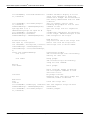
Call send(Addr%, "localnode.showerrors =
0", intStatus)
Call send(Addr%, "localnode.prompts =
1", intStatus)
strReturnMessage = udfGetTspResponse()
Open App.Path & "\" &
"MeasCurrScript.tsp" For Input As #1
Call send(Addr%, "loadscript
MeasCurrScript", intStatus)
strReturnMessage = udfGetTspResponse()
Section 3: Test Script Processor Interaction
‘Disable automatic display of errors
‘leave error messages in queue and
‘enable Error Prompt. The "localnode" is
‘unit being communicated with via GPIB
‘or RS-232.
‘Turn on prompts; need to start
‘handling the prompts as soon as this
‘command is sent.
‘Open the script file for sequential
‘input.
‘"loadscript" identifies the beginning
‘of the script. "MeasCurrScript" is the
‘name assigned to the script.
‘Read the file.
Do While Not EOF(1)
‘Loop until the end of the script file.
Line Input #1, strScriptline
‘Read a line from the script file.
Call send(Addr%, strScriptline, intStatus) ‘Send script line to Series 2600A.
strReturnMessage = udfGetTspResponse()
strReturnMessage = Left(strReturnMessage,
4)
Select Case strReturnMessage
Case ">>>>"
Case "TSP>"
‘Ready prompt.
‘TSP received script successfully;
‘ready for next command.
Exit Do
Case "TSP?"
‘Error prompt.
‘Error occurred; handle as desired.
‘Use "errorqueue" commands to read
‘and clear errors.
‘No prompt received.
‘Response other than shell prompt was
‘received; handle as desired.
Case Else
End Select
Loop
Close #1
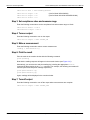
Call send(Addr%, "endscript", intStatus)
strReturnMessage = udfGetTspResponse()
Call send(Addr%, "localnode.prompts =
0", intStatus)
2600AS-900-01 Rev. B / September 2008
‘Continuation prompt.
‘TSP received script line successfully;
‘waiting for next line.
‘Close the script file.
‘Tell TSP complete script has been
‘downloaded.
‘Disable prompts.
Return to Section Topics
3-15