1
Electrical Wiring
Single Zone High Efficiency, Standard, Extended Pipe and Mega Wall Mount Installation Manual
LG SIMS - Self Diagnosis Functions
The SIMs WLAN module and the smart phone app together provide monitoring and troubleshooting
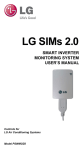
capability for LG Duct Free Systems. SIMs functions only with LG Duct Free products (Figure 70).
SIMs can display and graph operational data for the air conditioner system including the indoor unit
and the outdoor unit. SIMs also displays error codes and a troubleshooting guide. A full copy of
the LG SIMs Smart Inverter Monitoring System User’s Manual is available on the www.lghvac.com
website.
To use SIMs you must be a trained HVAC service technician familiar with variable refrigerant
flow (VRF) systems in general and with LG’s Duct Free System products. You should understand the inverter air conditioning operation cycle, the meaning of the data displayed by SIMs,
and how to use the data to troubleshoot the system.
Figure 71 shows a Multi F configuration used with the SIMs module and app. LG SIMs can
also be used with Single Zone one-to-one configurations such as the Single Zone Wall Mount
systems.
High voltages capable of causing death are used in
this equipment. Outdoor unit power remains connected
during this procedure. Take extreme caution not to touch
electrical components or connections. Failure to observe
this warning can result in death or severe injury.
Figure 71: SIMs WLAN Module to a Typical Multi F System
•The Duct Free System air conditioning system must run for
at least 15–20 minutes before data collected by SIMs 2.0 is
valid for troubleshooting.
•You must have the free SIMs app correctly installed on your
smart phone before using SIMs.
•Some ODUs have an LGMV extension cable accessed by
removing the side handle cover. If the ODU does not have
this extension cable, access the LGMV connector by removing the top cover of the ODU.
SIMs App Main Info Screen
Figure 70: LG SIMs App and WLAN Module
The main screen is the first screen displayed after wireless connection is
established. Tap the Main Info tab to display current readings regarding
your indoor and outdoor unit(s). The Operational Info area of the screen
will show active functions or modes by illuminating the light to the right of
the function (Figure 72).
Additional Help information can be accessed by tapping the Help Menu
buttons at the bottom of this screen.
LG SIMs App
on Smart Phone
Figure 72: SIMs App Main Info Screen
Operational
Information
AC Cycle
Information on
Main Info Tab
Help Menu
(File is Factory Use Only)
48
LG SIMs
WLAN Module
Due to our policy of continuous product innovation, some specifications may change without notification.
©LG Electronics U.S.A., Inc., Englewood Cliffs, NJ. All rights reserved. “LG” is a registered trademark of LG Corp.