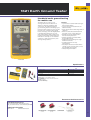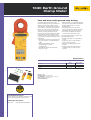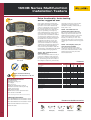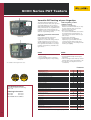
1
ScopeMeter® 190 Series
(incl. 225C and 215C)
See dynamic signal
behavior instantaneously
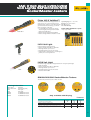
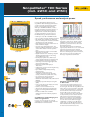
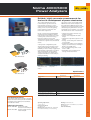
Frequency Spectrum Analysis 190C
The Digital Persistence mode helps to find
anomalies and to analyze complex dynamic
signals by showing the waveforms amplitude
distribution over time using multiple
intensity levels and user selectable decay
time - it’s as if you’re looking at the display
of an analog, real time oscilloscope! A fast
display update rate reveals signal changes
instantaneously, useful for instance when
making adjustments to a system under test.
All 190C Color ScopeMeters include
Frequency Spectrum Analysis on Fast Fourier
Transformation (FFT) analysis as a standard
feature.
This makes it possible to identify the
individual frequency components contained
in a signal. The spectrum analysis function is
also handy to reveal the effects of vibration,
signal interference or crosstalk. An automatic
window function assures optimal windowing,
although you may manually select your
preferred time window.
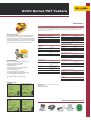
Pulse width fluctuations are clearly visible using Digital
Persistence
Frequency Spectrum shows an overview of frequencies
contained in a signal.
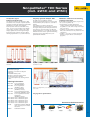
FlukeView® Software for documenting,
archiving and analysis
FlukeView® for Windows® helps you get more
out of your ScopeMeter by:
rDocumenting - transfer waveforms,
screens and measurement data from the
ScopeMeter to a PC. Print or import the data
into your report
rArchiving - create a library of waveforms
with your comments for easy reference and
comparison
rAnalysis - use cursors, perform spectrum
analysis or export data to other analysis
programs
FlukeView Screen
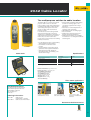
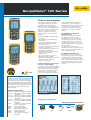
Included Accessories
BC190 Battery Charger
BHT190 Set of 3 break-out adapters
(225C/215C)
BP190 NiMH Battery Pack
VPS210-G + VPS210-R Voltage Probe
TL75 Hard Point Test Lead Set
user’s manual (CD-Rom), Getting Started
Booklet
Ordering Information
Fluke 192C
Fluke 196C
Fluke 199C
Fluke 215C
Fluke 225C
Fluke 192C/S
Fluke 196C/S
Fluke 199C/S
Fluke 215C/S
Fluke 225C/S
SCC190
SW90W
Color ScopeMeter
(60 MHz, 500 MS/s)
Color ScopeMeter
(100 MHz, 1 GS/s)
Color ScopeMeter
(200 MHz, 2.5 GS/s)
Color ScopeMeter with Bus
Health Test (100 MHz, 1 GS/s)
Color ScopeMeter with Bus
Health Test
(200 MHz, 2.5 GS/s)
192C + SCC190 kit option
196C + SCC190 kit option
199C + SCC190 kit option
215C + SCC190 kit option
225C + SCC190 kit option
FlukeView Software, OC4USB
cable, carrying case for Fluke
190 Series
FlukeView Software
Thanks to the deep memory, very small parts of the waveform can be studied in full detail
using “zoom”.
See page 65 for specifications.
Recommended Accessories
SCC190
C195
See page 106
OC4USB
See page 69
i400s
See page 102
SCC198
See page 108
67