1
Note
the device.
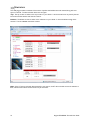
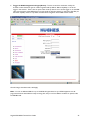
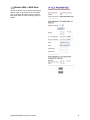
If you install LaunchPad, the USB driver for the terminal will also be installed. When you plug in the USB cable into
your computer for the first time, your computer will detect that new USB hardware has been connected. You
should then follow the computer’s instruction to install the Hughes USB LAN LINK driver software (for
computers using the Windows operating system, the installation is carried out using a Found New Hardware
Wizard). Your computer will then use this driver to connect to the terminal.
If you do not install LaunchPad, USB drivers are available from: www.inmarsat.com/support or
www.bgan.hughes.com
HU
HU
UH
U
CONNECTING BY ETHERNET
45B
To connect the IDU to the computer using Ethernet, perform the following:
•
Connect an Ethernet cable to your computer’s Ethernet port and insert the other end of the connector
into the IDU’s Ethernet port.
CONNECTING BY ISDN
46B
•
Connect an ISDN cable to your computer’s or phone’s ISDN port and insert the other end of the
connector into the IDU’s ISDN port.
•
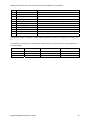
To dial, prefix the international number with 00 and terminate with #. For example, to dial a number in
the USA, enter 0018005551234#
•
To receive incoming calls you must configure your ISDN device with the Multiple Subscriber Number
(MSN) of the service it supports. See the ISDN section for information on configuration of MSNs. To
configure the MSN in your ISDN device, refer to the user guide of your ISDN device.
CONNECTING BY WLAN
47B
•
If you have not previously used the IDU’s WLAN interface, it has to be enabled from the internal Web
MMI or LaunchPad with your computer connected to the IDU using either the USB or Ethernet interface.
•
As you are configuring the WLAN, you can enable the Wireless Encryption Protocol (WEP), MAC
address filtering and no broadcast SSID features for added security.
•
Once the WLAN is turned ON and configured, any device with a WLAN interface can detect the IDU’s
WLAN SSID and connect to it automatically.
Note: If WEP is enabled, you must provide other WLAN users with the proper WEP key in order for
them to connect to the IDU.
CONNECTING BY RJ-11
48B
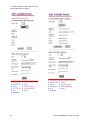
To connect an analog phone or fax machine to the RJ-11 ports, perform the following:
•
The fax port is configured for 3.1K service for fax
•
The tel port is configured for speech service for voice calls
To dial, prefix the international number with 00 and terminate with #. For example, to dial a number in the USA,
enter 0018005551234#
Hughes 9350 BGAN Terminal User Guide
7