1
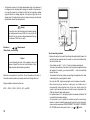
. Amperes ac rms and amperes dc measurements (Model 703)
Amperes ac and amperes dc measurements (Model 701)
Pushbuttons
The buttons activate features that augment the function selected with the rotary
switch.
RANGE. Use the RANGE button to manually select a range. Press and hold
RANGE button for two seconds to return the meter to auto range mode. The meter
is in auto range mode when the AUTO indicator is on. The RANG E selection
function is not available in Hz (Duty), CAP, and Temp modes.
5. METER OPERATION
Voltage (
or
,
) Measurements
Voltage is the difference in electrical potential between two points.
The polarity of ac (alternating current) voltage varies over time, while the polarity of
dc (direct current) voltage is constant over time.
function defaults at dc . Press SELECT button momentarily to select ac.
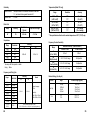
Range available in volts functions are :
400 mV, 4 V, 40 V, 400 V, and 1000V
6
The range and units are displayed on the LCD.
REL△. Use this button to set the meter to relative ( △ ) mode and make relative
measurements. Relative zero allows the user to offset the meter consecutive
measurements with the displaying reading as the reference value. Practically all
displaying readings can be set as relative reference value. Press the REL △ button
momentarily to activate and to exit relative zero mode.
When measuring voltage, the meter acts like a 10MΩ (10 x 10 Ω) impedance in
parallel with the circuit. This loading effect can cause measurement errors in highimpedance circuits. In most cases, the error is negligible (0.1 % or less) if the circuit
impedance is 10 kΩ or less.
Hz/Duty. Press this button to toggle between the Hz measurement mode and the
Duty measurement mode when the selector switch is set to Hz (Duty),
and
.
HOLD. Press this button to turn hold mode ON and OFF. When the hold mode is
activated, the meter beeps, freezes the display, and displays the D.H indicator on
the LCD. HOLD mode freezes the display for later view.
(Backlight). Press the HOLD (
) button for two seconds to turn the
backlight ON or OFF, when the HOLD function is simultaneously activated with the
D.H symbol on the display. Press the HOLD button momentarily again to activate
the Backlight function only.
SELECT. Press this button to toggle between the dc measurement mode and the
ac measurement mode when the rotary selector switch is set to
(Model 703
only),
,
and
. And also press this button to cycle through Ω or
or
measurement mode when the rotary selector switch is set to Ω
.
8
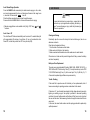
Tips for measuring voltage
• In 400 mV range, displayed value may fluctuate when disconnecting input
terminals. This is normal.
• AC voltage measuring circuit in Model 703 is of root-mean-square (True RMS)
value system so the meter can accurately measure ac voltage of non-sinusoidal
waveforms including harmonics caused by various non-linear loads.
9