1
Advanced sound options
Here you can set sound volume for specific functions.
Announcements
- announcer volume and ON/OFF
- wrong way announcement ON/OFF
- laptime announcement volume and ON/OFF
Car sounds
- player car sound volume for nitro engine and ON/OFF
- player car sound volume for electric motor
- opponent car sound volume and ON/OFF
- wrong way announcement volume and ON/OFF
- crash sound volume and ON/OFF
Music
You can play music while you race your car, this adds to the whole experience.
External music:
To play background music you must play mp3 music files in the ‘Music’ folder under the VRC PRO folder in
Libraries\My documents\. With F10 you can stop the background music, with F11 you can jump to the next
song. With the sliders you control the volume of the background music.
Background music:
Adjust the sound volume of the background sounds that are played when the game is started and while on the
pit table. ON/Off option.
Restore default button:
This will restore all the values in the Sound options dialog to the default values. Use this to go back to the
original sound settings.
Control options:
In Control options you select your controller and adjust the input. If you are using the VRC adaptor with your
own transmitter you can probably adjust the input also on your transmitter. The VRC adaptor uses the servo
output on your receiver so everything you adjust on your transmitter affects the control in the game.
Select controller:
The default controller is the keyboard, but this is the most primitive means of controlling VRC PRO and it is
impossible to feel the quality of the game using the keyboard. We recommend to use at least a suitable USB
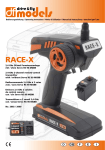
controller like a 2-axis joystick or better the VRC-3NT USB adaptor with your own transmitter. These USB
adaptors (also called VRC dongle) are available from the VRC e-shop.
All controller devices plugged in to the USB port of your computer will be shown in the drop down list. Select
the controller you want to use.
Virtual RC USB:
VRC-3NT and VRC-2 USB adaptors (using 2 triple-lead cables), 16 bit
VRC USB adaptor 3:
VRC-3 USB adaptor (using 1 triple lead and 1 single lead cable), 8 bit
VRC USB Wheel Controller:
VRC Pistol grip USB controller, 8 bit
VRC USB controller:
VRC 2-Stick USB controller, 8 bit