1
RUNNING VRC PRO
For the installation and running VRC Pro for the first time you MUST be connected to the internet
and have a controller hooked up to your pc.
Connect your controller
Before starting VRC Pro you must connect a suitable controller to your computer and calibrate it
Options -> Control options. VRC Pro can be played with the keyboard but that would not get you
very far and would certainly not give you the true virtual r/c racing experience that VRC Pro is
designed for.
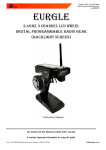
We advise to use your own r/c transmitter or radio with our VRC-3NT adaptor which is available from
the VRC Pro E-shop at: www.vrcworld.com/eshop/product.aspx?19
Using your own transmitter with our USB adaptor lets you control VRC Pro with the very same
controller you use for your real r/c racing, and even lets you change the settings of your transmitter
like exponential steering, dual rate etc.
Alternative but less suitable controllers are 2-axis joy sticks, even USB game pads might work but our
support focuses entirely on the use of a transmitter in combination with the VRC-3NT USB adaptor
Start VRC Pro
Click on the VRC PRO icon on your desktop to start VRC PRO. VRC Pro always starts with the Updater.
The updater checks for software updates and new content and will download it before you can start
VRC Pro. This may take some time depending on your internet connection speed.
The first start may take more time because the updater needs to download all the components and
accessories to be installed on your system.
First action: Register user
When you start VRC PRO it immediately tries to connect to the VRI server and check your VRC PRO
account status. In order to find your account on the server you must enter the same email address
and password that you entered on the website for your VRC Pro account. If the email address or the
password is wrong the game cannot connect to your account on the VRI server and you will not be
able to play.
Click on the Register user button and enter your username which is the e-mail address you use for
your VRC Pro account. Next enter your password for your VRC PRO account.
You can allow other users that have a valid and active VRC PRO account to use your computer to play
VRC PRO, for instance a friend that is visiting you and want to show you his latest car. A user can only
be logged in on one computer at the same time.
You can delete other accounts by selecting the account and clicking on Delete.
Once you have connected successfully to your account on the server you can go back to the pit table
and start exploring the features of VRC PRO.