1
Operating Instructions
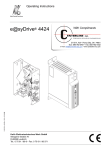
e@syDrive 4425, 4426.
Always on the safe side.
KaVo.Drive Systems
KaVo Elektrotechnisches Werk GmbH
Wangener Straße 78
D-88299 Leutkirch
Tel.: 0 75 61 / 86-0 • Fax: 0 75 61 / 86-371
e@syDrive 4425, 4426.
A 1 User information . . . . . . . . . . . . . . . . . . . . . . . . . . . . . . . . . . . . . . . . . . . . . . . . . . . . . . . . . . 3
A 1.1 Meaning of the pictograms . . . . . . . . . . . . . . .
A 1.2 Important information . . . . . . . . . . . . . . . . . . .
A 1.3 Precautions . . . . . . . . . . . . . . . . . . . . . . . . . .
A 1.4 Purpose and potential applications . . . . . . . . .
A 1.5 Technische Daten Umrichter e@syDrive 4425
A 1.5 Technical Data Inverter e@syDrive 4426 . . . .
.
.
.
.
.
.
.
.
.
.
.
.
.
.
.
.
.
.
.
.
.
.
.
.
.
.
.
.
.
.
.
.
.
.
.
.
.
.
.
.
.
.
.
.
.
.
.
.
.
.
.
.
.
.
.
.
.
.
.
.
.
.
.
.
.
.
.
.
.
.
.
.
.
.
.
.
.
.
.
.
.
.
.
.
.
.
.
.
.
.
.
.
.
.
.
.
.
.
.
.
.
.
.
.
.
.
.
.
.
.
.
.
.
.
.
.
.
.
.
.
.
.
.
.
.
.
.
.
.
.
.
.
.
.
.
.
.
.
.
.
.
.
.
.
.
.
.
.
.
.
.
.
.
.
.
.
.
.
.
.
.
.
.
.
.
.
.
.
.
.
.
.
.
.
...........
...........
...........
...........
...........
...........
.
.
.
.
.
.
3
3
4
6
7
9
A 2 Scope of delivery - Accessories . . . . . . . . . . . . . . . . . . . . . . . . . . . . . . . . . . . . . . . . . . . . . 11
A 2.1 Scope of delivery . . . . . . . . . . . . . . . . . . . . . . . . . . . . . . . . . . . . . . . . . . . . . . . . . . . . . . . . . . . . . . 11
A 2.2 Accessories . . . . . . . . . . . . . . . . . . . . . . . . . . . . . . . . . . . . . . . . . . . . . . . . . . . . . . . . . . . . . . . . . . 11
A 3 Operational elements . . . . . . . . . . . . . . . . . . . . . . . . . . . . . . . . . . . . . . . . . . . . . . . . . . . . . . 12
A 3.1 Rating plate 3 . . . . . . . . . . . . . . . . . . . . . . . . . . . . . . . . . . . . . . . . . . . . . . . . . . . . . . . . . . . . . . . . . 12
A 4 Description of function . . . . . . . . . . . . . . . . . . . . . . . . . . . . . . . . . . . . . . . . . . . . . . . . . . . . 13
A 4.1 Three-phase asynchronous motor (ASM) . . . . . . . .
A 4.2 Brushless DC motor without sensors (BLDC) . . . . .
A 4.3 Brushless DC motor with position sensors (BLDCS)
A 4.4 Remote control . . . . . . . . . . . . . . . . . . . . . . . . . . . .
A 4.5 Motor codes via inputs IN2...IN6 to X5: . . . . . . . . . .
A 4.6 Setpoint value selection . . . . . . . . . . . . . . . . . . . . .
A 4.7 Emergency motor stop at Power failure . . . . . . . . .
A 4.8 Counterclockwise operation . . . . . . . . . . . . . . . . . .
A 4.9 Wiring diagram . . . . . . . . . . . . . . . . . . . . . . . . . . . .
.
.
.
.
.
.
.
.
.
.
.
.
.
.
.
.
.
.
1
.
.
.
.
.
.
.
.
.
.
.
.
.
.
.
.
.
.
.
.
.
.
.
.
.
.
.
.
.
.
.
.
.
.
.
.
.
.
.
.
.
.
.
.
.
.
.
.
.
.
.
.
.
.
.
.
.
.
.
.
.
.
.
.
.
.
.
.
.
.
.
.
.
.
.
.
.
.
.
.
.
.
.
.
.
.
.
.
.
.
.
.
.
.
.
.
.
.
.
.
.
.
.
.
.
.
.
.
.
.
.
.
.
.
.
.
.
.
.
.
.
.
.
.
.
.
.
.
.
.
.
.
.
.
.
.
.
.
.
.
.
.
.
.
.
.
.
.
.
.
.
.
.
.
.
.
.
.
.
.
.
.
.
.
.
.
.
.
.
.
.
.
.
.
.
.
.
.
.
.
.
.
.
.
.
.
.
.
.
.
.
.
.
.
.
.
.
.
.
.
.
.
.
.
.
.
.
.
.
.
.
.
.
.
.
.
. . . . . . . . . . 13
. . . . . . . . . . 13
. . . . . . . . . . 13
. . . . . . . . . . 13
. . . . . . . . . . 16
. . . . . . . . . . 17
. . . . . . . . . . 18
. . . . . . . . . . 18
. . . . . . . . . . 19
e@syDrive 4425, 4426.
B 1 Assembly and Installation . . . . . . . . . . . . . . . . . . . . . . . . . . . . . . . . . . . . . . . . . . . . . . . . . . 20
B
B
B
B
1.1 Assembly . . . . . . . . . . . . . . . . . . . . . . . . . . . . . . . . . . . .
1.2 Electrical Installation . . . . . . . . . . . . . . . . . . . . . . . . . . . .
1.3 Wiring guidelines for compliance with the EMC standards
1.4 Electrical connections . . . . . . . . . . . . . . . . . . . . . . . . . . .
.
.
.
.
.
.
.
.
.
.
.
.
.
.
.
.
.
.
.
.
.
.
.
.
.
.
.
.
.
.
.
.
.
.
.
.
.
.
.
.
.
.
.
.
.
.
.
.
.
.
.
.
.
.
.
.
.
.
.
.
.
.
.
.
.
.
.
.
.
.
.
.
.
.
.
.
.
.
.
.
. . . . . . . . . . . . 20
. . . . . . . . . . . . 21
. . . . . . . . . . . . 21
. . . . . . . . . . . . 22
B 2 Description of the Installation Assistant e@syDrive 4425/4426 . . . . . . . . . . . . . . . . . . . . . 25
B 2.1 Tasks of the Installation Assistant . . . . . . . . . . . . . . . . . . . . . . .
B 2.2 Installing the Installation Assistant in various operating systems
Windows 98 / 2nd Edition . . . . . . . . . . . . . . . . . . . . . . . . . . . . . . . . .
Windows 2000 . . . . . . . . . . . . . . . . . . . . . . . . . . . . . . . . . . . . . . . . . .
Windows ME . . . . . . . . . . . . . . . . . . . . . . . . . . . . . . . . . . . . . . . . . . .
Windows NT . . . . . . . . . . . . . . . . . . . . . . . . . . . . . . . . . . . . . . . . . . .
Windows XP . . . . . . . . . . . . . . . . . . . . . . . . . . . . . . . . . . . . . . . . . . .
.
.
.
.
.
.
.
.
.
.
.
.
.
.
..................
..................
..................
..................
..................
..................
..................
.
.
.
.
.
.
.
.
.
.
.
.
.
.
.
.
.
.
.
.
.
.
.
.
.
.
.
.
.
.
.
.
.
.
.
.
.
.
.
.
.
.
.
.
.
.
.
.
.
26
27
30
32
33
35
38
B 3 Operating software . . . . . . . . . . . . . . . . . . . . . . . . . . . . . . . . . . . . . . . . . . . . . . . . . . . . . . . . 39
B
B
B
B
B
B
B
B
B
3.1
3.2
3.3
3.4
3.5
3.6
3.7
3.8
3.9
Language . . . . . . . . . . . . . . . . .
Basic parameters . . . . . . . . . . .
Help data . . . . . . . . . . . . . . . . .
Window – display values . . . . .
Window – Remote control . . . .
Window - Motor parameters . .
U/f-Tabelle . . . . . . . . . . . . . . . .
Motor-control parameters . . . . .
Window – Special programmes
.
.
.
.
.
.
.
.
.
.
.
.
.
.
.
.
.
.
.
.
.
.
.
.
.
.
.
.
.
.
.
.
.
.
.
.
.
.
.
.
.
.
.
.
.
.
.
.
.
.
.
.
.
.
.
.
.
.
.
.
.
.
.
.
.
.
.
.
.
.
.
.
.
.
.
.
.
.
.
.
.
.
.
.
.
.
.
.
.
.
.
.
.
.
.
.
.
.
.
.
.
.
.
.
.
.
.
.
.
.
.
.
.
.
.
.
.
.
.
.
.
.
.
.
.
.
.
.
.
.
.
.
.
.
.
.
.
.
.
.
.
.
.
.
.
.
.
.
.
.
.
.
.
.
.
.
.
.
.
.
.
.
.
.
.
.
.
.
.
.
.
.
.
.
.
.
.
.
.
.
.
.
.
.
.
.
.
.
.
.
.
.
.
.
.
.
.
.
.
.
.
.
.
.
.
.
.
.
.
.
.
.
.
.
.
.
.
.
.
.
.
.
.
.
.
.
.
.
.
.
.
.
.
.
.
.
.
.
.
.
.
.
.
.
.
.
.
.
.
.
.
.
.
.
.
.
.
.
.
.
.
.
.
.
.
.
.
.
.
.
.
.
.
.
.
.
.
.
.
.
.
.
.
.
.
.
.
.
.
.
.
.
.
.
.
.
.
.
.
.
.
.
.
.
.
.
.
.
.
.
.
.
.
.
.
.
.
.
.
.
.
.
.
.
.
.
.
.
.
.
.
.
.
.
.
.
.
.
.
.
.
.
.
.
.
.
.
.
.
.
.
.
.
.
.
.
.
.
.
.
.
.
.
.
.
.
.
.
.
.
.
.
.
.
.
.
.
.
.
.
.
.
.
.
.
.
.
.
.
.
.
.
.
.
.
.
.
.
.
.
.
.
.
.
.
.
.
.
.
.
.
.
.
.
.
.
.
.
.
.
.
.
.
.
.
.
.
.
.
.
.
.
.
.
.
.
.
.
.
.
.
.
.
.
.
.
.
.
.
.
.
.
.
.
.
.
.
.
.
39
40
40
41
41
42
42
43
43
B 4 Configuration . . . . . . . . . . . . . . . . . . . . . . . . . . . . . . . . . . . . . . . . . . . . . . . . . . . . . . . . . . . . 44
B 4.1 Special functions . . . . . . . . . . . . . . . . . . . . . . . . . . . . . . . . . . . . . . . . . . . . . . . . . . . . . . . . . . . . . . 45
B 4.2 Aktor-sensor Test . . . . . . . . . . . . . . . . . . . . . . . . . . . . . . . . . . . . . . . . . . . . . . . . . . . . . . . . . . . . 4545
B 4.3 Complete parameter structure . . . . . . . . . . . . . . . . . . . . . . . . . . . . . . . . . . . . . . . . . . . . . . . . . . . . 46
B 4.4 Factory setting . . . . . . . . . . . . . . . . . . . . . . . . . . . . . . . . . . . . . . . . . . . . . . . . . . . . . . . . . . . . . . . . 46
B 4.5 Technical Service . . . . . . . . . . . . . . . . . . . . . . . . . . . . . . . . . . . . . . . . . . . . . . . . . . . . . . . . . . . . . . 46
B 4.6 Parameter list . . . . . . . . . . . . . . . . . . . . . . . . . . . . . . . . . . . . . . . . . . . . . . . . . . . . . . . . . . . . . . . . . 47
Description of the individual parameters . . . . . . . . . . . . . . . . . . . . . . . . . . . . . . . . . . . . . . . . . . . . . . . 49
B 4.7 Basic parameters . . . . . . . . . . . . . . . . . . . . . . . . . . . . . . . . . . . . . . . . . . . . . . . . . . . . . . . . . . . . . . 49
B 4.8 Display value . . . . . . . . . . . . . . . . . . . . . . . . . . . . . . . . . . . . . . . . . . . . . . . . . . . . . . . . . . . . . . . . . 49
B 4.8 Motor operating values . . . . . . . . . . . . . . . . . . . . . . . . . . . . . . . . . . . . . . . . . . . . . . . . . . . . . . . . . . 51
B 4.10 Motor U/f-characteristic . . . . . . . . . . . . . . . . . . . . . . . . . . . . . . . . . . . . . . . . . . . . . . . . . . . . . . . . 54
B 4.11 Control . . . . . . . . . . . . . . . . . . . . . . . . . . . . . . . . . . . . . . . . . . . . . . . . . . . . . . . . . . . . . . . . . . . . . 55
B 4.12 Monitoring . . . . . . . . . . . . . . . . . . . . . . . . . . . . . . . . . . . . . . . . . . . . . . . . . . . . . . . . . . . . . . . . . . 58
B 4.13 Nominal motor values . . . . . . . . . . . . . . . . . . . . . . . . . . . . . . . . . . . . . . . . . . . . . . . . . . . . . . . . . . 58
B 4.14 Device parameters, remote control . . . . . . . . . . . . . . . . . . . . . . . . . . . . . . . . . . . . . . . . . . . . . . . . 59
B 5 Error messages . . . . . . . . . . . . . . . . . . . . . . . . . . . . . . . . . . . . . . . . . . . . . . . . . . . . . . . . . . 63
B 5.1 Hold function . . . . . . . . . . . . . . . . . . . . . . . . . . . . . . . . . . . . . . . . . . . . . . . . . . . . . . . . . . . . . . . . . 63
B 5.2 Faults and Warnings . . . . . . . . . . . . . . . . . . . . . . . . . . . . . . . . . . . . . . . . . . . . . . . . . . . . . . . . . . . . 63
B 5.3 Description of all errors and warnings . . . . . . . . . . . . . . . . . . . . . . . . . . . . . . . . . . . . . . . . . . . . . . . 64
Warranty conditions . . . . . . . . . . . . . . . . . . . . . . . . . . . . . . . . . . . . . . . . . . . . . . . . . . . . . . . . . . 67
CE Declaration of conformity . . . . . . . . . . . . . . . . . . . . . . . . . . . . . . . . . . . . . . . . . . . . . . . . . . . 67
2
e@syDrive 4425, 4426.
A 1 User information
A 1.1 Meaning of the pictograms
Situation which may lead to danger, damage to material or operating faults in the event of failure to
follow the instructions.
Important information for
operator and engineer.
A 1.2 Important information
The User Manual must be read by the user/operator prior to commissioning, in order to avoid incorrect
operation and other damage. Duplication and distribution of the User Manual (UM) require prior consent
from KaVo.
All technical data, information and properties of the product described in this UM correspond to the state on
going to press.
Modications and improvements to the product on the basis of new technical developments are possible.
This does not imply any right to retrofitting of existing devices.
KaVo assumes no responsibility for damage arising through:
•
•
•
•
external influences (poor quality of the media or poor installation)
use of incorrect information
improper use
improperly performed repairs.
Repair and maintenance work - except for the activities described in this User Manual - may be performed only
by qualified specialists.
In the event of modifications by third parties, the approvals shall become null and void. KaVo recommends using
only original spare parts for operation and for repair.
For safety reasons, the inverter supplied has been configured to operating mode “ no motor
Since it is not known which motor will be connected, an incorrect configuration could damage or destroy the
motor or the inverter.
In order to configure the inverter, please read Section B3.
3
e@syDrive 4425, 4426.
A 1.3 Precautions
Safe operation and protection of the device is ensured only by proper use, in accordance with the User Manual,
with the tools approved for this purpose. The following should also be observed:
• the work safety regulations,
• the accident prevention regulations.
Before installation and commissioning of this device, please read this safety and warning information carefully
and observe all warning signs mounted on the device.
■ The frequency inverter type 4425/4426 controls dangerously rotating mechanical parts. If these Operating
Instructions are not followed, severe damage to property, injuries and even death may result.
■ Safe operation of this device depends on the proper installation, handling and operation of the device.
■ Only appropriately qualified personnel may put this device into operation, maintain it and work on it.
Connection, commissioning and rectification of faults may be performed only by specialists.
■ The device has no mains switch. When working on the open device, it must be completely disconnected from
the mains beforehand. The device has no mains input fuses.
■ This device may start up automatically with certain settings after a mains failure.
■ This device may not be used as an “emergency stop mechanism” (see EN 60204).
■ The device may be used only for the purpose intended by the manufacturer. Unauthorized modifications and
the use of additional equipment not recommended by the manufacturer can cause fires, electric shocks and
injuries.
Definitions
ASM motor
3-phase asynchronous motor
BLDCMotor
3-phase brushless DC motor without position sensors
The inverter performs the position synthesis by measuring the motor voltage (e.m.f.).
BLDCSMotor
3-phase brushless DC motor with position sensors
EEPROM
Electrically Erasable Program Memory. In the EEPROM, all important alterable data (parameters, calibration values) of the frequency inverter type 4425/4426 are stored and the data
remain stored even during a voltage failure.
Danger
In the context of this User Manual and of the warnings mounted on the device, this means
that death, serious injury or considerable damage to property may occur if the corresponding
precautions are not taken.
In the context of this User Manual, a note constitutes important information which is of particular importance for the understanding and the operation of the device.
Note
PC BrowserOperation
The configuration and , as required, the operation of the inverter is carried out using a
standard PC Browser (MS-Internet-Explorer).
DFÜ
Data transmission
RAS- Modem
Remote Access Service (Fern-Zugangs-Dienst)
Microstep
startup
With microstep startup, the BLDC motor is operated as a synchronous motor with constant
current. The output frequency is slowly increased from 0 Hz to the startup frequency, after
which the system switches to regulated motor running. The microstep startup permits startup
of sensor-free BLDC motor with large centrifugal masses (e.g. vacuum pumps) for which the
normal startup fails owing to the large mass moment of inertia.
Normal
state
If no error occurs after switching on, the standard display appears on the LCD display
H1 and the LED H3 “Operation” (green) lights up. This machine state is called the normal
state. By repeatedly pressing the key !(cancel, transfer), it is possible to exit the state and
return to it.
4
e@syDrive 4425, 4426.
Configuration Configuration is the operating procedure for setting up the inverter for use, motor settings and
device-specific settings being implemented via the control panel. It is also possible to display
different measured values.
Qualified
personnel
are in the context of this User Manual persons who are familiar with the installation, assembly,
commissioning and operation of the product and with the possible dangers.
Standard
display
With parameter P4-display, the value or the value combination (combi display) which
is displayed in the normal state can be selected. This is the standard display.
Caution
In the context of the User Manual and of the warning signs mounted on the device, this
means that slight injury or damage to property may occur if the corresponding precautions are
not taken.
Warning
In the context of the User Manual and of the warning signs mounted on the device, this
means that death, serious injury and considerable damage to property may occur if the corresponding precautions are not taken.
URL
Uniform Resource Locator /Address details in browser command lines.
IP-Adress
Internet Protokoll Adress
5
e@syDrive 4425, 4426.
A 1.4 Purpose and potential applications
KaVo frequency inverters, type 4452, have been specially constructed for the operation of three-phase asynchronous motors (ASM) and brushless DC motors (BLDC), as used in spindles, e.g. for grinding, cutting and
drilling units on machine tools.
They can also be used for operating motors which are constructed from motor elements and serve, for example,
as a drive for test stands or other physical equipment (e.g. vacuum pumps, centrifuges, optical systems etc.).
Gentle operation of the motors is achieved by the pulse amplitude modulation (PAM) used.
Specifically, the following motor types can be operated:
- Asynchronous motors (ASM)
- Brushless DC motors without sensors (BLDC)
- Brushless DC motors with sensors (BLDCS)
An integrated load compensation offers high speed constancy and - through low idling currents - avoids unnecessary heating up of the connected motors.
At the stop command, the connected motor is braked until it stops.
The control and monitoring of the inverter are performed by several microprocessors. This ensures high reliability and flexibility.
A firmware update can be performed on a PC via a serial interface (RS232); contact KaVo in this context.
The inverter can be completely remote-controlled. Various inputs and outputs are freely programmable.
6
e@syDrive 4425, 4426.
A 1.5 Technische Daten Umrichter e@syDrive 4425
Configuration
via the serial interface using a standard PCB browser
Operation
via an SPS-compatible remote control or using a standard PC browser
(via the serial interface)
Display
lamps for operation (green) H4 and overload (yellow) H5
Dimensions
Operating
temperature
Humidity of the air:
Weight
Tests and
standards
approx. 75 mm wide, 310 mm high, 215 mm deep, for switchgear housing
see also B1.
0 ... 40°C
lower than 90 % relative humidity, non-condensating
approx. 3,0 kg
VDE tested according to EN 61800-5-1 CSA to UL 508C
EMV to EN 61800-3
EMC according to EN 61800-3
Ingress protection IP20 according to DIN 40050
Power unit
Electrical
connection
Current
consumption
Output power
Output voltage
Output current
Output frequency
Braking
resistance
Efficiency
single-phase max 50V~, 50/60 Hz or max 70 V- / 8 A
8A~
max. 350 VA continuous operation
3 * 45 V~ at 8 A
max. 8A~ per phase, continuous operation
30 ... 4000 Hz for ASM motors (240.000 min-1)
30 ... 4000 Hz for BLDC motors (240.000 min-1)
internal
93 % (at 250 VA, cos phi motor 86 %)
Motor sensors
Motor temperature sensor
PTC (cold conductor)
according to DIN 44081
Cold resistance Rk < 550 Ohm
Tripping resistance
(warm):
Ra >= 1350 Ω
Tripping
temperature:
depending on PTC, 90...130°C
Operating voltage: 12V, via 4750 Ω pullup resistance
Recommended
Type PTC:
Siemens+Matsushita M1100 B59100-M90-A70
Recommended
Type KTY:
Semiconductor sensor KTY84, cut-out threshold configurable
Hall sensor connection, motor code:
Ouptut
voltage:
12V -10%
Output current:
max. 100mA
Signal level:
active low
Switching current: Is = 15mA
Pullup resistance: internal 3 time R = 2200 Ω
7
e@syDrive 4425, 4426.
Remote control
The function of the programmable inputs and outputs is described under Description of function A 4.4.
Digital control inputs
FB_IN1 ... 6
X5:1 ... 6
FB-24 V X6:8
opto-decoupled, Re = 10 kΩ, unwired=low
U_low = 0...+5 V, U_high = +13...+35 V, Ie = 2.4 mA at 24 V
Input protected up to max. ± 35 V, minimum pulse width 60 ms
24V-supply voltage for the digital inputs
Relay switching outputs
FB-Relais 1
Contact type: change-over contact, max. 250 V~, 1 A, max. 30 V-, 1 A
X7:1 ... 3
min. switching current 1 mA at 24V (10mA bei 10V)
FB-Relais 2
X8:1 ... 3
Analogue inputs
FB-N value
X6:7
Contact type: change-over contact, max. 250 V~, 1 A, max. 30 V-, 1 A
min. switching current 1 mA at 24 V (10 mA at 10 V)
Ue = 0...10 V, Re = 100 kΩ, Ie = 0,1 mA bei 10 V,
unwired 0 V, input protected up to max. ± 40 V
FB+10 V
X6 :6
Uout = 10 V +-3%, Iout = max. 25 mA,
FB-Masse
X6:5
Earth reference point for FB+10 V
FB-Input+
FB-InputX6:3,4
current input 0 … 20 mA
short-circuit-proof I_k = max. 50 mA
Frequency output
FB-Out-Freq
X6:2
FB-Ground
X6:1
simple frequency output of the inverter, keying proportion 50 %
open collector, U_max = 24V, I_max = 30 mA
Earth reference point for frequency-output
FB-voltage outputs are related to the frequency output FB Ground.
The relay outputs are originally galvanically separated._
Supply module e@syDrive 4428
The mains adaptor is designed for supplies to the e@syDrive 4425.
see GA Supply Module 4428 Mat. Nr. 1.003.1905
When using a transformer, or another power pack, the secondary voltage must be provided with insulation
double that of the mains potential. This means the converter supply voltage must be galvanically separated
from the mains.
When using a transformer the Standard EN 61558 for double insulation must be observed.
Current: max. 16 A (4426, max. 10 A (4425).
8
e@syDrive 4425, 4426.
A 1.5 Technical Data Inverter e@syDrive 4426
Configuration
via the serial interface using a standard PCB browser
Operation
via an SPS-compatible remote control or using a standard PC browser
(via the serial interface)
Display
lamps for operation (green) H4 and overload (yellow) H5
Dimensions
approx. 75 mm wide, 337 mm high, 215 mm deep, for switchgear housing
see also cap. B1.
Operating
temperature
Humidity of the air:
Weight
Tests and
standards
Ingress protection
Performance
Electrical
connection
Current consumption
Output power
Output voltage
Output current
Output frequency
Braking
resistance
Efficiency
0 ... 40°C
lower than 90 % relative humidity, non-condensating
approx. 3,0 kg
VDE tested according to EN 61800-5-1 CSA to UL 508C
EMV to EN 61800-3
EMC according to EN 61800-3
IP20 according to DIN 40050
single-phase max 50 V~, 50/60 Hz or max 70 V- / 14 A
14 A~
max. 1000 VA continuous operation
3 x 45 V~ at 16 A
max. 16 A~ pro Phase continuous operation
30 ... 4000 Hz for ASM-motors (240.000 min-1)
30 ... 4000 Hz for BLDC-motors (240.000 min-1)
internal
93 % (at 1000 VA, cos phi motor 86 %)
Motor sensors
Motor temperature sensor
PTC (cold conductor): according to DIN 44081
cold resistance:
Rk < 550 Ohm
Tripping resistance
(warm):
Ra >= 1350 Ω
Tripping temperature:
depending on PTC 90...130°C
Operating voltage:
12 V, via 4750 Ω pullup resistance
Recommended
Type PTC:
Siemens+Matsushita M1100 B59100-M90-A70
Recommended
Type KTY:
Semiconductor sensor KTY84, cut-out threshold configurable
Hall sensor connection, motor code:
Ouptut
voltage:
12 V -10%
Output current:
max. 100 mA
Signal level:
active low
Switching current:
Is = 15 mA
pullup -resistance:
internal 3 x R = 2200 Ω
9
e@syDrive 4425, 4426.
Remote control
The function of the programmable inputs and outputs is described under Description of function A 4.4.
Digital control inputs
FB-In1 ... 6
X5:1 ... 6
FB-24V X6:8
24 V-SPS compatibly
U_low = 0...+5 V, U_high = +13...+35V, Ie = 2 mA bei 24 V
Input protected up to max. ± 35 V, minimum pulse width 60 ms
24V- supply voltage for the digital inputs
Relay switching outputs
FB-Relais 1
Contact type: change-over contact, max. 250 V~, 1A, max. 30 V-, 1 A
X7:1 ... 3
min. switching current 1 mA bei 24 V (10 mA bei 10 V)
FB-Relais 2
X8:1 ... 3
Contact type: change-over contact, max. 250 V~, 1A, max. 30 V-, 1 A
min. switching current 1 mA bei 24 V (10 mA bei 10 V)
Analogue inputs
FB-N_soll
X6:7
Ue = 0...10 V, Re = 100 kΩ, Ie = 0,1mA bei 10 V,
unwired 0 V, Input protected up to max. ± 40 V
FB+10V
X6 :6
Uout = 10 V +-3%, Iout = max. 25 mA,
FB-value
X6:5
Earth reference point for FB+10 V
FB-Input+
FB-InputX6:3,4
current input 0 … 20 mA
short-circuit-proof I_k = max. 50 mA
Frequency output
FB-Out-Freq
X6:2
FB-ground
X6:1
simple frequency output of the inverter, keying proportion 50 %
open collector, U_max = 24 V, I_max = 30 mA
Earth reference point for frequency-output
FB-voltage outputs are related to the frequency output FB Ground.
The relay outputs are originally galvanically separated._
Supply module e@syDrive 4429
The mains adaptor is designed for supplies to the e@syDrive 4426.
see GA Supply Module 4428 Mat. Nr. 1.003.1905
When using a transformer, or another power pack, the secondary voltage must be provided with insulation
double that of the mains potential. This means the converter supply voltage must be galvanically separated
from the mains.
When using a transformer the Standard EN 61558 for double insulation must be observed.muss.
Current: max. 16 A (4426, max. 10 A (4425).
10
e@syDrive 4425, 4426.
A 2 Scope of delivery - Accessories
A 2.1 Scope of delivery
• Frequency inverter type 4425 Mat.-No. 1.001.2769 (open version ) or
• Frequency inverter type 4426 Mat.-No. 1.002.2514 (open version )
or
• Frequency inverter type 4425 Mat.-No. 1.001.2768 (closed version) or
• Frequency inverter type 4426 Mat.-No. 1.002.2513 (closed version)
• Instructions for use and assembly Mat.-No. 1.001.7140
• Brief Operating Instructions Mat.-No. 1.003.1414
Ge
bra
Um
uc
h
ric
hte
A 2.2 Accessories
• Connection adapter for 9 pin Sub-D plug with screw connection with PC Mat. No. 1.002.2025.
•
•
•
•
-Power modul for Frequenz-Inverter Ttyp 4428 Mat. No. 1.001.2770 (closed version)
-Power modul for Frequenz-Inverter typ 4429 Mat. No. 1.002.2515 (closed version)
-Installation Assistant for 9-polar connection cable Mat. No. CD 1.003.2701
-Brief Operating Instructions Mat. No. 1.003.1414
11
sa
re
nw
eis
@s
un
yD
g
RIV
E4
42
5/4
42
6
e@syDrive 4425, 4426.
A 3 Operational elements
H4 LED 1 Operational (green)
H5 LED 2 Fault (yellow)
Operation of the unit is usually carried using an SPS-compatible remote control
The unit is configured exclusively by the special software using a standard Web browser and by means of a
serial data connection (standard 9 polar sub-D cable) which communicates with the Inverters 4425/4426.
1
2
1
2
A 3.1 Rating plate 3
The unit is in conformity with the requirements of the European VDE Standard.
3
3
12
e@syDrive 4425, 4426.
A 4 Description of function
The min. output frequency is 30 Hz (1800 min-1)
The max. output frequency is 4000 Hz (240 000 min-1) for ASM-motors and for DC-motors.
The max. output power is 350 VA.(4425) and 1000 VA (4426).
The frequency inverter Typ 4425/4426is suitable for the variable-frequency control of various motors, especially
with high frequencies of up to 4000 Hz corresponding 240 000 min-. The output voltage is set via a pulse amplitude modulation (PAM) with 120° blocks.
A 4.1 Three-phase asynchronous motor (ASM)
Three-phase asynchronous motors (ASM) are controlled by means of pulse amplitude modulation (PAM). The
voltage/frequency table serves as a basis for determining the motor voltage. Various control procedures are
available – controlling method IR and load compensation are provided.
A 4.2 Brushless DC motor without sensors (BLDC)
Brushless DC motors have a pemanent magnet rotor and a fixed three-phase winding. The winding is preferably
designed as an air-gap winding with yoke, but a grooved version similar to an ASM motor is also possible.
The motor is controlled as a function of the rotor position. The rotor position is simulated by the inverter by
measuring the e.m.f. voltage from the three part-windings. No position sensors are required. In order to permit
measurement of the e.m.f. voltage, the motor inductance may not be too large.
A 4.3 Brushless DC motor with position sensors (BLDCS)
The design of this motor is identical to that of the BLDC motor described above. For position detection, however,
3 additional Hall sensors are installed in the motor.
A 4.4 Remote control
The voltages at the remote control plug may be max. 60 V DC or. 25V AC according to SELV (EN50178) betrag.
Exceptions are the relay connections, which are approved for max. 250 V AC.
All connections are potentially isolated from the control and with respect to the protective conductor.
The remote control provides a large number of programmable inputs and outputs:
6 digital inputs
SPS-compatible (24 V). The inputs In1 ... 6 are programmable with the parameters P110-input IN1 ...
P115-input IN6 (see Section A 4.5)
2 relay outputs
(potential-free max. 250 V~, 30 V- / 1 A) for outputting various status signals (see parameters P120-Relais
REL1 ... P121-Relais REL2)
2 analogue inputs
FB-N_soll (0 ... 10V) or FB-Input+, FB-Input- (0...20 mA) for the functions of speed setpoint default and torque
default. The programming is performed with the parameters P129-quell-AIN (see Section A 4.6)
1 frequency output
(open collector, max 24 V) with one times the inverter output frequency.
2 auxiliary voltages
+24 V (max. 100 mA) for wiring of the digital inputs In1...In6 and of the relay outputs REL1...REL2
+10 V (max. 25 mA) as auxiliary supply from external potentiometers to the analogue inputs AIN1 and AIN2
13
e@syDrive 4425, 4426.
Control with external voltage supply
Analoge Eingänge / analogous inputs
+10V
100k
D
A
X6:6
X6:7
Ain
X6:3
In+
X6:4
In-
X6:5
GND
Eingang 0...10V (Drehzahlsollwert),
speed control
Eingang 0...20mA (Drehzahlsollwert),
speed control
+
-
GND
Bezugspunkt analog /
GND common analogous
Digitale Eingänge / digital inputs
X6:8
24V =50mA
10k
X5:1
10k
X5:2
10k
X5:3
24V = aktiv / 24V = active
In1
In2
In3
10k
X5:4
In4
10k
X5:5
In5
X5:6
In6
10k
Relaisausgänge / relay outputs
X7:1
X7:2
X7:3
X8:1
X8:2
X8:3
X6:2
X6:1
NC
Relais 1 / relay 1
NO
Com
NC
Relais 2 / relay 2
NO
Com
Frequenzausgang / frequency output
f
GND
GND
14
e@syDrive 4425, 4426.
Control without external voltage supply
Analoge Eingänge / analogous inputs
+10V
100k
D
A
X6:6
Refl 10V
X6:7
Ain
X6:3
In+
+
-
10k Eingang 0...10V
(Drehzahlsollwert),
speed control
Eingang 0...20mA
(Drehzahlsollwert),
speed control
immer extern /
always extern
X6:4
In-
X6:5
GND
Bezugspunkt analog /
common analogous
GND
Digitale Eingänge / digital inputs
X6:8
24V =50mA
24V
10k
X5:1
10k
X5:2
10k
X5:3
In3
10k
X5:4
In4
10k
X5:5
In5
10k
X5:6
In6
In1
In2
Relaisausgänge / relay outputs
X7:1
X7:2
X7:3
X8:1
X8:2
X8:3
X6:2
X6:1
NC
Relais 1 / relay 1
NO
Com
NC
Relais 2 / relay 2
NO
Com
Frequenzausgang / frequency output
f
GND
GND
15
e@syDrive 4425, 4426.
A 4.5 Motor codes via inputs IN2...IN6 to X5:
In order to use IN2...IN6 for the motor codes, code P102 must be assigned to the number of the motor to be
used (1...32). Additionally, the required inputs are to be set to motor code with parameters P111 – inputIN2 up to
P115 – input IN6.
Bit4
IN2
L
L
L
L
L
L
L
L
L
L
L
L
L
L
L
L
H
H
H
H
H
H
H
H
H
H
H
H
H
H
H
H
Bit3
IN6
L
L
L
L
L
L
L
L
H
H
H
H
H
H
H
H
L
L
L
L
L
L
L
L
H
H
H
H
H
H
H
H
Bit2
IN5
L
L
L
L
H
H
H
H
L
L
L
L
H
H
H
H
L
L
L
L
H
H
H
H
L
L
L
L
H
H
H
H
Bit1
IN4
L
L
H
H
L
L
H
H
L
L
H
H
L
L
H
H
L
L
H
H
L
L
H
H
L
L
H
H
L
L
H
H
Bit0
N3
L
H
L
H
L
H
L
H
L
H
L
H
L
H
L
H
L
H
L
H
L
H
L
H
L
H
L
H
L
H
L
H
code value in P20
1
2
3
4
5
6
7
8
9
10
11
12
13
14
15
16
17
18
19
20
21
22
23
24
25
26
27
28
29
30
31
32
L = low voltage 0..5V (contact open), H = high voltage, 24 V (contact closed)
16
Assigned motor parameter
memory
M1
M2
M3
M4
M5
M6
M7
M8
M9
M10
M11
M12
M13
M14
M15
M16
M17
M18
M19
M20
M21
M22
M23
M24
M25
M26
M27
M28
M29
M30
M31
M32
e@syDrive 4425, 4426.
A 4.6 Setpoint value selection
The frequency setpoint value (speed setpoint value) can be predetermined by various sources, and the mode of
operation is shown in the following figure.
P7 Betriebsart
mode of operation
Browser
P1 f_soll (Browser)
P141 Eingang f_soll
P141 input f_soll
Browser
P142 Freigabe FF
P142 release FF
closed
gesperrt
selektiv
P10 f_soll_akt
selectiv
Analog-Eingang AIN1 [0..10V]
analogous input AIN1 [0..10 V]
AIN1
Umrechnung in f_soll
conversion in f_soll
P135 f_fern_min
P129 Quelle AIN
P129 sources AIN
P136 f_fern_max
Fernbedienung
Remote control
Analog-Eingang AIN2 [0..20mA]
analogous input
AIN2
Umrechnung in f_soll
conversion in f_soll
00
Remote control
Fernbedienung
01
P104 Festfrequenz FF1
P104 fixfreqency FF1
10
P105 Festfrequenz FF2
P105 fixfreqency FF2
11
P106 Festfrequenz FF3
P106 fixfreqency FF3
Auswahl Festfrequenz (IN5/IN6)
selection fixfreqency (IN5/IN6)
P114 Funktion IN5 (Festfreq.)
P114 function IN5 (fixfreq.)
P115 Funktion IN6 (Festfreq.)
P115 function IN6 (fixfreq.)
Verwendete Parameter:
f_soll (Browser)
P1
P7
Betriebsart / mode of operation
P10
f_soll_akt
P104
Festfrequenz FF1 / fixfrequency FF1
P105
Festfrequenz FF2 / fixfrequency FF2
P106
Festfrequenz FF3 / fixfrequency FF3
P114
Funktion IN5 / function IN5
P115
Funktion IN 6 / function IN6
P129
Quelle AIN (AIN1-Spannung, AIN2-Strom ) / sources AIN /AIN1-voltage, AIN2-current
P130
Funktion AIN (AUS, Freq.Sollwert) / function AIN (out, frequency setpoint)
P135
f_min AIN
P136
f_max AIN
P141
Eingang Freq.Sollwert / input frequency setpoint
P142
Freigabe Festfrequenz / release fixfrequency
picture: setpoint value selection
In order to use the setpoint value of the browser in P1-f_value, the browser is set to P7-Drive. This enables the
functions start/stop and assigned frequency to be controlled via the browser.
Following a power failure, an automatic start by the installed start signal at IN1 is prevented. A flank at the
start entry is necessary.
When starting via the browser, FB IN1 (P110) must be placed at On
Start/Stop
Netz ein kein Start möglich
IN1
Start
Stop
Alternatively, you can adjust P7-Drive to “selective” ; P141-Input.f value to “browser” ; and P142-Release FF to
“blocked”.
17
e@syDrive 4425, 4426.
In order to use the setpoint value from analogue input AIN1 or AIN2, set P7-Drive to “selective”; P141-Input f
value to “remote control” ; P142-Release FF to “blocked” ; and P129 to the desired analogue input. The scale of
the analogue inputs is carried out via “P135-f_fern_min” and “P136-f_fern_max”.
To use the fixed value (fixed frequency) in P104 to P106, set P7-Drive to “selective”, as well as P142-Release
FF to “remote control”. Selection is effected from control inputs IN5 and IN6. If both inputs are on OV, then the
setpoint value from P1 – f value or from analogue input AIN1/AIN2 is used – depending on the condition of
P141-Input.f value. This allows the use of up to four fixed frequencies. The following table illustrates the
assignment of the input combinations.
input IN5
L
L
H
H
input IN6
L
H
L
H
active setpoint value
P1-f_soll oder AIN1
P104-FestfreqFF1
P105-FestfreqFF2
P106-FestfreqFF3
(1)
L = low voltage (0V), H = high voltage (24V)
Note (1): with this combination the setpoint value in P141-Input. f is selected, i.e. P1- f value or from analogue
input AIN1 or AIN2 (dependent on P129).
A 4.7 Emergency motor stop at Power failure
With parameter P58-emerg.stop, the inverter can be set so that a running motor is automatically braked in
the event of failure or if the mains voltage falls below ones threshold value. The inverter supplies itself from the
motor voltage still present, and braking is performed with maximum power of the brake resistance. The motor
generally cannot be braked to a stop since the motor voltage is no longer sufficient for supplying the inverter.
If an emergency stop occurs as a result of a brief drop in mains voltage, the motor is braked to a stop. In order
to start the motor again, the operator must first input a stop command followed by a start command.
A 4.8 Counterclockwise operation
In standard operation, the motor, spindel operates clockwise. With one of the parameters P111-input IN2 to
P113-input IN4, a digital input can be configured for counterclockwise operation. If the corresponding input
is supplied with voltage, the direction of rotation changes to counterclockwise. If the direction of rotation is
switched while the motor is running, the motor is first braked before it is powered up again in the altered direction of rotation.
18
e@syDrive 4425, 4426.
A 4.9 Wiring diagram
0
X7:1
NC
X7:2
NO
X7:3
X8:1
X8:2
X8:3
COM
NC
NO
COM
W
V
U
W
V
U
max. 70V DC
max. 49V AC 50/60Hz
19
e@syDrive 4425, 4426.
B 1 Assembly and Installation
Before the installation and commissioning of this device, please read the safety and warning information
under Section A1 carefully.
B 1.1 Assembly
Frequency inverter type 4425, 4426 designed for mounting in cabinet:
Use 4 screws for mounting on switch board.
Ensure proper electrical connection to protective conductor.
Information on cooling
The inverter is cooled by an integral fan. To ensure effective cooling, at least the following clearances must
be maintained around the inverter:
End surfaces: 50 mm
Longitudinal: 10 mm
Installation frequency inverter e@syDrive 4425
10
mm
10
10
Ø
5,5
mm
mm
mm
30 mm
Ø
75
mm
6m
mm
m
50 mm
68
7,5 mm
mm
50 mm
10
m
285 mm
257,5 mm
m
5m
21
20
50 mm
50 mm
310 mm
8m
150 mm
23
e@syDrive 4425, 4426.
Installation frequency inverter e@syDrive 4426
10
mm
68
10
mm
10
Ø
75
mm
mm
10
mm
Ø
5,5
m
6m
mm
m
50 mm
7,5 mm
m
337 mm
312,5 mm
m
21
5m
50 mm
50 mm
287,5 mm
8m
150 mm
23
50 mm
30 mm
m
B 1.2 Electrical Installation
When installing the inverter, the applicable safety regulations must be observed. Cut-out devices for
preventing unexpected start-up must be provided. A device for the electrical isolation of the inverter must
be provided unless a mains cable with a plug is used. The Power modul must be provided with 16 A power cutouts with tripping characteristic B.
B 1.3 Wiring guidelines for compliance with the EMC standards
The inverter was tested according to EMC product standard EN 61800-3 (variable-speed electrical drives).
■ The above-mentioned EMC product standard can be complied with only by means of shielded motor and
control cables. It should be ensured that the cable shields rest over a large area of the inverter housing and are
surrounded by the cable clips. A shielded mains cable is not required.
■ The control cables must be laid separately from (not parallel with) mains and motor cables. Shielded cables
and metallized plug housings should be used.
■ All devices in the mounting cabinet should be connected over a large area to a common earthing point via
short earthing cables.
■ On installation of the inverter, valid safety provisions may on no account be infringed.
21
e@syDrive 4425, 4426.
B 1.4 Electrical connections
Access to the electrical connections
Connection area for e@syDrive 4425, 4426
For inverter 4425, 4426 the supply cable is connected to “In sek.” 2 and “PE” 1. The cable shield is to be neatly clamped under the traction relief.
When the closed-cover version is selected, ensure that both covers are conductively well connected together (either
via the switchbox or other appropriate means).
In sek. PE PE
1
22
2
e@syDrive 4425, 4426.
Motor connections
The motor is connected to U,V,W 1.
It is possible to connect vibration sensors to “Hall 1,2, 3“ 4, and their electrical supply to “12V” or “GND” 3.
A motor-temperature sensor is attached to “PTC” and “GND” 2.
U
V
W
1
2
Gn
d
PT
C
V
4
3
Hall
2 1
12
3
Gn
d
plug type: spring-clip (max 2,5 mm2 / AWG 12)
X4: Connection Remote control
23
Relais 2
Relais 1
Com N.O. N.C.
Com N.O. N.C.
connection of digital outputs (Relays)
3
e@syDrive 4425, 4426.
connection of digital inputs, analogue inputs and frequency outputs
Gn
d
f
In+
InGn
d
Re
f
Ain
Gn
d
24
V
In1
In2
In3
In4
In5
In6
24
V
X5: connection PC for configuration
Plug type: 9-pin socket Sub-D 1, Circuit Mat.- Nr. 1.002.2025 Installation assistant see A 2.2 Accessories
1
24
e@syDrive 4425, 4426.
B 2 Description of the Installation Assistant e@syDrive 4425/4426
Apart from the two LED’s H4 Operation and H5 Fault, the inverter contains neither operating nor display
elements. The complete operation and configuration is regulated with the help of a standard Microsoft Windows
PC Web-browser (e.g. Microsoft Internet Explorer or Netscape Navigator). The browser communicates serially
with the inverter 4425/4426 via a so-called data transmission network, using a serial cable connected to the
inverter. The contents of the configuration-software is stored in the inverter itself, and after selection of the IP
identification address in the browser, this is then loaded and started.
The installation assistant provides all necessary pre-requisites for the programme to automatically instal this
data transmission connection.
The whole procedure is carried out automatically and installs the KaVo 4425/4426 icon on the desktop. A
double-click on this icon activates the installation software, and starts the connection to the data transmission
network (see Tasks of the Installation Assistant).
In the following chapters, the tasks of the Installation Assistant; the features of the individual operating systems;
(Win 95, Win 98, 2000, ME, NT, XP) and their applications are explained.
Connecting the Inverter 4425/4426 with the serial interface (COM interface) of the PC
25
e@syDrive 4425, 4426.
B 2.1 Tasks of the Installation Assistant
Recognition of the installed drive system
When implementing of the programme, the drive system being used is first established. Recognition of the drive
system is necessary in order to access the special properties of the respective system in order to appropriately
control the further course of the programme.
Recognition of the standard browser
Configuration of the e@syDrive is carried out with the help of a Web browser and a supplementary programme
(Java-Applets).
Therefore it is essential that the installed browser is at a specific development status. For this reason, the
Installation Assistant investigates the installed browser and indicates if it does not meet the requirements.
Discovering if the data transmission backgound is correctly installed
In order to provide a data transmission connection, the transmission background must be installed. The
programme set-up checks if the transmission background is available. If this is not the case, the user receives a
fault warning. At the same time a Windows set-up is automatically started, whereby the user can install the
necessary components.
Recognition of the RAS-Version (Remote Access Service)
For an automatic set-up of the data transmission connection, specific Windows functions (WIN-API) are used. As
these are not available on older Windows versions, the installed RAS-Version is checked and, if necessary, an
update is automatically started.
Installation of the connection software
In order to access the e@syDrive, the software for the connection is installed via a serial cable connection
(COM interface).
Setting up the data transmission connection
The data transmission connection for the configuration of the e@syDrive via the serial interface is set up
automatically. Furthermore, other adjustments specific to e@syDrive for this connection occur (no flow-control,
connection rate 38400bps, IP-Address 10.0.0.1, no IP-header condensing)
Installation of an icon on the desktop and in the Start menu
On completion of the installation, an icon is installed on the desktop and in the Start menu. This icon indicates a
programme with which the data transmission connection is automatically started, and the standard browser with
the address details http:// 10.0.0.1 is called up.
The Internet browser used (Microsof Internet Explorer) must be correctly configured so that the so-called
Java-Applets can be processed: Microsoft VM (virtual machine) must be activated, not SunVM!
26
e@syDrive 4425, 4426.
B 2.2 Installing the Installation Assistant in various operating systems
Windows 95
With Windows 95 the minimum requirement is the version Windows 95B. The basic installation of Windows 95B
must at least include Internet Explorer 4.01.
If this is not available, inform your IT specialist!
Furthermore, an update of the RAS software must be carried out. This update is started automatically by the
Installation Assistant.
The standard installation of Windows95B does not include the data transmission network, which must eventually
be installed. In this case, Windows Setup is automatically started by the setup programme.
In addition, a driver for the serial connecting cable is not included as standard.
This will be prepared and installed by the setup programme.
After inserting the CD “Installation Assistant“ the following messages appear on the screen:
- confirm with “OK“
Installation of the data transmission network
- confirm with “OK“
- confirm with “OK“
27
e@syDrive 4425, 4426.
At “connections”, if the background is grey, double-click on “connections“ until the background turns white.
- confirm with “OK“
- several installations are carried out, all of which must be confirmed with “yes“.
- finally, restart the computer.
- open the CD compartment and close it again.
Update of the RAS software being carried out
- confirm with “OK“
- confirm restart with “yes“
- open the CD compartment and close it again.
- confirm everything up to this window with “OK“
- confirm restart with “yes“
28
e@syDrive 4425, 4426.
RAS update being carried out
- confirm with “OK“
select location of serial connecting cable
- confirm with “OK”
RAS modem installed
- confirm with “OK”
- confirm with “OK”
- confirm “Reboot“
After successful installation, the “e@syDrive” icon appears on the desktop
29
e@syDrive 4425, 4426.
Windows 98 / 2nd Edition
With Windows 98 normally no update is necessary, i.e. no new Internet Explorer has to be installed and it is also
not necessary to perform an RAS update.
The standard installation of Windows98 does not include the data transmission network, which must eventually
be installed. In this case, Windows Setup is automatically started by the setup programme.
The modem driver will be prepared and installed by the setup programme.
After inserting the CD “Installation Assistant“ the following messages appear on the screen:
- confirm with “OK”
Installation of the data transmission network
- confirm with “OK”
- 1 This message appears only when in Windows 98 properties “connections“ has not been clicked.
(for installation of “connections” - see under Win 95)
- when “connections“ installed, please restart
this message appears:
RAS update being carried out
- confirm with “OK”
select location of serial connecting cable
30
e@syDrive 4425, 4426.
- confirm with “OK”
RAS modem installed
- confirm with “OK”
- confirm with “OK”
- confirm “Reboot“
After successful installation, the “e@syDrive” icon appears on the desktop
31
e@syDrive 4425, 4426.
Windows 2000
Windows 2000 needs no software update. For the installation of the modem a special Windows 2000 driver is
used. An automatic start for the data transmission connection follows with the programme rasdial.exe.
After inserting the CD “Installation Assistant“ the following messages appear on the screen:
- confirm with “OK
- confirm with “OK
- confirm “Reboot“
After successful installation, the “e@syDrive” icon appears on the desktop
32
e@syDrive 4425, 4426.
Windows ME
With Windows ME no update of the software for Internet Explorer or RAS software is necessary. The modem
driver provided by the setup is also used here for the serial connection. The version of the modem driver is the
same for operating systems Win 9x / ME.
After inserting the CD “Installation Assistant“ the following messages appear on the screen:
- confirm with “OK”
- confirm with “OK”
select location for the connection cable
RAS- Modem installed
- confirm with “OK”
33
e@syDrive 4425, 4426.
- confirm with “OK”
- confirm “Reboot“
after successful installation, the “e@syDrive“ icon appears on the desktop.
34
e@syDrive 4425, 4426.
Windows NT
In order to run the setup progamme with Windows NT, Service Pack 3 or higher must be installed. In addition, it
could be that the Internet Explorer has to be updated to a newer version (4.01 >) .
The standard installation of Windows NT does not include the data transmission network, which must eventually
be installed. In this case, Data Transmission Setup is automatically started by the setup programme.
After inserting the CD “Installation Assistant“ the following messages appear on the screen:
- confirm with “OK”
Installation of the data transmission network
- confirm with “OK”
- confirm with “OK”
RAS modem installed
35
e@syDrive 4425, 4426.
- confirm with “OK”
- confirm with “OK”
- Where Windows is installed as standard, the following message appears
- contact your IT specialist (update with Installation CD Windows NT 4)
- afterwards, restart
- confirm with “OK”
36
e@syDrive 4425, 4426.
- confirm with “OK”
- confirm “Reboot“
After successful installation the “e@syDrive“ icon appears on the desktop.
37
e@syDrive 4425, 4426.
Windows XP
Windows XP needs no software update. For the installation of the modem, the Windows 2000 driver is used –
this also works with Windows XP. An automatic start of the data transmission connection follows with the
programme rasdial.exe.
- confirm with “OK”
- confirm with “OK”
- confirm with “OK”
- confirm “Reboot“
After successful installation, the “e@syDrive“ icon appears on the desktop.
38
e@syDrive 4425, 4426.
B 3 Operating software
B 3.1 Language
After starting the operating software via the “e@syDrive“ icon (takes about 40 seconds), a page to select the
language appears:
Confirm the security warning with “yes”.
Entry page for language selection
By use of the link [email protected] you can send an E-mail directly to KaVo Industrial Drive Systems
(providing this option is configured in the browser).
A click on http://www.kavo-drives.com leads you directly to the home page of KaVo Industrial Drive Systems.
Clicking on one of the flags to select the language calls up the Basic Parameters page.
39
e@syDrive 4425, 4426.
B 3.2 Basic parameters
The basic parameters page provides the most important operating and display values
The individual parameters are fully described in Chapter B 4.6.
Additional operating windows :
-
B
B
B
B
B
B
B
B
3.1
3.3
3.4
3.5
3.6
3.7
3.8
3.9
Language
Help data
Display values
Remote control
Motor parameters
U/F Table
Motor-control parameters
Special programmes
B 3.3 Help data
For each page there is help data, which is activated by clicking on the “Help“ button.
To go back to the previous page, click on “Return“
40
e@syDrive 4425, 4426.
B 3.4 Window – display values
On this page, the most important operational values are available online (with approx. 1 Hz) – accumulated
faults, running times, as well as customer-specified nominal values. Via the “Information” button, a description of
the fault can be called up.
B 3.5 Window – Remote control
In this window the SPS-compatible remote control interface can be configured.
41
e@syDrive 4425, 4426.
B 3.6 Window - Motor parameters
The displayed parameters will change according to the choice of motor connected (parameters for P90 type
motor)
In accordance with B 4 Configuration, 32 motor-parameter sets can be stored in memory (M1…M32).
The following functions can be called up :
Motor-parameters M1 …M32 load
Motor-parameters M1 ...M32 store
Motor-parameters M1 ...M32 delete
Load factory setting
Load KaVo Motor-parameters
B 3.7 U/f-Tabelle
When an asynchronous motor is configured , the details can be entered in the U/f Table window and visually
controlled.
42
e@syDrive 4425, 4426.
B 3.8 Motor-control parameters
The motor-control parameters are available in a window unterlay:
B 3.9 Window – Special programmes
Special programmes window
Test of the remote control interface
Re-setting parameters to factory settings
ASS (After-Sales Service) functions
43
e@syDrive 4425, 4426.
B 4 Configuration
All inverter-relevant data are accessible in the form of parameters P1 ... P150.
The configuration is carried out exclusively via the PC-Browser software (see B 4).
Basic parameters
Higher parameters, upon which further adjustments are dependent (P1 .. P9) (speed values, display
adjustments, operating language, mode of operation ...)
Display values
Pure display values which cannot be changed (P10 ... P39) (voltage, current and frequency values)
Motor operating parameters
Motor-specific parameters for adapting the motor to the inverters (P41 ... P99)
Device parameters
Inverter-specific parameters which can be changed (P100 ... P150)
If a parameter cannot be changed (e.g. pure display values), an eye symbol (oo) appears in the first position of
the second line in the LCD display H1. This also applies to parameters which can be changed only when the
motor is stationary.
If a parameter is not used, depending on the mode or other parameters, it is faded out. It is thus not displayed
and also cannot be changed.
Speicher für Werkseinstellung
Memory for factory setting
Parameterspeicher
Parameter memory
Diese Parameter
können über die
Browser-Bedienung
angezeigt und verändert werden,
außerdem werden
sie für die Motorsteuerung und
Regelung benutzt
These parameters
can be displayed
and changed by
the control panel;
they are also used
for motor control
and regulation
P1
P3
.
.
.
.
P38
Parameter reset
P1
.
.
P38
P41
.
.
.
.
.
P96
P100
.
.
P137
P150
P40
.
.
.
.
.
.
.
.
.
P96
Motorparameter speichern
Store motor parameter
P100
.
.
.
.
P136
P150
Motorparameter Werkseinstellung
motor parameter factory setting
KaVo Typ(e) xxxx
Speicher für Motorparameter
Memory for motor parameters
Motorparameter laden
Recall motor parameter
M1
.
.
.
M32
Motorparameter für vordefinierte Spindeln
Motor parameters for predefined spindles
automatische Speicherung
Automatic storage
KaVo
Typ(e)4015
autom. Laden bei Netz ein
Automatic recall at mains on
EEPROM
nichtflüchtiger
Speicher
Nonvolatile
memory
44
e@syDrive 4425, 4426.
B 4.1 Special functions
Under special functions, it is possible to establish the default state and to select various utility and test programs
which serve as troubleshooting programs and repair aids for the customer and the Technical Customer Service
(TKD).
B 4.2 Aktor-sensor Test
This test serves to to check the function of the remote control and the internal signal.
Switch the inverter to mode “no motor“. Click to delete the warning.
Temperature sensors, radiator und input voltage UR provide additional information on the condition of the
inverter.
Aktor-Sensor-Test
45
e@syDrive 4425, 4426.
B 4.3 Complete parameter structure
The parameter structure portrays all the properties of the inverter.
This reproduction is helpful for configuration and optimizing procedures.
B 4.4 Factory setting
This function adjusts all parameters P1 … P150 to the original factory settings. After confirming the security
question with OK " , the procedure is implemented. Motor-parameters stored in memory M1 ... M32 are not
affected.
B 4.5 Technical Service
Various test programmes for Technical Customer Service from KaVo are accommodated under this section.
46
e@syDrive 4425, 4426.
B 4.6 Parameter list
This list includes all displayable and alterable parameters.
In the column Change display, the following abbreviations are used:
N = not alterable
S = alterable only when motor stationary
I = always alterable, even when motor running
M = display and alterability dependent on P90-motortype
* = display dependent on other parameters
Par. Indication
No. in display
P1
P2
*P7
P8
f soll
P10
P11
P12
P13
P14
P15
P16
P17
P18
P19
P20
P25
P26
P30
P31
P32
P33
P34
P36
P37
P38
P39
P40
f_rated_act
I_limit_act
f_rated_int
f_wr_act
f_motor
V_motor
V_DC circ
I_mot_app
I_mot_real
P_real
motor code
t_action
t_reset
1st error
2nd error
3rd error
4th error
5th error
Inverter
SW panel
SW mot cont
Serialno.
P41
P42
P43
P44
P46
P47
P48
*P50
P51
P52
P53
P54
P55
P56
P57
P58
f_mot_min
f_mot_max
Start/stop
Operating
Speed displ
PC SW Ver.
U_mot_max
I_limit
t_rise
t_fall
t_stop
Motor start
t_start
I_start
f_start
t_off
t_DC_brake
I_DC_brake
I_DC_stop
emerg. stop
Description
Basic parameters:
Frequenzsollwert Bedienpanel
start/stop über Browser
Selection operation
Selection Speed display
Display values
Current frequency setpoint value
Current current limit
Frequency setpoint value after integrator
Actual inverter frequency
Actual motor frequency
Output voltage
Intermediate circuit voltage
Apparent motor current
Real motor power
Real power
Motor coding and motor memory
Operating hours counter inverter
Operating hours counter motor
Last error
Penultimate error
Third-last error
Fourth-last error
Fifth-last error
Inverter type
Firmware version of panel
Firmware version of motor control
Serial number of Inverter
SW-Version of the PC operation
motor-parameters:
motor-operating values
Min. motor frequency
Max. motor frequency
Max. motor voltage phase-phase
Current limitation (phase current)
Ramp time for run-up
Ramp time for fall-down
Ramp time for stop
Start option, catch circuit
Start time for microstep operation
Startup current microstep oper. BLDC
Startup frequency microstep operation
Inverter switch-off time, startup
DC brake time DC brake
DC brake current DC brake
DC stop current (at stop)
Select emergency stop at mains failure
Value range,
physical value
Unit Factory
setting
0...4000
Hz
on, off, Reset
PC-Browser, selectiv in Hz, in min-1
-
50
off
selektiv
0...4000
0.5....16
0...4000
0..4000
0...4000
0..40
0..75
0..10
0..10
0..400
1..32
0... 65000
0... 65000
-
Hz
A~
Hz
Hz
Hz
V~
VA~
A~
W
h
min
-
0
0
0
0
0
0
0
30... 100... 4000
f_mot_nom, 100...4000
U_mot_nenn, 1 ...50.00
0,5...16
0,5... 400
0,5... 400
DC-brake,t_down,0,5..400
off, main-on, always
without ramp, 0,5 ... 100
0,1 ... 16
1 ... 30
200 ... 1000
Aus, 0,1... 120
0,1 ... 10
Aus, 0,1 ... 3
inactive, on at mains failure
Hz
Hz
V~
A~
s
s
s
s
A~
Hz
µs
s
AA-
50
P91
P92
1,5*P93
5
5
P47
always
47
in Hz
-
-
without ramp
0,1
8
330
Aus
1
Aus
inaktiv
Change
display
I
I
S
IP
N
N
N
N
N
N
N
N
N
N
N
N
N
N
N
N
N
N
N
N
N
N
N
SM
S
S
I
I
I
I
IM
IM
IPM*
SM
SM
IM
IM*
I
I
e@syDrive 4425, 4426.
Par. Indication
No. in display
Description
Value range,
physical value
Unit - Factory- Change
setting
display
P110
P111
P112
P113
P114
P115
P120
P121
P125
P129
P135
P136
P137
U/f characteristic (ASM motor)
Startup voltage at f=0
3%U_nom, 1...50
V~
3%U_nom
1st characteristic point frequency
f_nom, 30... 4000
Hz
f_nom
1st characteristic point voltage
U_nom , 1... 50
V~
U_nom
2nd characteristic point frequency
f_nom, 30... 4000
Hz
f_nom
2nd characteristic point voltage
U_nom, 1... 50
V~
U_nom
3rd characteristic point frequency
f_nom, 30... 000
Hz
f_nom
3rd characteristic point voltage
U_nom, 1... 50
V~
U_nom
Control
control
Control principle speed control
U/f,I*R
U/f-Tab.
I*R factor
I*R compensation gain factor
off, 0,1 ... 10
V/A off
loadcomp
Load compensation gain factor
of, 0,1 ... 40
%/A~ off
komp-t_filt
I*R and load compensation. Filter time 1 ... 1000
ms
20
I-limtr-KP
Current limitation P-component
2 ... 200
%
40
I-limtr-t_n
Current limitation I-component reset time 1 ... 999, without I-part ms
2
U-contr-KP
Voltage control V_WR P-component 5...100
%
20
U-contr-t_n
Voltage control I-component reset time 5 ... 999, without I-part ms
2
Monitoring
motor prot.
Monitoring motor temperature
off, PTC, KTY
PTC
R_protect
Resistance value for sensor KTY
500...4000
W
1200
Rated motor data (according to rating plate)
motortype
Motor design
no,ASM, BLDC, BLDCS -no motor
f_mot_nom
Rated motor frequency
30 ... 4000
Hz
100
U_mot_nom
Rated motor voltage
0 ... 50
V~
6
I_mot_nom
Rated motor current
0,5 ... 16
A~
1,0
cos phi
Cosine phi at nominal load
20 ... 100
%
85
no.of poles
Number of poles
2, 4, 6, 8
2
Device parameters:
ext. brake resistance
motorcoding
Motor coding, number of motors
off, 2...32 motors
off
Festfrequenzen
fixfreq.FF1
Fixed frequency FF1 (select with IN3,IN4) 30 ... 4000
Hz
100
fixfreq.FF2
Fixed frequency FF2
30 ... 4000
Hz
100
fixfreq.FF3
Fixed frequency FF3
30 ... 4000
Hz
100
Fernbedienung:
input IN1
Function digital input IN1
off, start/stop, stop
off
input IN2
Function digital input IN2
off, Start pulse, reset, links,motor code
off
input IN3
Function digital input IN3
off, reset, left, motor code
off
input IN4
Function digital input IN4
off, reset, left,motor codeoff
input IN5
Function digital input IN5
off, reset, left,motor code, FF
off
off, reset, left,motor code, FF
off
input IN6
Function digital input IN6
relay REL1
Function relay output REL1
off, various status signals f_rated
relay REL2
Function relay output REL2
off, various status signals overload
I_warning
var. current limit for relay output
0,4...12
A~
0,4
Source AIN1 Source for analog input AIN1
U (0...10 V), I(0...20 mA)
-V
(0...10V)
f_rem_min
min. rated freq. of analogue input
0.. 4000
Hz
30
f_rem_max
max. rated freq. of analogue input
0.. 4000
Hz
4000
f_stop_ana
Stop via analogue signal
off,1... 4000
Hz
Aus
P140
P141
P142
P146
Start on
on_f_soll
release ff
direction
P60
P61
P62
P63
P64
P65
P66
P70
P71
P72
P73
P77
P78
P79
P80
P85
P86
P90
P91
P92
P93
P94
P96
:
P102
P104
P105
P106
P150
U_boost
f1
U1
f2
U2
f3
U3
input motor start
input Frequenzsollwert
release fixed frequency
direction
Browser, remote controlBrowser, AIN
stoped, on
right, left, remode control
-
End
End mark-
48
-
AIN1
AIN1
stoped
rechts
IM
IM
IM
IM
IM
IM
IM
IM
IM*
IM*
IM*
I
I
I
I
I
I*
S
S
S
S
S
S
S
I
I
I
S
S
S
S
S
S
I
I
I
S
I
I
I
I
I
I
I
e@syDrive 4425, 4426.
Description of the individual parameters
B 4.7 Basic parameters
P1-f_rated
Rated frequency value (speed preselection) for the motor (input on control panel).
By means of parameter P8-speed displ, this parameter can be changed from frequency display to speed
display. The number of motor poles P96-no. of poles is taken into account. Here, only values between
the min. frequency P41-f-mot-min and the max. frequency P42-f-mot-max can be set.
Minimum value: 30 Hz
Maximum value: 4000 Hz
Factory setting: 50 Hz
P2-Start_Stop
Condition start/stop or reset via browser.
Values:
on, off, reset
P7-Type of operation
Selection of the source from which the inverter is to be operated with start/stop, setpoint speed value and torque
limitation. The digital and analogue output values are always output independently of the setting.
Values:
PC-browser- _
Selective. _
Factory setting:
Remote control
- Operation occurs via the browser software
- The inputs for start/stop, speed value and current limitations can
be selectively chosen separate over parameters P140 ... P142
P8-Speed displ
Selection of the display for rated and actual motor speeds, in Hz or in min-1, the conversion of the frequency into
the speed is performed by the following formula:
Speed = frequency * 60 / number of poles/2 of the motor (P96-no. of poles).
Values :
Factory setting:
in Hz - the display is in Hz
in min-1 - the display is in min-1 (revolutions per minute)
in Hz
B 4.8 Display value
P10-f_soll_akt (display value)
The valid rated speed value can originate from various sources depending on configuration (panel, remote control analogue input, remote control fixed frequency input). The currently valid value, i.e. the value transmitted to
the motor control, is displayed for the user via parameter P10.
By means of parameter P8-speed display, this parameter can be changed from frequency display to
speed display, the number of motor poles P96-no. of poles being taken into account.
P11-I_limit_akt (display value)
The valid torque limitation may originate from P44-I_limit. The currently valid value is displayed for the user
via the parameter P11.
49
e@syDrive 4425, 4426.
P13-f_wr_ist (display value)
f_out_is the current output frequency of the inverter (inverter frequency).
P14-f_motor (display value)
f_motor is the current motor frequency ,is the same as the output frequency (P13-f_out_act).
By means of parameter P8-speed displ, this parameter can be changed from frequency display to speed
display, the number of motor poles P96-no. of poles being taken into account.
P15-U_motor (display value)
U_motor is the current motor voltage between two phases.
P16-U_DC_circ (display value)
U_DC_circ is the current intermediate circuit voltage.
P17-I_mot_app (display value)
I_mot_app is the current apparent motor voltage in phase U.
P18-I_mot_real (display value)
I_mot_real is the current real motor current in a phase.
P19-P_real (display value)
P_real is the current inverter output power, corresponding to the real power consumed by the motor.
P20-motor code (display value)
the currently used motor parameter memory M1...M32 is displayed. f the parameters from the memory have
been changed, the display of the memory is not present.
P25-t_action (display value)
P25-t_action shows the total operating hours of the device in hours.
The value is read in from the EEPROM.
P26-t_reset (display value)
P26-t_reset shows the operating hours of the motor.
The value is read in from the EEPROM.
P30-1st error (display value)
1st error shows the error number of the last error which occurred.
The value is read in from the EEPROM.
P31-2nd error (display value)
2nd error shows the error number of the penultimate error which occurred.
The value is read in from the EEPROM.
P32-3rd error (display value)
3rd error shows the error number of the third-last error which occurred.
The value is read in from the EEPROM.
P33-4th error (display value)
4th error shows the error number of the fourth-last error which occurred.
The value is read in from the EEPROM.
P34-5th error (display value)
5th error shows the error number of the fifth-last error which occurred.
The value is read in from the EEPROM.
P36-Inverter (display value)
Inverter shows the inverter type ((e@syDrive z.B. 4425).
P37-SW panel (display value)
SW panel shows the software version and the date of the operating firmware.
50
e@syDrive 4425, 4426.
P38-HW Version (display value)
HW Version shows the Hardware-version of the inverter.
P39-Serialnumber (display value)
Serialnumber shows the Ser. No of the inverter.
P40-SW Version PC-operation (display value)
SW Version PC-operation shows the Software-version of PC-Browser-configurations software.
B 4.8 Motor operating values
These parameter values are displayed depending on the chosen motor type. The assignment to the individual
motor types is shown in square brackets.
P41-f_mot_min [ASM, -, -]
Absolutely minimum inverter frequency, set internally to 0 in the case of BLDC and BLDCS motors. In ASM
motor, serves for establishing the lower limit of the inverter frequency.
Minimum value: 30 Hz
Maximum value: 100 Hz
Factory setting: 50 Hz
P42-f_mot_max [ASM, BLDC, BLDCS]
Absolutely maximum inverter frequency. The output frequency of the inverter is limited to this value to protect the
motor.
This value is set to the maximum rated frequency in the case of ASM motors; in the case of BLDC and BLDCS
motors, this value should be set about 10% higher than the maximum rated frequency. In addition, this parameter must be set larger than P41_f_mot_min
Specific values: [100] f_mot_nom
-f_mot_max is taken from the nominal motor frequency P91-f_mot_nom
Minimum value: 101 Hz
Maximum value: 4000 Hz; 2000Hz at BLDC-Motor
Factory setting: [100] f_mot_nom (see P91)
P43-V_mot_max [ASM, BLDC, BLDCS]
Maximum motor voltage between two phases, serves for protecting the motor from excessively high voltages.
The inverter output voltage is limited to this value.
Specific values: [0] V_mot_nom
- V_mot_max is taken from the nominal motor voltage P92-V_mot_nom
Minimum value: 1 V
Maximum value: 50 V
Werkseinstellung: U_mot_nom (see P92)
P44-I_limit [ASM, BLDC, BLDCS]
Limitation of phase current for normal motor running. The inverter limits the output current to I_limit.
The stop current (P57-I_DC_stop) and, in the case of the BLDC motor, the startup current (P52-I_start)
are unaffected by this.
Specific values: [0.4] 1.5*I_nom - I_limit is set to 1.5 times the nominal motor current from P93-I_mot_nom.
Minimum value: 0.5 A
Maximum value: 16 A
Factory setting: [0.4] 1.5*I_nom (see P93-I_mot_nom)
P46-t_rise [ASM, BLDC, BLDCS]
Rise time of frequency 0 to P42-f_mot_max
The rise time is effective at motor start and in the case of changes of nominal frequency. If the rise time is set
too small, the motor current increases up to the current limit P44-I_limit, thus automatically increasing the
rise time.
Minimum value: 0.5 sec
Maximum value: 400 sec
Factory setting: 5 sec
51
e@syDrive 4425, 4426.
P47-t_fall [ASM, BLDC, BLDCS]
Delay from P42-f_mot_max to frequency 0.
The delay is effective in the case of changes of nominal frequency and in the case of a motor stop only if
P48-t_stop is set to t_fall.
Minimum value: 0.5 sec
Maximum value: 400 sec
Factory setting: 5 sec
P48-t_stop [ASM, BLDC, BLDCS]
Stop delay time from P42-f_mot_max to frequency 0. The inverter reduces its frequency after the specified
ramp, and the motor operates as a generator. The rotational energy is converted into heat in the brake resistance. The stop time is effective only at a motor stop, after which DC braking is also performed (see
P55-t_DC_brake and P56-I_DC_brake).
If t_stop is set too short, the inverter limits the generator current to the value of P44-I_limit and the
actual stop time of the motor automatically increases but vibrations may occur during the braking process.
Specific values: DC-brake [ASM, -, -]
- At stop, the system switches directly to DC brake, there is no generator braking and the total
rotational energy is converted into heat in the rotor.
t_fall
- t_stop is set internally as the delay (P47-t_fall).
Minimum value: 0.5 sec
Maximum value: 400 sec
Factory settting: t_fall (see P47-t_fall)
P50-motor start [ASM]
Motor start influences the start behaviour of the ASM motors. The catch circuit prevents an overcurrent if the
inverter is switched to the running motor. The inverter starts at the maximum motor frequency
P42-f_mot_max and reduces its frequency until the inverter frequency has adapted to the motor frequency.
This process takes not more than 1 second.
Values:
Normal
-Normal motor start from the frequency P41-f_mot_min, no catch circuit.
Catch power on
- The catch circuit is active only when the inverter knows nothing about the actual motor
speed, for example after power on and reset, unless a speed sensor is used. If the motor was
braked via the generator brake, the next motor start takes place without a catch circuit. If the
motor is braked only via the DC brake (P48-t_stop = DC-brake), the catch circuit is
active at every motor start.
Catch always
- Catch circuit active at every motor start
Factory setting:
Normal
P51-t_start [-, BLDC, -]
Startup time for microstep startup in BLDC motor from 0 Hz to P53-f_start.
With t_start > 0.5 sec sind, P52-I_start and P53-f_start must also be input.
In the case of the microstep startup, the BLDC motor is operated as a synchronous motor with constant current
(P52-I_start) . The output frequency is slowly increased from 0 to the start frequency (P53-f_start),
after which the system switches to controlled motor running with e.m.f. measurement. In the case of small centrifugal masses, the start ramp can be switched off or shorter times set. In the case of larger centrifugal masses, longer times should be set.
Specific values: [0.4] without ramp - microstep startup ramp switched off
Minimum value: 0.5 sec - start up with microstep startup ramp
Maximum value: 100 sec
Factory setting: [0.4] without ramp
P52-I_start [-, BLDC, -]
Startup current for microstep startup, can be selected only if P51-t_start > 0. Low currents should be set
for a soft and quiet start and higher currents for fast start and larger centrifugal masses.
Minimum value: 0.1 A
Maximum value: 16 A
Factory setting: 0.1 A
52
e@syDrive 4425, 4426.
P53-f_start [-, BLDC, -]
Startup frequency for microstep startup. If P51-t_start is set to [0.4] without ramp, the motor start begins
at the frequency f_start; if a ramp time is set in P51-t_start, the startup begins at frequency 0 and is slowly
increased up to f_start. On reaching the start frequency, the microstep startup is terminated. If the motor does
not start up reliably, f_start should be increased.
Minimum value: 1 Hz
Maximum value: 30 Hz
Factory setting: 8 Hz
P54-t_off [-, BLDC, -]
Switch-off time of the inverter.
In the microstep startup, the inverter is repeatedly switched off briefly in a cyclic manner in order to measure the
e.m.f. voltage of the BLDC motor; this is used for detecting the position of the rotor at low speeds. In the case of
larger inductances of the motor winding, longer times should be set.
Setting rule: If the BLDC motor starts up poorly or synchronizes poorly with the motor, longer times should be
set; it may also be necessary to increase the startup frequency in P53-f_start.
Minimum value: 200 µs
Maximum value: 1000 µs
Factory setting: 330 µs
P55-t_DC_brake [ASM, -, -]
Time for DC brake in ASM motor,
0 = no DC brake. If this parameter is set to values > 0, P56-I_DC_brake should also be set.
Specific values: [0] DC-brake off - There is no DC braking
Minimum value: 0.1 sec
Maximum value: 120 sec
Factory setting: DC- brake off
P56-I_DC_brake [ASM, -, -]
Current for DC brake in ASM motor, displayed only if P55-t_DC_brake is not set to off.
Minimum value: 0.1 A
Maximum value: 10 A
Factory setting: 1 A
P57-I_DC_stop [ASM, BLDC, BLDCS]
Stop current, this current flows in the stopped motor through 2 phases; the 3rd motor phase is currentless and
the motor is thus braked (ASM motor) or is kept in a defined position (BLDC or BLDCS motor).
Specific values: Off
- With stopped motor, no stop current is output
Minimum value: 0.1 A
Maximum value: 3 A
Factory setting: Off
P58-emerg. stop [ASM, BLDC, BLDCS]
Parameter influences the behaviour on mains failure.
Values:
off
- At mains failure, the motor runs out freely and there is no braking.
on at mains off
- The motor is braked with maximum power of the brake resistance as long as the inverter
can still supply itself from the motor voltage.
Factory setting: inactive
53
e@syDrive 4425, 4426.
B 4.10 Motor U/f-characteristic
The voltage/frequency table describes the key points of the motor voltage at specific frequencies for the ASM
motor.
With the factory setting, characteristic points KP1... KP3 are set to the nominal frequency and the nominal voltage of the motor.
With input from the table, the following must be noted:
■ The frequencies must be equal or must increase in the sequence f1, f2 and f3.
(P61-f1 <= P63-f2 <= P65-f3)
■ For identical frequencies, the voltage too must be identical (if e.g. P61-f1 = P63-f2, P62-U1 must also
be equal to P64-U2)
■ If one of the above-mentioned conditions is infringed, a brief warning message is obtained and the value input
continues and can be terminated with the ! key.
■ In the event of input difficulties, make the input in the sequence P66...P60.
P60-V_start [ASM, - -]
U/F-characteristic: Startup voltage at frequency zero.
The minimum frequency to be output by the inverter is specified in P41-f_mot_min, and the output voltage at
this frequency is calculated using the U/F characteristics.
Specific values 3%_V_nom
- the startup voltage at f=0 is set internally to the value of 3% of the rated motor voltage from
P92-V_mot_nom.
Minimum value: 1 V
Maximum value: 50 V
Factory setting: 3%_V_nom
P61-f1 [ASM, - -]
U/f-characteristic: Frequency of characteristic point KP1
Specific values: f_nom
- the value of the nominal motor frequency from P91-f_mot_nom is used
Minimum value: 30 Hz
Maximum value: 4000 Hz
Factory setting: f_nom
P62-U1 [ASM, - -]
U/f-characteristic: Voltage of characteristic point 1
Specific values: V_nom
- the value fo the rated motor voltage from P92-V_mot_nom is used
Minimum value: 1 V
Maximum value: 60 V
Factory setting: V_nom
P63-f2 [ASM, - -]
U/f-characteristic: Frequency of characteristic point KP2
Specific values: f_nom
- the value of the nominal motor frequency from P91-f_mot_nom is used
Minimum value: 30 Hz
Maximum value: 4000 Hz
Factory setting: f_nom
P64-V2 [ASM, - -]
Specific values: V_nom
- the value of the rated motor voltage from P92-V_mot_nom is used
Minimum value: 1 V
Maximum value: 60 V
Factory setting: V_nom
54
e@syDrive 4425, 4426.
P65-f3 [ASM, - -]
U/f-characteristic: Frequency of characteristic point KP3
Specific values: f_nom
- the value of the rated motor frequency from P91-f_mot_nom is used
Minimum value: 30 Hz
Maximum value: 4000 Hz;
Factory setting: f_nom
P66-V3 [ASM, - -]
U/f-characterstic: Voltage of characteristic point KP3
Specific values: V_nom
- the value of the rated motor voltage from P92-V_mot_nom is used
Minimum value: 1 V
Maximum value: 60 V
Factory setting: V_nom
B 4.11 Control
P70-control [ASM, -, -]
Selection of the speed control for ASM motors
Values:
U/f table
- Voltage control via U/f table, no rise
-I*R-load-comp.
- I*R and load compensation, the motor voltage is adapted as a function of the load. The
parameters P71-I*R-factor, P72-loadcomp and P73-comp-t_filt should be set.
Factory setting: U/f table
P71-I*R-factor [ASM, -, -]
Factor of the I*R compensation, the inverter output voltage is adapted as a function of the motor load.
The aim of the I*R compensation is to keep the magnetic flux in the motor constant. The I*R compensation is
effective in particular at low speeds or low voltages, and the speeds decrease less sharply under load. The I*R
factor corresponds to the ohmic resistance of the motor, measured between two motor cables.
∆U = P71-I*R-factor * (P18-I_mot_real - (P93-I_mot_nom * P94-cos phi)
V_mot = U_table + ∆U
U_table corresponds to the U/f table voltage, calculated from the values P60...P66
Specific values: off - I*R compensation switched off
Minimum value: 0.1 V/A (slight rise)
Maximum value: 10 V/A
Factory setting: off
P72-Loadkomp [ASM, -, -]
Factor of the load compensation, the inverter output voltage is adapted as a function of the motor load.
With the load compensation, it is possible to ensure that the motor consumes only little current during idling
(little heating up) but that the magnetization current is appropriately increased under load. This makes it possible
to reduce the heating up of the motor, and the speed decrease in the load is smaller. The load compensation is
applied in particular at medium and high speeds or voltages and supplements the I*R compensation.
∆U = U_table * P72-Loadkomp * (P18-I_mot real - (P93-I_mot_nom * P94-cos phi)
V_mot = U table + ∆U
U_table corresponds to the U/f table voltage, calculated from the values P60...P66
Specific values: off - Load compensation switched off
Minimum value: 0.1 %/A (slight rise)
Maximum value: 40 %/A (very sharp rise)
Factory setting: off
P73-komp-t_filt [ASM, -, -]
Filter time of the I*R and load compensation
This makes it possible to influence the rapidity of the I*R and load compensation. If the motor tends to vibrate
under load, higher values should be set.
Minimum value: 1 ms
Maximum value: 1000 ms
Factory setting: 20 ms
55
e@syDrive 4425, 4426.
P77-I-limtr-KP [ASM, BLDC, BLDCS]
Only in special cases should this parameter be changed from the factory setting.
P77-I-limtr-KP influences the control (PI) for the motor current limitation, it being possible to set the gain
(proportional part) here.
Minimum value: 2 %
Maximum value: 200 %
Factory setting: 40 %
P78-I-limtr-t_n [ASM, BLDC, BLDCS]
Only in special cases should this parameter be changed from the factory setting.
P78-I-limtr-t_n influences the control (PI) for the motor current limitation, it being possible to set the
reset time (I-part) here. Longer times make the control slower. If the times are too short, the current control
tends to oscillate.
Specific values: without I-part - I-part is switched off
Minimum value: 1 ms
Maximum value: 999 ms
Factory setting: 10 ms
P79-V-contr-KP [ASM, BLDC, BLDCS]
Only in special cases should this parameter be changed from the factory setting.
P79-V-contr-KP influences the control (PI) for the internal intermediate circuit voltage, it being possible to
set the gain (proportional part) here. The motor voltage is generated from the intermediate circuit voltage by the
inverter.
Minimum value: 5 %
Maximum value: 100 %
Factory setting: 20 %
P80-V-contr-t_n [ASM, BLDC, BLDCS]
Only in special cases should this parameter be changed from the factory setting.
P80-V-contr-t_n influences the control (PI) for the internal intermediate circuit voltage, it being possible to
set the reset time
Specific values:
Minimum value:
Maximum value:
Factory setting:
(integral part) here. Longer times make the control slower.
without I-part - I-part is switched off
1 ms
1000 ms
2 ms
56
e@syDrive 4425, 4426.
P82-N-contr-t_n [ASM, BLDC, BLDCS]
This parameter influences the control (PID) for the motor speed, it being possible to set the reset time
(integral part) here. Shorter times make the control faster and longer times make it slower.
Specific values: without I-part - I-part is switched off
Minimum value: 5 ms
Maximum value: 999 ms
Factory setting: 200 ms
P83-N-contr-t_v [ASM, BLDC, BLDCS]
This parameter influences the control (PID) for the motor speed, it being possible to set the derivative time
(D-part) here. Longer times make the control faster and shorter times make it slower.
Specific values: [0] without D-part - D-part switched off
Minimum value: 1 ms
Maximum value: 300 ms
Factory setting: 8 ms
P84-N-contr-t_fil [ASM, BLDC, BLDCS]
This parameter influences the control (PID) for the motor speed, it being possible to set the filter before the
D-part here. The filter makes the D-part smoother and slightly slower. In the case of longer times, the tendency
of the D-part to oscillate is damped.
Minimum value: 1 ms
Maximum value: 300 ms
Factory setting: 50 ms
57
e@syDrive 4425, 4426.
B 4.12 Monitoring
P85- motor prot. [ASM, BLDC, BLDCS]
The temperature of the motor can be monitored with various sensors, and the sensor type should be set here.
Values:
no sensor
- there is no temperature monitoring of the motors
PTC
- Positive temperature coefficient sensor (according to DIN 44081) with fixed switching thresh
olds, the cut-out temperature is determined by the sensor itself.
KTY
- Analogue semiconductor sensor, the swiching threshold can be set with P86-R_protect
Factory setting:
no sensor
P86-R_protect [ASM, BLDC, BLDCS]
Resistance value
Minimum value:
Maximum value:
Factory setting:
of the KTY sensor at the cut-out point, selectable only if P85-motor prot. is set to KTY.
500 Ω
4000 Ω
1200 Ω
B 4.13 Nominal motor values
In this section, the nominal data of the connected motor should be input, this you must doing befor you
adjustment the other motor parameter.
The nominal data are shown on the rating plate or the data sheet.
P90-motortype [ASM, BLDC, BLDCS]
Input of motor design.
Values:
no motor - no motor defined
ASM
- three-phase asynchronous motor
BLDC - brushless DC motor without sensors
BLDCS - brushless DC motor with sensors (not in series version)
Factory setting: no motor
P91-f_mot_nom [ASM, BLDC, BLDCS]
Nominal motor frequency according to rating plate in Hertz.
Minimum value: 30 Hz
Maximum value: 4000 Hz
Factory setting: 100 Hz
P92-V_mot_nom [ASM, BLDC, BLDCS]
Rated motor voltage according to rating plate.
Minimum value: 0 V
Maximum value: 50 V
Factory setting: 6 V
P93-I_mot_nom [ASM, BLDC, BLDCS]
Rated motor current (apparent current in one phase) according to rating plate.
Minimum value: 0.5 A
Maximum value: 10 A
Factory setting: 1.0 A
P94-cos phi [ASM, BLDC, BLDCS]
Motor power factor cosine phi according to rating plate.
Minimum value: 20 %
Maximum value: 100 %
Factory setting: 85 %
P96-no. of poles [ASM, BLDC, BLDCS]
Number of poles in the motor. This parameter is used for speed display in min-1.
Note that the number of poles and not the number of pole pairs should be input here.
Minimum value: 2 poles
Maximum value: 8 poles
Factory setting: 2 poles
58
e@syDrive 4425, 4426.
B 4.14 Device parameters, remote control
P102-motorcoding
By means of this parameter, the motor coding is switched on and the number of motors used is input (see
Section A 4.5 Motor coding). A setting to 5...8 motors is possible only if no speed sensor is used, since both
functions share the input H1 (X7.3) (see P59-speedsensor).
Only the coding inputs H1...H3 actually required are evaluated.
P104-fixfreq.FF1
Value of the fixed frequency FF1 which can be selected via the remote control.
By means of parameter P8-speed disp, this parameter can be changed from frequency display to speed
display, the number of motor poles P96-no. of poles being taken into account.
Minimum value: 30 Hz
Maximum value: 4000 Hz
Factory setting: 100 Hz
P105-fixfreq.FF2
Value of fixed frequency FF 2
Minimum value: 30 Hz
Maximum value: 4000 Hz
Factory setting: 100 Hz
P106-fixfreq.FF3
Value of fixed frequency FF3
Minimum value: 30 Hz
Maximum value: 4000 Hz
Factory setting: 100 Hz
P110-input IN1
Function of the digital input IN1
Values:
Description
OFF
Input has no function
/Stop
(24V = Start release, 0V = Stop, for Start is P111-input IN2 to
be configured to start impulse
Start/Stop
24V = Start, 0V = Stop
P111- input IN2
Function of the digital input IN2
Values
Description
OFF
Input has no function
Reverse
CCW rotation (24V = CCW)
Reset
Reset (Pulse at 24V = trigger reset)
Start impulse
An impulse of +24V starts the inverter, after which the input can return to OV,
whereby the inverter remains in the start condition. To stop, configure input IN1
with P110-input IN1 to “Stop”, and bring it to OV
Motor coding
Frees up the input for the motor coding, the input has the value Bit4
P112- input IN3
Function of the digital input IN3
Values:
Description
OFF
Input has no function
Reverse
CCW rotation (24V = CCW)
Reset
Reset (Pulse at 24V = trigger reset)
Motor coding
Frees up the input for the motor coding, the input has the value Bit0
59
e@syDrive 4425, 4426.
P113- input IN4
Function of the digital input IN4
Values
Description
OFF
Input has no function
Reverse
CCW rotation (24V = CCW)
Reset
Reset (Pulse at 24V = trigger reset)
Motor coding
Frees up the input for the motor coding, the input has the value Bit1
P114- Input In5
Function of the digital input IN5
Values
Description
OFF
Input has no function
Reverse
CCW rotation (24V = CCW)
Reset
Reset (Pulse at 24V = trigger reset)
Motor coding
Frees up the input for the motor coding, the input has the value Bit2
Fixed frequency Frees up the input for the choice of the fixed frequency, the input has the value Bit1
P115- Input In6
Function of the digital input IN6
Values
Description
OFF
Input has no function
Reverse
CCW rotation (24V = CCW)
Reset
Reset (Pulse at 24V = trigger reset)
Fixed frequency Frees up the input for the choice of the fixed frequency, the input has the value Bit0.
Motor coding
Frees up the input for the motor coding, the input has the value Bit3
P120-relay REL1
Output value of relay REL1
Values:
off :
- no function, relay is in opened state.
operation:
- The inverter is ready for operation, the motor can be started.
failure:
- The inverter is in the error state, the motor cannot be started and a reset is required.
overload:
- The motor current has reached the current limit.
(P17-I_mot_app >= P44-I_limit, -10% hysteresis)
N_rated reached:
- The actual speed of the motor has reached the rated speed
(P14-f_motor = P10-f_rated_act, ±10% hysteresis).
current limit
- The real motor current is higher than the current warning threshold
(P18-I_mot_real >= P125-I_warning, 10% hysteresis).
motortemp:
- The temperature sensor in the motor indicates that the temperature is too high
(see P85-motor prot. and P86-R_protect).
motor stands:
- The motor is stationary, depending on motor type. The ASM motor: if a speed sensor is
present, this signal becomes active after the end of the braking process, consisting of generator
brake and DC brake (see P48-t_stop and P55-t_DC_brake). After the inverter has
been switched on or after a reset, the motor stands signal is inactive. If a speed sensor is
configured with P59-speedsensor, this signal becomes active at an actual motor
stoppage (f<1Hz). BLDC motor: The signal becomes active if the actual motor stoppage is
detected from the e.m.f. voltage.
motor runs:
- This is the inverted motor stands signal.
Factory setting:
n_rated reached
60
e@syDrive 4425, 4426.
P121- relay REL2
Output value of relay REL2.
Values:
- see under parameter P120-relay REL1
Factory setting: 3] overload
P125-I_warning
Value of the variable current limit for the relay output, this can be used for detecting a specific motor load, a
relay output (P120- relay REL1 ... P123- relay REL4) must be configured with the current limit
function for this purpose. The value has no effect on the current limitation.
Minimum value: 0.4 A
Maximum value: 8 A
Factory setting: 0.4 A
P129- Source Analog AIN1
Selection of the source for Ain1
value:
U(0...10V)
- SPS-kompatibel 0...10 V
I(0...20mA)
- SPS-kompatibel 0...20 mA
Factory setting:
U(0...10V)
P135-f_rem_min
Minimum rated frequency for analogue rated frequency default AIN1 at V_e = 0V. This parameter is evaluated
only if P130-analogue AIN1 is configured for rated frequency.
By means of parameter P8-speed displ, this parameter can be changed from frequency display to speed
display, the number of poles of the motor P96-no. of poles being taken into account.
Minimum value: 30 Hz
Maximum value: 4000 Hz
Factory setting: 30 Hz
P136-f_rem_max
Maximum rated frequency for analogue rated frequency default AIN1 at V_e = 10V. This parameter is evaluated
only if P130-analogue AIN1 is configured for rated frequency.
By means of parameter P8-speed displ, this parameter can be changed from frequency display to speed
display, the number of poles of the motor P96-no. of poles being taken into account.
special valve:
[0] f_mot_max - valve of P42-f_mot_max is used to automatically adjust to maximum
frequency of motor.
Minimum value: 30 Hz
Maximum value: 4000 Hz
Factory setting: 4000 Hz
P137-f_stop_ana
Stop frequency from analogue rated frequency signal; this makes it possible to achieve an automatic motor stop
with counterclockwise rotation of the nominal value potentiometer or analogue voltage 0 V.
The motor is automatically stopped if the rated frequency default at analogue input AIN1 falls below the value of
this parameter. By means of parameter P8-speed displ, this parameter can be changed from frequency
display to speed display, the number of poles of the motor P8-no. of poles being taken into account.
In this context, also see the parameter P135-f_rem_min and P136-f_rem_max.
special Values:
off - no automatic stop
f_mot_min - the value from P41-f_mot_min is used
Minimum value: 30 Hz
Maximum value: 4000 Hz
Factory setting: off
P140-Input Start
With this, the input for the motor start is determined. This parameter is displayed and evaluated only when P7Operational Mode is set to Selective.
Value:
PC browser
-start/stop is implemented via the control panel (start, nominal values)
Remote control
start/stop is implemented via inputs In1 and In2 of the remote control - see
P110-input IN1 and P111-input IN2.
Factory setting: Remote control
61
e@syDrive 4425, 4426.
P141- Input f_value
With this, the input for the frequency nominal value is determined. This parameter is displayed and evaluated
only when P7-Operational mode is set to Selective. _Via P142-Release FF, alternative fixed frequency nominal
values - so-called fixed frequencies - can be activated. The method is clearly described in Section A4.6.
Value:
PC browser
- The value of the control panel in P1 – f value is used as the frequency value
AIN
The frequency value is calculated from the voltage at the analogue input
AIN. The frequency limits are set via parameters P135-f_fern_min and
P136-f_fern_max. The calculated value can be seen in P10-f_soll_akt.
Factory setting : AIN
P142-Release FF
With this, the fixed frequencies are made available. This parameter is displayed and evaluated only when P7Operational mode is set to Selective. The method is clearly described in Section A4.6..
Value:
Blocked
- The fixed frequencies are blocked. The nominal value load is effected from the
input indicated in P141-input.f_value.
On
- The fixed frequencies are available. The choice of which frequency is to be
used as the nominal value is implemented via the digital inputs IN5 und IN6.
The fixed frequencies themselves are stored in the parameters P104frequencyFF1 to P106-frequencyFF. The current value can be seen in
P10-f_value akt.
Factory setting: Blocked
P146-Direction of rotation
Here the rotational direction of the motor is determined. Alternatively, a digital control input for switching the
direction of rotation can be used. _
Value: Forward
- Rotation to the right
Reverse
- Rotation to the left
Remote control
- The direction of rotation is provided by a control input of the remote control. So
that the input can function as a switchover, one of the parameters from
P111-Input In2 to P115-Input In6 has to be set to Reverse.
Factory setting: Forward rotation
P150-End (Display value))
Last parameter number, serving as the end mark.
62
e@syDrive 4425, 4426.
B 5 Error messages
If the LED H5 (yellow) flashes as a warning, the motor can continue to run. If a fault is detected, LED H5 will
flash and the motor will be stopped.
Applicable to both types of errors:
*The number of flashes corresponds to the Warning orFault Number. This applies only to fault/warning
numbers up to 9.
To release the error condition, a Reset must be triggered (either via the PC browser or a remote control reset),
With a reset, a complete initialization of the unit will be set in motion. If the error continues to exist, the error
display will re-appear.
The last five error messages are stored in the parameters P30-1.Fault to P34-5.Fault.Warning messages
are not taken into account here – thereby allowing the fault history to be tracked.
B 5.1 Hold function
At the time of occurrence of the error, all display values are stored.
As long as the error condition exists, all values from the Hold Memory will be displayed in the window Display
Values (see B.3.1).
A fault symbol appears in the PC browser.
The Hold function allows, retrospectively, the determination of the operating point which led to the error condition
being triggered.
After resetting, the Hold Display and all values in the Hold Memory are deleted.
B 5.2 Faults and Warnings
*
*
*
*
*
*
1
2
3
4
5
6
Motor current too high, Inverter limit exceeded
No motor in Parameter - P90-Motor type configured
Earth leakage in motor or supply wire
Inverter cooling-chamber temperatute too high
Fault in rectifier during self-test
Rectifier overload
10 Current limitation active - Warning
11 Motor temperature too high
12 Motor current in generator drive too high, Inverter limit exceeded
13 Rectifier intermediate circuit voltage U_WR too high
14 Input supply voltage too low
15 Input supply voltage too high
16 Peak current fault in rectifier
17 Motor connection interrupted
18 Nominal speed limit active
19 Emergency motor-stop active, mains voltage insufficient
20 Remote control analogue input AIN1 voltage greater than 11V or 0,22A
21 Remote control analogue input AIN2 voltage greater than 11V or 0,22A
24 Invalid code for motor coding
25 Motor coding changed while motor running
26 Unused motor parameter memory for motor coding
45 Watchdog-reset at motor control
52 Fault in direct-current plate during self-test
53 Short circuit or earth leakage in direct-current plate
54 Brake-chopper defective, or braking resistance interrupted during self-test
57 Actual motor speed too high
58 BLDC-Motor does not start
62 Fault when accessing the EEPROM data bank
63 Fault when reading the parameter from the EEPROM data bank
63
e@syDrive 4425, 4426.
B 5.3 Description of all errors and warnings
W = Warning message, inverter still ready for operation
E= Error message, serious fault, inverter not ready for operation, a reset must be triggered
F = Fault C = Cause R = Rectification
F: 1 W
Warning. Motor current has_reached the current limit _(P44-I_limit)
C: Motor too highly loaded, rise time P46-t_rise too short, startup current P52-I_start too large
R: Reduce load, adapt parameter
F: 2 W
No motor defined_
C: Parameter P90-motortype set to “no motor”
R: Set parameter P90-motortype, presumably the inverter is still not configured, see Section B 2 Fast com
missioning
F: 3F
Earth leakage in motor
C: Short circuit in motor or supply wire
R: Change or repair the motor. Check supply wire
F: 4 E
Temperature monitoring Inverter cooler
C: Inverter overloaded, cooler too hot
R: Reduce load, check output currents
Fehler im Wechselrichter beim Selbstest
S: 5 F
U: Hardware-Fehler im Leistungsteil
B: Bleibt der Fehler trotz mehrmaligem EIN/AUS-Schalten bestehen muss der Umrichter zur Reparatur.
F: 5F
Fault in rectifier during self-test
C: Performance-component failure
R: Switch on and off several times. If the fault still exists, send Inverter for repair
F: 6F
Rectifier overload
C: Performance-component failure. Fault in motor, or motor supply wire
R: Exchange motor or supply wire. Switch on and off several times. If the fault still exists, send Inverter for repair
F: 10 E
Inverter output current_ too large(15A)
C: Motor current too high, overload
R: Reduce load, check parameter P44-I limit
F: 11 E
Temperature monitoring Motor
C: Motor too hot, possibly sensor cable break
R: Cool motor reduce load, test sensor and check P85-motor prot. and P86-R_protect
F: 12 E
Inverter overcurrent protection _Generator operation (15 A)
C: Generator current too high
R: Increase ramp times P47-t_fall or P48-t_stop, if necessary activate catch circuit (P50-motor start)
F: 13 E
Voltage monitoring _ Intermediate circuit voltage (380 V)
C: ASM motor fall time too short
R: Adapt parameter P47-t_fall
F: 14 E
Monitoring Mains undervoltage
C: Mains voltage too low
R: Test mains voltage, test mains connection
F: 15 E
Monitoring Mains overvoltage
C: Mains voltage too high
R: Test mains voltage, test mains connection
F: 16 E
Overcurrent protection in inverter (peak current)
C: Inverter overloaded, motor short-circuit or earth fault
R: Reduce load, check motor and supply cable for short-circuit and earth fault
64
e@syDrive 4425, 4426.
S: 17 W
Motor connection broken
C: No KL motor connected or a motor phase is interrupted
R: Check motor connection, adapt parameter P90-motortype
F: 18 W- Nominal speed limit active. The internal nominal speed of the motor control (P12f_rated_int) is limited to the maximum inverter frequency P42-f_mot_max.
C: P1-f_rated or rated value of analogue input too high_
R: Check rated parameter value P1-f_rated, frequency limits for rated value for remote control P135f_rem_min and P136-f_rem max and fixed frequencies P104 ... P107, for checking the current rated
value P10-f_rated_act.
F: 19 WMotor emergency stop is activated
C: Mains voltage interruption or mains input voltage too low.
R: Stop motor and start again on control panel, check parameter P58-emerg. stop, check mains voltage.
S: 20 WInput voltage at AIN1 is higher than 11 volt.
C: Input voltage too high
R: Reduce voltage, check wiring
S: 21 WInput voltage at AIN2 is higher than 11 volt.
C: Input voltage too high
R: Reduce voltage, check wiring
S: 24 W Inadmissible code for motor coding
C: Motor coding input set to a higher code number than motors configured in P102-motorcoding, e.g. coding
input is 4 and only 3 motors configured in P102
R: Check signal values at X7 (also see P20-motor code) or parameter P102-Motorcoding.
S: 25 W Motor coding changed while motor running
C: Motor coding input at X7 changed while motor running
R: Check signal values at X7, they may not change while the motor is running (also see P20-motor code).
S: 26 W Unused motor parameter memory for motor coding.
C: The value at motor coding input X7 indicates an empty parameter memory M1...M32
R: Check signal values at X7 (also see P20-motor code) or store parameter for corresponding motor (see Section
S: 45 W
Watchdog reset on motor control
C: Strong EMC interference on motor control circuit board
R: Warning indication is automatically reset after 10 seconds and motor continues to run.
F: 52F
Fault in direct-current plate during self-test
C: Performance-component failure
R: Switch on and off several times. If the fault still exists, send Inverter for repair
F: 53F
Short circuit or earth leakage in direct-current plate
C: Performance-component failure
R: Check wiring. Switch on and off several times. If the fault still exists, send Inverter for repair
F: 54W
Brake-chopper defective, or braking resistance interrupted during self-test
C: Performance-component failure
R: Switch on and off several times. If the fault still exists, send Inverter for repair: motor can still be operated
F: 57W
Actual motor speed too high
C: Actual speed lies 10% over nominal speed. Motor cannot follow the nominal speed. Motor externally driven.
R: Set the nominal speed at a lower level
65
e@syDrive 4425, 4426.
F: 58F
BLDC motor does not start
C: Despite several attempts, the motor does not start
R: Check motor and supply lines. Adjust P46 t-high, P51 t-run, P52 I-run
F: 62W
Fault when accessing the EEPROM data bank
C: Hardware failure
R: Switch on and off several times. If the fault still exists, send Inverter for repair: motor can still be operated
F: 63W
Fault when reading the parameter from the EEPROM data bank
C: Reading/writing fault in EEPROM
R: Reset EEPROM via Special Programme/Factory Setting.
66
e@syDrive 4425, 4426.
Warranty conditions
Under valid KaVo delivery and payment conditions, KaVo gives a warranty of satisfactory function and freedom from
faults in material and manufacture for the duration of 12 months from the date of sale certified by the vendor.
In the case of justifiable complaints, KaVo shall supply spare parts or carry out repairs free of charge. KaVo accepts no
liability for defects and their consequences which have arisen or could have arisen as a result of natural wear, improper
handling, cleaning or maintenance, noncompliance with the maintenance, operating and connecting instructions, corrosion,
impurities in the air supply or chemical or electrical influences which are unusual or not admissible in accordance with
KaVo's instructions. The warranty claims shall become null and void if defects or their consequences can be attributed to
interventions in or modifications to the product. Warranty claims can only be validated if they are notified immediately in
writing to KaVo.
Wir, We,
KaVo ELEKTROTECHNISCHES WERK GmbH
KE50
Wangener Str. 78
D-88299 Leutkirch im Allgäu
erklären, dass die Produkte
declare that the products
Frequenzumrichter Typen 4425, 4426
frequency inverter types 4425, 4426
auf das sich diese Erklärung bezieht, mit den wesentlichen Schutzanforderungen gemäß den
Bestimmungen der Richtlinie(n)
-to which this declaration relates complies with the essential safety requirements in accordance with the
provisions of the Directive(s)
89/336/EWG
73/23/EWG
(EMV-Richtlinie)
(Niederspannungsrichtlinie)
übereinstimmt.
Zur Beurteilung des Erzeugnisses wurden folgende Normen oder normativen Dokumente angewandt:
The following standards or normative documents were used for assessing the product:
EN 61800-5-1:2003
EN 61000-3-2:2000
EN 61800-3:1996
+ A11:2000
Leutkirch, 24.06.2004
Elektrische Leistungsantriebssysteme mit einstellbarer Drehzahl
Elektromagnetische Verträglichkeit (EMV)
Grenzwerte - Begrenzung von Spannungsänderungen,
Spannungsschwankungen und Flicker
EMV-Produktnorm für drehzahlveränderbare elektrische Antrieb
M.Mohr
Geschäftsführer
Managing Director
67
1.001.7140
●
Go/RB
●
07/04
●
GB 05.00
e@syDrive 4425, 4426.
KaVo.Drive Systems
D-88299 LEUTKIRCH.
Telefon 0 75 61/ 86 - 0· Fax 0 75 61/ 86 - 371
Internet: www68
.kavo-drives.com