1
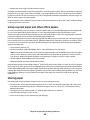
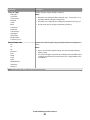
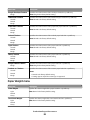
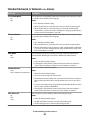
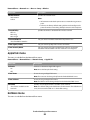
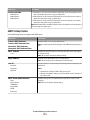
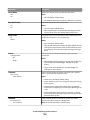
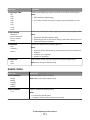
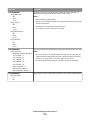
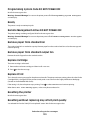
Substitute Size menu
Menu item
Description
Substitute Size
Off
Statement/A5
Letter/A4
All Listed
Substitutes a specified paper size if the requested paper size is not available
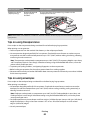
Notes:
• All Listed is the factory default setting. All available substitutions are
allowed.
• The Off setting indicates no size substitutions are allowed.
• Setting a substitution lets the job print without a Change Paper message
appearing.
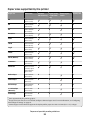
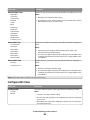
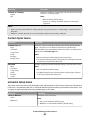
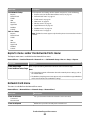
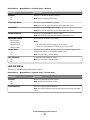
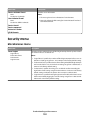
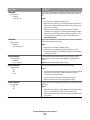
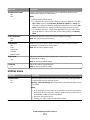
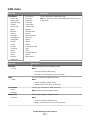
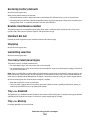
Paper Texture menu
Menu item
Description
Plain Texture
Smooth
Normal
Rough
Specifies the relative texture of the paper loaded in a specific tray
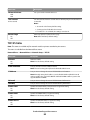
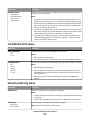
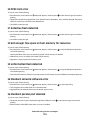
Card Stock Texture
Smooth
Normal
Rough
Specifies the relative texture of the card stock loaded in a specific tray
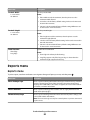
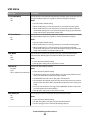
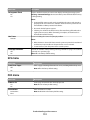
Transparency Texture
Smooth
Normal
Rough
Specifies the relative texture of the transparencies loaded in a specific tray
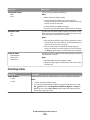
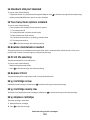
Recycled Texture
Smooth
Normal
Rough
Specifies the relative texture of the recycled paper loaded in a specific tray
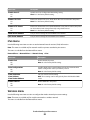
Labels Texture
Smooth
Normal
Rough
Specifies the relative texture of the labels loaded in a specific tray
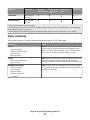
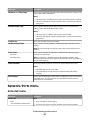
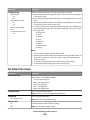
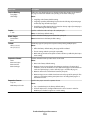
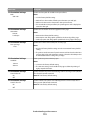
Bond Texture
Smooth
Normal
Rough
Specifies the relative texture of the bond paper loaded in a specific tray
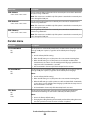
Envelope Texture
Smooth
Normal
Rough
Specifies the relative texture of the envelopes loaded in a specific tray
Note: Normal is the factory default setting.
Notes:
• Normal is the factory default setting.
• Settings appear only if card stock is supported.
Note: Normal is the factory default setting.
Note: Normal is the factory default setting.
Note: Normal is the factory default setting.
Note: Rough is the factory default setting.
Note: Normal is the factory default setting.
Understanding printer menus
85