1
R&R Data Dictionary — Table Pairs Supplement
User Manual
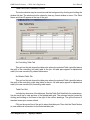
The report will present all table-pairs for the selected table, whether it is the Controlling
(left-side) table or Related (right-side) table, and whether that table is used in SQL or xBase
joins.
Installation
Table-Pairs is a new component of R&R Data Dictionary and is automatically installed
whenever R&R is installed from the distribution CD or via electronic file distribution). When, at
installation.
If you already have R&R v10.0 or later version, and you are not installing R&R
ReportWorks Infinity (v12 or later) on your computer or server, allow R&R to install normally,
but to a new folder. (Note: you may have to change desktop icons and un-install / re-install
workstation setups based on the new R&R location.) Then, copy these files from your former
R&R v10.0 (or later) installation:
REPORTS.DBF/.CDX/.FPT—Main Librarian Catalog data file, index and memo files
RPTABLES.DBF/.CDX—Related Tables data file and index
RPTFIELD.DBF/.CDX—Report Fields data file and index
OWNERS.DBF/.CDX—Librarian / Data DictionaryUser IDs data file and index
DICTTABL.DBF/.CDX/.FPT—Data Dictionary Tables data, index and memo files
DICTFLD.DBF/.CDX/.FPT—Data Dictionary Fields data, index and memo files
DICTINDX.DBF/.CDX/.FPT—Data Dictionary Index data, index and memo files
If you already have R&R ReportWorks Infinity* (v12.0 or later) installed, you do not
need to reinstall R&R to utilize the new table-pairs capabilities. You only need to copy the
following files into the ‘RL’ folder under your R&R installation folder:
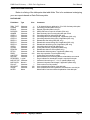
DATADICT.EXE—Data Dictionary Editor application program
TBLVIEW.EXE—Table Dictionary Viewer program called from Report Designer
DDPAIRS.RRW—New R&R runtime report summarizing table-pairs
DICTPAIR.DBF/.CDX/.FPT—New Table-Pairs data, index and memo files
DHELPTXT.DBF/.FPT—New help screen files for Data Dictionary Editor / Table View
DDSTD.DBF—New reports listing for Data Dictionary Editor
In all cases, it is wise to run the table-pairs ‘Join Load’ utility (see page 7) immediately
after reinstalling R&R and copying previous installation Librarian / Data Dictionary files or
when adding table-pairs files to an existing R&R ReportWorks Infinity installation.
Reinstallation and Backing Up
From time to time, it may become necessary to reinstall R&R due to the license file
becoming damaged, errors on the disk, and similar circumstances. If reinstalling to the same
directory, R&R will simply overwrite all of the Librarian / Data Dictionary files, including the
* New Table-Pairs and related programs are not licensed for use with any R&R version prior to R&R ReportWorks
Infinity, and could cause problems if you attempt to use them with any prior version.
R&R ReportWorkstm Infinity Edition
Page 21