1
R&R Data Dictionary Editor
User Manual
Internal Reports
From the Main Menu, DDE users can access a number of pre-defined R&R runtime reports
that summarize key information contained in the dictionary databases. These reports are designed
to provide structured output for many of DDE’s primary functions; i.e, cataloging tables, fields
and indexes, identifying the tables’ contents, etc.
Naturally, these reports just skim the surface of the way you might choose to use DDE’s
data. You can use R&R to generate custom reports based on DDE’s databases to suit your own
purposes. Either create reports from scratch, or use the existing reports as templates. These
reports are installed as ‘Read-only’ to prevent unintended modifications in R&R, but can be
copied to another folder and modified. These reports demonstrate the fundamental of joining
DDE’s tables, and include calculated fields to translate coded values to standard descriptions.
Many of DDE’s standard reports utilize ParameteRR fields to prompt a user for selections.
This significantly increases the options available for each report; particularly, many reports offer
a number of sorting options, or a choice between a specific table or field, or all those available.
Some of the reports also take into account the user’s rights to view Catalog entries for other User
IDs.
In R&R Version 10, we suggest you use the xBase Report Designer to create reports
based on DDE’s data. All of DDE’s pre-defined reports are readable within the xBase Report
Designer, and are loaded at installation as ‘read-only’; therefore, if you modify them you must
save them under another name or in a folder other than the ‘RL’ folder that DDE shares with
Report Librarian.
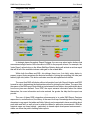
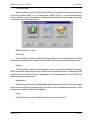
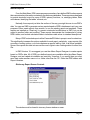
Dictionary Report Screen Controls
The window must be closed to view any former window or menu.
R&R V10.0
Page 37