1
user manual
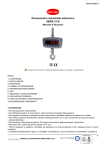
Manual Crane Scale OCS
Models: OCS - A, OCS - B and OCS - C
Before using, please carefully read this usage manual.
MODEL A, B
MODEL G
contents
The safety guides
Product features
Product specification
Electronic diagram
Structure and dimension
Operation guide
Display illustration
Warnings
Trouble shooting
Remote controller guide
Scandinavia’s largest webshop for scales
2
2
3
3
4
5
6
6
7
7
Box 79, Industrivagen 3
760 40 Vaddo, Sweden
Tel. +46 (0)176-208920
Fax +46 (0)176-208929
Web www.vetek.com
Email [email protected]
REVISED
03.2010
1
user manual
Before using, please carefully read this usage manual.
The safety guides
Please read through the following instruction and advice before using crane scale.
• Overloading is harshly prohibited
• Long-time loading will decrease the accuracy and shorten the life of the scale
• Before using, please check the battery voltage and recharge in time
• Before using, please check the safety between hook, shackle and junction parts
• Do not try to repair the crane scale by yourself
• Use dedicated charger only
Product features
Excellent Quality: Strictly in accordance with OIML R76 and European directives
High Safety: Aluminum casting case, highly firmed hook and shackle, special load cell for
safety installation.
Strong Reliability: High quality components on PCB to insure long time stability.
Broad Applicability: 56mm high character display, 30m distance in sight, widely used in
storage industry, textile industry, metallurgy industry etc.
Simply Operation: Automatic low battery check, electricity energy saving, power off and
overloading alarming, wireless remote controller and dedicated charger
Complete function: Kg/Lb conversion, hold, tare, division option, stability regulation,
accumulation/query, gross/net weight, remote power off etc.
www.vetek.com
[email protected]
2
user manual
product Specifications
STANDARD:
GB/T11883-2002 (ELECTRONIC CRANE SCALE)
Accuracy Class:
Similar to OIML III
Division NO.:
3000
Display:
56mm 5 digits LED/LCD
Zero Range:
4%F.S.
Tare Range:
100%F.S.
Stable Reading Time:
<10 S
Overload Indication:
100%F.S.+9e
Safety Load:
125%F.S.
Ultimate Load:
400%F.S.
Battery Life:
≥50 hours
Power:
6V/10Ah rechargeable sealed acid-lead batteries. 150 x 50 x 90 mm
Battery Charger:
DC9V/1.5A
Remote Controlling Distance:
≥ 10 m
Batteries of Remote Controller: AAA Batteries x 2pcs
Operation Temperature:
-10°C – +40°C
Operation Humidity:
≤90%RH under 20°C
electronic diagram
www.vetek.com
[email protected]
3
user manual
Structure and dimension
OCS-A/B
MODEL
OCS 0.5 t
OCS 1 t
OCS 2 t
OCS 3 t
OCS 5 t
OCS 10 t
OCS 15 t
OCS 20 t
A(MM)
420
420
420
600
730
850
900
900
B(MM)
65
65
65
80
100
120
140
140
C(MM)
35
35
35
45
55
70
70
70
NW (KG)
12
12
12
14
24
44
60
60
B(MM)
80
80
100
120
130
140
C(MM)
45
45
55
70
70
70
NW (KG)
18
18
28
48
64
68
OCS-G (For steel industry))
A(MM)
600
600
730
850
850
900
A
155
B
MODEL
OCS 1 t
OCS 2 t
OCS 3 t
OCS 5 t
OCS 10 t
OCS 15 t
C
230
360
www.vetek.com
[email protected]
4
user manual
Operation guide
turning on
Press button [OFF/ON] on the scale, display as below sequence::
[ 88888 ]
[ 3000 ]
[ U6.30 ]
[ ----- ]
[ 0]
(display self testing)
(max. capacity)
(current battery voltage)
(waiting stable signal)
( “STB” lights up, ready for operation )
zero
Press button [ZERO] on the scale, or press key [0] on the controller
Tarering
Press button [TARE] on the scale, or press key [0] on the controller.
Weight Holding
Tryck in knappen [HOLD] på fjärrkontrollen.
Low Power Warning
If the voltage is less than 5.8V, the display will flash until indicate “-LB-” and power off automatically in
1 minute. The battery recharging is needed.
Overloading Warning
When weight more than 100%F.S.+9e, the display indicate “-OL-”. Removing object is necessary.
Power Saving
When no weight changed, “ - ” shows up until weights changed, or power off in 60 minutes
Recharging Battery
1. Turn off the scale. Connect the adaptor to AC power supply and plug the connector into the socket in the rear of scale. When the indicator turns from green to red, charging is over
2.
If the scale needs to work non-stop, take off the dead battery and replace it with a full one, Recharging the dead battery separately
ATTENTION: Normally, recharging time should not exceed 8 hours. However, long time charging will not
damage the battery.
Turning Off
Press key [OFF/ON] on the scale for 3 seconds, or press [OFF] on the controller for 3 seconds,
display as below sequence:
[ U6.30 ] (current battery voltage)
[ OFF ] (display 2 seconds before power off)
ATTENTION: When no weight changed, it power off in 60 minutes automatically.
www.vetek.com
[email protected]
5
user manual
DISPLAY ILLUSTRATION
DISPLAY
[ ----- ]
[ Err10 ]
[ Err11 ]
[ Err12 ]
[ Err13 ]
[ CLr ]
[ noCLr ]
[ 88888 ]
[ noACC ]
[ SHIFt ]
[ U6.30 ]
[ SCALE]
[ SEtUP ]
[ UAdJ ]
[ -OL- ]
[ -Lb- ]
[ -]
[ End ]
[ OFF ]
ILLUSTRATION
Waiting stable signal
Accumulated weight doesn’t exceed Min. Capacity
Accumulated times exceed 30times
Accumulated weight exceed 99999
Accumulated repeated (multi accumulation is not allowed)
Confirm accumulation clearance
Cancel accumulation clearance
Confirm accumulation deletion
No accumulation
Switch to other mode
Battery voltage
Calibration
Parameter setting
Battery adjustment
Overload warning
Power saving mode
Batterisparläge
End
Power off
WARNINGS
1. For good performance and precise measurement, be careful with daily operation and maintenance.
2. Rotate the loading object rather than the scale if needed
3. Don’t use the scale under thunder or rain
4. Check the clips, pins and screws regularly
5. When battery is out of power or battery indicator turns red, check the battery and replace it with a full one.
6. When scale is disengaged, hang it on special shelf in dry and well-ventilated room.
Put the scale on the ground is not suggested.
www.vetek.com
[email protected]
6
user manual
Trouble shooting
PROBLEM
POSSIBLE CAUSE
SOLUTION
No display when power on
Battery is damaged
Check battery
No display when power on
Battery is not connected
Reconnect the battery
Display flashes
Low battery power
Recharge the battery
Can not turn on off
[OFF/ON] button damaged
Check &clean the button
Can not zero
[ZERO] button damaged
Check &clean the button
Can not tare
[TARE] button damaged
Check &clean the button
Recharging indicator does not light
Defective adaptor
Check the adaptor
Recharging indicator does not light
The adaptor isn’t connected well
Check the plug
Unstable display
The load is in motion
Keep the load object stable
Unstable display
Overloaded or defective loadcell
Check and replace load cell
Unstable display
Scale is damp
Keep the scale in dry environment
The display doesn’t show “0” when
nothing is loaded
Load cell is not ready to work
Wait 3-5 minutes after powering on
The display doesn’t show “0” when
nothing is loaded
Improper placement of scale
Scale should be hung up
Weighing value in big error
Improper operation
Make the hook flexible against
off-axis loading
Battery can not recharge
Defective battery
Replace battery
Battery can not recharge
Defective recharge connector
Replace the connector
Short remote distance
Receiver is too dirty
Check and clean it
Short remote distance
Low battery power of controller
Replace controller battery.
Remote controller guide
brightness option
OPERATION
ILLUSTRATION
[F1]
0~5 levels, 0: no display, 1: Min bright, 5: Max bright (Default: 3)
Zero
OPERATION
ILLUSTRATION
[ZERO]
Set ‘0’ when empty load
HOLD
OPERATION
ILLUSTRATION
[HOLD]
Hold the weight, HOLD lights on. Press it again to resume
Tare
1. TARE DIRECTLY
OPERATION
ILLUSTRATION
[TARE]
TARE light on, display net weight. Press it again to return gross weight
2. SET TARE
OPERATION
ILLUSTRATION
[ MR ] [TARE]
Display current tare value
[ M+ ] [TARE]
Modify tare value
[ ZERO ] [CLEAR]
Input the tare value
[ MR ]
Exit, TARE light on. Display weight without tare upon weighing
www.vetek.com
[email protected]
7
user manual
Accumulation
1. ACCUMULATION
OPERATION
ILLUSTRATION
[ M+ ]
[ No*** ] Current accumulation times
[ H**** ] High 4-digits of current accumulated value
[ L**** ] Low 4-digits of current accumulated value
ATTENTION:
1.
Accumulation value will display twice before the scale return to weigh mod automatically,
Or press [ MR ] to return directly
2. Total accumulation = H xxxx + L xxxx (E.g: H2244 + L5566 = 22445566)
3. Query
OPERATION
ILLUSTRATION
[ MR ] [ M+ ]
[ No*** ] Current accumulation times
[ ***** ] Current weight
[ H**** ] Rear four digit of current accumulated value
[ L**** ]Front four digit of current accumulated value
[ 0 ] Return to weight
ATTENTION:
1. Press[ TARE ] [ZERO] query weight and accumulated value
2.
press [ MR ] return.
CLEAR
OPERATION
ILLUSTRATION
[CLEAR] [ CLr ]
Confirm accumulation clearance
[CLEAR] [ noCLr]
Cancel accumulation clearance
ZERO DISPLAY
OPERATION
ILLUSTRATION
[ MR ] [ ZERO ]
Display current zero value
Overload Query
OPERATION
[ MR ] [ CLEAR ]
ILLUSTRATION
Display overloading times
Voltage Display
OPERATION
ILLUSTRATION
[ MR ] [ F1 ]
Display battery voltage
POWER OFF
OPERATION
ILLUSTRATION
[ OFF ]
Display battery voltage and power off
www.vetek.com
[email protected]
8