1
Chapter 16 VoIP
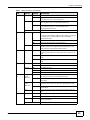
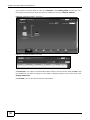
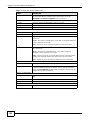
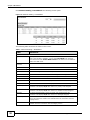
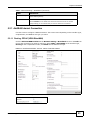
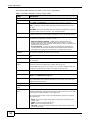
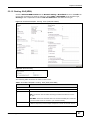
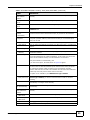
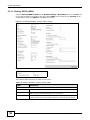
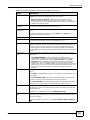
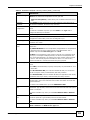
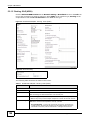
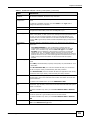
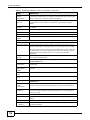
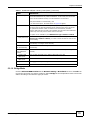
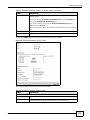
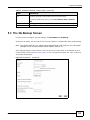
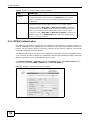
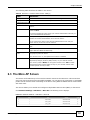
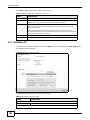
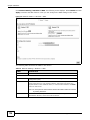
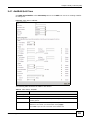
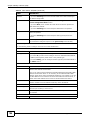
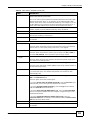
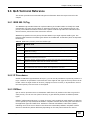
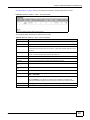
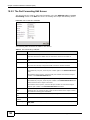
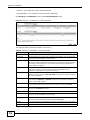
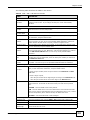
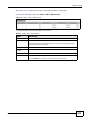
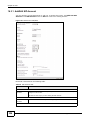
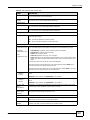
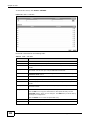
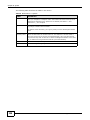
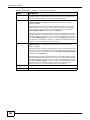
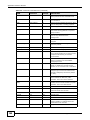
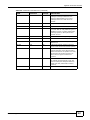
The following table describes the labels in this screen.
Table 60 VoIP > SIP > SIP Service Provider
LABEL
DESCRIPTION
SIP Service Provider Selection
Service Provider
Selection
Select the SIP service provider profile you want to use for the SIP account you
configure in this screen. If you change this field, the screen automatically
refreshes.
General
SIP Service
Provider
Select this if you want the Device to use this SIP provider. Clear it if you do not
want the Device to use this SIP provider.
SIP Service
Provider Name
Enter the name of your SIP service provider.
SIP Local Port
Enter the Device’s listening port number, if your VoIP service provider gave you
one. Otherwise, keep the default value.
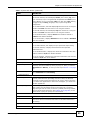
SIP Server
Address
Enter the IP address or domain name of the SIP server provided by your VoIP
service provider. You can use up to 95 printable ASCII characters. It does not
matter whether the SIP server is a proxy, redirect or register server.
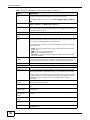
SIP Server Port
Enter the SIP server’s listening port number, if your VoIP service provider gave
you one. Otherwise, keep the default value.
REGISTER Server
Address
Enter the IP address or domain name of the SIP register server, if your VoIP
service provider gave you one. Otherwise, enter the same address you entered
in the SIP Server Address field. You can use up to 95 printable ASCII
characters.
REGISTER Server
Port
Enter the SIP register server’s listening port number, if your VoIP service
provider gave you one. Otherwise, enter the same port number you entered in
the SIP Server Port field.
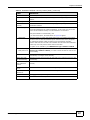
SIP Service
Domain
Enter the SIP service domain name. In the full SIP URI, this is the part after the
@ symbol. You can use up to 127 printable ASCII Extended set characters.
RTP Port Range
Start Port
End Port
Enter the listening port number(s) for RTP traffic, if your VoIP service provider
gave you this information. Otherwise, keep the default values.
To enter one port number, enter the port number in the Start Port and End
Port fields.
To enter a range of ports,
•
•
DTMF Mode
enter the port number at the beginning of the range in the Start Port field.
enter the port number at the end of the range in the End Port field.
Control how the Device handles the tones that your telephone makes when you
push its buttons. You should use the same mode your VoIP service provider
uses.
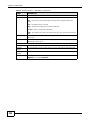
RFC2833 - send the DTMF tones in RTP packets.
PCM - send the DTMF tones in the voice data stream. This method works best
when you are using a codec that does not use compression (like G.711). Codecs
that use compression (like G.729 and G.726) can distort the tones.
SIP INFO - send the DTMF tones in SIP messages.
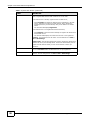
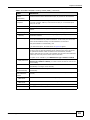
Transport Type
Transport Type
Select the transport layer protocol UDP or TCP (usually UDP) used for SIP.
FAX Option
This field controls how the Device handles fax messages.
G711 Fax
Passthrough
Select this if the Device should use G.711 to send fax messages. The peer
devices must also use G.711.
P-2812HNU(L)-Fx Series User’s Guide
223