1
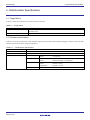
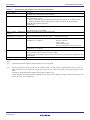
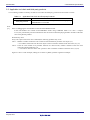
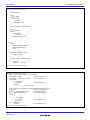
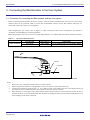
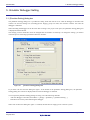
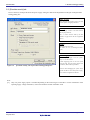
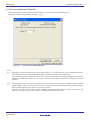
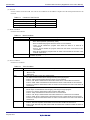
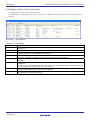
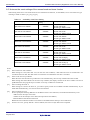
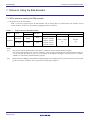
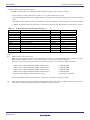
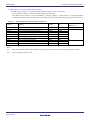
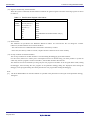
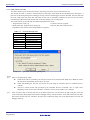
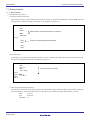
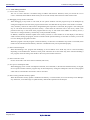
E8a Emulator 7. Notes on Using the E8a Emulator 7.3.5 Flash memory ID code This MCU function prevents the Flash memory from being read out by anyone other than the user. The ID code in Table 7.5 written to the flash memory of the MCU must match the ID code displayed in the Figure 7.1 [ID Code verification] Dialog Box at debugger startup, otherwise the debugger cannot be launched. Note that when the ID code is FFh, FFh, FFh, FFh, FFh, FFh, FFh, the ID code is regarded as undefined. In this case, the ID code is automatically authenticated and the [ID Code verification] dialog box is not displayed. The values written into the ID code area differs depending on the mode. - ‘Program Flash’ mode [*1]: Contents of the user program - Modes other than ‘Program Flash’ mode [*2]: FFh, FFh, FFh, FFh, FFh, FFh, FFh (regardless of the contents of the downloaded user program) Table 7.5 ID Code Storage Area Address Description FFFDFh First byte of ID code FFFE3h Second byte of ID code FFFEBh Third byte of ID code FFFEFh Fourth byte of ID code FFFF3h Fifth byte of ID code FFFF7h Sixth byte of ID code FFFFBh Seventh byte of ID code Figure 7.1 [ID Code verification] Dialog Box Notes: [*1] Notes on ‘Program Flash’ mode: When the ID code is specified by the -ID option of the lmc30, download the MOT file or HEX file. When the X30 file is downloaded, the ID code is not valid. When downloading the X30 file, specify the ID code using an assembler directive command such as “.BYTE”. The file to which the ID code specified by the assembler directive command “.ID” is output varies depending on the version of the assembler. For details, refer to the Assembler User’s Manual. [*2] If the ID code written to the ID code area of the MCU matches the one entered for the [ID Code] box in the [ID Code verification] dialog displayed at emulator debugger startup, the E8a emulator writes FFh, FFh, FFh, FFh, FFh, FFh, FFh to the ID code area. Therefore, the [ID Code verification] dialog will not be displayed the next time the debugger starts up. R20UT0709EJ0102 Rev.1.02 May 08, 2012 Page 36 of 42