Download User Guide - Sprint Support
Transcript
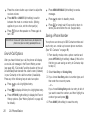
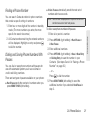
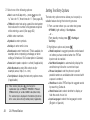
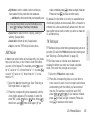
Contacts to delete all of your Contacts including speed dial numbers saved in your Contacts. 䡲 Voice Memo to delete all voice data and call memos saved in the phone. 䡲 My Photos to delete all pictures stored in My Photos. 䡲 All Stuff to delete everything in all the above categories. 5. Read the message and press DELETE (left softkey). Resetting Your Phone and Phone Content This option lets you clear different types of personal information stored on your phone, reset your phone to factory settings, or both. 1. Press > Settings > Reset/Delete. 2. Enter your lock code and press CONTINUE (left softkey). 3. Highlight an option and press 䡲 . Reset Settings to restore all the factory defaults, including ringer types and display settings. Contacts, History, Calendar, and Messaging are not affected. 䡲 Reset Phone to reset all settings and erase all data on your phone. 4. Read the message and press the left softkey (RESET SETTINGS or RESET PHONE). Security Features for Data Services Enabling Data Services To enable data services: 1. Press > Settings > Others > Data > Data Off. 2. Read the message and press the left softkey to Settings 䡲 sign in. Disabling Data Services You can disable data services again without turning off your phone; however, you will not have access to all data services, including Web and messaging. Disabling data services will avoid any charges associated with these services. While signed out, you can still place or receive phone calls, check voicemail, and use other voice services. 2B. Settings 43