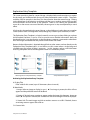
1
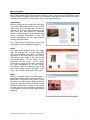
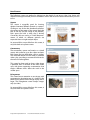
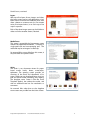
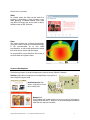
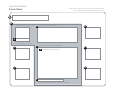
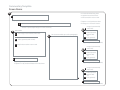
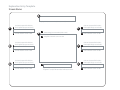
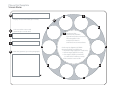
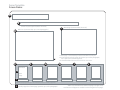
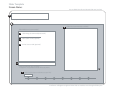
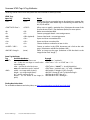
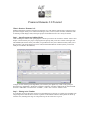
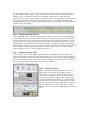
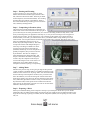
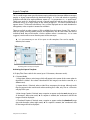
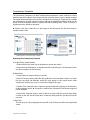
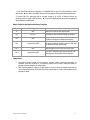
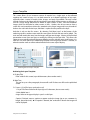
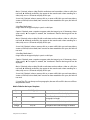
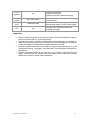
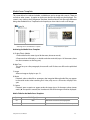
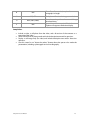
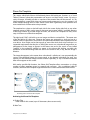
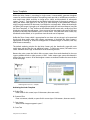
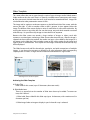
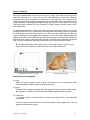
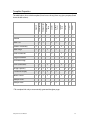
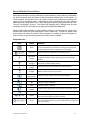
1. Link Text: Enter the text to appear as a clickable link in spots C-H (50 characters, about ten words). ► If no link is attached, the text will not appear in the published presentation. 2. Screen Link: This text may link to another screen or to a URL. If desired, choose an existing screen or type a URL to link to. ► If no link is attached, the text will not appear in the published presentation. Media Table for the Exploration Entry Template Spot Media Type(s) A text B1 JPG, GIF B2 text B3 screen link or URL C-H: 1 text C-H: 2 screen link or URL Notes About six words for the display title. Pachyderm will resize the image as needed. Up to ten words for a caption, if desired. Caption will suppress tombstone display. An optional link to another screen or URL may be attached to the main image. About eight or nine words max, each spot. If no link is attached, the text for the link will not appear in the published presentation. Sample Uses Surround a central image of an invention, artwork, object, historical document, or scientific discovery with up to six questions about how it works, important dates or people associated with it, or other topics. With a photograph of a person in the center, use the six links to bracket a decade (or other important phase) of his/her life; these would lead to screens that explore those periods in detail. Pachyderm 2.0 User Manual 21