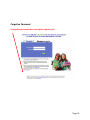
1
Troop User Manual
September 18, 2014
GSCTX Edits
https:// eBudde.littlebrownie.com
www.gsctx.org
[email protected]
Council Headquarters:
Kodosky Program Center
12012 Park Thirty-five Circle
Austin, TX 78753
(800) 733-0011 • www.gsctx.org
Table of Contents
What’s New........................................................................................................... 4
Computer Specifications Information .................................................................... 5
Navigating the System .......................................................................................... 6
System Access ..................................................................................................... 7
Login Information .............................................................................................. 8
New Security Requirements ............................................................................. 8
Contact Information Page ................................................................................. 8
Forgotten Password........................................................................................ 10
Menu Bar ............................................................................................................ 12
Troop Tabs ......................................................................................................... 13
Dashboard Tab ............................................................................................... 14
Contacts Tab .................................................................................................. 15
Settings Tab ................................................................................................. 177
Special Troop Contacts ................................................................................ 200
Girls Tab ....................................................................................................... 211
Add Girl Information .................................................................................. 211
Edit Girl Information .................................................................................. 222
Delete Girl from Troop............................................................................... 222
Init. Order Tab .............................................................................................. 233
Ordering with Booth and Girl Totals .......................................................... 233
Ordering by Individual Girls ....................................................................... 266
Delivery Tab ................................................................................................... 29
Girl Order Tab – Category Format ................................................................ 301
Troop Summary View................................................................................ 311
Girl View .................................................................................................... 344
Adding Additional Cookie Orders .............................................................. 344
Adding Only Payments.............................................................................. 355
Girl Order Tab – Varieties Format................................................................. 356
Troop Summary View................................................................................ 366
Girl View ...................................................................................................... 38
Adding Additional Cookie Orders ................................................................ 39
Adding Only Payments................................................................................ 39
Girl Order Tab – Lock Transaction Option ...................................................... 40
Council Sponsored Booth Sales (Council Sales) ........................................ 41
Troop Booth Signup Request (Optional) ................................................... 422
Record Sales (Optional) .............................................................................. 45
Recording Booth Sites – Category Format.................................................. 46
Recording Booth Sites – Varieties Format .................................................. 47
Troop Transactions ......................................................................................... 48
Initial Order Transaction .............................................................................. 48
Troop transactions from Other Sources ...................................................... 48
Pending troop orders (optional) ...................................................................... 48
Inventory Balances...................................................................................... 48
Navigating the Transaction Form ................................................................ 49
Create a product transaction ....................................................................... 50
Create a Pending Order Request for a Cupboard (Optional) ........................ 511
Rewards Tab .................................................................................................. 53
Troop Reward Order ................................................................................. 533
Individual Girl Reward Order ....................................................................... 54
Deposits.......................................................................................................... 58
GOC Org. Tab ................................................................................................ 59
Sales Report ................................................................................................... 60
Reports ........................................................................................................... 62
Appendix A – Gift of Caring Screen Shots .......................................................... 63
Council GOC ............................................................................................... 63
Troop GOC ................................................................................................. 63
FYI GOC ..................................................................................................... 63
Page 3
What’s New
1.
New security requirements include 4 selectable security questions. See page 8
2.
New recommended computer specifications on page 5 for more details.
3.
Reports in XLSX format
4.
New cookie products
5.
Change photo on eBudde™ login page to reflect new packaging
6.
New logo/wording for eBudde™ that includes the trademark
7.
Send a reminder email to troops starting three days before their booth site sale
occurs.
8.
Color coding to booth site list on troop level to indicated recorded sales
9.
On the transaction tab, the contact information label “Optional” is removed and
logged in user information is pre-populated in that box.
10. Girl T-shirt size and goal fields always open for data entry
11. Booth Sale Recorder Button on the Girl Order Tab
12. Service unit contact information on Troop Dashboard
13. Transaction tab screen display movement includes pages and scrolling within the
page.
Page 4
Computer Specifications Information
The eBudde™ system has been tested on a variety of computer types and different web
browsers.
Approved web browsers:
IBM Compatible – Microsoft Internet Explorer version 8.0 and higher, Firefox 13.0 and
higher, Chrome.
Macintosh – Safari 2.0.4 and higher, and Firefox 13.0 and higher, Chrome.
Approved computer specifications:
Recommended Minimums:
1.0 GHz Pentium 4 - 1GB RAM
Recommended Systems:
1.5 GHz Pentium 4 - 1.5GB RAM
To verify your system specification, go to Control Panel, System. The general tab will
display your system information.
The eBudde™ system uses Microsoft Excel .xlsx for the printing of the reports. If you
have users that do not have the Microsoft Excel program, a report viewer for IBM
compatible systems can be downloaded from the following web address:
http://www.microsoft.com/download/en/details.aspx?displaylang=en&id=10
The eBudde™ system can also print in Adobe PDF format. To download Adobe
Acrobat, use the following web address: http://get.adobe.com/reader/
eBudde™ has scheduled time-outs at 2 hours of inactivity. eBudde™ will close out your
session, logging you out if you have been inactive in the system for 2 hours.
Effective January 1st, 2015, eBudde™ will be updated to work on Apple iPads and
Microsoft Surface devices.
Page 5
Navigating the System
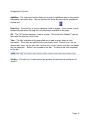
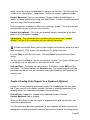
Add More - The “add more” button allows you to enter in additional rows on transaction
tab product transaction form. You can activate this button by pressing the spacebar or
clicking on it.
Enter Key – The enter key is used to complete a row on a page. It can also be used to
complete a page when the page has only one button available on the page.
OK – The “OK” button completes a row on a page. This button tells eBudde™ you are
done with the data entry on the row.
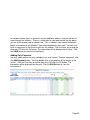
Tabs – The tabs available on the page allow you to add, change, delete or view
information. These tabs are specific to the user access level. Council users see the
council tabs, areas see the area tabs, service units see the service unit tabs, and troops
see the troop tabs. Below is an example of the tabs. To select a tab, click anywhere
on the tab.
Tab Key – The tab key is used to move from one box of information to another on all
screens.
Page 6
System Access
Every season, current users will be reset to a council default password. Your council
will notify you of this password. In addition, this season you will be required to answer
four security questions upon login.
If you are a brand new user to eBudde™, you will be notified by your council or by email
of your password. If you are notified by an eBudde™ email, the following information
will be in the email:
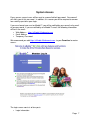
• Web Address - https://eBudde.littlebrownie.com
• Email Address
• Temporary Password
We recommend you add https://eBudde.littlebrownie.com to your Favorites for easier
access.
The login screen consists of four parts:
• Login information
Page 7
•
•
•
Updating contact information
Forgotten password
End User License and Privacy Policy
Login Information
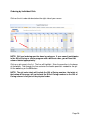
NOTE: All eBudde™ users will be considered new users and have a new
temporary password. Contact your council for further information.
Users who have already logged in previously this season will enter in their email
address and personal password. Click the Login button or press enter to complete
your login information. The system will then access your council’s information.
New users will enter in their email address and temporary password sent to you in the
email from the system or by your council. Click the Log On button or press enter to
complete your login information. The system will then direct you to the Contact
Information Page. Once you have completed the contact information page, you will be
given access to the system.
New Security Requirements
Temporary passwords only good for 24 hours.
The password requirements are as follows:
• Must be 8 characters long
• Must have at least one capital letter
• Must have at least one non-alphabetic character
There will be a strength meter to help create a strong password.
You will be required to answer four security questions.
Login attempt rules are as follows:
• Limit to five consecutive bad login attempts
• Account disabled for 10 minutes
Security questions:
• You can select your security questions from a drop down list
• You cannot use the same question more than once.
Contact Information Page
Page 8
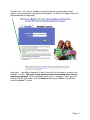
Current users – This form is available to make changes to your password, email
address, security questions and personal information. To access this page click on the
link provided on the login page.
New users – You will be required to fill out this form the first time you try to access the
eBudde™ system. You must change your password to something other than the
temporary password. All the information on this form is mandatory. Once you have
entered in all the information, click the Submit button or press Enter. You will then
enter the eBudde™ system.
Page 9
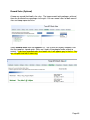
Forgotten Password
A forgotten password does not require a phone call!
Page 10
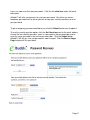
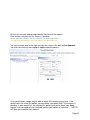
Users can now reset their own passwords. Click the link click here under the fourth
bullet point.
eBudde™ will offer you two ways to reset your password. You either can have a
temporary password sent to you or you can answer your security questions to reset
your password.
To get a temporary password emailed to you, click the Submit button next to option 1.
To use the security question option, click the Get Questions next to the email address.
Answer the two security questions, enter in a password in the password box and reenter the same password in the confirm password box. Click the Submit button.
eBudde™ will tell you that you password is now changed. Click the Back to Login
Page to login with this password.
Page 11
Menu Bar
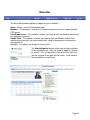
The Menu Bar provides additional support for you in eBudde™.
Home - Returns you to the dashboard page
Manuals – This provides a manual or a customized council manual in Adobe Acrobat
PDF format
LittleBrownie.com – This provides a link for you to go to the Little Brownie website that
has additional resources.
Cookie Club – This provides a link for you to go to the Little Brownie Cookie Club
website where your girls can track cookie sales, send eCard promises and maintain
their contact list.
Log Out – This allows you to log out of the system.
The Hide Navigation feature allows you to hide the display
of the navigation tree. Click the arrow to toggle this feature
on and off. This can be helpful if the form on the right that
you are trying to fill out goes off the screen. It will move all
the information over to the left.
Page 12
Troop Tabs
eBudde™ provides a variety of features for troops to track their cookie sale information.
Your council will specify which features you will need to use. Some screens may look a
little different as your council can tailor eBudde™ to meet your needs. In addition, some
tabs may not be available to you as well.
Dashboard – Default screen that shows important messages, calendar, checklist and
dates
Contacts – Allows you to edit your contact information. This includes name, address
and phone number. This DOES NOT include changing the email address. That must be
done from the login screen.
Settings – This allows you to change the number of girls selling, registered, program
age level, rewards option, banking information as specified by your council. You can
also add additional troop contacts.
Girls – This allows you to enter girl names, grade, id and goal information
Init. Order – This option is for entering your troop initial cookie order
Delivery – This option is for selection of delivery site (if applicable) and a printout of
cookies order, delivery site, and pick-up time (if applicable)
Girl Orders - Track girl initial, booth and additional orders and payments
Booth Sales – (Optional) This option allows you to select council booth sale sites
and/or request a troop booth sale site.
Transactions – List all cookie transactions, initial order, cupboard pickups, and troopto-troop transactions.
Rewards – Troop reward ordering
Deposits – Troop deposit recording
GOC Org. – (Optional) This option allows you to record troop donation organizations.
Sales Report – Recap of all troop information. Initial order, additional cookies, troop
profit, deposits and submitting total Gift of Caring numbers (if applicable)
Reports – Two reports available for troops. Cupboard listing and delivery site listing.
Page 13
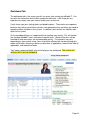
Dashboard Tab
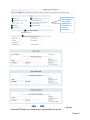
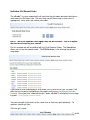
The dashboard tab is the screen you will see every time you log into eBudde™. You
can print the information on the tab if needed for reference. It will show you any
important messages from your council and/or your service unit.
It also shows you your starting dates and deadline dates. These dates are important
because they inform you of when you can start doing data entry and when you need to
complete certain functions in the system. In addition, your council can add their own
dates to the system.
On the dashboard there is a troop checklist for tracking your activity. This will include
the standard eBudde™ items and council-specific items. Some of the items will be
checked off and some items are recommended activity. The checklist may vary
depending on your council setup. Items that will be checked off include entering girls,
cookie initial order, choosing a delivery station/time (if applicable), reward initial order (if
applicable), and reward final order.
Your troop’s upcoming Booth sales will display on the dashboard. The service unit
contacts will list on the dashboard
Page 14
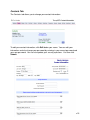
Contacts Tab
The Contacts tab allows you to change your contact information.
To edit your contact information, click Edit below your name. You can edit your
information and also change your password by entering in your current password and
your new password. You can also update your security questions. You then click
Submit.
Page 15
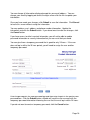
You can change all information displayed except for your email address. You can
change your email by logging out and at the login screen click the link to update your
information.
Once you have made your changes, click Submit to save the information. Click Cancel
to leave this screen without saving the information.
You can update a user’s address and phone number information. Update the
information and click the Submit button. If you do not want to make the changes, click
the Cancel button.
If you have access to other’s contact information, you will not be able to update
password information or security information but you can reset their password.
You can give them a temporary password that is good for only 24 hours. If the user
does not log in within the 24 hour period, you will need to assign the user another
temporary password.
Enter the password in the new password box and then enter it again in the confirm new
password box. Click the Submit button. eBudde will send the user an email with the
temporary password information informing the user that the must log in within 24 hours.
If you do not want to create a temporary password, click the Cancel button.
Page 16
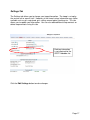
Settings Tab
The Settings tab allows you to change your troop information. The troop is set up by
the service unit or council staff. However, at the time of setup, information may not be
available such as girls registered, girls selling, reward option, banking, etc. This tab
allows you to update your information. You can also add additional troop contacts or
delete troop contacts using this tab.
Banking information
is not required for the
GSCTX ebudde site.
Click the Edit Settings button to make changes.
Page 17
Starred boxes
may not be
available for
data entry at
council
discretion
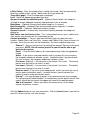
# Girls Registered – Enter the number of girls registered in the troop. May be
automatically filled in by number of girls registered on the girl tab.
Page 18
# Girls Selling – Enter the number of girls selling in the troop. May be automatically
filled in by number of girls selling 1 box or more on the girl order tab.
Troop Goal (pkgs) – Enter the troop goal in packages
Level –Select the appropriate program age level
Opt out of rewards for additional profit – (Optional) Mark the box if the troop has
selected to receive additional monetary troop proceeds in lieu of rewards.
Bank Name – (Optional) Name of bank where troop has it’s account
Bank Routing No. – (Optional) Bank routing number where troop has it’s account
Bank Acct No. – (Optional) Troop bank account number.
Generic Proceeds – A council may have council-specific proceeds that troops are
eligible for.
Data Points from the Previous Year - This is information from last year’s cookie sales.
Your council may already have this information for you.
Contact information – You can add several different types of troop level users.
Leaders, Cookie Chairs and View Only. Leaders and Cookie Chairs have full access to
the troop. View Only can only see the information. You can also delete troop users.
Remove? – You can remove users by clicking the remove? Box next to the email
and name. NOTE: Do not remove yourself or you will not be able to get
back into the system.
Email: – Enter the email address of a new troop contact under the appropriate
header
Active – If you enter a new troop contact, mark if you want this user to access
the computer web-based software system. Uncheck the box if you do not want
this user to access the computer web-based software system.
First name: (Optional) – You can enter in the contact’s first name. The contact
person once they log in can enter it as well..
Last name: (Optional) – You can enter in the contact’s last name. The contact
person once they log in can enter it as well..
Receives email – If you enter a new troop contact, mark if you want this user to
receive order confirmation emails. Uncheck the box if you do not want this
contact to receive order confirmation emails.
Primary? – You may designat a contact as the primary contact in the category.
This designation will allow eBudde™ to send primary contact specific emails from
council and will be the contact that appear on some of the updated reports.
Add to all seasons? – Allows you to give the contact access to the troop
records for previous seasons.
Click the Update button to save your information. Click the Cancel button if you want to
leave this screen and not save your changes.
Page 19
Special Troop Contacts
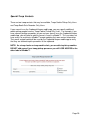
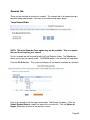
There are two troop contacts that may be available, Troop Cookie Pickup Only Users
and Troop Booth Sale Recorder Only Users.
If your council uses the Cupboard Keeper mobile app, you may specify additional
cookie-pickup people know as Troop Cookie Pickup Only Users. For example, if you
have a parent picking up cookies for you and your council uses the Cupboard Keeper
mobile app, you will need to add this person’s email in eBudde™. This user does not
have access to anything in eBudde™ except updating their own contact information.
Their email and password will be used by the Cupboard Keeper mobile app to verify
that they are allowed to pick up cookies at the cupboard.
NOTE: As a troop leader or troop cookie chair, you are able to pick up cookies.
DO NOT add yourself as a troop pickup person or you will LOSE ACCESS to the
other tabs in eBudde™.
Page 20
Girls Tab
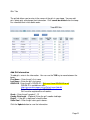
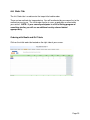
The girl tab allows you to enter in the names of the girls in your troop. You can add
girls, delete girls and change their information. Girls cannot be deleted after the troop
has submitted their initial cookie order.
Add Girl Information
To add girls, enter in the information. You can use the TAB key to move between the
boxes.
First Name – Enter the girl’s first name
Last Name – Enter the girl’s last name
GSUSA ID - Enter the girl’s GSUSA ID – Girls must have GSUSA ID to sell
GSUSA ID is available on eBiz :
https://gsusa.ebiz.uapps.net/vp/Default.aspx?pid=64
Troop Rosters contain girls GSUSA ID
Girls must be registered to sell cookies
Grade – Enter the girl’s grade K - 12
Cookie Club Login – (Optional) Enter the girl’s cookie club login.
Reg’d? – If the girl is registered, check the box
Sales Goal – Enter the girl sales goal in boxes.
Click the Update button to save the information.
Page 21
Edit Girl Information
Change the girl information. Click the Update button to save the information.
Delete Girl from Troop
Click the box under the column labeled Delete? next to the name of the girl you want to
delete. The girl CANNOT be deleted after the troop has submitted their initial order.
Page 22
Init. Order Tab
The Init. Order tab is used to enter the troop initial cookie order.
There are two methods for troop ordering. You will be directed by your council as to the
method you are to use. The initial order can be in cases or packages as directed by
your council. NOTE: If your council participates in a Gift of Caring program or
something similar, you will see an additional variety column labeled
appropriately.
Ordering with Booth and Girl Totals
Click on the initial order tab located on the right side of your screen.
Page 23
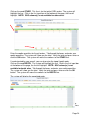
Click on the word OTHER. This line is for the total of GIRL orders. The system will
highlight the line. Click in the first input box at the bottom of the page, the line will
highlight. NOTE: GOC column(s) is not available for other sales.
Enter the cookie quantities for the girl orders. Tab through the boxes and enter your
cookie quantities. The system will show you the total. Verify the total and press enter or
click the OK button. The system will move the numbers to the OTHER line.
If so designated by your council, you can also enter the troop’s booth order.
Click on the word BOOTH. The system will highlight the line. Click in the first input box
at the bottom of the page, the line will highlight. NOTE: GOC column(s) is not
available for booth sales. Tab through the boxes and enter your cookie quantities.
The system will show you the total. Verify the total and press enter or click the OK
button. The system will move the numbers to the BOOTH line.
The system will display the completed order.
To change any information, click the row that needs to be changed. The data will be
displayed on the bottom input row. Click anywhere in that row to make changes. Press
enter once changes are complete.
Page 24
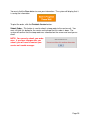
You must click the Save button to save your information. The system will display that it
is saving the information.
To print the order, click the Printable Version button.
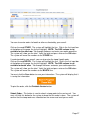
Submit Order – This button is used to submit a troop order to the service unit. You
must still click this button for the service unit to know that this order is done. The
system will confirm that the troop order was submitted on the screen and send you an
email.
NOTE: You can only submit your order
once. If you have changes after you
submit, you will need to contact your
service unit cookie manager.
Page 25
Ordering by Individual Girls
Click on the init. order tab located on the right side of your screen
NOTE: Girl level ordering must be done in packages. If your council participates
in the Gift of Caring or similar program with a different name, you will see that
column labeled appropriately.
Click on a girl name in the list. The line will highlight. Enter the quantities in the boxes
at the bottom. Tab through the line and enter the cookie quantities needed for the girl.
Hit the enter key or the OK button.
NOTE: The girl order totals will include the Gift of Caring numbers, the totals at
the bottom of the page, will not include the Gift of Caring numbers as the Gift of
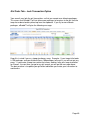
Caring column is not part of the physical order.
Page 26
You can also enter orders for booth or other as directed by your council.
Click on the word OTHER. The system will highlight the line. Click in the first input box
at the bottom of the page, the line will highlight. NOTE: The GOC column is not
available for the other row. Tab through the boxes and enter your cookie quantities.
The system will show you the total. Verify the total and press enter or the OK button.
The system will move the numbers to the OTHER line.
If so designated by your council, you can also enter the troop’s booth order.
Click on the word BOOTH. The system will highlight the line. Click in the first input box
at the bottom of the page, the line will highlight. NOTE: The GOC column is not
available for booth sales. Tab through the boxes and enter your cookie quantities.
The system will show you the total. Verify the total and press enter or the OK button.
The system will move the numbers to the BOOTH line.
You must click the Save button to save your information. The system will display that it
is saving the information.
To print the order, click the Printable Version button.
Submit Order – This button is used to submit a troop order to the service unit. You
must still click this button for the system to know that this order is done. The system will
confirm that the troop order was submitted on the screen and send you an email.
Page 27
NOTE: You can only submit your
order once. If you have changes
after you submit, you will need to
contact your service unit cookie
manager.
Page 28
Delivery Tab
The delivery tab allows you to select your cookie delivery site and time and also view
your delivery information. You may or may not be required to enter information on this
tab. The purpose of this tab is for a troop to be assigned to a delivery pick up site for
the initial cookie order. In addition, your council may allow you to select your
PREFERRED pick up time. See your council for specifics.
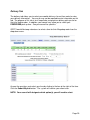
GSCTX would like troop volunteers to select a time for their Megadrop order from the
drop down menu.
Answer the questions and select your time by clicking in the box to the right of the time.
Click the Submit My Info button. The system will confirm your submission.
NOTE: Your council will designate which option(s) you will need to select.
Page 29
A delivery confirmation page will be available as specified by your council. Click
the view confirmation button.
Page 30
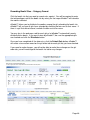
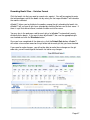
Girl Order Tab – Category Format
This tab allows you to enter by girl, additional cookie orders, booth sales packages sold,
Gift of Caring pkgs and payments. You can add a comment on each row. There are
two views of the girl orders. You can see a summary troop view or each girl’s detail.
The system defaults to the troop summary view. Your council may limit your girl
transaction to not exceed the troop package total.
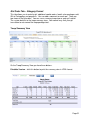
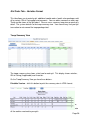
Troop Summary View
On the Troop Summary View you have three buttons.
Printable Version – click this button to print the summary view in HTML format.
Page 31
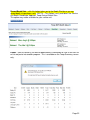
Record Booth Sale – click this button takes you to the Booth Site tab so you can
record booth site packages sold.- GSCTX – This Option is only available if the Service
Unit Booth Coordinator approves Troop Entry of Booth Sites.
This option may not be available for your service unit.
Export - click this button if you want to download this information to save as an html file
or cut and paste into another program. This is available on the Troop Summary screen
only.
Page 32
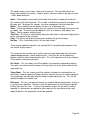
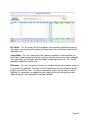
The troop summary view shows a total row for each girl. The girl order tab will no
longer track cookies by varieties. Cookies orders are now in columns by types of sales
– initial, booth and other.
Initial – These cookies were sold at initial order time and this number will match the
girl’s order on the initial order tab. This number is locked and cannot be changed on the
girl order tab. To change this number, it must be changed on the initial order tab.
Booth – These cookies are the cookies the girls sell at the booth sites.
Other – These are additional cookies that are sold after the initial order but are not sold
at a booth sale. This could include additional sales to customers, walk-abouts, etc.
Total – Total of cookies sold by the girl.
Total Due – This figure is calculated by taking the total cookies sold and multiplying that
by the selling price to the customer.
Paid – This column will display all payments made by the girl to the troop.
Bal Due – This is the balance that is still due from the girl.
There may be additional column(s) for tracking Gift of Caring/Donation programs that
are specific to your council.
The system will tell you how many cookies you have ordered through the initial order,
cupboard/depot pickups, and/or troop transfers. It will then tell you the difference
between what has been allocated to the girls. This will help to ensure that you allocate
all the cookies received to your girls.
Girl Totals – This line shows you all the cookies that have been allocated to the girls.
Your goal is to match the total number for the girl totals line to the total number for the
troop order line.
Troop Order – This line shows you all the cookies the troop has received either via
initial order, troop-to-troop transactions, pick-ups from the service unit and/or cupboard.
These packages are ultimately what the troop is responsible to pay for. This line will
update throughout the cookie sale.
Difference - This line is to help you know if you need to allocate more cookies to girls or
if you have over allocated. The goal is that the total column on the Difference row will
be 0 by the end of the sale. As you assign cookies to girls, the girl total line will be
updated. As transactions are posted to your troop (see the transaction tab or sales
report for details), the troop order line will be updated.
Page 33
Girl View
The girl view will show you the detail transactions for the girl. The first row will usually
show the initial order which is locked and cannot be changed on this screen. You will
need to change these numbers on the initial order tab. If the initial order tab is
unavailable you would need to contact your appropriate council staff/volunteer.
Printable – This button allows you to print a listing of all the information for the girl.
Add Trans – This button allows you to add transaction(s) to the girl. You may add as
many transactions as necessary. You can enter in cookie transactions, payment
transactions or both in one transaction.
Add Payment – This button allows you to add only a payment. You may add as many
of these transactions as necessary.
Save – This button is to save the transactions you have created. If you do not save
your data, you will lose that data. You do not have to save after every transaction but
must save before you leave the screen to avoid losing your data.
Switch to Girl – This allows you to enter transactions for another girl without having to
always go back to the troop view. Click the dropdown arrow and select a girl name.
Return to Summary View – This link allows you to return back to the troop summary
view. Any transaction entered will automatically be displayed on the summary view.
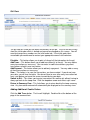
Adding Additional Cookie Orders
Click the Add Trans button. The line will highlight. Double-click at the bottom of the
page in the comment box.
Page 34
In the boxes below, key in a comment and the additional cookies using the tab key to
move through the columns. You can also enter in a payment at the time of entering in
the cookies. Click the Enter key to end the data entry OR click the OK button. The
information will be displayed on the grid. Click the SAVE button to save the
transaction(s).
Adding Only Payments
You may add a payment to any available line in a girl record. To enter a payment, click
the Add Payment button. You then double-click in the paid box at the bottom of the
screen. Click the Enter key to end the data entry OR click the OK button. The
information will be displayed on the grid. Click the SAVE button to save the
transaction(s).
Page 35
Girl Order Tab – Varieties Format
This tab allows you to enter by girl, additional cookie orders, booth sales packages sold,
all by variety, Gift of Caring pkgs and payments. You can add a comment on each row.
There are two views of the girl orders. You can see a summary troop view or each girl’s
detail. The system defaults to the troop summary view. Your council may limit your girl
transaction to not exceed the troop package total.
Troop Summary View
The troop summary view shows a total row for each girl. This display shows varieties,
Gift of Caring (if applicable) and financials.
On the Troop Summary View you have three buttons.
Printable Version – click this button to print the summary view in HTML format.
The system will tell you how many cookies you have ordered through the initial order,
cupboard/depot pick-ups, and/or troop transfers. It will then tell you the difference
between what has been allocated to the girls. This will help to ensure that you allocate
all the cookies received to your girls.
Page 36
Girl Totals – This line shows you all the cookies that have been allocated to the girls.
Your goal is to match the total number for the girl totals line to the total number for the
troop order line.
Troop Order – This line shows you all the cookies the troop has received either via
initial order, troop-to-troop transactions, pick-ups from the service unit and/or cupboard.
These packages are ultimately what the troop is responsible to pay for. This line will
update throughout the cookie sale.
Difference - This line is to help you know if you need to allocate more cookies to girls or
if you have over allocated. The goal is that the total column on the Difference row will
be 0 by the end of the sale. As you assign cookies to girls, the girl total line will be
updated. As transactions are posted to your troop (see the transaction tab or sales
report for details), the troop order line will be updated.
Page 37
Girl View
The girl view will show you the detail transactions for the girl. The first row will usually
show the initial order which is locked and cannot be changed on this screen. You will
need to change these numbers on the initial order tab. If the initial order tab is
unavailable you would need to contact your appropriate council staff/volunteer.
The column labeled Bth is to designate cookies as booth cookies for reward automation
if applicable in your council.
Printable – This button allows you to print a listing of all the information for the girl.
Add Trans – This button allows you to add transaction(s) to the girl. You may add as
many transactions as necessary. You can enter in cookie transactions, payment
transactions or both in one transaction.
Add Payment – This button allows you to add only a payment. You may add as many
of these transactions as necessary.
Save – This button is to save the transactions you have created. If you do not save
your data, you will lose that data. You do not have to save after every transaction but
must save before you leave the screen to avoid losing your data.
Switch to Girl – This allows you to enter transactions for another girl without having to
always go back to the troop view. Click the dropdown arrow and select a girl name.
Return to Summary View – This link allows you to return back to the troop summary
view. Any transaction entered will automatically be displayed on the summary view.
Adding Additional Cookie Orders
Click the Add Trans button. The line will highlight. Double-click at the bottom of the
page in the comment box.
Page 38
In the boxes below, key in a comment and the additional cookies using the tab key to
move through the columns. There is a check box for you to designate that the boxes
you are entering were sold at a booth sale. This is needed if your council automates
booth sale rewards to tell eBudde™ how many booth boxes were sold. You can also
enter in a payment at the time of entering in the cookies. Click the Enter key to end the
data entry OR click the OK button. The information will be displayed on the grid. Click
the SAVE button to save the transaction(s).
Adding Only Payments
You may add a payment to any available line in a girl record. To enter a payment, click
the Add Payment button. You then double-click in the paid box at the bottom of the
screen. Click the Enter key to end the data entry OR click the OK button. The
information will be displayed on the grid. Click the SAVE button to save the
transaction(s).
Page 39
Girl Order Tab – Lock Transaction Option
Your council may lock the girl transactions so that you cannot over allocate packages.
This means that eBudde™ will not allow more packages to be given to the girl than the
troop has ordered and/or picked up from the cupboard. If you try to over allocate
packages, eBudde™ will give the following message:
Keep this in mind if you as a troop give boxes away. Example: If your troop initial order
is 100 packages and you distribute those 100 packages to the girls; you will not get any
errors. If you create a troop transaction that moves cookies from your troop to another
for 2 boxes, the next time you go to any girl record, you will get the message above.
The best practice is to update your girl order tab before you create your transaction to
avoid errors.
Page 40
Council Sponsored Booth Sales (Council Sales)
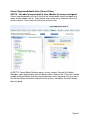
GSCTX – Not able to request booths from eBudde, they are pre-assigned.
Council sponsored booth sales are sites that are scheduled by council and open to all
troops to hold a booth sale at. There may be rules to how many and when these sites
can be selected. Your council will inform you of these rules.
At GSCTX, Council Booth Selection occurs in early January. Service Unit Cookie
Managers select and distribute Council Booths within a Service Unit. There are a limited
number of Council Booths and they are distributed on a first signed up, first given basis.
Any Council Booth information entered into the system is for booths that have already
been assigned.
Page 41
Troop Booth Signup Request (Optional)
Council may allow troops to request personal booth sites through eBudde™. eBudde™
has a process for approving/denying requests and you can see the status of your
request once submitted.
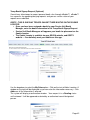
GSCTX - THIS IS ONE WAY TROOPS CAN GET THEIR BOOTHS ON THE COOKIE
LOCATOR.
• Once you have been assigned a booth by your Service Unit Booth
Manager, enter the booth information in the Troop Booth Signup Request
• Service Unit Booth Managers will approve your booth for placement on the
Cookie Locator
• The Cookie Locator is available via app, GSUSA website, and GSCTX
website --- You definitely want your booths on this app.
Use the dropdown to select the My Sales option. Click on the text of Add a Location. A
window on the right will be displayed so you can enter the information necessary. Click
Add once all the information is entered.
The system will display a confirmation window. Your request is in a Pending status
until reviewed. It will be approved or denied by an authorized council designated
person.
Page 42
On the left, the color-coding helps identify the status of the request.
Blue location indicates that the request is pending
Green location indicates that the request has been approved
Orange location indicates that the request has been denied
You can also look over to the right and view the status in the box labeled Approval.
You also can view any messaging on approval/denial process.
As a council option, troops may be able to delete their request at any time. If the
council does not select this option, you can delete your booth ONLY if the request is
pending. If your council has not selected the option to all you to delete your booth
request, and you need to have it deleted, contact your council or volunteer. --- GSCTX
will allow you to delete your requests.
Page 43
Ability to delete is at council
discretion
Page 44
Record Sales (Optional)
A troop can record their booth site sales. The troop records total packages sold and
then can distribute those packages to the girls. You can record sales for both council
sites and troop requested sites.
Select Record Sales from the dropdown list. The system will display the booth sites
that the troop has signed up for. Sales are listed in chronological order, oldest to
newest. If you have recorded sales for a booth site, it will appear gray in the list. You
can still open and edit if necessary.
Page 45
Recording Booth Sites – Category Format
Click the booth site that you want to record sales against. You will be required to enter
the total packages sold at the booth site by variety for the troop. eBudde™ will calculate
the monies collected.
eBudde™ allows you to distribute the cookies among the girls attending the booth site.
eBudde™ will assume all girls have attended by checking the box next to their name. If
there is a girl that did not attend, uncheck the box next to her name.
You may key in the packages sold for each girl or let eBudde™ automatically evenly
distribute those boxes. If you want it done by eBudde™, be sure the appropriate girls
are checked and click the Distribute button.
Once you have completed all the data entry, click the Submit Sale button. eBudde™
will create a transaction record on the girl order tab for each girl that you have checked.
If you need to make changes, you will not be able to make those changes on the girl
order tab, you will need to go to the booth site tab for any changes.
Page 46
Recording Booth Sites – Varieties Format
Click the booth site that you want to record sales against. You will be required to enter
the total packages sold at the booth site by variety for the troop. eBudde™ will calculate
the monies collected.
eBudde™ allows you to distribute the cookies among the girls attending the booth site.
eBudde™ will assume all girls have attended by checking the box next to their name. If
there is a girl that did not attend, uncheck the box next to her name.
You may key in the packages sold for each girl or let eBudde™ automatically evenly
distribute those boxes. If you want it done by eBudde™, be sure the appropriate girls
are checked and click the Distribute button.
Once you have completed all the data entry, click the Submit Sale button. eBudde™
will create a transaction record on the girl order tab for each girl that you have checked.
If you need to make changes, you will not be able to make those changes on the girl
order tab, you will need to go to the booth site tab for any changes.
Page 47
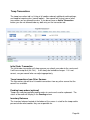
Troop Transactions
The troop transaction tab is a listing of all cookies ordered, additional cookie pickups,
and troop-to-troop transfers (council option). Your council will instruct you on what
transactions you are allowed to make. If you do not have an Add a Transaction
button, you are not allowed to do any data entry on the transaction tab.
Initial Order Transaction
The initial order transaction will show up once you submit your order to the service unit.
It will have receipt # of (Init. Del.) . It will always be locked to changes. If it is not
correct, see your council who can adjust appropriately.
Troop transactions from Other Sources
The transactions tab will also list cookie transactions from any other source that the
council has available.
Pending troop orders (optional)
Troops can now place pending cookie orders to service units and/or cupboards. The
status of the order will display in the Pending column
Inventory Balances
The inventory balance located at the bottom of the screen is a tool for the troop cookie
person to know what cookies they are responsible for.
Page 48
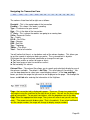
Navigating the Transaction Form
The columns listed from left to right are as follows:
Receipt # - This is the receipt code of the transaction
Pending – This shows if the order is pending.
Type – A reference for your council
Date – This is the date of the transaction
2nd Party – This is whom the cookies are going to or coming from
SvSm– Savannah Smiles
Tre – Trefoils
D-S-D – Do-Si-Dos
Sam – Samoas
RRR - Rah Rah
Tag – Tagalongs
TMints – Thin Mints
Total – Total of all varieties
You will notice that there is a sign before each of the column headers. This allows you
to sort the records in whatever order you prefer. The system default is by date.
Clicking on the sign will activate, deactivate or change the sort type
▼ Sort from smaller or earliest to larger or latest
▲ Sort from larger or latest to smaller or earliest
► Not sorted by this column
Column Filter – The column filter allows you to search and selectively display by any of
the columns available. The default is No Filter. This will display all transactions. You
use the drop down box to select your search/display column. In the Low and High
boxes you enter the range that you want to see displayed on the page. Tab through the
boxes and hit tab after entering the information in the High box.
Page – the transaction tab is displayed in pages. There are 15 rows to a page which
may require using the scroll bar to the right to see all rows. You will see the most recent
page of transactions. To see past transactions, click the dropdown next to the label
Page. Select the appropriate date range. The system will refresh and you will see that
page. . The range currently displays date. That is the default. If you select a different
sort like receipt number, the range will change to display receipt numbers.
Page 49
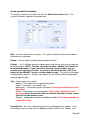
Create a product transaction
To create an inventory transaction, left-click the Add a Transaction button. The
system will display a product transaction form.
Date – enter the date of the transaction. The system will default to the current date or
the previously keyed date
Pickup – You can specify a preferred pickup date and time.
Receipt : - this is a fifteen character alphanumeric field that you may use for reference
to the transaction. NOTE: This box cannot be left blank. eBudde™ will default to
an automated number. If you need to key your own receipt number, you can
override just by keying in the box. If you key in the box by mistake, click the #
button to have eBudde™ create a receipt number for you. The status of the receipt
is determined by councils. Councils can choose to have it totally locked, locked upon
saving or open for edits.
Type – Select type of transaction.
Normal – Transaction with no specific designation
Booth – Transaction is for a booth sale
Adjustment – Transaction type for corrections (This option available at council
discretion)
Return – Transaction for return of cookies (This option available at council
discretion) Check Service Unit Rules on Returns. Most do not allow returns
after the first two weeks of sales.
Reorder – Cupboard transaction for additional cookies (This option available at
council discretion)
Second Party: - this refers to the other party that is getting/giving the cookies. Is the
transaction you wish to enter with a cupboard, another service unit or a troop? You
Page 50
would select it by clicking the drop down or typing in the first letter. You then enter the
number of the second party – troop number, service unit number, cupboard number.
Product Movement: You have two options. Remove Product or Add Product - If
cookies are being added to your troop, click Add Product. If cookies are being removed
from your troop, click Remove product.
Enter the quantities of product in either cases, packages or both. The system will total
the information for you so you can verify accuracy.
Contact Info (optional) – This is for you to provide contact information so the other
party has this information if needed.
Contact Info – This information allows the other party to contact you if needed.
eBudde™ will pre-fill this information with your contact information.
The add more button allows you to create multiple transactions by going to an entry
form immediately. Click or press the spacebar on this button to activate.
Left-click Okay to save the transaction. Left-click Cancel to leave the form without
saving.
You then must click Save to save the transaction(s) entered. The system will warn you
if you do not save the worksheet as your data will not be saved.
Save and Print – This button has two functions. It will print a receipt AND save the
transaction. This button replaces the Receipt button. The receipt button only printed
the receipt and did not save the transaction unless you clicked the save button on the
summary grid.
Create a Pending Order Request for a Cupboard (Optional)
A troop can create a pending cookie order request for a cupboard on the transaction
tab. If your council has this option available, the order is created automatically if the
following options are selected on the product transaction form:
Second Party: Cupboard is selected and a cupboard number is entered
Product Movement: Add is selected
When you click Okay and the transaction is displayed on the grid, you will see a yes
under the pending column.
The transaction may be locked immediately or your cupboard will lock the transaction
appropriately according to council’s process. You council will advise the locking timing.
Page 51
Page 52
Rewards Tab
There are two methods of entering in rewards. The rewards tab is for troops placing a
compiled troop reward order. You may also create reward orders by girl.
Troop Reward Order
NOTE: The Initial Rewards Order option may not be available. This is an option
that can be selected by your council.
For this example we will be working with the Final Rewards Order. The View button
allows you to see the rewards order. The Fill Out button is for entering the troop order.
Click the Fill Out button. The system will display all the rewards available for selection.
Enter in the quantities for the troop reward order. Tab through the boxes. Click the
Submit Reward Order to submit the order to the service unit. Click the Return to
Report List button to return to the previous screen.
Page 53
Individual Girl Reward Order
The eBudde™ system automatically will calculate the girl orders based on their boxes
sold under the Girl Orders tab. The only thing you will have to do is enter sizes (if
appropriate), verify totals and submit your order.
NOTE: The Initial Rewards Order option may not be available. This is an option
that can be selected by your council.
For this example we will be working with the Final Rewards Order. The View button
allows you to see the rewards order. The Fill Out button is for entering the girl and
troop order.
If you need to enter information for a girl order, the system will tell you. eBudde™ will
point that out to you by highlighting a message in red saying (size/catalog selection
needed). Once you have submitted the girl’s order, eBudde™ will display the message
in green. (size/catalog selection done).
You can now edit all girl orders at the same time or click each girl individually. To
update a specific girl you:
Click the girl’s name.
Page 54
The girl screen will vary based on your council reward program. There may be
more/less levels. There may be choices to pick one item over another. See your
council for specifics on your reward program.
Enter the size for the t-shirt. Click the Submit Girl Order button. If you do not want to
submit the girl order, click the Cancel button.
The system will now remind you to submit your troop order after submitting a girl order.
There will be messaging displayed for you as a reminder.
OR you may now click the Edit All link.
When you click the Edit All link, eBudde™ will display all the girls in the troop and their
boxes sold and t-shirt sizes. It will then list the rewards the girl has earned. If there are
choices or sizes, you will select all those selections for all the girls before you submit.
Page 55
Once you have updated all the girl rewards and submitted, eBudde™ will show that the
selections were completed.
Once all the girl reward orders have been updated, review your troop order total. You
may need to enter additional quantities for items that are not automated. In the
example below, you would need to enter a quantity in the box labeled GOC Patch.
Once you have entered that number, you will click the Submit Reward Order button to
submit your order to your service unit.
Cancel – this button returns you to the screen where you can view or fill out.
Submit Reward Order – This button submits the troop reward order to the service unit.
Once you click this button, the reward orders for girl and troops cannot be changed by
troops only by a service unit user.
Page 56
Deposits
GSCTX Does not use the Deposits portion of eBudde.
Money received can be tracked in the girl order tab.
Page 57
GOC Org. Tab
The GOC Org. tab is where you record the organizations that you have donated your
troop donation boxes recorded in the initial order and/or girl order tab.
Enter in organizational information and click update. eBudde™ will then provide
additional data entry for as many organizations as you need to enter.
Page 58
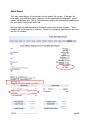
Sales Report
The sales report reflects all transactions for the troop in the system. It includes the
initial order, any additional orders, deposits and the calculation for troop profit, council
monies and balance due. Gift of Caring/Donation cookies will automatically populate on
the sales report from the girl order tab.
We have now secured the display of the bank account and routing numbers. These
numbers will be hashed out as a default. Council can designate specific users that may
see the full numbers.
Page 59
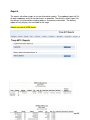
Reports
The reports tab allows troops to run two information reports. The cupboard report will list
all open cupboards and their location/hours of operation. The delivery station report lists
the delivery site information including address and contact information. The delivery
report will only display sites available to the troop.
Reports are now in XLSX format.
Page 60
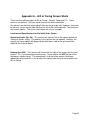
Appendix A – Gift of Caring Screen Shots
There are three different types of Gift of Caring – Council, Troop and FYI. These
columns are optional. See your council manual for detail information.
Any columns on the initial order tab will show on the girl order tab. However, there may
be columns just on the girl order tab that are not on the initial order tab. The acronyms
are council specific. The screen shots below are just an example.
Location and Specifications for the Initial Order Screen Operation Cookie (Op. Ck) – This column will show on the far left column before the
Savannah Smiles variety. The cookies in this column are not ordered. However, the
quantity for these cookies will be part of the total boxes sold for the girl and will be
added to the financial dollars.
Helping Hero (HH) – This column will show to the far right of the screen after the total
column. This is an informational column only. These cookies will NOT be part of the
total boxes sold by the girl. The expectation is that the actual cookies have been
ordered by variety and this is just to inform the council how many of these cookies are
Gift of Caring.
Page 61
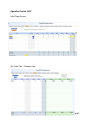
Operation Cookie GOC
Initial Order Screen
Girl Order Tab – Category View
Page 62
Girl Order Tab – Variety View
Page 63
Helping Hero GOC
Initial Order Tab
Girl Order Tab – Category View
Girl Order Tab – Variety View
Page 64
Troops can enter Booth Information into eBudde, and Service Unit Booth
Managers can arppove it:
1. Troops will have a “Booth Sites” tab in eBudde
2. After the booth draws, have each Troop input the booths that they were given into the
Booth Site information page.
3. Service Unit Booth Managers will have to approve the booths before they
Page 65
Page 66