1
DHIS 2 End-user Manual
Contents
1. Getting started with DHIS 2 as end-user ............................................................................................. 1
1.1. Getting started with DHIS2 .................................................................................................... 1
1.2. Opening DHIS 2 .................................................................................................................. 1
1.3. Logging in and out of the application ....................................................................................... 1
1.4. Navigating the application ...................................................................................................... 1
1.4.1. The top menu - access to the modules ............................................................................ 2
1.4.2. Navigation inside modules ........................................................................................... 2
2. Data entry ...................................................................................................................................... 3
2.1. Learning Objectives .............................................................................................................. 3
2.2. Data entry with DHIS 2 ......................................................................................................... 3
2.2.1. Selecting the data entry form ........................................................................................ 3
2.2.2. Entering data ............................................................................................................. 4
2.2.3. Validating data in the form .......................................................................................... 5
2.2.4. Offline data entry ....................................................................................................... 5
3. Using Data Quality functionality ........................................................................................................ 7
3.1. Overview of data quality checks .............................................................................................. 7
3.2. Data quality checks ............................................................................................................... 7
3.3. Running Validation Rule Analysis ........................................................................................... 7
3.4. Std Dev Outlier Analysis ....................................................................................................... 9
3.5. Min-Max Outlier Analysis .................................................................................................... 10
3.6. Gap Analysis ...................................................................................................................... 11
3.7. Follow-Up Analysis ............................................................................................................. 11
4. Introduction to indicators ................................................................................................................ 13
4.1. Indicators ........................................................................................................................... 13
4.2. Indicator types .................................................................................................................... 15
5. Using reporting functionality ........................................................................................................... 17
5.1. Reporting functionality in DHIS 2 ......................................................................................... 17
5.2. Using standard reports ......................................................................................................... 18
5.3. Using report tables .............................................................................................................. 18
5.4. Using dataset reports ........................................................................................................... 19
5.5. Using resources .................................................................................................................. 20
5.6. Using data visualizer ........................................................................................................... 20
5.7. Using the dashboard ............................................................................................................ 20
5.8. Using reporting rate summary ............................................................................................... 22
5.9. Using organisation unit distribution reports .............................................................................. 23
5.10. Using web pivot table ........................................................................................................ 24
5.11. Using data mart management ............................................................................................... 24
6. Using Data Visualizer .................................................................................................................... 25
6.1. Data Visualizer overview ...................................................................................................... 25
6.2. Selecting chart type ............................................................................................................. 25
6.3. Selecting series, category and filter ........................................................................................ 26
6.4. Selecting indicators and data elements .................................................................................... 26
6.5. Selecting reporting rates ....................................................................................................... 26
6.6. Selecting relative periods ...................................................................................................... 27
6.7. Selecting fixed periods ......................................................................................................... 27
6.8. Selecting organisation units ................................................................................................... 27
6.9. Selecting organisation unit groups .......................................................................................... 27
6.10. Selecting chart options ....................................................................................................... 27
6.11. Displaying a chart ............................................................................................................. 28
6.12. Displaying a data table ....................................................................................................... 28
6.13. Downloading chart as image or PDF ..................................................................................... 28
6.14. Saving chart as favorite ...................................................................................................... 28
6.15. Sharing interpretations ........................................................................................................ 29
6.16. Exiting the data visualizer module ........................................................................................ 29
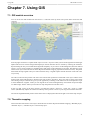
7. Using GIS .................................................................................................................................... 31
7.1. GIS module overview .......................................................................................................... 31
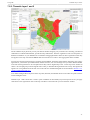
7.2. Thematic mapping ............................................................................................................... 31
iii