1
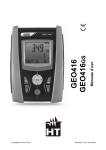
User manual GEO416 GEO416GS Copyright HT ITALIA 2012 Release EN 2.00 - 04/10/2012 GEO416 - GEO416GS Table of contents: 1. SAFETY PRECAUTIONS AND PROCEDURES .......................................................... 2 1.1. Preliminary instructions ..................................................................................................... 2 1.2. During use ......................................................................................................................... 3 1.3. After use ............................................................................................................................ 3 1.4. Definition of measurement category (Overvoltage) ........................................................... 3 2. GENERAL DESCRIPTION ........................................................................................... 4 2.1. Instrument description ....................................................................................................... 4 3. PREPARING THE INSTRUMENT ................................................................................ 4 3.1. Initial check........................................................................................................................ 4 3.2. Power supply ..................................................................................................................... 4 3.3. Calibration ......................................................................................................................... 4 3.4. Storage .............................................................................................................................. 4 4. WORKING INSTRUCTIONS ........................................................................................ 5 4.1. Instrument description ....................................................................................................... 5 4.2. MEASURING ACCESSORIES DESCRIPTION ................................................................ 5 Fig. 2: Measuring accessories description................................................................................................ 5 4.2.1. Switching on ............................................................................................................................. 6 4.2.2. Auto power off .......................................................................................................................... 6 4.3. EARTH 3W – 3 wire earth resistance measurement......................................................... 7 4.4. EARTH 2W – 2 wire earth resistance measurement......................................................... 9 4.5. - Ground resistivity measurement ................................................................................ 12 4.5.1. Anomalous measuring applications ....................................................................................... 15 5. MANAGEMENT OF STORED DATA.......................................................................... 17 5.1. How to save a measurement........................................................................................... 17 5.2. how to cancel one or several measurements .................................................................. 17 5.3. How to recall a measurement.......................................................................................... 18 6. INSTRUMENT RESET ............................................................................................... 19 7. INSTRUMENT CONNECTION TO PC ....................................................................... 19 8. MAINTENANCE ......................................................................................................... 20 8.1. General............................................................................................................................ 20 8.2. Battery replacement ........................................................................................................ 20 8.3. Instrument cleaning ......................................................................................................... 20 8.4. End of life ........................................................................................................................ 20 9. TECHNICAL SPECIFICATIONS ................................................................................ 21 9.1. Technical features ........................................................................................................... 21 9.1.1. Reference standards .............................................................................................................. 22 9.1.2. General features .................................................................................................................... 22 9.2. Environment .................................................................................................................... 22 9.2.1. Operating environmental conditions ...................................................................................... 22 9.3. Accessories ..................................................................................................................... 22 9.3.1. Standard and optional accessories GEO416......................................................................... 22 9.3.2. Standard accessories GEO416GS ........................................................................................ 22 10. SERVICE .................................................................................................................... 23 10.1. Warranty terms ................................................................................................................ 23 10.2. After-sales service ........................................................................................................... 23 11. PRACTICAL REPORTS FOR ELECTRICAL TESTS ................................................. 24 11.1. Earth resistance in tt systems ......................................................................................... 24 11.2. Earth resistance, voltaamperemetric method .................................................................. 25 11.2.1. Creating cables extensions .................................................................................................... 25 11.2.2. Method for small-sized earth rods.......................................................................................... 25 11.2.3. Method for large-sized earth rods .......................................................................................... 25 11.3. Ground resistivity............................................................................................................. 26 11.3.1. Approximate evaluation of intentional rods' contribution ....................................................... 27 EN - 1 GEO416 - GEO416GS 1. SAFETY PRECAUTIONS AND PROCEDURES The instrument was designed in compliance with standards IEC/EN61557 and IEC/EN61010-1 relative to electronic equipment. CAUTION For your own safety and to avoid damaging the instrument you are recommended to follow the procedures described in this manual and read carefully all instructions preceded by this symbol Before and during measurements keep to the following instructions: Do not take measurements in wet places as well as in the presence of explosive gas and combustibles or in dusty places Even though you are not taking any measurement avoid any contact with the circuit under test, with exposed metal parts, unused measuring terminals, circuits etc Do not take any measurement any measurement whenever anomalous conditions occur such as deformations, breaks, leakages, blind display etc Pay utmost attention when taking measurements of voltage higher than 25V in special places (building yards, swimming pools, etc.) and higher than 50V in ordinary places due to the risk of electric shock. The following symbols are used in this manual as well as on the instrument: CAUTION: Please read carefully this manual in order to understand the nature of the potential danger and the actions to undertake Refer to the instruction manual. An improper use may damage the instrument or its components as well as endanger the user DC or AC voltage and current High voltage danger: risk of electric shock Double insulation 1.1. PRELIMINARY INSTRUCTIONS This instrument was designed for use in environments with pollution degree 2 It can be used for voltage and current measurements on electrical installations with CAT III 240V to earth and maximum voltage of 415V between inputs You are recommended to respect the usual safety regulations aimed at protecting you against dangerous currents and the instrument against improper use Only the original accessories supplied along with the instrument guarantee compliance with the safety standards in force. They must be in a good condition and, if necessary, replaced with identical ones Do not test nor connect to any circuit exceeding the specified overload protection Do not take measurements under environmental conditions exceeding the limits indicated in this manual Make sure that batteries are correctly installed Before connecting test leads to the circuit under test check that the right function was selected. EN - 2 GEO416 - GEO416GS 1.2. DURING USE You are recommended to read carefully the following instructions: CAUTION Failure to comply with warnings and instructions may damage the instrument and/or its components as well as injure the operator. If the low battery symbol is displayed during use interrupt testing and replace batteries following the procedure described in § 8.2 Before selecting a new function disconnect the test leads from the circuit under test When the instrument is connected to the circuit under test never touch any unused terminal Do not measure resistance in the presence of external voltages; although the instrument is protected, an excessive voltage may cause malfunction Avoid submitting the instrument to voltage while measuring (i.e. a test lead slipping off the measuring point accidentally touching an energized point). 1.3. AFTER USE Turn off the instrument pressing ON/OFF key after using it If you expect not to use the instrument for a long time remove the batteries. 1.4. DEFINITION OF MEASUREMENT CATEGORY (OVERVOLTAGE) The standards IEC/EN61010-1: Safety requirements for electrical equipment for measurement, control and laboratory use, Part 1: General requirements, define what a measurement category, usually called over voltage category, means. Under § 6.7.4: Measuring circuits, it quotes: Circuits are divided into the following measurement categories: Measurement category IV is for measurements performed at the source of a lowvoltage installation. Examples are electricity meters and measurements on primary excess current protection devices as well as ripple control units. Measurement category III is for measurements performed in the building installations. Examples are measurements on distribution boards, circuit breakers, wiring, including cables, bus-bars, junction boxes, switches, socket-outlets in the fixed installations, and equipment for industrial use as well as some other equipment, for example, stationary motors with permanent connection to fixed installations. Measurement category II is for measurements performed on circuits directly connected to the low voltage installations. Examples are measurements on household appliances, portable tools and similar equipment. Measurement category I is for measurements performed on circuits not directly connected to MAINS. Examples are measurements on circuits not derived from MAINS, and specially (internally) protected MAINS-derived circuits. In this latter case, transient stresses are variable; for this reason, the norm requires that the transient withstanding capability of the equipment is made known to the user. EN - 3 GEO416 - GEO416GS 2. GENERAL DESCRIPTION This instrument will grant you accurate and reliable measurements provided that is used according to the instructions given in this manual. You will enjoy the highest safety thanks to a development of newest conception assuring double insulation and over voltage category III. 2.1. INSTRUMENT DESCRIPTION EARTH 2W: 2-wire earth resistance measurement EARTH 3W: 3-wire earth resistance measurement ρ: 4-wire ground resistivity measurement. 3. PREPARING THE INSTRUMENT 3.1. INITIAL CHECK This instrument was checked both mechanically and electrically prior to shipment. All possible cares and precautions were taken to let you receive the instrument under perfect conditions. Notwithstanding we suggest you to check it rapidly to check any damage which may have occurred during transport. Should it be the case please contact immediately the forwarder or your dealer. Make sure that all standard accessories mentioned in the enclosed packing list (see § 9.3) are included in the packaging. In case of discrepancies contact your dealer. Should you have to return back the instrument for any reason please follow the instructions mentioned under § 10. 3.2. POWER SUPPLY The instrument is powered by batteries (see § 9.1.2). The battery charge is displayed on the right top side. The symbol indicates that batteries are fully charged, while the symbol indicates that batteries are low and shall be replaced. To replace/insert batteries follow the instructions indicated under § 8.2. 3.3. CALIBRATION The instrument complies with the technical specifications reported in this manual and such a compliance Is guaranteed for one year after purchase date. 3.4. STORAGE After a period of storage under extreme environmental conditions exceeding the limits let the instrument resume normal measuring conditions before using it (see § 9.2.1). This precaution will grant accurate measurements without risking to damage the instrument. EN - 4 GEO416 - GEO416GS 4. WORKING INSTRUCTIONS 4.1. INSTRUMENT DESCRIPTION CAPTION: 1. 2. 3. 4. 5. 6. 7. 8. Inputs ENTER/,,,keys ESC/ key RCL/CLR key Display GO key SAVE key ON/OFF key Fig. 1: Instrument’s description ENTER key to select measuring mode Arrow keys to move the cursor selecting the required parameters key to turn on the display backlight for 30 seconds ESC key to quit without selecting any mode RCL key to recall data stored in the instrument’s memory CLR key to cancel the selected measurements from the instrument’s memory GO key to start a measurement SAVE key to store measurements ON/OFF key to turn on/off the instrument 4.2. MEASURING ACCESSORIES DESCRIPTION CAPTION: 1. Barrier 2. Hand-Held Area Fig. 2: Measuring accessories description EN - 5 GEO416 - GEO416GS 4.2.1. Switching on When switching on the instrument a brief tone is audible along with display of all segments for about one second. Subsequently the last firmware version as well as the last selected measuring mode are displayed before switching off. 4.2.2. Auto power off The instrument automatically turns off 3 minutes after the last key pressing. To resume operation turn on the instrument pressing the on/off key. EN - 6 GEO416 - GEO416GS 4.3. EARTH 3W – 3 WIRE EARTH RESISTANCE MEASUREMENT The measurement is carried out in compliance with standards IEC 781, VDE 0413, IEC/EN61557-5. CAUTION The instrument can be used for voltage and current measurements on installations with over voltage category CAT III 240V to earth and maximum voltage of 415V between inputs. Do not connect the instrument to installations whose voltages exceed the limits indicated in this manual. Exceeding such limits may cause electric shock to the user and damage the instrument Always connect the cables to the instrument and to the alligator clips when the latter are not connected to the plant under test Always respect the Hand-held area of probe (see § 4.2) If the length of the supplied cables isn’t suitable for the plant under test (see § 11), You can create your own extensions following indications in § 11.2.1 Fig. 3: Three-wire earth resistance measurement 1. Turn on the instrument pressing the ON/OFF key 2. Pressing right/left arrow keys , select MOD, then pressing up/down arrow keys , select 3W option 3. A screen similar to the one beside appears where the input interfering voltage value of the instrument is displayed Input interfering value 4. voltage Connect the blue, red, green and black cables to the corresponding instrument’s input terminals H, S, ES, E then adding crocodiles if necessary EN - 7 GEO416 - GEO416GS 5. Extend, if necessary, the blue and red measuring cables separately using cables with proper section. Adding any extension does not require calibration and does not affect the measured earth resistance value 6. Drive the auxiliary rods into the ground keeping to the distance instructions provided by the standards (§ 11.2) 7. Connect crocodiles to the auxiliary rods and to the installation under test (see Fig. 3) 8. 9. Press GO key, the instrument starts carrying out measurement While the instrument is measuring a screen similar to the one beside appears where the instrument’s input interfering voltage value is displayed. When the message is displayed do not disconnect or touch the test leads Input interfering value voltage CAUTION When starting measurement the input interfering voltage is measured at both the volt and ampere circuit. Should it range between 3 V and 9 V, the instrument carries out measurement and displays the symbol uncertainty decline of the measurement (§ 9.1) 10. When the test is over, should the earth resistance value be lower than the full scale, the instrument emits a double tone indicating the positive outcome of the test and displays the resistance measurement as well as the interfering voltage value at the time of measuring indicating the Earth measurement resistance Input interfering value voltage CAUTION The resistance measurement is effected with 4-wire volt ampere method without being affected by the resistance value of the cables. It is therefore not necessary to effect compensation of cable resistance or of any extension 11. When the test is over, should the earth resistance value be higher than the full scale, the instrument emits a long tone indicating the negative outcome of the test and displays the screen beside 12. Earth resistance value higher than full scale Input interfering value The measurements can be stored pressing the SAVE key twice (§ 5.1) EN - 8 voltage GEO416 - GEO416GS 4.4. EARTH 2W – 2 WIRE EARTH RESISTANCE MEASUREMENT CAUTION The instrument can be used for voltage and current measurements on installations with over voltage category equal to CAT III 240V to earth and maximum voltage of 415V between inputs. Do not connect the instrument to installations whose voltages exceed the limits indicated in this manual. Exceeding such limits may cause electric shock to the user and damage the instrument Always connect the cables to the instrument and to the alligator clips when the latter are not connected to the plant under test Always respect the Hand-held area of probe (see § 4.2) If the length of the supplied cables isn’t suitable for the plant under test (see § 11), You can create your own extensions following indications in § 11.2.1 Whenever it is not possible to drive rods into the ground to take a three-wire measurement (i.e. historical centres), it is possible to use the simplified two-wire method which gives an excess value for the sake of safety. To carry out the test a suitable auxiliary rod is necessary; an auxiliary rod is deemed as suitable when its earth resistance is negligible and independent of the earth installation under test. In Fig. 4 a lamp post is used as auxiliary rod, however any metal body driven into the ground can be used provided that the above mentioned requirements are met. CAUTION The instrument displays the sum value of RA+RT as result (see Fig. 4 and Fig. 5). Therefore the measurement achieved is the closer to RA (prospective value) the more negligible is the value RT of the auxiliary rod with respect to RA itself. In addition the measurement will be increased “for safety sake” by RT, i.e. if RA+RT results to be coordinated with protective conductors, RA alone will be far more coordinated Fig. 4: Two-wire earth resistance measurement using an auxiliary rod In the TT systems (see Fig. 5) it is possible to perform a two-wire earth measurement using the NEUTRAL conductor provided by the national Energy Board taken directly from a socket or panel board as an auxiliary rod; if also the earth connection is available, the measurement can be taken on the socket directly, between NEUTRAL and EARTH. EN - 9 GEO416 - GEO416GS CAUTION If you wish to effect the measurement using the neutral and earth conductors of an ordinary socket, you may accidentally connect to phase; in this case the detected voltage as well as the warning symbol for wrong entering will be displayed and no measurement will be effected even though the GO key is pressed Fig. 5: Two-wire earth resistance measurement from the panel board 1. Turn the instrument on pressing the ON/OFF key 2. Pressing the right and left arrow keys , select MOD, then pressing the up and down arrow keys , select 2W option 3. A screen similar to the one beside appears where the input interfering voltage value of the instrument is displayed Input interfering value voltage 4. Connect the blue, red, green and black cables to the corresponding instrument’s input terminals H, S, ES, E then adding crocodiles if necessary 5. Extend, if necessary, the blue and red measuring cables separately using cables with proper section. Adding any extension does not require calibration and does not affect the measured earth resistance value 6. 7. Connect crocodiles to the auxiliary rods and to the installation under test (see Fig. 4 and Fig. 5) Press GO key, the instrument starts carrying out measurement EN - 10 GEO416 - GEO416GS 8. While the instrument is measuring a screen similar to the one beside appears where the instrument’s input interfering voltage value is displayed. When the message is displayed do not disconnect or touch the test leads Input interfering value voltage CAUTION When starting measurement the input interfering voltage is measured at both the volt and ampere circuit. Should it range between 3 V and 9 V, the instrument carries out measurement and displays the symbol uncertainty decline of the measurement (§ 9.1) 9. When the test is over, should the earth resistance value be lower than the full scale, the instrument emits a double tone indicating the positive outcome of the test and displays the resistance measurement as well as the interfering voltage value at the time of measuring indicating the Earth measurement resistance Input interfering value voltage CAUTION The resistance measurement is effected with 4-wire volt ampere method without being affected by the resistance value of the cables. It is therefore not necessary to effect compensation of cable resistance or of any extension 10. When the test is over, should the earth resistance value be higher than the full scale, the instrument emits a long tone indicating the negative outcome of the test and displays the screen beside 11. Earth resistance measurement higher than full scale Input interfering value The measurements can be stored pressing the SAVE key twice (§ 5.1) EN - 11 voltage GEO416 - GEO416GS 4.5. - GROUND RESISTIVITY MEASUREMENT The ground resistivity value is an essential parameter to calculate the resistance value of the earth rods to be used for the earth installation’s construction. The measurement is effected according to standards IEC 781, VDE 0413, IEC/EN61557-5. CAUTION The instrument can be used for voltage and current measurements on installations with over voltage category equal to CAT III 240V to earth and maximum voltage of 415V between inputs. Do not connect the instrument to installations whose voltages exceed the limits indicated in this manual. Exceeding such limits may cause electric shock to the user and damage the instrument Always connect the cables to the instrument and to the alligator clips when the latter are not connected to the plant under test Always respect the Hand-held area of probe (see § 4.2) If the length of the supplied cables isn’t suitable for the plant under test (see § 11), You can create your own extensions following indications in § 11.2.1 Fig. 6: Ground resistivity measurement 1. Turn on the instrument pressing the ON/OFF key 2. Pressing right/left arrow keys , select MOD, then pressing up/down arrow keys , select option EN - 12 GEO416 - GEO416GS 3. 4. 5. A screen similar to the one beside appears where both the input interfering voltage of the instrument and the rods’ distance value are displayed Should you need to modify the rods’ distance press the arrow keys , and select DIST, then pressing the arrow keys , set the desired distance (ranging from 1 up to 10 metres, by steps of one or from 3 up to 30 feet by steps of three) To set the distance measuring unit press the arrow keys , and select UNIT, then pressing the arrow keys , set the desired measuring unit (m or ft) Value of input interfering voltage and rods' distance set Value of rods' distance set Measuring unit selected 6. Connect the blue, red, green and black cables to the corresponding instrument’s input terminals H, S, ES, E then adding crocodiles if necessary 7. Extend, if necessary, the blue and red measuring cables separately using cables with proper section. Adding any extension does not require calibration and does not affect the measured ground resistivity value 8. Drive the auxiliary rods into the ground placing them on a line at a mutual distance equal to that selected on the instrument. Setting a distance other than the actual distance between the earth rods may affect the measurement (§11.3) 9. Connect crocodiles to the auxiliary rods (see Fig. 6) 10. Press GO key, the instrument starts carrying out measurement EN - 13 GEO416 - GEO416GS 11. While the instrument is measuring a screen similar to the one beside appears where the instrument’s input interfering voltage value and the distance set between auxiliary rods are displayed. When the message is displayed do not disconnect or touch the test leads Value of input interfering voltage and rods' distance set CAUTION When starting measurement the input interfering voltage is measured at both the volt and ampere circuit. Should it range between 3 V and 9 V, the instrument carries out measurement and displays the symbol uncertainty decline of the measurement (§ 9.1 12. When the test is over, should the ground resistivity value be lower than the full scale, the instrument emits a double tone indicating the positive outcome of the test and displays the resistivity measurement as well as the interfering voltage value at the time of measuring indicating the Measurement resistivity of ground Value of input interfering voltage and rods' distance set CAUTION The resistivity measurement is effected with 4-wire volt ampere method without being affected by the resistance value of the cables. It is therefore not necessary to effect compensation of cable resistance or of any extension. 13. When the test is over, should the ground resistivity value be higher than the full scale, the instrument emits a long tone indicating the negative outcome of the test and displays the screen beside Measurement of ground resistivity higher than the full scale Value of input interfering voltage and rods' distance set CAUTION The full scale is calculated as ρMAX = 2 DIST R where DIST is the value set for the distance among the rods and R the maximum resistance value which can be measured by the instrument. The full scale of ground resistivity measurement depends on the setting of the distance among the rods 14. The measurements can be stored pressing the SAVE key twice (§ 5.1) EN - 14 GEO416 - GEO416GS 4.5.1. Anomalous measuring applications 1. When starting a measurement the Volt circuit’s resistance too instrument checks the continuity of high measuring cables. If the volt circuit (red cable S and green cable ES) is interrupted or its resistance value is Value of input interfering voltage too high, the instrument displays a screen similar to the one beside. Check that terminals are properly connected Example for 3W mode and that the earth rod is connected to terminal S and not driven into a pebbly or scarcely conductive ground. In this latter case pour water around the rod to decrease its resistance value (§ 11.2). RP>top is displayed when: The S rod’s resistance RS > 50KΩ is summed up to the volt circuit The resistance of rod S exceeds the value 1200 + 100 RX [Ω] (where RX is the earth resistance value) 2. When starting a measurement the Ampere circuit’s resistance instrument checks the continuity of too high measuring cables. If the ampere circuit (blue cable H and black cable Value of input interfering E) is interrupted or its resistance voltage value is too high, the instrument displays a screen similar to the one Example for 3W mode beside. Check that terminals are properly connected and that the earth rod is connected to terminal H and not driven into a pebbly or scarcely conductive ground. In this latter case pour water around the rod to decrease its resistance value (§ 11.2). RC>top is displayed when: The H rod’s resistance RH > 50KΩ is summed up to the ampere circuit The resistance of rod H exceeds the value 1200 + 100 RX [Ω] (where RX is the earth resistance value) 3. When starting a measurement the Both volt and ampere instrument checks the continuity of circuits’ resistance too high measuring cables. If the volt circuit (red cable S and green cable ES) and Value of input interfering voltage the ampere circuit (blue cable H and black cable E) are both interrupted or Example for 3W mode their resistance values are too high, the instrument displays a screen similar to the one beside. Check that the terminals are properly connected and that the earth rods connected to terminals S and H are not driven into a pebbly or scarcely conductive ground. In this latter case pour water around the rods to decrease their resistance value (§ 11.2). RP, RC>top is displayed when: The S rod’s resistance RS > 50KΩ is summed up to the volt circuit and the H rod’s resistance H RH > 50KΩ is summed up to the ampere circuit Both the S rod’s resistance and the H rod’s resistance exceed the value 1200 + 100 RX [Ω] (where RX is the earth resistance value) EN - 15 GEO416 - GEO416GS 4. When starting a measurement, if the red cable (connected to S terminal) and the green cable (connected to ES terminal) are reversed, the instrument do not perform the test, emits a long sound tone and displays the screen beside Red and reversed green cables Example under ρ mode 5. When starting a measurement, if an interfering voltage higher than 9V is detected at the volt circuit’s input, the instrument do not perform the test, emits a long sound tone and displays the screen beside Too high input interfering voltage at volt circuit Input interfering value voltage Example under 2W mode 6. When starting a measurement, if an interfering voltage higher than 9V is detected at the ampere circuit’s input, the instrument do not perform the test, emits a long sound tone and displays the screen beside Too high input interfering voltage at ampere circuit Input interfering value voltage Example under 2W mode 7. When starting a measurement, if an interfering voltage higher than 9V is detected at both the ampere and volt circuits’ inputs, the instrument do not perform the test, emits a long sound tone and displays the screen beside Too high input interfering voltage at both ampere and volt circuits Input interfering value voltage Example under 2W mode 8. If battery voltage is too low the instrument displays the symbol of low battery as well as the message and no measurement is allowed. It is however possible to carry out settings, reading of stored data, etc Too low power supply, low batteries Input interfering voltage value and distance set among rods Example under ρ mode 9. The above said anomalous cases cannot be stored EN - 16 GEO416 - GEO416GS 5. MANAGEMENT OF STORED DATA 5.1. HOW TO SAVE A MEASUREMENT After taking a measurement press SAVE key, the instrument displays a screen similar to the one beside 1. Last value set parameters L and P for Should you need to modify the values of the parameters L and P press the arrow keys , and select L or P, then pressing the arrow keys , set the desired value (from 1 to 255). These values can enable you to trace back the place where the measurement was effected 2. 3. No. of memory location where the measurement has to be saved OR Confirm measurement storing pressing SAVE key or ENTER key 5.2. HOW TO CANCEL ONE OR SEVERAL MEASUREMENTS 1. Press RCL key, the instrument displays a screen similar to the one beside Number of the last memory location used Values of parameters 2. Press the arrow keys , to select the memory location where cancellation of data is to be started , the displays a screen similar to the one beside L and P Number of the memory location where cancellation is to be started Values of parameters L and P CAUTION Confirming cancellation of data causes removal of all stored data starting from the selected location till the last memory location EN - 17 GEO416 - GEO416GS Press the CLR key, the instrument displays a screen similar to the one beside 3. First and last memory location to be cancelled and confirmation required Alternatively: 4. Confirm cancellation of measurements pressing ENTER key, the instrument emits a double sound tone confirming cancellation of the selected measurements 4. Press ESC key to go back to previous screen Or: 5.3. HOW TO RECALL A MEASUREMENT 1. Press the RCL key, the instrument displays a screen similar to the one beside Number of the last memory location Values of parameters 2. 3. 4. Press the arrow keys , to select the memory location whose content is to be displayed Press the ENTER key to display the measurement stored inside the selected memory location, the instrument displays a screen similar to the one beside L and P Number of the memory location whose content is to be displayed Values of parameters L and P Measurement stored in the selected memory location Values of interfering voltage at measurement Press the ESC key to go back to previous screen and press the ESC key again to exit the memory management EN - 18 GEO416 - GEO416GS 6. INSTRUMENT RESET CAUTION BEFORE CARRYING OUT THE INSTRUMENT’S RESET SAVE ALL DATA RELATIVE TO THE MEASUREMENTS EFFECTED BY DOWNLOADING THEM TO A PC 1. When the instrument is off press the RCL/CLR key 2. Keeping down the RCL/CLR key, press the switch on key. The instrument emits a short sound tone showing all display segments for approx. 1 second. Then it emits a second short sound tone displaying the screen beside for approx. 3 seconds CAUTION The HARD RESET procedure deletes all data previously stored and the parameter DST resumes its default value (1 m or 3 ft) 7. INSTRUMENT CONNECTION TO PC The instrument can be connected to a PC by means of the serial port or USB and opt insulated cable provided along with the software package. First it’s necessary to select the COM port used for the transmission and the correct baud rate (9600 bps). To set these parameters install the software and consult the help on line. The selected port shall be free of any other device or application such as mouse, modem, etc. CAUTION Optical port emits Laser radiations , Don’t locate beam at eye level. Class 1M laser apparatus according to EN 60825-1 To transfer stored data to PC keep to the following procedure: 1. 2. 3. Turn on the instrument pressing the power key Connect the instrument to a PC by means of the opt insulated cable provided with the software package. Communication is enabled at any function except for measurements as well as when memory management is active (§ 5) Use the data management software to download the instrument’s stored data to a PC. During the data transfer the instrument displays a screen as beside, then after completing the data transfer goes back to the previously selected mode EN - 19 GEO416 - GEO416GS 8. MAINTENANCE 8.1. GENERAL This is a precision instrument. Strictly follow the instructions for use and storage reported in this manual to avoid any possible damage or danger during use. Do not use this tester under unfavorable conditions of high temperature or humidity. Do not expose to direct sunlight. Be sure to turn off the tester after use. If the instrument is not to be used for a long period you are recommended to remove batteries to avoid leakages of battery liquid which may damage its internal circuits. 8.2. BATTERY REPLACEMENT When the low battery indication (see § 9.1.2) is displayed the batteries are to be replaced. CAUTION Only skilled technicians can open the instrument and replace batteries. Before removing batteries disconnect all cables from input terminals 1. 2. 3. 4. Turn off the instrument pressing the ON/OFF key for a while Disconnect the cables from the input terminals Remove the battery cover screws and detach the battery cover Replace batteries with new ones of the same type (see § 9.1.2) keeping to the right polarity signs 5. Replace cover and screws 6. Use the appropriate battery disposal methods for your area 8.3. INSTRUMENT CLEANING Use a soft dry cloth to clean the instrument. Do not use wet clothes, solvents, water etc. 8.4. END OF LIFE Caution: this symbol indicates that equipment and its accessories shall be subject to a separate collection and correct disposal. EN - 20 GEO416 - GEO416GS 9. TECHNICAL SPECIFICATIONS 9.1. TECHNICAL FEATURES Accuracy indicated as [%reading + (number dgts * resolution)] at 23 ± 5°C, <80%RH 3- and 2-wire earth resistance measurement - EARTH 3W and EARTH 2W Measurement range (**) Accuracy (*) Resolution [] Reading [] Measure [] 0.01 0.01 19.99 0.08 19.99 0.1 20.0 199.9 20.0 199.9 1 (2.5%rdg + 2dgt) 200 1999 200 1999 0.01k 2.00 19.99k 2.00 19.99k 0.1k 20.0 49.9k 20.0 49.9k Ground resistivity measurement - (distance among the rods=1m) Range (**) Accuracy (*) Resolution [m] Reading [m] Measure m] 0.01 0.06 19.99 0.50 19.99 0.1 20.0 199.9 20.0 199.9 1 200 1999 200 1999 (2.5%rdg+2dgt) 0.01k 2.00 19.99k 2.00 19.99k 0.1k 20.0 199.9k 20.0 199.9k 1k 200 314k 200 314k Measuring frequency: 77.5Hz; Test current: 12mA; Open loop voltage: < 25Vrms Disturbance voltage on ampere and volt circuits: the measurement is taken with the stated accuracy if the interfering voltage is 3V, while for interfering voltages ranging from > 3V and 9V, the accuracy decreases progressively; with an interfering voltage equal to 9V the instrument does not perform the test (*) If RP > 1200 + 100 RX and/or RC > 1200 + 100 RX, RP > 50k and/or RC > 50k and the instrument carries out the test, the accuracy of the instrument is (10% reading) where: RP = resistance of the voltage circuit; RC = resistance of the current circuit; RE = measured earth resistance (**) Automatic selection of the range Interfering voltage measurement Range (**) Reading [V] Measure [V] 0 460 7 460 Resolution [V] Uncertainty 1 (2.0%rdg+2dgt) (**) Automatic selection of the range EN - 21 GEO416 - GEO416GS 9.1.1. Reference standards Safety: Measuring accessories’ safety: Technical literature: Insulation: Mechanical protection: Pollution level: Measurement category: Max height of use: IEC/EN61010-1, IEC/EN61557-1, IEC/EN61557-5 IEC/EN61010-031 IEC/EN61187 double insulation IP50 according IEC/EN60529 2 CAT III 240V (to earth), maximum 415V between inputs 2000m (6562ft) 9.1.2. General features Mechanical features Dimensions (L x W x H): Weight (including batteries): 235 x 165 x 75mm (9 x 6 x 3in) 1kg (2lv) Power supply Battery type: Low battery indication: Battery life: Auto Power OFF: 6x1.5V batteries type AA LR6 or 6x1.2V rechargeable batteries NI-MH AA LR6 2100mA ” is displayed symbol “ approx. 500 tests after 3 min of idleness Display Features: LCD custom with back-light 73x65 mm Memory Features: 999 memory locations PC connection Features: optoinsulated port for bi-directional communication 9.2. ENVIRONMENT 9.2.1. Operating environmental conditions Reference calibration temperature: 23 ± 5°C (73 ± 41°F) Working temperature: 0 ÷ 40°C (32°F ÷ 104°F) Maximum relative humidity: <80%RH Storage temperature: -10 ÷ 60°C (14°F ÷ 140°F) Storage humidity: <80%RH This instrument complies with the requirements of the European Low Voltage Directive 2006/95/CE (LVD) and EMC Directive 2004/108/CE 9.3. ACCESSORIES 9.3.1. Standard and optional accessories GEO416 See enclosed packing list 9.3.2. Standard accessories GEO416GS Set of 4 cables, banana-banana, L=1m Set of 4 alligator clips Carrying bag ISO9000 calibration certificate User manual EN - 22 KIT416CV COC4-UK BORSA2000N GEO416 - GEO416GS 10. SERVICE 10.1. WARRANTY TERMS This instrument is guaranteed against material or manufacturing defects, in accordance with general sales conditions. During the warranty period the manufacturer reserves the right to decide either to repair or replace the product. Should you need for any reason to return back the instrument for repair or replacement take prior agreements with your local distributor. Freight charges are up to the customer. Do not forget to enclose a report describing the reasons for returning the unit as well as the detected fault. Use only original packaging. Any damage occurred in transit due to no-original packaging will be charged anyhow to the customer. The manufacturer will not be responsible for any damage to persons or things. The warranty doesn’t apply to the following cases: Repair and/or replacement of accessories and batteries (not covered by warranty) Repairs made necessary due to improper use (including adaptation to particular applications not foreseen in the instructions manual) or improper combination with incompatible accessories or equipment Repairs made necessary due to improper shipping material causing damages in transit Repairs made necessary due to previous attempts for repair carried out by unskilled or unauthorized personnel Instruments for whatever reason modified by the customer himself without explicit authorization of our Technical Dept Use not provided by the instrument's specifications or in the instruction manual. The contents of this manual may not be duplicated in any form whatsoever without the manufacturer’s authorization. Products are patented and logotypes registered. The manufacturer reserves the right to modify specifications and prices in view of technological improvements or developments which might be necessary. 10.2. AFTER-SALES SERVICE Shouldn’t the instrument work properly, before contacting your distributor make sure that batteries are correctly installed and working, check the test leads and replace them if necessary. Make sure that your operating procedure corresponds to the one described in this manual. Should you need for any reason to return back the instrument for repair or replacement take prior agreements with your local distributor. Freight charges are up to the customer. Do not forget to enclose a report describing the reasons for returning the unit as well as the detected fault. Use only original packaging. Any damage occurred in transit due to no-original packaging will be charged anyhow to the customer. The manufacturer will not be responsible for any damage to persons or things. EN - 23 GEO416 - GEO416GS 11. PRACTICAL REPORTS FOR ELECTRICAL TESTS 11.1. EARTH RESISTANCE IN TT SYSTEMS The test is aimed at checking that the RCD is coordinated with the earth resistance value. It is not possible to assume an earth resistance value as reference limit when controlling the test result, while it is necessary to check every time that the co-ordination complies with the requirements of the Standards. The parts to be checked are represented by the whole earth installation under working conditions. The check is to be effected without disconnecting the earth rods. The earth resistance value measured shall meet the following relation RA < 50 / Ia where: RA = resistance of the earth installation whose value can be set with the following measurements: Three-wire earth resistance with volt ampere method Two-wire earth resistance with volt ampere method Phase to earth fault loop impedance (*) Two-wire earth resistance in the socket with volt ampere method (**) Earth resistance obtained by the measurement of contact voltage Ut (**) Earth resistance obtained by the tripping time test of the RCDs (A, AC),RCD S (A, AC) (**) Ia = tripping current in 5s of the automatic RCD; rated tripping current of the RCD (in case of RCD S 2 In) in ampere 50 = safety limit voltage (reduced down to 25V in special environments) (*) If the installation is protected by an RCD the measurement shall be effected upstream or downstream the RCD short-circuiting it to avoid its tripping (**) This method, even though not presently provided for by standards, provide values, which compared with numberless reference 3-wire tests resulted to be reliable for earth resistance Example Let's assume an installation protected by an RCD Ia = 30 mA. The earth resistance is measured using one of the methods quoted above. To evaluate whether the installation resistance is complying with the standards in force multiply the result by 0.03A (30 mA). If the result is lower than 50V (or 25V for special environments) the installation can be considered as coordinated as it meets the above said relation. In case of 30 mA RCDs (most civil installations) the maximum earth resistance allowed is 50 V/ 0.03=1666Ω permitting to use even simplified methods which though do not provide extremely accurate values, give values approximate enough to calculate the coordination. EN - 24 GEO416 - GEO416GS 11.2. EARTH RESISTANCE, VOLTAAMPEREMETRIC METHOD 11.2.1. Creating cables extensions If the length of the supplied cables isn’t suitable for the plant under test, You can create your own extensions without influencing the instrument’s accuracy. For your own safety and to avoid damaging the instrument you are recommended to respect the following indications: Always use cable characterized by Insulation voltage and Insulation class complying to Nominal voltage and measurement category (Overvoltage) of the plant under test Always use terminal connectors characterized by measurement category (Overvoltage) and Nominal voltage complying to Nominal voltage of the plant under test (see § 1.4). It is recommended the 1066-IECN optional accessory 11.2.2. Method for small-sized earth rods Let a current stream between the earth rod under test and an auxiliary probe placed at a distance equal to fivefold the diagonal of the area limiting the earth installation itself. Place the voltage probe at approximately half way between the earth rod and the current probe, finally measure voltage between both of them. Fig. 7: Earth resistance measurement – small-sized earth rods 11.2.3. Method for large-sized earth rods This procedure is based on the volt ampere metric method as well, however it is mainly used whenever it is difficult to place an auxiliary current rod at a distance equal to fivefold the diagonal of the area limiting the earth installation. Place the current probe at a distance equal to the diagonal of the earth installation. To make sure that the voltage probe is placed outside the area affected by the rod under test as well as the auxiliary rod, take several measurements, firstly placing the voltage probe at half way between the installation and the auxiliary current probe, later moving the probe to both the installation under test and the auxiliary current probe. Such measurements shall give compatible results, any difference among measurement values taken indicates that the voltage rod was driven within the influence area of the installation under test or of the auxiliary current rod. Such measurements cannot be considered as reliable. In this instance it is necessary to further extend distance between the auxiliary current rod and the rod under test, then repeat the whole procedure as above described. EN - 25 GEO416 - GEO416GS Fig. 8: Earth resistance measurement – large-sized earth rods 11.3. GROUND RESISTIVITY This test aims at analyzing the resistivity value of the ground in order to define the type of rods to be used when designing the installation. For the resistivity test correct or not correct values do not exist. The various values measured by positioning the rods at growing distances “a” must be quoted in a graph. According to the resulting curve, suitable rods will be chosen. As the test result can be affected by metal parts buried such as pipes, cables or other rods etc., it is advisable in case of doubts to take a second measurement positioning the rods at an equal distance "a", but rotating their axis by 90°. Fig. 9: Measurement of ground resistivity The resistivity value is given by the following relation: E = 2 a R where: E = a= R= ground resistivity distance between probes [m] resistance measured by the instrument [] EN - 26 GEO416 - GEO416GS The measuring method allows defining the specific resistivity of a ground layer up to the depth corresponding approximately to the distance “a” between the rods. If you increase the distance “a” you can reach deeper ground layers and check the ground homogeneity. After several measurements you can trace a profile according to which the most suitable rod is chosen. Curve 1: as decreases only in depth, it’s advisable to use a very deep rod Curve 2: as E decreases only until the depth a, it’s not useful to increase the depth of the rod beyond a Curve 3: the ground resistivity is quite constant, so increasing depth does not make E decrease, therefore a ring rod must be used Fig. 10: Measurement of ground resistivity 11.3.1. Approximate evaluation of intentional rods' contribution The resistance of a rod Rd can be calculated with the following formulas ( = average resistivity of the ground). a) resistance of a vertical rod Rd = / L where L = length of the element touching the ground b) resistance of an horizontal rod Rd = 2 / L where L = length of the element touching the ground c) resistance of linked elements The resistance of a complex system made of more elements in parallel is always higher than the resistance, which could result from a simple calculation of single elements in parallel, especially if those elements are close to each other and therefore interactive. For this reason, in case of a linked system the following formula is quicker and more effective than the calculation of the single horizontal and vertical elements: Rd = / 4r where r = radius of the circle which circumscribes the link EN - 27 NOTE ________________________________________________________________________ ________________________________________________________________________ ________________________________________________________________________ ________________________________________________________________________ ________________________________________________________________________ ________________________________________________________________________ ________________________________________________________________________ ________________________________________________________________________ ________________________________________________________________________ ________________________________________________________________________ ________________________________________________________________________ ________________________________________________________________________ ________________________________________________________________________ ________________________________________________________________________ ________________________________________________________________________ ________________________________________________________________________ ________________________________________________________________________ ________________________________________________________________________ ________________________________________________________________________ ________________________________________________________________________ ________________________________________________________________________ ________________________________________________________________________ ________________________________________________________________________ Via della Boaria 40 48018 – Faenza (RA) - Italy Tel: +39-0546-621002 (4 linee r.a.) Fax: +39-0546-621144 Email: [email protected] Web :www.ht-instruments.com