1
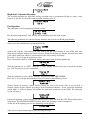
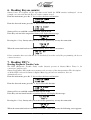
Type in the correct tire height with the numerical keys, entering a decimal point is not required.
Any tire height from 25.00” to 45.00” can be chosen in 0.05” increments. If you enter an increment
other than 0.05”, Smarty will round it to the next correct increment. The ‘<’ key can be used to
change entries.
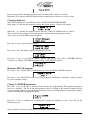
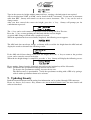
After you have entered the correct tire height, press the ‘>’ key. Smarty will prompt you for
confirmation to proceed:
The ‘<’ key can be used return to the previous screen to change the New Tire size.
Press the ‘>’ key, to start updating the ABS unit with the new tire height.
A typical ABS change will take only a couple of seconds.
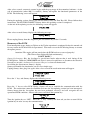
When the operation has been successfully completed, the following screen appears:
The ABS unit does not always change, so Smarty will re-read the tire height from the ABS unit and
display the results as shown in the following screen:
If the ABS unit did not change to the new tire height, Press the ‘<’ key to return to the previous
screen, and re-enter the correct tire height.
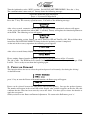
When the tire height change is completed, press the ‘>’ key. Smarty will display the following screen:
Please, unplug Smarty from the diagnostic port and turn the ignition key off for 30 seconds.
Notes: To increase the speedometer reading, increase the tire size.
To decrease the speedometer reading, decrease the tire size.
The ABS accuracy is questionable. Verify the speedometer reading with a GPS or by pacing a
vehicle with a speedometer know to be accurate.
9. Updating Smarty
Both the internal firmware and the tuning data information can be updated through USB connector.
Please see Smarty Performance King internet site (www.madselectronics.com) for more details and
software download.
Page 14 of 16