1
ImpleoTV SAPi SDK
________________________________________________________________________
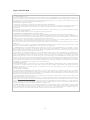
In order to access the Session information, GetSessionById or GetSessions methods
may be used.
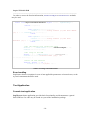
static void SapListenerEventHandler(object sender, SapEventArgs e)
{
switch(e.SapEvent)
{
case SapEvent.NewSessionFound:
Console.WriteLine("\rSap session {0} has been added.
{1} ", e.Id, DateTime.Now.ToString());
break;
case SapEvent.SessionDeleted:
Console.WriteLine("\rSap session {0} has been
deleted. {1} ", e.Id, DateTime.Now.ToString());
break;
}
//Get the session that caused the event
Session s = ((SAPlistener)sender).GetSessionById(e.Id);
Console.WriteLine(s.SDP);
//Get array of the SDP
string[] ar = ((SAPlistener)sender).GetSessions();
Console.WriteLine("Current items [{0}]: \n",
ar.Length.ToString() );
//Print all SDP sessions
foreach( string Sdp in ar )
Console.WriteLine("{0}\n", Sdp);
}
Table 5. Accessing session information
Error handling
SapListener throws exceptions in case of non applicable parameters or internal error, so the
try/catch statements should be used.
Test Application
Console test application
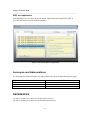
SapiTest.exe demo application provides basic functionality and demonstrates a geneal
SAPi SDK use. Its code may be found as a part of the installation package.
- 10 -