1
●This guide is intended for users of DOCOMO mobile phones with a DOCOMO UIM Card (or otherwise a FOMA Card or DOCOMO
mini UIM Card. Hereinafter the same applies).
Regarding ●If the SIM lock system of a DOCOMO mobile phone is disabled and a non-DOCOMO SIM card is inserted, the services described in
this guide will not be available. If a DOCOMO UIM Card is used for a non-DOCOMO mobile phone, some of the services described
Use of
in this guide may not be available.
guide, the term "FOMA or Xi" refers to a FOMA or Xi handset in which your DOCOMO UIM Card is inserted. *The operational procedures cited
This Guide *inInthisthisguide
cannot be used when the phone is out of service range. Android is a trademark or registered trademark of Google Inc. The names and
*
logos of services and products included in this publication are the trademarks or registered trademarks of their respective owners.
*
Reports call history when the handset is turned off or out of range—and when you are on the line
Missed Call Notification Service
Application
Monthly Charge
Not Required
Free
*For more details, refer to "Charges" on p. 3.
This function provides the user with Short Message Service (SMS) notifications of
missed incoming calls, with the caller's number and date and time of the call, received
while the handset was turned off, out of range, or being used for another call.
*As of October 3, 2011, the "Turned Off or Out of Range Notification Call Service" has been renamed the "Missed Call Notification Service."
Oh, my, I can't
get through...
Handset on, in range,
and with call in progress
Uses:
Oh, somebody called.
SMS Center
A maximum of up to 50 SMS messages can be stored in the history.
These messages are automatically deleted, oldest first, whenever
the number of messages in the history exceeds 50. SMS messages
are also deleted automatically once they have been in the history
beyond the maximum storage period of 720 hours (30 days).
Caller
Recipient
Service Features
You can check a caller's phone number and
incoming call date on the SMS Caller ID Screen.
Notification of calls received while the handset was turned off or out of range are sent once
the handset is turned on again or is once more within range. If a call is received while the
phone is in use*, the notification of the incoming call is sent while the phone is still on the line.
*No SMS notification is made when calls are recorded as missed, even when the call is received while the phone is in use.
Reports are made while this feature is activated, even when the SMS Refusal
setting (all SMS rejected/ SMS without Caller ID rejected) is active.
[With smartphones (only models running AndroidOS)]
Use the following procedure to make the settings.
●From the Handset Screen
Select "Settings."
Select "Call settings."
*Procedures may differ depending on handset.
Select "Network service."
Select "Call notification."
About the Short Message Service (SMS) Caller ID Screen Display
SMS Caller ID
Screen Display
If registered in the Phonebook, the registered name is indicated.*1
If not registered in the Phonebook, the caller's number is indicated as is.
Recv. mail
Fm
2009/6/1 15:37
NTT DOCOMO
06/01 10:23
Docomo Keita
06/01 11:06 Videophone
0312345678
*1 On certain models, the caller's number is shown.
Do Not Display: Transmissions carried as voice calls
Videophone: Transmissions received as Videophone calls
*On some models, SMS message titles such as "Missed call notification" or "Noticecall voicemail" appear on the screen.
●
Actual screen may be different.
1
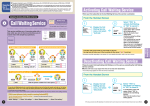
Activating the Call Notification
Deactivating the Call Notification
●At the time of subscription, the Incoming Call Report function is set to notify you of all
incoming calls; however, call reports are not made while the Call Forwarding Service
is activated.
●Reports are made while this feature is activated, even when the SMS Refusal setting
(all SMS rejected/ SMS without Caller ID rejected) is active.
*Reports may not be made immediately in some cases.
*Communications charges do not apply for a notification made with this function.
From the Handset Screen
●
These settings cannot be made from the handset screen on models prior
to the 901i series. Please refer to the sections on Using the Dial Pad.
1
Missed call notification
Activate
Deactivate
Check setting
Using the Dial Pad
1
From the Handset Screen
Press
2
0
0
1
Announcement
When the confirmation
screen will appear, select
"YES."
"The service to inform you of
incoming calls while you are not
reachable is..."
2
0
0
1
2
2
The results of your
setting appear.
"The service to inform you of
incoming calls while you are not
reachable is..."
Missed call
notification
deactivated
0
Press
Announcement
"The service is deactivated."
If the setting is successful,
"Missed call notification
deactivated" will appear.
This completes the setting.
3
Press
Missed Call
Notification Service
Missed Call
Notification Service
Activate
Deactivate
Check setting
Display
the "Missed call
notification" menu,
and select "Activate."
1
"Voice mail" menu.
Announcement
Missed call notification
Display the "Missed
call notification"
menu, and select
"Deactivate."
*On some models, this item is on the
Press
1
Using the Dial Pad
to finish.
*On some models, this item is on the
"Voice mail" menu.
2
Press
1
Announcement
2
Activate
For all calls
For calls with caller ID
"Caller number cannot be presented
when the call is set by the caller..."
The display switches
to the "Activate"
screen.
Select "For all calls" or "For
calls with caller ID." Then
the confirmation screen will
appear, select "YES."
From the Handset Screen
3
1
(All incoming calls reported)
0
(Only incoming calls with
caller's number reported)
Press one of the numbers to set
the calls you want to be included
in the report.
Announcement
3
Missed call
notification
activated
Checking the Missed Call Notification Service Status
The results of your
setting appear.
"According to the setting you have
now selected, the arrival of all
incoming calls will be notified
regardless of availability of Caller ID.
If you want to..."
If the setting is successful,
"Missed call notification
activated" will appear.
This completes the setting.
4
Press
to finish.
1
Missed call notification
Activate
Deactivate
Check setting
Display
the "Missed call
notification"
menu, and
select "Check
setting."
*On some models, this
item is on the "Voice
mail" menu.
Charges
Monthly Charge
Charges for Settings
2
●
2
2
The Setting
Confirmation
screen appears.
Missed call
notification
active
Missed call
notification
inactive
OK
OK
Service is Activated
Service is Deactivated
No Application Required
Free
(Communications charges do not apply for
a notification made with this function.)
No dialing charges apply for "Activation" or
"Deactivation" and similar operations.
The set up procedure may differ depending on the handset. See the user's manual of your handset for details. ● Actual screen may be different.
3