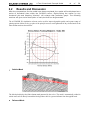
1
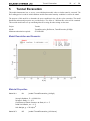
Tunnel Excavation
51
of
58
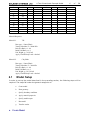
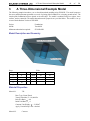
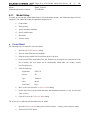
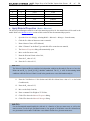
Young’s Modulus, E = 10000 kPa
Poisson’s Ratio, n = 0.3
C oefficient of Earth Pressure at Rest, Ko = n/(1-n) = 0.428715
Initial Void Ratio, e o = 1.2
Unit Weight, g = 20 kN/m3
Model Setup
5.1
In order to set up the model described in the preceding section, the following steps will be
required. The steps fall under the general categories of:
a.
Create model
b.
Enter geometry
c.
Specify initial conditions
d.
Specify boundary conditions
e.
Apply material properties
f.
Specify model output
g.
Run model
h.
Visualize results
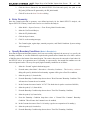
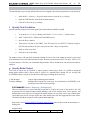
a. Create Model
The following steps are required to create the model:
1.
Open the SVOFFICE Manager dialog,
2.
Select a project from the list of projects,
3.
Create a new model called TunnelTutorial by pressing the New button,
4.
Select the following:
Application:
SVSOLID
System:
2D
Type:
Steady-State
Units:
M etric
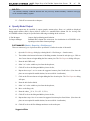
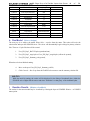
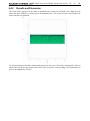
The user should also set the World Coordinate System to ensure that the model will fit in the drawing space.
The World Coordinate System settings can be set under the World Coordinate System tab on the Create Model
dialog.
1.
Access the World Coordinate System tab on the Create New Model dialog,
2.
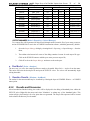
Enter the World Coordinates System coordinates shown below into the dialog,
x - minimum:
-10