1
eTEACH User’s Manual
Managing presentations
Managing eTEACH Presentations
Because the eTEACH separates authoring from delivery, and because delivery is done through
deployment to a course management system or a web site, it is not difficult to manage your
collection of eTEACH presentations. Managing your presentations amounts to creating
presentations, editing existing presentations, exporting and finally deleting presentations. The
only activity not covered earlier in this manual is deleting a presentation from your presentation
workspace.
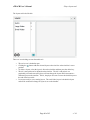
Deleting a presentation from the workspace
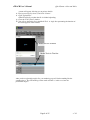
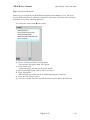
1. Navigate to your workspace.
2. Turn editing on.
3. Press the
icon to the right of the presentation you want to delete.
Page 43 of 45
v. 3.0