1
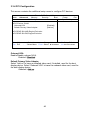
3.3.4.1 PCI Device, Slot#1 Sub-Menu
This screen contains the setup items for configuring the specific PCI device.
Main
PhoenixBIOS Setup Utility
Advanced
Memory
Security
Boot
Power
Exit
PCI Device, Slot#1
Item Specific Help
Option ROM Scan:
Enable Master:
Latency Timer:
F1 Help
Esc Exit
↑↓ Select Item
← → Select Menu
[Enabled]
[Enabled]
[0040h]
-/+ Change Values
Enter Select u Sub-Menu
F9 Setup Defaults
F10 Previous Values
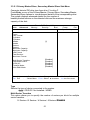
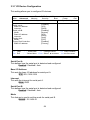
Option ROM Scan
This feature is used to initialize the device expansion ROM.
Enabled / Disabled
Enable Master
This feature allows you to configure specified device as a PCI bus master.
Disabled / Enabled
Latency Timer
This feature is used to configure the minimum guaranteed time slice allotted for
bus master in units of PCI bus clocks.
Default / 0020h / 0040h / 0060h / 0080h / 00A0h / 00C0h / 00E0h
47