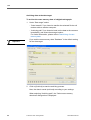
1
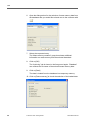
User Manual
valid from Release 1.0
Licence agreement / Legal notice
The software described herein is supplied under a licensing and/or nondisclosure agreement. The CD-ROM with the software and the
documentation stored thereon are licensed for internal, private use only.
This means that you are granted a right of use. This licence does not
grant the right to copy the software. The licensee is entitled to make a
backup copy.
You may not copy, sub-licence, lend or translate the CD-ROM and the
software contained thereon. Furthermore, you may not decompile,
disassemble or translate the software into another language. This
includes any other form of data processing.
The information contained in this documentation is subject to change
without prior notice. In doing so, Siemens VDO Trading GmbH do not
enter into any obligation. The description is based on the product
version available at the time this documentation was written. The names
and data used in the examples are entirely fictional and bear no relation
to any real person or actual event.
iemens VDO Trading GmbH shall accept no liability for program errors
and for incorrect information in the documentation or for any
consequential damages arising from this.
JBoss™ is a registered trademark of JBoss Inc.
MSSQL Server® and MSSQL® are registered trademarks of the
Microsoft® Corporation.
Windows is a trademark of the Microsoft® Corporation.
Java® is a registered trademark of Sun Microsystems Inc.
Adobe® Reader® is a trademark of Adobe Systems Incorporated.
In the following, the above trademarks are sometimes used without
indicating their respective owners.
© by Siemens VDO Trading GmbH. All rights reserved.
Responsible for the content
Siemens VDO Trading GmbH
Service & Special Solutions
PO box 16 40
78006 Villingen-Schwenningen
Germany
Internet http://www.vdo.com
E-mail [email protected]
II
© Siemens VDO Trading GmbH
TU00-0880-5001002
KIPAS 2
User Manual
Table of Contents
Table of Contents
KIPAS 2 - User Manual • Version 07/2005
Introduction ................................................................................................. 1
Summary of KIPAS 2 functions ......................................................................1
Demo version of the software ........................................................................2
Software full version and KIPAS Licence Card .............................................2
Software language and formats .................................................................... 2
Test Certificate form ......................................................................................3
Important information on data protection and compulsory data backup ......4
About the manual ......................................................................................... 5
Structure of the manual .................................................................................5
Contents of the manual ..................................................................................5
How the manual is set up ...............................................................................6
Calling up and using Help ..............................................................................9
First steps .................................................................................................. 11
Overview .......................................................................................................11
General rules concerning program handling ................................................12
KIPAS 2 software components .................................................................. 14
Starting and exiting the KIPAS 2 application ........................................16
Starting and terminating the JBoss application server .........................17
Starting and terminating the MSDE database server ..........................18
Reading chip cards .....................................................................................19
Setting up and licensing the software ..........................................................20
Setting up (demo mode) ........................................................................22
First-time licensing ...............................................................................28
New licensing subsequent to editing workshop data ..........................30
Requesting an extension ......................................................................32
Entering the signature ............................................................................33
Configuring KIPAS 2 ....................................................................................34
File ............................................................................................................ 35
Overview of menu commands ......................................................................35
Login
........................................................................................................36
Logoff .........................................................................................................38
Archive mass memory ...............................................................................39
“Vehicle owner data” tab
................................................................... 39
“Archiving” tab
...................................................................................41
“Download checklist” tab ......................................................................51
Export ........................................................................................................53
“Data export” tab .................................................................................53
Import ..........................................................................................................54
“Data import” tab ..................................................................................54
Exit ............................................................................................................. 56
View .......................................................................................................... 57
Checks
.................................................................................................... 58
Overview of the Menu Commands ...............................................................58
New
........................................................................................................59
“Vehicle owner data” tab
................................................................... 61
“Tachograph data” tab ........................................................................62
“RSL data” tab ....................................................................................65
“Vehicle test” tab .................................................................................67
“Device test” tab
.................................................................................69
“General work” tab
.............................................................................70
“Special equipment” tab
....................................................................72
“Service” tab .......................................................................................73
Accepting test data from SDS test device or from workshop card
.....75
Print Test Certificate ...........................................................................78
TU00-0880-5001002
© Siemens VDO Trading GmbH
III
Table of Contents
Open
........................................................................................................ 80
New special check .................................................................................... 82
“Vehicle owner data” tab
................................................................... 82
“Special checks” tab ............................................................................ 83
Open special check ................................................................................... 85
Cancel Test Certificate / Special check ..................................................... 86
Customer management
........................................................................... 88
“Customer data” tab
........................................................................... 89
“Customer details” tab
...................................................................... 91
“Contact” tab
.................................................................................... 93
“Vehicle“ tab
...................................................................................... 95
“Vehicle assignment“ tab
................................................................ 97
Edit customer data ............................................................................... 99
Analysis ................................................................................................. 101
Overview of menu commands .................................................................... 101
Analysis output ......................................................................................... 102
Completed checks
................................................................................ 108
Schedule monitoring
.............................................................................. 110
Report summary ...................................................................................... 113
Vehicle owner master data ..................................................................... 117
Tools ........................................................................................................ 119
Overview of the Menu Commands ............................................................ 119
Change password ................................................................................... 120
Edit workshop data .................................................................................. 121
“Workshop” tab
............................................................................... 121
“Staff” tab
........................................................................................ 124
Official language ....................................................................................... 127
Software licensing .................................................................................... 128
Downloadkey configuration ...................................................................... 130
“Default configuration” tab ................................................................... 130
“Vehicle configuration” tab ................................................................. 132
“Calendar” tab .................................................................................... 133
“Overview” tab .................................................................................... 134
“Log” tab ............................................................................................. 135
Options .................................................................................................... 136
“General” tab .................................................................................... 136
“Printer” tab
..................................................................................... 138
“Tachographs / Test devices” tab
................................................. 139
“Special checks” tab
........................................................................ 141
“Proxy and e-mail” tab
.................................................................. 142
“Application server” tab
.................................................................... 145
“Database backup” tab
.................................................................... 146
Documents ............................................................................................. 149
Overview of the Menu Commands ............................................................. 149
Menu ? ...................................................................................................... 150
Overview of the Menu Commands ............................................................. 150
Annex ........................................................................................................ 151
Connect SDS test devices ........................................................................ 151
Installing Acrobat Reader .......................................................................... 153
Directory structure of KIPAS 2 ................................................................... 155
Structure of XML files ................................................................................. 156
Glossary ..................................................................................................... 160
Index ........................................................................................................... 167
IV
© Siemens VDO Trading GmbH
TU00-0880-5001002
KIPAS 2
User Manual
Introduction
Introduction
Summary of KIPAS 2 functions
KIPAS 2, the workshop software for tachographs, provides a
substantial ease of work for all partner workshops that are authorised to
install and check mechanical, modular and digital tachographs.
KIPAS 2 - User Manual • Version 07/2005
With KIPAS 2 you can
•
print the Test Certificate and the installation and constant plaques
at once,
•
create the report summary,
•
manage customer and vehicle data,
•
monitor inspection schedules,
•
read, save and archive the mass memory data from digital
tachographs in connection with the workshop card.
So that all this can be carried out quickly and easily, with KIPAS 2 data
can be read in directly from
•
the workshop card,
•
Service Diagnostic Systems such as CTC, MTC and ATC,
•
a notebook,
•
a Downloadkey.
With KIPAS 2, it is also possible to directly access the documentation
regarding the Downloadkey.
TU00-0880-5001002
© Siemens VDO Trading GmbH
1
Introduction
Demo version of the software
The KIPAS 2 workshop software is available as a demo version so that
you can familiarise yourself with its capacities beforehand.
The demo version shows all the menu items that are important to
become familiar with KIPAS 2. However, the functions for the digital
tachographs, e.g. “Archive mass memory”, and for creating reports are
not activated.
Any data that you enter in the demo version (such as customer data,
calibration data, etc.) will be retained when the software is licensed.
For further information, please refer to Setting up and licensing the
software.
Software full version and KIPAS Licence Card
Once you have assured yourself of the performance capabilities of
KIPAS 2, you only need to inform your service partner of the activation
request (via e-mail, fax or mail).
Based on the activation request (workshop data) your service partner
creates your company-specific KIPAS Licence Card with all the
licensing information. You will receive one KIPAS Licence Card per
software licence.
For further information, please refer to Setting up and licensing the
software.
Software language and formats
KIPAS 2 is available in different country and language versions: Austria,
Belgium, Cyprus, Czech Republic, Denmark, Estonia, Finland, France,
Germany, Greece, Hungary, Iceland, Ireland, Italy, Latvia,
Liechtenstein, Lithuania, Luxemburg, Malta, Norway, Poland, Portugal,
Slovakia, Slovenia, Sweden, Switzerland, The Netherlands and United
Kingdom.
2
© Siemens VDO Trading GmbH
TU00-0880-5001002
KIPAS 2
User Manual
Test Certificate form
With the installed country version the language and the country-specific
formats for decimal separators, thousands separators and the date are
set automatically.
Tip
In countries with more than one official language, e.g. Switzerland, the
user can change the “Official language“ via the “Tools“ menu at any
later date.
Test Certificate form
To print the Test Certificates via KIPAS 2 special forms with selfadhesive installation and constant plaques are available.
KIPAS 2 - User Manual • Version 07/2005
You can obtain those forms from your service partner.
TU00-0880-5001002
© Siemens VDO Trading GmbH
3
Introduction
Important information on data protection and compulsory
data backup
Data protection
The Data Protection Act requires personal data to be protected from
fraudulent use by third parties. Any infringement of the Data Protection
Act is considered an offence.
If you use an EDP system for recording, processing and storing
personal data electronically, you are obliged to comply with the Data
Protection Act.
Important
Take appropriate technical and organisational measures to protect
personal data stored in KIPAS 2 against unauthorised access.
Compulsory data backup
You as the user are responsible for backing up the data yourself.
Important
Back up the data regularly so that all data can be restored with
reasonable effort, in case of a possible loss of data. If data is recorded
daily, backups should be carried out daily.
Additional information on backing up the database can be found under
“Options“, “Database backup” tab.
4
© Siemens VDO Trading GmbH
TU00-0880-5001002
KIPAS 2
User Manual
About the manual
About the manual
Structure of the manual
The structure of the manual is oriented on the software structure. The
main menus of KIPAS 2 each form a main chapter. The commands
associated with a menu are described in sequence within the menu.
KIPAS 2 - User Manual • Version 07/2005
At the beginning of each main chapter you will find a short description
of the commands of the respective menus in order to facilitate working
with KIPAS 2 swiftly.
All the chapters are set up the same way in order to make access to
information easier.
Contents of the manual
Important
In this documentation, all examples refer to the installation of KIPAS 2
on a workshop computer with the operating system Windows XP in
standard layout.
Introduction
The introduction will provide you with an overview of the KIPAS 2
performance characteristics. You will find out about the differences
between the demo version and the licensed version and which Test
Certificate forms you can use with KIPAS 2.
About the manual
So that you are able to work quickly with the manual, we will explain
which conventions and symbols are used in the manual.
First steps
In this chapter you will find out which general rules apply to program
handling, how you set up and licence the software, and which
preparatory work must have been completed before you can record and
print Test Certificates with KIPAS 2.
TU00-0880-5001002
© Siemens VDO Trading GmbH
5
About the manual
KIPAS 2 program description: The menus “File” to “?”
In this section you will find detailed descriptions for all software
functions (commands), arranged according to the commands in the
KIPAS 2 main menus. Step-by-step instructions with detailed field
descriptions for those fields that require explanations guide you through
the individual software functions.
Annex
Last but not least, we have compiled some helpful information for you in
the appendix: How to connect the SDS test device, how to install
Acrobat Reader, an overview of the directory structure of KIPAS 2,
information about the structure of XML files available in KIPAS 2, a
glossary and a list of abbreviations as well as an Index.
How the manual is set up
Different features and symbols are used so that you are able to easily
find your way around in the manual. These are explained in the
following.
Names
Names of menus, commands, tabs, group titles and boxes used in the
described software are shown in quotation marks within the text.
Example: 1. Select “Documents”.
Menus and corresponding program commands in the text
We have decided to use the following method to identify the association
of a command with a certain menu or the association of a group box with
a certain tab: The software-specific names are listed successively in the
sequence menu, submenu, command, etc. and are separated with “>”
signs. The “>” reflects the hierarchy.
Example: “Checks > New” stands for the command “New” in the menu
“Checks”.
In order to identify the association of a tab or group box with a command
we use “:” (colon) in the hierarchical display.
Example: “Checks > New: Vehicle test” stands for the “Vehicle test” tab
selected via the “New” command in the “Checks” menu.
6
© Siemens VDO Trading GmbH
TU00-0880-5001002
KIPAS 2
User Manual
About the manual
Cross-references as hyperlinks
Cross-references to related topics in the manual are included in the text
as hyperlinks. Hyperlinks can be identified from the text colour blue. You
can change to the specified topic with a mouse click on the hyperlink.
The “Back” button in Acrobat Reader takes you back to where you
started.
Highlighting
Terms and text passages that require your special attention are
underlined.
Example: less than 24 hours.
Buttons and keys
KIPAS 2 - User Manual • Version 07/2005
If it is required for the program to use certain buttons of the program
window or keys of the keyboard, those are marked with square
brackets.
Example: [OK].
Listings
Listings are marked with a point.
Example: • Service Diagnostic System.
Instructions
Instructions are set up as follows:
This is how an instruction starts:
1. Steps are numbered if several steps are to be performed in a
specific order.
- If an action consists of several steps or
- if you can select according to the program, the steps are indented
and marked as a list with a dash.
Information and feedback from the system within an action are
intended and reflect no bullet points.
TU00-0880-5001002
© Siemens VDO Trading GmbH
7
About the manual
Symbols
The following symbols can be found in the manual:
Important
Important information concerning software, a connected device and
program pertinent details.
Condition
Conditions and prerequisites that must be fulfilled to be able to perform
an action or a menu command.
Practical tips for working with KIPAS 2 or with the manual.
Tip
Caution
Warnings of operating errors that you should definitely observe in order
to avoid errors or even data loss.
Characters
The following table summarises all the characters that are used in this
document:
Characters Description
“...”
Menu entries, individual program commands,
tabs, group titles and fields
( ... )
Additions, descriptions, cross-references,
examples
Highlighting of contents
8
>... and
: ...
Command within a menu and
tab or group box in the program command
[ ... ]
Buttons and keys
© Siemens VDO Trading GmbH
TU00-0880-5001002
KIPAS 2
User Manual
Calling up and using Help
Calling up and using Help
The user documentation for KIPAS 2 is available in the software as
online Help or in printable PDF format.
Tip
The PDF version of the user documentation can be obtained via
“Documents“, “KIPAS 2“. You can download a free version of Adobe
Acrobat Reader from the Internet to display and print PDF documents
(www.adobe.com/support/downloads/main.htm). For further
information, please refer to Installing Acrobat Reader.
KIPAS 2 - User Manual • Version 07/2005
There are various possibilities to call up the online Help:
Tip
•
Access via the “Help for KIPAS 2” button,
•
Access via the “?” menu and
•
Access via the F1 key.
The size of the online Help dialogue box can be modified. You can
decrease or increase its size with the mouse pointer.
Access via the “Help for KIPAS 2” button
The online Help can be opened with the “Help for KIPAS 2” button.
To open the online Help with the “Help for KIPAS 2” button:
•
In the menu bar click on “Help for KIPAS 2”.
The online Help starts with the welcome page.
The following options are available to obtain the requested help
topic:
- Table of contents
- Index
- Full-text search.
Access via the “?” menu
The “Help for KIPAS 2” can be opened like any other menu command.
To open the online help via the “?” menu:
•
Select “? > Help for KIPAS 2”.
The online Help starts with a welcome page; see Access via the
“Help for KIPAS 2” button.
TU00-0880-5001002
© Siemens VDO Trading GmbH
9
About the manual
Access via the F1 key
When working with KIPAS 2 you can call up the corresponding help
topic from the program window.
To open the online Help using the F1 key:
•
Press the [F1] key.
The online Help starts with the first page of the help topic that
pertains to the currently opened program window.
To move to additional information the following options are
available:
- Hyperlinks in text
- Table of contents of online Help
- Index and full-text search of online Help.
To close the online Help:
•
Click on the
“Close” button on the right side at the top in the title
bar of the help window.
The online Help window closes.
Online Help buttons
Symbol
Function
Show previous page
Show next page
Print selected help topic
Set up page and printer
Open the “Table of contents” tab
Open the “Index” tab
Open the “Full-text search” tab
10
© Siemens VDO Trading GmbH
TU00-0880-5001002
KIPAS 2
User Manual
First steps
First steps
Overview
In the following you will obtain information on the following subjects:
•
General rules concerning program handling
Maybe you are not yet familiar with the structure and functionality of
software programs. In this chapter you will find a short overview of
the user interface and its control elements and the meaning of these
elements.
•
KIPAS 2 software components
KIPAS 2 - User Manual • Version 07/2005
In this chapter you will find additional information on the KIPAS 2
software components so that you can understand their functions
better.
•
Setting up and licensing the software
In this chapter you will learn how to set up the software after
installation, how to obtain a fully functional software version after
having purchased the software license and how to re-license the
software if workshop data has been modified.
•
Configuring KIPAS 2
In this chapter you will learn which work steps and settings are
required after installation before you can start recording Test
Certificates in KIPAS 2.
TU00-0880-5001002
© Siemens VDO Trading GmbH
11
First steps
General rules concerning program handling
Selecting boxes
Input boxes can be selected by clicking with the mouse or moving from
box to box with the [Tab] key.
Input and list boxes highlighted in colour
Input and list boxes that are highlighted in colour are required fields.
This means that an entry is required in this box or that it is required to
select an entry from the list. For all boxes that are not highlighted in
colour (optional boxes), it is optional whether data is entered or
selected.
Dimmed boxes
Boxes that are dimmed (highlighted in grey) are either unavailable or
just used for display. These boxes cannot be modified.
Unavailable (grey) buttons
Buttons relating to functions that cannot be carried out in the current
program situation are displayed in grey font.
Quick Info concerning boxes and buttons
If you want to receive quick info concerning the function of a text button,
a toolbar button or a box point the mouse cursor on the respective
element until the quick info is displayed.
12
© Siemens VDO Trading GmbH
TU00-0880-5001002
KIPAS 2
User Manual
General rules concerning program handling
Toolbar buttons for menu commands (toolbar)
Toolbar buttons for the most important functions enable comfortable
and efficient working in KIPAS 2.
Symbol
Function (menu command)
Log on to KIPAS 2
(“File > Login”)
Create a new Test Certificate
(“Checks > New”)
Open the Test Certificate
(“Checks > Open”)
Open customer management
(“Checks > Customer management”)
KIPAS 2 - User Manual • Version 07/2005
Open the Help for KIPAS 2
(“? > “Help for KIPAS 2“”)
Navigation buttons
Symbol
Function
Go to first data record
Show previous data record
Show next data record
Go to last data record
Command buttons
Symbol
Function
New data record
Delete data record
Cancel any changes
Save data record
Update data record
Print data record
TU00-0880-5001002
© Siemens VDO Trading GmbH
13
First steps
KIPAS 2 software components
The KIPAS 2 software consists of the components below:
•
KIPAS 2 application
With the KIPAS 2 application you can comfortably handle your daily
tasks with the help of clearly structured program windows, list
boxes, buttons, etc.
•
JBoss application server
The application server is the link between the MSDE database
server and the KIPAS 2 application.
To enable you to work with the KIPAS 2 application the MSDE
database server and the JBoss application server must run and
must be connected with each other.
Important
•
MSDE (Microsoft Database Engine) database server
During the installation of KIPAS 2 a database for KIPAS 2 is set up
in the database server. In this database information such as data of
your customers and the KIPAS users, Test Certificates, etc. are
saved.
With the help of the database server the data is written into the
database and – in the opposite direction – data that is requested
from the application server is read from the database.
In order to establish a connection between the individual components,
these are started in a specific order.
KIPAS 2 database
During the installation of KIPAS 2 a database is created that is
controlled via the MSDE database server. The access via MSDE is
protected with a database administrator password.
If this password was not prompted during the installation of KIPAS 2
“kipas20” database administrator password was automatically saved.
This password can be changed later with corresponding tools.
Important
14
Please note that you must enter the current database administrator
password when installing additional programs that work with the MSDE
database.
© Siemens VDO Trading GmbH
TU00-0880-5001002
KIPAS 2
User Manual
KIPAS 2 software components
Auto-start and services
During the installation of KIPAS 2 the JBoss application server is set up
as a so-called service so that it is started automatically when the
operating system is started; see also Starting and terminating the JBoss
application server.
The MSDE database server is usually also started automatically when
the operating system is being started; see also Starting and terminating
the MSDE database server.
KIPAS 2 is started manually; see Starting and exiting the KIPAS 2
application. To make it easier for you a link can be created on the
desktop, in the start bar or in the auto-start folder.
KIPAS 2 - User Manual • Version 07/2005
Tip
If JBoss and MSDE are not started automatically on your computer
select “Start > Control Panel > Services and Maintenance >
Administrative > Tools” to check whether or not the following services
have been started:
•
MSSQLSERVER
•
SQLSERVERAGENT
•
JBOSS30.
You can select the start type via the properties window for the
respective service.
With Windows operating systems it is also possible to start the program
components via “Auto-start” automatically with the operating system.
Further information on these functions (“Services” and “Auto-start”) can
be ascertained from the operating system documentation.
Important
TU00-0880-5001002
Please note that any started program uses main memory, irrespective
of whether you use the program or not. If you want to use other
computer-bound programs, we recommend to only start KIPAS 2 when
you actually want to work with it.
© Siemens VDO Trading GmbH
15
First steps
Starting and exiting the KIPAS 2 application
Information on how to
•
set up the software when it is started for the first time can be found
under Setting up and licensing the software.
•
log on to KIPAS 2 can be found under “Login“.
•
create users in KIPAS 2 can be found under “Edit workshop data“.
To start the KIPAS 2 application:
•
Start KIPAS 2 by
- selecting the “KIPAS 2” command in “Start > All Programs >
KIPAS 2”
or – if available –
- clicking on the “KIPAS 2” program icon on the desktop,
- clicking on the “KIPAS 2” program icon in the Quick Launch bar,
- executing the “C:\Programme\kipas20\KIPAS20.exe” command
via “Start > Run …”.
The KIPAS 2 application is started with the main program window.
16
© Siemens VDO Trading GmbH
TU00-0880-5001002
KIPAS 2
User Manual
KIPAS 2 software components
To exit the KIPAS 2 application:
1. Close the currently open program window, if it has not yet been
closed.
2. Exit KIPAS 2 by
- selecting the “File > Exit” command or
- clicking on the
“Close” button on the right side at the top of the
title bar in the program window.
The KIPAS 2 application is terminated.
Starting and terminating the JBoss application server
The JBoss application server connects the KIPAS 2 application with the
MSSQL Server.
KIPAS 2 - User Manual • Version 07/2005
To start the JBoss application server in case it was stopped or
terminated:
•
Start the application server by
- either selecting the “Restart JBoss 3.0” command in “Start > All
Programs > KIPAS 2”,
- or selecting “Start > Control Panel > Performance and
Maintenance > Administrative > Tools”, clicking on “JBoss” and
then selecting “Restart the service”.
The application server is being started.
To terminate the JBoss application server:
Caution
Ensure that especially in a network installation, no other user is still
working with KIPAS 2 if you must terminate the application server for
any reason.
Note that by terminating JBoss the connection to the database is
interrupted and working with KIPAS 2 is no longer possible. Only
terminate the Jboss application server if you are sure that KIPAS 2 is
not being used at that point in time.
•
Terminate the application server by selecting “Start > Control Panel
> Performance and Maintenance > Administrative > Tools”, clicking
on “JBoss” and then selecting “Stop the service”.
The application server is being terminated.
TU00-0880-5001002
© Siemens VDO Trading GmbH
17
First steps
Starting and terminating the MSDE database server
The icon in the info area of the task bar shows the status of the database
server:
Symbol
Status
Database server is running
Database server stopped
Database server terminated
To start the database server in case it was stopped or terminated:
•
Start the application server by
- either right-clicking on the program icon in the taskbar to open the
respective shortcut menu and selecting the command
“MSSQLServer – Start” or “MSSQLServer – Continue” if it has
been stopped,
- or in “Start > Control Panel > Performance and Maintenance >
Administrative > Tools” clicking on “MSSQLSERVER” and then
selecting “Start the service” or “Restart the service”.
The application server is being started.
To terminate the database server:
Caution
Ensure that especially in a network installation, no other user is still
working with KIPAS 2 if you must terminate the database server for any
reason.
Note that by terminating MSDE the connection to the database is
interrupted and working with KIPAS 2 is no longer possible. Only
terminate the database server if you are sure that KIPAS 2 is not being
used at that point in time.
18
© Siemens VDO Trading GmbH
TU00-0880-5001002
KIPAS 2
User Manual
Reading chip cards
•
Terminate the application server by
- either opening the corresponding short menu in the taskbar by
right-clicking with the mouse and selecting the “MSSQLServer –
Stop” command,
- or in “Start > Control Panel > Performance and Maintenance >
Administrative > Tools” clicking on “MSSQLSERVER” and then
selecting “Stop the service”.
The MSSQL server is being terminated.
Reading chip cards
KIPAS 2 - User Manual • Version 07/2005
In KIPAS 2 it is possible to read the following from chip cards:
•
Licence data from the KIPAS Licence Card
•
Workshop card data
- during “Login“ in KIPAS 2 with a workshop card
- when reading the calibration data for the Test Certificate.
To read in chip card data
Condition
•
the chip card reader that is included in the delivery must be
connected to the computer and
•
in “Tools > Options: “Tachographs / Test devices” tab the settings
for the chip card reader must be correct.
Additional chip card readers can be obtained from your service partner.
Important
Caution
TU00-0880-5001002
Chip card data can only be read if the chip card has been inserted
correctly into the chip card reader (see next figure).
The chip card must not be removed from the chip card reader during the
reading process. This could damage the data on the chip card. The
reading process is terminated when a corresponding message is
displayed by KIPAS 2.
© Siemens VDO Trading GmbH
19
First steps
To read chip cards:
•
Insert your chip card – chip face up and pointing forward – into the
chip card reader up to the stop.
For further information, please refer to “Login“ and “Software licensing“.
Setting up and licensing the software
When KIPAS 2 is installed, the following activities must be
distinguished:
•
Setting up (demo mode)
•
First-time licensing
•
New licensing subsequent to editing workshop data.
The four KIPAS 2 software operating modes are in close connection
with the licensing:
20
•
Demo mode
•
Temporary full mode
•
Full mode
•
Reactivation mode.
© Siemens VDO Trading GmbH
TU00-0880-5001002
KIPAS 2
User Manual
Setting up and licensing the software
Demo mode
The software has not yet been licensed. KIPAS 2 is available with
restrictions: Archiving of mass memory data, import and export,
analysis and printing is not available (see also Demo version of the
software). “Login“ in KIPAS 2 is already necessary in the demo mode.
For further information, please refer to Setting up (demo mode).
Full mode
If KIPAS 2 is licensed by reading in the license data from the KIPAS
Licence Card all software functions are available for use (see also
Software full version and KIPAS Licence Card).
For further information, please refer to First-time licensing.
KIPAS 2 - User Manual • Version 07/2005
Reactivation mode
The licence data is no longer up to date. When an activation request has
been created (see also “Edit workshop data“) KIPAS 2 switches into the
reactivation mode.
Until the new licence data is read in the Test Certificates are printed with
the previous company data.
Temporary full mode
By entering the signature, KIPAS 2 is switched into the temporary full
mode for 14 days.
For further information, please refer to “Edit workshop data“.
TU00-0880-5001002
© Siemens VDO Trading GmbH
21
First steps
Setting up (demo mode)
Setting up KIPAS 2 includes the steps from the installation of the
software components to the ready-to-use demo version.
Installing the software components
Start the KIPAS 2 application
Login as KIPAS administrator
Initial recording of workshop and staff data
Configuring the software
Important
When the activation request has been created, KIPAS 2 operates in
demo mode. The activation request can be created at any time.
Tip
It is possible to license KIPAS 2 at any time just by reading in the KIPAS
Licence Card (see First-time licensing).
To set up the KIPAS 2 application:
1. Start the KIPAS 2 application (see Starting and exiting the KIPAS 2
application).
A message concerning the staff data is displayed.
2. Confirm the message with [OK].
The message box is closed and a query concerning the recorded
workshop data is displayed.
22
© Siemens VDO Trading GmbH
TU00-0880-5001002
KIPAS 2
User Manual
Setting up and licensing the software
3. Click on
- [No] if you have installed KIPAS 2 for the first time.
The login dialogue box is displayed. Please continue reading at
step 7.
- [Yes] if KIPAS 2 has already been installed previously and data
has already been entered.
KIPAS 2 - User Manual • Version 07/2005
If you answered the query with [Yes] enter the seal number now.
Once you have entered it, you can log on to the program and work
with KIPAS 2 as usual. Additional information can be found in the
installation instructions and quick reference guide on the
KIPAS 2 CD.
4. Enter the standard access data:
- user name “admin”
- password “admin”.
Tip
This password can be changed when KIPAS 2 has been set up via
“Tools > Change password”.
5. Click on [OK].
The successful login is displayed with a message.
6. Confirm the message with [OK].
The “Edit workshop data” dialog box is opened automatically with
the “Workshop” tab.
TU00-0880-5001002
© Siemens VDO Trading GmbH
23
First steps
Important
Please make sure that the workshop data is entered correctly. This
information is also printed on the Test Certificate.
Also for the KIPAS 2 Demo mode you must create at least one
employee here.
7. Enter the required data into the “Address” group box. Enter the
relevant data into the other boxes:
- “Seal number”: the unique seal number of your company
- “Workshop name”: the exact name
- “Address 1” and “Address 2” the street and house number and if
required additional address information, such as “branch office
Frankfurt”
- “Post code / Town”: on the left the post code and on the right the
name of the town where your company is located
- “Phone number”: the phone number of your company’s
switchboard
- “Fax number”: the fax number of your company’s switchboard
- “E-mail address”: the e-mail address of your company’s
switchboard.
24
© Siemens VDO Trading GmbH
TU00-0880-5001002
KIPAS 2
User Manual
Setting up and licensing the software
8. Enter the required data in the “Hourly rates” group box.
- “Hourly rate”: your company’s hourly rate
- “WV rate”: your company’s work value rate (rate charged per
6 minutes).
Condition
You can only save the data if you filled in all fields (required fields)
that are highlighted in colour on the “Workshop” tab.
9. [Save] the workshop data.
If the software does not detect any lapse or error in the entries, the
following message will be displayed: “Workshop data has been
saved successfully”.
10. Confirm this message with [OK].
11. Switch to the “Staff” tab and click on
.
KIPAS 2 - User Manual • Version 07/2005
The tab opens and you can enter a new employee.
To set up KIPAS 2 you require the data from at least one employee.
Important
TU00-0880-5001002
© Siemens VDO Trading GmbH
25
First steps
12. Enter the required data into the “Staff data” group box.
- “Full name”: the employee’s first name and surname
- “Date of birth”: the date of birth
- “User name” the employee’s name with which he/she logs on to
KIPAS 2
- “Card number”: the number of the workshop card which is to be
assigned to the employee
- “Password” and “Confirmation”: the password with which the user
logs in. This password can be changed by the user after login via
“Tools > Change password”.
13. Enter the required data into the “Staff history” group box.
- “Starting date”: the employee’s starting date with the company
- “Initial training course”: the date when the employee participated
in a training course for tachograph inspections
- “Advanced training course”: the date when the employee
participated the last time in an advanced training course for
tachograph inspections.
14. Save the employee’s data with
.
If the software does not detect any lapse or error in the entries, the
following message will be displayed “Staff data has been saved
successfully”.
15. Confirm this message with [OK].
A query as to whether you want to enter further staff data will be
displayed.
16. Click on
- [Yes], if you want to enter further staff data and start again with
step 11.
- [No] if you do not want to enter further staff data.
17. Close the “Edit workshop data” dialogue box with [OK].
A query as to whether you want to save the changes will be
displayed.
18. Confirm with [OK].
A message will be displayed that your workshop data has been
edited and needs to be activated by Siemens VDO Trading GmbH.
19. Confirm with [OK].
26
© Siemens VDO Trading GmbH
TU00-0880-5001002
KIPAS 2
User Manual
Setting up and licensing the software
A query as to whether you want to print the activation request as a
fax message or save it into an export file will be displayed.
Now, KIPAS 2 starts in demo mode and the main program window
opens. Please continue reading at step 22.
20. Select the output for the activation request. When selecting
- “Fax” the print options dialogue box opens. Here you can select
further print settings and start printing.
KIPAS 2 - User Manual • Version 07/2005
- “Export” the activation request is saved as an REQ file with the
current date in the “..\KIPAS20\Upload” subdirectory.
21. Start the output with [OK].
The “Edit workshop data” dialogue box is closed automatically.
22. Log in as a KIPAS administrator see step 4.
First of all, you should make further settings, e.g. for connected
devices.
23. Set the program options via “Tools > Options”.
For further information, please refer to “Options“.
24. Terminate editing options with [OK].
25. If you want to enter further data, you can continue for example with
“Customer management“ to create customer data.
26. Or exit KIPAS 2
- via “File > Close” or
- via the
“Close” button on the right side at the top of the title bar
in the program window.
The main program window of KIPAS 2 closes.
27. If you want to licence KIPAS 2 send your activation request by fax
or e-mail to your service partner.
TU00-0880-5001002
© Siemens VDO Trading GmbH
27
First steps
Based on the provided workshop data your service partner will
create the KIPAS Licence Card or signature with which the
application will be licensed; see First-time licensing.
A signature with which KIPAS 2 is temporarily licensed is only
issued in exceptional cases. The signature will be provided to you
via fax, e-mail or phone; see Entering the signature.
First-time licensing
By reading in the KIPAS Licence Card (chip card) into KIPAS 2 you
license your software which then changes automatically to Full mode.
Creating the activation request and ordering licence(s) from
your service partner
Ordering is possible via e-mail, fax or mail
Using the workshop data entered during your service
partner creates the KIPAS Licence Card
First-time supply of KIPAS Licence Card from
your service partner via the mail
License the software by reading in the
KIPAS Licence Card
KIPAS 2 operates in full mode
Tip
28
If you don't receive KIPAS Licence Card within 14 days subsequent to
creating an activation request you can request a signature from your
service partner that switches KIPAS 2 into the temporary full mode for
14 days; see Requesting an extension.
© Siemens VDO Trading GmbH
TU00-0880-5001002
KIPAS 2
User Manual
Setting up and licensing the software
To license KIPAS 2 for the first time by reading in the KIPAS
Licence Card:
1. Insert the KIPAS Licence Card into the chip card reader.
Important
Please observe the information for reading in chip cards (see
Reading chip cards).
2. Start KIPAS 2 and log on as administrator.
3. Select “Tools > Software licensing”.
KIPAS 2 - User Manual • Version 07/2005
The “Licensing” tab opens.
4. Select “KIPAS Licence Card”.
5. Start the reading process with [OK].
The KIPAS licence data is read in from the chip card and the
“Software licensing” dialog box closes. The KIPAS 2 application
operates in Full mode.
Important
TU00-0880-5001002
Please contact your service partner directly if you have any problems
licensing the program.
© Siemens VDO Trading GmbH
29
First steps
New licensing subsequent to editing workshop data
The KIPAS licence is compiled from the company data. If workshop
data changes (company data) a new KIPAS licence must be requested
for it from your service partner.
Tip
A new KIPAS licence due to a change of the workshop data will be
provided at no charge.
Editing workshop data and activation request output
KIPAS 2 operates in the reactivation mode with full functionality
but prints the previous company data
Requesting the new KIPAS licence (file)
by sending the activation request
via e-mail or fax to your service partner
Your service partner will either create a new
KIPAS Licence Card that you will receive via mail or
a licence file that you will receive via e-mail or on a data carrier
Reading in the new KIPAS licence (file)
KIPAS 2 operates in full mode and prints the new company data
With the data of your activation request output via the “Tools > Edit
workshop data” your service partner creates
Important
30
•
a licence file that you will receive via e-mail or on a data carrier and
that you can write onto the KIPAS Licence Card using a chip card
reader and selecting “Tools > Software licensing” or
•
a new KIPAS Licence Card that you will receive via mail.
When you output an activation request via “Tools > Edit workshop data“
KIPAS 2 switches into Reactivation mode.
© Siemens VDO Trading GmbH
TU00-0880-5001002
KIPAS 2
User Manual
Setting up and licensing the software
To obtain a new licence for KIPAS 2:
1. Output your activation request for the workshop data by selecting
“Tools > Edit workshop data”.
For further information, please refer to “Edit workshop data“.
2. Send the activation request to your service partner.
Your service partner creates the new licence file and either sends
you a new KIPAS Licence Card by mail or a licence file via e-mail.
3. Read the new licence data into KIPAS 2:
- If you received a new KIPAS Licence Card, read it into the running
application (see “Tools > Software licensing”).
KIPAS 2 - User Manual • Version 07/2005
- If you received a licence file it must be written onto the KIPAS
Licence Card (see “Tools > Software licensing”).
By writing the new licence file onto the KIPAS Licence Card the
activation is carried out automatically.
When the new licence data is read in, KIPAS 2 operates in Full
mode and prints the new company data onto the Test Certificates.
Important
TU00-0880-5001002
Please contact your service partner directly if you encounter any
problems with the new licensing or activation of the software functions.
© Siemens VDO Trading GmbH
31
First steps
Requesting an extension
If the time period of 14 days was not sufficient, you can request an
extension.
To create an activation request for an extension:
1. Select “Tools > Edit workshop data”.
The “Workshop” tab opens.
2. Select [Extension] and create an activation request.
3. Send it to your service partner.
For further information, please refer to Setting up (demo mode).
32
© Siemens VDO Trading GmbH
TU00-0880-5001002
KIPAS 2
User Manual
Setting up and licensing the software
Entering the signature
To enter a signature:
1. Select “Tools > Edit workshop data”.
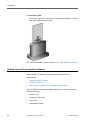
KIPAS 2 - User Manual • Version 07/2005
The “Workshop” tab opens.
2. Enter the signature (4 x 8 characters) received by fax or e-mail into
the “Signature” group box.
3. Save the signature by clicking on the corresponding button.
The boxes in the “Signature” group box are no longer available. The
“Address” and “Hourly rates” boxes will be made available for future
changes.
4. When you have entered the signature you can exit the “Edit
workshop data” dialogue box with [OK].
Now, KIPAS 2 operates in Temporary full mode and you can
continue working with your previous data.
TU00-0880-5001002
© Siemens VDO Trading GmbH
33
First steps
Configuring KIPAS 2
Tip
Before you enter your first Test Certificate using the KIPAS 2 workshop
software you should carry out the following steps:
•
“Edit workshop data“, “Staff” tab: Create an employee.
To work in KIPAS 2 it is necessary to log in as a user.
•
“Customer management“, “Customer data” tab and “Vehicle“ tab:
Create customer and vehicle data.
Test Certificates can only be entered for customers and vehicles.
The following activities are optional as these functions are only available
in full mode.
•
“Options“, printer setup: Check margins on the test print.
The printout of the Test Certificate front page with the installation
and constant plaque must be correct. KIPAS 2 offers corresponding
setting options to adjust the printout of the Test Certificate front
page to your printer.
•
Connect SDS test devices.
With KIPAS 2 you can read test data directly from an SDS test
device (such as MTC, ATC and CTC).
•
Installing Acrobat Reader.
KIPAS 2 requires Acrobat Reader to display the analyses available
in the “Analysis“ menu.
Condition
As some of these steps require administrator rights these should be
carried out by the KIPAS administrator.
By selecting “Checks > New” you can then
34
•
enter your tachograph inspections and / or RSL tests in KIPAS 2
and
•
print out the corresponding Test Certificate (full mode).
© Siemens VDO Trading GmbH
TU00-0880-5001002
KIPAS 2
User Manual
File
File
Overview of menu commands
You will receive the following information on the functions and
commands of the entry “File” in the menu bar:
•
“Login“
This command opens a window in which you can log on to KIPAS 2
with the user data (“User name” and “Password”) or a workshop
card and the user data.
KIPAS 2 - User Manual • Version 07/2005
•
“Logoff“
With this command you log off KIPAS 2, for example prior to a work
stoppage.
•
“Archive mass memory“
This command opens a dialogue box to read in and archive the
mass memory data from the digital tachograph. It is also possible to
read the saved data from the database to hand it over to a
customer.
•
“Export“
This command opens a dialogue box in order to read data
concerning customers, contacts and vehicles from the database
and to save it into a file.
•
“Import“
This command opens a dialogue box in order to take over data
concerning customers, contacts and vehicles from a file into the
database.
•
“Exit“
This command exits KIPAS 2 properly.
TU00-0880-5001002
© Siemens VDO Trading GmbH
35
File
Login
With “File > Login” or by clicking on the corresponding button the “Login“
dialogue box opens.
In KIPAS 2 it is required to log on. In KIPAS 2 you log on
Important
•
with “User name”, “Password” and a workshop card to enter digital
tachograph tests or
•
with “User name” and “Password”.
Login with a workshop card is required for the “New“ command for Test
Certificates of a digital tachograph.
KIPAS 2 automatically assigns all tests and special checks to the
respectively logged on user.
Tip
In the case of any problems during login or with accessing program
functions, check whether your application server has been started and
/ or contact the KIPAS administrator in your company.
In order to be able to log on to KIPAS 2
Condition
•
a user must be entered as an employee in “Edit workshop data“,
“Staff” tab.
•
a user must be entered with a workshop card if he/she is supposed
to carry out tests of digital tachographs.
To log on with a workshop card:
1. Select
- the “Login” button or
- “File > Login” in the menu bar.
The corresponding dialogue box opens.
Important
36
The user must be assigned with the workshop card with which he/
she logs on.
© Siemens VDO Trading GmbH
TU00-0880-5001002
KIPAS 2
User Manual
Login
2. Insert the workshop card into the chip card reader.
Important
Please observe the information for reading in chip cards (see
Reading chip cards).
3. Enter the user name and the password.
The password is shown with wildcard symbols (*), i.e. hidden.
4. Start the login with [Workshop card].
KIPAS 2 reads the workshop card data. Successful login is
confirmed with a message. The dialogue box closes and the
commands are activated.
Important
If KIPAS 2 detects that a workshop card is not assigned to this user
login will be denied.
KIPAS 2 - User Manual • Version 07/2005
Expiration of the card is announced on time with a corresponding
message (in preparation).
Please note that not all commands are activated in the Demo mode.
To log on to KIPAS 2 without a workshop card:
1. Select “File > Login”.
The corresponding dialogue box opens.
2. Enter your user name and the password.
The password is shown with wildcard symbols (*), i.e. hidden.
3. Confirm your access data with [OK].
Successful login is confirmed with a message. The dialogue box
closes and the commands are enabled.
Please note that not all commands are enabled in Demo mode.
Important
If login fails, a message with the error cause is displayed.
Subsequent to closing this message with [OK] and subsequent to a
possibly necessary error correction, you can repeat the login
process.
TU00-0880-5001002
© Siemens VDO Trading GmbH
37
File
Logoff
With the command “File > Logoff” you can log off from KIPAS 2 as a
user without having to exit the application. An unauthorised utilisation of
the software is not possible after logoff since only after a successful
“Login“ access is granted again.
Important
A logged in user is also automatically logged off when another user logs
in.
To log off from KIPAS 2:
•
Select “File > Logoff”.
You are logged off, the dialogue box closes and “Login” is activated
in the “File” menu.
38
© Siemens VDO Trading GmbH
TU00-0880-5001002
KIPAS 2
User Manual
Archive mass memory
Archive mass memory
In the case of an exchange of a digital tachograph, workshops are
obliged to download all data in the mass memory, archive it and hand it
over to the transport company (customer) upon request.
Mass memory data can be downloaded from a digital tachograph with a
Downloadkey, SDS test device CTC or directly onto a notebook (with
KIPAS 2).
KIPAS 2 - User Manual • Version 07/2005
With the command “File > Archive mass memory” the following
operations are performed:
Important
•
Downloading mass memory data
•
Archiving according to legal requirements
•
Printing the Download Certificate or Undownloadability Certificate
of the mass memory of a digital tachograph.
When you download, archive or deliver new mass memory data to the
customer at a later date (re-archiving), start with the “Vehicle owner
data” tab. Subsequent to selecting this data, continue with “Archiving”
tab and complete the archiving process with the “Download
checklist” tab.
“Vehicle owner data” tab
The data from the “Vehicle owner data” tab can be taken over from the
saved customer data. Basic data for new customers can be created
directly from this tab.
To select the “Vehicle owner” and the “Vehicle”:
1. Select “File > Archive mass memory”.
The “Vehicle owner data” tab opens.
2. Click on
data.
TU00-0880-5001002
to activate the boxes to download new mass memory
© Siemens VDO Trading GmbH
39
File
3. Select the “Vehicle owner” and the “Vehicle”. For this purpose, you
can
- first of all, select either the vehicle owner using the “Customer no.”
or the “Customer name” and then the vehicle
- or select the vehicle directly using the “VIN” or the “Registration
no.”.
As soon as you made a selection, the other boxes concerning the
vehicle and the vehicle owner are taken over from the customer
data.
Tip
If the customer or the requested vehicle cannot be found in the
respective list boxes you can switch via [Add customer] or [Add
vehicle] directly to the respective tab of “Customer management“
and create a new customer or a new vehicle.
4. For additional entries, select the activated “Archiving” tab.
40
© Siemens VDO Trading GmbH
TU00-0880-5001002
KIPAS 2
User Manual
Archive mass memory
“Archiving” tab
KIPAS 2 - User Manual • Version 07/2005
On this tab, downloading of mass memory and archiving of mass
memory data, as well as subsequent Rearchiving of mass memory data
for the data transfer to the customer can be carried out in the following
steps:
Condition
•
Load the mass memory data from a CTC, a Downloadkey or directly
from a digital tachograph into temporary memory (see Loading data
from the data source) or from the database if the mass memory data
has already been archived and shall now be handed out to the
customer.
•
Serial transfer of the data via null modem cable to another
computer, e.g. an authority.
•
Archiving the data in the database or on a data carrier for the
customer; see Archiving data at the data target.
To download directly onto a notebook with KIPAS 2 a download cable
DTCO - PC is required for the digital tachograph (included in the
delivery of KIPAS 2).
Loading data from the data source
To load new mass memory data onto the workshop computer or
the notebook:
1. Click on the “Archiving” tab.
The corresponding tab opens.
TU00-0880-5001002
© Siemens VDO Trading GmbH
41
File
2. Check and add or correct the information concerning “Tester”,
“Date” and “Certificate no.”.
3. Under “Data source” select
- “Digital Tachograph” if data
-- is to be read from SDS test device CTC onto which the data
from the digital tachograph was transferred or
-- is to be transferred onto a notebook with the application
KIPAS 2.
Please continue reading at step 7.
- “File” if data is to transferred using the Downloadkey.
Please continue reading at step 4.
- “Database” if data is to be re-archived for a customer later on.
For further information, please refer to Transferring mass memory
data to the customer and Rearchiving of mass memory data.
4. Open the dialogue box for the selection of the drive to which the
Downloadkey is connected with
.
5. Select the drive to which the Downloadkey is connected in the
“Select archiving path” dialogue box and open the “Download”
directory.
42
© Siemens VDO Trading GmbH
TU00-0880-5001002
KIPAS 2 - User Manual • Version 07/2005
KIPAS 2
User Manual
Tip
Archive mass memory
In the operating instructions for the Downloadkey (see
“Documents“) you will find the descriptions concerning the structure
of file names and mass memory files.
6. Select the requested file and click on [OK].
The “Archiving” tab is shown in the foreground again.
7. Click on [Start] in order to start the download.
Now, the data is loaded into the temporary memory of the workshop
computer or notebook.
In the next step you will archive this data.
TU00-0880-5001002
© Siemens VDO Trading GmbH
43
File
Archiving data at the data target
To archive the mass memory data of a digital tachograph:
1. Under “Data target” select:
- “Serial transfer” if you intend to transfer the selected file via null
modem cable to another computer.
- “Archiving path” if you intend to hand out the data to the customer
immediately, and select the storage location.
For further information, please refer to Rearchiving of mass
memory data.
Important
If you archive mass memory data “Database” is the default setting
for the data target.
2. Click on [Archive] to start the archiving process.
Now, the data is saved (archived) according to your settings.
When selecting “Archiving path”, the “Select mass memory
download” dialogue box is displayed.
44
© Siemens VDO Trading GmbH
TU00-0880-5001002
KIPAS 2
User Manual
Archive mass memory
KIPAS 2 - User Manual • Version 07/2005
Based on the company information you can check which data you
may hand out to your customer.
3. Select the entry and click on [OK].
The “Archiving” tab is shown in the foreground again.
4. Click on [Data summary] to check the selection of the loaded data:
- On the “Blocks included” tab you can check which data has been
loaded into the temporary memory.
TU00-0880-5001002
© Siemens VDO Trading GmbH
45
File
- The “Overview” tab shows data about the vehicle and the digital
tachograph.
5. Click on [OK] to close the dialogue box.
The “Archiving” tab is shown in the foreground again.
In the next step you will archive the data onto a data carrier.
6. Confirm successful archiving by clicking on [OK] in the message
box displayed.
In the next step you can create the Download Certificate (see
“Download checklist” tab).
Transferring mass memory data to the customer
Transferring mass memory data to the customer can
•
be carried out directly while archiving mass memory data (see
Archiving data at the data target) or
•
at a later point in time (see Rearchiving of mass memory data).
Rearchiving of mass memory data
Rearchiving of mass memory data is carried out in the steps:
Condition
46
•
Loading the data from the database into temporary memory
•
Archiving the data on a data carrier for the customer.
If you intend to hand out digital tachograph data in rearchived form (to
the customer) it must be archived in the database.
© Siemens VDO Trading GmbH
TU00-0880-5001002
KIPAS 2
User Manual
Important
Archive mass memory
Please ensure that you only hand out mass memory data to the
customer that contains his/her company lock-in.
To rearchive mass memory data:
1. Select “File > Archive mass memory”.
This opens the “Vehicle owner data” tab.
2. Click on
to activate the boxes for the download of new mass
memory data.
3. Select the “Vehicle owner” and the “Vehicle”: You can
- either first select the vehicle owner using the “Customer No.” or
the “Customer name” and then select the vehicle
- or select the vehicle directly using the “VIN” or “Registration no.”.
KIPAS 2 - User Manual • Version 07/2005
As soon as you have made a selection, the other boxes relating to
the vehicle and the vehicle owner are copied from the customer
data.
4. Click on the “Archiving” tab.
This opens the corresponding tab.
5. Select the entry “Database” in the “Data source” group box.
TU00-0880-5001002
© Siemens VDO Trading GmbH
47
File
6. Open the dialogue box for the selection of mass memory data from
the database that you would like to hand over to the customer with
.
D
7. Select the requested entry.
The “Mass memory contents” group box shows additional
information on mass memory and the selected download.
8. Click on [OK].
The “Archiving” tab is shown in the foreground again. “Database”
now reflects the file name of the selected mass memory data.
9. Click on [Start].
The data is loaded from the database into temporary memory.
10. Click on [Data summary] to check the selection of the loaded data:
48
© Siemens VDO Trading GmbH
TU00-0880-5001002
KIPAS 2
User Manual
Archive mass memory
KIPAS 2 - User Manual • Version 07/2005
- On the “Blocks included” tab you can check which data has been
loaded into the temporary memory.
- The “Overview” tab shows data about the vehicle and the digital
tachograph.
11. Click on [OK] to close the dialogue box.
The “Archiving” tab is shown in the foreground again.
In the next step you will archive the data onto a data carrier.
To archive mass memory data onto a data carrier:
1. Select “Archiving path” in the “Data target” group box and select
where you would like to save the data.
TU00-0880-5001002
© Siemens VDO Trading GmbH
49
File
2. Click on [Archive] to start rearchiving.
The “Select mass memory download” dialogue box will be
displayed.
Based on the information about the company you can check which
data you may hand out to the customer.
3. Click on the entry and click on [OK].
The “Archiving” tab is shown in the foreground again.
50
© Siemens VDO Trading GmbH
TU00-0880-5001002
KIPAS 2
User Manual
Archive mass memory
4. Confirm the successful rearchiving by clicking on [OK] in the
message box displayed.
“Download checklist” tab
In this tab you can check or enter the information for the Download
Certificate in order to be able to print it afterwards (Download Certificate
or Undownloadability Certificate of data from the mass memory of the
digital tachograph).
Important
The Download Certificate can only be printed after the data has been
saved. In order to do so, all required fields have to be completed.
To collect the data for the Download Certificate and print it:
1. Click on the “Download checklist” tab.
KIPAS 2 - User Manual • Version 07/2005
This opens the corresponding tab.
2. Check the information that was copied during the download in the
“Tachograph details” group box and use the selection list to
complete the information about the installation location.
If the download was unsuccessful, please enter the respective data
manually.
3. Select the required details in the “Download details” group box.
TU00-0880-5001002
© Siemens VDO Trading GmbH
51
File
If the data is handed out to the customer, the date of download and
supply must also be entered.
If the download was not successful, a reason has to be entered into
the corresponding input field.
Important
The Download Certificate can only be printed after the data has
been saved. In order to do so, all required boxes have to be
completed.
4. Save your information by clicking on
.
5. Start printing the Download Certificate by clicking on
.
A dialogue box for selecting the requested certificate opens.
6. Select the certificate and confirm by clicking on [OK].
It will be printed using the connected printer.
52
© Siemens VDO Trading GmbH
TU00-0880-5001002
KIPAS 2
User Manual
Export
Export
“File > Export” allows you to export data records with information about
customers, contacts and vehicles into files in order to import and edit
them using other programs.
Important
For further information concerning the Online help, please refer to
Structure of XML files.
“Data export” tab
Please note:
KIPAS 2 - User Manual • Version 07/2005
Condition
•
Administrator rights, i.e. being logged in as KIPAS administrator,
are required in order to execute the “Export” command.
•
Directories you would like to write the export data to have to be
created before executing the export command.
To export customer-related data:
1. Select “File > Export”.
This opens the “Data export” tab.
2. By selecting the “Export as XML” check box you determine that the
data will be saved as XML file.
3. By clicking on
you can open the dialogue box that allows you
to select the directory to which the file should be written, or enter the
path and file name manually.
4. By selecting the “Export as CSV” check box you determine that the
data will be saved in individual CSV files.
TU00-0880-5001002
© Siemens VDO Trading GmbH
53
File
5. By clicking on
you can open the dialogue box that allows you
to select the directory to which the file should be written, or enter the
path and file name manually for:
- “Customer file”
- “Contact file”
- “Vehicle file”.
6. Select in the “Delimiter” group box how the columns should be
separated and if (column) headings should be exported as well.
Please ensure not to use delimiters that you already used when
entering customer data, for example to separate names.
Important
7. Click on [OK] to start exporting.
A message will confirm that the export has been successful.
Import
The command “File > Import“ allows you to import data with information
about customers, contacts and vehicles that have been exported from
other programs.
Tip
Important
You can determine how the data has to be structured for CSV import by
exporting corresponding data that has already been saved in KIPAS 2
(refer to “Export“) and viewing the exported file using a text editor. Text
editors are part of the Windows operating system and can be opened
like all other programs by selecting “Start > All Programs > Accessories
> Notepad”.
For further information concerning the Online help, please refer to
Structure of XML files.
“Data import” tab
Please note:
Condition
Tip
54
•
Administrator rights, i.e. being logged in as KIPAS administrator,
are required in order to execute the “Export” command.
•
For CSV files you need to know which delimiters were used.
If you do not know the delimiter, you can open the file using a text editor
and check.
© Siemens VDO Trading GmbH
TU00-0880-5001002
KIPAS 2
User Manual
File
To import customer-related data from a file:
1. Select “File > Import”.
KIPAS 2 - User Manual • Version 07/2005
This opens the “Data import” tab.
2. By selecting the “Import as XML” check box you determine that the
data of a saved XML file will be imported.
3. By clicking on
you can open the dialogue box that allows you
to select the XML file, or enter the path and file name manually.
4. By selecting the “Import as CSV” check box you determine that the
data will be imported from individual CSV files.
5. By clicking on
you can open the dialogue box that allows you
to select the CSV file, or enter the path and file name manually for:
- “Customer file”
- “Contact file”
- “Vehicle file”.
6. The “Delimiter” group box lets you select how the columns are
separated and if (column) headings are included in the files.
7. Click on [OK] to start importing.
A message will confirm that the import has been successful.
TU00-0880-5001002
© Siemens VDO Trading GmbH
55
File
Exit
“File> Exit” allows you to close the KIPAS 2 program window.
To exit KIPAS 2:
1. Close the program window currently open – if you have not done so
already.
2. Exit KIPAS 2, by
- selecting “File > Exit” or
- clicking on the “Close” button
bar of the program window.
on the top right side of the title
The main program window “KIPAS Workshop Software for
Tachographs” will be closed and the application KIPAS 2 will be
terminated.
For further information on starting and terminating software
components, please refer to KIPAS 2 software components.
56
© Siemens VDO Trading GmbH
TU00-0880-5001002
KIPAS 2
User Manual
Exit
View
“View > Toolbar” can be used to show and hide the toolbar with the
Toolbar buttons for menu commands (toolbar).
Important
The toolbar is displayed automatically whenever the KIPAS 2
application is started again.
To hide and display the toolbar:
1. Select “View > Toolbar”.
This will hide the toolbar.
KIPAS 2 - User Manual • Version 07/2005
2. Select “View > Toolbar” again.
This will display the toolbar.
TU00-0880-5001002
© Siemens VDO Trading GmbH
57
Checks
Checks
Overview of the Menu Commands
The following information is available about the functions and
commands of the item “Checks” in the menu bar:
•
“New“
This command opens a dialogue box that allows you to collect the
data of a new test (tachograph and / or RSL).
•
“Open“
This command opens a dialogue box that allows you to select,
display or, if necessary, cancel the data of saved tests (tachograph
and / or RSL).
•
“New special check“
This command opens a dialogue box that allows you to collect the
data of a new special check.
•
“Open special check“
This command opens a dialogue box that allows you to select,
display or, if necessary, cancel the data of saved special checks.
•
“Customer management“
This command opens a dialogue box that allows you to create the
data for a new vehicle owner, his/her vehicles as well as the
competent contacts for the vehicles. You can view data that has
already been created and if necessary edit or delete it.
58
© Siemens VDO Trading GmbH
TU00-0880-5001002
KIPAS 2
User Manual
New
New
The command “New” or a click on the corresponding button allows you
to create, save and print a new Test Certificate for
Condition
•
a tachograph inspection
and / or
•
an RSL check.
A Test Certificate for a digital tachograph can only be created after
having logged in using the workshop card.
KIPAS 2 - User Manual • Version 07/2005
Additionally, it is required that the customer as well as the vehicle have
already been created in KIPAS 2. To find out how to do this, please refer
to “Customer management“:
•
Using the [Add customer] and [Edit customer] buttons you can
switch from the “New” dialogue box to “Customer management“ in
order to create a new customer or to correct saved data.
•
If the customer already exists, but the corresponding vehicle does
not, you can use [add vehicle] to switch to the “Vehicle“ tab in
customer management. Corrections to saved vehicle data can be
made directly by using [Edit vehicle] without having to close the
“New” dialogue box first.
To create a new Test Certificate start with Data for the Test Certificate
front page. When all required boxes have been completed continue with
Data for the back of the Test Certificate.
Please note that changing
Important
•
the owner and vehicle data will not be possible as soon as the Test
Certificate has been saved.
•
test data is only possible within 24 hours from the first print-out.
If it has been longer than 24 hours since the print-out and / or if
owner and vehicle data has to be changed, the Test Certificate that
is incorrect must be cancelled using the command “Checks > Open”
and a new data record has to be created with “New“.
TU00-0880-5001002
© Siemens VDO Trading GmbH
59
Checks
Data for the Test Certificate front page
The following options are available to enter test data on the front page:
Important
•
“Vehicle owner data” tab
•
“Tachograph data” tab
•
“RSL data” tab
•
“Vehicle test” tab
•
“Device test” tab.
Only when you have completed all highlighted fields (required fields) of
the “Vehicle owner data” tab as well as those relating to the selected
test, you can enter the data of the three tabs for the back of the Test
Certificate.
Data for the back of the Test Certificate
The following options are available for entering test data for the back:
Important
•
“General work” tab
•
“Special equipment” tab
•
“Service” tab.
Only when you have completed all highlighted fields (required fields) for
the back side of the Test Certificate, you can save and print a Test
Certificate with its front and back page.
Copying data from SDS test devices and the workshop card
In addition to entering data manually, you can copy some of the data for
the front page of the Test Certificate directly using connected SDS test
device or the workshop card. For further information, please refer to
Accepting test data from SDS test device or from workshop card.
60
© Siemens VDO Trading GmbH
TU00-0880-5001002
KIPAS 2
User Manual
New
“Vehicle owner data” tab
The data of the “Vehicle owner data” tab belongs to the front page of the
Test Certificate.
Please note that changing
Important
•
the owner and vehicle data will not be possible as soon as the Test
Certificate has been saved.
•
test data is only possible within 24 hours from the first print-out.
If it has been longer than 24 hours since the print-out and / or if
owner and vehicle data has to be changed, the Test Certificate that
is incorrect must be cancelled using the command “Checks > Open”
and a new data record has to be created with “New“.
To select the “Vehicle owner” and the “Vehicle”:
KIPAS 2 - User Manual • Version 07/2005
1. Select
- the “Create a new Test Certificate” button or
- “Checks > New” in the menu bar.
This opens the “Vehicle owner data” tab.
TU00-0880-5001002
© Siemens VDO Trading GmbH
61
Checks
2. Select the “Vehicle owner” and the “Vehicle”: You can
- either first select the vehicle owner using the “Customer number”
or the “Customer name” and then select the vehicle
- or select the vehicle directly using the “VIN” or the “Registration
no.”.
As soon as you have made a selection, the other boxes relating to
the vehicle and the vehicle owner are copied from the customer
data.
Tip
Important
If the customer or the requested vehicle cannot be found in the
respective list boxes, you can switch directly to the corresponding
tab of “Customer management“ using [Add customer] or [Add
vehicle] in order to create a new customer or a new vehicle.
To some extent, Accepting test data from SDS test device or from
workshop card is possible. Starting with model series FTCO 1319
the data of the SDS test device also includes information to identify
the vehicle (the first 8 or 17 digits of the vehicle identification
number respectively).
3. To continue the manual input, select the activated “Tachograph
data” tab.
“Tachograph data” tab
The data of the “Tachograph data” tab is part of the front page of the
Test Certificate.
Important
The employee that is logged into the KIPAS 2 application is
automatically displayed as “Tester” and will be saved together with the
Test Certificate (see also “Login“).
To collect the “General test data“, the “Tachograph data” and a
potential device replacement:
1. Click on the “Tachograph data” tab.
This opens the corresponding tab.
62
© Siemens VDO Trading GmbH
TU00-0880-5001002
KIPAS 2 - User Manual • Version 07/2005
KIPAS 2
User Manual
New
2. Enter the correct “Inspection date”.
The current date of the computer is pre-entered into this box. This
needs to be corrected if the test date is different.
Important
The test date must be absolutely correct, even if the test was
performed more than 24 hours ago. The time limit for changing the
test data is not calculated using the test date entered, but internally
according to the date of the print-out.
3. If you have a “Work card no.”, enter it into the corresponding box.
Tip
The data from the “General test data” group box (“Inspection date”
and “Work card no.”) is copied directly into the “RSL data” tab. This
also works for a change vice versa.
4. Determine if the corresponding data should be copied or not by
using the “Tachograph inspection completed” check box.
By default this box is selected.
5. Select the “TCO type”.
You can find this information about the type of the tachograph /
recording equipment on the type plate of the tachograph under
“Type“.
Important
TU00-0880-5001002
The subsequent boxes are only activated for entries after the device
type has been selected.
© Siemens VDO Trading GmbH
63
Checks
6. If the inspected tachograph
- is included in the “TCO type” list box, continue reading at step 12.
- is not available in the “TCO type” list box, click on
.
- If you would like to change the data of the selected TCO type, click
on
.
This opens the “Add / edit tachograph” dialogue box.
7. If you
- would like to create a new entry, click on
enter a new tachograph.
to open the boxes to
- would like to change a saved entry use the Navigation buttons to
move to the requested entry.
8. Enter the required data in the “Type” and “Description” boxes or
change the data shown.
9. Select the “Digital Tachograph” check box, if appropriate.
Important
It is important that this information is correct, since functions in
KIPAS 2 dealing with the data from digital tachographs are
controlled using this information.
10. Save the entry by clicking on
.
11. If you have no further entries to make, close the dialogue box by
clicking on [Back].
The “Tachograph data” tab is shown in the foreground again.
12. Enter the device number of the tachograph or recording equipment
into the “Device number” box.
You can find this number on the type plate of the tachograph under
“No.”.
13. Enter the odometer reading on the tachograph into the “Odometer
before test” box.
64
© Siemens VDO Trading GmbH
TU00-0880-5001002
KIPAS 2
User Manual
New
14. You can enter the odometer reading into the “Odometer after test”
box after the test was performed.
15. In the last optional field of the “Tachograph data” group box you can
enter the “Speed range” as indicated on the tachograph.
16. If a device has been replaced, check the applicable option in the
corresponding group box:
- “New”:
- “RAS”:
- “Repair”:
Defective device is replaced with a new one.
Defective device is replaced with a device that has
been repaired according to the RAS replacement
system.
Defective device was repaired.
You can undo the selection by selecting the option button again.
KIPAS 2 - User Manual • Version 07/2005
Important
If one of the options has been selected, the “Odometer setting” box
becomes a required box. If a value has already been entered for
“Odometer before test”, this value will automatically be copied into
the “Odometer setting” box.
17. Continue with
- the “RSL data” tab, if the test is a RSL check, or with
- the “Vehicle test” tab.
“RSL data” tab
The data of the “RSL data” tab is part of the front page of the Test
Certificate.
Important
The “RSL data” tab only requires to be completed if the test is an RSL
check.
To collect data of the “RSL check”:
1. Click on the “RSL data” tab if a RSL check is required.
This opens the corresponding tab.
TU00-0880-5001002
© Siemens VDO Trading GmbH
65
Checks
Important
The data from the “General test data” group box (“Inspection date”
and “Work card no.”) is copied directly into the “Tachograph data”
tab.
Check and if necessary change
- the “Inspection date”
- the “Work card no.”.
Changes are applied directly to the “Tachograph data” tab.
2. Select the check box in the group box “RSL check” if a check of the
automatic speed limiter has been performed and if this information
shall be printed on the RSL installation plaque.
The input fields are only activated if the check box “RSL inspection
completed” has been checked.
3. Fill in the required fields according to the type plate:
- “Date of manufacture”
- “Serial number” and
- Type designation of “RSL control unit”.
4. If the tachograph is not a digital tachograph enter in the “v (set)” box
the set maximum speed that will then be printed on the RSL
installation plaque instead of constant k.
66
© Siemens VDO Trading GmbH
TU00-0880-5001002
KIPAS 2
User Manual
Important
New
The printout of the value “v (set)” on the RSL installation plaque is
considered as proof for a completed RSL inspection.
5. For additional entries select the activated “Vehicle test” tab.
“Vehicle test” tab
The data of the “Vehicle test” tab is part of the Test Certificate front
page.
To record “Tyre specifications” and “Parameters”, determine the
“Correction factor”:
1. Click on the “Vehicle test” tab.
KIPAS 2 - User Manual • Version 07/2005
The corresponding tab opens.
2. Select the corresponding “Tyre type” from the list in the “Tyre
specifications” group box.
3. You can define the tyre make via the subsequent optional field by
- selecting it from the list or – if it is not included in there –
- by entering it in the box so that it is available for selection in the
future.
4. Enter the size of the tyres on the vehicle into the “Tyre size” box.
5. Enter the value that was determined during the inspection in
millimetres into the “L (test)” box.
TU00-0880-5001002
© Siemens VDO Trading GmbH
67
Checks
6. Enter the measured value in psi into the “Tyre pressure” box.
7. If you intend to
- determine the “Correction factor” select the “Load” rate:
-- “unladen”,
-- “half laden” or
-- “fully laden”.
Then, the correction factor is calculated automatically by KIPAS 2
based on the “Load” and “Tyre type” box entries and is reflected
as a percentage in the “Correction factor” box.
- enter the “Correction factor”, fill in the percentage into the
corresponding input field.
Important
If the inspection data is not accepted by a roller type test stand
(ATC) the correction factor must be entered manually.
The correction factor refers to the measured distance. Depending
on the load condition of the vehicle, the measured distance might
have to be corrected to be able to obtain an exact result.
8. Select in the “Parameter” group box the
- “Characteristic coefficient imp/km” if it is a digital or electronically
adjustable tachograph system.
- “Characteristic coefficient rev/km” if it is a mechanical tachograph
system.
The measuring unit will be adjusted according to your selection.
Important
9. Subsequently, enter in the box
- “W (test)”
the determined characteristic coefficient (rev/km)
or (imp/km).
- “W (plaque)“ the previous value that is shown on the installation
plaque.
10. Enter in the “TCO constant” boxes
- the “K (test)” value that you set or programmed and if required, the
“K (plaque)” value for a digitally or electronically adjustable (EA)
tachograph system.
- the “K (plaque)” value that is reflected on the type plate of the
tachograph for a mechanical tachograph system.
Important
68
The value for “Adjusted coefficient imp/km” is calculated
automatically from: (Characteristic coefficient imp/km /
TCO constant) * 1000.
© Siemens VDO Trading GmbH
TU00-0880-5001002
KIPAS 2
User Manual
New
11. For additional entries select as the last of the tabs activated until
then the “Device test” tab.
“Device test” tab
The data of the “Device test” tab is part of the Test Certificate front page.
To enter the data of the “Speed test” and the “Device test”:
1. Click on the “Device test” tab.
KIPAS 2 - User Manual • Version 07/2005
The corresponding tab opens.
2. Enter the 3 measured values that were determined from the
tachograph’s speed test into the “Speed checked” boxes.
3. Enter the value that was determined during the accuracy check into
the “Odometer test” box.
4. Enter the value that was determined during the cycle accuracy test
in seconds per day into the “Clock deviation” box.
Use either + or – as signs according to the deviation (allowable are
values between -120 and +120).
TU00-0880-5001002
© Siemens VDO Trading GmbH
69
Checks
5. In the “Tachograph v (max) setting” box
- you need to enter the maximum speed that is set in the digital
tachograph into “Tachograph v (max) setting”.
- The entry is not necessary if the tested device is not a digital
tachograph.
Please note that changes to
Important
- the owner and vehicle data are no longer possible after saving the
Test Certificate.
- test data are only possible within 24 hours after the first printout.
If the printout is older than 24 hours and / or if owner and vehicle
data requires to be changed you will have to delete the faulty Test
Certificate with the command “Checks > Open” and create a new
data record with “New“.
6. Save the Data for the Test Certificate front page with
and
continue by entering the data for the Test Certificate back, e.g. with
the “General work” tab.
Important
The release of the tabs for the entry of Data for the back of the Test
Certificate will only be activated if you filled in all fields that are
highlighted in colour (required fields) for the Test Certificate front page
and if no invalid values were entered. Corresponding program
messages inform of entry errors.
In addition, printing is only possible if the data for the back of the Test
Certificate was also entered.
“General work” tab
The data of the “General work” tab is part of the Test Certificate back.
Condition
70
The three tabs for the data of the Text Certificate back are only activated
if all fields that are highlighted in colour (required fields) on the specified
tabs for the Test Certificate front page are filled in (see also) Data for
the Test Certificate front page).
© Siemens VDO Trading GmbH
TU00-0880-5001002
KIPAS 2
User Manual
New
To enter the data:
1. Click on the activated “General work” tab.
KIPAS 2 - User Manual • Version 07/2005
The corresponding tab opens.
2. Mark the work that you carried out via mouse-click.
Important
Please note when selecting the work performed that marking of the
box
- “Device type (RSL control unit) and installation acc. to
regulations” is only possible if the corresponding check box was
selected in the “RSL data” tab and if the data of a RSL check has
been entered.
- “Device type (EC tachograph) and installation acc. to regulations”
is only possible if the corresponding check box was selected in the
“Tachograph data” tab and if the data of a tachograph check has
been entered.
- “Road speed limiter checked (v max)” is only possible if the
corresponding check box was selected in the “RSL data” tab and
if the data of a RSL check has been entered.
- “DTCO mass memory archived and handed out to customer” is
only possible if the checked device is a digital tachograph.
TU00-0880-5001002
© Siemens VDO Trading GmbH
71
Checks
3. For further entries select
- the “Special equipment” tab if the vehicle has special equipment.
- the “Service” tab if the vehicle has no special equipment.
“Special equipment” tab
The data of the “Special equipment” tab is part of the Test Certificate
back.
To enter the data:
1. Click on the activated “Special equipment” tab.
The corresponding tab opens.
2. Mark the corresponding properties in the “Vehicle with two speed
axle” and “Vehicle for the carriage of hazardous goods” group
boxes via mouse-click.
3. For further entries select the last “Service” tab.
72
© Siemens VDO Trading GmbH
TU00-0880-5001002
KIPAS 2
User Manual
New
“Service” tab
The data of the “Service” tab is part of the Test Certificate back.
To enter the data:
1. Click on the activated “Service” tab.
KIPAS 2 - User Manual • Version 07/2005
The corresponding tab opens.
2. Select the applicable services in the “Service check list” group box.
3. Select the defects and irregularities with respect to “TCO”,
“Adjustment / sealing” or “Drive” in the “Defects / irregularities”
group box or “None”, if none exist.
If required, enter “Special observation or irregularities”.
Condition
TU00-0880-5001002
Once all fields on the tabs that are highlighted in colour (required
fields) are filled in the Test Certificate can be saved and the front
and back can be printed out.
© Siemens VDO Trading GmbH
73
Checks
Please note that changes to
Important
- the owner and vehicle data are no longer possible after saving the
Test Certificate.
- test data are only possible within 24 hours after the first printout.
If the printout is older than 24 hours and / or if owner and vehicle
data requires to be changed you will have to delete the faulty Test
Certificate with the command “Checks > Open” and create a new
data record with “New“.
4. Save the test data by using
.
5. Print the Test Certificate by using
.
For further information, please refer to Print Test Certificate.
6. If you
- would like to enter another Test Certificate, click on
.
The “Vehicle owner data” tab opens for a new entry.
- need not enter any further Test Certificated, exit the editing with
[OK].
The “New” dialogue box closes.
74
© Siemens VDO Trading GmbH
TU00-0880-5001002
KIPAS 2
User Manual
New
Accepting test data from SDS test device or from
workshop card
Condition
Once you have connected your SDS test device (CTC, MTC and ATC)
and the chip card reader with the workshop computer and set “Tools >
Options: “Tachographs / Test devices” tab accordingly, subsequent to
the completed test, you can read the test data from the SDS test device
or the workshop card into KIPAS 2.
In doing so, the test data to be accepted depend on
•
used or tested tachograph type,
•
the SDS test device or the workshop card.
KIPAS 2 - User Manual • Version 07/2005
Depending on the device used, the test data can range from the test
date and constants to the device number (from FTCO 1319).
To accept test data from the SDS test device or from the workshop
card:
1. Start KIPAS 2.
For further information, please refer to Starting and exiting the
KIPAS 2 application.
2. Log on to KIPAS 2 with the workshop card that is assigned to you.
3. Connect
- the SDS test device to the computer (see Connect SDS test
devices) or
- insert the workshop card.
4. Select
- the “Create a new Test Certificate” button or
- “Checks > New” in the menu bar.
The “Vehicle owner data” tab opens.
TU00-0880-5001002
© Siemens VDO Trading GmbH
75
Checks
5. Select the vehicle owner via “Customer no.” or “Customer name”.
A detailed description can be found under “Vehicle owner data” tab.
Condition
The button to read in test data is only activated once you selected
a vehicle owner and a vehicle.
6. Start accepting the test data by clicking on the button [Read in].
The dialogue box to select the test device or workshop card is
displayed.
7. Select the SDS test device or workshop card in the “Select test
device” dialogue box and click on [OK].
If you selected an SDS test device continue with step 10.
If you selected the workshop card, the dialogue box to select the
calibration data is displayed.
76
© Siemens VDO Trading GmbH
TU00-0880-5001002
KIPAS 2
User Manual
New
KIPAS 2 - User Manual • Version 07/2005
8. Select the requested entry from the “Calibration data record
selection” list box.
The data on the selected vehicle and the corresponding calibration
values are shown in the “Calibration values” group box.
9. Click on [OK].
The data will be accepted. The “Vehicle owner data” tab is shown
in the foreground again.
10. Check the data for the Test Certificate front page on all 5 tabs
shown below and complete any incomplete information:
- “Vehicle owner data” tab
- “Tachograph data” tab
- “RSL data” tab (optional)
- “Vehicle test” tab
- “Device test” tab.
Condition
Only if you filled in all fields that are highlighted in colour (required
fields) of the “Vehicle owner data” tab and the fields for the selected
test, it is possible to
- save the previously entered test data and
- enter the data from the three tabs for the Test Certificate back.
Continue entering data for the back of the Test Certificate, e.g. with
the “General work” tab.
TU00-0880-5001002
© Siemens VDO Trading GmbH
77
Checks
Please note that changes to
Important
- the owner and vehicle data are no longer possible after saving the
Test Certificate.
- test data are only possible within 24 hours after the first printout.
If the printout is older than 24 hours and / or if owner and vehicle
data requires to be changed you will have to delete the faulty Test
Certificate with the command “Checks > Open” and create a new
data record with “New“.
11. Save the test data by using
.
12. Print the Test Certificate by using
.
For further information, please refer to Print Test Certificate.
13. If you
- would like to enter another Test Certificate, click on
.
The “Vehicle owner data” tab opens for a new entry.
- need not enter any further Test Certificate, exit the editing with
[OK].
The “New” dialogue box closes.
Print Test Certificate
With KIPAS 2 you can print the Test Certificate with the installation and
constant plaque at once.
Printing the Test Certificate is only possible after saving the data.
Condition
Prior to (the first) printing of the Test Certificate, ensure that
Important
78
•
the necessary settings on the printer have been set (see “Options“,
“Printer” tab)
•
the form for the Test Certificate is correct (see Test Certificate form)
•
the form for the front page of the Test Certificate is inserted in the
printer.
© Siemens VDO Trading GmbH
TU00-0880-5001002
KIPAS 2
User Manual
New
Printout sequence
If both tests – tachograph and RSL check – have been entered, the
printout sequence is as follows:
•
front page of tachograph check
•
back of tachograph check
•
RSL check (only front page).
To print the Test Certificate:
1. Start the printing process with
.
KIPAS 2 - User Manual • Version 07/2005
The printer dialogue box opens.
2. If necessary, select the correct printer and start printing.
Subsequent to printing the Test Certificate front page, you might be
requested to insert the form for the back and to continue the
printout.
TU00-0880-5001002
© Siemens VDO Trading GmbH
79
Checks
Open
Using the command “Checks > Open” or by clicking on the
corresponding icon you can open, edit, supplement (see the following
information) or cancel, if necessary, any Test Certificate for a
tachograph and / or RSL check that was entered in KIPAS 2.
Please note that changes to
Important
•
the owner and vehicle data are no longer possible after saving the
Test Certificate.
•
test data are only possible within 24 hours after the first printout.
If the printout is older than 24 hours and / or if owner and vehicle
data requires to be changed you will have to delete the faulty Test
Certificate with the command “Checks > Open” and create a new
data record with “New“.
To open and edit a saved Test Certificate:
1. Select
- the “Open Test Certificate” button or
- “Checks > Open” in the menu bar.
The “Vehicle owner data” tab with the latest entered or edited test
data opens.
80
© Siemens VDO Trading GmbH
TU00-0880-5001002
KIPAS 2
User Manual
Open
2. Select the “Vehicle owner” and the “Vehicle”. For this purpose you
can
- first of all, select either the vehicle owner using the “Customer
number” or the “Customer name” and then the vehicle
- or select the vehicle directly using the “VIN” or the “Registration
no.”.
As soon as you made a selection, the other boxes concerning the
vehicle and the vehicle owner are taken over from the customer
data.
3. Select the requested Test Certificate by
- either scrolling up or down in the saved data records using the
Navigation buttons
KIPAS 2 - User Manual • Version 07/2005
The tests are displayed during scrolling in the sequence they were
entered.
- or by determining the requested vehicle using the “VIN” or
“Registration no.” list boxes.
- or by selecting the vehicle owner/operator via one of the two
“Customer number” and “Customer name” list boxes and then
selecting his/her vehicle.
4. Select the tab with the test data that you would like to have
displayed and that you would like to change, if required.
5. Click on one of the following symbols if you
intend to print the current data record again.
changed test data and intend to save this changed test data.
Please consider the specified restrictions (24 hours within printout
and no change of vehicle and owner/operator).
would like to cancel the changes.
would like to update the display of the current data record.
cancel the currently selected data record. For further information,
please refer to Cancel Test Certificate / Special check.
6. By clicking on [OK] you exit the editing process.
The dialogue box closes.
TU00-0880-5001002
© Siemens VDO Trading GmbH
81
Checks
New special check
With “Checks > New special check” you can enter additional checks,
such as brake checks, fire extinguisher checks, etc.
Condition
Such entries for special checks are only possible if the corresponding
special checks have been created.
Additional information on how to create special checks can be
ascertained under “Options“, “Special checks” tab.
Tip
Special checks are also included in “Analysis > Schedule monitoring”.
Future schedules are determined based on the last test date and the
“inspection interval”.
For the special checks data is entered in
•
“Vehicle owner data” tab
•
“Special checks” tab.
“Vehicle owner data” tab
To select the “Vehicle owner” and the “Vehicle”:
1. Select “Checks > New special check”.
The “Vehicle owner data” tab opens.
82
© Siemens VDO Trading GmbH
TU00-0880-5001002
KIPAS 2
User Manual
New special check
2. Select the “Vehicle owner” and the “Vehicle”. For this purpose you
can
- first of all, select either the vehicle owner using the “Customer
number” or the “Customer name” and then the vehicle
- or select the vehicle directly using the “VIN” or the “Registration
no.”.
As soon as you made a selection the other boxes concerning the
vehicle and the vehicle owner are taken over from the customer
data.
KIPAS 2 - User Manual • Version 07/2005
Tip
If the customer or the requested vehicle cannot be found in the
respective list boxes you can switch via [Add customer] or [Add
vehicle] directly to the respective tab of “Customer management“
and create a new customer or a new vehicle.
3. For additional entries select the activated “Special checks” tab.
“Special checks” tab
Important
The employee that is logged on to the application KIPAS 2 is
automatically shown as the “Tester” and saved with the special check
(see also “Login“).
To enter the “special checks”:
1. If not done so already, click on the “Special checks” tab.
The corresponding tab opens.
TU00-0880-5001002
© Siemens VDO Trading GmbH
83
Checks
2. Enter the correct “Inspection date”.
The current computer date is preset in this box.
3. If you do have a “Work card no.”, enter it in the corresponding box.
4. Select the applicable “Check (number) made” via mouse click.
5. If required, enter a note with particularities of the test into
“Remarks”.
A possibly saved text can be overwritten.
Condition
You can only save the data if you filled in all fields (required fields)
that are highlighted in colour on the “Special checks” tab.
6. Save the special check(s) using
.
7. If you
- would like to enter another special check, click on
.
The “Vehicle owner data” tab will open for a new entry.
- do not need to enter any other special checks, exit the processing
with [OK].
The “New special check” dialogue box closes.
84
© Siemens VDO Trading GmbH
TU00-0880-5001002
KIPAS 2
User Manual
Open special check
Open special check
With the command “Checks > Open special check” you can open,
change, complete or cancel any saved special check in KIPAS 2.
Tip
As opposed to the Test Certificates, there are no time restrictions
concerning data editing for the special checks at a later date.
To open and edit a saved special check:
1. Select “Checks > Open special check”.
KIPAS 2 - User Manual • Version 07/2005
The “Vehicle owner data” tab with the latest entered or edited
special check data opens.
2. Select the “Vehicle owner” and the “Vehicle”. For this purpose, you
can
- first of all, select either the vehicle owner using the “Customer
number” or the “Customer name” and then the vehicle
- or select the vehicle directly using the “VIN” or the “Registration
no.”.
As soon as you made a selection, the other boxes concerning the
vehicle and the vehicle owner are taken over from the customer
data.
TU00-0880-5001002
© Siemens VDO Trading GmbH
85
Checks
3. Select the requested special check by scrolling up and down in the
saved data records via the Navigation buttons.
4. Select the tab with the data that you would like to have displayed
and that you would like to change, if required.
5. Click on one of the following symbols if you
changed data and intend to save this changed data.
would like to cancel the last performed changes.
Update the display of the current data record.
Cancel the currently selected data record. For further information,
please refer to Cancel Test Certificate / Special check.
6. By clicking on [OK] you exit the editing process.
The “Open special check” dialogue box closes.
Cancel Test Certificate / Special check
If the printout of a Test Certificate is older than 24 hours and / or if owner
and vehicle data requires to be changed you will have to delete the
faulty Test Certificate with “Checks > Open” and create a new data
record with “New“.
Special checks can be cancelled at any time with “Checks > Open
special check”.
To cancel a saved Test Certificate or a saved special check.
1. Select
- the “Open Test Certificate” button or
- “Checks > Open” in the menu bar if you want to cancel the Test
Certificate,
or
- “Checks > Open special check” if you want to cancel a special
check.
The “Vehicle owner data” tab with the latest entered or edited test
data opens.
86
© Siemens VDO Trading GmbH
TU00-0880-5001002
KIPAS 2
User Manual
Cancel Test Certificate / Special check
2. Select
- the requested Test Certificate as described in “Open“; in there,
read the information concerning step 3.
or
- the requested special check as described in “Open special
check“.
3. Cancel the Test Certificate or special check with
.
A message is displayed as to whether or not the cancellation shall
be carried out.
4. Confirm this message with [Yes] if you are really sure that you want
to cancel this Test Certificate.
KIPAS 2 - User Manual • Version 07/2005
A dialogue box opens in which you can enter the cancellation
reason.
5. Enter a cancellation reason and click on [OK].
The Test Certificate is cancelled. The cancellation reason is shown
in the corresponding box.
Important
TU00-0880-5001002
The Test Certificate is not cancelled but is saved in the database. It can
still be selected and shown, but it cannot be changed.
© Siemens VDO Trading GmbH
87
Checks
Customer management
With the command “Customer management” or with a click on the
corresponding button you manage the master data of the vehicle owner,
the vehicles and the contacts for vehicles. You can create, change or
complete master data and delete it, if required.
Tip
With KIPAS 2 you only enter your customer data once. During archiving
mass memory data and entering tests and special checks you then
select the corresponding customer (“Vehicle owner”) and his/her
vehicle.
You can also import data concerning customers, vehicles and contacts.
For further information, please refer to “Import“.
Please note that deleting
Important
•
a vehicle is only possible as long as no data has been saved for the
vehicle (Test Certificates, mass memory data, special checks, etc.).
•
a vehicle owner is only possible as long as no data has been saved
for any of the owner’s vehicles (Test Certificates, mass memory
data, special checks, etc.).
When an owner is deleted for whom there are vehicles with and
without tests, only those vehicles will be deleted for which no
corresponding data has been saved.
•
a contact is possible at any time. When a contact is deleted, its
vehicle assignments are also deleted.
“Customer management” can be opened
•
via the menu command “Checks > Customer management”
•
via the “Open customer management” button
•
from the windows “Archive mass memory“, “New“, “Open“, “New
special check“ and “Open special check“.
The following tabs are available for the management and maintenance
of your customer data:
88
•
“Customer data” tab
•
“Customer details” tab
•
“Contact” tab
•
“Vehicle“ tab
•
“Vehicle assignment“ tab.
© Siemens VDO Trading GmbH
TU00-0880-5001002
KIPAS 2
User Manual
Customer management
The description on the above tabs mainly refers to the creation of a new
customer. For editing saved customer data the same editing rules apply
for a new creation.
Important
Tip
The entries in the two list boxes (“Customer number” and “Customer
name”) in the “Vehicle owner data” group box will be taken over from the
information under the same titles in the “Customer data” tab and can
only be edited in there.
When you create a new customer with its vehicle(s) and contacts, start
with the “Customer data” tab. Subsequent to saving the new customer
data, you can switch between the tabs of customer management as
desired.
KIPAS 2 - User Manual • Version 07/2005
“Customer data” tab
In the “Customer data” tab you create the customer and its address
data.
Important
Please make sure that the data of the “Customer data” tab is entered
correctly since it is printed on the Test Certificate as the owner data.
To enter the customer data:
1. Select
- the “Open customer management” button or
- “Checks > Customer management” in the menu bar.
The “Customer data” tab opens.
2. Click on
.
The tab opens for the new entry of a customer.
TU00-0880-5001002
© Siemens VDO Trading GmbH
89
Checks
Tip
You can select the “Customer no.” as desired, it is just required to
be unique. If you enter no customer number, it will be assigned as
a consecutive number by KIPAS 2.
3. Enter the customer data in the corresponding boxes. In the box
- “Customer name”: for example, the name of the company in the
first line and the name of the company owner in the second line
- “Address 1”: the name of the street and the house number
- “Address 2”: additional address information, such as a building
number, etc.
- “Country/Post code/Town”: an abbreviation for the country (e.g.
“D” for Germany), the post code and the name of the town.
Important
When the tab is changed, the new customer is shown in the list
boxes of the “Vehicle owner” group box.
4. Save the data with
.
If the software does not detect any lapse or error in the entries, the
following message will be displayed “The data record has been
saved successfully”.
90
© Siemens VDO Trading GmbH
TU00-0880-5001002
KIPAS 2
User Manual
Customer management
5. Confirm the message with [OK].
A query as to whether you intend to enter another customer will be
displayed.
6. Answer the query with
- [No] if you want to enter additional data for the newly created
customer (or for a saved customer) and change to the requested
tab.
- [Yes] if you want to enter data for another new customer.
The “Customer data” tab opens for the new entry of a customer.
7. By clicking on [OK] you can exit the editing process.
The “Customer management” dialogue box closes.
KIPAS 2 - User Manual • Version 07/2005
Additional information concerning the editing of saved customer
data can be found under Edit customer data.
“Customer details” tab
In the “Customer details” tab you can enter general customer contact
data.
To enter the customer data:
1. Select
- “Open customer management” or
- “Checks > Customer management” in the menu bar.
The “Customer data” tab opens.
2. Select the vehicle owner whose data you intend to edit:
- via “Customer name” or
- via “Customer no.”.
3. Change to the “Customer data” tab.
The corresponding tab opens.
TU00-0880-5001002
© Siemens VDO Trading GmbH
91
Checks
4. Enter the data in the corresponding boxes. In the box
- “Phone number”: for example: +44 (0)777 333-00
- “Fax number”: for example: +44 (0)777 333-10
- “E-mail address”: for example [email protected]
- “Website”: for example www.ccc.com.
5. Save the data with
.
The message “Data record has been successfully saved” is
displayed.
6. Confirm this message with [OK].
7. For additional entries select the requested tab, for example the
“Contact” tab.
8. By clicking on [OK] you can exit the editing process.
The “Customer management” dialogue box closes.
Additional information concerning the editing of saved customer
data can be found under Edit customer data.
92
© Siemens VDO Trading GmbH
TU00-0880-5001002
KIPAS 2
User Manual
Customer management
“Contact” tab
In the “Contact” tab you can enter one or several customer contacts and
save the corresponding contact data.
Tip
In the “Vehicle assignment“ tab you can assign one or several vehicle(s)
to a contact. With “Export“ you can create files for personalised serial
letters using this entry.
To enter data for a new contact:
1. Select
- “Open customer management” or
- “Checks > Customer management” in the menu bar.
KIPAS 2 - User Manual • Version 07/2005
The “Customer data” tab opens.
2. Select the vehicle owner whose data you intend to edit:
- via “Customer name” or
- via “Customer no.”.
3. Change to the “Contact” tab.
The corresponding tab opens.
4. Click on
.
The tab opens for the new entry of a contact.
TU00-0880-5001002
© Siemens VDO Trading GmbH
93
Checks
5. Enter “First name / surname” in the corresponding required field.
The “Contact list” shows the new entry.
6. Enter the required data in the group box “Customer data”. In the box
- “Direct line”: for example +49 (0)777 333-11
- “Direct fax number”: for example +49(0)777 333-19
- “E-mail address”: for example, [email protected].
7. Save the data with
.
If the software does not detect any lapse or error in the entries, the
following message will be displayed “The data record has been
saved successfully”.
8. Confirm the message with [OK].
A query as to whether you intend to enter another contact will be
displayed.
9. Answer the query with
- [No], if you do not want to enter additional contacts for this
customer. To enter additional data select the requested tab.
- [Yes], if you do want to enter an additional contact for this
customer.
94
© Siemens VDO Trading GmbH
TU00-0880-5001002
KIPAS 2
User Manual
Customer management
10. By clicking on [OK] you can exit the editing process.
The “Customer management” dialogue box closes.
Additional information concerning the editing of saved customer
data can be found under Edit customer data.
“Vehicle“ tab
In the “Vehicle” tab you can enter the vehicle data for one or several
vehicles of the customer.
Important
Please make sure that the data of the “Vehicle” tab is entered correctly
since it is printed on the Test Certificate as the vehicle data.
KIPAS 2 - User Manual • Version 07/2005
If a vehicle has already been entered in KIPAS 2, e.g. if the vehicle
changed the owner but not the registration number, a corresponding
message will be displayed. In this case, proceed as follows:
•
If no test and / or mass memory data has been saved in KIPAS 2
you can delete the vehicle with the previous customer and
subsequently, enter it under the new vehicle owner.
•
If test and / or mass memory data already had been saved, enter
the vehicle again under the new vehicle owner.
To enter data for a new vehicle:
1. Select
- the “Open customer management” button or
- “Checks > Customer management” in the menu bar.
The “Customer data” tab opens.
2. Select the vehicle owner whose data you intend to edit:
- via “Customer name” or
- via “Customer no.”.
3. Change to the “Vehicle” tab.
The corresponding tab opens.
4. Click on
.
The tab opens for the new entry of a vehicle.
TU00-0880-5001002
© Siemens VDO Trading GmbH
95
Checks
5. Enter the required data in the “Vehicle data” group box. In the box
- “Vehicle no.”, an administration number for the customer vehicle,
e.g. the administration number of the customer
- “VIN“ (Vehicle identification number), the corresponding
information from the vehicle registration certificate
Important
Please ensure that you enter 17-digits for the vehicle identification
number.
- “Registration no.”: the corresponding information from the vehicle
registration certificate
- “Manufacturer”: the corresponding information from the vehicle
registration certificate
- “Vehicle model”: the corresponding information from the vehicle
registration certificate
- “Maximum permissible weight”: the corresponding information
from the vehicle registration certificate
- “Registration date”: the corresponding information from the
vehicle registration certificate
6. Save the data with
.
If the software does not detect any lapse or error in the entries, the
following message will be displayed “The data record has been
saved successfully”.
96
© Siemens VDO Trading GmbH
TU00-0880-5001002
KIPAS 2
User Manual
Customer management
7. Confirm the message with [OK].
A query as to whether you intend to enter another vehicle will be
displayed.
8. Answer the query with
- [No], if you do not want to enter another vehicle for this customer.
To enter additional data select the requested tab.
- [Yes], if you do want to enter another vehicle for this customer.
9. By clicking on [OK] you can exit the editing process.
The “Customer management” dialogue box closes.
KIPAS 2 - User Manual • Version 07/2005
Additional information concerning the editing of saved customer
data can be found under Edit customer data.
“Vehicle assignment“ tab
Condition
The “Vehicle assignment” tab is only available if at least one contact has
been entered for the selected customer (see “Contact” tab).
In the “Vehicle assignment” tab you can assign one or several vehicles
to one contact.
To edit the assignment:
1. Select
- “Open customer management” or
- “Checks > Customer management” in the menu bar.
The “Customer data” tab opens.
2. Select the vehicle owner whose data you intend to edit:
- via “Customer name” or
- via “Customer no.”.
3. Change to the “Vehicle assignment” tab.
The corresponding tab opens.
TU00-0880-5001002
© Siemens VDO Trading GmbH
97
Checks
4. Select the “Contact” in the corresponding list box to whom you want
to assign one or several vehicle(s).
Important
If you cannot find the requested contact on the list create it in the
“Contact” tab.
5. Mark in the list “Available vehicles”
- the vehicle entry that you would like to assign to the contact
- or mark several entries by holding down the [Ctrl] key.
Important
If you cannot find the vehicle that you would like to assign in the
list
- mark the “Show all vehicles” box
Now, all the vehicles from the selected customer are shown.
- or create it in the “Vehicle“ tab.
6. Click on [>>] to assign the marked vehicle(s) to the selected
“Contact”.
The vehicles are shown in the list “Assigned vehicles”.
98
© Siemens VDO Trading GmbH
TU00-0880-5001002
KIPAS 2
User Manual
Customer management
7. In order to cancel a vehicle assignment
- mark its entry in the list “Assigned vehicles” and
- click on [<<].
The vehicle is shown in the list “Available vehicles”.
8. If you do not intend to enter or change any other data or add any
other assignments, exit “Customer management” with [OK].
The “Customer management” dialogue box closes.
Additional information concerning the editing of saved customer
data can be found under Edit customer data.
Edit customer data
KIPAS 2 - User Manual • Version 07/2005
A detailed description of the individual “customer management” tabs
can be found under
•
“Customer data” tab
•
“Customer details” tab
•
“Contact” tab
•
“Vehicle“ tab
•
“Vehicle assignment“ tab.
To edit saved customer data:
1. Select
- “Open customer management” or
- “Checks > Customer management” in the menu bar.
The “Customer data” tab opens.
2. Select the vehicle owner whose assigned data you intend to edit:
- via “Customer name” or
- via “Customer no.”.
3. Select the requested data record via the list box.
It is also possible to scroll up or down in the saved data records
using the Navigation buttons.
The respective data is shown in the corresponding boxes.
TU00-0880-5001002
© Siemens VDO Trading GmbH
99
Checks
4. Click on one of the following symbols if you
want to cancel the currently selected data record.
Enter the “cancellation reason”.
Answer the security query with [Yes].
See also the information concerning cancellations at the beginning
of the chapter “Customer management“.
changed data and intend to save this changed data.
would like to cancel the last performed changes.
would like to update the display of the current data record.
5. Change and save the edited data.
6. If you do not intend to edit any other data close “customer
management” with [OK].
The “Customer management” dialogue box closes.
100
© Siemens VDO Trading GmbH
TU00-0880-5001002
KIPAS 2
User Manual
Analysis
Analysis
Overview of menu commands
You will receive the following information on the functions and
commands of the entry “Analysis” in the menu bar:
•
“Analysis output“
In this chapter you will get an overview of the different output
options of analyses.
•
“Completed checks“
KIPAS 2 - User Manual • Version 07/2005
With this command you can open a dialogue box to select saved
tests and special checks of a certain time period and output the test
schedules as an analysis.
•
“Schedule monitoring“
This command opens a dialogue box to determine due schedules
for tests and special checks and to output them in the form of an
analysis.
•
“Report summary“
This command opens a dialogue box to output periodic report
summaries.
•
“Vehicle owner master data“
This command opens a dialogue box to output data for one or
several vehicle owners, as they are entered in “Customer
management“.
TU00-0880-5001002
© Siemens VDO Trading GmbH
101
Analysis
Analysis output
KIPAS 2 offers various options for analyses output. You can
•
print them; if desired, each vehicle owner on a separate page
•
output them on the screen
•
save them in a file with free delimiter choice
•
save them as an XML file.
Condition
An output on the screen is only possible if the software Acrobat Reader
has been installed (see Installing Acrobat Reader).
Tip
It is possible to use several output options at the same time. For
example, you can print the data of the analysis, show it on the screen
and save it in a file to use it in other applications.
To output an analysis:
1. Select the requested “Analysis“.
The dialogue box for analyses with output options in the “Data
output on / to” group box opens.
The two output options “General printer” and “Screen” are preset.
Important
2. Select the requested output options:
- “General printer”
- “Screen”
- “Series file”
- “XML file”
- “One vehicle owner per page”.
102
© Siemens VDO Trading GmbH
TU00-0880-5001002
KIPAS 2
User Manual
Analysis output
“General printer”
The analysis result is printed. Your standard computer printer is used as
the “General printer”.
To print an analysis:
1. Select the “General printer” output option.
KIPAS 2 - User Manual • Version 07/2005
Subsequent to starting the output, the “Print” dialogue box opens.
1. Set your print settings, such as the number of copies.
2. Start the print process with [OK].
The “Print” dialogue box closes and the analysis data is sent to the
“General printer”.
“Screen”
The analysis result is shown on the screen.
Condition
An output on the screen is only possible if the software Acrobat Reader
has been installed (see Installing Acrobat Reader) and if in “Tools >
Options”: “General” tab the correct directory path has been set.
To output an analysis on the screen:
1. Select the “Screen” output option.
Subsequent to starting the output, the dialogue box “Acrobat
Reader” opens.
TU00-0880-5001002
© Siemens VDO Trading GmbH
103
Analysis
Tip
In Acrobat Reader further output options are available. You can
print the analysis or save it as a PDF file.
2. Close the screen view by
- selecting the command “File > Exit” or
- clicking on the “Close” button
on the right side at the top of the
title bar in the program window.
The screen view closes.
“Series file”
The analysis result is saved in a CSV file. Any character can be used as
a delimiter.
To save an analysis in a series file:
1. Select the “Series file” output option.
With the selection “Series file” the applicable input box for the
destination folder and the selection of delimiters is activated.
104
© Siemens VDO Trading GmbH
TU00-0880-5001002
KIPAS 2
User Manual
Analysis output
2. Enter the directory path and the file name for the series file.
.
KIPAS 2 - User Manual • Version 07/2005
- Open the dialogue box for the directory selection with
- Select the requested directory.
- Enter the name in the “File name” box.
- Confirm with [OK].
The dialogue box closes. The directory and the file name are
displayed in “Series file”.
3. Select the requested delimiter in the “Delimiter” group box or enter
an individual one in the corresponding input field.
Important
Please ensure that you do not use any delimiters that are also used
in the customer data, for example to separate names.
Subsequent to the output start, the series file is saved.
TU00-0880-5001002
© Siemens VDO Trading GmbH
105
Analysis
“XML file”
The analysis result is saved in XML format.
Important
For further information concerning the Online help, please refer to
Structure of XML files.
To save an analysis in an XML file:
1. Select the “XML file” output option.
With the selection of “XML file” the corresponding input field for the
destination folder is activated.
2. Enter the destination folder for the XML file.
- Open the dialogue box for the directory selection with
.
- Select the requested directory.
- Enter the name in the “File name” box.
106
© Siemens VDO Trading GmbH
TU00-0880-5001002
KIPAS 2
User Manual
Analysis output
Keep the preset file type: “XML file”. Only then, processing
programs for which you output your analysis in the XML format can
correctly import the data.
Important
- Confirm with [OK].
The dialogue box closes. The directory and the file name are
displayed in the “XML file” box.
Subsequent to the output start, the XML file is saved.
“One vehicle owner per page”
The printout is started for each vehicle owner on a separate page.
To start the printout for each vehicle owner on a separate page:
KIPAS 2 - User Manual • Version 07/2005
•
TU00-0880-5001002
Select the “One vehicle owner per page” output option.
© Siemens VDO Trading GmbH
107
Analysis
Completed checks
The “Completed checks” analysis provides an overview of the
tachograph inspections / RSL checks and / or special checks that were
entered KIPAS 2 sorted by the date. The overview contains information
concerning the last inspection date, the customer number, the vehicle
owner, the vehicle identification number (VIN) and the vehicle
registration number.
“Completed checks” tab
You can restrict the analysis “Completed checks” according to
•
vehicle owner
•
tester
•
checks of an analysis period “... from” - ”... to”.
To output an overview of “Completed checks”:
1. Select “Analysis > Completed checks”.
The corresponding tab opens.
108
© Siemens VDO Trading GmbH
TU00-0880-5001002
KIPAS 2
User Manual
Completed checks
2. Enter in the “Vehicle owner and tester” group box whose checks
shall be analysed: Those from
- a certain customer or from all customers; “<All customers>” is
preset.
- one tester or from all testers; see the following remark.
3. Select all check types to be analysed in the “Checks” group box
4. Specify the test period for each selected check type.
Important
If no date is entered for “Test period from”, all checks as of the startup of KIPAS 2 are included in the analysis.
If no date is entered for “Test period to”, all checks until the current
(computer) date are included in the analysis.
KIPAS 2 - User Manual • Version 07/2005
5. Select in the “Data output on / to” group box how the analysis data
shall be output.
For further information concerning the output options, please refer
to Analysis output.
Tip
If you would like to inform your customers with a serial letter of the
completed checks issue a “Series file”. It contains all the necessary
data: The owner, his/her address, the vehicle, the date of the last
check and the contact.
6. Start the output with [OK].
Important
If you did not set any restrictions for the selection of data the output
can take a few seconds, depending on the extent of already entered
checks.
Subsequent to starting the output, the “Completed checks” dialogue
box closes.
TU00-0880-5001002
© Siemens VDO Trading GmbH
109
Analysis
Schedule monitoring
The “Schedule monitoring” analysis provides a list that is sorted by date
of all the due and past-due schedules for tachograph- / RSL checks and
for special checks.
“Checks due” tab
You can restrict the analysis “Schedule monitoring” according to
•
vehicle owner
•
tester
•
checks of a reminder period “... from” - ”... to”.
To output an overview of due and past-due inspection dates:
1. Select “Analysis > Schedule monitoring”.
The “Checks due” tab opens.
110
© Siemens VDO Trading GmbH
TU00-0880-5001002
KIPAS 2 - User Manual • Version 07/2005
KIPAS 2
User Manual
Schedule monitoring
2. Enter in the “Vehicle owner and tester” group box whose checks
shall be analysed: Those from
- a certain customer or from all customers; “<All customers>” is
preset.
- one tester or from all testers; “<All testers>” is preset.
3. Select all checks for which you would like to determine due check
dates in the “Checks” group box.
4. Specify the reminder period for each selected check type.
Important
If no date is entered for “Test period from”, all due check dates from
the current (computer) date are included in the analysis.
If no date is entered for “Test period to” the next inspection date for
each vehicle is output.
Tip
You can also output past-due inspection dates by entering a date
from the past for “Test period from”.
5. Select in the “Data output on / to” group box how the analysis data
shall be output.
Additional information concerning the output options can be
ascertained under Analysis output.
TU00-0880-5001002
© Siemens VDO Trading GmbH
111
Analysis
Tip
If you would like to inform your customers with a serial letter of the
due schedules issue a “Series file”. It contains all the necessary
data: The owner, his/her address, the vehicle, the date of the last
check and the contact.
6. Start the output with [OK].
Important
If you did not set any restrictions for the selection of data the output
can take a few seconds, depending on the extent of due checks.
Subsequent to starting the output, the “Schedule monitoring”
dialogue box closes.
112
© Siemens VDO Trading GmbH
TU00-0880-5001002
KIPAS 2
User Manual
Report summary
Report summary
The analysis “Report summary” provides an overview of monthly
summaries of the checks (tachograph and RSL) that were entered into
KIPAS 2.
“Report summary” tab
In its simplest form, the analysis “Report summary” provides an
overview, e.g. a yearly overview with the monthly totals of the following
entries in KIPAS 2:
•
total of checks (tachograph and RSL checks)
•
tachograph checks
•
defects / irregularities.
KIPAS 2 - User Manual • Version 07/2005
The simple analysis can be restricted to certain months and / or
customers.
With the “Detailed report summary” analysis you can further limit the
report summary according to
•
tester
•
manufacturer
•
vehicle model.
With the analysis “Detailed report summary” the following additional
data is output for each vehicle:
•
vehicle manufacturer
•
VIN or VRN
•
type of check (tachograph or RSL check)
•
characteristic coefficient imp/km or rev/km
•
effective tyre circumference
•
inspection date
•
tester’s initials
•
work card number, if available.
To output a report summary:
1. Select “Analysis > Report summary”.
The corresponding tab opens.
TU00-0880-5001002
© Siemens VDO Trading GmbH
113
Analysis
2. Select in the “Report summary” group box the “Inspection month
and year” and
- “<Complete year>” if you would like to create a report summary
for a complete year.
- a certain month if you only want to output report summary data for
this month.
3. Select in the “Vehicle owner” list box
- “<All customers>” if you would like to create a report summary for
all customers.
- a certain customer if you only want to output report summary data
for this customer.
4. Select the check box “Detailed report summary” if you would like to
output a detailed analysis.
The respective three list boxes (“Tester”, “Manufacturer” and
“Vehicle model”) are activated. The presetting is “<All...>”
respectively.
Tip
114
If you keep the presetting “<All...>” in the respective list boxes of
“Detailed report summary”, the analysis is not restricted, but is
expanded by the corresponding information per vehicle.
© Siemens VDO Trading GmbH
TU00-0880-5001002
KIPAS 2
User Manual
Report summary
If you would like to restrict the output “Detailed report summary”,
select
- “Tester” whose inspections shall be output; see the following
remark,
- “Manufacturer” for whom the entered inspections shall be output,
- “Vehicle model” for which the entered inspections shall be output.
5. Select in the “Data output on / to” group box how the analysis data
shall be output.
Tip
If you are creating the Report summary to forward it to your service
partner, you should
- output it as a XML file if you intend to send it via e-mail.
KIPAS 2 - User Manual • Version 07/2005
- print it out if you intend to forward it as a fax.
Additional information concerning the output options can be
ascertained under Analysis output.
6. Start the output with [OK].
Important
If you did not set any restrictions for the selection of data the output
can take a few seconds, depending on the extent of entered
inspections.
Subsequent to starting the output, the “Report summary” dialogue
box closes.
TU00-0880-5001002
© Siemens VDO Trading GmbH
115
Analysis
116
© Siemens VDO Trading GmbH
TU00-0880-5001002
KIPAS 2
User Manual
Vehicle owner master data
Vehicle owner master data
The “Vehicle owner master data” analysis creates an overview of the
customers and their vehicles that were entered into KIPAS 2, sorted by
“Customer number”.
The output to the screen and the print output provides the “Customer
number” and “Customer name”, Vehicle identification number”,
“Registration no.” and, if an inspection (tachograph and / or RSL) has
already been entered for the vehicle in KIPAS 2, also the “Last
inspection date”.
KIPAS 2 - User Manual • Version 07/2005
With the output “Series file” additionally, the owner’s address data and
the contact for the vehicle is issued.
Tip
If you require the vehicle and owner data separated you can have the
KIPAS administrator export the data separate with the command “File >
Export”.
“Master data output” tab
You can restrict the analysis of “Vehicle owner master data” to one
“Vehicle owner” (customer).
To output an overview of your customers and their vehicles:
1. Select “Analysis > Vehicle owner master data”.
This will open the “Master data output” tab.
TU00-0880-5001002
© Siemens VDO Trading GmbH
117
Analysis
2. Select in the “Vehicle owner” group box:
- “<All customers>” if you would like to output the master data for
all customers.
- the customer, whose master data you would like to output,
-- via “Customer number”
-- via “Customer name”.
3. Select in the “Data output on / to” group box how the analysis data
shall be output.
Additional information concerning the output options can be
ascertained under Analysis output.
Tip
If you would like to use your customer data in a different program
output “XML file” or “Series file”.
4. Start the output with [OK].
Important
If you did not set any restrictions for the selection of data the output
can take a few seconds, depending on the extent of entered master
data.
Subsequent to starting the output, the “Vehicle owner master data”
dialogue box closes.
118
© Siemens VDO Trading GmbH
TU00-0880-5001002
KIPAS 2
User Manual
Overview of the Menu Commands
Tools
Overview of the Menu Commands
The following information is available about the functions and
commands of the item “Tools” in the menu bar:
•
“Change password“
This command opens a dialogue box which allows you to change
the password for the login to KIPAS 2.
•
“Edit workshop data“
KIPAS 2 - User Manual • Version 07/2005
This command opens a dialogue box that allows you to enter or
change employee data or to change company data and to output an
activation request.
•
“Official language“
This command opens a dialogue box that allows you to select a
different official language for the user guidance and for the printout
of Test Certificates for example. This option is only available in
countries with several official languages.
•
“Software licensing“
This command opens a dialogue box that allows you to license
KIPAS 2 for the first time or as a renewal, while the application is
running.
•
“Downloadkey configuration“
This command opens a dialogue box that allows you to configure a
downloadkey for the downloading of mass memory data from a
digital tachograph.
•
“Options“
This command opens a dialogue box that allows you to set the basic
settings for KIPAS 2. In particular, these are settings for the print,
the drives for the data exchange, the connected tachographs and
test devices, the directory paths for the document and database
backup, the special checks, etc.
TU00-0880-5001002
© Siemens VDO Trading GmbH
119
Tools
Change password
Together with his/her user access, a new employee is provided with a
password by the KIPAS administrator, which he/she should change
after the first login. For this purpose, the following function is used.
Important
Since the administrator cannot read the employee passwords, he/she is
also required to assign a new password if an employee cannot
remember his/her password anymore. In this case, the password of the
concerned employee should also be changed.
To change your password:
1. Select “Tools > Change password”.
This opens the “Change password” dialogue box.
2. Enter the required data. In the box
- “User name” your user name
- “Password” your new user password
- “Confirmation” your new user password
The password is shown with wildcard symbols (*), i.e. hidden.
Important
The password can contain as many characters as desired. No case
sensitivity. The character string usually consists of letters and
numbers.
3. Save your new password with [OK].
KIPAS 2 will only accept the new user password if the same
character string was entered in “Password” and “Confirmation”.
The dialogue box closes.
120
© Siemens VDO Trading GmbH
TU00-0880-5001002
KIPAS 2
User Manual
Edit workshop data
Edit workshop data
The command “Tools > Edit workshop data” allows you as an
authorised workshop to carry out the following functions:
•
To create a so called activation request in the “Workshop” tab.
•
To Enter signature in the “Workshop” tab to temporarily activate
KIPAS 2.
•
To enter and edit employee data in the “Staff” tab.
Activation request
KIPAS 2 - User Manual • Version 07/2005
The activation request for your service partner can be
•
printed as a fax message or
•
issued as a file for e-mail sending. The export file is saved in the
program directory of KIPAS 2 under “..\KIPAS20\Upload” as an
REQ file with the current date.
Signature
Only in exceptional cases will your service partner provide you with a
signature. With it, KIPAS 2 is switched into temporary full mode
(14 days).
Reactivation mode
If workshop data is changed at a later time, you will create a new
activation request. As a result, KIPAS 2 switches into the Reactivation
mode in which you can continue working as usual. Only the new
workshop data is not yet printed into the Test Certificate.
For further information on the procedure subsequent to the installation
of KIPAS 2, please refer to Setting up and licensing the software.
Condition
Administrator rights, i.e. being logged in as KIPAS administrator, are
required order to edit workshop data.
“Workshop” tab
With the “Workshop” tab you can manage your company data and you
can enter the signature, if required.
Additional information on the procedure subsequent to the installation
of KIPAS 2 can be found under Setting up and licensing the software.
TU00-0880-5001002
© Siemens VDO Trading GmbH
121
Tools
To create an activation request:
1. Select “Tools > Edit workshop data”.
The “workshop” tab opens. The boxes of the “Address” and “Hourly
rates” group boxes are activated, the boxes of the “Signature” group
box are blocked.
2. Change the corresponding data.
3. [Save] the changes.
A message is displayed that changes to the workshop data require
activation by your service partner.
4. Confirm this message with [OK].
A query as to whether you would like to print the activation request
as a fax message or save it into an export file will be displayed.
5. Select in the list box the entry
- “Fax”, if you would like to send the activation request as a fax
message.
- “Export”, if you would like to send the activation request via e-mail
to your service partner.
6. Confirm with [OK].
122
© Siemens VDO Trading GmbH
TU00-0880-5001002
KIPAS 2
User Manual
Edit workshop data
Your selected output will be carried out. The activation request will
either be sent as a fax to the printer or it is saved as an export file
in the sub-directory “..\KIPAS20\Upload” as an REQ file with the
current date.
The boxes in the “Signature” group box will be unblocked. The
boxes in the “Address” and “Hourly rates” group boxes will be
blocked.
The “Edit workshop data” dialogue box closes.
Enter signature
To enter the signature:
1. Select “Tools > Edit workshop data”.
KIPAS 2 - User Manual • Version 07/2005
The “Workshop” tab opens. The boxes of the “Address” and “Hourly
rates” group boxes are blocked, the boxes of the “Signature” group
box are activated.
TU00-0880-5001002
© Siemens VDO Trading GmbH
123
Tools
2. Entering the signature:
- if you received it via fax or mail, enter the 4 x 8 characters in the
group box.
- if you received it via e-mail, enter the 4 x 8 characters in the
corresponding boxes.
In this case, the signature is transferred automatically.
3. Save the signature by clicking on the corresponding button.
The boxes of the “Signature” group box will be blocked. The boxes
of the “Address” and “Hourly rates” group boxes will be activated for
future changes.
4. If you do not intend to enter or change any staff data exit “Edit
workshop data” with [OK].
The “Edit workshop data” dialogue box closes.
“Staff” tab
With the “Staff” tab the staff data of your employees are managed. You
can create new employees, change and delete the data of employees
that have already been entered (see remark below).
Important
Please note that the deletion of an employee is only possible if he/she
has not yet entered any tests and / or mass memory data. If the data
record of an employee is deleted who already entered tests, he/she will
only be deactivated as an employee. He/she will still be available as a
selection criteria in the “Tester” list box for the functions “Analysis“ and
“Archive mass memory“.
To create a data record for a new employee:
1. Select “Tools > Edit workshop data”.
The “Workshop” tab opens.
2. Select the “Staff” tab.
The “Staff” tab opens.
3. Click on
.
The tab opens for the new entry of an employee.
- If a workshop card exists for this employee, some of the data can
be read in via the card; see step 4.
- If no workshop card exists, continue reading at step 5.
124
© Siemens VDO Trading GmbH
TU00-0880-5001002
KIPAS 2 - User Manual • Version 07/2005
KIPAS 2
User Manual
Edit workshop data
4. Insert the employee’s workshop card into the chip card reader and
click on [Workshop card] and complete the read-in data in the boxes
as described in the following steps.
5. Enter the required data in the “Staff data” group box. In the box
- “Full name”: the employee’s first name and surname
- “Date of birth”: the employee’s date of birth
- “User name”: the employee’s first name and surname
Important
This name will be used as entry in the “User name” and “Tester”
list boxes and is printed on the Test Certificate. The initials for the
analysis derive from it.
- “Card number”: the number of the workshop card which is to be
assigned to the employee
- “Password” and “Confirmation”: the password with which the user
logs in.
This password can be changed by the user subsequent to login
via “Tools > Change password”.
TU00-0880-5001002
© Siemens VDO Trading GmbH
125
Tools
6. Enter the required data in the “Staff history” group box. In the box
- “Starting date”: the employee’s starting date with the company
- “Initial training course”: the date when the employee participated
in a training course for tachograph inspections
- “Advanced training course”: the date when the employee
participated the last time in an advanced training course for
tachograph inspections
7. Save the employee’s data with
.
A query as to whether you intend to create further staff data will be
displayed.
8. If you
- do wish to enter more staff data, start again at step 3.
- do not wish to edit further staff data, exit “Edit workshop data” with
[OK].
The “Edit workshop data” dialogue box closes.
To edit an employee’s data record:
1. Select “Tools > Edit workshop data”.
The “workshop” tab opens.
2. Select the “Staff” tab.
The “Staff” tab opens.
3. Select an employee’s data record by scrolling up and down via the
Navigation buttons in the saved data records.
4. Change the necessary data in the “Staff data” and “Staff history”
group boxes as described in “Staff” tab.
5. Click on one of the following symbols if you
want to cancel the currently selected data record.
Answer the security query with [Yes].
See also the information concerning cancellations at the beginning
of the chapter “Staff” tab.
would like to cancel the last change to the data record.
would like to update the display of the current data record.
126
© Siemens VDO Trading GmbH
TU00-0880-5001002
KIPAS 2
User Manual
Official language
6. Save the changes with
.
A query as to whether you intend to edit more staff data will be
displayed.
7. If you do not intend to enter or change any additional staff data exit
“Edit workshop data” with [OK].
The “Edit workshop data” dialogue box closes.
Official language
KIPAS 2 - User Manual • Version 07/2005
The command “Tools > Official language” allows you to change into a
different language.
Important
The menu command “Official language” for the selection of additional
languages is only available in country variations of KIPAS 2 that are
defined for a country with several official languages, e.g. for
Switzerland.
The language change is carried out for all language-dependent
functions and contents of KIPAS 2:
•
Menu navigation in general
•
“Help for KIPAS 2“ and in the language available “Documents“
•
Output of Test Certificates and analyses.
To change the official language:
1. Select “Tools > Official language”.
The corresponding sub-menu opens.
2. Select the “Official language” that is to be used from now on in the
sub-menu.
The language is changed.
TU00-0880-5001002
© Siemens VDO Trading GmbH
127
Tools
Software licensing
With the command “Tools > Software licensing” you can
•
read in the licence data for KIPAS 2 during running application. For
example, you can use this option when you have received a new
KIPAS Licence Card.
•
write a new licence file to an existing KIPAS Licence Card.
Further information on licensing can be found under Setting up and
licensing the software.
Condition
Administrator rights, i.e. being logged in as KIPAS administrator, are
required order to execute the “Software licensing” command.
Ensure that the requirements for reading in chip cards are fulfilled (see
Reading chip cards).
To read in the licensing data from the KIPAS Licence Card while
the application is running:
1. Select “Tools > Software licensing”.
The “Licensing” tab opens.
2. Insert the KIPAS Licence Card into the chip card reader.
3. Click on “KIPAS Licence Card”.
4. Start the reading process with [OK].
The KIPAS licence data is read in from the chip card and the
“Software licensing” dialogue box closes. The application KIPAS 2
operates in Full mode.
128
© Siemens VDO Trading GmbH
TU00-0880-5001002
KIPAS 2
User Manual
Software licensing
To license KIPAS 2 if you received a new licence file:
1. Select “Tools > Software licensing”.
The “Licensing” tab opens.
2. Insert the KIPAS Licence Card into the chip card reader.
KIPAS 2 - User Manual • Version 07/2005
3. Click on “Licence file”.
4. Select the path and the licence file with
.
5. Start the write process with [OK].
The new license data is written to the KIPAS Licence Card. The
“Software licensing” dialogue box closes. The application KIPAS 2
operates (again) in Full mode.
Tip
TU00-0880-5001002
In the case you run into any problems with the manual re-licensing,
repeat the write process, if required. Please contact your service partner
directly if you still incur problems after that.
© Siemens VDO Trading GmbH
129
Tools
Downloadkey configuration
With the command “Tools > Downloadkey configuration” you can
configure a Downloadkey for the data transport between digital
tachographs and KIPAS 2.
With the command “Configuration of Downloadkey” you can define how
data from digital tachographs shall be copied and saved for archiving
and analysis purposes.
A detailed description of the configuration and data formats can be
found in the operating instructions for the Downloadkey (see also
“Documents“).
Condition
The Downloadkey must be connected to the computer via the specified
USB interface. For this purpose, the drive letter is specified in “Options“,
“General” tab.
“Default configuration” tab
To configure a Downloadkey:
1. Select “Tools > Downloadkey configuration”.
The “Default configuration” tab opens.
130
© Siemens VDO Trading GmbH
TU00-0880-5001002
KIPAS 2
User Manual
Downloadkey configuration
2. Select in the “Default configuration” tab
- the owner guidance language
- the format for file names of downloaded files:
-- “Rest of Europe”, if the data is to be archived in all European
countries except of France and Spain.
-- “France”, if the data is to be archived in French file format.
-- “Spain” if the Spanish file formats are to be used.
- the data blocks:
-- “Complete Mass Memory” loads all data from the digital
tachograph. The Downloadkey is delivered with this setting ex
works.
-- “Selection” unblocks the check boxes for the selection of
individual data blocks.
- Period:
KIPAS 2 - User Manual • Version 07/2005
-- “Since last download” (basic setting).
-- “From ... to ... ”: The boxes are filled in via the button [calendar];
see also “Calendar” tab.
-- “Last ... days”.
3. Save the setting with [Apply].
4. Select a different tab to continue editing or exit the “Downloadkey
configuration” with [OK].
TU00-0880-5001002
© Siemens VDO Trading GmbH
131
Tools
“Vehicle configuration” tab
To set vehicle-specific configurations:
1. Select the “Vehicle configuration” tab.
2. Select the vehicle via “Vehicle identification number / VIN” or
“Vehicle registration number / VRN”.
If no download configuration has been saved on the Downloadkey
for this vehicle, a security query is displayed. If you want to create
a specific configuration for this vehicle, confirm it with [Yes].
3. Select the settings for the data blocks and the period; see also
“Default configuration” tab and “Calendar” tab.
4. Save the setting with [Apply].
5. Select a different tab to continue editing or exit the “Downloadkey
configuration” with [OK].
132
© Siemens VDO Trading GmbH
TU00-0880-5001002
KIPAS 2
User Manual
Downloadkey configuration
“Calendar” tab
Important
This tab can only be selected via the button [calendar] in the tabs
“Default configuration” and “Vehicle configuration”.
To set the date for the data download:
KIPAS 2 - User Manual • Version 07/2005
1. Select the year and the month for the start of the download and click
on the requested day.
2. Enter the date into “From” by clicking on [Apply].
3. Repeat this process for the last day (“to”) of the requested time
period.
TU00-0880-5001002
© Siemens VDO Trading GmbH
133
Tools
“Overview” tab
To obtain an overview of the vehicle data that is saved on the
Downloadkey:
1. Select the “Overview” tab.
2. Select the vehicle via “VIN” or “VRN”.
Colour
Meaning
Grey
No download file exists for this day
Orange
One download file exists for this day
Blue
More than one download file exists for this day
3. Hold the mouse over a weekday with data (marked in colour with
blue or orange) which you would like to display.
The complete file names of the individual data blocks that were
downloaded are shown in a pop-up dialogue box.
You can select one file at a time for editing purposes.
134
© Siemens VDO Trading GmbH
TU00-0880-5001002
KIPAS 2
User Manual
Downloadkey configuration
“Log” tab
The Downloadkey log provides detailed information about the individual
download processes and about possible errors or problems during the
data download.
To obtain detailed information about Downloadkey processes:
KIPAS 2 - User Manual • Version 07/2005
1. Select the “Log” tab.
2. Pull the display with the scroll bar to the very bottom in order to read
the latest entries.
3. Click on
- [Delete] if the log data is no longer required and / or
- [OK] to close the dialogue box.
TU00-0880-5001002
© Siemens VDO Trading GmbH
135
Tools
Options
The program functions of KIPAS 2 that are required for a proper
software operation are defined with “Tools > Options” (see also
Configuring KIPAS 2).
Important
Since basic KIPAS 2 functions are controlled via the settings in
“Options” it is important that these settings are correct.
Condition
Administrator rights, i.e. being logged in as KIPAS administrator, are
required order to execute the “Tools > Options” command.
Correct settings regarding the application server is an imperative
requirement for the operation of KIPAS 2 in a client / server installation;
see “Application server” tab and KIPAS 2 software components.
The following tabs are available to adjust KIPAS 2 to the conditions in
your company:
•
“General” tab
•
“Printer” tab
•
“Tachographs / Test devices” tab
•
“Proxy and e-mail” tab
•
“Special checks” tab
•
“Application server” tab
•
“Database backup” tab.
“General” tab
The basic settings for the software KIPAS 2 are defined in the “General”
tab:
Tip
136
•
Drives for data exchange
•
Directory paths for the “Documents“, the add-on program Acrobat
Reader (to display and printout from “Analysis“ and “Documents“)
and the web browser (to call up the Digital Tachograph Information
Portal of Siemens VDO Trading GmbH).
The software checks which printers, add-on programs, etc. are installed
on the computer and enters it into the list boxes. You are only required
to select or confirm.
© Siemens VDO Trading GmbH
TU00-0880-5001002
KIPAS 2
User Manual
Options
To edit data in the “General” tab:
1. Select “Tools > Options”.
KIPAS 2 - User Manual • Version 07/2005
The “General” tab opens.
2. Select “Drive letter” from the list box in the group box:
- “Downloadkey”: Drive via which the Downloadkey can be
connected to the computer.
- “CD-ROM”: CD-ROM drive.
3. Enter in the “Document and tool paths” group box the path for
- the “Documents“ in order to define from where you would like to
open them.
You can open the “Documents“ directly from the KIPAS 2 CD or –
subsequent to installation on the computer – from the hard drive.
- “Acrobat Reader” and its exe-file.
- the “Web browser” and its exe-file.
Tip
You can select the directory path via
for the tools via [Test].
and check the path entry
4. Confirm your settings with [Apply].
5. If you
- would like to edit more options, change to the requested tab.
- do not need to edit any other settings, exit editing with [OK].
The “Options” dialogue box closes.
TU00-0880-5001002
© Siemens VDO Trading GmbH
137
Tools
“Printer” tab
The margins for the Test Certificate and for the installation and constant
plaques are set in the “Printer” tab, so that the Test Certificate data and
the data for the installation and constant plaques are printed precisely
on the Test Certificate form.
Tip
For most printers the preset values can be kept. However, it is required
that you perform a test print and check the settings on the test print of
the Test Certificate.
Important
Use an original Test Certificate for the test print since printing on normal
paper can lead to wrong results due to different paper strengths.
To set up the printer to print out Test Certificates and installation
plaques:
1. Select “Tools > Options”.
The “General” tab opens.
2. Change to the “Printer” tab.
This opens the corresponding tab.
3.
If required, change the settings for the printout of the Test
Certificate in “Test Certificate design” by overwriting the preset
value in millimetres for
- “Top margin”.
- “Left margin”.
138
© Siemens VDO Trading GmbH
TU00-0880-5001002
KIPAS 2
User Manual
Options
4.
If required, change the settings for the printout of the installation
and constant plaque on the Test Certificate in “Installation plaque
design” by overwriting the preset value in millimetres for
- “Top margin”.
- “Left margin”.
5. To check the settings click on [Test print] each time and correct the
setting if necessary.
6. Confirm your settings with [Apply].
7. If you
- would like to edit more options, change to the requested tab.
- do not need to edit any other settings, exit editing with [OK].
KIPAS 2 - User Manual • Version 07/2005
The “Options” dialogue box closes.
“Tachographs / Test devices” tab
In the “Tachographs / Test devices” tab you can configure the
connection of devices with which you intend to exchange data in
KIPAS 2. The following are connected:
Important
•
Digital tachographs via the port under “Tachograph configuration”.
•
All test devices such as CTC, MTC and ATC via the port under
“SDS configuration”.
The preset values are standard values. Usually, changes to settings are
only required for “Port”.
To edit data in the “Tachographs / Test devices” tab:
1. Select “Tools > Options”.
The “General” tab opens.
2. Change to the “Tachographs / Test devices” tab.
This opens the corresponding tab.
TU00-0880-5001002
© Siemens VDO Trading GmbH
139
Tools
3. Check in the group boxes under
- “Tachograph configuration” the settings for “DTCO 1381”.
- “Test device configuration” the settings for the connected test
devices.
4. Select the “Port” from the list box via which you
- connect digital tachographs directly to the computer in order to
read their mass memory data (see “Archive mass memory“).
- connect the test device to the computer.
5. If required, adjust via the list boxes the corresponding values for
- “Baud rate”
- “Databits”
- “Parity”
- “Stop bits”
- “Flow control”.
The correct values are contained in the technical manuals for each
respective device or for the interface.
The respective default values can be reset via [Default].
Tip
6. Select the driver for the connected chip card reader in the “Chip
card reader” list box.
7. Confirm your settings with [Apply].
140
© Siemens VDO Trading GmbH
TU00-0880-5001002
KIPAS 2
User Manual
Options
8. If you
- would like to edit more options, change to the requested tab.
- do not need to edit any other settings, exit editing with [OK].
The “Options” dialogue box closes.
“Special checks” tab
In the “Special checks” tab you can create, change and deactivate up to
3 special checks for vehicles, e.g., brake test, fire drencher check, etc.
Tip
With the command “Analysis > Schedule monitoring” it is also possible
to show due schedules for special checks.
KIPAS 2 - User Manual • Version 07/2005
You can create special checks for vehicles with the command “Checks
> New special check”.
Important
If you change the settings of special checks (“Calibration name”,
“Description” and “Calibration interval”) it will not affect already entered
special checks, since for their entering the current settings are saved in
the data record for the special checks.
To edit data in the “Special checks” tab:
1. Select “Tools > Options”.
The “General” tab opens.
2. Change to the “Special checks” tab.
This opens the corresponding tab.
3. Select the “Calibration name” check box if the boxes for the check
have not yet been activated for editing.
The boxes, such as “Check 1” will be activated.
TU00-0880-5001002
© Siemens VDO Trading GmbH
141
Tools
4. Enter information for the check:
- “Designation”
- “Description”
- “Inspection interval” in number of years, months and / or days.
When entering special checks it is possible to change the
“Description” at any time, if necessary; see “New special check“.
Tip
5. Confirm your settings with [Apply].
6. If you
- want to edit more options, change to the requested tab.
- do not need to edit any other settings, exit editing with [OK].
The “Options” dialogue box closes.
“Proxy and e-mail” tab
The “Proxy and e-mail” tab is used to set settings
142
•
for Internet access and
•
for direct sending of data from KIPAS 2 to your service partner via
e-mail, such as report summary, activation request, etc. (under
preparation).
© Siemens VDO Trading GmbH
TU00-0880-5001002
KIPAS 2
User Manual
Options
To edit data in the “Proxy and e-mail” tab:
1. Select “Tools > Options”.
The “General” tab opens.
2. Change to the “Proxy and e-mail” tab.
KIPAS 2 - User Manual • Version 07/2005
This opens the corresponding tab.
3. If you use a proxy server for your Internet access in your company
enter the required data in the “Proxy server” group box. In the box
- “Proxy address” the address of the proxy server.
- “Port number” the corresponding port number for the Internet
access (“80” is preset).
4. Select the “Proxy login” check box if a login is required for the
communication with the proxy server and enter the “User name”
and “Password” into the two activated boxes.
5. If you use e-mail in your company, enter the required data into the
“E-mail configuration” group box. In the box
- “SMTP server” the address of the server via which the e-mail
sending is carried out.
- “Port number” the corresponding port number (default
setting ”25”).
6. Confirm your settings with [Apply].
TU00-0880-5001002
© Siemens VDO Trading GmbH
143
Tools
7. If you
- would like to edit more options, change to the requested tab.
- do not need to edit any other settings, exit editing with [OK].
The “Options” dialogue box closes.
To display the values for the Internet settings in Internet Explorer:
1. Start Internet Explorer.
2. Select “Tools > Internet options…”.
The dialogue box with the “General” tab opens.
3. Select the “Connections” tab.
The proxy address that the internet provider assigned to you is
shown in the “Dial-up and VPN settings” box. If no address is
specified you do not need to enter anything in the options of
KIPAS 2.
To show the values of your e-mail settings in Outlook Express:
1. Start Outlook Express.
2. Select “Tools > Accounts…”.
The “Internet options” dialogue box with the “All” tab opens.
3. Select the “E-mail” tab.
4. Select an account entry and click on [Properties].
The properties dialogue box opens and the current settings are
displayed.
Tip
For detailed descriptions on to how to set up a network or Internet
connection or e-mail accounts, please refer to the manuals for your
operating system or web browser.
In a LAN installation with firewall your system administrator will provide
you with the correct settings.
144
© Siemens VDO Trading GmbH
TU00-0880-5001002
KIPAS 2
User Manual
Options
“Application server” tab
The application server JBoss is responsible for the connection between
the application KIPAS 2 and the database server MSDE. For a proper
operation of this connection, correct setting are required in the
“Application server” tab.
Condition
Please note that working in the application KIPAS 2 is only possible if
the application server as well as the database server MSDE has been
started and they are connected (see also KIPAS 2 software
components).
KIPAS 2 - User Manual • Version 07/2005
The settings to the application server depend on the KIPAS 2
installation:
•
If all KIPAS 2 components are installed on one computer (complete
installation), you can usually keep the preset values.
•
If KIPAS 2 was installed as a client server solution, enter the
address and the port address of the server.
To edit data in the “Application server” tab:
1. Select “Tools > Options”.
The “General” tab opens.
2. Change to the “Application server” tab.
This opens the corresponding tab.
TU00-0880-5001002
© Siemens VDO Trading GmbH
145
Tools
3. Enter the corresponding values under “Application server”. In the
box
- “Server name / address” the name or the IP address of the
application server.
- “Port number” the number of the port via which the data exchange
shall be carried out.
4. Confirm your settings with [Apply].
5. If you
- would like to edit more options, change to the requested tab.
- do not need to edit any other settings, exit editing with [OK].
The “Options” dialogue box closes.
“Database backup” tab
Defining the database backup consists of two steps:
Condition
•
Defining the point in time for the database backup
•
Activating the function.
The database server must remain turned on during the database
backup.
If KIPAS 2 is set up as a complete installation this computer must
remain turned on during the database backup.
To edit data in the “Database backup” tab:
1. Select “Tools > Options”.
The “General” tab opens.
2. Change to the “Database backup” tab.
This opens the corresponding tab.
146
© Siemens VDO Trading GmbH
TU00-0880-5001002
KIPAS 2 - User Manual • Version 07/2005
KIPAS 2
User Manual
Options
3. Select under “Database backup”
- “No database backup” if you backup your data differently, i.e.
using tape backup.
- “Data backup when exiting the programs” if the backup it
supposed to be carried out as soon as you exit KIPAS 2.
Important
In this case, the database backup will only be carried out if
KIPAS 2 is exited on a computer that has this setting.
- “Scheduled database backup” and define the backup interval in
the activated box:
-- “Daily database backup” if required due to a large data quantity
or
-- “Weekly database backup on …” if the data is only backed up
at a certain day of the week.
4. Define under “Enable database backup”
- the “Backup path”: The backup file must be located on the same
drive as the database or can be burned directly onto a CD ROM if
your computer is equipped with the corresponding software.
- “Start date” and “Start time”: Change the default settings to a time
at which your computer is definitely turned on.
5. Deactivate the database backup if you carry it out at a different point
in time or with a different program.
6. Confirm your settings with [Apply].
TU00-0880-5001002
© Siemens VDO Trading GmbH
147
Tools
7. If you
- want to edit more options, change to the requested tab.
- do not need to edit any other settings, exit editing with [OK].
The “Options” dialogue box closes.
The database backup will be performed according to the saved
settings.
148
© Siemens VDO Trading GmbH
TU00-0880-5001002
KIPAS 2
User Manual
Overview of the Menu Commands
Documents
Overview of the Menu Commands
Using the entry “Documents” in the menu bar enables you to select the
following commands:
•
“Favourites“
This command provides you with fast access to the Internet pages
- Digital Tachograph Information Portal
KIPAS 2 - User Manual • Version 07/2005
- National Sales Organisation.
•
“Downloadkey“
This command opens a dialogue box which displays operating
instructions for the downloadkey on the screen.
•
“KIPAS 2“
This command opens a dialogue box which displays the user
manual for KIPAS 2 on the screen.
Condition
Acrobat Reader must be installed on your computer; see Installing
Acrobat Reader.
The paths for the program file and the documents must have been
configured in “Tools > Options” in the “General” tab.
TU00-0880-5001002
© Siemens VDO Trading GmbH
149
Menu ?
Menu ?
Overview of the Menu Commands
Using the entry “?” in the menu bar enables you to select the following
commands:
•
“Help for KIPAS 2“
This command opens the Online help for KIPAS 2. For further
information concerning the Online help, please refer to Calling up
and using Help.
•
“Support“
The following functions start with this command
- “Remote Desktop” for the remote maintenance of KIPAS 2.
- “Compile support files” with which files from KIPAS, the database
and the application server are copied into the directory
“C:/programs/KIPAS20/support”. If required, these files can then
be compressed and sent to Support.
•
“About KIPAS 2“
This command opens a dialogue box with information concerning
the program version and processes that are required for support
queries. For example, the “System” tab shows version numbers for
the used tools, the “KIPAS 2” tab shows paths to required
directories.
150
© Siemens VDO Trading GmbH
TU00-0880-5001002
KIPAS 2
User Manual
Connect SDS test devices
Annex
Connect SDS test devices
With KIPAS 2 it is possible to take over your test data directly from an
SDS test device (such as CTC, MTC or ATC).
Connection line and pin assignment
Important
In order to prevent faults during the data transfer the connection cable
must not be longer than 20 meters.
Cable length
max. 20 m
Important
If an existing 25-pin printer cable is changed, PIN 8 of the printer
connector must be connected to PIN 6 and 20 (see next figure).
Depending on the COM interface via which you connect the SDS test
device to the computer, the connector is to be produced either in 9-pin
or 25-pin design.
9-pin
connector
TU00-0880-5001002
© Siemens VDO Trading GmbH
Socket side
(SDS test device)
25-pin
connector
Socket side
(SDS test device)
KIPAS 2 - User Manual • Version 07/2005
For the connection of the SDS test device you can either produce a new
connection cable or change a printer connection cable.
151
Annex
To connect the SDS test device to the computer and set the
required settings in KIPAS 2 for the SDS test device:
1. Turn the computer off.
2. Plug the SDS test device connector plug into the corresponding
COM interface.
3. Start the computer.
4. Start KIPAS 2 and log in as administrator; see “Login“.
5. Check and correct in “Tools > Options: “Tachographs / Test
devices” tab the preset values – in particular to the interface – to the
connected test device.
6. Confirm new settings with [Apply].
If no settings were changed, editing can also be exited with
[Cancel].
7. End the editing process with [OK].
The “Options” dialogue box closes.
152
© Siemens VDO Trading GmbH
TU00-0880-5001002
KIPAS 2
User Manual
Installing Acrobat Reader
Installing Acrobat Reader
You will require Acrobat Reader on your computer so that you can
display and print the PDF documents
•
from the menu “Documents“ and
•
from the analyses.
KIPAS 2 - User Manual • Version 07/2005
If Acrobat Reader is not yet installed on your computer, you can
download it from the Internet
(www.adobe.com/support/downloads/main.html).
Condition
Depending on your computer settings, administrator rights may be
required for the installation.
Important
If there is already an older version of Acrobat Reader installed on your
computer you should uninstall the older version before you install the
new one.
For further information concerning program deinstallations, please refer
to the documentation of the operating system.
In order to ensure a complete deinstallation under Windows NT, you
must log on to the operating system with administrator rights prior to the
deinstallation. If you fail to do so, the newly installed version of Acrobat
Reader might not be fully functional.
To install Acrobat Reader and set the required settings in KIPAS 2:
1. Close all applications on your computer, especially active virus
scanners.
2. Uninstall older versions of Acrobat Reader, if applicable.
3. Load or install Acrobat Reader on the Internet from Adobe.
For information concerning the installation, please refer to the
corresponding Internet page and the operating instructions on your
operating system.
4. Start the program KIPAS 2 subsequent to the installation of Acrobat
Reader.
5. Log in as KIPAS administrator.
6. Select “Tools > Options”.
The “General” tab opens.
TU00-0880-5001002
© Siemens VDO Trading GmbH
153
Annex
7. Enter for “Acrobat Reader” in the “Document and tool paths” group
box the path to the Acrobat Reader exe-file.
Tip
You can select the directory path via
for Acrobat Reader via [Test].
and check the path entry
8. Confirm your settings with [Apply].
9. End the editing process with [OK].
The “Options” dialogue box closes.
154
© Siemens VDO Trading GmbH
TU00-0880-5001002
KIPAS 2
User Manual
Directory structure of KIPAS 2
Directory structure of KIPAS 2
KIPAS 2 - User Manual • Version 07/2005
With the installation of KIPAS 2 the following subdirectories are created
in the program directory of “KIPAS 2”:
Tip
TU00-0880-5001002
Name of the
subdirectory
Description
XX
(2-digit number)
The directory XX (number represents the respective
country code, e.g. the number 13 represents
Germany). It includes all language-dependent software
components, among others, the Online help for
KIPAS 2 etc.
Documents
This directory is created to save the operating
instructions (KIPAS 2, Downloadkey) from the KIPAS 2
CD in it.
Download
Directory for files that shall be read in automatically at
the program start of the application KIPAS 2, for
example, the new licence file.
Upload
Directory into which KIPAS 2 automatically saves a file
that is created with the option “Export”, for example, the
report summary and the activation request.
Additionally, the following directories which can be created at any
location of your hard drive are useful:
•
Archiving directories for your customers’ download files
•
Directories for output files of analyses.
© Siemens VDO Trading GmbH
155
Annex
Structure of XML files
“Export“ and “Import“ of master data (of “Customer management“) and
output of “Analysis“ results is possible in XML format.
This example shows the analysis “Completed checks“.
In the following you will find the structure definition (DTD) for the
individual functions.
156
© Siemens VDO Trading GmbH
TU00-0880-5001002
KIPAS 2
User Manual
Structure of XML files
KIPAS 2 - User Manual • Version 07/2005
XML structure definition: “Export“ / “Import“
TU00-0880-5001002
© Siemens VDO Trading GmbH
157
Annex
XML structure definition: “Completed checks“
XML structure definition: “Schedule monitoring“
158
© Siemens VDO Trading GmbH
TU00-0880-5001002
KIPAS 2
User Manual
Structure of XML files
XML structure definition: “Report summary”
KIPAS 2 - User Manual • Version 07/2005
XML structure definition: “Detailed report summary”
TU00-0880-5001002
© Siemens VDO Trading GmbH
159
Annex
Glossary
A
ABE
General operating licence
Actual tyre
circumference
The actual tyre circumference is the –> average value of the distance covered
by each drive wheel at a full rotation. The value can be determined by
measurement (under normal test conditions) or by theoretical calculation
(according to a procedure that is approved by the applicable authority of the
Member State); abbreviation l.
Administrator
The administrator administers a network or some software. He/she is at the
highest security level, thus holds all the rights in the network and / or for the
software.
ATC
–> Roller test computer
Authorised workshop
Workshop that is authorised by the appropriate authority for inspecting
–> tachograph systems or –> EC recording equipment / –> trip recorders.
Average
The average of the –> actual tyre circumference is an arithmetic mean. The
arithmetic mean (or the average of several numbers) is determined by
calculating their sum and dividing them by their quantity, e.g. 2, 6 and 7 have
the arithmetic mean (2 + 6 + 7) : 3 = 5.
C
Cache
Fast temporary storage in the form of an individual directory on the computer
hard drive to load files that were already loaded once at the new call of a page
or content without having to load it again from the –> server.
CE
Comité Européen (French)
Characteristic
coefficient (imp/km)
The characteristic coefficient (imp/km) “w” of a vehicle is the number of
impulses from the distance sensor (e.g. KITAS) that is used by
the –> recording equipment as the parameter for one kilometre of a driven
distance. “w” is expressed in impulses per kilometre [rev/km].
Characteristic
coefficient (rev/km)
The characteristic coefficient (rev/km) “w” of a vehicle is the number of
revolutions of the –> position encoder of mechanical –> tachograph systems
that are used by the –> EC recording equipment as the parameter for one
kilometre of a driven distance. “w” is expressed in revolutions per kilometre
[rev/km].
Chip card
A plastic card in the dimensions 85.6 × 54 × 0.76 mm (standard size) that
includes an electronic circuit (chip) and that can communicate with a
corresponding write/read device (chip card reader).
Client
The Client is a computer or a program, that uses the services from a –> server.
Code
Coding rule or cryptographic key. A system of rules that allows a unique
allocation (coding) of characters from two different character sets. For example,
“1” equals the letter “a”, “2” equals the letter “b”, etc.
160
© Siemens VDO Trading GmbH
TU00-0880-5001002
KIPAS 2 - User Manual • Version 07/2005
KIPAS 2
User Manual
Glossary
Compact test computer
Test device (–> Service Diagnostic System) for the –> calibration and testing
of digital –> tachographs (e.g. –> DTCO 1381); abbreviation CTC.
Constant
The constant, abbreviation “k”, is part of the –> vehicle parameters. The value
“k” is responsible for the correct display and recording of a driven distance of
1 km. “k” is specified in impulses per kilometre [Imp/km] or in revolutions per
kilometre [rev/km] for analogue tachographs. The constant “k” is determined
with a –> service diagnostic system that is appropriate for –> tachographs.
Constant plaque
Sealed label on the type plate of –> tachographs on which the –> constant “k”
is specified (red = speed constant; green = revolution constant).
Correction factor
In connection with the –> tachograph inspection: factor to correct the –>
measuring section length that considers the influencing factors “vehicle load”
and “tyre condition”. The correction factor is not required in all European
countries.
CSV
Comma Separated Values; Output procedure for data from a database. It
defines the type of formatting for data records for which individual values are
separated by a fixed defined character.
Thus, an entry in a CSV file can look like this: value1;value2;value3. In this
case, the individual values were separated by the character “;” from each other.
CTC
–> Compact test computer
Current limiter
–> Additional equipment for vehicles that transport dangerous goods (–>
GGVS (German regulation for dangerous goods).
Current mileage
The vehicle’s current mileage is the mileage that is shown by the –> odometer.
D
Dangerous goods
vehicle
Vehicles that transport dangerous goods on roads.
Device no.
Device number (on the auf type plate)
Digital tachograph
–> Tachograph that stores the data to be registered digitally. Until the digital
tachograph was introduced, data to be registered was recorded analog by the
tachograph on a tachograph chart.
Directive
Directives are procedures stipulated by law.
Download
Copying a part or all data that is saved in the –> mass memory storage of a –>
recording device or in the memory of a –> tachograph card. During download
the data of the source memory is neither changed nor deleted.
DTCO
Digital Tachograph
DTCO 1381
Abbreviation for –> digital tachograph, type 1381 from Siemens VDO
Automotive AG.
DTD
Abbreviation for document type definition. Rules to define the structure of XML
files.
TU00-0880-5001002
© Siemens VDO Trading GmbH
161
Annex
E
EEC (EC)
European Community (French / English)
EG
German abbreviation for European Community
e.g.
Abbreviation for example
E-mail
E-mail (electronic mail) is an Internet service that sends information
electronically within a local or global network (e. g. Internet).
End-of-range value
Maximum value for speed and revolutions that can be registered by the –>
tachograph.
G
GGVS
German abbreviation for dangerous goods regulation for roads
H
HTT protocol
Communication protocol (Hyper Text Transfer Protocol) for the transfer of data
in the –> Internet; abbreviation HTTP.
HTTP
Hypertext Transfer Protocol
I
ID-No.
Identification number
Imp/km
Impulses per kilometre
Installation plaque
Sealed plaque in the vehicle that serves as proof that the statutory tachograph
inspection and the RSL check were carried out.
Internet
The Internet (International Network) is a worldwide, public, heterogeneous,
decentralised and hierarchically organised computer network that connects
different computer systems and smaller individual networks.
Intrinsic error
Deviation of the actual value from the target value that is determined for the
speedometer and speed recording, time etc. during the inspection of the –>
tachograph. This deviation must be within a certain tolerance that is regulated
by law.
IP address
In order to access the Internet via a computer, it must be registered, among
other things, in the network with an IP (Internet Protocol) address.
ISO
International Organisation for Standardization
K
k
Constant for the speed / revolution adjustment between a vehicle and a
tachograph –> Constant
Kfz
German abbreviation for vehicle
162
© Siemens VDO Trading GmbH
TU00-0880-5001002
KIPAS 2
User Manual
KIPAS Licence Card
Glossary
–> Chip card for the licensing of the software KIPAS 2. Based on the activation
data, your service partner creates a company-specific KIPAS Licence Card
with all required licence information (seal number, address of the –> authorised
workshop, etc.). For each software licence one KIPAS Licence Card will be
delivered.
L
l
Effective tyre circumference in mm
Limiting value
transmitter
Special devices that can detect definable maximum or minimum authorised
values and that can limit those via a switch.
KIPAS 2 - User Manual • Version 07/2005
M
Mass memory
Data memory that is built into digital tachographs. The mass memory saves the
data from 365 calendar days with average driver activity. 256 activity changes
per day are considered as average driver activity.
Measuring points
Speed values that are determined in “km/h” and which must be reached during
the tachograph inspection. The measuring values that must be reached depend
on the measuring range end value of the –> tachograph.
Measuring range
Speed range that can be registered by a –> tachograph. The maximum value
of the measuring range is called measuring range end value.
Measuring section
Legally specified rolling distance for the tachograph inspection at a length of at
least 20 m on flat ground, straight, paved and marked. –> Correction factor.
mph
miles per hour
MTC
Mobile test computer
MTCO
Modular tachograph
N
n
revolution; measuring unit [rev/min]
Nfz
German abbreviation for commercial vehicle
NSO / ND
National Sales Organisation / National Distributor
O
Odometer
Counter for the covered distance in “km” (total counter)
Official language
Official language(s) of a country with which citizens and residents of this
country can address the administrative offices (authorities, courts, etc.).
OTC
Operation test computer
TU00-0880-5001002
© Siemens VDO Trading GmbH
163
Annex
P
PIN
Personal Identification Number
Port number
2- to 5-digit address in a computer network (TCP / IP network), through which
two communicating processes exchange data with each other.
Proxy server
Name for a –> server with which Internet access can be administered (access
rights to Internet pages, etc.) and that saves data from the Internet for
connected –> clients (filing in a local –> cache).
R
RAS
Repair exchange system
Recording equipment
constant
–> Constant
Registration number
The registration number of the vehicle that was assigned by the national
licensing office. The German registration number consists of indicating
characters for the administrative district and an indicating set of character and
numbers under which the vehicle is registered at the licensing office;
abbreviation VRN.
Registration time
Maximum time duration in hours that can be recorded from the analog
recording –> tachograph on a –> tachograph chart without having to insert new
tachograph charts. With the –> digital tachograph the registration time can be
up to 367 days.
Regulation
A rule issued by an authority that has the same effect as law without being
formal law. For example, the regulations EEC VO 3820/85 and 3821/85 that
regulate the use of –> tachographs Europe-wide.
REP
Repair
Repair exchange system Standardised regulation for the repair of –> tachographs; abbreviation RAS.
rev/km
Revolutions per kilometre
Roller test computer
Test device (–> service diagnostics system) which can be used in connection
with the roller dynamometer to check the –> tachographs; Abbreviation ATC.
rph
revolutions per hour
RS
Repair service
RSL
Automatic speed limiter
S
SDS
Service Diagnostic System
Server
A server is either a special computer in a network that provides services to
other users (–> clients) or a program on a server computer that provides certain
services.
164
© Siemens VDO Trading GmbH
TU00-0880-5001002
KIPAS 2 - User Manual • Version 07/2005
KIPAS 2
User Manual
Glossary
Service Diagnostic
System
Generic term for all diagnostic systems; abbreviation SDS. SDS include ATC,
MTC, CTC, etc.
SI
Service information
Signature
Encoded licence data for the temporary activation of the software until the
KIPAS Licence Card is received. With KIPAS 2 the activation code activates all
functions for a time period of 14 days.
SMTP
Simple Mail Transfer Protocol
SMTP server
–> Server for the exchange of –> e-mails according to the SMT protocol via the
–> Internet.
Special equipment
Additionally installed equipment in the –> tachograph system such as –>
current limiter for –> dangerous goods vehicles.
SQL
Structured Query Language
STB
German abbreviation for current limiter
STC
Stationary test computer
T
Tachograph
Nationally approved recording device –> tachograph that records values such
as speed, distance, driving and break times etc., but no working times of the
driving personnel.
Tachograph
Generic term for –> EC recording equipment and –> trip recorders.
Tachometer
Indicator for speed and distance
TCO
Tachograph
Test Certificate
Legally recognised form on which the results of the tachograph inspection are
recorded. It documents the proper execution of the inspection
Test socket
Connecting socket for measuring devices
Top limit speed
The top limit speed is a set speed, e.g. in a –> tachograph or in an automatic
speed limiter and if it is exceeded, e.g. the –> tachograph automatically sets an
output signal (–> warning signal) or the automatic speed limiter automatically
regulates the speed.
TPH
Technical product manual
TU
German abbreviation for technical documentation
Type key
Number key that identifies the model and type of the –> tachograph.
Type plate
Label on the –> tachograph with the tachograph’s manufacturing details, such
as manufacturer, type, date and number of manufacture, constant, test and
approval mark.
Tyre circumference
–> Actual tyre circumference
TU00-0880-5001002
© Siemens VDO Trading GmbH
165
Annex
U
Uniform Resource
Locator
Describes the standardised addressing for multi-media documents, such as an
Internet site on the Internet; abbreviation URL.
URL
–> Uniform Resource Locator
UTC
Universal Time Coordinated; basic time. Coordinated world time that runs as
consistent as atomic time and that is adjusted to the earth rotation via leap
seconds. Digital tachographs save data in UTC.
V
v
Speed; measuring unit [km/h]
v (max)
Maximum allowed speed
v (set)
Top limit speed
Vehicle identification
number
Unique vehicle number that is embossed or stamped in at an accessible
location in the front portion on the right side of the vehicle frame or a part that
replaces it. According to DIN ISO 3779 and Directive 76/114/EEC vehicle
identification numbers consist of 17 digits. Vehicle identification numbers
according to other regulations must not contain more than 14 digits;
Abbreviation VIN.
Vehicle registration
number
–> Registration number of vehicle; abbreviation VRN.
VIN
Vehicle Identification Number; see –> Vehicle identification number.
Visual check
Visual inspection
VO
German abbreviation for regulation
VRN
Vehicle Registration Number
W
w
Vehicle characteristic coefficient in [rev/km] (mechanical systems) or vehicle
characteristic coefficient in [Imp/km] electronically adjusted (EA) systems
wadj
Control value of adjustment for electronically adjusted (EA) systems
Workshop card
The –> tachograph card that was issued for an authorised recording device
manufacturer or authorised installer, vehicle manufacturer or a workshop. The
workshop card identifies the card owner and enables the inspection and the –
> calibration of –> digital tachographs and the –> downloading of data.
X
XML
Extensible Markup Language; standard to create documents that are readable
by machines and humans. Thereby, XML defines the rules for the structure of
such documents.
166
© Siemens VDO Trading GmbH
TU00-0880-5001002
KIPAS 2
User Manual
Index
Index
KIPAS 2 - User Manual • Version 07/2005
A
Acrobat Reader ........................................................... 153
– install .................................................................... 153
– path setting in KIPAS ........................................... 137
Add / edit type of tachograph ........................................ 64
Address
– change company .................................................. 121
– enter company for the first time .............................. 24
– manage customers................................................. 90
Adjusted characteristic coefficient (imp/km) .................. 68
Analysis
– Completed checks................................................ 108
– output options....................................................... 102
– Report summary................................................... 113
– Schedule monitoring............................................. 110
Analysis period
– Completed checks................................................ 109
– due and past-due inspections............................... 111
– Report summary................................................... 114
Analysis, menu item .................................................... 101
Application server JBoss, required settings................. 145
Archiving data summary.......................................... 45, 48
Archiving mass memory data ........................................ 39
Assign CD-ROM drive................................................. 137
Assign interface for SDS test devices,
digital tachographs, chip card reader..................... 139
Assignment of vehicle and contact................................ 97
B
Backup, compulsory........................................................ 4
Buttons
– for commands......................................................... 13
– for menu commands in the toolbar ......................... 13
– of the online Help ................................................... 10
– to navigate.............................................................. 13
C
Cancel
– Special check ......................................................... 86
– Test Certificate ....................................................... 80
Cancellation reason
– Special check ......................................................... 87
– Test Certificate ....................................................... 87
Change
– customer data......................................................... 99
TU00-0880-5001002
© Siemens VDO Trading GmbH
– password.............................................................. 120
– special check data.................................................. 85
– staff data .............................................................. 126
– Test Certificate data ............................................... 80
– workshop data ...................................................... 121
Change official language............................................. 127
Change password, menu command............................ 120
Change staff data........................................................ 126
Change workshop data
– “Staff” tab ............................................................. 124
– “Workshop” tab..................................................... 121
Characteristic coefficient rev/km / imp/km
W and W (plaque)................................................... 68
Checks
– cancel..................................................................... 86
– delete. See Cancellation
– menu item .............................................................. 58
– New ........................................................................ 59
– Open ...................................................................... 80
Chip card reader ........................................................... 19
Chip card reader, assign interface .............................. 140
Completed checks, menu command ........................... 108
Connection of SDS test device.................................... 151
Contact
– assign to vehicle..................................................... 97
– enter in Customer management ............................. 88
Copy test data the SDS test device /
workshop card ......................................................... 60
Correction factor............................................................ 68
Country versions ............................................................. 2
Create
– assignment of contact to vehicle ............................ 97
– customer contact .................................................... 93
– customer vehicle .................................................... 95
– customer. ............................................................... 89
– employee.............................................................. 124
– employee for demo mode for the first time ............. 25
– new test.................................................................. 59
– Special checks ..................................................... 141
– Test Certificate ....................................................... 59
Create password for new employee............................ 125
CSV file as an output option........................................ 104
CTC data acceptance in KIPAS 2 ................................. 75
Customer management................................................. 88
– “Contact” tab .......................................................... 93
– “Customer data” tab ............................................... 89
– “Customer details” tab ............................................ 91
– “Vehicle assignment“ tab ........................................ 97
– “Vehicle” tab ........................................................... 95
Customer number ......................................................... 90
Customer. See Vehicle owner
167
Appendix
D
Data acceptance from SDS test device .........................75
Data backup, compulsory ................................................4
Data export....................................................................53
Data import....................................................................54
Data protection ................................................................4
Database backup.........................................................146
– disable ..................................................................147
– enable...................................................................147
– set path.................................................................147
Database server MSDE.................................................18
Date of manufacture (RSL control unit) .........................66
Defects/irregularities
– enter .......................................................................73
– output in Report summary ....................................113
Delete
– contact ....................................................................88
– employee ..............................................................124
– Test Certificates and Special checks.
See Cancel
– vehicle ....................................................................88
– vehicle owner..........................................................88
Delimiter ......................................................................104
Demo mode...................................................................21
Detailed report summary .............................................113
Determine due inspection dates ..................................110
Determine past-due inspection dates ..........................110
Device number ..............................................................64
Device replacement.......................................................65
Device test.....................................................................69
Digital Tachograph
– assign interface ....................................................140
– select for Test Certificate ........................................64
Directory of language-dependent components ............155
Documents
– directory................................................................155
– menu item.............................................................149
– path setting ...........................................................137
Download digital tachograph / DTCO data ....................41
Downloadkey
– configure for data exchange .................................130
– drive assignment ..................................................137
Download, directory.....................................................155
Drive assignment for Downloadkey and CD-ROM.......137
E
Edit employee data......................................................126
Edit workshop data, menu command ..........................121
E-mail address
– contact ....................................................................93
– customer.................................................................91
E-mail (SMTP server) ..................................................142
168
© Siemens VDO Trading GmbH
Enter general work ........................................................70
Enter new Special check ...............................................82
Enter RSL data..............................................................65
Enter service .................................................................73
Enter signature ......................................................33, 123
Exit, menu command.....................................................56
F
Fax number
– contact ....................................................................93
– customer.................................................................91
File, menu item..............................................................35
First steps......................................................................11
Format for date and numbers ..........................................3
Full mode.......................................................................21
H
Highlighting......................................................................7
Hourly rate.....................................................................25
Hyperlinks........................................................................7
I
Inspection date ..............................................................63
Inspection month and year ..........................................114
Internet browser. See Web browser
J
JBoss application server
– start ........................................................................17
– terminate.................................................................17
K
KIPAS 2
– administrator password for database (MSDE) ........14
– database.................................................................14
– define options (basic settings) ..............................136
– exit ..........................................................................56
– first-time licensing ...................................................28
– new licensing ..........................................................30
– operating modes .....................................................20
– setting up ................................................................22
– software components..............................................14
KIPAS Licence Card........................................................2
KIPAS, configure ...........................................................34
TU00-0880-5001002
KIPAS 2 - User Manual • Version 07/2005
KIPAS 2
User Manual
Index
L
N
Language ........................................................................ 2
Last inspection date, output
– with Completed checks ........................................ 108
– with Vehicle owner master data............................ 117
Licence
– read in during running application ........................ 128
– request new licence................................................ 30
– write licence file to KIPAS Licence Card............... 128
Licensing....................................................................... 31
Load rate....................................................................... 68
Login
– with a workshop card.............................................. 36
– with user data ......................................................... 37
Login, menu command.................................................. 36
Logoff, menu command ................................................ 38
New licensing of software ............................................. 30
New special check, menu command............................. 82
New, menu command ................................................... 59
M
Mass memory data
– archive.................................................................... 44
– archive onto a data carrier...................................... 49
– download................................................................ 41
– “Archive mass memory data” tab............................ 41
– “Download checklist” tab ........................................ 51
– “Vehicle owner data” tab ........................................ 39
Master data
– analyse vehicle owner and vehicles ..................... 117
– create vehicle owner .............................................. 89
– create vehicles ....................................................... 95
– export vehicle owner and vehicle data ................... 53
– import vehicle owner and vehicle data ................... 54
Maximum RSL speed v (set) ......................................... 66
Maximum speed v (max) ............................................... 70
Meaning
– online Help buttons................................................. 10
– symbols and characters in the documentation ......... 8
– symbols, MSSQL server......................................... 18
– toolbar buttons........................................................ 13
Menus
– Analysis................................................................ 101
– Checks ................................................................... 58
– Documents ........................................................... 149
– File ......................................................................... 35
– Tools ...................................................................... 58
– View ....................................................................... 57
– ? ........................................................................... 150
MSDE............................................................................ 18
TU00-0880-5001002
© Siemens VDO Trading GmbH
O
Odometer before / after test .......................................... 64
Odometer setting........................................................... 65
Odometer test ............................................................... 69
Online help access.......................................................... 9
Open
– saved Special check............................................... 85
– saved Test Certificate............................................. 80
Open special check, menu command ........................... 85
Open, menu command.................................................. 80
Optional fields ............................................................... 12
Options
– “Application server” tab ........................................ 145
– “Database backup” tab ......................................... 146
– “General” tab ........................................................ 136
– “Proxy and e-mail” tab .......................................... 142
– “Special checks” tab ............................................. 141
– “Tachographs / Test devices” tab ......................... 139
Options, menu item ..................................................... 136
Output
– into CSV file ......................................................... 105
– into series file ....................................................... 104
– into XML file ......................................................... 106
– on the screen ....................................................... 103
– one per page per customer .................................. 107
Output activation request ............................................ 121
Output options for analyses......................................... 102
Overview of download data ......................................... 134
Overview of download processes................................ 135
Overview of menu commands
– Analysis................................................................ 101
– Checks ................................................................... 58
– Documents ........................................................... 149
– File ......................................................................... 35
– Tools .................................................................... 119
– ? ........................................................................... 150
P
Personal data, Data Protection Act ................................. 4
Phone number
– contact.................................................................... 93
– customer ................................................................ 91
169
Appendix
Port number
– Application server .................................................145
– SMTP server.........................................................142
Print constant plaque.....................................................78
Print installation plaque .................................................78
Print Test Certificate ......................................................78
Program handling ..........................................................12
– optional fields..........................................................12
– Quick Info ...............................................................12
– required fields .........................................................12
– unavailable boxes ...................................................12
– unavailable buttons.................................................12
Proxy server ................................................................142
Q
Quick Info ......................................................................12
R
T
Reactivation mode.........................................................21
Reading chip cards........................................................19
Registration number ......................................................96
Report summary, menu command ..............................113
Request an extension....................................................32
Required fields ..............................................................12
RSL check
– analyse .................................................................108
– enter .......................................................................59
– open .......................................................................80
RSL control unit .............................................................66
S
Schedule monitoring, menu command ........................110
Screen output ..............................................................103
SDS test device .............................................................60
– connection line and pin assignment......................151
– data acceptance in KIPAS 2 ...................................75
Seal number ..................................................................24
Serial number ................................................................66
Series file as an output option .....................................104
Server name/address of application server .................146
Set printer to print Test Certificate ...............................138
Setting
– e-mail (SMTP server)............................................142
– interface for chip card reader ................................139
– interface for digital tachographs............................139
– interface for SDS test devices...............................139
– Proxy server .........................................................142
Setting up and licensing ................................................20
Signature .....................................................................121
170
Software components....................................................14
– database.................................................................14
– JBoss......................................................................17
– KIPAS 2 ..................................................................16
– MSDE .....................................................................18
– start sequence of components................................14
Software demo version....................................................2
Software full version ........................................................2
Software licensing .........................................................28
Software licensing, menu command............................128
Special check
– analyse .................................................................108
– create and edit......................................................141
– “Special checks” tab ...............................................83
– “Vehicle owner data“ tab.........................................82
Special check inspection interval.................................142
Special equipment .........................................................72
Start time of the database backup ...............................147
Symbols and characters ..................................................8
© Siemens VDO Trading GmbH
Tab
– Application server .................................................145
– Archiving.................................................................41
– Calendar (Downloadkey) ......................................133
– Checks due...........................................................110
– Completed checks ................................................108
– Contact ...................................................................93
– Customer data ........................................................89
– Customer details.....................................................91
– Data export .............................................................53
– Data import .............................................................54
– Database backup..................................................146
– Device test..............................................................69
– Download checklist .................................................51
– General.................................................................136
– General work ..........................................................70
– Log (Downloadkey)...............................................135
– Master data output................................................117
– Overview (Downloadkey)......................................134
– Printer ...................................................................138
– Proxy and e-mail...................................................142
– Report summary ...................................................113
– RSL data.................................................................65
– Service....................................................................73
– Special check (New special check).........................83
– Special checks (Options) ......................................141
– Special equipment ..................................................72
– Staff ......................................................................124
– Tachograph data ....................................................62
– Tachographs / Test devices..................................139
– Vehicle....................................................................95
– Vehicle assignment.................................................97
– Vehicle configuration (Downloadkey)....................132
– vehicle owner data (Archive mass memory) ...........39
– vehicle owner data (New) .......................................61
TU00-0880-5001002
KIPAS 2 - User Manual • Version 07/2005
KIPAS 2
User Manual
Index
– Vehicle owner data (Special check) ....................... 82
– Vehicle test............................................................. 67
– Workshop ............................................................. 121
Tachograph inspection
– analyse................................................................. 108
– enter ....................................................................... 59
TCO constant k and k (plaque) ..................................... 68
TCO type....................................................................... 63
Temporary full mode ..................................................... 21
Test Certificate
– configure margins for printout............................... 138
– data for the back page............................................ 60
– data for the first page ............................................. 60
– forms ........................................................................ 3
– print ........................................................................ 78
– read in data from SDS test device / workshop card ............................................................... 75
– search .................................................................... 81
– tester ...................................................................... 62
– “Device test” tab ..................................................... 69
– “General work” tab.................................................. 70
– “RSL data” tab........................................................ 65
– “Service“ tab........................................................... 73
– “Special equipment“ tab ......................................... 72
– “Tachograph data” tab............................................ 62
– “Vehicle owner data” tab ........................................ 61
Tested speed ................................................................ 69
Tester............................................................................ 62
Time deviation of clock.................................................. 69
Tool paths ................................................................... 137
Tools, menu item......................................................... 119
Typographical conventions in the documentation ........... 7
Tyre circumference ....................................................... 67
Tyre make ..................................................................... 67
Tyre pressure ................................................................ 68
Tyre size ....................................................................... 67
Tyre type ....................................................................... 67
U
Unavailable boxes......................................................... 12
Unavailable buttons....................................................... 12
Upload, directory ......................................................... 155
User
– change password ................................................. 120
– log on to KIPAS 2 ................................................... 36
– logoff KIPAS 2 ........................................................ 38
TU00-0880-5001002
© Siemens VDO Trading GmbH
User password
– change it as the user ............................................ 120
– enter during login.............................................. 36, 37
V
Vehicle
– assign to contact .................................................... 97
– assign to owner (customer) .................................... 95
– enter in customer management.............................. 88
– select for Special check.......................................... 82
– select for Test Certificate........................................ 61
– select to archive mass memory data ...................... 39
Vehicle assignment ....................................................... 97
Vehicle configuration (Downloadkey) .......................... 132
Vehicle identification number ........................................ 96
Vehicle manufacturer .................................................... 96
Vehicle model................................................................ 96
Vehicle number ............................................................. 96
Vehicle owner
– enter in customer management.............................. 88
– select for special check .......................................... 82
– select for Test Certificate........................................ 61
– select to archive mass memory data ...................... 39
Vehicle owner master data, menu command .............. 117
View, menu command................................................... 57
W
Web browser, path setting in KIPAS 2 ........................ 137
Work card number......................................................... 63
Workshop card .............................................................. 19
– employee data...................................................... 124
– login........................................................................ 36
– test data ................................................................. 60
Workshop name ............................................................ 24
WV rate ......................................................................... 25
X
XML file
– as an output option............................................... 106
– definition of structure (DTD) ................................. 156
– Report summary................................................... 115
171