1
Aqua Communications, Inc.
195 Newton Street, Waltham, MA 02453, USA
www.snakeeye.com
Instructions:
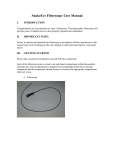
1. Connect the SnakeEye™ extension cable to SnakeEye display unit.
2. Connect the other end of extension cable to Miniature Camera making sure
that the connector pins of the Miniature Camera line-up with the holes on the
cable. Turn the connector nut on the cable to complete the connection. Do not
turn the shaft of the Miniature Camera.
3. Use the control buttons on the SnakeEye Display Unit to control the light
intensity and image orientation of the Miniature Camera.
4. If the 90 degree mirror is needed, connect it to the tip of Miniature Camera
Head by carefully screwing it to the tip.
5. When operating the Miniature Camera Head, pay special attention to keep it
away from any electric power source. Coming in contact with an electric
power source can cause damage to the camera and/or personal injury.
Rev. A