1
Installation
System requirements
To use the Wi-Fi GO! card, ensure that your system meets the following requirements:
1.
32-bit / 64-bit Windows® 7, 32-bit / 64-bit Windows® 8 / 8.1
2.
DVD Optical drive
3.
ASUS support DVD containing the Wi-Fi GO! card driver
4.
ASUS AI Suite 3 utility
•
Ensure to install the bundled Wi-Fi antenna connector to the Wi-Fi GO! card ports.
•
To install ASUS AI Suite 3 utility, refer to the section AI Suite 3 of your motherboard’s
user guide for more details.
Installing Wi-Fi GO! card driver
The contents of the support DVD are subject to change without notice. Visit the ASUS
support site at http://support.asus.com for driver or utilities updates.
To install Wi-Fi GO! card driver:
1.
Place the support DVD on the optical drive. If Autorun is enabled in your computer, the
DVD automatically displays the installation wizard.
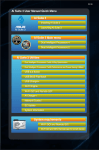
2.Click Drivers tab then click ASUS
Bluetooth 4.0 Wi-Fi Driver.
14
3.
Follow the onscreen instructions to complete
the installation.
4.
After the installation is completed, restart
your computer.