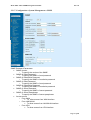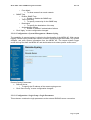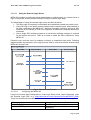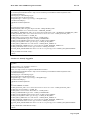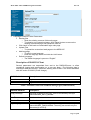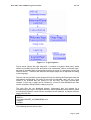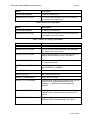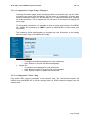
1
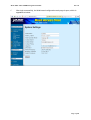
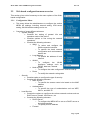
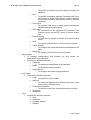
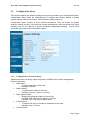
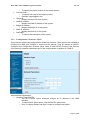
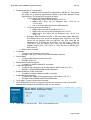
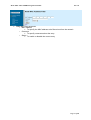
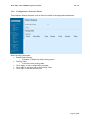
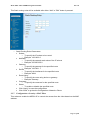
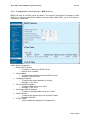
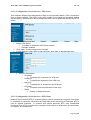
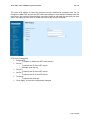
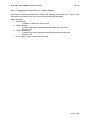
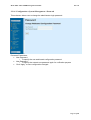
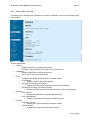
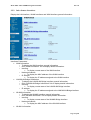
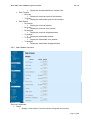
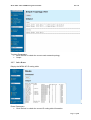
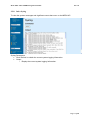
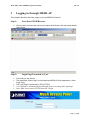
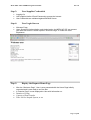
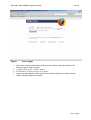
MAP-2000 / MAP-2000R Management Manual Rev 1.0 PLANET Mesh Network MAP-2000 / MAP-2000R MAP-2100 Web Based Management & User Manual Rev 1.0 Page 1 of 80 MAP-2000 / MAP-2000R Management Manual Rev 1.0 Table of Content 1 2 3 Introduction Web based management 2.1 To start the Web based configuration 2.2 Web based configuration menu overview 2.2.1 Configuration Menu 2.2.2 Command Menu 2.2.3 Info 11 2.2.4 Links Menu 2.3 Configuration Menu 2.3.1 Configuration->System Settings 2.3.2 Configuration->Network->WAN 2.3.3 Configuration->Network->Local Network 2.3.4 Configuration->Network->WLAN 2.3.5 Configuration->Network->Node to Node 2.3.6 Configuration->Network->Route 2.3.7 Configuration->Security->MAC Filter 2.3.8 Configuration->Security->Authentication 2.3.9 Configuration->Local Services->DHCP-Server 2.3.10 Configuration->Local Services->Firewall 2.3.11 Configuration->Local Services->NAT 2.3.12 Configuration->Local Services->VPN Server 2.3.13 Configuration->Local Services->NTP-Client 2.3.14 Configuration->Local Services->QoS 2.3.15 Configuration->Local Services->Traffic Shaping 2.3.16 Configuration->System Management->Password 2.3.17 Configuration->System Management->SNMP 2.3.18 Configuration->System Management->Remote-Syslog 2.3.19 Configuration->Login Setup->Login Parameters 2.3.20 Configuration->Login Setup->Radius 2.3.21 Configuration->Login Setup->Local Users Database 2.3.22 Configuration->Login Setup->Customize 2.3.23 Configuration->Login Setup->Webspace 2.3.24 Configuration->Tools->Ping 2.3.25 Configuration->Tools->Download 2.3.26 Configuration->Tools->Firmware Update 2.3.27 Configuration->Tools->Settings 2.4 Command Menu 2.4.1 Command->Reboot 2.4.2 Command->Reset 2.5 Info Menu 2.5.1 Info->Status->System 2.5.2 Info->Status->Interfaces 2.5.3 Info->Status->Services 2.5.4 Info->Status->Users 2.5.5 Info->Status->Mobile IP 2.5.6 Info->Topology 2.5.7 Info->Route 2.5.8 Info->Syslog 2.6 Links Logging in through MESH AP Step 1: User Starts WEB Browser 4 7 7 9 9 11 11 12 12 13 16 16 19 22 23 26 30 32 36 38 38 40 41 42 43 44 44 49 51 52 60 60 62 62 64 66 66 66 67 68 69 71 72 72 72 73 75 76 77 77 Page 2 of 80 MAP-2000 / MAP-2000R Management Manual Rev 1.0 Step 2: Login Page Presented to User Step 3: User Supplies Credentials Step 4: User Login Success Step 5: Display the Request Home Page Step 6: User Logout 77 78 78 78 79 Page 3 of 80 MAP-2000 / MAP-2000R Management Manual 1 Rev 1.0 Introduction PLANET Mesh Network features with a Web-based configuration interface management tool. It provides an easy access to all configuration functions. Any computer either wired or wireless that establishes a valid connection with the MESH AP can access the web-based configuration through a web browser. For the first time configuration, the MESH AP can be configured with a wireless computer, equipped with wireless LAN adapter or a PC equipped with wired Ethernet card and crossover Ethernet cable to the MESH AP’s Ethernet port. For more detail, please also refer to the Quick Guide. • For the wireless computer that equipped with 802.11b/g wireless LAN adapter, the following settings are required to ensure a successfully connection to the MESH AP. o ESSID: PLANET o WEP: disabled o TCP/IP installed and enable DHCP (Dynamic IP) • For the computer that equipped with wired Ethernet card and crossover cable to the MESH AP’s LAN port. o TCP/IP installed and enable DHCP • The preset MESH AP administrator login user ID and password is ‘admin’. After the first time configuration, the MESH AP can be managed either locally or remotely. For local management, computer can connect to the MESH AP by wireless interfaces to MESH AP wireless interface or wired LAN interface with crossover cable to MESH AP LAN port. For remote management, a VPN connection to MESH AP via the Internet can manage the MESH AP remotely. The following are all MESH AP default settings: • Configuration o System System • Node Name: PLANET • Contact Name: • Contact Phone: • Contact Email: • Object ID: 1.3.6.1.4.1.10456.6.3.1.0 o Network WAN • Interface Type: DHCPC Network • Enable DNS Client : enabled • DNS Client Default Domain Name : PLANET Bridge • IP Address: assigned automatically • Netmask: assigned automatically WLAN • WLAN0 Page 4 of 80 MAP-2000 / MAP-2000R Management Manual o o o o o o • Rev 1.0 SSID: PLANETMeshNet Radio role: Mesh Rate profile: Auto Frequency channel : 7 Auto channel selection: disabled Transmit power : Max WLAN1 o SSID: PLANET o Broadcast SSID: disabled o Radio role: Access Point o Rate profile: Auto o Frequency channel : 1 o Auto channel selection: enabled o Transmit power : MAX o o o NODE • Auto IP configuration : enabled • Traffic encryption :disabled • Enhanced traffic encryption: disabled Route • Static Routing: disabled Security MAC Access • MAC Access control : disabled Encryption • Encryption: disabled • Authentication type: open • Deny non-encrypted data: disabled Authentication • Mode: None Services DHCP-Server • DHCP-Server: enabled • Subnet Mask: assigned automatically • Gateway IP Address: assigned automatically • Primary DNS IP Address: assigned automatically • DHCP Domain : PLANET • IP Pool Table: assigned automatically Firewall • Mode: Disabled NAT • Mode : Enabled NTP-Client • Mode: Disabled QoS • Mode: Enabled • Default Upload : 256 • Default Download :256 Management Webbased password • Username: admin • Password: admin Page 5 of 80 MAP-2000 / MAP-2000R Management Manual Rev 1.0 o SNMP Password • SNMPv2 Read Password: public • SNMPv2 Read/Write Password: private • SNMPv3 Read Password: snmpv3rouser • SNMPv3 Read/Write Password: snmpv3rwuser • SNMPv3 Secret Password: snmpv3password • SNMPv3 Secret Passphrase: snmpv3passphrase Remote-Syslog • Mode: Disabled Login Setup Login • Require User Login: enabled • Idle timeout: 300 • Login method: http and https Radius • NAS-Identifier: PLANET • Called-Station ID: PLANET • NAS-Port :1 • NAS-Port-Type: 19 • Primary authentication port :1812 • Primary accounting port :1813 • Secondary authentication port:1812 • Secondary accounting port: 1813 • Interim-Update Interval:180 Local Users • No users enrolled Page 6 of 80 MAP-2000 / MAP-2000R Management Manual Rev 1.0 2 Web based management 2.1 To start the Web based configuration a. Start the web browser b. Enter https://IP Address of the MESH AP, in the address box (make sure HTTPS, but not HTTP) Accept the security certificate and click ‘Yes’ to proceed. c. d. The Web-based configuration login page opens after the security certification has been accepted. e. Enter the user name and password. By default, the user name and password are both set to ‘admin’. Page 7 of 80 MAP-2000 / MAP-2000R Management Manual f. Rev 1.0 After login successfully, the Web-based configuration main page is open, which is appealed as below. Page 8 of 80 MAP-2000 / MAP-2000R Management Manual 2.2 Rev 1.0 Web based configuration menu overview This section gives a brief summary to the menu options of the Webbased configuration. 2.2.1 Configuration Menu • This menu allows the administrators to configure the various MESH AP settings, including network setting, VPN server setting, WLAN interface setting and so on. • Comprise of seven different submenu o System Settings • Contains the setting of general info and operation mode of the device • Contains options to fine tuning the network operations. • Contains the following submenu: • WAN o To select and configure the WAN connection interface o To specific the basic network configuration such as hostname, domain etc. • Local Network o To specific the address of local network. • WLAN o To configure the WLAN interfaces settings such as ESSID, data rate, channel. • Node to node o To configure the node configuration such as node ip. • Route o To modify the network routing table o Security • Contains option to configure the type of security • Contains the following submenu: • MAC Access o To specific the access control rule based on the MAC address • Authentication o To specific the type of authentication such as WEP, 802.1x, and 802.11i o Local Service • Contain the options to configure the various network services such as DHCP server, firewall, VPN server , etc • Contains the following submenu: • DHCP-Server o To configure the MESH AP to act as a DHCP server to the bridge interface o To specify fixed IP address • Firewall Page 9 of 80 MAP-2000 / MAP-2000R Management Manual o • • • • • • • o o o Rev 1.0 To specific the firewall rules and settings to protect the WAN port NAT o To specific the Network Address Translation (NAT) rule and let user to define static routes to make computers on the internal network (LAN/WLAN) visible to external computers VPN Server o To configure VPN server to make remote management available with enhanced security NTP-Client o To synchronize to the specified NTP (Network Time Protocol) server and let NTP server to control system time Remote-Syslog o To track and log system messages to a remote syslog server QoS o To prioritize packet based on TCP,port,size of packet Traffic Shaping o To configure the upload and download bandwidth of the users Mobile IP o To configure mobile IP for the current nodes System Mgmt • To manage configurations and firmware file and control the administrator login password • Contains the following submenu • Password o To change the administrator login password • SNMP o To change the snmp password • Syslog Server o To configure the remote syslog parameter Login Setup • Contains the following submenu: • Login o To specific the login method • RADIUS o To define the RADIUS client settings that need to login to the external RADIUS server • Local Users Database o To define the local user accounts that allow to access. • Customize • Webspace Tools • Contains the following submenu • Ping • Download • Firmware Update • Settings Page 10 of 80 MAP-2000 / MAP-2000R Management Manual 2.2.2 • • 2.2.3 • • 2.2.4 • Rev 1.0 Command Menu This menu allows the administrators to do certain commands such as download, reboot, reset and help links. Comprise of two different submenu o Reboot • To reboot the MESH AP o Reset • To restore the default factory setting of MESH AP Info This menu allows the administrator to view the current status of different components of the MESH AP. And, to provide diagnostic tools to investigate the MESH AP behaviors. Comprise of three different submenu o Status • To show the current status of different component of MESH AP • Contains the following submenu • System o To show the current system uptime, CPU and memory status • Interfaces o To show the information of WAN, LAN and WAN physical interfaces • Services o To show the current status of various services available on the MESH AP • Users o To show the list of online users and their detail information that had login to the MESH AP successfully o Topology • To provide a simple topology overview of the mesh network. o Route • Display the information of routing table inside the system o Syslog • Display the log messages from the system Links Menu This menu provides the HTML links to the MESH AP main webpage and PLANET homepage Page 11 of 80 MAP-2000 / MAP-2000R Management Manual 2.3 Rev 1.0 Configuration Menu This section explains the detailed settings and options provided by the Configuration Menu. Configuration menu allows the administrators to configure the various settings, including network setting, VPN server setting, WLAN interface setting and so on. Configuration menu consists of seven different submenus. They are known as system settings, network, security, local services, system management, login setup and tools. Each submenu has its own options to provide complete configuration settings. Figure below shows the main page of the Configuration Menu. 2.3.1 Configuration->System Settings Administrator also can assign name and location to MESH AP for better management. System parameters: • Node Name o To specify the name of the node o Example: PLANET • Node Location o To specify the location of the node o Example: Factory 1, Zone A, Ivy road, … • Node Operate Mode o Display the operation mode of current node For MAP-2000 / MAP-2100, Gateway or Relay For MAP-2100, only fixed at Relay mode • Contact Name o To specify the name of contact for assistant for the node o Example: John, Tomson, …. • Contact Phone Page 12 of 80 MAP-2000 / MAP-2000R Management Manual • • • • • • 2.3.2 Rev 1.0 o To specify the phone number of the contact person Contact Email o To specify the email of the support person o Example: [email protected] Object ID o Display the object ID of the system WAN IP Address o Display the WAN IP address of the system Bridge IP Address o Display the Bridge IP of the system Node IP Address o Display the Node IP of the system Descriptor o To specify the description of the system Configuration->Network->WAN This submenu defines the configuration of WAN port interface. Three options are available to configure the WAN port interface to connect to the Internet. They are known as DHCPC (Dynamic Host Configuration Protocol client), Static IP and PPPoE (Point to Point Protocol over Ethernet). Network parameters are for the configurations of gateway IP, DNS IP. WAN-Interface Parameters: • Interface Type->DHCPC o The ISP’s DHCP server automatic assigns an IP address to the WAN interface. o To select DHCP client option, click the DHCPC radio button o Click “Configure Details and Save” button to configure that option Page 13 of 80 MAP-2000 / MAP-2000R Management Manual • Interface Type->Static IP o To manually assign a fixed IP address to the WAN interface o To select the Static IP option, click the Static IP radio button o Click “Configure Details and Save” button to configure that option • • Rev 1.0 Static IP Parameters: • IP o To specific the IP address of the WAN-interface • Netmask o To specific the network mask of the static IP address • Click “Save Config” to save the configuration changed Interface Type->PPPoE o ISP assigns a valid IP address to the WAN interface after MESH AP logon to the ISP’s PPPoE with supplied valid username and password. o To enhance to network security, MESH AP supports server side authentication feature. PPPoE server needs to supply valid username and password to authenticate itself. Only CHAP (Challenge Handshake Authentication Protocol) is supported for this feature. o Two authentication types are supported in the PPPoE mode, i.e. PAP (Password Authentication Protocol) and CHAP (Challenge Handshake Authentication Protocol). Only CHAP (Challenge Handshake Authentication Protocol) is supported in the Server Side Authentication feature. o To select the PPPoE option, click the PPPoE radio button o Click “APPLY” button to configure that option Page 14 of 80 MAP-2000 / MAP-2000R Management Manual o Rev 1.0 PPP over Ethernet Parameters: • Authentication • Authentication type o To select the PPPoE authentication type, either CHAP (Challenge Handshake Authentication Protocol) or PAP (Plain Text Authentication Protocol ) • Username o To specify the PPPoE logon user name • Password o To specify the PPPoE logon password • Server-side Authentication ( CHAP-Only ) • Enable server-side authentication o To enable or disable this option • Servers username o To specify the server username • Servers password o To specify the server password • Click “Apply” to save the configuration changed Network Parameters: • Gateway IP Address o Specify the IP address of the default gateway • Enable DNS Client o Enable or disable the DNS Client • Primary DNS Server IP Address o Specify the IP address of primary domain name server o Example: 168.95.1.1 • Secondary DNS Server IP Address o Specify the IP address of secondary domain name server o Example: 202.188.1.5 • DNS Client Default Domain Name o Specify the domain name of the MESH AP o Default value: PLANET Page 15 of 80 MAP-2000 / MAP-2000R Management Manual • 2.3.3 Rev 1.0 Click “APPLY” to save the configuration changed Configuration->Network->Local Network This submenu defines the IP configuration of bridge interface. MESH AP acts a bridge between wired LAN and wireless LAN. The LAN port interface shares the same IP address range with the wireless LAN interfaces. A static IP address is required on this port, because MESH AP cannot function as a DHCP client on its LAN port interface. The LAN port (for model MAP-2000R and MAP-2100) is used to connect the wired computers to the public access network via the LAN port interface. Be reminded, for MAP-2000, the local network setting is for Wireless AP serviced network subnet only. Local Network Parameters: • IP Address o To specify the IP address on the bridge interface o Example: 172.16.1.1 • Subnet Mask o To specify the network mask o Example: 255.255.255.0 • Click “Apply” to save the configuration changed 2.3.4 Configuration->Network->WLAN This submenu defines the configurations to the two wireless LAN interfaces embedded in the MESH AP. The WLAN LAN devices settings include the WLAN network settings such as ESSID (Extended Service Set Identifier), data rates. ESSID is the unique network name to identify the WLAN network. The data rate specifies the maximum data transfer in the WLAN network. Page 16 of 80 MAP-2000 / MAP-2000R Management Manual Rev 1.0 Wireless LAN Devices Parameters: • Wireless LAN Devices o List down detected WLAN devices o WLAN devices are distinguished by MAC and Type o Select one of the device to configure the parameters. o Radio 1 ( Mesh Backhaul Radio ) Parameters: • MAC Address o Display the MAC address of the devices • Service Set ID Page 17 of 80 MAP-2000 / MAP-2000R Management Manual • • • • • • • • Rev 1.0 o To specify the service set ID of the network o Default value: PLANETMeshNet Role in Radio Network o Display the role of radio Data Rate Profile o To configure the date rate of this device Frequency Channel o To configure the channel of this device o Default value: 7 Enable Auto Channel Select o To enable the auto channel selection mechanism o Default value: disabled Transmit Power o To specify the transmit power o Default value: MAX Receive Antenna o To specify the diversity of the antenna o Default value: diversity Transmit Antenna o To specify the diversity of the antenna o Default value: diversity Country o To specify the regulatory domain of the radio Note: This value also will apply to Radio 2. • o Click “Apply” to save configuration changed Wireless-Interface(Radio 2) Parameters: • MAC Address o Display the MAC address of the devices • Service Set ID o To specify the service set ID of the network Page 18 of 80 MAP-2000 / MAP-2000R Management Manual • • • • • • • • • 2.3.5 Rev 1.0 o Default value: PLANET Enable Broadcast SSID o To enable or disable the broadcast SSID of the device Role in Radio Network o Display the role in radio network Data Rate Profile o To configure the date rate of this device Frequency Channel o To configure the channel of this device o Default value: 1 Enable Auto Channel Select o To enable the auto channel selection mechanism o Default value: enabled Transmit Power o To specify the transmit power o Default value: MAX Receive Antenna o To specify the diversity of the antenna o Default value: diversity Transmit Antenna o To specify the diversity of the antenna o Default value: diversity Click “APPLY” to save configuration changed Configuration->Network->Node to Node Node Parameters: • Node Name o Display the name of the node Page 19 of 80 MAP-2000 / MAP-2000R Management Manual • • • • • • • • • • Rev 1.0 Enable Automatic IP Configuration o To enable or disable the automatic IP configuration to MESH AP. This option will assign an IP address automatically based on the MAC address of the WAN devices. The assigned IP range is as follow: 172.16.0.0/12 reserved for Bridge device • MESH AP’s bridge will be assigned 172.X.Y.1 • MESH AP’s client will be assigned from 172.X.Y.2 to 172.X.Y.254 • X & Y would be deduced from the WAN devices 10.0.0.0/8 reserved for Node IP • MESH AP’s node will be assigned 10.X.Y.1 • MESH AP’s vpn server will be assigned 10.X.Y.254 • MESH AP’s vpn client will be assigned from 10.X.Y.2 to 10.X.Y.12 Example: With deduced X=9 and Y=100 (from WAN MAC: 09h-64h), then MESH AP’s node IP will be assigned with 10.9.100.1, the VPN server will be assigned with 10.9.100.254, the VPN client will be assigned from 10.9.100.2 to 10.9.100.12. For the bridge, it will use 172.9.100.1, and the MESH AP’s client will be assigned with IP address ranging from 172.9.100.2 to 172.9.100.254 by MESH AP’s DHCP server o Default value: enabled IP Address o To specify the IP address of the node o Example: 10.9.100.1; deduce from the WAN MAC address. Subnet Mask o To specify the network mask of the node o Example: 255.0.0.0 Enable Node Traffic Encryption o To enable or disable node traffic encryption 128bit Encryption key o To specify the encryption key of node traffic in HEX value ( 0-9, A-F ) o Example: 1234567890abcdef0123456789abcdef Enable Enhanced Traffic Encryption o To enable or disable enhanced traffic encryption 128bit AES Encryption Key o To specify the 128bit AES encryption key in HEX value ( 0-9, A-F ) o Example:1234567890abcdef0123456789fedcba Click “Apply” to save configuration changed Click “Node MAC Filtering” to trigger the screen shot as below to set a list of MAC address that needed to be blocked from the current network. Click “Add” to add new entry , “Edit” to edit selected entry Page 20 of 80 MAP-2000 / MAP-2000R Management Manual • Rev 1.0 Node MAC filter parameter o MAC Address To specify the MAC address to be filtered out from the network o Comment To specify comments about the entry o Status To enable or disable the current entry Page 21 of 80 MAP-2000 / MAP-2000R Management Manual 2.3.6 Rev 1.0 Configuration->Network->Route This submenu defines the static route to direct the traffic to the appropriate destination. Static Routing Parameters: • Enable Static Routing o To enable or disable the static routing option • Routing Table o To list the current routing table • Click “Apply” to save configuration changed • Click “Add” to add new rule to the Routing Table • Click “Edit” to edit the selected rule Page 22 of 80 MAP-2000 / MAP-2000R Management Manual Rev 1.0 This Static routing rules will be available after either “Add” or “Edit” button is pressed. o 2.3.7 Static Routing Rules Parameters: • Subnet o To specify the IP subnet to be routed o Example: 192.168.2.0 • Netmask o To specify the network mask value of the IP subnet o Example: 255.255.255.0 • Gateway o To specify the gateway for the specified route o Example: 192.168.1.1 • Device o To specify the interfaces for the specified route o Example: WAN • Route Using o To specify the route using device or gateway o Example: Gateway • Comment o To specify the comment for the specified route • Status o To enable or disable the specified route • Click “Apply” to save the configuration • Click “back” to go back to Configuration->Network->Route Configuration->Security->MAC Filter This submenu enable the MESH AP to control the access from the client based on the MAC address. Page 23 of 80 MAP-2000 / MAP-2000R Management Manual Rev 1.0 MAC Access Parameters: • Enable MAC Access Control o To enable or disable MAC access control • Operation Type o To specify the type of operation of the control, ie block or pass-through • MAC Access Control Table o List the MAC address configured • Click “APPLY” to save the configuration changed • Click “Add” to add new entry • Click “Edit” to edit the selected entry The MAC access control entry will be available after “Add” or “Edit” button is pressed. Page 24 of 80 MAP-2000 / MAP-2000R Management Manual o Rev 1.0 MAC Access Control entry Parameters: • MAC Address o To specify the MAC address of the entry o Example: 00:30:4f:08:6A:37 • Comment o To specify the comment for the entry • Status o To enable or disable the entry Page 25 of 80 MAP-2000 / MAP-2000R Management Manual 2.3.8 Rev 1.0 Configuration->Security->Authentication This submenu configure the authentication method to off, WEP/802.11x, or WPA/802.11i. This security option provide more robustness in network security. Authentication Parameters: o To configure WPA/802.11i, click on the radio button of the WPA/802.11i Page 26 of 80 MAP-2000 / MAP-2000R Management Manual • Rev 1.0 WPA/802.11i WPA/802.11i parameters: o WPA PSK To specify the authentication mode to WPA Pre Shared Key o WPA EAP ( RADIUS ) To specify the authentication mode WPA EAP, an external radius server is needed for this type of authentication o TKIP To specify the encryption cipher to Temporal Key Integrity Protocol (TKIP) o AES To specify the encryption cipher to Advanced Encryption Standard ( AES ) • Available authentication mode are WPA PSK with TKIP, WPA PSK with AES, WPA EAP with TKIP, WPA EAP with AES • Click “Save Config” to save configuration changed. Page 27 of 80 MAP-2000 / MAP-2000R Management Manual • Rev 1.0 WEP/802.1x WEP/802.1x Parameters: o 802.1x assignment of 128 bit key To specify the authentication mode to 802.1x 128bit o 802.1x assignment of 64 bit key To specify the authentication mode to 802.1x 64bit o 128 bit To specify the authentication mode to WEP 128bit Example: 01234567890abcdef1234567890 o 64 bit To specify the authentication mode to WEP 64bit Example: 0123456789 • Select one of the radio button to enable the authentication type. • Click “Save Config” to save configuration changed. Page 28 of 80 MAP-2000 / MAP-2000R Management Manual • Rev 1.0 Off Off Parameters: o Encryption OFF To disable encryption and authentication • Click “Encryption OFF” button to disable encryption and authentication. Page 29 of 80 MAP-2000 / MAP-2000R Management Manual 2.3.9 Rev 1.0 Configuration->Local Services->DHCP-Server MESH AP acts as a DHCP server by default. This means it will assign IP address to client stations on Wireless and Wired network (except model: MAP-2000), up to 254 clients is supported in each node. DHCP Server Parameters: • Enable DHCP Server o To enable or disable the DCHP Server o Default value: enabled • Subnet Mask o To specify the network mask of the DHCP server o Example: 255.255.255.0 • Gateway IP Address o To specify the default gateway for routing o Example: 172.9.100.1 • Primary DNS IP Address o To specify DNS server to be used o Example: 172.9.100.1 • Secondary DNS IP Address o To specify secondary DNS server to be used • DHCP Domain o To specify the domain name for the DHCP clients o Example: PLANET • IP Pool Table o A list of tables that display the IP assignment Page 30 of 80 MAP-2000 / MAP-2000R Management Manual Rev 1.0 • DHCP IP Pool Parameters: • Start IP Address o To specify the start IP of the IP pool table o Example: 172.9.100.2 • End IP Address o To specify the end IP of the IP pool table o Example: 172.9.100.254 • Default Lease o To specify the lease time to be assigned to the client stations o Example: 3600 • Maximum Lease o To specify the maximum least time to be assigned to the client stations o Example: 86400 • Comment o To specify the comments of the current entry of the table • Status o To enable or disable the current entry of the table • DHCP Fixed Addresses Parameters: o Fix this Hardware address Page 31 of 80 MAP-2000 / MAP-2000R Management Manual o o o Rev 1.0 Fix the Hardware address to a fixed IP To this IP Fix the Hardware address to this IP Comment Optional comments for this entry Status Enable or disable this entry 2.3.10 Configuration->Local Services->Firewall To safeguard MESH AP from any intruders, MESH AP features a customizable firewall. The firewall stops and blocks any unauthorized user access from the WAN port. It used to control both incoming and outgoing data. To customize the firewall, the rules need to be specified. MESH AP monitors the IP datagram that travel in and out, analyzes the packet based on the firewall rules, and decides whether to accept or deny that packet. Firewall rules apply to both wired and wireless LAN network interfaces. Firewall Parameters: • Enable Firewall o To enable or disable the firewall • Default Policy o Set the default policy for the firewall rule o Select Option: Accept or Deny o Default value: Accept • Existing Rules o Display the current firewall rules • Click “Add” button to add new rules. • Click “Edit” button to edit the selected rule. Page 32 of 80 MAP-2000 / MAP-2000R Management Manual Rev 1.0 Firewall Rules Parameters: • Rule Number o To specify the rule number of this entry • Source o Host Page 33 of 80 MAP-2000 / MAP-2000R Management Manual Rev 1.0 To specify the hostname in FQDN form or IP address as the source address Subnet Network • To specify the network IP address as the source address • Example: 192.168.5.0 Netmask • To specify the network mask • Example: 255.255.255.0 Destination o Host To specify the hostname in FQDN form or IP address as the source address o Subnet Network • To specify the network IP address as the destination address • Example: 192.168.1.5 Netmask • To specify the network mask • Example: 255.255.255.255 Source Interface o To specify the interface as the source interface o Option: Any, WLAN/LAN, WAN, LINK Destination Interface o To specify the interface as the destination interface o Option: Any, WLAN/LAN, WAN , LINK Protocol o To specify the protocol of the rule to check o Option Any • Rules apply to any protocol TCP • Rules apply to TCP protocol • Specify an unique port or a range of port numbers UDP • Rules apply to UDP protocol • Specify an unique port or a range of port numbers ICMP • Rules apply to ICMP protocol • Specify the ICMP type GRE • Rules apply to GRE protocol By number # Rules apply to specified port number such as ICQ defined port Limits traffic o Matching rule to limit the traffic for certain application o More than #packet per minute o Example: Rule: 5 packet per minute, and allow FTP packets. This means this rule is applied only when the number 6 FTP packet is received for that minute Target o To set the policy to the target rule o Option: Deny, Accept, Free Deny: To reject the packet that match the rule o • • • • • • Page 34 of 80 MAP-2000 / MAP-2000R Management Manual • • Rev 1.0 Accept: To accept the packet that match the rule Free: To provide the free access to that particular rule Comments o To specify the comments of the rule Status o Enable or disable this rule Page 35 of 80 MAP-2000 / MAP-2000R Management Manual Rev 1.0 2.3.11 Configuration->Local Services->NAT NAT (Network Address Translation) is the translation of an Internet Protocol address (IP address) used within one network to a different IP address known within another network. One network is designated the inside network and the other is the outside. Typically, a company maps its local inside network addresses to one or more global outside IP addresses and unmaps the global IP addresses on incoming packets back into local IP addresses. This helps ensure security since each outgoing or incoming request must go through a translation process that also offers the opportunity to qualify or authenticate the request or match it to a previous request. NAT also conserves on the number of global IP addresses that a company needs and it lets the company use a single IP address in its communication with the world. NAT is included as part of a router and is often part of a corporate firewall. Network administrators create a NAT table that does the global-to-local and local-to-global IP address mapping. NAT can also be used in conjunction with policy routing. NAT can be statically defined or it can be set up to dynamically translate from and to a pool of IP addresses. MESH AP of NAT lets an administrator create tables that map: • • • • A local IP address to one global IP address statically A local IP address to any of a rotating pool of global IP addresses that a company may have A local IP address plus a particular TCP port to a global IP address or one in a pool of them A global IP address to any of a pool of local IP addresses on a round-robin basis NAT Parameters: • Enable NAT o To enable or disable the NAT service • NAT Table o A list of existing NAT rules • Click “Apply” to save configuration changed • Click “Add” to add new entry to the NAT table Page 36 of 80 MAP-2000 / MAP-2000R Management Manual • Rev 1.0 Click “Edit” to edit selected entry NAT List Parameters: • Port o To specify the port of the entry o Example: 23 ( telnet ) • Protocol o To specify the protocol of the entry o Option: TCP , UDP • IP o To specify the IP of the entry o Example: 192.168.1.25 • Comment o To specify optional comment for this entry • Status o Enable or disable this entry • Example: Forward port 23 telnet traffic to host 192.168.1.25 by entering 23 to port, tcp protocol, and 192.168.1.25 to the IP • Click “Apply” to save the configuration changed. Page 37 of 80 MAP-2000 / MAP-2000R Management Manual Rev 1.0 2.3.12 Configuration->Local Services->VPN Server This submenu defines the configurations of built-in virtual private network ( VPN ) connection from a remote network. The traffic in the VPN tunnels is encrypted and protected against eavesdropping. Authentication and management traffic can be protected through the PPTP tunnel. VPN Server Parameters: • Enable VPN Server o To enable or disable the VPN Server service o Example: enabled • Click “Apply” to save configuration changed • In VPN User List, click “Add” to add new entry, click “Edit” to edit selected entry • User List Parameters o Username To specify the username of a VPN user o Password To specify the password of the VPN user o Assign IP To specify the IP assigned to this VPN user o Comment To specify optional comments on this entry o Status Enable or disable this entry 2.3.13 Configuration->Local Services->NTP-Client Network Time Protocol (NTP) is a protocol that is used to synchronize computer clock times in a network of computers. Developed by David Mills at the University of Delaware, NTP is now an Internet standard. In common with similar protocols, NTP uses Coordinated Universal Time (UTC) to synchronize computer clock times to a millisecond, and sometimes to a fraction of a millisecond. Page 38 of 80 MAP-2000 / MAP-2000R Management Manual Rev 1.0 The term NTP applies to both the protocol and the client/server programs that run on computers. MESH AP acts as the NTP client that initiates a time request exchange with the time server. As a result of this exchange, the client is able to calculate the link delay, its local offset, and adjust its local clock to match the clock at the server's computer. NTP Client Parameters: • Enable NTP o To enable or disable the NTP client service • Server 1 o To specify the IP of the NTP server o Example: pool.ntp.org • Server 2 o To specify the IP of the NTP server • Server 3 o To speciry the IP of the NTP server • Timezone o To specify the timezone • Click “Apply” to save the configuration changed Page 39 of 80 MAP-2000 / MAP-2000R Management Manual Rev 1.0 2.3.14 Configuration->Local Services->QoS This submenu defines the parameters of the QoS within MESH AP. QOS parameters: • Enable QOS o To enable or disable the QOS setting • Click “Add” to add new entry to the QoS table • Click “Edit” to edit the selected entry • QoS list parameters: o Protocol To specify the protocol of this entry o Port To specify the port of this entry o Packet size To specify the size of the packet of this entry o Priority To prioritize this entry o Comment To specify optional comment on this entry o Status Enable or disable this entry Page 40 of 80 MAP-2000 / MAP-2000R Management Manual Rev 1.0 2.3.15 Configuration->Local Services->Traffic Shaping This submenu defines the parameters of the traffic shaping within MESH AP. Traffic is very important to limit certain user not to use more than assigned bandwidth. QoS Parameters: • Enable QoS o To enable or disable the QoS service • Default Upload o To specify the default upload bandwidth in kbps per user basis o Example: 256 • Default Download o To specify the default download bandwidth in kbps per user basis o Example: 256 • Click “Apply” to save configuration changed. Page 41 of 80 MAP-2000 / MAP-2000R Management Manual Rev 1.0 2.3.16 Configuration->System Management->Password This submenu allows user to change the administrator login password. Password Parameters: • New Password o To specify the new web-based configuration password • New Password o To specify the entered new password again for verification purpose • Click “Apply” to save configuration changed. Page 42 of 80 MAP-2000 / MAP-2000R Management Manual Rev 1.0 2.3.17 Configuration->System Management->SNMP SNMP Password Parameters: • SNMP Version o To specify the version of the SNMP • SNMP v2 Read Password o To specify the SNMP-v2 read password • SNMP v2 Read/Write Password o To specify the SNMP-v2 read/write password • SNMP v3 Read Password o To specify the SNMP-v3 read password • SNMP v3 Read/Write Password o To specify the SNMP-v3 read/write password • SNMP v3 Secret Password o To specify the SNMP-v3 secret password • SNMP v3 Secret Passphrase o To specify the SNMP-v3 secret passphrase • Access control o From WAN To allow access from WAN interface o From LAN/WLAN To allow access from LAN/WLAN interface o From VPN To allow access from VPN interface Page 43 of 80 MAP-2000 / MAP-2000R Management Manual Rev 1.0 From Mesh To allow access from mesh network SNMP Trap o Enable SNMP Trap Enable or disable the SNMP trap o Trap Community To specify community for the SNMP trap o Destination To specify the destination of the trap o Authentication failures Enable or disable if authentication failures Click “Apply” to save configuration changed o • • 2.3.18 Configuration->System Management->Remote-Syslog The capability of remote logging is critical to the functionality of the MESH AP. With remote logging, remote syslog server can monitor all traffic coming through the firewall, any system changes, and even system information from the MESH AP. The remote system logger review the log files from the MESH AP and decide what to do when specific events occur. Remote-Syslog Parameters: • Remote Server o To specify the IP address of the remote syslog server. • Click “Save Config” to save configuration changed. 2.3.19 Configuration->Login Setup->Login Parameters This submenu contains the login parameters to the external RADIUS server connection. Page 44 of 80 MAP-2000 / MAP-2000R Management Manual Rev 1.0 Click Configure Details and Apply for more configurable parameters as below: Login Parameters: • Require User Login o To enable or disable the MESH AP Login service • External Login Server o To specify the URL for the external login server o Leave empty to disable this feature • Idle-Timeouts o To specify idle-timeouts in seconds o Value entered will be override by RADIUS server o Default value: 5 minutes • Auto-Relogin after idle logout o Click to enable the auto-relogin after idle timeout • Session-Timeout o To specify session-timeout in seconds o Value entered will be override by RADIUS server o Default value: 0 minutes • HTTPS allowed o To enable or disable the login through https • HTTP allowed o To enable or disable the login through http • Click “Apply” to save configuration changed • Click “Use Default” to use the default value Page 45 of 80 MAP-2000 / MAP-2000R Management Manual 2.3.19.1 Rev 1.0 Using the External Login Server MESH AP provides an option that allows administrator to redirect users to a remote server to log in to the public access interface instead of using the internal login page. The advantages of using the external login server are listed as follow: • The login page is completely customizable and centralized located at the web server. • Users can login to the public access interface without exposing their web browsers to the SSL certificate on the MESH AP. Warning messages caused by having an SSL certificate on the MESH AP that is not signed by a well-known certificate authority is eliminated. • Only a single SSL certificate signed by a well-known certificate authority is required for the remote web server. There is no need to obtain the SSL certificate for every MESH AP. External Login could be used, for example to deploy a centralized login portal. Following diagram shows the sequence of the login process when a client start access internet using MESH AP Access Point. 2.3.19.1.1 Figure. External Login Process Configuring the MESH AP Login to the access point configurations, under Login Setup->User Login Parameters, enter the External Login URL (e.g. https://www.server.com/Login.php?client=##CLIENT_IP##). There are several macros available in order to retrieve information from the access point. Macro ##CLIENT_IP## ##REQUESTED_URL## Description The IP address of the login client Original URL on which the client is requesting. Page 46 of 80 MAP-2000 / MAP-2000R Management Manual ##GATEWAY_LOGIN## ##EXT_IP## ##NAS_ID## ##DOMAIN## ##PORT_HTTPS## Rev 1.0 The Access Point’s external login gateway. (https://<accesspointdomain>:<https_port>/X_Login.cgi) Where <accesspoint-domain> is the Common Name (CN) found in the Webserver Certificates. <https_port> is the configured Secure login port Return the WAN IP address of the access point Return the NAS Identifier of the access point Return the hostname (CN in the certificates) Return the secure login port of the access point Table – Defined Macros in the external login URL Note that, the external server hostname must be able to resolve by the Access Point for proper Access Control Setup. (This could be verified using the Tools->Ping page in the web based configurations page). Access Control to the external server is automatically done during startup or after configured the new server address. Thus, if the external server is using dynamic IP address, the Access Control will become invalid after the address has changed. 2.3.19.1.2 Gateway Login URL This is the gateway between the external server and the access point’s radius client. External server will have to send back the • USERNAME, • PASSWORD, • CLIENT_IP information to the access point. All information should be encoded according to the RFC 1738 specification. E.g. for the username ‘Donald Duck’, the POST should contain USERNAME=Donald%20Duck. 2.3.19.1.3 Gateway Logout URL External server could, forcing a logged-in station to logout using the logout URL. https://<accesspoint-domain>:<https_port>/X_Logout.cgi?CLIENT_IP=<client ip address> 2.3.19.1.4 Login Reply After processing the authentication request, the Access Point will reply the External Server with the following contents: 2.3.19.1.4.1 Login Success <HTML> <!-<?xml version=“1.0” encoding=“UTF-8”?> <WISPAccessGatewayParam Page 47 of 80 MAP-2000 / MAP-2000R Management Manual Rev 1.0 xmlns:xsi=“http://www.w3.org/2001/XMLSchema-instance” xsi:noNamespaceSchemaLocation=“http://www.acmeWisp.com/WISPAccessGatewayParam.xsd”> <AuthenticationReply> <MessageType>120</MessageType> <ResponseCode>50</ResponseCode> <ReplyMessage>“ radius reply message”</ReplyMessage> </AuthenticationReply> </WISPAccessGatewayParam> --> <!-<LOGIN>SUCCESS</LOGIN> <REQUESTED_URL>Original Requested URL </REQUESTED_URL> <SERVER_NAME>Access Point Hostname </SERVER_NAME> <INTERNAL_WEBSPACE_URL>Access Point Internal Webspace URL </INTERNAL_WEBSPACE_URL> <USER_STATUS_URL>Access Point Internal url to check user status </USER_STATUS_URL> <USER_IP>client IP address </USER_IP> <USER_MAC>client machine MAC address </USER_MAC> <USER_LOGINNAME>login name </USER_LOGINNAME> <USER_AUTH_MODE>authentication mode </USER_AUTH_MODE> <USER_AUTH_MSG>radius reply message </USER_AUTH_MSG> <USER_IDLE_TIMEOUT>user idle timeout </USER_IDLE_TIMEOUT> <USER_SESSION_TIMEOUT>user session timeout</USER_SESSION_TIMEOUT> <USER_CUSTOM>radius custom reply attributes</USER_CUSTOM> <LOGIN_DNS_KEYWORDS>dns shortcut to the access point logout url</LOGIN_DNS_KEYWORDS> --> <body>LOGIN SUCCESS</body> </html> 2.3.19.1.4.2 Already Logged In <HTML> <!-<?xml version=“1.0” encoding=“UTF-8”?> <WISPAccessGatewayParam xmlns:xsi=“http://www.w3.org/2001/XMLSchema-instance” xsi:noNamespaceSchemaLocation=“http://www.acmeWisp.com/WISPAccessGatewayParam.xsd”> <AuthenticationReply> <MessageType>120</MessageType> <ResponseCode>100</ResponseCode> <ReplyMessage>“ radius reply message”</ReplyMessage> </AuthenticationReply> </WISPAccessGatewayParam> --> <!-<LOGIN>ERROR</LOGIN> <USER_STATUS_URL>Access Point Internal url to check user status </USER_STATUS_URL> <USER_IP>client IP address </USER_IP> <USER_MAC>client machine MAC address </USER_MAC> <USER_LOGINNAME>login name </USER_LOGINNAME> <USER_AUTH_MODE>authentication mode </USER_AUTH_MODE> <USER_AUTH_MSG>radius reply message </USER_AUTH_MSG> <USER_IDLE_TIMEOUT>user idle timeout </USER_IDLE_TIMEOUT> <USER_SESSION_TIMEOUT>user session timeout</USER_SESSION_TIMEOUT> <USER_CUSTOM>radius custom reply attributes</USER_CUSTOM> <LOGIN_DNS_KEYWORDS>dns shortcut to the access point logout url</LOGIN_DNS_KEYWORDS> --> <body>ALREADY LOGGED IN</body> </html> Page 48 of 80 MAP-2000 / MAP-2000R Management Manual Rev 1.0 2.3.19.1.4.3 Login Denied <HTML> <!-<?xml version=“1.0” encoding=“UTF-8”?> <WISPAccessGatewayParam xmlns:xsi=“http://www.w3.org/2001/XMLSchema-instance” xsi:noNamespaceSchemaLocation=“http://www.acmeWisp.com/WISPAccessGatewayParam.xsd”> <AuthenticationReply> <MessageType>120</MessageType> <ResponseCode>100</ResponseCode> <ReplyMessage>“ radius reply message”</ReplyMessage> </AuthenticationReply> </WISPAccessGatewayParam> --> <!-<LOGIN>ERROR</LOGIN> <REQUESTED_URL> Original Requested URL </REQUESTED_URL> <SERVER_NAME> Access Point Hostname </SERVER_NAME> <USER_LOGINNAME> login name </USER_LOGINNAME> <USER_AUTH_MSG> radius reply message </USER_AUTH_MSG> --> <body>LOGIN DENIED</body> </html> 2.3.19.1.5 Certificates and hostname The Access Point will use the subject CN field in the installed certificates as its default hostname (provided the CN field contains a valid hostname, only [.-a-zA-Z] character is allowed). AP returns the hostname as GATEWAY_LOGIN URL by default. External server could use the ##EXT_IP## or using the REMOTE_ADDR variable from the HTTP server, to obtain the AP IP address, if the hostname is not a known to the server. 2.3.20 Configuration->Login Setup->Radius Remote Authentication Dial-In User Service (RADIUS) is a client/server protocol and software that enables remote access servers to communicate with a central server to authenticate dial-in users and authorize their access to the requested system or service. RADIUS allows a company to maintain user profiles in a central database that all remote servers can share. It provides better security, allowing a company to set up a policy that can be applied at a single administered network point. Having a central service also means that it's easier to track usage for billing and for keeping network statistics. Created by Livingston (now owned by Lucent), RADIUS is a de facto industry standard used by a number of network product companies and is a proposed IETF standard. This submenu contains all options to define the settings that MESH AP need to communicate to the external RADIUS server. It contains login, RADIUS, and local users. The following sections explain the configuration parameters in detail. Page 49 of 80 MAP-2000 / MAP-2000R Management Manual Rev 1.0 Radius-Client Parameters: • Server • Primary RADIUS-Server o To specify the IP address of the primary RADIUS server o Example: 192.168.1.2 • Secret o To specify the login password of the primary RADIUS server o Example: secretpassword • Authentication Port o To specify the authentication port for the primary RADIUS server o Default value: 1812 • Accounting Port o To specify the accounting port for the primary RADIUS server o Default value: 1813 • Backup RADIUS-Server o To specify the IP address of the secondary RADIUS server • Secret o To specify the login password of the secondary RADIUS server • Authentication Port o To specify the authentication port for the secondary RADIUS server • Accounting Port o To specify the accounting port for the secondary RADIUS server • Attributes. • NAS-Identifier o To specify the Network Access Server ( NAS ) identifier for the MESH AP. This ID attribute is included in all packets that send to RADIUS server. • Called-Station-Id o To specify the MESH AP RADIUS client ID • NAS-Port Page 50 of 80 MAP-2000 / MAP-2000R Management Manual • • Rev 1.0 o To specify the NAS port number for authentication NAS-Port-Type o To specify the type of NAS port Interim-Update interval o To specify the interval of updates to RADIUS server 2.3.21 Configuration->Login Setup->Local Users Database Local Users Database • List of Users o To display current local users o Click “Delete” to remove a local account o Click “Change Password” to change the password of that account • Add new User Page 51 of 80 MAP-2000 / MAP-2000R Management Manual • • • • Rev 1.0 Username o To specify the new local user login name Password o To specify the new local user login password Password(repeat) o To specify the new local user login password again for verification Click “Add new User” to add the new local user 2.3.22 Configuration->Login Setup->Customize The login page can be customized to serve the administrator requirements. The administrator can upload his or her own web design to the MESH AP. Figure below shows the login sequence. After a successful login, the user is identified and his or her preference language is known if the RADIUS server has sent that option. Therefore, the welcome and logout page can be adjusted according to the language. Login.html Welcome Page (Login_success.html) Logout Page (Logout.html) Deny Page (Login_Denied.html) This submenu contains the configurations for administrator to customize his or her login, welcome, deny, and logout pages. MESH AP uses English as default preference language. Administrator can also customize his or her preference language. Page 52 of 80 MAP-2000 / MAP-2000R Management Manual Rev 1.0 Customizable login Parameters • Existing Files o To display the available current language and customized pages of MESH AP o Common Contains the customized language independent web page such as login.html & login_denied.html Click the link to access the common folder o English Contain the language dependent webpage such as login_success.html & logout.html Click the link to access the ‘language’ folder • Upload Files o To upload the customized web pages to the MESH AP • Add Language o To add in a new language o Enter the language name and click the ‘Add’ button. • Default Language o The default language is preset to “English” Common Option Page 53 of 80 MAP-2000 / MAP-2000R Management Manual Rev 1.0 • Existing files o Show the existing common folder web pages o To upload a new customized page, click ‘Delete’ button to remove the existing customized page and upload the new file. • Click ‘back’ to link back to customizable login main page • Upload Files o To upload the customized web pages to the MESH AP • Add Language o To add in a new language o Enter the language name and click the ‘Add’ button. • Default Language o The default language is preset to “English” Language Option – e.g. English Page 54 of 80 MAP-2000 / MAP-2000R Management Manual • Rev 1.0 Language Common Folder Parameters • Existing files o Show the existing common folder web pages o To upload a new customized page, click ‘Delete’ button to remove the existing customized page and upload the new file. • Click ‘back’ to link back to customizable login main page • Upload Files o To upload the customized web pages to the MESH AP • Add Language o To add in a new language o Enter the language name and click the ‘Add’ button. • Default Language o The default language is preset to “English” Description of RADIUS-Client Several parameters are transmitted from and to the RADIUS-Server, to allow centralized logging and configuration on a per-user base. The following data is exchanged with the RADIUS. Attributes starting with PLANET are vendor attributes with the vendor ID 22222 (ID will change). RADIUS-Attribute Description User-Name Login name User-Password Login Password Table 1 Attributes send to the RADIUS during Login (authentication) RADIUS-Attribute Description Reply-Message Message to display to the user. Can be accessed by the login macro ##USER_AUTH_MSG##. Idle-Timeout Idle timeout in seconds Session-Timeout Session timeout in seconds login-language Preferred language of the user. Attribute type 1. Accessible by the macro ##USER_LANGUAGE##. The string can contain only the characters [a-zA-Z0-9]. Page 55 of 80 MAP-2000 / MAP-2000R Management Manual Rev 1.0 RADIUS-Attribute Description login-url The URL, the user should be redirected after successful login. Attribute type 2. Accessible by the macro ##USER_STARTPAGE##. login-custom Full freely cusumizable information, which can be send to by the RADIUS. An example for the usage can be to provide account information, local news, etc. It is also possible to pass multiple arguments in one string and separate them using Java script. The Attribute type is 200 and it is accessible via the macro ##USER_CUSTOM##. Table 2 Attributes accepted from the RADIUS during Login (authentication) RADIUS-Attribute Description User-Name Login name Acct-Status-Type Value='Start'. Indicates start of Session to the RADIUS Table 3 Attributes send to the RADIUS during Login (accounting) RADIUS-Attribute Description <none> Table 4 Attributes accepted from the RADIUS during Login (accounting) RADIUS-Attribute Description User-Name Login name Acct-Status-Type Value='Stop'. Indicates stop of session Acct-Input-Octets The number of bytes received by the user Acct-Output-Octets The number of bytes transmitted by the user Acct-Input-Packets The number of packets received by the user Acct-Output-Packets The number of packets transmitted by the user Acct-Session-Time The time in seconds from logging in until the last time a transmission was detected. Table 5 Attributes accepted from the RADIUS during Logout (accounting) • Customizable Login The login page can be customized to serve the customers requirements. The customer can upload his own web design to the hotspot AP. Page 56 of 80 MAP-2000 / MAP-2000R Management Manual Rev 1.0 Figure 6.3 - Login Sequence Figure above shows the login sequence. It consists of system fixed parts, which cannot be modified by the user and parts to be customized. After a successful login, the user is identified and his preferred language is known if it has been sent by the RADIUS server. Therefore the welcome and logout page can be adjusted according to the language. The files can be uploaded to the hotspot AP and are sharing the flash space with the Web-based configuration. All kinds of files can be uploaded, html, pdf, etc. It just needs to be ensured that the naming of the key files, like Login_success.html remains. In this way, a page can be created on a local PC and afterwards the files can be uploaded, without need to change any link. The html files are not displayed directly; furthermore they are parsed by a corresponding cgi script in the same directory, which substitutes some macros, which are containing dynamic values like the username and IP address. A sample welcome page looks like this: <HTML> <BODY> <H1>Hello ##USER_LOGINNAME##</H1> </BODY> </HTML> The following macros can be used: Page 57 of 80 MAP-2000 / MAP-2000R Management Manual Rev 1.0 Macro Description ##SERVER_NAME## IP address of the server. ##REQUESTED_URL## The url, the user requested, before we redirected the request to our login server. Table 6 Macros for Login.html Macro Description ##SERVER_NAME## IP address of the server. ##REQUESTED_URL## The url, the user requested, before we redirected the request to our login server. Table 7 Macros for Login_denied.html Macro Description ##SERVER_NAME## IP address of the server. ##REQUESTED_URL## The url, the user requested, before we redirected the request to our login server. ##USER_AUTH_MSG## Reply-Message attribute of the RADIUS server, or english default values if not set. See table 2. ##USER_STATUS_URL## URL of the status page. This URL should be shown in a seperate window. ##INTERNAL_WEBSPACE_URL URL of the internal webspace, which is ## http://##SERVER_NAME## ##USER_IP## IP address of the User ##USER_MAC## MAC address of the user ##USER_LOGINNAME## Loginname of the user ##USER_AUTH_MODE## Authentication mode which has been used. Can be either 'local' for authentication via local user database, or 'RADIUS' for authentication via RADIUS. ##USER_STARTPAGE## The startpage which has been assigned by the RADIUS server, using the login-url attribute. See table 2. ##USER_LANGUAGE## Preferred language of the user as set by the RADIUS attribute login-language. See table 2. Page 58 of 80 MAP-2000 / MAP-2000R Management Manual Rev 1.0 Macro Description ##USER_IDLE_TIMEOUT## Idle timeout in seconds as set by the RADIUS attribute Idle-Timeout. See table 2. ##USER_SESSION_TIMEOUT## Session timeout in seconds as set by the RADIUS attribute Session-Timeout. See table 2. ##USER_CUSTOM## Full freely user customizable data, which can be set by the RADIUS attribute login-custom. See table 2. Table 8 Macros for Login_success.html Macro Description ##SERVER_NAME## IP address of the server. ##USER_IP## IP address of the User ##USER_MAC## MAC address of the user ##USER_LOGINNAME## Loginname of the user ##USER_AUTH_MODE## Authentication mode which has been used. Can be either 'local' for authentication via local user database, or 'RADIUS' for authentication via RADIUS. ##USER_STARTPAGE## The startpage which has been assigned by the RADIUS server, using the login-url attribute. See table 2. ##USER_LANGUAGE## Preferred language of the user as set by the RADIUS attribute login-language. See table 2. ##USER_IDLE_TIMEOUT## Idle timeout in seconds as set by the RADIUS attribute Idle-Timeout. See table 2. ##USER_SESSION_TIMEOUT## Session timeout in seconds as set by the RADIUS attribute Session-Timeout. See table 2. ##USER_CUSTOM## Full freely user customizable data, which can be set by the RADIUS attribute login-custom. See table 2. Table 9 Macros for Logout.html Additionally, each page has the attribute ##HELP##, which enumerates the available attributes. Page 59 of 80 MAP-2000 / MAP-2000R Management Manual Rev 1.0 2.3.23 Configuration->Login Setup->Webspace Choosing the default page, which is displayed after a successful login, can be useful to provide user some local information, like the menu of a restaurant. At some sites like this restaurant, there can’t be assumed to be a network infrastructure, besides the WAN connection. This is maybe also no web server in the Internet to display the menu page. To serve these customers, it is possible to store a simple page locally in the MESH AP. MESH AP provides up to 1MB of space for administrator to store some local information. This submenu allows administrator to manage the local information to be display after successful login of the MESH AP locally. Webspace parameter • Existing files o To display the existing webpages for local information o Click “Delete” to remove the selected webpage • Upload File o To upload a new webpage for local information o Click “Browse” button to select the file to be uploaded o Click “Upload” button to upload the selected file 2.3.24 Configuration->Tools->Ping Ping sends ICMP request messages to the network host. The connectivity between the network host and MESH AP is proven working when an ICMP respond message from the network host. Page 60 of 80 MAP-2000 / MAP-2000R Management Manual Rev 1.0 Ping Parameters: • Ping o To specify the host IP address to ping o Example: 202.157.186.63 • Number of pings o To specify number of count to send the ping command o Example: 2 • Click “Start” button to start the Ping command • Output o Display the Ping command result Page 61 of 80 MAP-2000 / MAP-2000R Management Manual Rev 1.0 2.3.25 Configuration->Tools->Download Download Parameters: • System Information ( Display only ) o Display the information about the firmware of the system • Server IP Address o To specify the IP address of the TFTP server o Example: 192.168.1.91 • File Name o To specify the name of the file o Example: config • File Type o To specify the file type o Option: config, firmware Config- configuration image Firmware- firmware image • File Operation o To specify the operation type o Option: upload, download, download and reboot Upload – upload to TFTP server Download – download to MESH AP Download and reboot – reboot after finish download to MESH AP • Click “Apply” to perform operation 2.3.26 Configuration->Tools->Firmware Update This option allows user to update the MESH AP firmware. Caution! Please don’t switch off the device while updating the firmware. It may take average about 6 minutes to update the firmware. Page 62 of 80 MAP-2000 / MAP-2000R Management Manual Rev 1.0 Firmware Update Parameters: • Click “Browse” button to browse to the location of new firmware and select that file • Example: a:\firmware.img • Click “Upload” button to upload the new firmware to MESH AP During the process, the services will shutdown. After the firmware upgrade, the MESH AP will reboot. To know when will be process completed, simply set the MESH AP back to default before upgrade and ping the default IP address of the MESH AP. Once the reboot process completed, then the MESH AP will reply the ping. Page 63 of 80 MAP-2000 / MAP-2000R Management Manual Rev 1.0 2.3.27 Configuration->Tools->Settings Configuration Parameters: • Save Config o Save the configuration image to a file • Restore Config o To update the MESH AP configuration with saved configuration o Click “Browse” button to browse to the location of new configuration image and select that file o Example: a:\MESH_AP1.cfg o Click “Upload” button to upload the new configuration. • Install New Webserver Certificate • Install Web Server Certificate Upload our web certification that certified by authorized Certificate Authority (CA) Click “browse” button to select the certificate file from user designated source Page 64 of 80 MAP-2000 / MAP-2000R Management Manual Rev 1.0 Click “Upload” button to upload certificate to MESH AP Example: webserver-mesh.p12 Page 65 of 80 MAP-2000 / MAP-2000R Management Manual 2.4 Command Menu 2.4.1 Command->Reboot Rev 1.0 Reboot Parameters: • Time to reboot o To specify a delay in time before rebooting. • Click “Reboot” to initiate the reboot sequence. 2.4.2 Command->Reset Reset Parameters: Page 66 of 80 MAP-2000 / MAP-2000R Management Manual • • 2.5 Rev 1.0 Reset to Factory Default o To restore the default factory configuration Click “Reset to Factory Default” to restore to default factory setting Info Menu This menu allows the administrator to check the current status of various MESH AP components such as system, interfaces. It also helps to provide diagnostic tools to investigate the MESH AP behaviors. Info menu consists of two submenus, which known as status, tools and topology. The following section will discuss each submenu in details. Page 67 of 80 MAP-2000 / MAP-2000R Management Manual 2.5.1 Rev 1.0 Info->Status->System The status menu displays the information of system, interfaces, services and existing login users details. System Parameters: • Uptime o Display the uptime in days/hours/minutes o Example: Time since last boot 0 days, 0 hrs, 34 minutes • Hardware o Display the MESH AP self-test after boot o Value “OK” means self-test passed • CPU o To display the MESH AP MPC 8241 Processor status o CPU-Speed Display the MCP 8241 CPU speed o Average CPU usage ( Since boot ) Display the CPU usage since boot in terms of percentage o Average CPU usage ( Last two seconds ) Display the CPU usage of last two seconds in terms of percentage • Memory o Free memory Display the available free system RAM memory o Free Flash-Memory Display the available free system FLASH memory • Version o Secondary version Display the current secondary firmware version o Tertiary version Display the current tertiary firmware version Page 68 of 80 MAP-2000 / MAP-2000R Management Manual 2.5.2 Rev 1.0 Info->Status->Interfaces Display the LAN interface, WLAN interfaces and WAN interface general information. Interfaces Parameters: • WAN Information o To display the WAN interface general information o Click “WAN Information” link to display details information. o Interface To display current state of the WAN interface o Hardware Address To display the MAC address of the WAN interface o IP address To display the IP address assigned to the WAN interface • LAN/WLAN-Bridge Information o To display the LAN/WLAN Bridge interface general information o Click “LAN/WLAN Bridge Information” link to display details information. o Interface To display current state of the LAN/WLAN Bridge interface o IP address To display the IP address assigned to the LAN/WLAN Bridge interface • WLAN0 Information o To display the WLAN0 interface general information o Click “WLAN0 Information” link to display details information. o Interface To display current state of the WLAN0 Bridge interface o Hardware Address To display the MAC address of the WLAN0 interface • WLAN1 Information Page 69 of 80 MAP-2000 / MAP-2000R Management Manual o o o o • Rev 1.0 To display the WLAN1 interface general information Click “WLAN1 Information” link to display details information. Interface To display current state of the WLAN1 Bridge interface Hardware Address To display the MAC address of the WLAN1 interface LAN Information o To display the LAN interface general information o Click “LAN Information” link to display details information. o Interface To display current state of the LAN interface o Hardware Address To display the MAC address of the LAN interface 2.5.2.1 Detailed Interface Information Each interface provides its link to display the detailed interface information. Interface Parameters • Information o Hardware Address Display the interface MAC address o IP address Display the interface IP address o Bcast address Display the interface Broadcast address o Netmask Display the interface Netmask • MTU Size o MTU Page 70 of 80 MAP-2000 / MAP-2000R Management Manual • • 2.5.3 Rev 1.0 Display the interface Maximum Transfer Unit Data Transfer o Rx bytes Display the received bytes on the interface o Tx bytes Display the transmitted bytes on the interface Data Packet o Rx packets Display the received packets o Rx errors Display the received error packets o Rx dropped Display the received dropped packets o Tx packets Display the transmitted packets o Tx errors Display the transmitted error packets o Tx dropped Display the transmitted dropped packets Info->Status->Services Services Parameters: • Status o Display current status of various service configured and running Page 71 of 80 MAP-2000 / MAP-2000R Management Manual o 2.5.4 Rev 1.0 Click “Restart” button to restart the selected service Info->Status->Users Online Users Database Parameters: • List of Users o Display the current logon user list o User name Display the logon user name Click this link to display the user details o IP address Display the IP address assigned to the logon user interface o Actions Click “Logout” button to logout the user manually 2.5.5 Info->Status->Mobile IP Display the status of the mobile IP status 2.5.6 Info->Topology Display the current topology of the mesh network. Page 72 of 80 MAP-2000 / MAP-2000R Management Manual Rev 1.0 Topology Parameters: • Click ‘Refresh’ to obtain the current mesh network topology. • Output 2.5.7 Info->Route Display the MESH AP IP routing table. Route Parameters: • Click ‘Refresh’ to obtain the current IP routing table information. Page 73 of 80 MAP-2000 / MAP-2000R Management Manual • Rev 1.0 Output o Display the current IP routing table interfaces information Page 74 of 80 MAP-2000 / MAP-2000R Management Manual 2.5.8 Rev 1.0 Info->Syslog To view the system messages and significant events that occur on the MESH AP. Syslog Parameters: • Click ‘Refresh’ to obtain the current system logging information. • Output o Display the current system logging information. Page 75 of 80 MAP-2000 / MAP-2000R Management Manual Rev 1.0 o 2.6 Links This menu provides the HTML links to the MESH AP main webpage and PLANET homepage. Click the link to access the respective web page. Page 76 of 80 MAP-2000 / MAP-2000R Management Manual 3 Rev 1.0 Logging in through MESH AP This chapter describes the basic steps to use the MESH AP service. Step 1: • User is ready to access the Internet and starts Web Brower and requesting default Home Page. Step 2: • • • • • User Starts WEB Browser Login Page Presented to User Connecting to the Service The requested “Home Page” is intercepted by MESH AP and replaced by a User Login Page The Login Page is protected by SSL (HTTPS) CA Certificate is automatically downloaded prior to accessing the Login Page Note: PDA Users can use HTTP (Non-SSL) Login Page 77 of 80 MAP-2000 / MAP-2000R Management Manual Step 3: • • • • • • • User Login Success Welcome Page Upon Successful Authentication and Authorization, the MESH AP ISP can present user with User and/or Location specific “Welcome Page” to further the User Experience Step 5: • User Supplies Credentials Logging On User supplies his/her ID and Password to access the Internet User Credentials are validated against RADIUS Server Step 4: • • Rev 1.0 Display the Request Home Page After the “Welcome Page”, User is now presented with the Home Page initially requested and is now ready to surf the Net A “Session Page” is now displayed to User with information on Duration of Usage Capacity of Data Transfer Time-Left for Prepaid System, or etc Page 78 of 80 MAP-2000 / MAP-2000R Management Manual Step 6: Rev 1.0 User Logout • Once User is done accessing the Internet or the remote Corporate Network, the Session Page is used to Logout • • A simple Click on the “Logout” button For Pocket PC System just type in “Logout” • Logout can also happen under control of the Wireless Operator or when the timecredit on prepaid system is expired Page 79 of 80 MAP-2000 / MAP-2000R Management Manual Rev 1.0 Page 80 of 80