1
Ref. 554901
EN
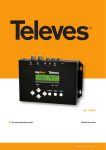
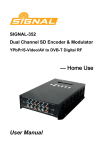
DVB-T Encoder/Modulator
User Manual
w w w. t e l e v e s . c o m
Index
1. Introduction . . . . . . . . . . . . . . . . . . . . . . . . . . . . . . . . . . . . . . . . . . . . . . . . . . . . . . . . . . . . . . . . . . . . . . 4
1.1 Product overview . . . . . . . . . . . . . . . . . . . . . . . . . . . . . . . . . . . . . . . . . . . . . . . . . . . . . . . . . . . . . 4
1.2 General description. . . . . . . . . . . . . . . . . . . . . . . . . . . . . . . . . . . . . . . . . . . . . . . . . . . . . . . . . . . . 4
1.3 Technical specifications . . . . . . . . . . . . . . . . . . . . . . . . . . . . . . . . . . . . . . . . . . . . . . . . . . . . . . . 4
2. Product description . . . . . . . . . . . . . . . . . . . . . . . . . . . . . . . . . . . . . . . . . . . . . . . . . . . . . . . . . . . . . . . 5
2.1 Indicators and controls . . . . . . . . . . . . . . . . . . . . . . . . . . . . . . . . . . . . . . . . . . . . . . . . . . . . . . . . 5
2.2 Installation . . . . . . . . . . . . . . . . . . . . . . . . . . . . . . . . . . . . . . . . . . . . . . . . . . . . . . . . . . . . . . . . . . 6
3. Operation . . . . . . . . . . . . . . . . . . . . . . . . . . . . . . . . . . . . . . . . . . . . . . . . . . . . . . . . . . . . . . . . . . . . . . . 6
3.1 Button introduction . . . . . . . . . . . . . . . . . . . . . . . . . . . . . . . . . . . . . . . . . . . . . . . . . . . . . . . . . . . 6
3.2 Management . . . . . . . . . . . . . . . . . . . . . . . . . . . . . . . . . . . . . . . . . . . . . . . . . . . . . . . . . . . . . . . . . 7
3.3 General setting for main menu . . . . . . . . . . . . . . . . . . . . . . . . . . . . . . . . . . . . . . . . . . . . . . . . . . 8
4. Application example . . . . . . . . . . . . . . . . . . . . . . . . . . . . . . . . . . . . . . . . . . . . . . . . . . . . . . . . . . . . . . . 9
ENGLISH
EN
DVB-T Modulator
4
1.3 Technical specifications
Safety Instructions
WARNING: To prevent fire or electrical shock, do not expose the device to rain
or moisture.
Encoding Section
General Precautions
Avoid placing the device next to central heating components and in areas of
high humidity.
Do not cover the device with elements that obstruct the ventilation slots.
If the encoder modulator has been kept in cold conditions for a long time,
keep it in a warm room minimum 2 hours before plugging into the mains.
Mount the encoder modulator in vertical position with the connectors
located on the top side.
When replacement parts are required, be sure the service technician has
used replacement parts specified by the manufacturer or have the same
characteristics as the original part. Unauthorized substitutes may result in
fire, electric shock or other hazards.
Safety check- Upon completion of any service or repairs to this device, ask
the service technician to perform safety checks to determine that the device
is in proper condition.
Encoding
MPEG-2 MP@ML(4:2:0)
Interface
1 x CVBS
Resolution
720x576_50i (PAL); 720x480_60i (NTSC)
Bit rate
1.000~19.500 Mbps
Encoding
MPEG1 Layer II
Interface
1 x Stereo/mono
Sample rate
48KHz
Bit rate
64, 96, 128, 192, 256, 320, 384kbps
Video
Audio
Modulator Section
Power precautions
T he encoder modulator is powered with a voltage of 12V DC. The power
supply voltage must not exceed the recommended voltage, which otherwise
may cause irreparable damage to the device and the invalidation of the
warranty. Therefore:
- Do not replace power supply with a voltage greater than 12V DC.
- Do not connect the device to the power if the power cord is damaged.
- Do not plug the device into mains supply until all cables have been
connected correctly.
- Do not cut the cord.
1. Introduction
1.1 General Description
554901 encoder & modulator (home use) is Televes´ consumer product which
allows audio/video signal input in TV distributions with applications in home
entertainment, surveillance control, inns, restaurants, small shops, etc.
It is a device that allows to convert a composite video signal (with or without
audio) into digital DVB-T COFDM signal and so distribute for the existing
network.
The signals source could be from satellite receivers, CCTV cameras, DVD players,
etc. Its output signal is to be received by a DVB-T standard TV, DVB-T STB etc.
1.2 Blocks diagram
DVB-T COFDM
Bandwidth
6M, 7M, 8M
Constellation
QPSK, 16QAM, 64QAM,
Code rate
1/2, 2/3, 3/4, 5/6, 7/8.
Guard Interval
1/32, 1/16, 1/8, 1/4.
Transmission Mode:
2K, 8K
MER
≥42dB
RF frequency
47~862MHz (1KHz step)
RF output level
-16~ -36 dBm (72~92 dBμV), 0.1dB step
RF looptrought
5 - 900 MHz (10 dB attenuation)
System
Management
Local control: LCD + control buttons
Language
English
LCN Insertion
yes
Upgrade
JTAG
General
Standard
Mains
DC 12V
Dimensions
172 x 122 x 50mm
Weight
Aprox. 500g
Operation temperature 0 ... 45 ºC
5
2. Product Description
2.1 Indicators and controls
LCD display
Power/alarm/lock
indicators
EN
Control Buttons
JTAG port for upgrade
DC 12V
CVBS
L/R channel
DC 12V
CVBS
L/R channel
RF in
RF out
RF In
RF Out
Power input
Composited video input supporting NTSC and PAL
Stereo Left and Right audio channels
to combine input RF signal (10 dB attenuation)
to distribute modulated signal ((47-862 MHz, 72~92 dBμV)
DVB-T Modulator
6
2.2 Installation
3. Operation
1. Screw the encoder modulator where you want to install it. Left 10 cm of free
space around from each other once the devices have been installed.
3.1 Button introduction
2. Connect cables to audio/video source. The signal source can be from a
surveillance monitor, DVD, set-top box, CCTV and etc.
554901 Encoder Modulator is controlled and managed through the key board
and LCD display.
LCD Display – It presents the selected menu screen and the parameter settings.
The backlight in the display is on when the power is applied.
3. Connect cable to RF output to TV.
LED – These lights indicate the working status
Power: It lights on when the power supply is connected.
A
larm: It lights on when the there is error, such as the signal source loss.
L
ock: It lights on when the signal source connected and goes off when the
signal lose.
/ / / buttons – Use these buttons to turn the screen pages, shift the
target items by moving the triangle, or change the parameter settings in the
program mode.
ENTER – Use this button to enter a submenu or save a new setting after
adjustment; press it to start adjusting the value of certain items when the
corresponding underline flash with Up and Down buttons;
4. Connect the power to the wall outlet with the power adapter.
Press it to activate the hidden selections and change the setting with Up and
Down (or Left and Right) buttons.
MENU – Press this button to step back.
LOCK – Locking the screen / cancelling the lock state, and entering the main
menu after the initialization of the device. After pressing lock key, the system
will question the users to save present setting or not. If not, the LCD will display
the current configuration state.
When the power is connected, the LCD will start to initialize the program. The
LCD menu goes as below chart.
7
3.2 Management
Switch On, then below status will be displayed, few seconds’ initialization then
open startup picture.
EN
DVB-T Modulator
8
3.3 General setting for main menu
VB-T: modulating standard; XX.XXX MHz: the current output frequency;
1 D
576i: video resolution of signal source; X.XX Mbps: the current encoding bit
rate.
larm Status: For example, if the CVBS cable disconnected, it will display
2 A
Video 1 Not Lock under this menu.
ptime: It displays the working time duration of the device. It times upon
3 U
power on.
ideo Parameters: User can enter the items respectively to view the video
4 V
status and signal source resolution. User can also adjust values of rest items.
(Bit rate: 1.000~19.000 Mbps; Brightness & Contrast & Saturation: 0-255;
Hue: -128 - +127; Aspect Ratio: 4:3 or 16:9)
udio Bit rate: Select audio bit rate among 64, 96, 128, 192, 256, 320, 384
5 A
kbps.
Broadcast: Enable – the output program will broadcast only audio without the
picture; Disable – cancel broadcast mode to resume both audio and video.
rogram Information: User can enable or disable the program output
6 P
under menu Program Output. User can also enter the other items to edit
the Service Name, Program Name, Program Number, and PIDs of PMT, PCR,
Video and Audio, and edit LCN (Logical channel number). EIT Event – User
can enter this menu to setup EIT (Event Information Table) for the current
and next program event. The EIT contains Start Time, Duration, Event Name,
and Start Year of the event. All the EIT information can be displayed on the
TV screen on condition that the EIT is chosen to insert (see explanation 10.).
7 TSID: (Transport Stream ID) User can view or adjust after enter this menu.
8 ONID: (Original Network ID)-User can view or adjust after enter this menu.
IT: (Network Information Table) NIT table is a very important table for
9 N
describing the network and TS. User can enter the submenus displayed
and edit the values or select the LCN (Logical channel number) mode,
and choose whether to insert the NIT. If user chooses to insert the NIT,
information (Network ID, Network Name, LCD Mode, Private Data and LCN
number of the program mentioned in explanation 6) will be added to the
transport stream.
- NOTE: when the Private Data is set as 0*0, it is invalid.
IT: EIT Insert - As mentioned above (6), the event information table can
10 E
be chosen whether to insert into the TS or not under this menu. If yes, the
EIT information set above (6) will be displayed on the TV screen. Language
Code – to set the EIT language For example, code of the English language is
eng. If you set the code as eng, the EIT displayed will be in English language.
11 Bandwidth: choose between 6M, 7M and 8M.
onstellation: DVB-T modulator contains 3 constellation modes – 64 QAM,
12 C
QPSK and 16 QAM.
13 FFT (Transmission Mode): Select between 2K and 8K.
14 Guard Interval: Select among 1/32, 1/16, 1/8 and 1/4.
ode Rate: It refers to FEC-Forward Error Correction rate. It contains 1/2,
15 C
2/3, 3/4, 5/6 and 7/8.
- NOTE: The different combination of bandwidth, constellation, guard
interval and code rate (FEC) will form a different output code rate.
Please refer to appendix table 1.
F Frequency: Adjust it at range of 47 to 862MHz. Set it according your
16 R
regional situation or inquire your local services.
17 RF Level: Adjust it at range of -16~ -36dBm.
18 RF On: User can choose to turn on or turn off the RF under this menu.
it Rate: User can read the current modulating bit rate and the maximum
19 B
bit rate
20 Save Config: Yes/No-to save/give up the adjustment of setting.
21 Load Saved CFG: Yes/No-to load/ not to load the saved configuration.
actory Reset:
22 F
configuration.
Yes/No-choose/not
choose
the
factory’s
default
CD time-out: A time limit that LCD will light off. Choose among 5s, 10s,
23 L
45s, 60s, 90s and 120s (seconds).
ock Keyboard: Choose Yes to lock the keyboard, when the keyboard will
24 L
not applicable to avoid unexpected operations. Choose No to unlock the
keyboard.
erial Number: User can view the serial number of this device. It is read25 S
only and unique
ersion: It displays the version information of this device. Encoder
26 V
Modulator: the name of the device; SW: software version number; HW:
hardware version number. User can also press ENTER again to view the
published time of this device.
9
4. Application example
CVBS + AUDIO
SOURCE
RF OUT RF IN
RCA IN
CCTV
Power
DVD
IRD SAT
DIGIMOD DVB-T
ENCODER/MODULATOR
Table 1 Recommended MPEG-2 Code Rate
CAMARA
EN
DVB-T Modulator
10
11
EN
televes.com
554901_000_EN